AI Agent Memory: Obsidian Vault vs Dedicated Workspace

Compare Obsidian MCP and dedicated workspace tools for giving AI agents persistent memory. Honest breakdown of setup, project isolation, and multi-agent workflows.
You have been using Claude Code or OpenClaw for a few weeks now. The honeymoon phase is over. You have noticed the pattern: every new session starts from zero. The agent forgets your project architecture, the decisions you made last Tuesday, the client requirements you spent twenty minutes explaining yesterday.
So you start searching for a fix. And two approaches keep coming up: connect an Obsidian vault to Claude through an Obsidian MCP server, or use a purpose-built workspace tool. Both promise persistent claude code memory. Both deliver it differently.
This guide breaks down how each approach actually works, where each one shines, and where each one falls apart — so you can pick the right one for how you actually work.
Why AI Agents Forget (And Why It Matters)
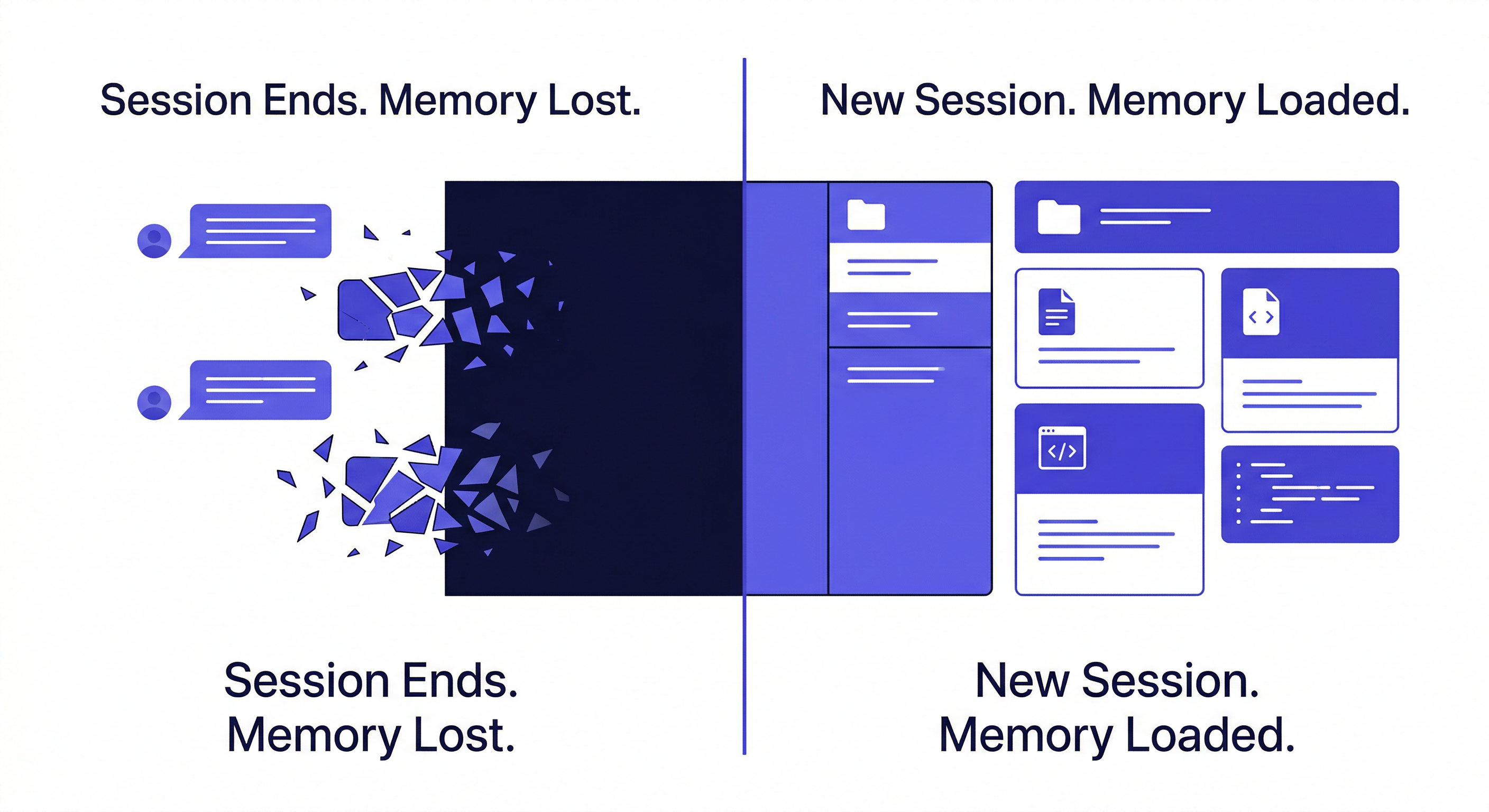
Claude Code and OpenClaw are stateless by design. Each session gets a fresh context window. When the session ends, everything in that window is gone — your project background, the coding decisions, the client preferences, all of it.
For a single quick task, this does not matter. For ongoing projects, it is a serious productivity drain. Developers report spending 10-15 minutes at the start of each session just re-explaining their codebase to get claude code memory back on track. Freelancers managing multiple clients find context from Client A bleeding into conversations about Client B.
The core question is not whether you need persistent memory — if you are reading this, you probably do. The question is how to implement it.
Approach 1: Obsidian Vault + MCP Server
The Obsidian MCP approach gained traction after Fraser Cottrell shared his Obsidian Claude setup on X, describing it as "literally feels like I have an employee who knows everything about everything." The setup connects Obsidian's local markdown vault to Claude through the Model Context Protocol.
Here is what the architecture looks like: Obsidian stores your notes as local markdown files. An MCP server (like obsidian-mcp or a filesystem MCP) gives Claude read and write access to those files. Claude can search your vault, read specific notes, and create new ones.
What you need to set up:
- Install Obsidian and create a vault
- Design your folder structure and note templates
- Install and configure an MCP server
- Connect the MCP server to Claude Desktop or Claude Code
- Optionally install plugins like Dataview, Templater, and Daily Notes
- Design your YAML frontmatter conventions
Fraser himself mentioned the initial setup took about 30 minutes — and he has a technical background.
Where this approach works well:
- Single-project deep dives where you want a rich, interconnected knowledge base
- Users who already have a mature Obsidian vault with years of notes
- Scenarios requiring complete local data control — everything stays on your machine
- Technical users who enjoy designing their own information architecture
Where it breaks down:
One user (@jorcagra) in the replies put it precisely: "The hardest part isn't storage, it's curation. Vaults fill with noise fast. Without a capture protocol, you're giving Claude an increasingly noisy context."
The vault is a single container. All your projects, all your clients, all your notes live in one searchable space. You can use folders to separate them, but the Obsidian MCP search will still return results across projects. True isolation requires multiple vaults with separate MCP configurations — and switching between them means reconfiguring the connection each time.
As the vault grows, context restoration slows down. Claude needs to search through more files to find what is relevant. The quality of what it retrieves depends entirely on how well you organized your notes in the first place.
Approach 2: Dedicated AI Workspace Tools
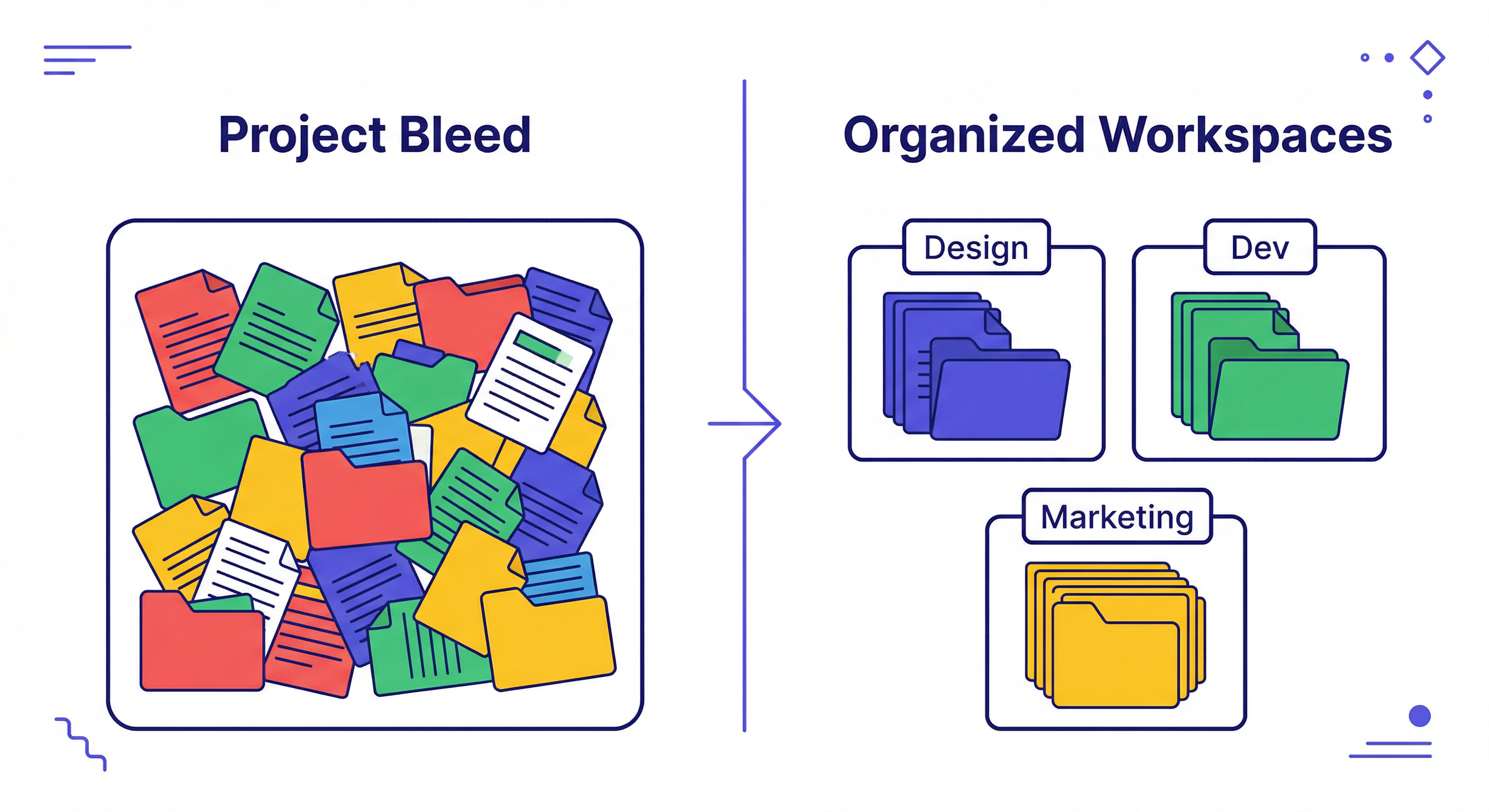
The alternative approach skips the DIY knowledge base entirely. Instead of giving the agent access to a general-purpose note system, you give it a structured workspace designed specifically for project memory.
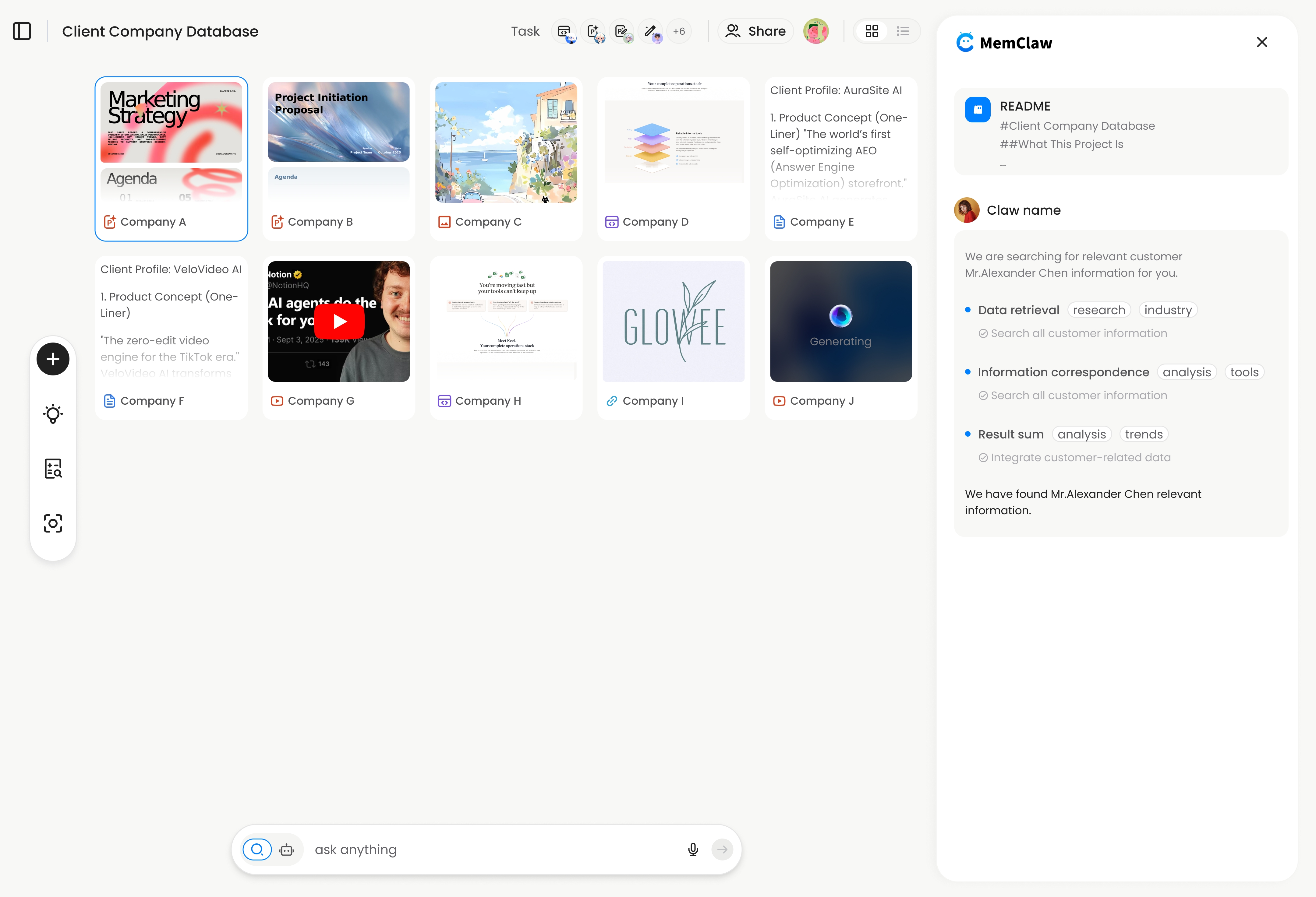
MemClaw is one tool in this category. It gives each project its own isolated workspace with a built-in structure: a Living README (background, preferences, current progress), Artifacts (documents, reports, URLs), and Tasks (auto-tracked as the agent works).
What you need to set up:
# Step 1: Set API key
export FELO_API_KEY="your-api-key-here"

# Step 2: Install (choose your agent)
# Claude Code:
/plugin marketplace add Felo-Inc/memclaw
/plugin install memclaw@memclaw

# OpenClaw:
bash <(curl -s https://raw.githubusercontent.com/Felo-Inc/memclaw/main/scripts/openclaw-install.sh)
Then tell your agent: "Create a workspace called Client Acme." That is the entire setup.
Get your API key at felo.ai/settings/api-keys.
Where this approach works well:
- Multi-project workflows — freelancers with 5+ clients, PMs tracking multiple features
- Teams that need shared project context without file-syncing headaches
- Cross-agent users who switch between OpenClaw and Claude Code on the same project
- Non-technical users who do not want to design a note-taking system
Where it breaks down:
Data lives in the cloud (Felo's servers), not on your local machine. For highly sensitive projects where local-only storage is a hard requirement, this is a real limitation. Obsidian's local-first architecture has a genuine advantage here.
The structure is also more opinionated. You get Living README + Artifacts + Tasks. If you want a completely custom information architecture with bidirectional links, graph views, and plugin ecosystems, Obsidian gives you that flexibility.
Quick Comparison Table
| Obsidian + MCP | Dedicated Workspace (MemClaw) | |
|---|---|---|
| Setup time | 30+ minutes (vault design, MCP config, plugins) | Under 2 minutes (install + API key) |
| Project isolation | Folder-based (soft boundary) | Workspace-based (hard boundary) |
| Context restoration | Search-dependent (varies with vault size) | Structured README (~8 seconds) |
| Data location | Local (your machine) | Cloud (Felo servers) |
| Multi-agent support | One agent per MCP config | OpenClaw, Claude Code, Gemini CLI, Codex |
| Team collaboration | Requires Obsidian Sync or Git | Built-in workspace sharing |
| Maintenance | Manual curation required | Agent-maintained |
| Output types | Markdown only | Documents, reports, URLs, files |
| Customization | Unlimited (plugins, templates, graph view) | Opinionated structure (README + Artifacts + Tasks) |
Neither column is all green. That is the point — these are genuinely different tools for different workflows.
The Real Differences That Matter
Most comparison articles list features side by side. That is not very useful. Here are the differences that actually affect your daily workflow:
Project Isolation
This is the biggest architectural gap. Obsidian uses a single vault by default. Everything lives together. You can organize with folders, but the search boundary is the entire vault.
With a dedicated workspace, each project is a separate container. load workspace "Client Acme" switches context completely. Nothing from Client B appears. Nothing from your personal notes leaks in. This is not a folder — it is a hard boundary.
If you work on one project at a time, this distinction barely matters. If you juggle five projects in parallel, it changes everything.
Context Restoration
With the Obsidian Claude approach, the agent searches your vault, reads relevant notes, and pieces together the context. Speed and accuracy depend on vault size and organization quality. A well-maintained vault with 50 notes works great. A messy vault with 2,000 notes becomes a retrieval problem.
MemClaw: the agent reads the Living README — a structured snapshot of current project state — and is up to speed in about 8 seconds. The README is not a growing pile of notes. It is a maintained summary that the agent updates as you work.
Multi-Agent Support
Obsidian connects to one agent at a time through its MCP server. If you use both OpenClaw for research and Claude Code for coding, each needs its own Obsidian MCP configuration pointing to the same vault. They do not share state natively.
MemClaw workspaces are agent-agnostic. OpenClaw, Claude Code, Gemini CLI, and Codex can all read and write to the same workspace. Research done in OpenClaw is immediately available when you switch to Claude Code for coding. No reconfiguration needed. This is the core claude code memory advantage over the Obsidian Claude setup — your project state follows you across agents.
Learn more about cross-agent workflows →
Maintenance Burden
This is the sleeper issue. Obsidian requires ongoing curation. Notes pile up. Outdated information stays unless you manually clean it. The vault's usefulness degrades over time without active maintenance — and that maintenance falls entirely on you.
A dedicated workspace shifts that burden to the agent. The Living README is a current-state snapshot, not a historical log. The agent updates it as decisions change. You do not need to go back and clean up old notes.
Who Should Use What
This is not a "one is better" situation. The right choice depends on how you work.
Obsidian + MCP is the better fit if you:
- Work primarily on one project at a time
- Already have a well-organized Obsidian vault
- Need all data stored locally (compliance, security, preference)
- Enjoy building and maintaining your own knowledge system
- Want maximum flexibility in how information is structured
A dedicated workspace like MemClaw is the better fit if you:
- Manage multiple projects or clients simultaneously
- Want zero-setup project isolation
- Use multiple AI agents (OpenClaw + Claude Code) on the same projects
- Work in a team that needs shared project context
- Prefer the agent to handle information organization
Many power users actually use both: Obsidian as a personal knowledge base for long-term reference, and MemClaw for active project memory that the agent manages day to day.
See how MemClaw works for multi-client freelancers →
Setting Up Your Memory System
If you decide to go the workspace route, here is the quick path:
Step 1: Get your API key from felo.ai/settings/api-keys
Step 2: Install MemClaw for your agent:
# Set your API key
export FELO_API_KEY="your-api-key-here"

# Claude Code
/plugin marketplace add Felo-Inc/memclaw
/plugin install memclaw@memclaw

# OpenClaw
bash <(curl -s https://raw.githubusercontent.com/Felo-Inc/memclaw/main/scripts/openclaw-install.sh)

# Manual install (any agent)
git clone https://github.com/Felo-Inc/memclaw.git
# Then copy memclaw/memclaw to ~/.claude/skills/ or ~/.gemini/skills/ or ~/.codex/skills/
Step 3: Tell your agent: "Create a workspace called [your project name]"
That is it. The agent handles the rest — building the Living README, tracking tasks, saving artifacts as you work.
If you go the Obsidian route instead, the key advice from experienced users: start with a strict capture protocol. Atomic notes only, no raw dumps. Design your folder structure before you start filling the vault. Future-you will thank present-you.
The Bottom Line
The "best" AI memory solution is the one that matches your workflow. The Obsidian MCP approach gives you a flexible, local-first knowledge base that rewards investment in organization. A dedicated workspace like MemClaw gives you structured, isolated project memory that works across agents with minimal setup.
If you are drowning in context-switching across multiple projects, start with a workspace. If you want a rich personal knowledge system that your AI can tap into, build out your Obsidian vault. And if your main frustration is Claude Code losing context between sessions, either approach will help — the question is just how much setup you want to do.
Either way, the days of re-explaining your project from scratch every session are over.
Disclosure: MemClaw is built by the Felo team. This comparison aims to be fair and honest — Obsidian's local-first data model is a genuine advantage for privacy-sensitive workflows, and its plugin ecosystem is unmatched. We believe the right tool depends on the use case, not the brand.