AI Context Window Explained: Why It Matters and How to Work Around Its Limits

The context window is why AI forgets. This guide explains what it is, what happens when you hit the limit, and how MemClaw extends memory beyond the context window.
AI Context Window Explained: Why It Matters and How to Work Around Its Limits
The context window is one of the most important concepts for understanding how AI assistants work — and why they sometimes seem to "forget" things. Understanding it helps you use Claude Code more effectively and explains why tools like MemClaw exist. Extend Claude's memory beyond the context window → memclaw.me
What Is the Context Window?
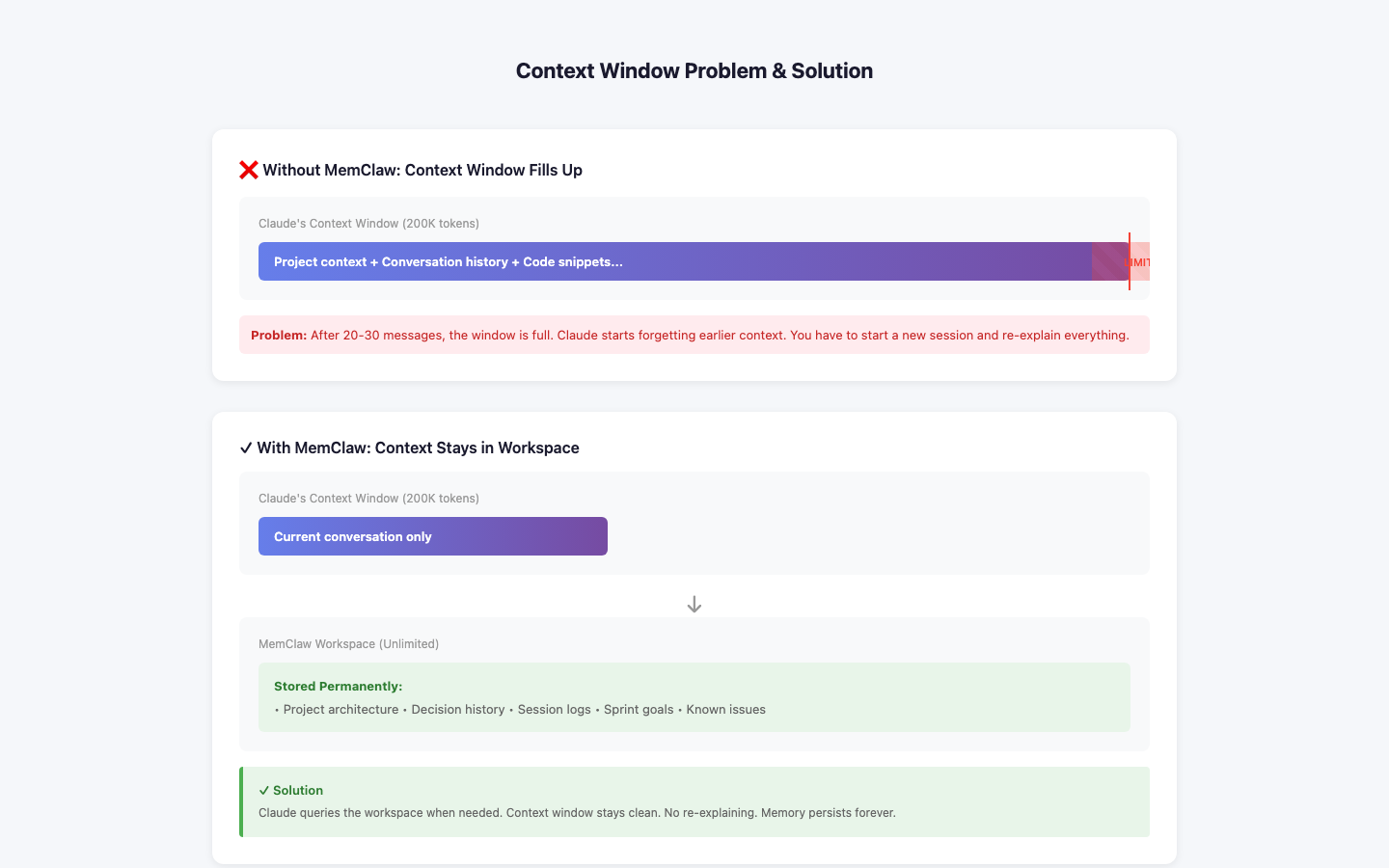 The context window is everything the AI model can "see" at once — the current conversation, any files you've shared, system instructions, and tool outputs.
Think of it as the AI's working memory. It can reason about anything in the context window. It can't access anything outside it.
Context Window (what Claude can see right now)
├── System prompt
├── Conversation history
├── Files you've shared
├── Tool outputs (MCP results)
└── Current message
The context window is everything the AI model can "see" at once — the current conversation, any files you've shared, system instructions, and tool outputs.
Think of it as the AI's working memory. It can reason about anything in the context window. It can't access anything outside it.
Context Window (what Claude can see right now)
├── System prompt
├── Conversation history
├── Files you've shared
├── Tool outputs (MCP results)
└── Current message
Context Window Limits
Context windows are measured in tokens (roughly 3/4 of a word). Current models have large context windows:
- Claude 3.5 Sonnet: ~200K tokens (~150K words)
- Claude 3 Opus: ~200K tokens That sounds like a lot. But for ongoing development work, it fills up:
- A large codebase: 50K-200K tokens
- A long conversation: 10K-50K tokens
- System prompts and tool outputs: 5K-20K tokens For complex projects, you can hit the limit within a single session.
What Happens When You Hit the Limit
When the context window fills up, the model truncates the oldest content. The beginning of the conversation disappears from the model's view. This means:
- Early context (project setup, initial decisions) gets lost
- The model may contradict earlier decisions it can no longer see
- Long sessions become less coherent over time
The Session Boundary Problem
The bigger issue for most developers isn't hitting the context window limit within a session — it's the session boundary. When you close Claude Code and start a new session, the context window is completely empty. Everything from the previous session is gone. This is why you spend 10-15 minutes re-explaining your project at the start of every session.
How MemClaw Extends Memory Beyond the Context Window
MemClaw solves both problems: Session boundary: MemClaw stores project context externally. At session start, it loads relevant context into the context window. The session starts with full project context instead of empty. Context window limits: MemClaw uses semantic search to load only the most relevant context, not everything. As your workspace grows, it stays efficient. Without MemClaw: New session → Empty context window → Re-explain everything
With MemClaw: New session → MemClaw loads relevant context → Full context from the start
Practical Implications
Keep sessions focused: Don't try to do everything in one session. Focused sessions stay within the context window and produce better results. Use /end to save progress: At session end, Claude writes a summary to the workspace. The next session starts with this summary in context. Log decisions immediately: When you make an important decision, log it to the workspace. Don't rely on it staying in the context window.
Setup
{ "mcpServers": { "memclaw": { "command": "npx", "args": ["-y", "@memclaw/mcp-server"], "env": { "MEMCLAW_API_KEY": "your_api_key", "MEMCLAW_WORKSPACE_ID": "your_workspace_id" } } } } Create a workspace at memclaw.me. Add this config to .claude/mcp_config.json. Extend Claude's memory with MemClaw → memclaw.me