Why Your AI Forgets Everything Between Sessions (And How to Fix It)

AI agents lose context between sessions by design — not because they're broken. Here's why it happens, why multiple projects make it worse, and how to fix it permanently.
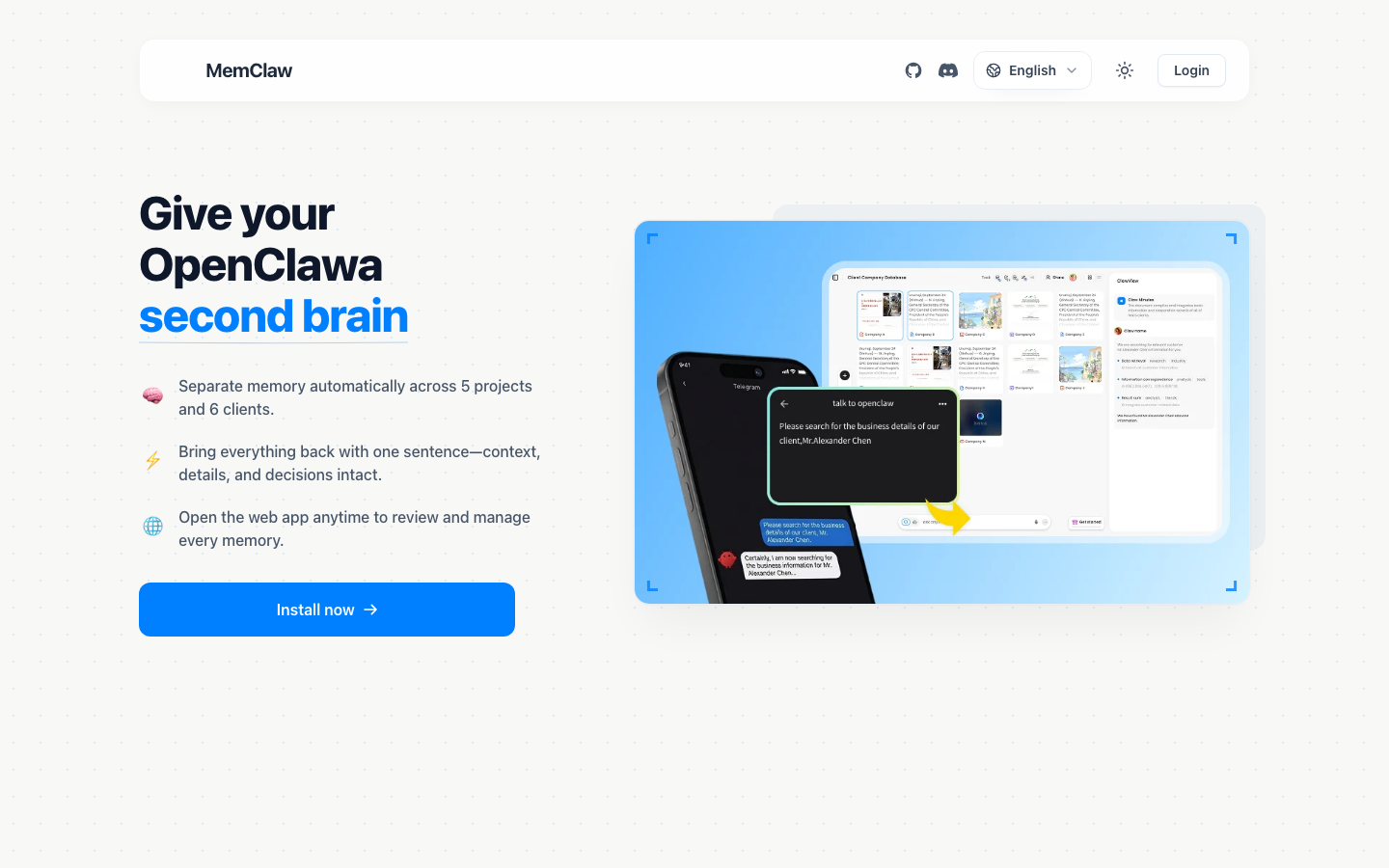
You spent an hour yesterday getting your AI agent fully up to speed on a project. The architecture decisions, the client constraints, the edge cases you'd already ruled out. The agent was finally useful.
Today you open a new session. It remembers nothing.
This isn't a bug. It's not something that will be fixed in the next model update. It's a fundamental characteristic of how AI agents work — and understanding why it happens is the first step to fixing it permanently.
The Problem: AI Agents Are Stateless by Design
Every AI conversation starts from zero. When you open a new chat with Claude, GPT, or any other AI agent, the model has no memory of previous conversations. It knows only what's in the current context window — the text of the current session.
This is a deliberate architectural choice, not an oversight. Stateless design makes AI systems simpler to scale, easier to reason about, and more predictable. Each request is independent. There's no accumulated state that could cause unexpected behavior.
The tradeoff is that every session is a fresh start.
Within a session, the agent remembers everything — it's all in the context window. But the moment you close that window, the context is gone. The next session has no access to what happened before.
For simple, one-off tasks, this is fine. Ask the agent to write a function, review a document, or answer a question — the task is self-contained, and statelessness doesn't matter.
For ongoing projects, it's a serious problem.
Why Context Loss Gets Worse When You Have Multiple Projects
A single project is manageable. You can paste in a summary at the start of each session. It's annoying, but it works.
Multiple projects break this approach entirely.
Consider what "re-establishing context" actually requires for a real project:
- What is this project and who is it for?
- What decisions have been made, and why?
- What was being worked on last session?
- What are the current blockers?
- What are the client's specific constraints and preferences?
- What approaches have already been tried and ruled out?
For one project, you might be able to keep this in a text file and paste it in. For five projects running in parallel, you're maintaining five separate context documents, remembering to update them after every session, and spending the first 10-15 minutes of every AI session just getting the agent oriented.
The overhead compounds. The more projects you have, the more time you spend on context management instead of actual work.
There's also a subtler problem: context fatigue. When re-briefing is painful, you start cutting corners. You give the agent a shorter summary. You skip the nuance. The agent works with incomplete context and produces lower-quality output. You blame the AI when the real problem is the missing context.
The "Context Bleed" Problem — When Client A Pollutes Client B
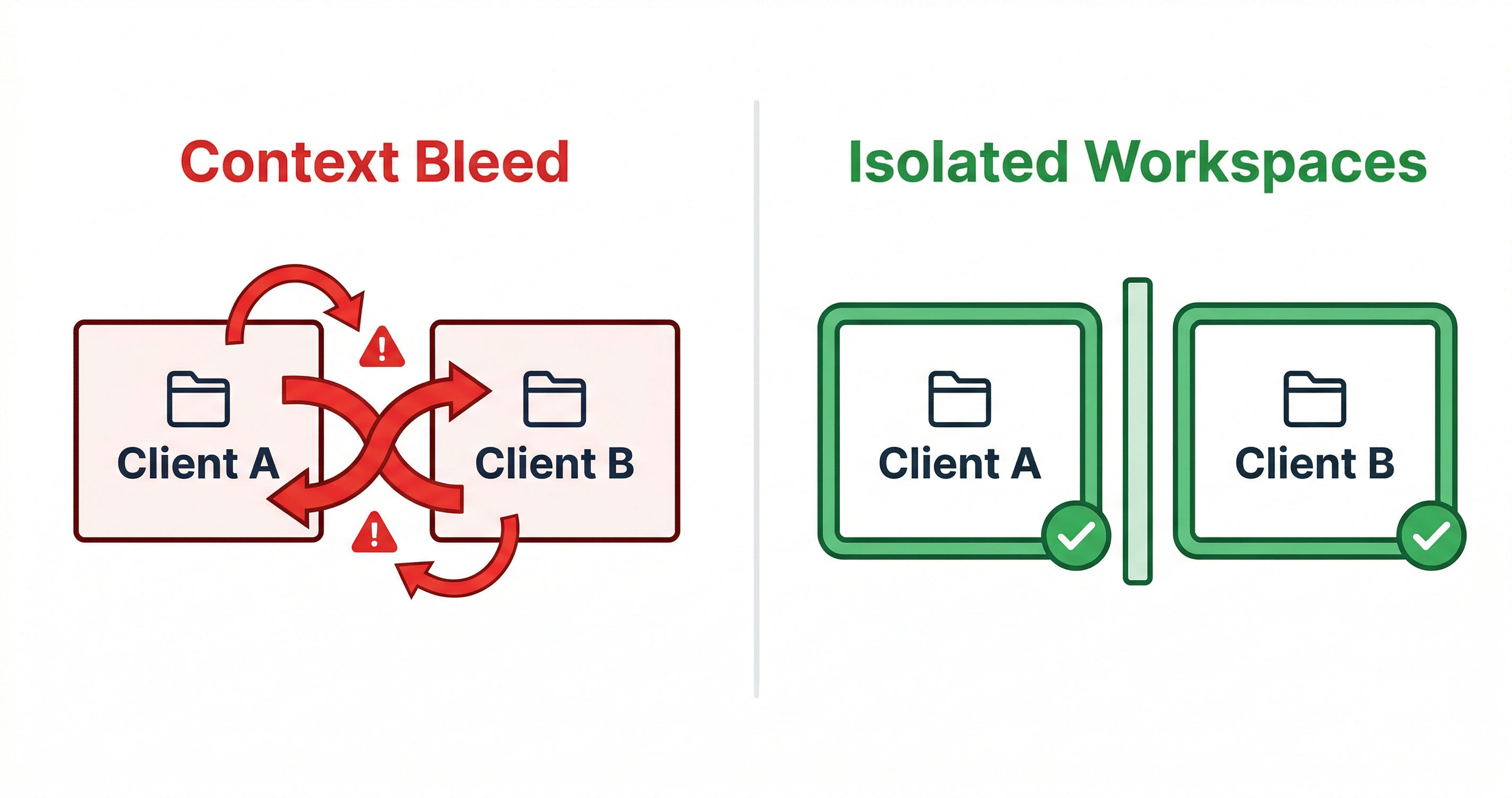
There's a specific failure mode that anyone managing multiple clients or projects will recognize: context bleed.
It happens like this. You've been working on Client A's project — a SaaS product with specific security requirements, a particular tech stack, and a set of architectural decisions you've made together. You finish that session and immediately open a new session for Client B.
But you're still thinking about Client A. You mention something in passing — a constraint, an approach, a preference — that actually belongs to Client A's context. The agent picks it up and starts applying Client A's assumptions to Client B's work.
Or the reverse: you're working on Client B and the agent suggests an approach that would be perfect for Client A but is completely wrong for Client B's requirements. The agent isn't confused — it's just working with whatever context you've given it. The confusion is yours, because you're context-switching between projects in your own head.
Context bleed is hard to catch because it's subtle. The agent's output looks reasonable. It's only when you look closely that you realize it's solving the wrong problem, for the wrong client, with the wrong constraints.
The root cause is always the same: there's no clear boundary between projects. Everything lives in your head and in ad-hoc context you paste in. Projects bleed into each other because there's no system keeping them separate.
The Complete Guide to AI Memory for Agents
Three Approaches to Fix AI Context Loss
There are three main approaches to solving the AI context loss problem. They vary significantly in overhead, reliability, and scalability.
Approach 1: Manual Context Pasting
The simplest approach: maintain a text document for each project and paste it into every new session.
Works well when: You have one or two projects, you're disciplined about updating the document, and the project context is relatively stable.
Breaks down when: You have more than two or three projects, context changes frequently, or you forget to update the document after key decisions.
The fundamental problem is that it's entirely manual. The system is only as good as your discipline in maintaining it.
Approach 2: CLAUDE.md Files
A more structured version of manual context: maintain a CLAUDE.md file in each project directory. Claude Code reads this automatically at session start.
Works well when: You're a developer working in Claude Code, your projects are organized in separate directories, and you're comfortable maintaining markdown files.
Breaks down when: You're not a developer, your projects don't map cleanly to directories, or you need the same context to work across multiple AI agents (Claude Code and OpenClaw, for example).
It's better than raw text pasting, but it's still manual. You have to update it. You have to decide what goes in it. You have to maintain it across projects.
Approach 3: Persistent Project Workspaces
The most robust approach: give each project a dedicated workspace with structured, automatically-maintained context.
This is what MemClaw does. Each project gets an isolated workspace with a Living README — a structured document that stores background context, decisions, current progress, and pending tasks. The agent reads this at session start and updates it as work progresses.
Works well when: You're managing multiple ongoing projects, you want context maintenance to be automatic, and you need the same context to work across different AI agents.
The tradeoff: Requires initial setup (under 2 minutes per project) and a FELO_API_KEY from felo.ai/settings/api-keys.
MemClaw solves this by giving each project its own persistent workspace — the agent always opens the right context automatically.
Step-by-Step: Setting Up Persistent Memory for Your AI Agent
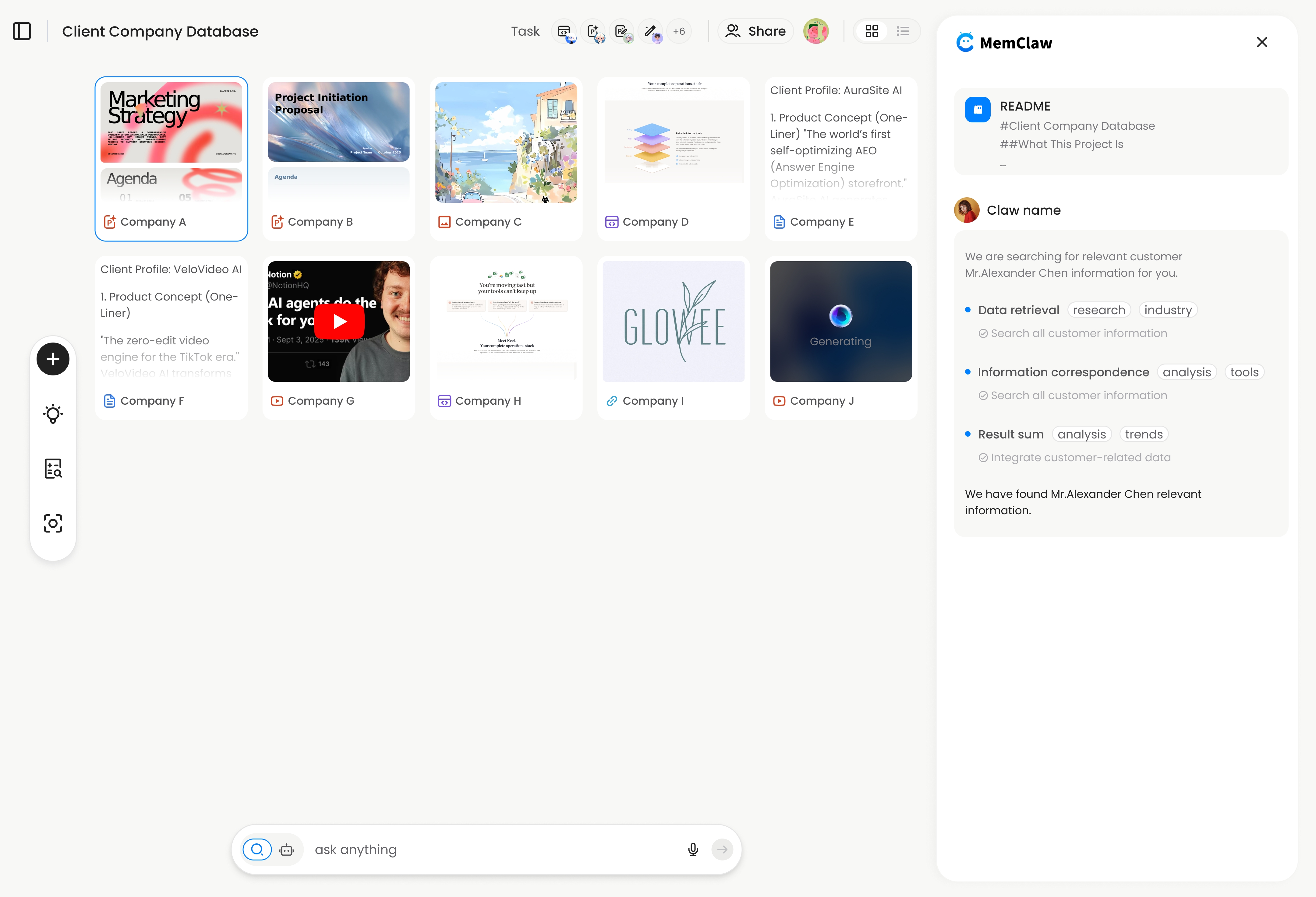
Here's how to eliminate the context loss problem using MemClaw.
1. Install MemClaw
Claude Code:
/plugin marketplace add Felo-Inc/memclaw
/plugin install memclaw@memclaw
OpenClaw:
bash <(curl -s https://raw.githubusercontent.com/Felo-Inc/memclaw/main/scripts/openclaw-install.sh)
2. Get your API key
Go to felo.ai/settings/api-keys and create a key. Then:
export FELO_API_KEY="your-api-key-here"
3. Create a workspace for each project
For each ongoing project, open it in Claude Code or OpenClaw and run:
Create a workspace for this project
Give the agent a brief description of the project. It creates an isolated workspace and initializes the Living README with the context from your current conversation.
4. Load the workspace at the start of each session
Load the project workspace
The agent reads the workspace — background, decisions, current progress, pending tasks — and is immediately oriented. Context restoration takes about 8 seconds.
5. Let the agent update the workspace as you work
As you make decisions, the agent updates the workspace automatically. You can also explicitly save context:
Add to workspace: we decided to use server-side rendering for the dashboard because the client's users are on slow connections
That decision is now permanently stored. The next session, the agent knows it without being told.
FAQ — AI Memory and Context Questions
Why does Claude forget between sessions even though it seems to remember within a session?
Within a session, everything is in the context window — Claude can reference anything said earlier in the conversation. But the context window doesn't persist between sessions. When you start a new conversation, the model starts fresh with no access to previous sessions. This is by design.
Is there a way to make Claude remember without any external tools?
The built-in option is CLAUDE.md — a file in your project directory that Claude Code reads automatically. It's free and requires no external tools. The limitation is that it's entirely manual: you have to write it, update it, and maintain it yourself.
Does context loss affect output quality?
Yes, significantly. An agent working with incomplete context makes assumptions to fill the gaps. Those assumptions are often wrong. The result is output that looks reasonable but doesn't fit the actual project requirements — which is sometimes worse than obviously wrong output, because it's harder to catch.
How many projects can I manage with persistent workspaces?
There's no practical limit. Each project gets its own isolated workspace. Ten projects means ten workspaces, each with its own context. The overhead of managing context doesn't increase with the number of projects — that's the point.
What happens to the workspace if I switch AI agents mid-project?
With MemClaw, the workspace is cross-agent compatible. If you start a project in OpenClaw and continue it in Claude Code, both agents read from the same workspace. Context isn't siloed by which agent you're using. Multi-Project AI Workflow Guide
Conclusion
Your AI agent doesn't have a memory problem. It has a workspace problem.
The stateless design of AI agents isn't going away — it's a fundamental architectural choice. The solution isn't to wait for AI to get better at remembering. The solution is to give each project a persistent, structured workspace that the agent reads at session start.
The three approaches — manual pasting, CLAUDE.md files, and persistent workspaces — represent a spectrum of overhead vs. reliability. For anyone managing more than two or three ongoing projects, the manual approaches don't scale. Persistent workspaces are the only approach that stays manageable as the number of projects grows.
Your AI agent doesn't have a memory problem. It has a workspace problem. → Fix it with MemClaw
Related: The Complete Guide to AI Memory for Agents | Multi-Project AI Workflow Guide