AI Long-Term Memory: Build AI That Remembers Across Weeks and Months

How to build AI memory that compounds over months — decision records, dead-end logs, and the write-back habits that make Claude more useful every week, not just every session.
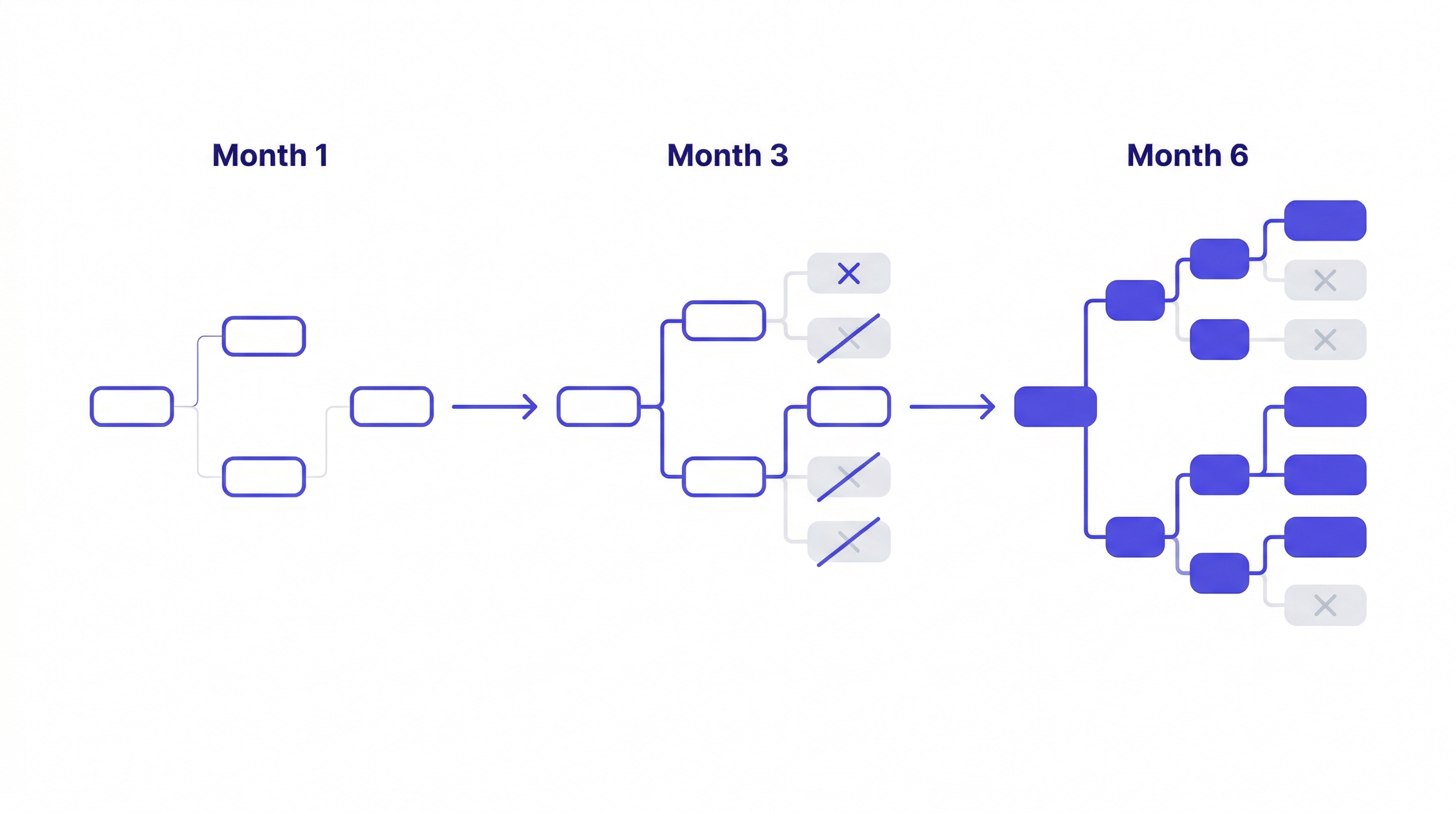
Most discussions of AI memory focus on session persistence — making Claude remember what you said earlier. But the more valuable problem is longer-term: making Claude more useful on month three of a project than it was on day one.
That requires a different approach. Here's how to build AI memory that actually compounds.
Why Short-Term Memory Isn't Enough
Session persistence — loading context at session start — solves the re-briefing problem. You stop explaining your stack every morning. That's valuable.
But it doesn't capture what changes over months: the accumulated decisions, the ruled-out approaches, the hard-won knowledge about why certain things work and others don't in your specific context.
Without long-term memory, Claude gives generically good advice. With it, Claude gives specifically correct advice for your project — because it knows the six months of context that led to the current state.
What Has High Long-Term Value
Not everything deserves to be in long-term memory. The signal-to-noise ratio matters.
High long-term value:
- Architecture decisions with full reasoning — including what was considered and rejected
- Ruled-out approaches with root cause — why something failed, not just that it failed
- Hard constraints — things that cannot be changed regardless of how compelling the argument
- Patterns specific to this codebase — quirks, conventions, gotchas that differ from standard practice
Low long-term value (don't store):
- Intermediate reasoning steps that were superseded
- Tentative ideas that didn't become decisions
- Generic best practices Claude already knows
- Details that will be irrelevant next month
The Decision Record Format
The most valuable thing you can log: a decision with enough context that future Claude (and future you) understands why the decision was made and what was considered.
DATE: 2026-02-15
DECISION: JWT in httpOnly cookies for authentication
REASON: Security team requirement following Q1 audit. localStorage
explicitly prohibited. Requirement is contractual — not negotiable.
CONSIDERED AND REJECTED: sessions (requires sticky routing, incompatible
with our Railway deployment), Supabase auth (loses control over token
lifecycle, security team rejected)
STATUS: Active — applies to all new routes
Six months from now, this record prevents Claude from suggesting "have you considered using sessions?" with a compelling argument about simplicity. It knows sessions were considered, rejected, and why.
DATE: 2026-03-10
DECISION: Redis ruled out for session caching
REASON: Race condition in webhook handler. Tested with concurrent
payment events — idempotency keys don't prevent the race at DB query level.
CONSIDERED: Redis with distributed locks (too complex, same fundamental issue)
STATUS: Dead end — do not revisit Redis for this component
The dead-end log is the highest-value thing you can add. Without it, every new session potentially re-explores the same failed approach.
What Long-Term Memory Looks Like at Month 6
A MemClaw workspace after six months of consistent use on a complex project:
Decision log: 25-40 entries covering every significant architectural choice, dependency selection, and scope decision. Each with date, reasoning, and what was rejected.
Dead-end log: 8-12 entries covering approaches that failed, with root cause. Redis caching, GraphQL migration attempt, a third-party auth library that had breaking changes — each logged once, never re-explored.
Operational knowledge: 15-20 gotchas, environment quirks, and non-obvious behaviors that affect how Claude should give advice.
Status trail: Session-by-session progress updates. What got done, what's next, what's blocked.
With this workspace, Claude in month 6 gives fundamentally different advice than Claude in month 1:
- It doesn't suggest approaches already ruled out
- It gives advice consistent with decisions made three months ago
- It knows the project's constraints and applies them automatically
- It can answer questions about project history accurately
The Write-Back Habit That Makes It Work
Long-term memory requires consistent write-back. The habit:
Log decisions immediately when made:
Add decision to workspace: chose Server Components for dashboard pages.
Reason: client requires SEO indexability, confirmed with product team.
Client-side rendering ruled out. 2026-04-08.
Don't wait until the end of the session. Log it the moment it's decided.
Log dead ends as you hit them:
Add to workspace: tried Supabase real-time for the notification feed.
Failed: too much latency for the UX requirement (> 500ms on mobile).
Ruled out — using polling with SWR instead.
Update status at session end:
Update workspace status: notification feed complete with polling.
Next: admin dashboard for notification management.
These three habits take about 2-3 minutes per session. Over six months, they produce the decision log and dead-end record that makes Claude genuinely more useful on the project.
Team Long-Term Memory
For teams, shared long-term memory is transformative. Without it:
- Developer A makes a decision, documents it nowhere useful
- Developer B asks Claude about the same issue weeks later
- Claude gives advice that contradicts Developer A's decision
- Code review catches it — wasted time
With a shared workspace:
- Developer A logs the decision immediately
- Developer B loads the workspace — Claude knows the decision
- Consistent advice across all sessions, regardless of who's working
New team members load the workspace and immediately have months of project context. No 90-minute knowledge transfer call. No week of asking "wait, why is it done this way?"
Getting Started
- Install MemClaw (memclaw.me)
- Create a workspace per active project
- Spend 20 minutes adding baseline context — project identity, key decisions already made, known gotchas
- Start logging decisions and dead ends immediately as you work
- Update status at the end of every session
The compounding starts from the first decision you log. By month three, the difference is noticeable. By month six, it's significant.