AI Project Management: How AI Agents Actually Track Your Work

Learn how AI agents handle project management across multiple workspaces. Practical guide to AI task tracking, context restoration, and multi-project workflows.
You are running five projects. Client A needs a pricing proposal by Friday. The internal dashboard has a bug that showed up yesterday. Your freelance gig needs a content calendar. The startup you advise wants feedback on their pitch deck. And somewhere in there, your own side project is collecting dust.
You open Claude Code or OpenClaw. The agent has no idea which project you are working on. It does not know what you decided last week. It cannot tell you what is overdue. Every session starts from scratch, and you spend the first ten minutes catching it up instead of getting work done.
This is the real ai for project management problem. Not "which Gantt chart tool should I use" — but how to make your AI agent actually remember, track, and manage the work across all your projects.
Why Traditional PM Tools Do Not Solve This
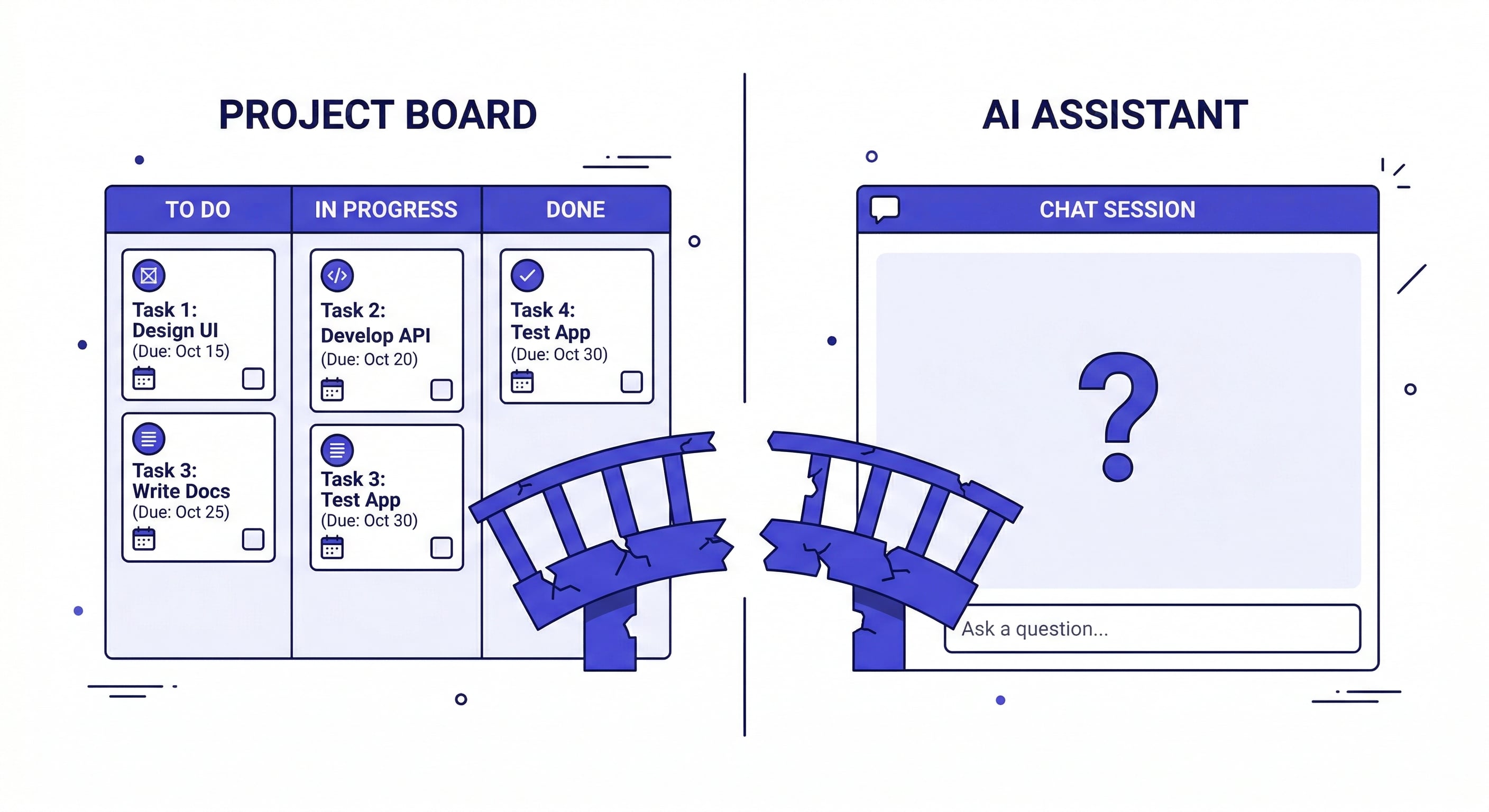
Jira, Asana, Linear, Notion — they all track tasks. But they exist in a separate tab from where you actually do the work. The workflow looks like this:
- Check your PM tool for what needs doing
- Open your AI agent
- Explain the project context from scratch
- Do the work
- Go back to the PM tool and update the status
- Repeat tomorrow, re-explaining everything again
The gap between "where tasks are tracked" and "where work happens" is where productivity dies. Your AI agent is powerful, but it has no memory of your project state. Your PM tool has your project state, but it cannot do the work.
What if the agent itself could track the work — inside the same environment where it does the work?
What AI Project Management Actually Looks Like
The shift is simple: instead of managing projects in one tool and doing work in another, you let the AI agent manage both. The agent tracks tasks, remembers decisions, stores deliverables, and picks up exactly where you left off.
This is not about replacing Jira. It is about giving your agent enough project context to be useful from the moment you open a session.
Here is what that looks like in practice:
Context restoration: You open a project after two weeks away. Instead of re-reading your own notes, the agent already knows the project background, current status, recent decisions, and what is pending. You say "where did we leave off?" and get a real answer in seconds.
Automatic task tracking: As you work with the agent — writing code, drafting proposals, analyzing data — it handles ai task management automatically. It tracks what was done, what is in progress, and what is next. You do not manually update a board. The work itself generates the status updates.
Artifact storage: Every deliverable the agent produces — reports, analyses, code snippets, meeting summaries — stays attached to the project. Three weeks later, you can ask "show me the competitive analysis we did" and get it back instantly.
Learn how AI memory works across sessions →
The Multi-Project Problem
Single-project ai for project management is straightforward. The real challenge is managing five, ten, or twenty projects simultaneously — and this is where most ai project management tool options fall short.
The failure mode is context bleed. You are working on Client A's pricing model, and the agent starts referencing Client B's revenue numbers. Or you ask about "the API integration" and the agent pulls context from the wrong project entirely.
This happens because most AI agents use a single context space. Everything you have ever discussed lives in one flat history. There is no boundary between projects.
The fix is project isolation — giving each project its own separate memory space. When you switch from Client A to Client B, the agent loads a completely different context. Nothing crosses over. Nothing leaks.
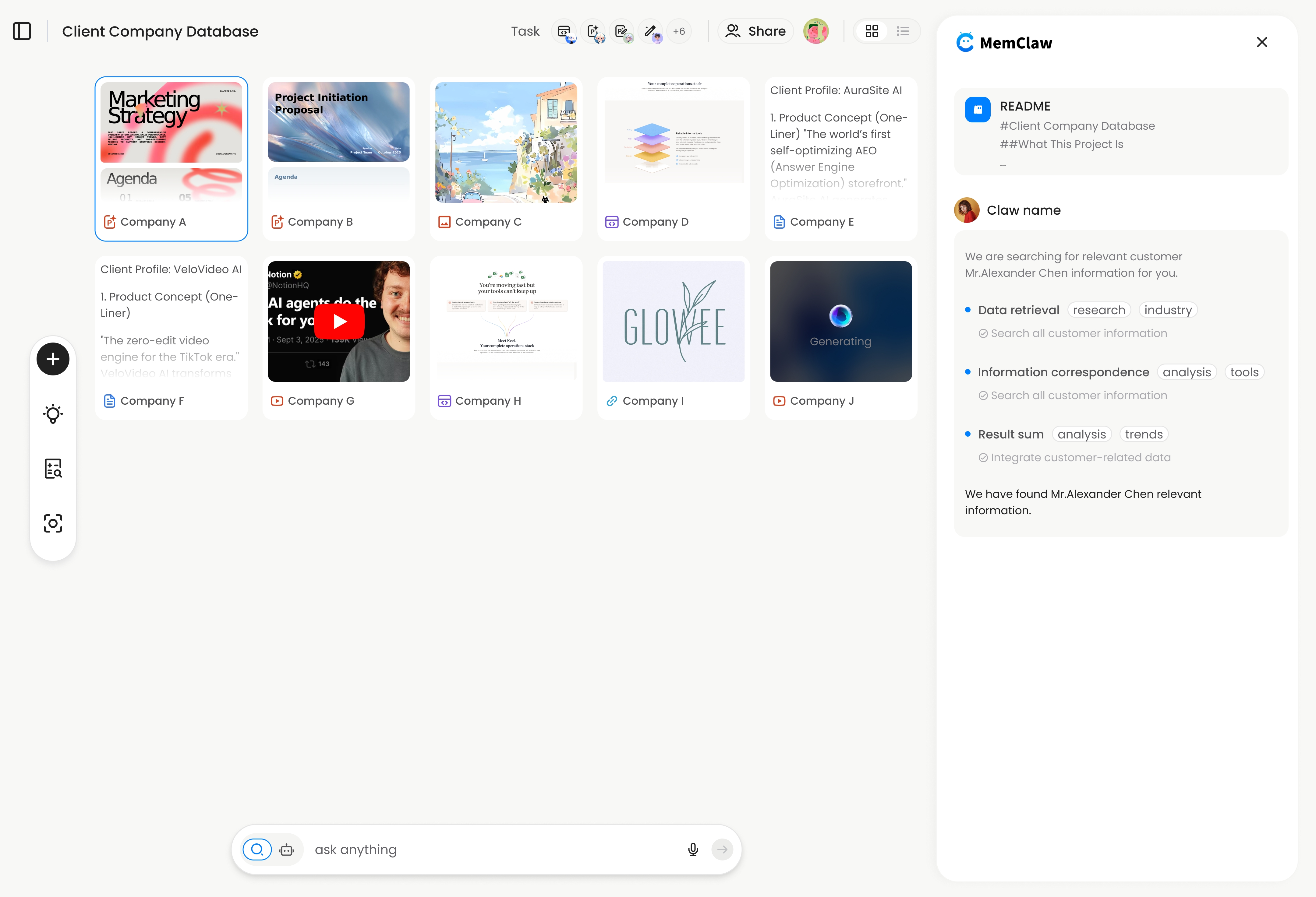
MemClaw handles this with dedicated workspaces. Each project gets its own workspace containing a Living README (project background, preferences, current progress), Tasks (auto-tracked as you work), and Artifacts (documents, reports, URLs). Switch projects with a single command: load workspace "Client Acme".
The agent reads the Living README and is up to speed in about 8 seconds. No re-briefing. No context bleed.
Practical Workflows for Different Roles
AI project management is not just for developers. Here is how different roles use it:
Freelancers Managing Multiple Clients
The classic multi-project nightmare. Six clients, each with different requirements, timelines, and communication styles. Without project isolation, you end up sending Client A's deliverable format to Client B.
With workspace-based ai project management:
- Each client gets their own workspace
- The agent remembers each client's preferences, past deliverables, and current priorities
- Switching clients is instant — no mental context-switching tax
- Artifacts from past work are searchable: "find the proposal template we used for Acme"
See the full freelancer workflow →
Product Managers Tracking Features
PMs juggle features, sprints, stakeholder feedback, and user research simultaneously. The ai tools for project managers use case here is about maintaining continuity across sprint boundaries. An ai project management tool that remembers sprint history changes how PMs operate.
With a persistent workspace:
- Sprint context carries over — the agent knows what shipped last sprint and what got deprioritized
- User research findings stay attached to the feature workspace, not lost in chat history
- Stakeholder decisions are recorded: "we decided to use optimistic locking because..."
- Handoffs to engineering include full context, not a 90-minute knowledge transfer call
How PMs use persistent AI memory →
Development Teams
For dev teams, using AI for project management means the agent understands your codebase architecture across sessions. It remembers which approach you chose for authentication, why you rejected the microservices migration, and what the current tech debt priorities are.
With cross-agent compatibility, the same project workspace works across OpenClaw (for research and planning) and Claude Code (for implementation). Research done in one agent is immediately available in the other. This is particularly useful during code reviews — the agent can reference architectural decisions made weeks ago without you digging through Slack threads.
Cross-agent workspace sharing →
Sales Professionals Managing Accounts
Sales is inherently multi-project work. Each deal is its own context: different stakeholders, different pricing discussions, different timelines. When you ask your AI agent to draft a follow-up email for Acme Corp, it should know the last conversation, the pricing objections, and the decision-maker's preferences — without you pasting in a briefing document every time.
With workspace-based project tracking, each account gets its own memory. The agent remembers that Acme's VP of Engineering cares about uptime SLAs, while Beta Corp's CTO is focused on integration speed. Proposals, competitive analyses, and call summaries stay attached to the right account.
Setting Up Project Tracking With AI
Getting started takes about two minutes:
# Step 1: Set your API key
export FELO_API_KEY="your-api-key-here"

# Step 2: Install MemClaw
# Claude Code:
/plugin marketplace add Felo-Inc/memclaw
/plugin install memclaw@memclaw

# OpenClaw:
bash <(curl -s https://raw.githubusercontent.com/Felo-Inc/memclaw/main/scripts/openclaw-install.sh)
Get your API key at felo.ai/settings/api-keys.
Step 3: Tell your agent: "Create a workspace called [project name]"
From there, the agent handles the rest. As you work, it builds the Living README, tracks tasks, and stores artifacts. You do not need to configure anything or design a project structure — the workspace comes with one built in.
Tips for getting the most out of it:
- Create one workspace per project or client, not one giant workspace for everything
- Tell the agent important decisions explicitly: "Add to workspace: we decided to use Stripe for payments because..."
- Use artifacts for deliverables you will need later: "Save this analysis to the workspace"
- When returning to a project, start with "Where did we leave off?" — the agent will read the Living README and give you a status update
What AI Project Management Does Not Replace
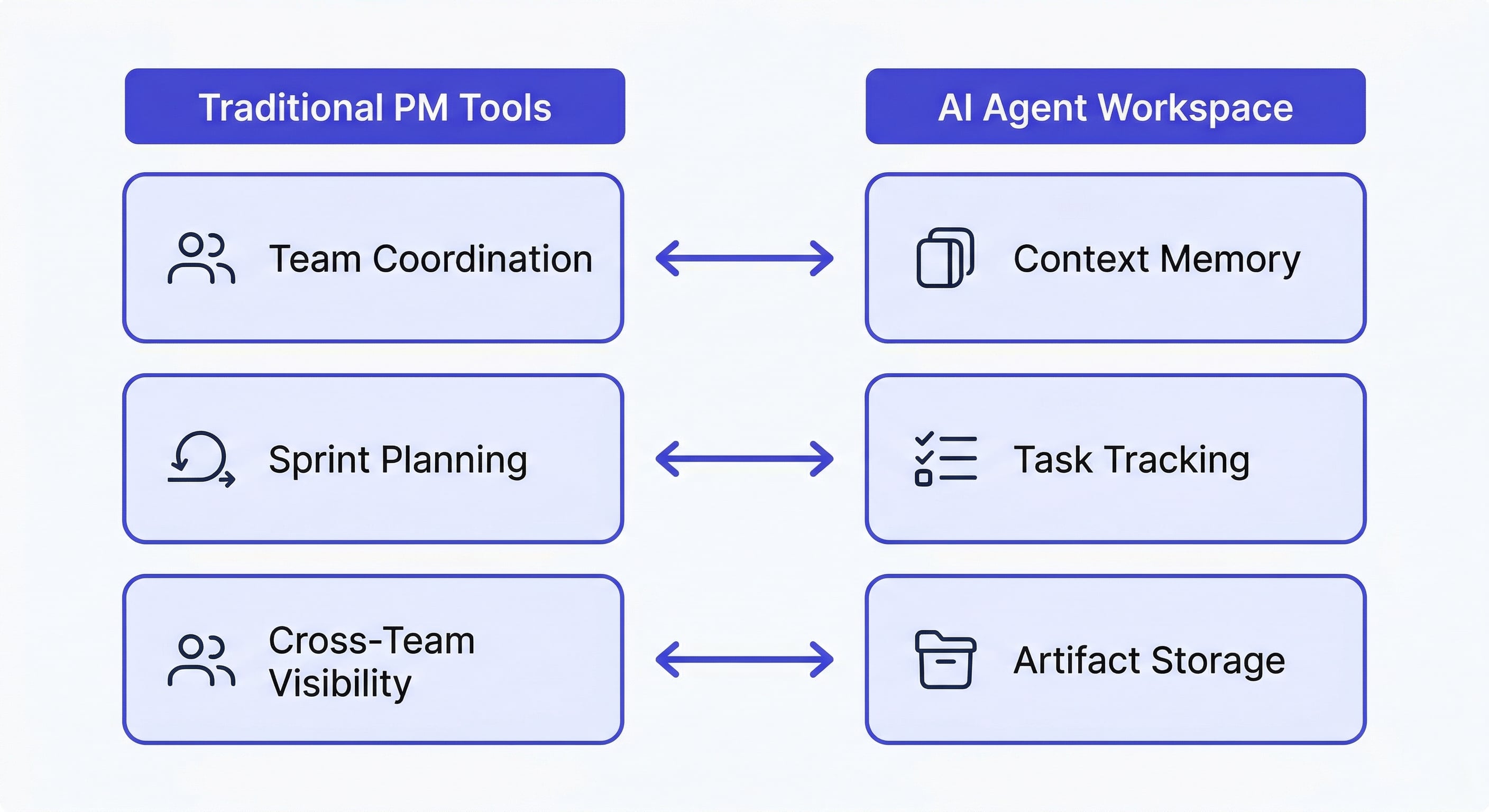
To be clear about what this is and is not:
It does not replace your PM tool for team-wide visibility. If your team uses Linear or Jira for sprint planning and cross-team coordination, keep using it. Agent-side project tracking handles what the AI knows about your project — not the human-side coordination.
It does not replace human judgment on priorities. The agent tracks what you are working on and what decisions you have made. It does not decide what you should work on next. That is still your call.
It does not work for projects you never discuss with the agent. The workspace builds context from your interactions. If a project lives entirely in email and Slack, the agent will not magically know about it.
What it does replace: the 10-15 minutes of re-briefing at the start of every session. The lost context when you switch between projects. The forgotten decisions from two weeks ago. The deliverables buried in chat history that you can never find again.
How AI Task Management Differs From Traditional Task Boards
Traditional task boards — Kanban, sprint boards, to-do lists — require you to manually create, update, and close tasks. The overhead is real: studies show developers spend up to 20% of their time on project management overhead rather than actual work.
AI task management flips this. The agent observes what you are doing and tracks it automatically. When you finish writing a pricing proposal, the agent marks it done. When you start debugging the API, it notes the new task. When you make a decision — "we are going with Stripe instead of PayPal" — it records the decision in the project workspace.
This does not mean you lose control. You can still explicitly tell the agent what to prioritize: "The client presentation is due Thursday, make that the top priority." But the baseline tracking happens without you lifting a finger.
The result is that your ai project management tool becomes a living record of what actually happened, not what you remembered to log.
See how MemClaw tracks artifacts and deliverables →
The Bottom Line
AI project management is not about fancy dashboards or automated Gantt charts. It is about closing the gap between where your work happens (in the AI agent) and where your project state lives (currently: nowhere persistent).
Give each project its own workspace. Let the agent track tasks as you work. Store deliverables where you can find them later. And stop wasting the first ten minutes of every session explaining what the agent should already know.