AI Video Prompts: Camera Moves You Can Reuse

Try six AI video prompts for static shots, push-ins, tracking, arcs, pull-backs and tilts. Learn what to specify and what to inspect in your Felo results.
Felo tools: Cinematic Video · Text to Video.
A useful AI video prompt tells the model how the viewer moves through the scene. “Cinematic” describes an ambition; “the camera slowly moves closer while the cup stays still” describes a shot.
The six prompts below cover common camera decisions: holding still, pushing in, tracking, arcing, pulling back and tilting. Each has a suggested use, a complete example and something concrete to check afterward. They are original prompts to try, not a gallery of results from a controlled generation test.
Felo's cinematic video workflow provides a place to turn this kind of shot direction into a generated clip. Select a compatible model and set the duration and ratio separately from the prose.
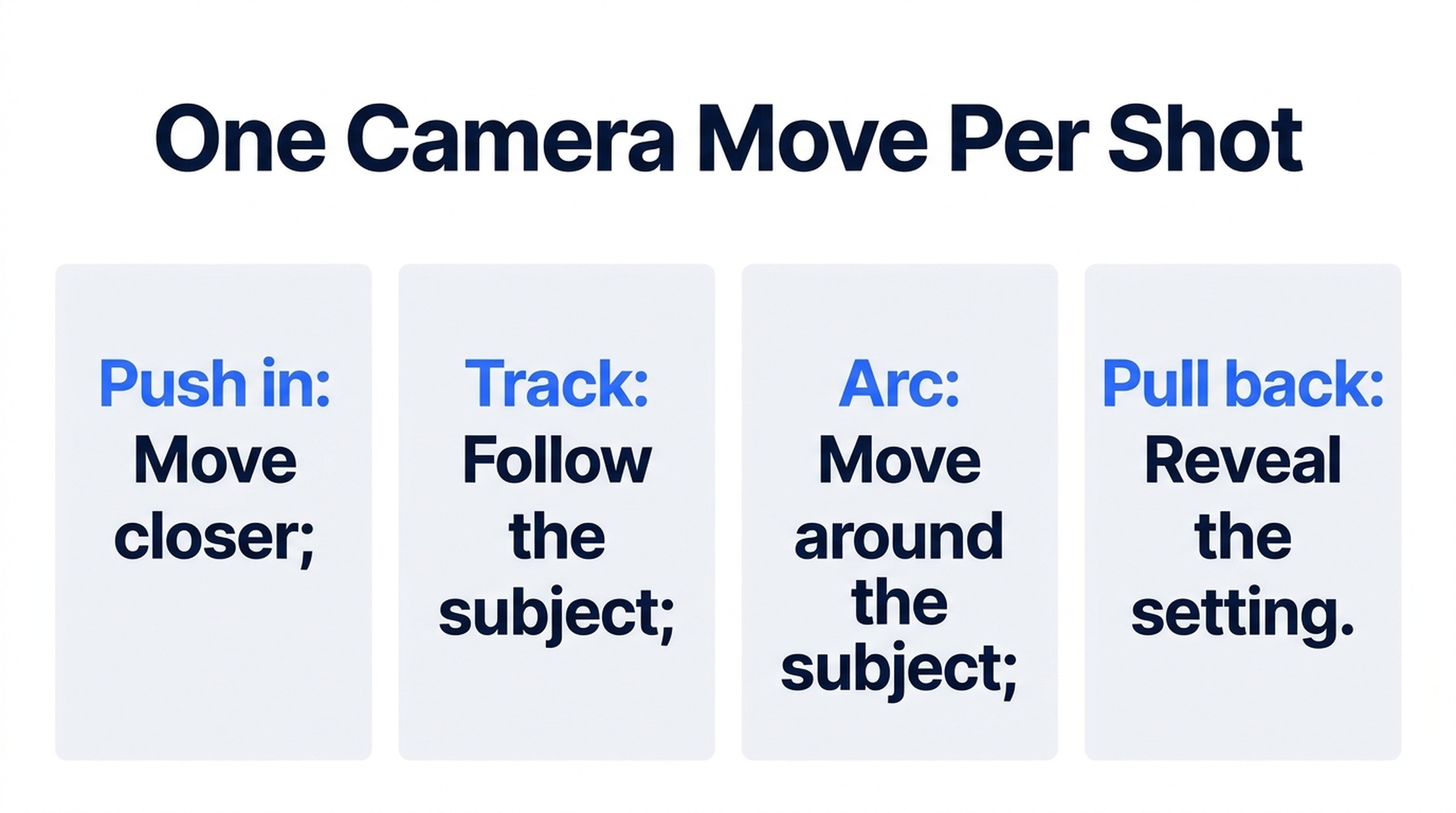
Illustrative guide; not a screenshot or a generated-video result.
Separate the camera from the subject
Before writing a prompt, answer two questions: what moves in the scene, and what moves the viewpoint?
A person walking past a fixed camera is different from a camera following that person. A bottle rotating on a table is different from a camera moving around a stationary bottle. Both pairs may look similar in a vague description, but their geometry and background motion differ.
Use this compact structure:
Subject and setting. Subject action. Camera position and movement. Light and appearance. Ending. Any essential constraint.
Start with one camera move per shot. You can add complexity later if it serves the sequence. For the examples below, six seconds and 16:9 are convenient starting settings supported by the four current Felo models; they are suggestions, not required settings or evidence of tested performance.
1. Hold still and let the action carry the shot
A static camera is useful for a visible process: a drop falling, a curtain moving or steam rising. It removes one source of movement so the action can be easier to read.
A clear glass sits on a pale stone countertop beside a window. One drop of water falls into the glass and creates a small circular ripple. Keep the camera completely still in a close side view. Soft morning light catches the rim. The glass stays fixed in place. Let the ripple settle before the shot ends. No cuts or added text.
Review: Does the viewpoint stay still? Does the glass maintain its shape? Is the main event visible early enough to understand?
If the camera drifts, reinforce the fixed viewpoint and remove any conflicting language such as “sweeping cinematic movement.” If the ripple is too small to see, make the shot closer rather than adding more action.
2. Push in to emphasize a detail
A push-in moves the viewpoint closer to the subject. It can direct attention toward an object, expression or texture. Keep the subject still if the camera movement is the main event.
A handmade ceramic cup rests on a dark wooden table. Begin in a medium close-up and slowly move the camera closer to the cup's uneven glazed rim. The cup remains stationary. Keep the viewpoint slightly above table height. Warm side light reveals the glaze texture. End in a close view with the rim clearly visible and the background soft. One continuous shot, no cuts.
Review: Does the approach feel continuous? Does the cup retain its shape? Does the ending reveal useful detail rather than simply enlarging a vague texture?
A prompt for a push-in describes camera travel. A zoom changes framing through the lens. For generation, describe the visible result you need and avoid requesting both unless the combined effect is intentional.
3. Track beside a moving subject
A tracking shot follows the subject through the scene. It can keep a person or object readable while the surroundings establish movement.
A cyclist in a plain yellow rain jacket rides slowly along a quiet tree-lined path. The camera tracks alongside at the same speed in a medium side view, keeping the cyclist near the center of the frame. The trees move through the background. Overcast daylight, damp pavement and restrained colors. Keep one continuous direction of travel. End while the cyclist is still moving steadily. No cuts or text.
Review: Does the cyclist remain in a consistent part of the frame? Do wheels and limbs behave plausibly? Does the background move in a coherent direction?
If the subject keeps changing distance, reduce the requested speed and simplify the setting. A clean tracking shot does not need a second orbit or an abrupt change of camera height.
4. Arc around a stationary object
An arc reveals another side of a subject while keeping it central. Use a small arc when the reference image contains limited information about hidden surfaces.
A matte blue kettle stands on a light wooden kitchen counter. Keep the kettle stationary. Move the camera through a slow, shallow arc from a frontal view toward its right side, keeping the full kettle in frame. Soft light comes from a window on the left. Reveal a little more of the handle as the viewpoint changes. End with a clear three-quarter view. No full rotation, no cuts and no added text.
Review: Does the camera move rather than the kettle spinning? Are the handle and spout consistent? Does the background show believable parallax?
If the object's hidden side becomes distorted, reduce the arc or provide suitable references in a supported model. A full 360-degree move asks the model to invent much more unseen information.
5. Pull back to reveal the setting
A pull-back starts with a detail and moves away to show its context. The reveal should add information that matters to the scene.
Begin close to a small red notebook lying on a wooden workbench. Slowly move the camera backward to reveal a quiet craft studio with neatly arranged tools and a sunlit window. The notebook stays fixed near the center of the composition as it becomes smaller in the frame. Keep the movement smooth and the lighting consistent. End on a wider view that clearly connects the notebook to the workspace. No cuts or readable text.
Review: Is the initial detail recognizable? Does the wider view feel like the same room? Does the reveal finish with a useful composition?
If unrelated objects appear during the move, simplify the background description. Name only the elements needed to establish the setting.
6. Tilt to connect lower and upper details
A tilt rotates the camera's view vertically from a fixed position. It can reveal height without requiring the camera to travel through the scene.
Begin with a close view of the base of a tall indoor plant in a terracotta pot. From a fixed camera position, slowly tilt upward along the stem to reveal the broad leaves near the top. The plant stays still except for a slight natural leaf movement. Soft daylight from the right, plain cream wall behind it. End with the upper leaves framed clearly. No sideways move, no cuts or text.
Review: Does the viewpoint rotate upward without an unintended sideways move? Does the stem remain continuous? Does the shot reach the intended leaves?
If the plant changes shape during the tilt, reduce the distance the camera must cover or use a simpler subject for the first test.
Choose settings that support the prompt
Camera language does not override model limits. Felo currently offers MiniMax H3, Seedance 2.5, Wan 3.0 Prime and Kling 4.0 with different duration, resolution and input options. Check the text-to-video model table before selecting settings.
If sound matters, specify it as a separate part of the brief and choose an audio-capable option. Seedance supports generated sound and Wan offers optional audio in the current integration; MiniMax and Kling are listed as silent.
When testing revisions, change one major instruction at a time. A slower camera move and a new background in the same attempt make it harder to tell which change helped. Record the prompt and settings beside the accepted clip so the direction can be reused, while remembering that a new generation can vary.
Frequently asked questions
How long should an AI video prompt be?
Long enough to resolve the shot's important decisions. A clear subject, action, camera move and ending are more useful than a large collection of adjectives.
Should every prompt include a camera move?
No. A fixed camera is a deliberate choice. Use it when the subject's action already provides the visual interest or when movement would obscure a detail.
Can I combine several camera moves?
You can request a more complex shot, but start with one move when learning or diagnosing failures. Add another only when you can explain what it contributes.
Choose one prompt that matches a shot you need, then adapt its subject and setting in Felo's cinematic video generator.
This post is also available in 简体中文, 日本語, 한국어, 繁體中文, हिन्दी, Français, العربية, Русский, اردو, Bahasa Indonesia, Deutsch, Tiếng Việt, Türkçe, Italiano, ไทย, Español, বাংলা and Português.