Best AI Developer Tools in 2026: What Actually Ships Code

A practical guide to AI developer tools that matter in 2026 — coding agents, memory layers, search tools, and workflow automation ranked by real-world impact.
The AI developer tools landscape in 2026 is noisy. Every week brings a new "revolutionary" coding assistant. Most of them are wrappers around the same models with different UIs.
This guide cuts through the noise. These are the tools that developers actually use daily — not the ones with the best landing pages. Organized by category, with honest assessments of what each tool does well and where it falls short.
AI Coding Agents
These are the core tools — the ones that read your code, understand your project, and make changes.
Claude Code
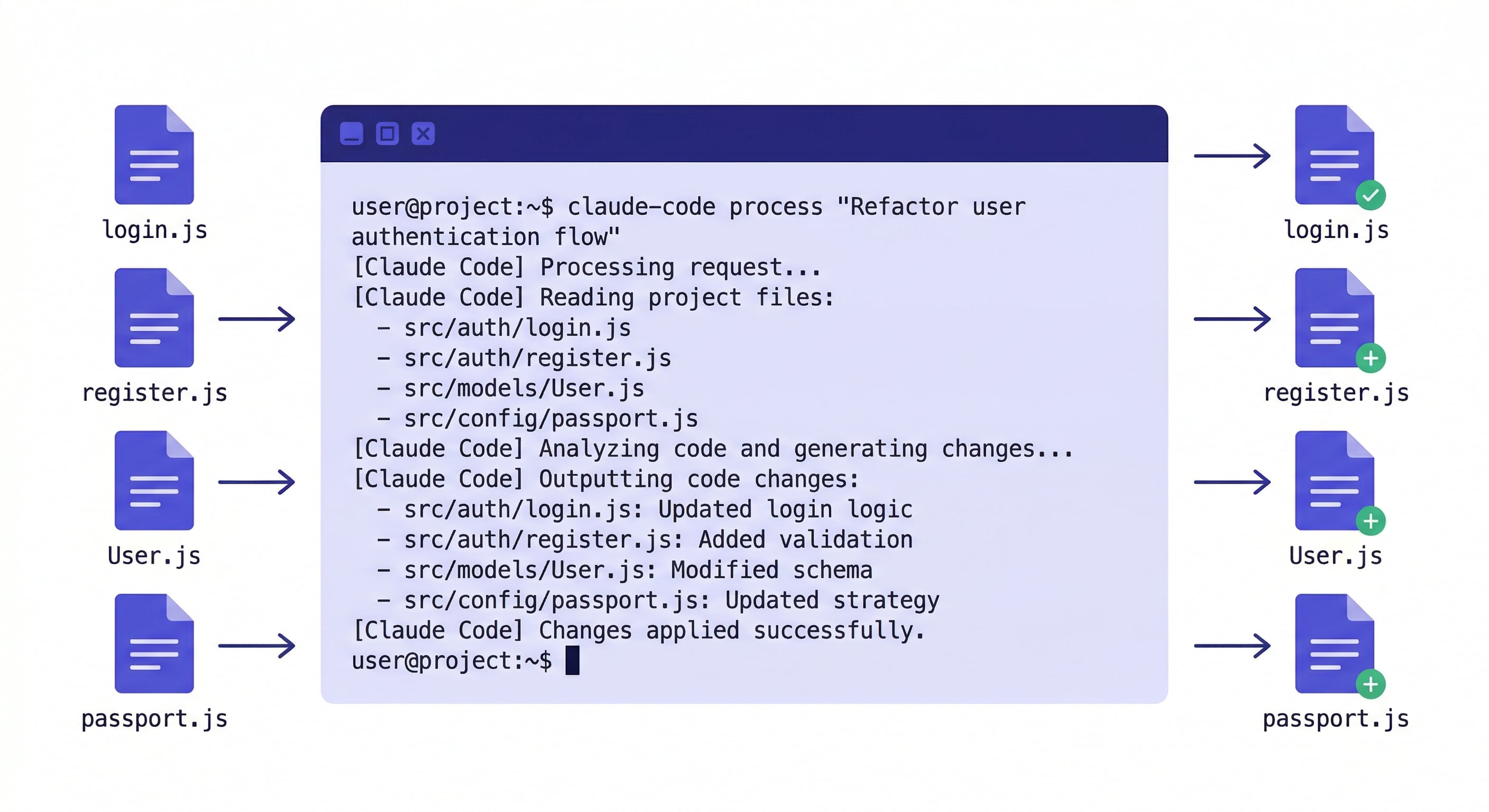
What it is: A terminal-based AI coding agent from Anthropic. You describe tasks in natural language, and it reads your entire codebase, plans changes, and executes them across multiple files.
Best for: Multi-file refactors, architectural changes, complex debugging, and tasks where you need the AI to understand your full project context.
Limitations: Terminal-only (no visual IDE), high token consumption on large codebases, no memory between sessions without plugins.
Pricing: Pro $20/month, Max $100-200/month. claude-code-vs-cursor
Cursor
What it is: A VS Code fork with AI features built in — autocomplete, inline edits, and chat. The AI operates within the visual editor you already know.
Best for: Single-file edits, code completion, developers who prefer a visual IDE, and teams transitioning from non-AI workflows.
Limitations: Context is limited to what you explicitly provide. Multi-file operations exist but feel less natural than Claude Code's approach.
Pricing: Free tier, Pro $20/month, Business $40/month.
GitHub Copilot
What it is: AI code completion integrated into VS Code, JetBrains, and other editors. The original AI coding tool, now with chat and multi-file capabilities.
Best for: Inline code completion, developers already in the GitHub ecosystem, teams that need enterprise compliance.
Limitations: Less capable at complex reasoning compared to Claude-based tools. Multi-file operations are newer and less mature.
Pricing: Individual $10/month, Business $19/month.
OpenClaw
What it is: An open-source terminal AI agent compatible with multiple models. Similar to Claude Code but not locked to Anthropic's ecosystem.
Best for: Developers who want model flexibility, open-source contributors, and teams that need to self-host.
Limitations: Smaller plugin ecosystem than Claude Code. Community-maintained, so updates depend on contributors.
Pricing: Free (open source). Model costs vary by provider.
Memory and Context Tools
The biggest gap in AI coding is not intelligence — it is memory. Every tool above forgets everything between sessions. These tools fix that.
MemClaw
What it is: Persistent project workspaces for AI agents. Each project gets an isolated workspace that stores architecture decisions, coding conventions, task progress, and session history. Context loads in 8 seconds at session start.
Best for: Developers managing multiple projects, freelancers with multiple clients, anyone tired of re-explaining their project every morning.
Why it matters: Context management is the actual bottleneck for most developers using AI tools. A capable agent with no memory is less productive than a decent agent with full project context.
Works with: Claude Code, OpenClaw, Gemini CLI, Codex.
export FELO_API_KEY="your-api-key-here"
/plugin marketplace add Felo-Inc/memclaw
/plugin install memclaw@memclaw
memclaw.me — free tier available. claude-code-memory
CLAUDE.md / .cursorrules
What they are: Static configuration files that coding agents read at session start. CLAUDE.md for Claude Code, .cursorrules for Cursor.
Best for: Fixed project rules — tech stack, coding conventions, files to avoid.
Limitations: Static. Does not capture evolving decisions, session history, or task progress. You maintain them manually.
Pricing: Free (built into the tools).
Search and Research Tools
AI models have training data cutoffs. Search tools give them access to current information.
Felo Search
Real-time web search integrated into AI agent sessions. When your agent needs current documentation, API references, or error message solutions, it searches the web directly.
Exa
Semantic search optimized for developer content. Better than general search for finding code examples and technical documentation.
Perplexity
General-purpose AI search. Not specifically for coding, but useful for research tasks within development workflows.
Workflow Automation
Claude Code Hooks
Built into Claude Code. Shell commands that run automatically before or after tool calls — formatting, linting, type checking, safety guards. Zero-cost automation for mechanical quality. claude-code-hooks-guide
GitHub Actions / CI
Not AI-specific, but the backbone of automated quality enforcement. AI tools generate code; CI pipelines verify it. The combination is more reliable than either alone.
How to Build Your Stack
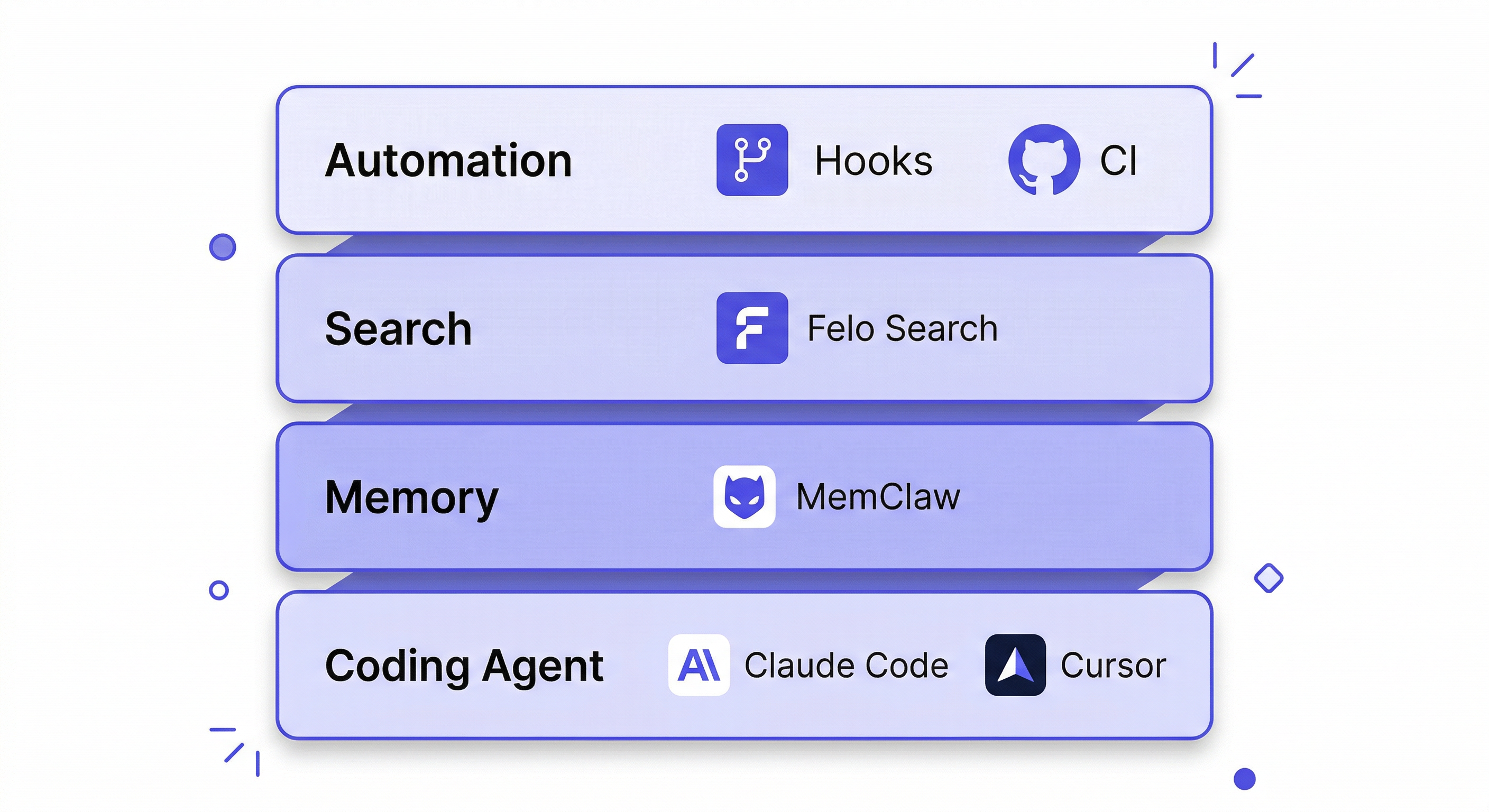
Do not install everything. Start with one coding agent and add layers as you hit specific bottlenecks:
Week 1: Pick a coding agent. Claude Code if you are comfortable in the terminal. Cursor if you want a visual IDE. Use it daily on real work.
Week 2: Add memory. If you find yourself re-explaining your project every session, install MemClaw. If your projects are simple enough that CLAUDE.md covers your needs, skip this.
Week 3: Add automation. Set up hooks for formatting and linting. Configure CI to catch what hooks miss.
Week 4: Add search if you frequently need current information that the model's training data does not cover.
The developers who get the most from AI tools are not the ones with the most tools installed. They are the ones who identified their actual bottleneck and solved it with the right tool.
Start with persistent project memory → memclaw.me
claude-code-vs-cursor | claude-code-best-practices | claude-code-plugins-guide