Best AI Memory Tools for OpenClaw and Claude Code (2026)

Comparing the top memory tools for AI agents: MemClaw, Mem0, CLAUDE.md, and manual context management. Which one fits your workflow?
Best AI Memory Tools for OpenClaw and Claude Code (2026)
AI agents are getting better at everything except remembering. You can ask OpenClaw to build a full-stack app, but ask it what you discussed yesterday and you'll get a blank stare.
Memory tools fix this gap. They give your AI agent the ability to store and recall context across sessions — decisions, preferences, project state, documents. But the options vary widely in approach and scope.
This guide compares the main ways to add memory to OpenClaw and Claude Code, covering what each does well, where it falls short, and which fits different workflows.
Disclosure: This comparison includes MemClaw, which is made by the Felo team — the same team behind this blog. We've tried to present each option fairly, but you should be aware of the affiliation. We'll also cover MemClaw's limitations honestly.
Quick Comparison
| MemClaw | Mem0 | CLAUDE.md | Manual Context | |
|---|---|---|---|---|
| Approach | Project workspaces | Memory layer (facts/preferences) | Static instruction file | Copy-paste notes |
| Scope | Per-project, isolated | Per-user, global | Per-directory | Per-session |
| Updates | Auto-updates as you work | Auto-extracts facts from chat | Manual editing | Manual copy-paste |
| Multi-project | Yes — workspace isolation | Partial — no project boundaries | One file per directory | You manage files |
| Cross-agent | OpenClaw + Claude Code + Gemini CLI + Codex | Depends on integration | Claude Code only | Agent-agnostic |
| Setup | Install skill + API key | Install package + API key | Create a file | No setup |
| Cost | Free tier available | Free tier available | Free | Free |
Option 1: MemClaw — Project-Scoped Workspaces
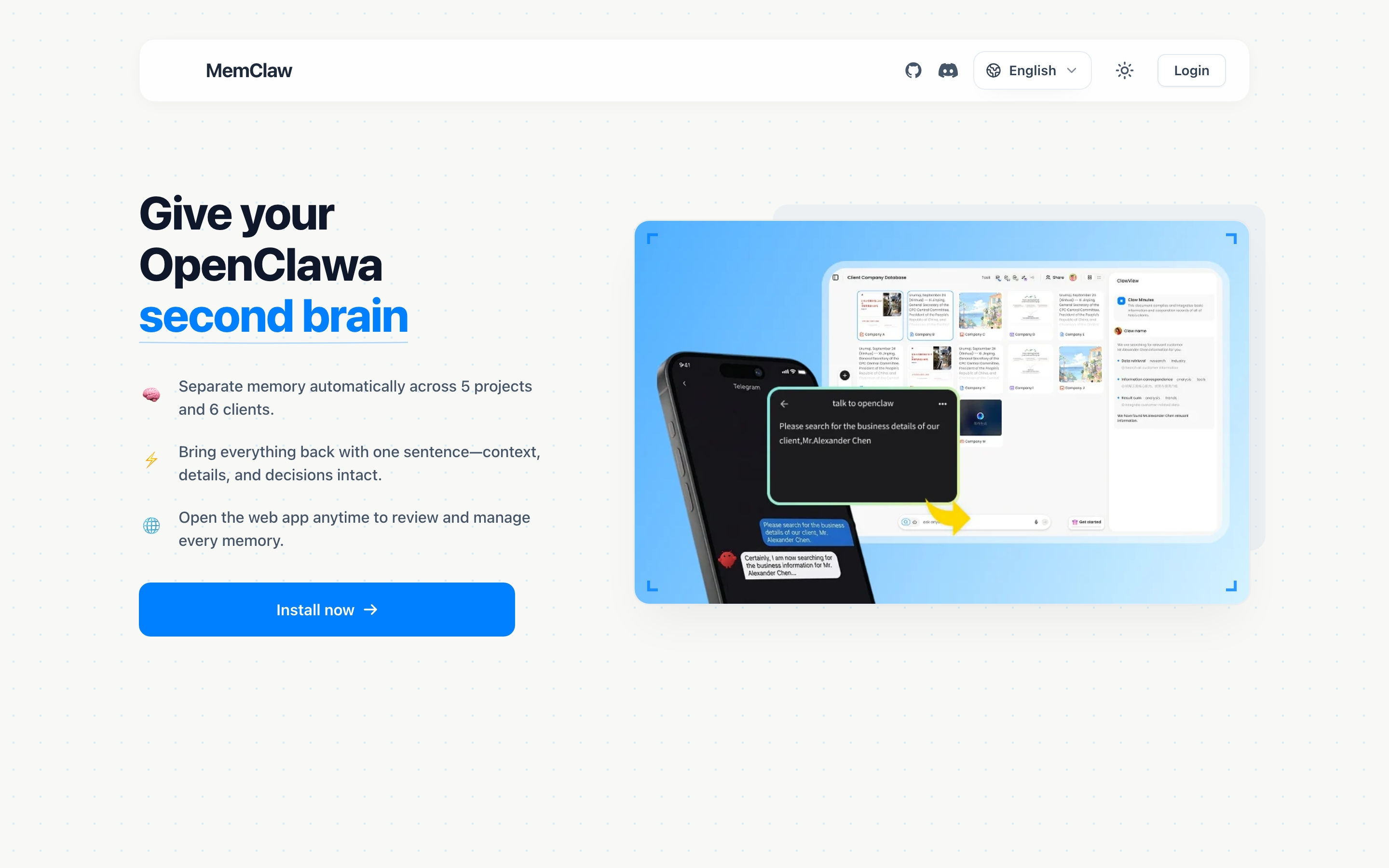
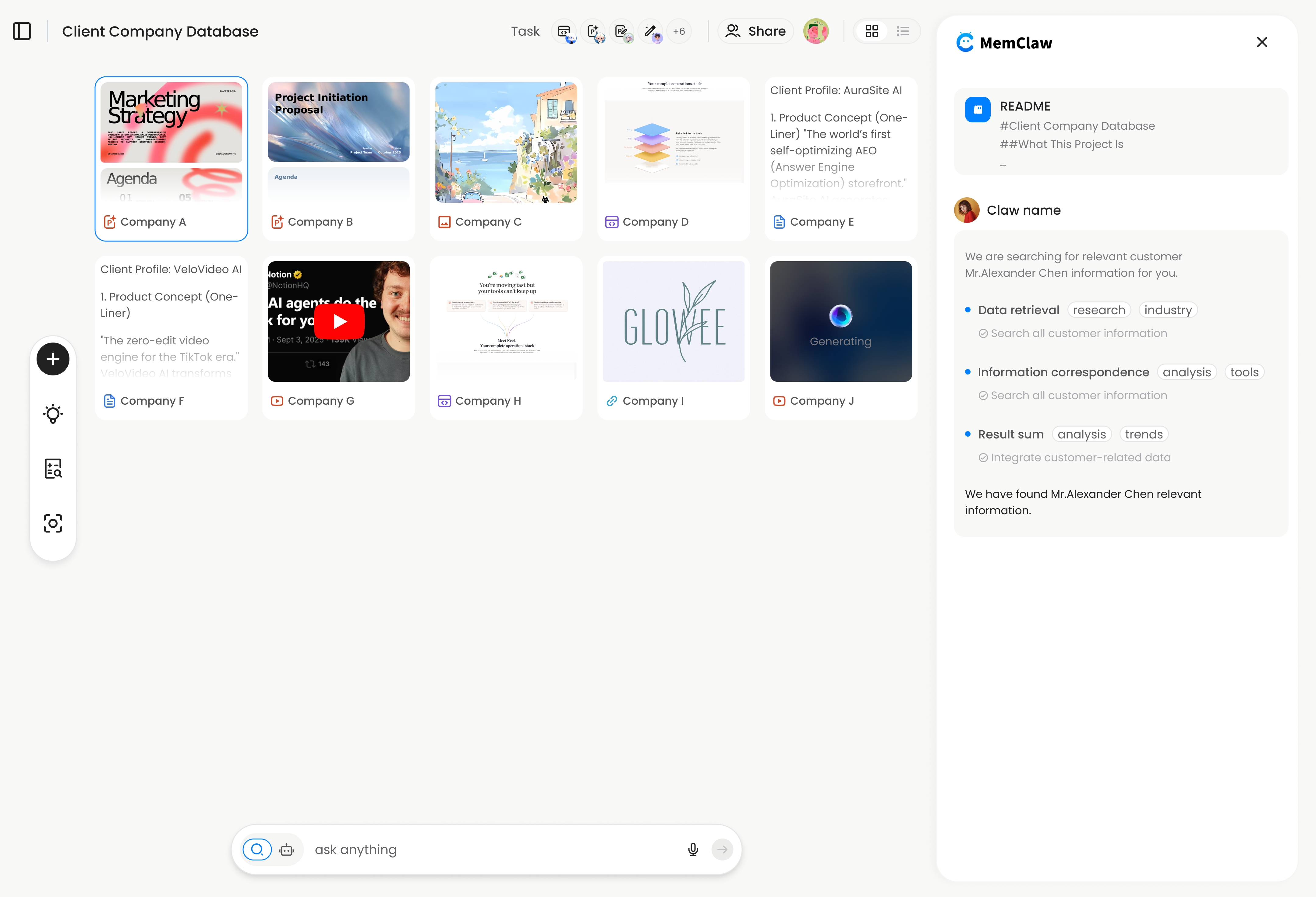
What it is: A workspace system where each project gets its own isolated memory. Each workspace contains a living README (project state that updates as you work), artifacts (documents, reports, URLs), and auto-tracked tasks.
Best for: People managing multiple projects or clients who need clean separation between them.
How it works:
- Create a workspace: "Create a workspace called Client Acme"
- Work normally — context is saved as you go
- Next session: "Load the Acme workspace" — full context restored in ~8 seconds
Strengths:
- Project isolation — Client A's context never leaks into Client B
- Living README updates automatically during conversation
- Works across OpenClaw, Claude Code, Gemini CLI, and Codex
- Natural language interaction — no config files or JSON
- Team sharing — invite teammates to a workspace
Limitations:
- Requires a Felo API key (free tier available at felo.ai/settings/api-keys)
- You need to explicitly load a workspace at session start
- Workspace context is structured (README + artifacts + tasks) — it's not freeform
- Relatively new tool — smaller community compared to Mem0
Install:
/plugin marketplace add Felo-Inc/memclaw
/plugin install memclaw@memclaw
More info: memclaw.me | GitHub
Option 2: Mem0 — Memory Layer for AI Agents
What it is: A memory layer that extracts and stores individual facts, preferences, and context snippets from your conversations. When you start a new session, Mem0 retrieves relevant memories based on the current conversation.
Best for: People who want automatic background memory without explicit workspace management.
How it works:
- Install the Mem0 package for your agent
- Have conversations normally — Mem0 extracts facts in the background
- Next session — Mem0 injects relevant memories based on context
Strengths:
- Automatic extraction — you don't have to explicitly save things
- Retrieval is context-aware — it surfaces memories relevant to what you're currently discussing
- Broad integrations across various AI frameworks
Limitations:
- No project isolation — memories from Project A can surface when working on Project B
- Individual fact storage, not structured project context — it remembers "uses PostgreSQL" but doesn't track project progress or status
- Retrieval quality depends on how well it matches the current context
- If you work on similar projects (e.g., multiple web apps), relevant memories from the wrong project may surface
When to choose Mem0 over MemClaw:
- You work on one project at a time, not multiple in parallel
- You want fully automatic memory with no manual "load workspace" step
- Your memory needs are fact-based (preferences, tool choices) rather than project-state-based (progress, decisions, tasks)
Option 3: CLAUDE.md — Static Project Instructions
What it is: A markdown file (.claude/CLAUDE.md or CLAUDE.md in your project root) that Claude Code reads automatically at session start. It contains static instructions, coding conventions, and project context.
Best for: Developers using Claude Code who need consistent coding style and project setup across sessions.
How it works:
- Create a
CLAUDE.mdfile in your project directory - Write your project context, conventions, and instructions
- Every Claude Code session in that directory automatically loads this file
Strengths:
- Zero setup beyond creating a file
- No external service or API key needed
- Full control over exactly what Claude reads
- Lives in your git repo — version controlled
- Built into Claude Code natively
Limitations:
- Static — you manually update it, it doesn't track your work automatically
- One file per directory — no workspace isolation beyond directory structure
- Claude Code only — doesn't work with OpenClaw or other agents
- Doesn't store artifacts, documents, or task tracking
- Gets unwieldy if your project context is complex and evolving
When to choose CLAUDE.md over MemClaw:
- You work primarily in Claude Code (not OpenClaw)
- Your project context is mostly static (coding conventions, tech stack, preferences)
- You don't need automatic progress tracking or artifact storage
- You want zero external dependencies
Pro tip: CLAUDE.md and MemClaw aren't mutually exclusive. Use CLAUDE.md for static coding conventions and MemClaw for dynamic project state.
Option 4: Manual Context Management
What it is: Copy-pasting project notes, READMEs, or context documents at the start of each session. The low-tech approach.
Best for: People with simple needs or those evaluating whether they need a memory tool at all.
How it works:
- Maintain project notes in a text file, Notion page, or similar
- At session start, paste the relevant context
- Update your notes manually after significant conversations
Strengths:
- Zero dependencies — works with any agent, any platform
- Full control — you decide exactly what context to include
- No API keys, no installs, no configuration
- Works offline
Limitations:
- Manual overhead — copy-pasting gets tedious fast
- Notes go stale — you forget to update them after important conversations
- No project isolation — you might paste the wrong notes
- Context grows — a 3,000-word context file eats into the agent's context window
- Not scalable — manageable for 1-2 projects, painful for 5+
When manual is enough:
- You work on 1-2 simple projects
- Your project context fits in a few paragraphs
- You're disciplined about updating your notes
Choosing the Right Tool
Here's a decision framework:
How many projects do you manage simultaneously?
- 1-2 projects → CLAUDE.md or manual context is probably fine
- 3-5 projects → MemClaw or Mem0, depending on your preference for explicit vs. automatic memory
- 5+ projects → MemClaw's workspace isolation becomes important
Do your projects share similar tech stacks?
- Yes (multiple web apps, similar clients) → MemClaw — you need project isolation to prevent bleed. Mem0's context-based retrieval may pull memories from the wrong project.
- No (completely different projects) → Either tool works. Less risk of context bleed.
Which agents do you use?
- Claude Code only → CLAUDE.md is the simplest option. Add MemClaw if you need dynamic state tracking.
- OpenClaw only → MemClaw or Mem0.
- Multiple agents → MemClaw — it works across OpenClaw, Claude Code, Gemini CLI, and Codex with the same workspace.
How complex is your project state?
- Mostly static (coding conventions, tech stack) → CLAUDE.md
- Mostly facts (preferences, tool choices, personal style) → Mem0
- Evolving state (decisions, progress, task tracking, artifacts) → MemClaw
Can You Use Multiple Tools Together?
Yes. The tools aren't mutually exclusive:
- CLAUDE.md + MemClaw — static conventions in CLAUDE.md, dynamic project state in MemClaw. This is a common setup for Claude Code users.
- Mem0 + CLAUDE.md — automatic fact memory plus static instructions.
Using Mem0 and MemClaw together is possible but redundant for most workflows. Pick the approach that matches how you think about project context.
Summary
| Scenario | Recommended |
|---|---|
| Freelancer with 5+ clients | MemClaw |
| Developer on one codebase, Claude Code only | CLAUDE.md |
| Multi-agent user (OpenClaw + Claude Code) | MemClaw |
| Single project, wants automatic memory | Mem0 |
| Simple needs, no dependencies | Manual context |
| Team collaboration on shared projects | MemClaw |
No memory tool is right for everyone. The best one is the one that matches how you actually work — how many projects you juggle, which agents you use, and whether you prefer explicit control or automatic background memory.
MemClaw is made by the Felo team. Get started free at memclaw.me. View the code at github.com/Felo-Inc/memclaw.