Claude Code Memory: Every Method to Give Claude Persistent Context (2026)

Claude Code has no memory between sessions. This guide covers every method
You open Claude Code. You explain your stack. You describe the bug. You get a great answer.
You close the session.
Tomorrow, you do it all again.
This is the core frustration with Claude Code — not the quality of its answers, but the fact that it starts from zero every single time. No memory of your codebase. No memory of the decision you made last Tuesday about the database schema. No memory of the three approaches you already tried and ruled out.
This guide covers every method available to give Claude Code persistent memory, when to use each one, and how to set them up.
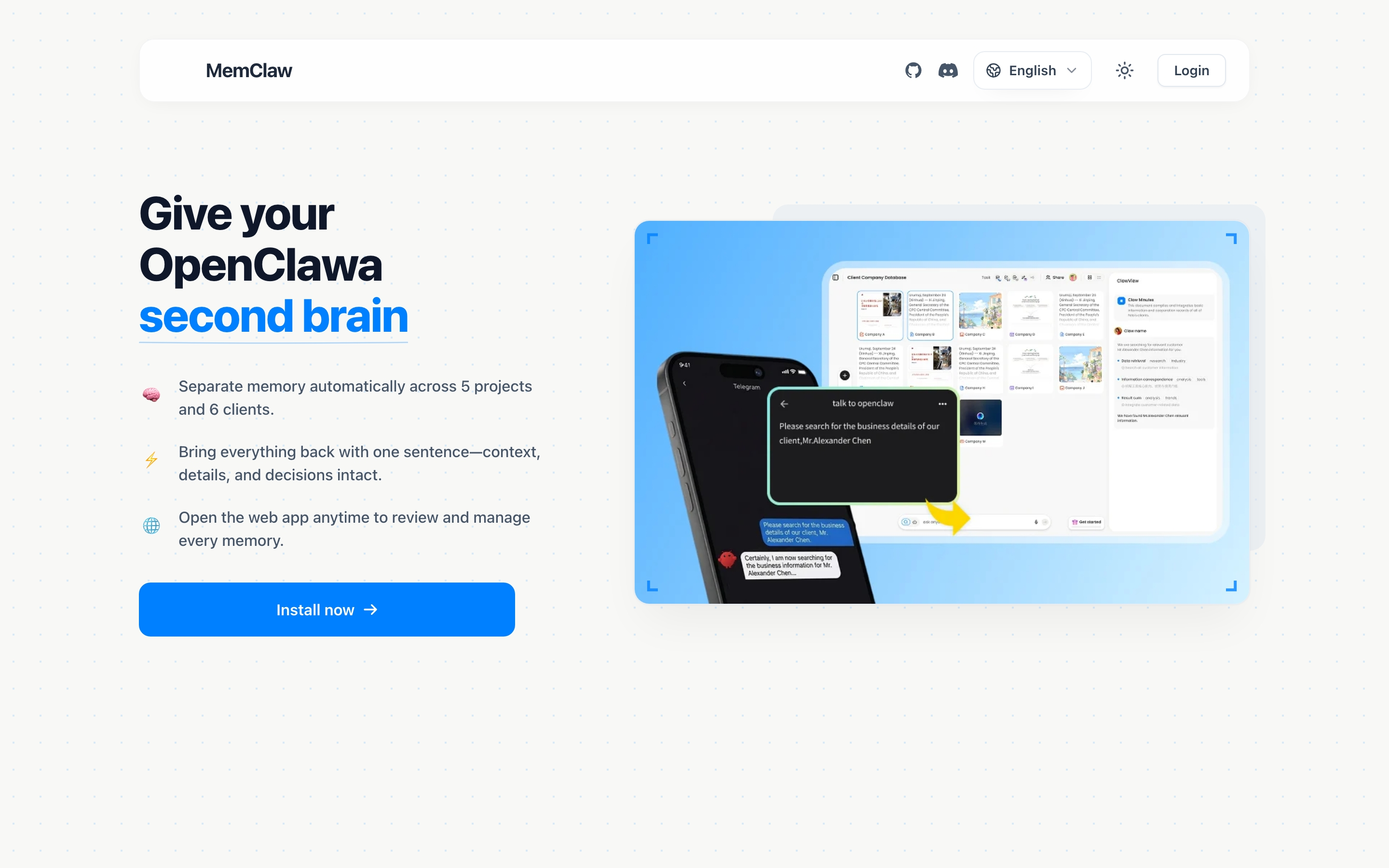
Why Claude Code Has No Memory
Claude Code is stateless by design. Each session is an independent computation — Claude processes your input and generates a response, but nothing about that session is stored anywhere. When you close the session, the context window closes with it.
This is intentional. Stateless systems are simpler, more predictable, and easier to scale. It's not a bug Anthropic will fix in the next release. It's an architectural property of how language models work.
The practical cost for ongoing development work:
- Re-explaining overhead. 10–15 minutes at the start of every session before you get to actual work. Across a year of daily development, that's 40–60 hours of pure overhead.
- Contradictory suggestions. Claude recommends an approach you already tried and ruled out. It argues for a library you already decided against. It asks questions you answered two weeks ago.
- Context bleed between projects. If you work on multiple projects, context from one bleeds into another. Client A's requirements show up in Client B's conversation.
- Knowledge transfer friction. When a new developer joins, there's no shared AI context to hand off. They start from zero too.
None of this is inevitable. There are several ways to fix it.
What "Claude Code Memory" Actually Means
When developers search for "claude code memory," they're usually looking for one of three things:
Session persistence — resuming a conversation exactly where it left off. Claude Code doesn't support this natively. Each session is independent, and that's unlikely to change.
Project context — having Claude understand your codebase, your decisions, and your current status without re-explaining every session. This is fully solvable today.
Cross-project isolation — keeping context for Project A completely separate from Project B, so working on one doesn't contaminate the other. This is the harder problem, and it's what most memory solutions don't address well.
The methods below solve different combinations of these three problems.
Method 1: CLAUDE.md (Built-in, Free)
The simplest approach. Create a CLAUDE.md file in your project root — Claude reads it automatically at the start of every session.
# MyApp

## Stack
Next.js 14, TypeScript, PostgreSQL, Prisma ORM

## Key Decisions
- Auth: JWT in httpOnly cookies (security team requirement — not negotiable)
- Database: Postgres over MySQL (client DBA constraint)
- Styling: Tailwind only, no custom CSS

## Current Focus
Auth middleware refactor — extracting JWT validation into standalone utility.
Started 2026-03-20. Target: done by end of sprint 8 (2026-04-11).

## Known Issues
- Stripe webhook fires twice — always check idempotency key before processing
- Rate limiter has a race condition under high load — tracked in issue #247

## Off-Limits
- Do NOT suggest Redis for session caching — tried it, race condition in webhook handler
- Do NOT suggest switching to MySQL — ops constraint, won't change
What it solves: Project context. Claude reads this at session start and immediately knows your stack, your decisions, and where things stand.
What it doesn't solve: History (no record of when decisions were made or why), search (Claude can't answer "what did we decide about caching last month?"), cross-project isolation (one file per project, no central management), and automatic updates (you maintain it manually, it goes stale).
Best for: Single project, solo developer, project lifespan under a month.
The stale problem. CLAUDE.md is only as good as your discipline in maintaining it. Most developers update it for the first two weeks, then stop. Six months later it describes a project that no longer exists. A stale CLAUDE.md is worse than no CLAUDE.md — it gives Claude false confidence about decisions that may have changed.
Method 2: Multiple Context Files + Slash Commands
A more structured version of CLAUDE.md. Instead of one flat file, maintain separate files for different types of context and load them selectively.
/project
  CLAUDE.md          → project overview, stack, key contacts
  DECISIONS.md       → architectural decisions with dates and reasoning
  STATUS.md          → current sprint, what's in progress, what's blocked
  RULED-OUT.md       → approaches tried and rejected (with reasons)
Custom slash commands to load them:
/load-project    → reads CLAUDE.md + DECISIONS.md
/load-status     → reads STATUS.md
/save-decision   → appends to DECISIONS.md with today's date
What it solves: More structure than a single CLAUDE.md. You can load context selectively — just status for a quick check, full context for a deep session.
What it doesn't solve: Still static files you maintain manually. No semantic search. No cross-project management. File management overhead grows with project complexity.
Best for: Developers who want more structure than CLAUDE.md but don't need full persistence or multi-project management.
Method 3: MemClaw Workspaces (Persistent, Multi-Project)
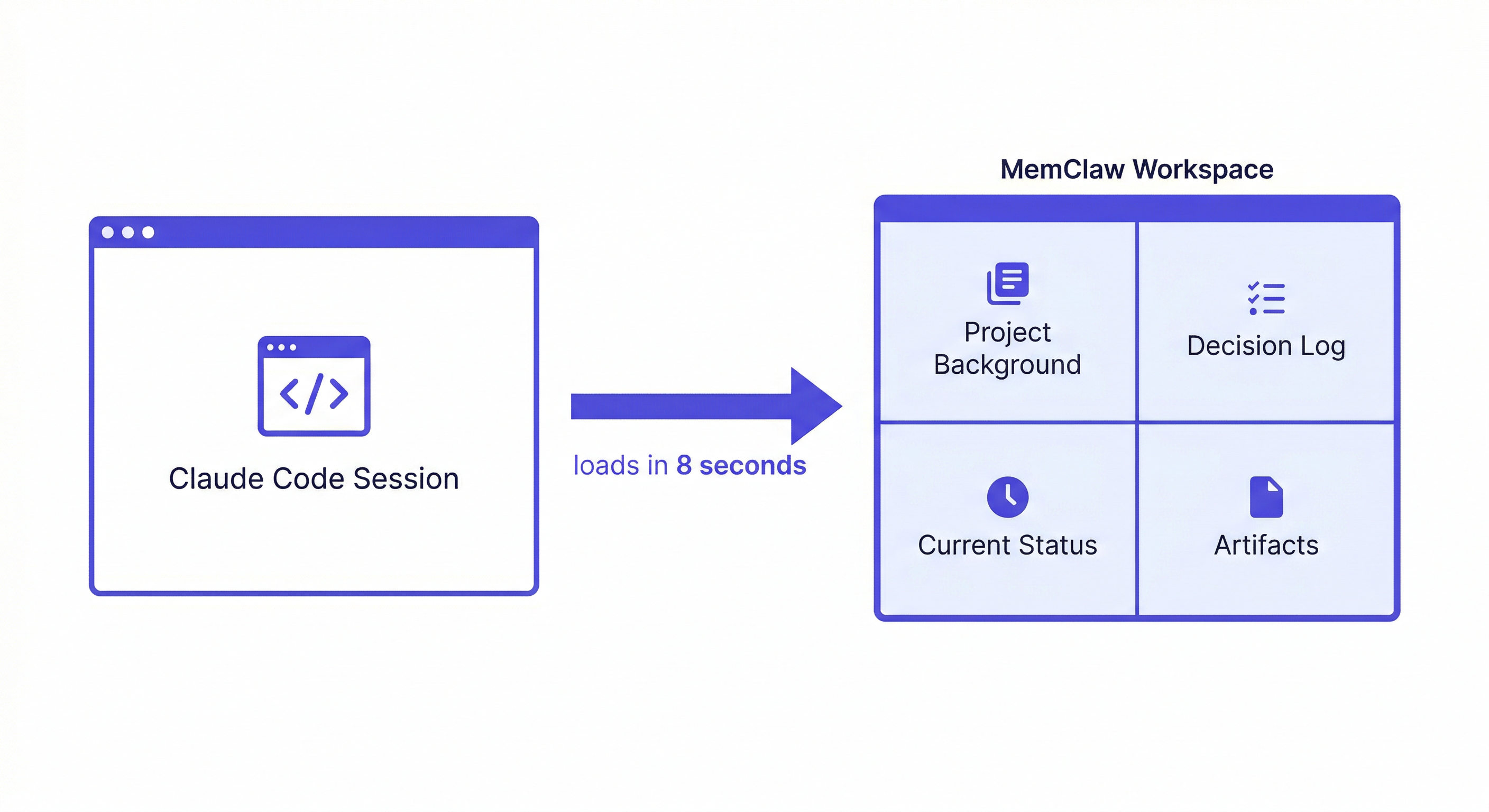
MemClaw installs as a skill on Claude Code and gives each project a persistent, searchable workspace. The agent reads it at session start and writes decisions and status back automatically.
This is the method that solves all three problems: project context, history, and cross-project isolation.
Setup
Install MemClaw:
/plugin marketplace add Felo-Inc/memclaw
/plugin install memclaw@memclaw
Set your API key (get one free at felo.ai/settings/api-keys):
export FELO_API_KEY="your-api-key-here"
Create one workspace per project:
Create a workspace called MyApp
Seed it with current context (do this once):
Add to workspace: Next.js 14 + TypeScript + PostgreSQL + Prisma.
Auth uses JWT in httpOnly cookies — security team requirement, not negotiable.
Stripe webhook fires twice — always check idempotency key before processing.
Current focus: extracting JWT validation from auth middleware. Sprint 8, ends 2026-04-11.
Add decision to workspace: using Postgres over MySQL.
Reason: client DBA only supports Postgres. Constraint won't change.
Date: 2026-03-15.
Load at the start of every session:
Load the MyApp workspace
Claude reads the workspace and is immediately oriented. No re-explaining needed.
The Write-Back Habit
The workspace gets more useful the more you put into it. Two habits make the biggest difference:
Log decisions when you make them:
Add decision to workspace: using Tailwind, not custom CSS.
Reason: faster development, client doesn't need a custom design system.
Date: 2026-04-10.
Don't wait until the end of the session. Log it the moment you decide. The reasoning matters as much as the decision — without it, Claude can argue you out of the decision in a future session.
Update status at the end of each session:
Update workspace status: JWT extraction complete. Route handlers updated.
Next: update tests to use new validateJWT utility. Blocker: none.
One line is enough. This is what Claude reads first when you return to the project.
After two weeks of consistent use, the workspace has enough context that loading it at session start feels meaningfully different from starting fresh. After a month, you stop thinking about context management entirely.
Cross-Project Isolation
This is where MemClaw solves a problem CLAUDE.md can't touch.
If you're a freelancer with six clients, or a developer running five projects in parallel:
Load the Acme workspace
→ Claude has Acme context only. Nothing from other projects.

Load the Beta Corp workspace
→ Claude switches to Beta Corp. Acme is completely gone from the picture.
Each project has its own isolated workspace. Zero cross-contamination. You never have to worry about Client A's requirements bleeding into Client B's conversation.
Team Sharing
Share a workspace with your team:
Share the MyApp workspace with [email protected]
Every developer's Claude sessions now pull from the same project knowledge base. Architectural decisions by one developer are immediately available to all others. New team members load the workspace and get instant project context — no 90-minute knowledge transfer call.
Method 4: Custom Memory Infrastructure
Build your own persistent memory layer: a vector database (ChromaDB, Pinecone, pgvector) connected to your AI agent via MCP. Full control over what gets stored, how it's retrieved, and where data lives.
What it solves: Maximum flexibility. Self-hosted. Can be tailored to specific retrieval patterns or data sovereignty requirements.
What it doesn't solve: You're building and maintaining infrastructure for a solved problem. Significant engineering overhead. Most teams that go this route spend more time on the memory system than on the actual work it's supposed to support.
Best for: Organizations with specific data sovereignty requirements, or teams with custom memory needs that off-the-shelf tools don't cover. Not recommended for most developers.
Which Method Should You Use?
| Situation | Recommended Method |
|---|---|
| Quick one-off task | Nothing — just explain in session |
| Single project, solo, < 1 month | CLAUDE.md |
| Single project, solo, > 1 month | CLAUDE.md or MemClaw |
| Multiple projects running in parallel | MemClaw |
| Freelancer with multiple clients | MemClaw |
| Team of 2+ developers | MemClaw shared workspace |
| Custom data sovereignty needs | Custom infrastructure |
The most common mistake: using CLAUDE.md for situations that need MemClaw. CLAUDE.md works well for simple cases but breaks down when you have multiple projects, a long-running codebase, or a team. The stale file problem alone makes it unreliable for anything beyond a few weeks.
Real Scenarios
Picking Up After a Week Away
Load the MyApp workspace
Where did I leave off on the auth refactor?
Claude reads the workspace and tells you exactly where things stand — because you logged the status at the end of your last session. No re-briefing. No "let me remind you of the context."
Freelancer With Multiple Clients
Monday morning. You have three client projects active.
Load the Acme workspace
→ Claude knows Acme's stack, their requirements, the decisions you've made, where things stand.

[finish Acme work]

Load the Beta Corp workspace
→ Claude switches completely. Acme is gone. Beta Corp context is loaded.
No context bleed. No accidentally referencing one client's requirements in another client's conversation. This is the scenario MemClaw is built for.
Preventing Repeated Dead Ends
Add to workspace: DO NOT use Redis for session caching.
Tried it in sprint 4 — race condition in the Stripe webhook handler.
The issue is fundamental to how the webhook processes retries. Not fixable.
Six weeks from now, Claude won't suggest Redis with a compelling argument. It knows the approach is ruled out and why.
Team Handoff
New developer joins the project. Instead of a 90-minute knowledge transfer call:
[New developer] Load the MyApp workspace
Claude reads the workspace and already knows the project history, the decisions that are off the table, the current status, and the known issues. The new developer is productive in minutes, not days.
Does Claude Code Have Built-in Memory?
No. As of 2026, Claude Code has no native persistent memory between sessions. Each session starts from zero.
Anthropic has added some features that help within a session — longer context windows, better file reading — but nothing that persists between sessions. The CLAUDE.md convention is the closest thing to a built-in solution, and it's a convention, not a feature.
Third-party tools like MemClaw fill this gap by connecting Claude Code to external storage via the skills system.
Will Claude Code Ever Have Native Memory?
Possibly, but not in the near term. The architectural challenges are significant:
- Privacy. Persistent memory means storing user data. That's a different product category with different compliance requirements.
- Isolation. Whose memory is it? How do you prevent one user's context from affecting another's?
- Staleness. Memory that's months old may be wrong. How does the system know when to trust it?
These are solvable problems, but they're not trivial. In the meantime, the external memory approach — tools like MemClaw that connect Claude Code to persistent storage — is the practical solution.
Frequently Asked Questions
Does Claude Code remember between sessions? No. Each session is independent. Nothing from a previous session carries over unless you explicitly load it.
What is CLAUDE.md? A markdown file in your project root that Claude reads at the start of every session. It's the simplest way to give Claude project context, but it's static — you maintain it manually and it goes stale.
How do I make Claude remember my codebase? The most reliable method: install MemClaw, create a workspace for your project, add your stack and key decisions, and load the workspace at the start of every session. The workspace accumulates context over time.
Can Claude Code remember across multiple projects? Not natively. CLAUDE.md is per-project and doesn't help with cross-project isolation. MemClaw gives each project its own isolated workspace — loading one project's workspace doesn't bring in context from other projects.
Is there a free way to give Claude Code memory? Yes. CLAUDE.md is completely free and built into Claude Code. For more robust persistence and multi-project management, MemClaw has a free tier.
Does MemClaw work with OpenClaw too? Yes. MemClaw workspaces are compatible with Claude Code, OpenClaw, Gemini CLI, and Codex. You can work on the same project across different agents and they all read from the same workspace.
Getting Started
For most ongoing development work, the path is:
- Install MemClaw → memclaw.me
- Create one workspace per active project
- Spend 15 minutes seeding it: stack, key decisions, current status
- Load the workspace at the start of every session
- Log decisions and status updates as you work
The memory compounds. After two weeks, Claude starts answering questions from the workspace instead of asking you to re-explain. After a month, you stop thinking about context management entirely.