Claude Code Plugins: The Best Extensions to Install in 2026

Claude Code's plugin ecosystem turns a terminal agent into a full development platform. This guide covers the best plugins, how to install them, and which ones are worth your time.
Claude Code out of the box is a capable coding agent. With plugins, it becomes something closer to a full development platform — persistent memory, web search, document generation, and workflow automation layered on top of the core terminal experience.
The plugin ecosystem has grown fast. Not everything is worth installing. This guide covers the plugins that solve real problems, how to install them, and how they fit together.
How Plugins Work
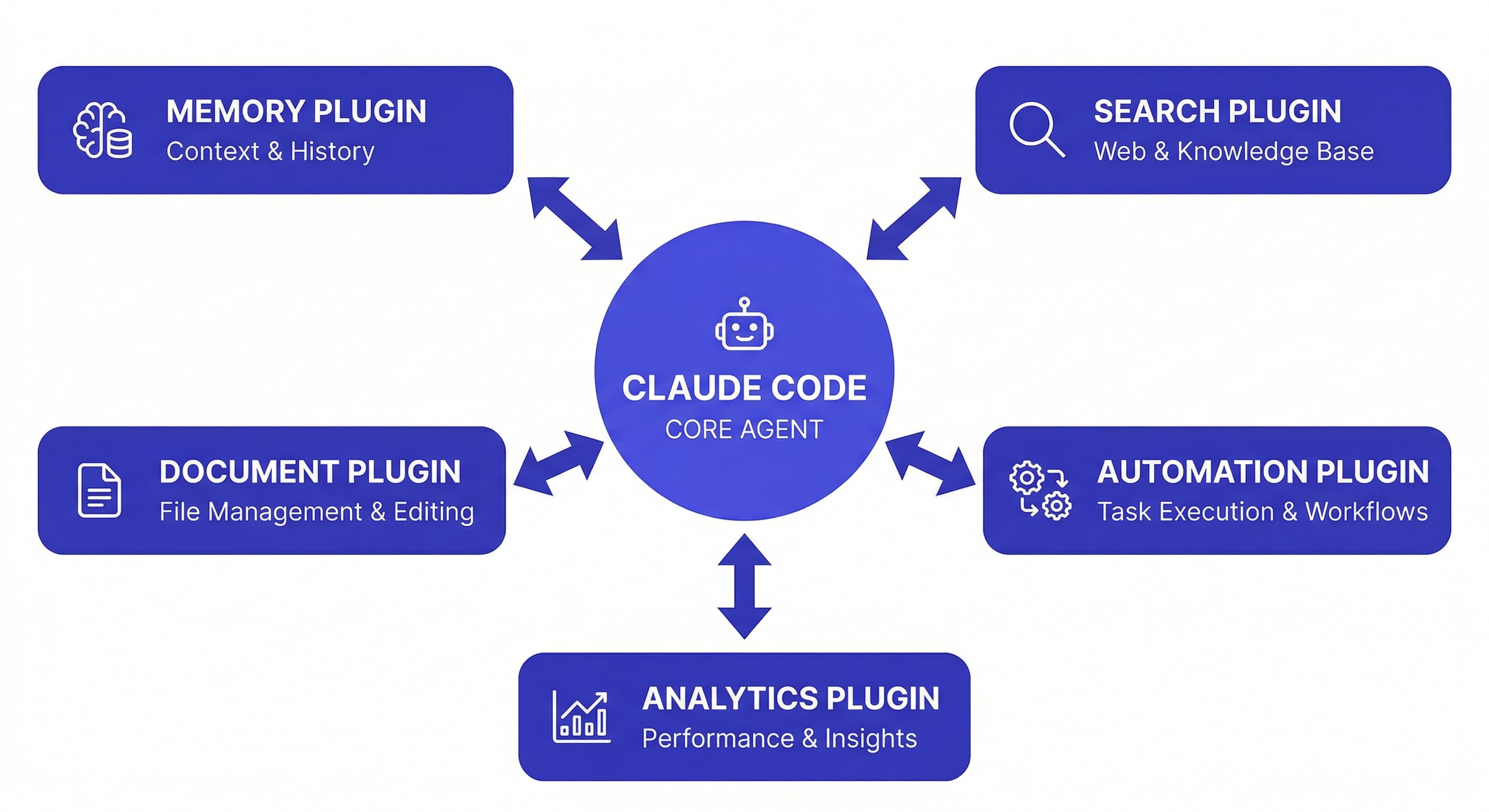
Plugins extend Claude Code by adding new tools the agent can call during a session. When you install a plugin, Claude Code gains new capabilities — it can search the web, store persistent data, generate documents, or interact with external services.
Plugins are installed through the plugin marketplace:
/plugin marketplace add [publisher]/[plugin-name]
/plugin install [plugin-name]@[plugin-name]
Installed plugins load automatically at session start. You do not need to activate them manually — Claude Code detects available tools and uses them when relevant.
Memory and Context Plugins
The biggest limitation of vanilla Claude Code is that it forgets everything between sessions. Memory plugins solve this.
MemClaw — Project Workspace Memory
The most complete memory solution for Claude Code. MemClaw gives each project its own isolated workspace that stores architecture decisions, coding conventions, task progress, and session history.
What it does:
- Creates isolated workspaces per project (zero cross-project bleed)
- Stores a living README that updates as your project evolves
- Tracks artifacts — documents, reports, URLs, files
- Auto-tracks tasks as the agent works
- Restores full project context in 8 seconds
Why it matters: if you work on more than one project, context management is your biggest time sink. MemClaw eliminates the 10-minute re-explanation at the start of every session.
export FELO_API_KEY="your-api-key-here"
/plugin marketplace add Felo-Inc/memclaw
/plugin install memclaw@memclaw
Get your API key at felo.ai/settings/api-keys. Free tier available.
Works across Claude Code, OpenClaw, Gemini CLI, and Codex — all agents share the same workspace. claude-code-memory
CLAUDE.md (Built-in)
Not a plugin, but worth mentioning for comparison. CLAUDE.md is a static markdown file at your project root that Claude Code reads on startup. It handles fixed rules (tech stack, coding conventions, do-not-touch files) but does not track session history, evolving decisions, or task progress.
Best used alongside a memory plugin: CLAUDE.md for static rules, MemClaw for dynamic context.
Search and Research Plugins
Felo Search
Adds real-time web search to Claude Code sessions. When Claude Code needs current information — library documentation, API changes, error messages — it can search the web directly instead of relying on training data.
Useful for: checking if a dependency has breaking changes, finding current best practices, researching error messages you have never seen before.
Exa Search
Semantic search focused on developer content. Better than general web search for finding code examples, technical blog posts, and documentation.
Document and Presentation Plugins
Felo Slides
Generates presentations directly from Claude Code. Describe what you want, and it creates a slide deck. Useful for sprint reviews, technical proposals, and architecture presentations where you want to go from code context to slides without switching tools.
Felo LiveDoc
Creates and manages knowledge base documents. Good for teams that need to maintain technical documentation alongside their code.
How to Evaluate a Plugin
Not every plugin is worth the overhead. Before installing, ask:
-
Does it solve a problem I have weekly? A plugin you use once a month is not worth the context window space it consumes at startup.
-
Does it conflict with existing tools? Two memory plugins running simultaneously create confusion. Pick one.
-
Is it actively maintained? Check the GitHub repository. Plugins that have not been updated in months may break with Claude Code updates.
-
What is the token overhead? Each plugin adds tool definitions to Claude Code's context. Five plugins with complex tool schemas eat into your available context window.
Recommended Plugin Stack
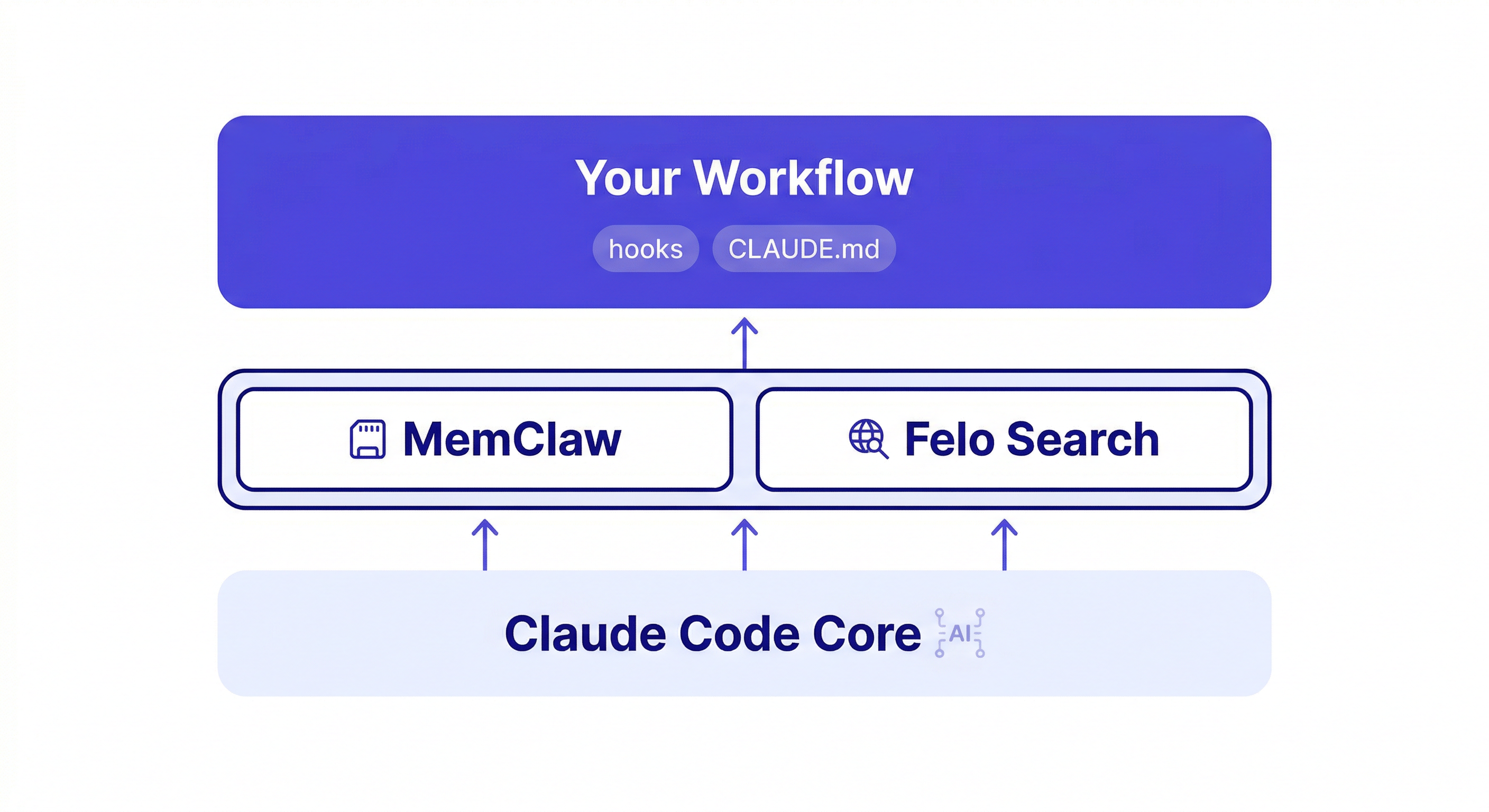
For most developers, three additions cover the major gaps:
- MemClaw — persistent project memory (solves the "start from zero every session" problem)
- A search plugin — web access for current information (solves the "training data is outdated" problem)
- Hooks (built-in) — automated formatting, linting, and safety checks (solves the "manual quality enforcement" problem)
Start with these. Add document or presentation plugins if your workflow requires them. Resist the urge to install everything — each plugin adds complexity and consumes context.
Managing Installed Plugins
List your installed plugins:
/plugin list
Remove a plugin you no longer use:
/plugin uninstall [plugin-name]
Plugins are scoped to your user profile, not individual projects. If you install MemClaw, it is available in every project. Project-specific behavior is handled through workspace isolation (MemClaw) or project-level settings (hooks, CLAUDE.md).
The Plugin Ecosystem Is Young
Claude Code's plugin system is still maturing. Expect rough edges — some plugins have limited documentation, others may conflict with each other, and the marketplace does not yet have ratings or reviews.
The safest approach: install plugins from known publishers (Anthropic official, Felo, established open-source maintainers), test them in a non-critical project first, and remove anything that does not earn its keep within a week.
The plugins that matter most are the ones that address Claude Code's fundamental limitations: no memory between sessions, no web access, and no automated quality enforcement. Everything else is optional.
Start with persistent project memory → memclaw.me
claude-code-vs-cursor | claude-code-hooks-guide | claude-code-best-practices