Claude Code Slash Commands: Build Reusable Workflows for Your Development

Master Claude Code slash commands. Create custom workflows, automate repetitive tasks, and build reusable commands for your development workflow.
Claude Code Slash Commands: Build Reusable Workflows for Your Development Process
Slash commands are one of Claude Code's most underused features. They let you define reusable workflows as Markdown files — invoke them with /command-name and Claude executes the workflow. Combined with MemClaw persistent memory, slash commands become the backbone of a consistent, efficient development process. Set up slash commands with MemClaw → memclaw.me
What Are Slash Commands?
Slash commands are Markdown files stored in .claude/commands/ in your project directory. When you type /command-name in a Claude Code session, Claude reads the corresponding file and executes the instructions. .claude/ commands/ start.md → /start end.md → /end review.md → /review debug.md → /debug plan.md → /plan
The Essential Slash Commands
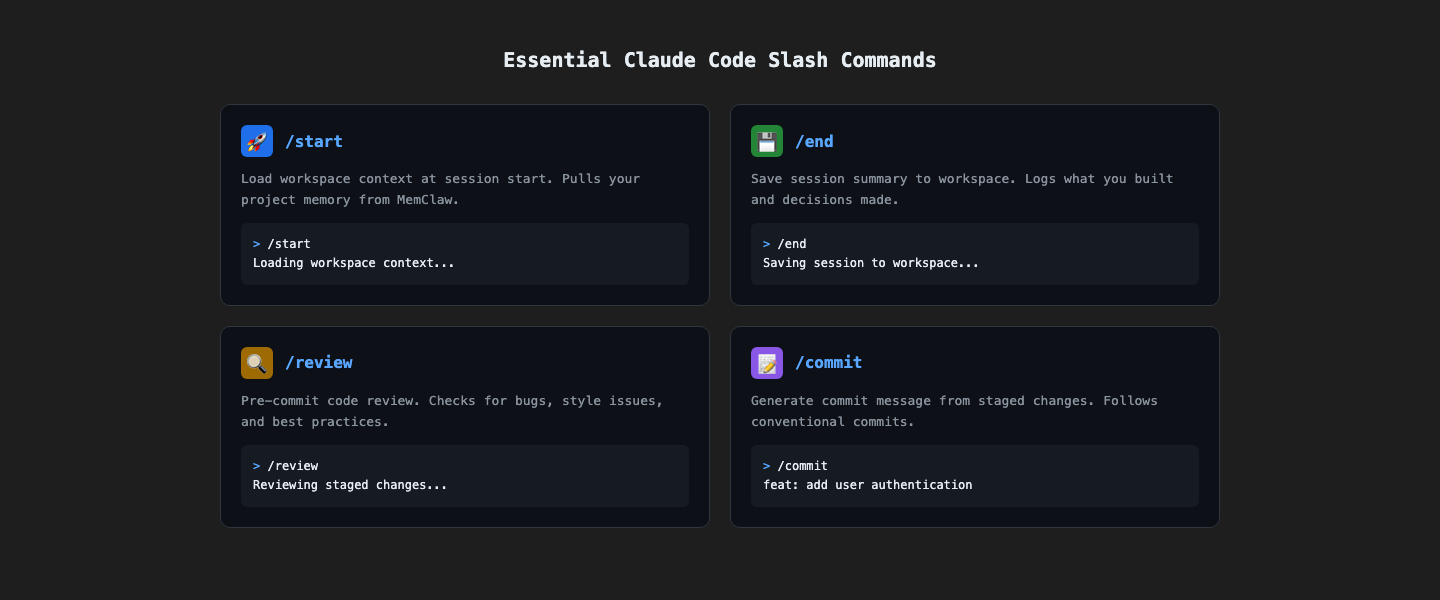
/start — Session kickoff
.claude/commands/start.md: Load project context from the MemClaw workspace. Summarize: current sprint goals, what was done last session, any blockers. Ask what we're working on today. Use this at the beginning of every session. Claude loads your workspace context and briefs you on the current state.
/end — Session wrap-up
.claude/commands/end.md: Summarize today's session: what was completed, what decisions were made and why. Save to the MemClaw workspace with today's date. List unresolved issues and suggest next steps. Use this at the end of every session. Claude saves a session summary to your workspace.
/review — Pre-commit code review
.claude/commands/review.md: Review the staged changes in this repository. First, load project standards from the MemClaw workspace. Check for: security issues, architecture violations, performance problems, missing error handling. Format: Critical / Warning / Suggestion, with file:line references. Run before every commit. Claude reviews against your actual project standards.
/debug — Structured debugging
.claude/commands/debug.md: Analyze the error or issue described. Before suggesting a fix, explain the root cause. Check if this relates to any known issues in the MemClaw workspace. Propose a fix consistent with our architecture patterns. Use when debugging. Forces root cause analysis before jumping to fixes.
/plan — Feature planning
.claude/commands/plan.md: I need to implement the feature described. Before writing any code:
- Explain your approach
- List the files you'll modify
- Identify any risks or trade-offs
- Check if this conflicts with any past decisions in the workspace Ask for approval before proceeding. Use before implementing any non-trivial feature.
Advanced Slash Commands
/sprint-start — Sprint kickoff
.claude/commands/sprint-start.md: Load the MemClaw workspace. Review the completed items from last sprint. Help me plan the new sprint:
- What's the highest priority based on our roadmap?
- What technical debt should we address?
- What are the dependencies between items? Update the workspace with the new sprint goals when we're done.
/decision — Log an architectural decision
.claude/commands/decision.md: Log the following architectural decision to the MemClaw workspace:
- Decision: [what was decided]
- Alternatives considered: [what else was evaluated]
- Rationale: [why this decision was made]
- Trade-offs: [what we're giving up]
- Date: today
- Impact: [what this affects going forward]
/onboard — New team member onboarding
.claude/commands/onboard.md: Load the MemClaw workspace. Create an onboarding summary for a new team member:
- Project overview and goals
- Tech stack and why we chose it
- Architecture patterns and conventions
- Key decisions made and why
- Current sprint goals
- Known issues and gotchas
- How to get started
Combining Slash Commands with MemClaw
Slash commands are most powerful when combined with MemClaw:
- /start loads workspace context → Claude knows your project
- /review loads project standards → Claude reviews against your actual rules
- /end saves session summary → workspace grows over time
- /decision logs decisions → future sessions know why things are the way they are Without MemClaw, slash commands are just shortcuts. With MemClaw, they're a complete workflow system.
Getting Started
- Create
.claude/commands/in your project - Add
start.md,end.md, andreview.md - Set up MemClaw at memclaw.me
- Run
/startat the beginning of your next session Set up slash commands with MemClaw → memclaw.me