How to Add Persistent Memory to Claude Projects (2026 Guide)

Claude forgets everything between sessions. Here's how to add persistent memory to Claude Projects using MemClaw — keep context across conversations, agents, and weeks.
How to Add Persistent Memory to Claude Projects
You set up a Claude Project. You give it detailed instructions — your tech stack, your coding conventions, your client's requirements. It works great for a few conversations.
Then you start a new chat within the same project. Claude remembers the project instructions, but everything you discussed in the previous conversation? Gone. The architecture decisions, the debugging session, the feature you were halfway through building — all of it.
Claude Projects give you persistent instructions, but not persistent memory. There's a difference, and it matters when you're working on anything that spans more than a single conversation.
This guide explains what Claude Projects actually persist (and what they don't), and how to add real persistent memory that carries context across every session.
What Claude Projects Actually Remember
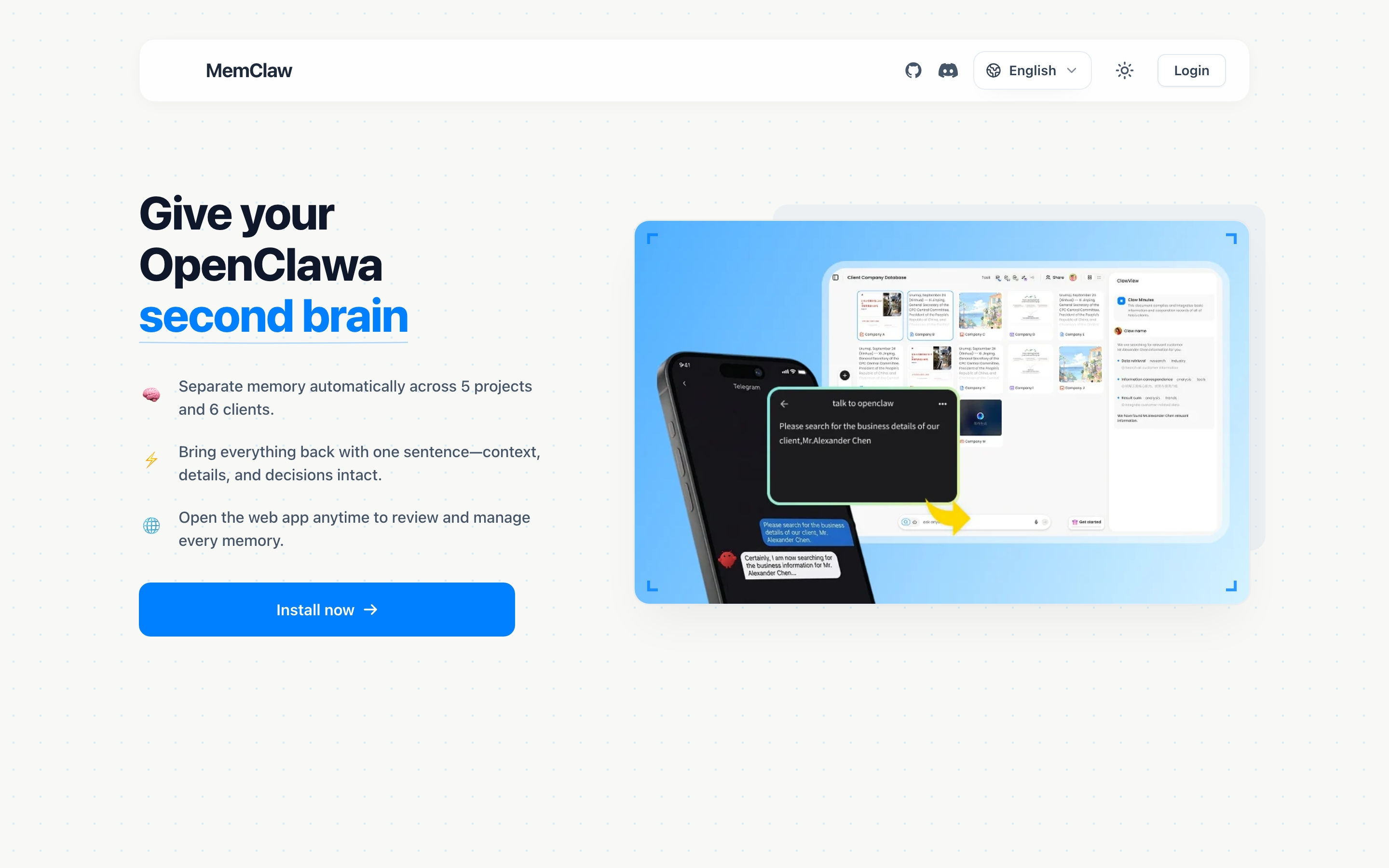
Claude Projects let you attach instructions and files to a project. Every new conversation in that project starts with those instructions loaded. That's useful for:
- Coding style preferences ("use TypeScript strict mode")
- Project background ("this is a Next.js e-commerce app for Client X")
- Reference files (API docs, schema definitions)
But here's what Projects don't persist:
- Conversation history — each new chat starts fresh
- Decisions made during work — "we chose Stripe over PayPal because..."
- Current progress — what's done, what's in progress, what's blocked
- Artifacts produced — research reports, analyses, meeting notes
- Task tracking — what you asked Claude to do and where it left off
In other words, Claude Projects remember who you are but not what you've been doing.
If you're using Claude for a quick one-off task, that's fine. But if you're managing a real project over weeks — with evolving requirements, accumulating decisions, and multiple work streams — you need the "what you've been doing" part too.
The Gap: Instructions vs. Memory
Think of it this way:
| Project Instructions | Persistent Memory | |
|---|---|---|
| What it stores | Static context you write upfront | Dynamic context that evolves as you work |
| Updates | You manually edit instructions | Updates automatically during conversation |
| Scope | Same for every conversation | Reflects the latest state of the project |
| Example | "This project uses PostgreSQL" | "We migrated the users table yesterday, auth endpoints are updated, payments still need migration" |
Project instructions are like a job description. Persistent memory is like a project notebook that someone updates after every meeting.
You need both.
Adding Persistent Memory with MemClaw
MemClaw adds the missing piece: a persistent workspace that stores your project's evolving context and makes it available to Claude at the start of every session.
It works with Claude Code (the CLI) and other AI agents. Here's how to set it up.
Step 1: Get Your API Key
MemClaw stores workspace data via the Felo API:
- Go to felo.ai/settings/api-keys
- Create a new API key
- Set it in your environment:
# macOS / Linux
export FELO_API_KEY="your-api-key-here"

# Add to ~/.zshrc or ~/.bashrc to persist across sessions
Step 2: Install MemClaw in Claude Code
Choose one:
Option A: Claude Code Plugin Marketplace (recommended)
/plugin marketplace add Felo-Inc/memclaw
/plugin install memclaw@memclaw
Option B: ClawHub
clawhub install memclaw
Option C: Manual
git clone https://github.com/Felo-Inc/memclaw.git
cp -r memclaw/memclaw ~/.claude/skills/
If you're using OpenClaw instead, you can install via the install script:
bash <(curl -s https://raw.githubusercontent.com/Felo-Inc/memclaw/main/scripts/openclaw-install.sh)
Or tell OpenClaw directly: "Please install https://github.com/Felo-Inc/memclaw and use MemClaw after installation."
Step 3: Create a Workspace for Your Project
Tell Claude:
"Create a workspace called Client Acme"
MemClaw creates an isolated workspace with three components:
- Living README — project background, preferences, decisions, current status. Updates as you work.
- Artifacts — documents, reports, URLs, code snippets saved during conversations.
- Tasks — auto-tracked as Claude works on things.
Step 4: Use It Across Sessions
Next time you start a conversation:
"Load the Acme workspace"
Claude gets the full project context in about 8 seconds. It knows what the project is about, what's been decided, what's in progress, and what still needs doing.
No copy-pasting. No re-explaining. No "remember, we're using Stripe."
How This Works with Claude Projects
If you're using Claude Projects on the web (claude.ai), here's how the pieces fit together:
Claude Project instructions = your static setup (tech stack, coding style, reference docs)
MemClaw workspace = your dynamic project state (decisions, progress, artifacts)
They complement each other. Project instructions tell Claude how to work. MemClaw tells Claude where things stand.
For Claude Code users, MemClaw integrates directly as a skill. You interact with it through natural language — no config files, no JSON editing.
Real Example: Managing a Client Project
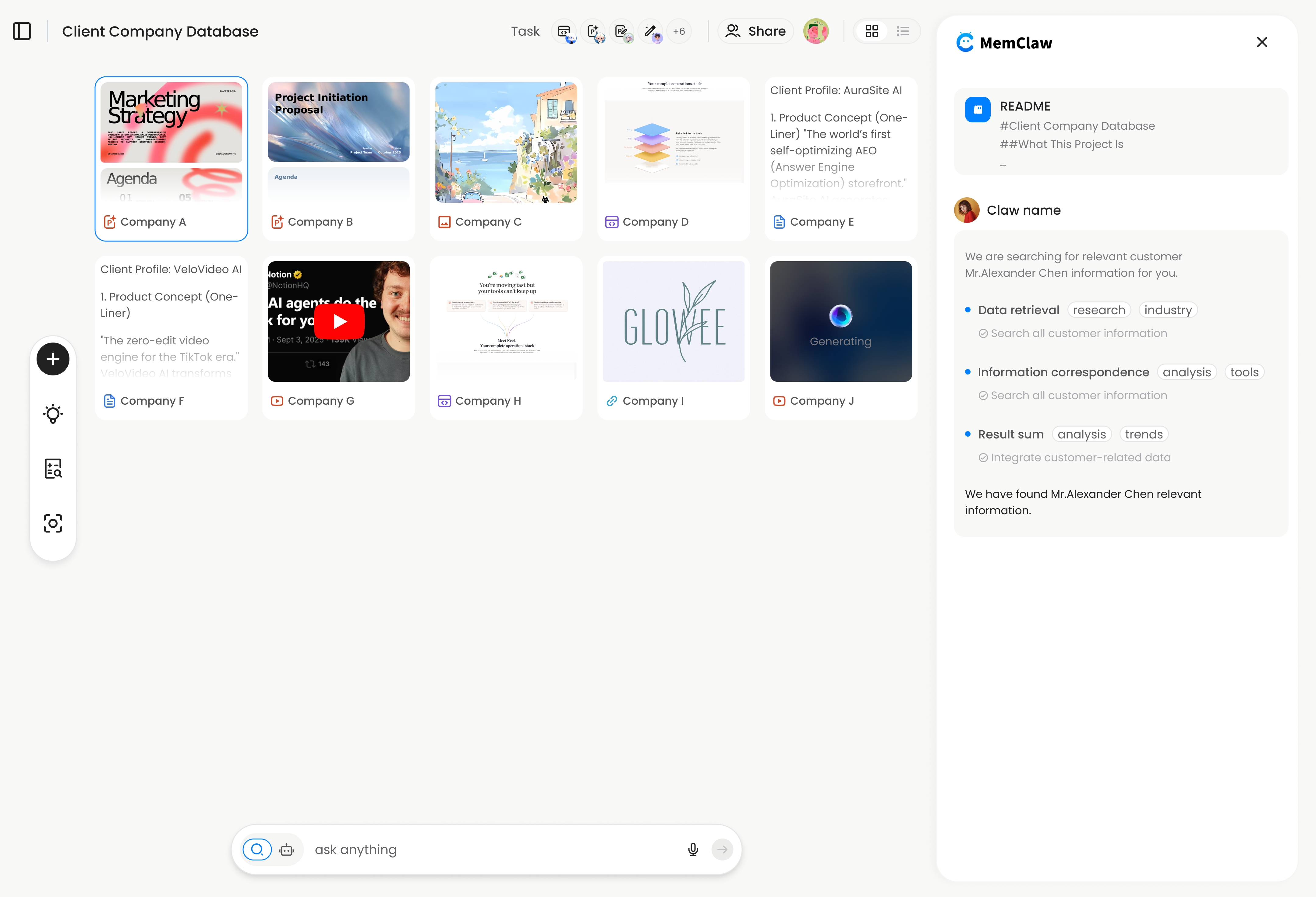
Here's what persistent memory looks like in practice.
Week 1:
"Create a workspace called Client Acme" "Add to workspace: Acme is a B2B SaaS company. We're building their billing dashboard. Tech stack: Next.js, Prisma, PostgreSQL. Client contact is Sarah, she prefers weekly async updates."
You work on the database schema. Claude helps you design the tables. At the end of the session, the workspace captures the current state.
Week 2:
"Load the Acme workspace" "Where did we leave off?"
Claude responds: the schema is done, the API routes for invoice listing are built, and the payment integration is next. Sarah approved the mockups last Thursday.
You didn't type any of that. The workspace tracked it.
Week 3:
"Load the Acme workspace" "Sarah wants to add multi-currency support. How does that affect our schema?"
Claude already knows the schema, the existing payment flow, and the client's preferences. It gives you a specific migration plan, not a generic answer.
That's the difference between an AI that starts fresh every time and one that actually knows your project.
Persistent Memory Across Multiple Agents
If you use both Claude Code and OpenClaw, MemClaw works across both. Same workspace, same memory.
Supported agents:
- Claude Code
- OpenClaw
- Gemini CLI
- Codex
The workspace data lives in the Felo API, so it's agent-agnostic. Research something in OpenClaw, then switch to Claude Code for implementation — both agents see the same project context.
Install MemClaw to each agent's skill directory:
| Agent | Directory |
|---|---|
| Claude Code | ~/.claude/skills/ |
| Gemini CLI | ~/.gemini/skills/ |
| Codex | ~/.codex/skills/ |
What About CLAUDE.md?
CLAUDE.md is Claude Code's built-in way to store project-level instructions. It's loaded automatically when you start Claude Code in a directory that contains one.
CLAUDE.md is good for:
- Coding conventions
- Project structure notes
- Tool preferences
But it's a static file. You write it, Claude reads it. It doesn't update itself as you work. It doesn't track decisions, progress, or artifacts. And it's specific to Claude Code.
Think of CLAUDE.md as your project's README. MemClaw is your project's living notebook.
Use both: CLAUDE.md for static conventions, MemClaw for dynamic project state.
Common Questions
Does this work with Claude on the web (claude.ai)? MemClaw works directly with Claude Code (the CLI tool). If you primarily use claude.ai, you can use Claude Code alongside it for workspace management.
Is my data private? Workspace data is stored via the Felo API. Your workspaces are tied to your API key and not shared with other users.
Can I share a workspace with teammates? Yes. MemClaw supports team sharing — invite teammates to a workspace so everyone's agent has the same project context.
How is this different from Mem0? Mem0 stores individual memories (facts, preferences) extracted from conversations. MemClaw stores project-scoped workspaces — full context per project with a living README, artifacts, and tasks. If you're managing multiple projects that need isolation, workspace-based memory is the better fit.
What if I already have detailed Project instructions? Keep them. Project instructions and MemClaw serve different purposes. Instructions are your static setup; MemClaw is your dynamic state. They work together.
Getting Started
Three steps:
- Get your API key at felo.ai/settings/api-keys
- Install MemClaw in Claude Code
- Create your first workspace: "Create a workspace called [project name]"
From that point on, Claude remembers your project — not just your instructions, but your decisions, your progress, and your work.
Get started free at memclaw.me
View the code at github.com/Felo-Inc/memclaw.