Best Claude Code Free Real-Time Search skill/tool for Developers - Felo Search Skill

Looking for Claude Code real-time search? Get fast AI answers, source citations, and smoother workflows without relying on clunky web search.
If you're a developer using Claude Code, you've probably hit this wall before: you're deep in a coding session, and you need to check something current—maybe today's weather for a location-based app you're testing, the latest React 19 features for a migration you're planning, or current iPhone pricing for an e-commerce project. You ask Claude, and... it politely tells you it can't access real-time information.
Sure, Claude Code has a built-in web search feature, but let's be honest—it's clunky. You have to explicitly trigger it, wait for raw search results, and then manually parse through links to find what you need. It breaks your flow, and frankly, it feels like going back to 2005-era search engines when you're used to AI assistance.
The Solution: Felo Search Skill for Claude Code
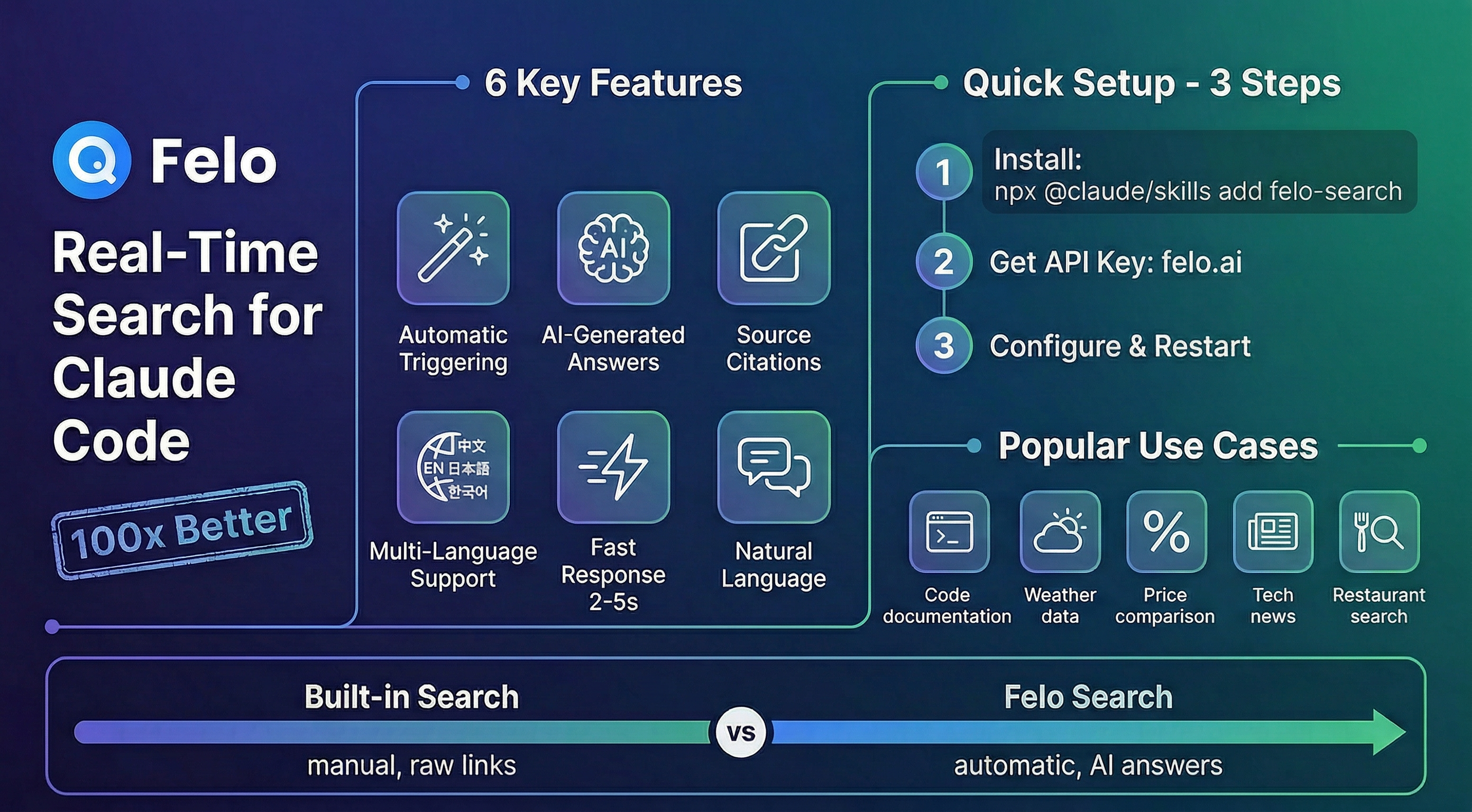
Here's the good news: Felo AI just released a real-time search skill that transforms how Claude Code handles current information. And I'm not exaggerating when I say it's 100x better than the built-in option.
I've been testing it for the past few weeks, and it's genuinely changed how I work. Instead of context-switching to a browser or wrestling with manual search commands, I just ask Claude naturally—the same way I'd ask a colleague sitting next to me—and get comprehensive, AI-generated answers with sources. No friction, no extra steps.
What Makes It Actually Better
Let me break down why this isn't just "another search tool":
Automatic triggering – This is huge. The skill automatically detects when your question needs current information. Ask "What's the weather in Tokyo today?" and it just works. No special commands, no /search prefix, nothing. It understands context like "latest," "recent," "best," "current," and triggers itself.
AI-generated comprehensive answers – Instead of dumping a list of blue links at you, Felo's skill returns actual answers. Ask about "Vite vs Webpack 2024 comparison" and you get a structured comparison with performance metrics, use cases, and trade-offs—not just search result snippets.
Source citations – Every answer includes references to where the information came from. You get the convenience of an AI summary with the reliability of being able to verify sources.
Multi-language support – Works seamlessly in English, Chinese (Simplified and Traditional), Japanese, and Korean. Ask in any language, get answers in that language. This is incredibly useful for international teams or when researching region-specific information.
Fast responses – Typically 2-5 seconds. Fast enough that it doesn't break your flow, but comprehensive enough to be genuinely useful.
Natural language queries – No need to craft perfect search queries. Just ask like you're talking to a person: "Best ramen in Osaka" or "iPhone 15 Pro price comparison" works perfectly.
How It Works (Spoiler: It's Ridiculously Simple)
Installation takes about 30 seconds:
npx @claude/skills add felo-search
Get your free API key from felo.ai (Settings → API Keys), then set it:
# Linux/macOS
export FELO_API_KEY="your-api-key-here"

# Windows PowerShell
\$env:FELO_API_KEY="your-api-key-here"
That's it. Restart Claude Code and you're done. The API key persists, so you set it once and forget about it.
Real Use Cases from My Workflow
Developer scenarios:
- "React 19 new features" – Got a detailed breakdown of the new compiler, Actions, and use() hook with links to official docs
- "Vite vs Webpack 2024 comparison" – Received a comprehensive comparison that helped me make an informed decision for a project migration
- "Latest AI developments January 2026" – Stayed current on industry trends without leaving my terminal
Daily life queries:
- "Tokyo weather" – Checked current conditions and forecast for a client meeting
- "Best ramen in Osaka" – Found top-rated spots with addresses and reviews while planning a trip
- "iPhone 15 Pro price comparison" – Got current pricing across retailers for a price-tracking feature I was building
Documentation lookups:
- "Next.js 14 app router changes" – Pulled latest documentation details
- "TypeScript 5.3 new features" – Got up-to-date feature explanations
- "Tailwind CSS 4.0 updates" – Learned about breaking changes before upgrading
The pattern here? These are all questions I used to open a browser tab for. Now I just ask Claude, and the context stays in my terminal where I'm already working.
Technical Highlights
Under the hood, Felo Search is built on Felo's Open Platform—a robust API infrastructure designed for real-time web search integration. The Chat API performs intelligent web searches, analyzes results, and generates comprehensive answers with source citations.
The skill integrates seamlessly with Claude Code's skill system, automatically detecting when queries require current information. It's not just a wrapper around a search API; it's an intelligent layer that understands context, optimizes queries, and formats responses specifically for developer workflows.
Why It's Actually 100x Better
Let me be specific about the "100x" claim, because I hate marketing hyperbole as much as you do:
No manual search needed – The built-in web search requires you to explicitly trigger it. Felo's skill just works automatically. That's not 10% better; it's a fundamental workflow improvement.
Comprehensive AI answers vs. raw results – Built-in search gives you links. Felo gives you answers with citations. The time savings alone are massive—no more opening five tabs to synthesize information yourself.
Automatic context understanding – The skill knows when you need current info and when Claude's training data is sufficient. It's smart about when to trigger, so you're not waiting for searches on questions Claude already knows.
Persistent configuration – Set your API key once, use it forever. No re-authentication, no session timeouts, no friction.
Seamless chat integration – Responses appear directly in your Claude Code chat, formatted and ready to use. No context switching, no copy-pasting between windows.
Getting Started
Ready to try it? Here's the quick version:
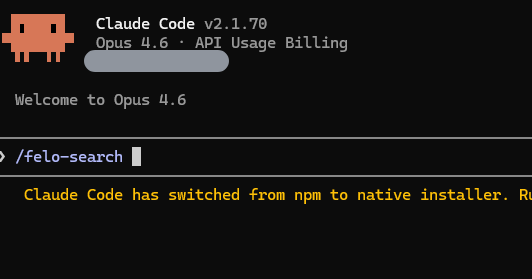
- Install:
npx @claude/skills add felo-search - Get API key: felo.ai → Settings → API Keys
- Configure:
export FELO_API_KEY="your-key" - Restart Claude Code
- Ask anything: "What's the latest news about quantum computing?"
Resources:
- GitHub Repository – Full documentation and 40+ usage examples
- Felo Open Platform – API documentation
- FAQ – Troubleshooting guide
Final Thoughts
I'm genuinely excited about this tool, and that's not something I say often. Most "productivity tools" add complexity while promising to save time. Felo Search actually delivers on the promise: it makes getting current information in Claude Code effortless.
If you're using Claude Code for development, this skill is a no-brainer. The installation takes 30 seconds, there's a free tier available, and it solves a real pain point that every developer using AI assistants has experienced.
Try it out and let me know what you think. I'm curious to hear what use cases you find most valuable—drop a comment or reach out at [email protected] with your experience.
Happy coding! 🚀