How to Connect Codex to External APIs in 2026

Step-by-step guide to extending Codex with search, PPT generation, LiveDocs memory, and more using a single API key through Felo OpenAPI.
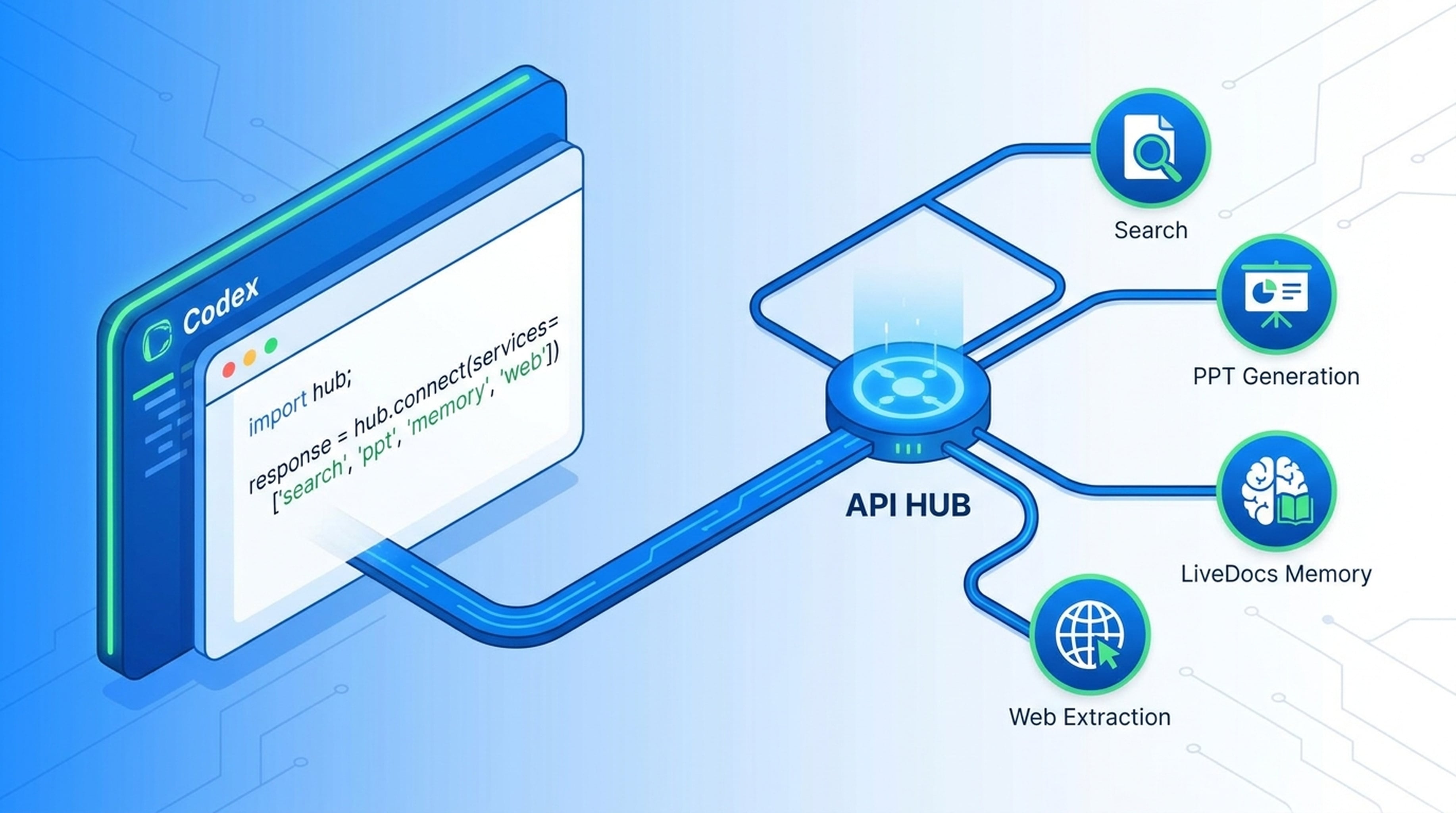
Codex is a powerful AI coding agent. But without access to live web data, presentation tools, and persistent memory, it's limited to what it already knows. Connecting Codex to external APIs changes everything.
What Codex Needs Beyond Code Generation
Codex excels at reasoning about code, debugging, and generating solutions. What it lacks by default:
- Live web search — can't pull current information or verify claims against fresh sources
- Web page extraction — can't read arbitrary URLs and extract structured content
- Social media signals — no access to X (Twitter) data or YouTube transcripts
- Office deliverables — can describe a presentation but can't generate one
- Shared memory — no persistent workspace for files, URLs, and team context
These gaps limit Codex to code tasks. With external APIs, it becomes a complete workflow agent.
The Solution: Codex API Through Felo OpenAPI
Felo OpenAPI gives Codex access to model APIs, tool APIs, memory, and output capabilities through a single API key. The setup uses familiar protocols that Codex already understands.
API Endpoints Codex Can Access
Model APIs:
GET /api/v1/models
POST /api/v1/chat/completions
POST /api/v1/messages
POST /api/v1/responses
Tool APIs:
POST /v2/chat              — AI Search
POST /v2/web/extract       — Web Fetch
POST /v2/x/tweet/search    — X Search
POST /v2/x/user/tweets     — User Tweets
GET /v2/youtube/subtitling — YouTube Subtitles
POST /v2/ppts              — PPT Generation
POST /v2/mindmap           — Mindmap
POST /v2/landing_page      — Landing Page
GET /v2/ppt-themes         — PPT Themes
All accessible through one base URL, one Codex API key.
Step 1: Get Your API Key
Go to Felo OpenAPI settings and generate an API key. This key works across all Felo APIs — model calls, search, PPT, LiveDocs, everything.
Step 2: Configure Codex
Open the Felo OpenAPI setup guide for Codex at openapi.felo.ai/docs/agent-clients/codex. The guide shows you exactly where to configure:
- Base URL — the Felo OpenAPI endpoint
- API key — the key from Step 1
- Model — choose from available models including GPT-5.6 Sol, GPT-5.6 Terra, Claude Opus 4.8, Claude Sonnet 4.6, Grok 4.5
Step 3: Verify the Connection
Run the verification step in the setup guide. It sends a test request and confirms Codex can reach the Felo API and return a response.
What Codex Can Do After Connecting
Model Layer
Codex can call multiple models through standard protocols:
- OpenAI-compatible Chat Completions — drop-in replacement for OpenAI API calls
- Anthropic-compatible Messages — works with Claude-structured requests
- Responses API — for structured output and function calling
- SuperAgent SSE — streaming conversations for complex workflows
Available models:
- Claude Opus 4.8, Claude Sonnet 4.6, Claude Haiku 4.5
- GPT-5.6 Sol, GPT-5.6 Terra
- Grok 4.5
Lower cost means Codex can run stronger models more often without burning through budget.
Search and Data Layer
- AI Search — real-time web search with structured results via
POST /v2/chat - Web Fetch — read any webpage and extract content via
POST /v2/web/extract - X Search — search users, tweets, track social signals via
POST /v2/x/tweet/search - YouTube Subtitles — pull video transcripts via
GET /v2/youtube/subtitling
Codex can now research topics, verify documentation against live sources, and pull context from social media or video.
Output Layer
- PPT API — generate themed slide decks via
POST /v2/ppts - Mindmap API — create visual structure maps via
POST /v2/mindmap - Landing Page API — draft launch pages via
POST /v2/landing_page - Image Generation — create visual assets
LiveDocs Memory
LiveDocs gives Codex a shared workspace:
- Upload files and add URLs as resources
- Semantic retrieval to find relevant context
- Tasks, records, and comments for collaboration
Codex can remember what your team saved last week and combine it with today's research.
Real Workflow: Codex Does Market Research
Prompt: "Research the AI coding agent market and create a presentation."
Codex:
- Calls Search API (
POST /v2/chat) for market data - Calls Web Fetch (
POST /v2/web/extract) to read analyst reports - Calls X Search (
POST /v2/x/tweet/search) to track industry sentiment - Saves findings to LiveDocs with source attribution
- Calls PPT API (
POST /v2/ppts) to generate a themed slide deck - Returns a finished presentation with cited sources
Real Workflow: Codex Reviews a Project
Prompt: "Review this codebase against current best practices."
Codex:
- Reads the project files
- Searches for the latest documentation and best practices
- Extracts relevant pages from official docs
- Produces a review backed by fresh, sourced evidence
Why This Works Better Than Separate APIs
Connecting Codex to Felo OpenAPI is cleaner than stitching individual services:
- One API key instead of managing accounts across search, PPT, memory providers
- One base URL for all tool calls
- Standard protocols — OpenAI-compatible and Anthropic-compatible APIs Codex already knows
- Lower cost — access to top models at reduced rates
- Built-in memory — LiveDocs stores context across Codex sessions
Troubleshooting
Connection Fails
Check the base URL and Codex API key are entered correctly. Most issues are typos in the endpoint or key.
Tool Calls Return Errors
Make sure Codex is configured to call the Felo API for tool execution. Some agent configurations require explicit tool enablement.
Model Responses Are Slow
Strong models like Claude Opus 4.8 take longer. Try GPT-5.6 Terra or Claude Sonnet 4.6 for faster results on less complex tasks.
Getting Started
- Create your free API key
- Open the Codex setup guide
- Configure, verify, and test with a real workflow
Codex keeps its coding power. Felo adds the tools it needs to finish real work.