Quickly Generate PPTs with Templates for Brand Consistency

Felo's template generation feature to quickly create presentations that match your brand design. Upload your template and get started!
Hey Felo friends!
Today we're excited to share a new feature our team has been working hard on—"Style Template Generation". Simply put, it allows Felo to perfectly replicate your company's or personal design style when generating PowerPoint presentations. This feature officially launched on January 20th. While it's still in BETA, we can't wait for you to try it out.
Why Did We Build This Feature?
Honestly, this feature was born from a common pain point we kept hearing about.
Many users told us: "Felo generates PPT slides quickly and the content is solid, but I still spend hours afterward adjusting colors, fonts, and layouts to match our company's brand guidelines."
One enterprise user even said: "We have strict brand standards, but AI-generated presentations always look 'obviously AI-made.' I have to edit every slide before showing it to clients."
This made us think: What's the real value of AI-generated presentations? If it only produces quick drafts that still require extensive manual refinement, are we truly helping?
So we decided that AI shouldn't just "generate PPT content"—it should also "understand your PPT design style."
What Exactly Is This Feature?
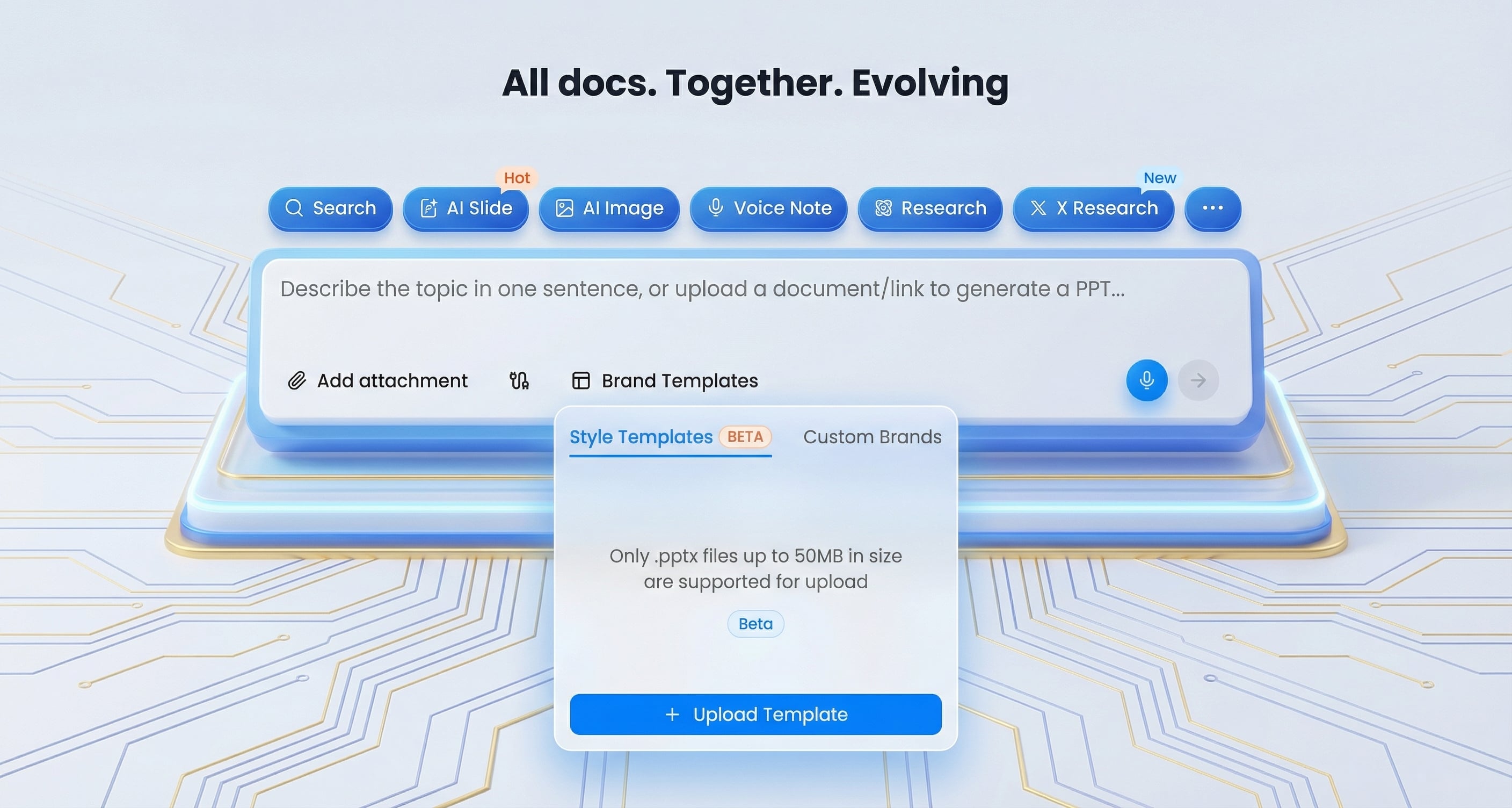
The core concept is simple: Upload a PowerPoint file you like, and Felo learns its design style. Every presentation generated afterward will automatically apply that style.
Specifically:
You just upload a PPTX file—whether it's your company's official PPT template, your carefully crafted personal deck, or any design style you prefer—and Felo automatically analyzes:
- Color schemes (primary, secondary, accent colors)
- Layout configurations (title placement, content areas, chart styles)
- Font choices (heading fonts, body fonts, size hierarchy)
- Overall design atmosphere (professional business, creative playful, minimalist, etc.)
After that, when you use Felo to generate new presentations, the AI automatically applies these design elements. The resulting PPT looks like it was handcrafted by a designer familiar with your brand—no more page-by-page formatting adjustments needed.
Three Technical Highlights We're Proud Of
1. AI That Truly Understands Your PPT Design Logic
Felo doesn't just mechanically "fill in blanks" or "apply templates." It understands the logical structure behind your PowerPoint template.
For example: If your PPT template follows a "Problem → Solution → Results" narrative flow, when you ask Felo to generate a new product introduction, it won't rigidly apply a fixed format. Instead, it intelligently adjusts the information density and visual presentation of each section based on your content characteristics.
The result? Generated presentations don't have that "obviously AI-made" stiffness—they have an authentic "authorial voice."
2. Extreme Respect for PPT Design Details
Our technical team invested heavily in this aspect. Felo can:
- Recognize PowerPoint's Slide Master structure, ensuring every slide follows the same design standards
- Precisely preserve every detail of the original PPT design—from font hierarchy and color matching to whitespace ratios
- Dynamically optimize layouts based on content volume, rather than rigidly applying fixed formats
One user, @koh_AI_btc, commented: "This feature works like Slide Master, perfectly reproducing the uploaded PPTX layout configuration." That feedback truly moved our team.
3. Perfect Balance Between Fidelity and Flexibility
This is what we're most proud of.
Imagine your original PPT template has a slide displaying three key points, but your new content needs to show five points. Felo won't force-fit five elements and create clutter. Instead, it will:
- Analyze the importance hierarchy of information
- Intelligently adjust layout configuration
- Maintain original colors, fonts, and design style
- Ensure visual balance and readability
The result: You maintain brand consistency without being constrained by template limitations.
Who Should Use This Feature?
Honestly, we believe almost every Felo user who creates presentations can benefit from this feature, but these groups might find it especially valuable:
Enterprise Users: If your company has strict brand guidelines, this feature lets every team member generate compliant PPT presentations without constantly bothering the design department.
Marketing and Sales Teams: For those who frequently create client proposals and product introduction decks, you can rapidly iterate brand-aligned content with 100% brand consistency.
Entrepreneurs and Small Teams: When you're wearing multiple hats without a dedicated designer, this feature helps maintain professional, consistent external presentation materials.
Content Creators: One creator, @wacha_yuma, shared that he uses Felo for initial content generation and style inheritance in AI comic creation, then uses other tools for final detail refinement. This flexible workflow is exactly what we hoped to enable.
How Do You Get Started?
It's incredibly simple—just three steps:
Step 1: Prepare Your PPT Template
Choose a PPTX file you like. It can be your company's official PPT template or a presentation you designed yourself.
Step 2: Upload the File
In Felo AI, go to "Brand Templates → Style Templates (BETA)" and drag your PPT file in.
Step 3: Start Generating Presentations
Use Felo as you normally would to generate PPT content. The AI will automatically apply your uploaded design style.
Some Tips
Since this is still a BETA version, we'd like to share some usage insights:
- Templates with clear structure work best—Templates containing various page types (cover, content pages, chart pages, etc.) yield better AI learning results
- The more unified the template design, the better—This helps AI more accurately capture your design style
- Try multiple times—Different PPT template types may produce different results; we recommend experimenting to find what works best for you
What Changes Can This Feature Bring?
Based on our testing and user feedback, this feature can:
- Reduce PPT design alignment time by 80%—meaning you can spend time on more important content creation
- Improve team collaboration efficiency—all members can generate brand-compliant presentations
- Lower design costs—letting professional designers focus on higher-value creative work
But more importantly, there are unquantifiable benefits:
- Every external presentation maintains a professional image
- No more compromising content expression due to design skill limitations
- No more late-night anxiety over "Is this color right?" or "Is this font appropriate?"
Our Philosophy
Felo's founder, Haruka Aoyama, once said: "Make previously inaccessible information accessible, providing value as a bridge connecting the world's information."
This "Style Template Generation" feature is an extension of that philosophy—making PPT design consistency, once achievable only by professional designers, accessible to everyone.
We believe AI shouldn't replace design—it should understand design, respect design, and become your partner in PowerPoint creation.
The Future Will Be Even Better
As a BETA version, this feature is continuously being optimized. We warmly welcome your feedback and suggestions.
Based on community feedback, we know you're looking forward to:
- Local deployment versions (meeting enterprise data security needs)
- Support for more file formats and design styles
- Team collaboration features (sharing and managing brand PPT templates)
All of these are in our roadmap. Please give us some time.
Final Thoughts
Throughout building this feature, we kept asking ourselves: What's the real purpose of AI PPT generation tools?
Our answer: Not just increasing speed, but improving quality; not just replacing manual work, but unleashing creativity.
The "Style Template Generation" feature may not be perfect yet, but it represents our exploration of and commitment to this answer.
We sincerely hope this feature helps you enjoy creative freedom while maintaining PPT brand consistency.
Try it now! Upload your first PPT template and see what Felo can create for you. If you have any thoughts or suggestions, please let us know anytime.
Let's witness together the new era of AI and PowerPoint design integration.
Try It Now: Log into Felo AI, go to "Brand Templates → Style Templates (BETA)", upload your first PPT template, and start creating!