Felo Content to Slides: Turn Notes, Docs, and URLs into Presentation Outlines in Seconds

Feed existing material into a slide-ready structure so reports, research notes, and raw content become decks much faster. Google Antigravity compatible.
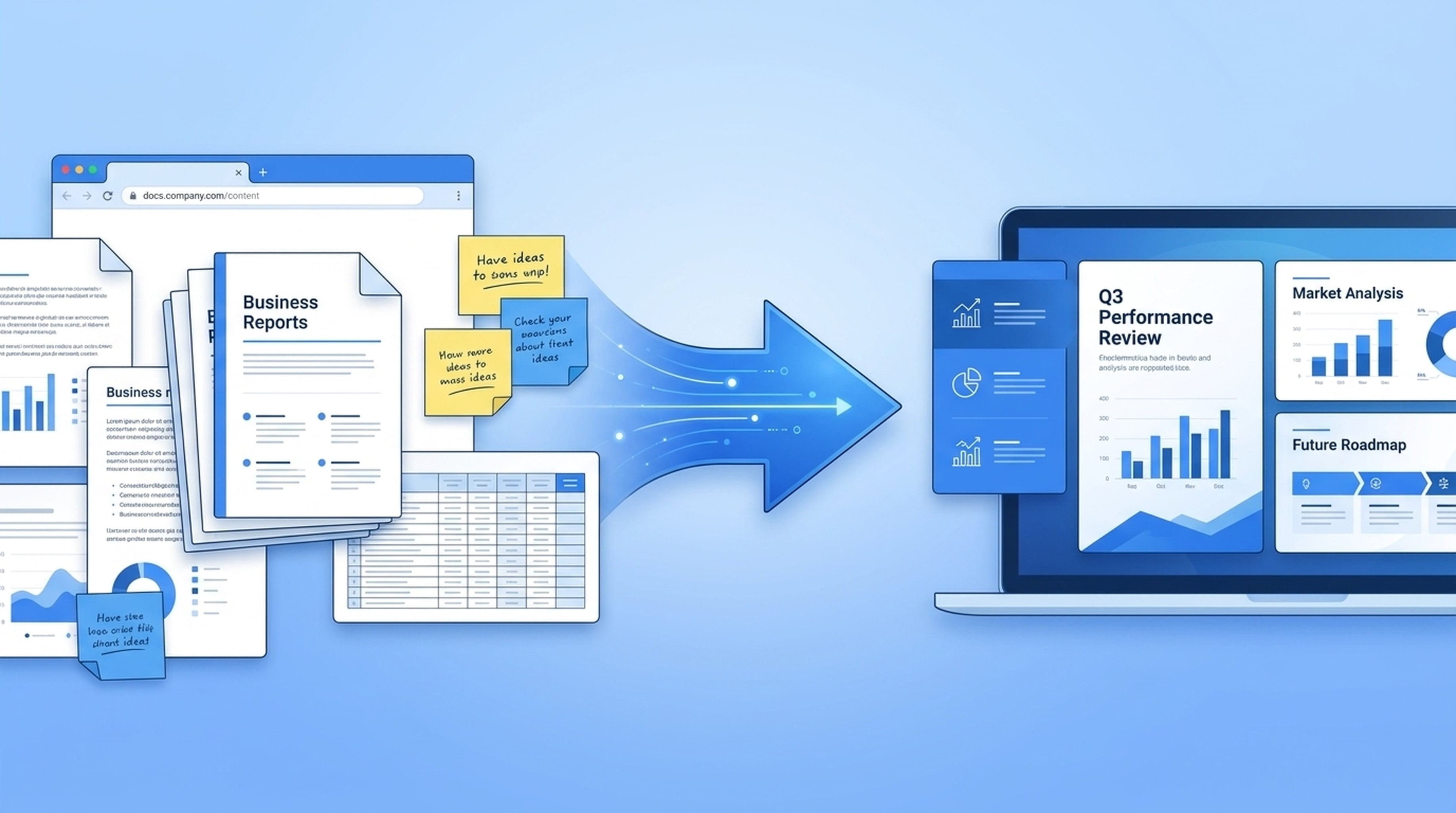
If you've ever stared at a 40-page research report, a messy folder of meeting notes, or a collection of bookmarked articles and thought, "I need to turn all of this into a presentation" — then you already know how much friction exists between raw content and a polished deck.
Most teams waste hours (sometimes entire days) manually copying, pasting, reformatting, and restructuring existing material just to get to a slide outline. That's not a creative problem. That's a waste problem.
Enter Felo Content to Slides — a Google Antigravity–compatible skill that converts your notes, documents, and URLs directly into structured presentation outlines. Feed existing material in, get a slide-ready structure out. It's that simple.
The Problem Content-to-Slide Tools Don't Solve
Most AI presentation tools start from scratch. You type a topic, they generate a deck from thin air. That works fine for generic overviews, but it falls apart the moment you need a presentation based on actual work — real research findings, documented analysis, or specific content your team already produced.
Here's the gap most tools ignore:
You already have the content. You just need it restructured.
Whether it's a competitive analysis report sitting in Google Docs, a folder of research notes from your team's investigation, or a set of industry URLs you've been tracking, the material already exists. What you need isn't another AI that hallucinates a presentation — you need something that reads what you already wrote and transforms it into slides.
That's exactly what Felo Content to Slides does.
What Is Felo Content to Slides?
Felo Content to Slides is a skill designed for Google Antigravity's Agent Manager. It takes existing content in three forms and converts it into a structured, slide-ready outline:
- Notes — Meeting notes, research observations, brainstorming sessions
- Docs — Reports, analysis documents, internal wikis, PDFs
- URLs — Web pages, articles, documentation, competitor pages
The output isn't a finished .pptx file (that's what Felo Slides handles). Instead, it's a structured outline optimized for presentation format — headings, bullet points, slide titles, and logical flow that maps directly to how a deck should be organized.
Think of it as the bridge between "we have all this information" and "we have a presentation ready to build."
How It Works
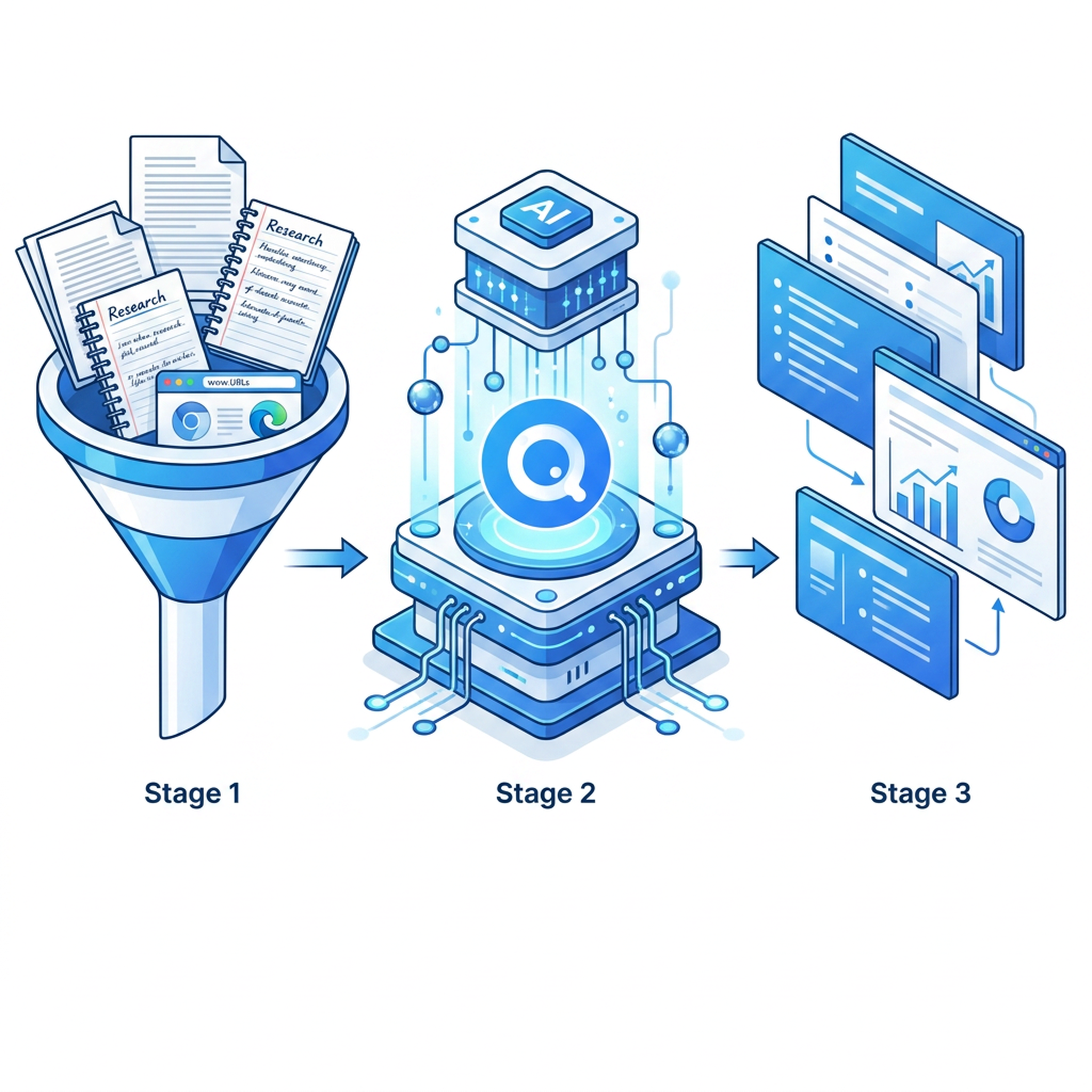
The workflow is straightforward:
1. Feed It Your Existing Material
You don't need to create anything new. Just point the skill at what you already have:
- Paste research notes from a recent investigation
- Link a Google Doc with your quarterly analysis
- Provide URLs to relevant articles or documentation
- Drop in meeting notes with key findings
The skill reads and understands the content you provide, extracting key points, data, arguments, and conclusions.
2. Automatic Structure Extraction
Once the content is ingested, the skill analyzes it for presentation-ready structure:
- Identifies key themes — Grouping related content into logical sections
- Extracts main points — Pulling out the most important arguments and findings
- Organizes by priority — Arranging content so the most critical information comes first
- Creates slide-level structure — Breaking content into individual slide outlines with titles and bullet points
3. Get a Slide-Ready Outline
The output is a structured outline that maps directly to a presentation format:
- Each section becomes a slide group
- Key points become individual slides with titles
- Supporting details become bullet points
- The logical flow mirrors how you'd naturally present the information
From here, you can either build your deck manually (much faster than starting from zero) or feed the outline into Felo Slides to generate a finished .pptx automatically.
Why This Matters for Antigravity Teams
Google Antigravity's Agent Manager is a powerful planning engine. But planning is only valuable if it leads to deliverables. Felo Content to Slides closes the gap between "the agent did the research" and "we have a presentation to share."
Here's why teams add this skill to their Antigravity setup:
No More Manual Restructuring
Without this skill, someone on your team has to read through all the research, figure out what goes on which slide, and manually build the outline. With Content to Slides, that work is automated — your agent handles the restructuring, and your team focuses on refinement and delivery.
Preserve Your Actual Content
Many AI presentation tools generate generic slides that look polished but say nothing specific. Because Content to Slides works from your existing material, every slide is grounded in your actual research, your actual data, your actual findings. No hallucination, no filler.
Faster Turnaround on Research-to-Deck
A typical workflow looks like this:
- Antigravity agents research a topic (using Felo Search and Felo Web Fetch for live data)
- Research results are compiled into notes or documents
- Content to Slides converts those notes into a presentation outline
- Felo Slides generates the finished deck from the outline
The entire pipeline runs within Antigravity's agent workflow — no context switching, no manual handoffs, no "I'll work on the deck tonight."
Works with Anything
The skill doesn't care where your content comes from. Research reports? Yes. Meeting notes? Yes. A collection of URLs? Yes. A competitor analysis you wrote last month? Absolutely. If it's text-based content, Content to Slides can structure it for a presentation.
Real-World Use Cases
Here are some of the most common ways teams use Felo Content to Slides:
Competitive Analysis Presentations
Your research team has spent a week analyzing competitors. They've compiled notes on pricing, features, market positioning, and customer reviews. Instead of manually turning 50 pages of notes into a board-ready deck, feed the entire research document into Content to Slides and get a structured outline in seconds.
Monthly/Quarterly Reports
Your team tracks metrics, writes summaries, and maintains running documents. Content to Slides takes those existing reports and converts them into presentation-ready structures for leadership reviews, stakeholder updates, or all-hands presentations.
Research-to-Pitch Conversions
You've done deep research on a market opportunity. The findings are documented. Now you need a pitch deck. Content to Slides transforms your research notes into a logical presentation flow that can be refined into a compelling pitch.
Training Material Creation
Your onboarding documentation, internal wikis, and process guides exist as long-form content. Content to Slides restructures them into presentation outlines for training sessions, workshops, and team education.
Meeting Follow-Up Decks
After a strategic meeting or brainstorming session, your team has notes with decisions, action items, and key insights. Content to Slides turns those notes into a presentation outline that can be shared with the broader team.
Installation
Felo Content to Slides installs the same way as all Felo Skills for Google Antigravity — via the folder-based install path:
# Clone the Felo skills repository
git clone https://github.com/Felo-Inc/felo-skills.git

# Copy the skill to your Antigravity skills folder
cp -r felo-skills/felo-content-to-slides ~/.gemini/antigravity/skills/
Or for the broader Google Antigravity skills ecosystem, visit the Felo Content to Slides page for the complete install guide.
Once installed and committed to your team's Git repository, every developer's Antigravity instance picks up the skill automatically — no per-user setup, no configuration drift.
How It Fits Into the Broader Felo Skills Ecosystem
Felo Content to Slides is one piece of a larger system. Here's how it connects with other Felo Skills in an Antigravity workflow:
| Layer | Skill | What It Does |
|---|---|---|
| Research | Felo Search | Live web search for current data |
| Extraction | Felo Web Fetch | Convert webpages to structured content |
| Knowledge | Felo LiveDoc | Persistent team knowledge base |
| Conversion | Content to Slides | Transform existing content into slide outlines |
| Presentation | Felo Slides | Generate finished .pptx decks |
| Social | Felo X Search | Social signals and X/Twitter data |
The typical flow: research → extract → convert → present. Each step is automated within Antigravity's agent workflow.
What Makes It Different
There are a few reasons teams choose Felo Content to Slides over manual restructuring or other tools:
It works with what you already have. No need to create new content. No need to summarize manually. Just feed existing material into the pipeline.
It's agent-triggered. The skill activates automatically when Antigravity's Agent Manager identifies a task that requires content-to-slide conversion. No slash commands, no manual triggers.
It's team-shared. Install once, commit to Git, and every developer on your team gets the capability. No individual configuration needed.
It's Google Antigravity native. Designed specifically for Antigravity's Agent Manager, it integrates seamlessly with the agent's planning and execution flow.
It produces structured output, not generic slides. Because it works from your content, every slide is specific, relevant, and grounded in your actual work.
Getting Started
If you're already using Google Antigravity, adding Felo Content to Slides takes less than a minute:
- Visit felo.ai/skills/antigravity to browse all available skills
- Install Content to Slides via the folder-based install path
- Commit to your team's repository
- Start feeding your existing content into the pipeline
The next time your Antigravity agents finish a research task, they won't just return a summary — they'll return a structured presentation outline ready for deck generation.
Conclusion
The gap between "we have the content" and "we have the presentation" is where most teams lose time. Felo Content to Slides closes that gap by converting existing notes, documents, and URLs directly into slide-ready outlines.
It's not a replacement for creative presentation design. It's a replacement for the tedious, time-consuming work of restructuring existing content into presentation format. Your team's time is better spent refining the message, not copying and pasting.
Explore the full Felo Skills collection for Google Antigravity and start turning your existing content into presentations — faster, smarter, and with zero busywork.
Discover more at felo.ai.
This post is also available in 简体中文, 日本語, 한국어, 繁體中文, हिन्दी, Français, العربية, Русский, اردو, Bahasa Indonesia, Deutsch, Tiếng Việt, Türkçe, Italiano, ไทย, Español, বাংলা and Português.