Felo Slides: The AI Presentation Maker That Lets You Upload Your Own Templates

Felo Slides turns ideas, files, and research into polished PPT decks — and unlike most AI presentation tools, it lets you upload your own templates.
Most AI presentation tools give you the same deal: pick from a handful of built-in themes, type a prompt, and get a generic deck that looks like every other AI-generated slideshow. The visuals are fine. The structure is passable. But the moment you need to match your company's slide style or follow a course template, you're stuck rebuilding everything from scratch.
Felo Slides handles research, structure, and visual generation. It's the kind of tool that fits into how people actually work, not just how product demos look.

What Felo Slides Actually Does
Felo Slides is an AI-powered presentation and PPT generator. You give it a topic, a file, or a research question. It gathers relevant material, organizes the key points, and produces an editable slide deck with text, layouts, images, charts, and visual summaries.
Here's what it does:
- Research from a prompt. Type a topic, audience, and goal. Felo collects information, groups the main points, and builds a deck outline with a clear narrative arc.
- Files into PPT drafts. Upload PDFs, documents, reports, or notes. Felo reads the material and creates a presentation draft based on what you already have.
- Chart-rich presentations. Build slides with annotated charts, tables, comparisons, timelines, and data summaries for evidence-heavy decks.
- Single-slide AI editing. Don't like one page? Describe what to change ("make this shorter," "turn this into a comparison chart") and Felo updates just that slide.
All of this is useful. But the feature that sets Felo Slides apart from other AI presentation apps is what comes next.
The Feature Others Don't Have: Custom Template Upload
Here's the scenario most AI slide tools can't handle:
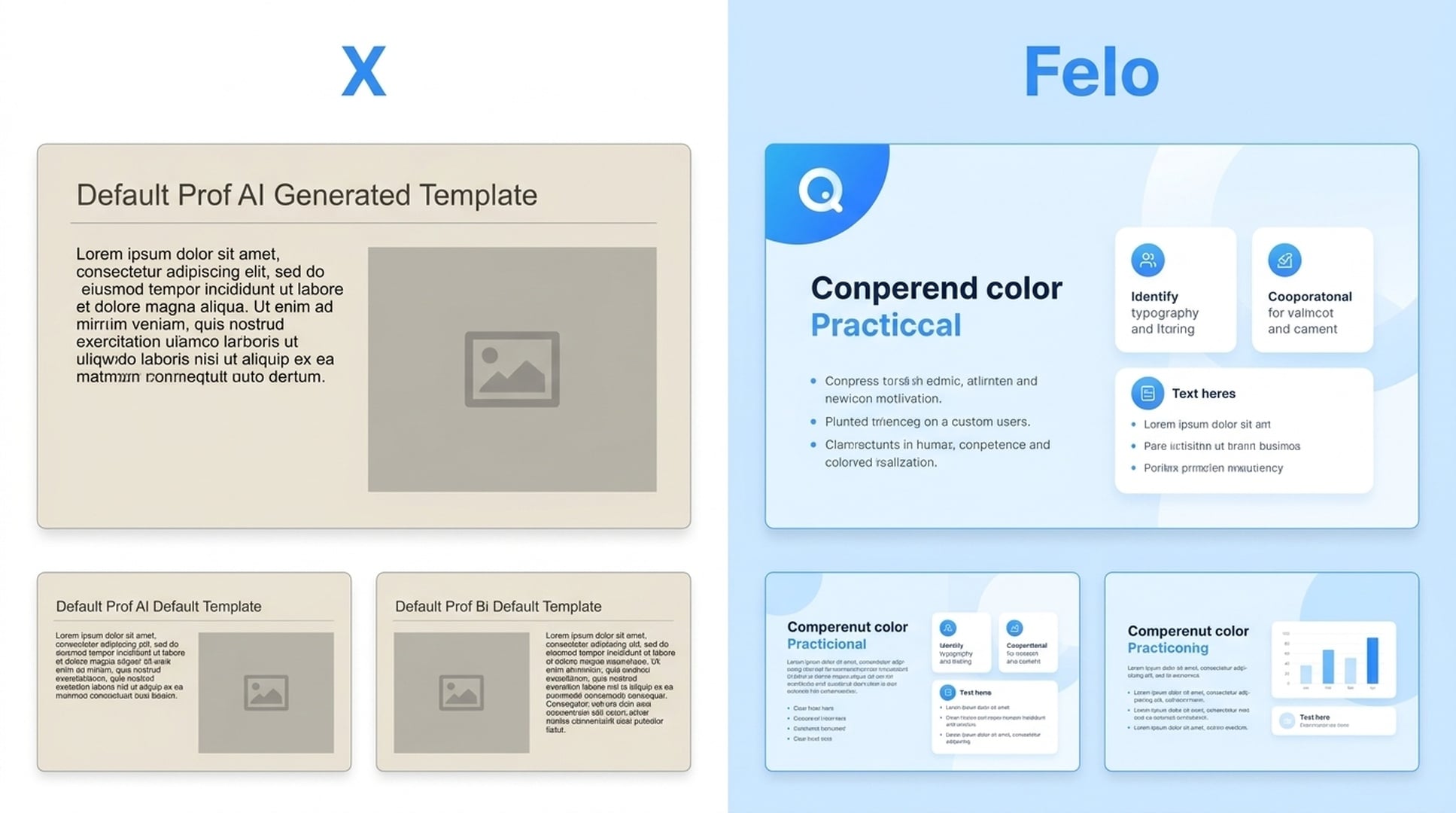
Your team has a slide deck template. It has your company logo, your brand colors, your preferred fonts, your standard layouts. Someone asks you to create a new presentation — a market analysis, a product proposal, a training deck. You need it to look like your slides, not like a ChatGPT output.
With most AI presentation makers, you're out of luck. Generate a deck, then manually reformat every slide to match your template. Or abandon the AI tool and start from your blank template.
Felo Slides lets you upload your own template. Drop in your company, course, or client template file, and Felo generates new presentation content within that familiar structure and visual style. The output already looks like it belongs in your workflow, not like it came from a different app.
This sounds like a small thing until you've tried it. Instead of spending an hour reformatting an AI-generated deck, you get a first draft that's already on-brand. Edit the content, adjust a few slides, and you're done.
How the Full Workflow Comes Together
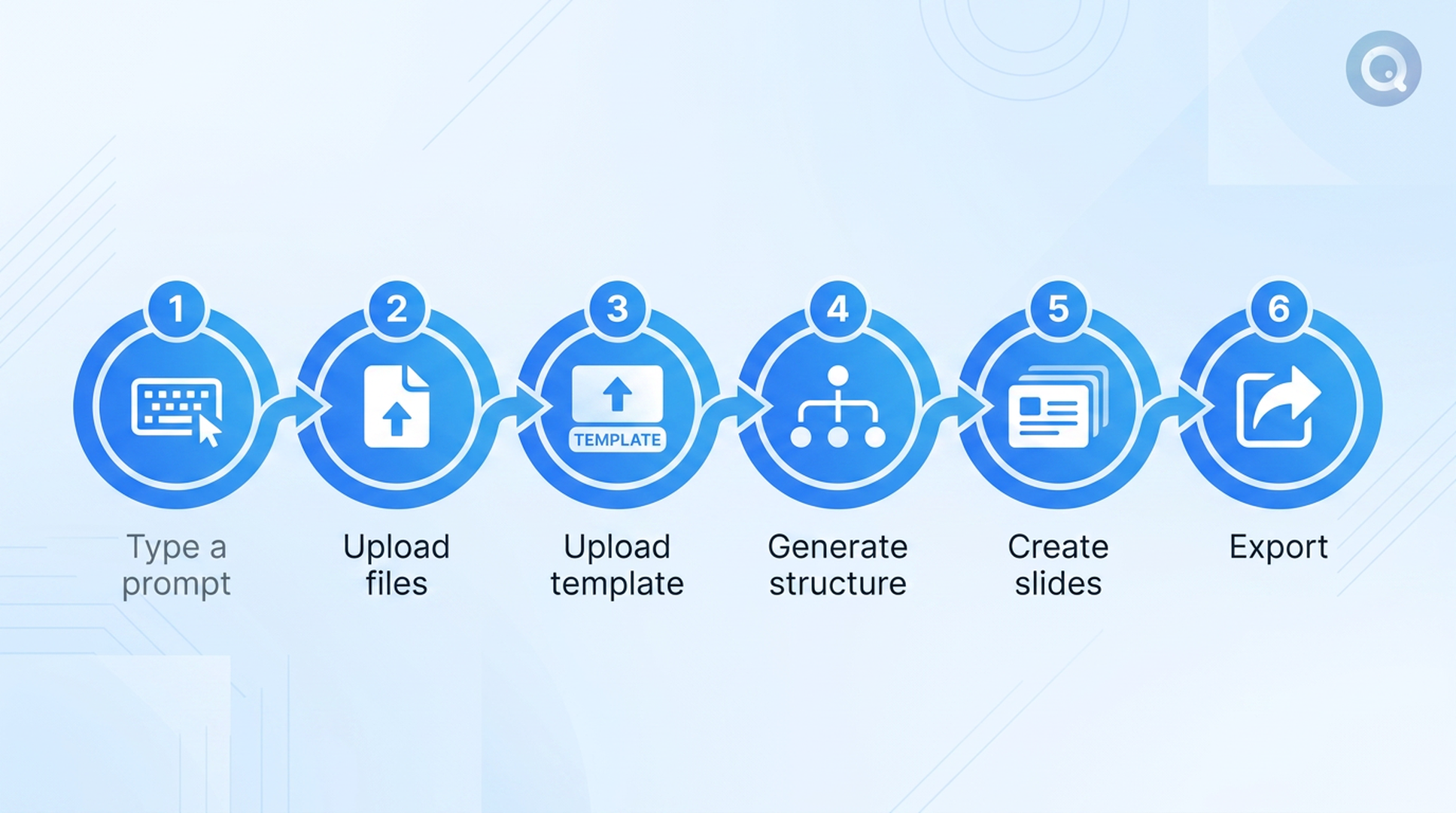
The template upload feature is the differentiator, but it works best as part of the full workflow. Here's how a typical deck goes from idea to finished presentation:
Step 1: Describe What You Need
Start with a topic, business question, research goal, or detailed requirement. Something like: "Create a competitive analysis of the Southeast Asian e-commerce market for our Q3 board meeting."
Step 2: Add Source Material
Upload files, paste links, or include webpages and videos. Felo uses this material to build a more grounded, evidence-based deck — not just a surface-level summary.
Step 3: Upload Your Template
This is where Felo Slides does something most competitors can't. Drop in your team's template file so the generated slides follow your existing visual format and layout structure.
Step 4: Generate the Structure
Felo organizes the main points into an outline, storyline, and page plan before turning them into slides. You can review and adjust the structure before the full generation.
Step 5: Create Slides with Visuals and Charts
Felo generates a draft with text, layouts, images, tables, annotated charts, and visual summaries — all within your uploaded template's style.
Step 6: Edit, Export, or Present
Refine individual slides with a sentence. Export as PDF or PPTX. Or share an online presentation link so viewers can follow along with the speaker's current page in real time.
Where Felo Slides Fits Best
Felo Slides works best for decks that need substance:
- Market research and competitor analysis — structured data, comparisons, evidence
- Business strategy and product proposals — clear narrative, stakeholder-ready formatting
- Academic and technical reports — source material, charts, citations
- Training decks and lectures — multilingual versions for global teams
- Data-heavy presentations — annotated charts, tables, timelines
- Client-facing work — on-brand output using the client's own template
The Multilingual Edge
Felo Slides can also generate presentation content in different languages. Need the same deck in English, Japanese, and Korean for a regional rollout? Felo handles that as part of the content generation process, not through a separate translation step.
This matters for international teams, cross-border consulting, and education work that crosses language boundaries.
What Makes It Different (The Short Version)
| Feature | Typical AI Slide Tools | Felo Slides |
|---|---|---|
| Custom template upload | ❌ | ✅ |
| Research-based generation | ❌ or limited | ✅ |
| File-to-PPT conversion | ❌ | ✅ |
| Chart and data slides | Basic | Annotated charts + tables |
| Single-slide AI editing | ❌ | ✅ |
| Multilingual generation | ❌ | ✅ |
| Online presentation link | ❌ | ✅ |
| Export PDF + PPTX | ✅ | ✅ |
The custom template upload is the one that makes the real difference. It's the gap between "this looks like an AI made it" and "this looks like we made it."
Try It
Felo Slides is free to try. Upload a template, add some source material, and see what a research-backed, on-brand AI deck looks like.
This post is also available in 简体中文, 日本語, 한국어, 繁體中文, हिन्दी, Français, العربية, Русский, اردو, Bahasa Indonesia, Deutsch, Tiếng Việt, Türkçe, Italiano, ไทย, Español, বাংলা and Português.