Turn YouTube Videos into Searchable Transcripts and Work Docs

Pull subtitles and timestamps from any YouTube video, then reuse the content for summaries, meeting notes, research inputs, and markdown documentation — all inside Google Antigravity.
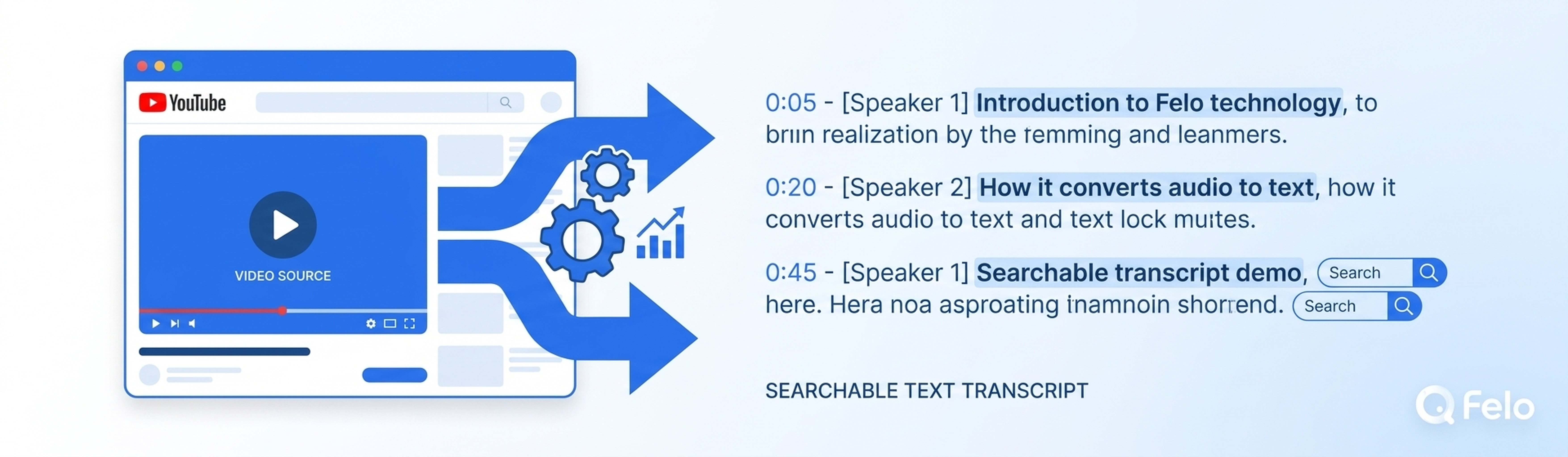
YouTube holds an enormous amount of knowledge — product demos, conference talks, lectures, tutorials, team meetings recorded for later review. But that knowledge is locked inside the video. You can't search inside a video. You can't quote a timestamp in a meeting note without re-watching. You can't feed a video into your research pipeline the way you would an article.
Until now.
The Felo YouTube Subtitling skill for Google Antigravity turns any YouTube video into a searchable transcript with timestamps, then lets you reuse that content across summaries, meeting notes, research inputs, and structured markdown documentation. Drop the skill folder into your .agent/skills/ directory, and your Antigravity Agent Manager handles the rest automatically — no slash commands, no manual extraction steps.
The Problem: Video Is a Black Box
If you've ever tried to find a specific point in a 45-minute product demo, you know the pain. You scrub the timeline back and forth. You re-watch the same segment three times. You wish you could just Ctrl+F for the keyword you remember.
The issue isn't the video itself. It's that video content lacks a text layer. Search engines can index YouTube descriptions and comments, but they can't index what's actually said inside the video — at least, not in a way that gives you precise timestamps and reusable text.
For teams using Google Antigravity's Agent Manager, this gap is even more pronounced. Your agent can research the web, extract web pages, generate slides, and write documents. But without a way to process video content, a significant portion of your team's knowledge base remains inaccessible.
The Felo YouTube Subtitling skill closes that gap.
What the Skill Does
Step 1: Extract Subtitles and Timestamps
Given a YouTube URL, the skill pulls the video's subtitles (both auto-generated and manually provided, when available) along with precise timestamps. The output is a structured transcript that maps every sentence or phrase to its exact moment in the video.
This isn't a rough approximation. The timestamps align with the actual spoken content, so when you reference a point from the transcript, you can jump directly to that moment in the original video.
Step 2: Generate Summaries
With the full transcript in hand, the skill can produce concise summaries of the video content. These summaries capture the main topics, key arguments, and actionable takeaways — the kind of overview you'd write after watching the video yourself, but generated in seconds.
Step 3: Produce Meeting Notes and Research Inputs
The transcript and summary become building blocks for downstream work:
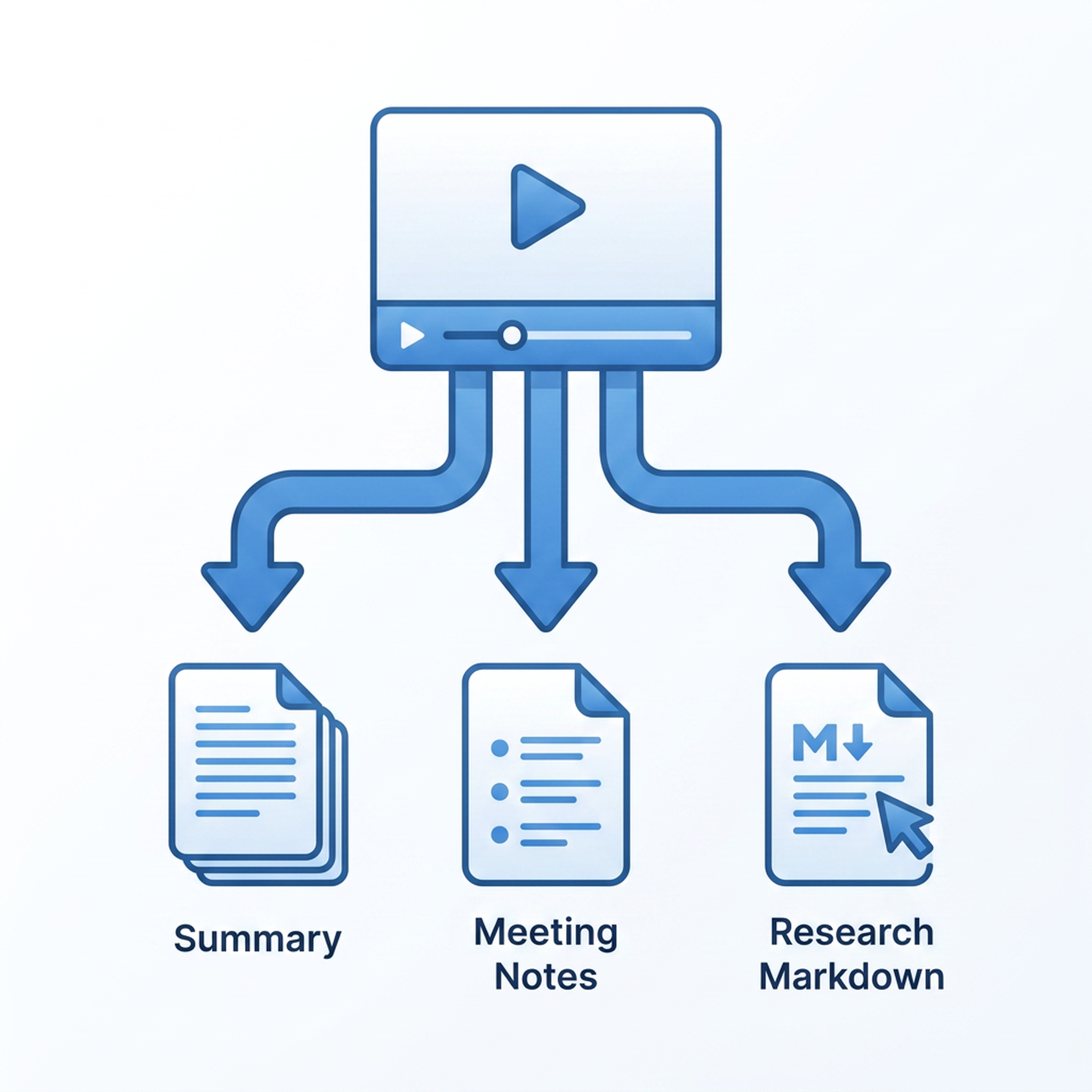
- Meeting notes: If the video was a team standup, client call recording, or project review, the skill structures the transcript into formatted meeting notes with speakers, decisions, and action items.
- Research inputs: If the video is a lecture, conference talk, or technical walkthrough, the transcript becomes a citation-ready text source that your agent can quote, reference, and incorporate into research documents.
- Markdown documentation: The full output is delivered as clean markdown, ready to be dropped into a knowledge base, wiki, or project folder.
All of this happens inside Google Antigravity's IDE environment. You paste the YouTube URL, and the Agent Manager orchestrates the entire pipeline through the skill's SKILL.md routing — no manual intervention required.
Why This Matters for Antigravity Teams
Google Antigravity's Agent Manager is a strong planner. But as we've discussed on the Felo Skills overview page, planning is only half the job. The Agent Manager needs access to the right data layers and output tools to complete real work.
Video is one of the most underutilized data layers in team knowledge workflows. Consider:
- Engineering teams record design reviews and post-mortems. Without transcripts, those recordings are rarely revisited.
- Sales teams keep call recordings for training and coaching. Without searchable text, extracting insights from past calls is a manual slog.
- Product teams archive user research interviews and competitor product demos. Without transcripts, cross-referencing multiple videos becomes impractical.
- Content teams produce educational videos and webinars. Without searchable text, the content can't be repurposed efficiently into blog posts, documentation, or social snippets.
The Felo YouTube Subtitling skill makes every recorded video a first-class text source in your team's knowledge layer — the same layer that Felo LiveDoc indexes for persistent search, and the same layer that the Agent Manager queries when it needs grounded answers.
How Teams Use It
Workflow 1: Post-Meeting Documentation
- A team meeting is recorded and uploaded to YouTube (private or internal unlisted).
- The URL is dropped into an Antigravity agent task: "Generate meeting notes from this recording."
- The Agent Manager triggers the YouTube Subtitling skill automatically.
- The skill extracts subtitles and timestamps, generates a structured summary, and formats it into meeting notes.
- The agent delivers the final markdown document — ready to share or store.
The entire process takes seconds after the URL is provided. No one has to re-watch the recording.
Workflow 2: Competitive Intelligence
- A competitor publishes a product launch video on YouTube.
- The agent task: "Summarize this product demo and extract key features mentioned."
- The skill pulls the transcript, the agent processes it, and returns a structured feature comparison.
- The output feeds directly into the team's competitive analysis document.
Workflow 3: Content Repurposing
- A webinar or conference talk is available on YouTube.
- The agent task: "Create a blog post draft based on this talk."
- The transcript becomes the source material. The agent writes a first draft, structured around the talk's key points.
- A human editor refines the draft — but the heavy lifting is already done.
Integration with Other Felo Skills
The YouTube Subtitling skill doesn't work in isolation. It's designed to slot into the broader Felo Skills ecosystem for Google Antigravity:
- Felo Web Fetch extracts webpages for research alongside video content, giving the agent both written and spoken sources to work from.
- Felo LiveDoc indexes the resulting transcripts and summaries into a persistent knowledge base, so the content is searchable across sessions and available to every agent on the team.
- Felo Slides can turn a video transcript into a presentation deck — imagine converting a conference talk into slide-ready talking points automatically.
- Felo Search provides live web context to enrich the video content with current data, pricing, or related developments.
Together, these skills form a complete knowledge pipeline: discover → extract → structure → reuse → deliver. Video becomes just another input format in a workflow that spans text, video, slides, and live web data.
Getting Started
Installing the skill follows the standard Felo Skills pattern for Google Antigravity:
# Clone the Felo skills repository
git clone https://github.com/Felo-Inc/felo-skills.git

# Copy the YouTube Subtitling skill to your Antigravity skills folder
cp -r felo-skills/felo-youtube-subtitling ~/.gemini/antigravity/skills/

# Or drop it into your project's .agent/skills/ for team-wide sharing
cp -r felo-skills/felo-youtube-subtitling .agent/skills/
Commit the .agent/skills/ directory to Git, and every developer on your team gets the capability on their next pull. No per-user configuration, no API key management, no additional setup.
The full install guide on the Felo Skills page covers the official Google Antigravity install path and best practices for team-wide skill distribution.
What Makes This Different
There are existing tools that extract subtitles from YouTube videos. What sets this skill apart is its integration with the Antigravity Agent Manager's autonomous workflow:
Agent-triggered, not user-triggered. You don't invoke the skill with a slash command. The SKILL.md description acts as a semantic trigger — when your agent's task involves video content, subtitles, or transcript extraction, the Agent Manager loads the skill automatically. You work normally, and the skill activates when the task needs it.
Output-ready, not just raw text. The skill doesn't just dump subtitles. It structures them into summaries, meeting notes, and markdown documentation formats that are immediately useful for downstream work.
Team-shared, not personal. When installed via .agent/skills/ and committed to Git, every developer's Antigravity instance picks up the skill. Your entire team benefits from video transcript extraction without individual setup.
Multi-skill composition. The transcript becomes an input for other Felo Skills — LiveDoc for persistent indexing, Slides for presentation generation, Landing Page for content publication. One skill unlocks a cascade of capabilities.
The Broader Vision
Video is becoming the dominant format for knowledge sharing. But our tools for working with video content haven't caught up. Most teams still treat videos as linear, non-searchable artifacts — watch, take notes manually, move on.
The Felo YouTube Subtitling skill represents a shift: video as structured, searchable, reusable data. Combined with the rest of the Felo Skills ecosystem, it's part of a broader effort to give AI agents the complete set of capabilities they need to do real work — not just plan it, not just summarize it, but produce finished deliverables from any input format.
Explore the full range of Felo Skills on felo.ai and see how each one plugs into Google Antigravity's Agent Manager. Start with the one that matches your team's most pressing gap, and build from there.
This post is also available in 简体中文, 日本語, 한국어, 繁體中文, हिन्दी, Français, العربية, Русский, اردو, Bahasa Indonesia, Deutsch, Tiếng Việt, Türkçe, Italiano, ไทย, Español, বাংলা and Português.