5 AI Image Models Compared: Which One Should You Use in 2026?

Compare five leading AI image models in Felo, including Nano Banana 2, GPT Image 2, and Grok Imagine, and find the right model for each creative task.
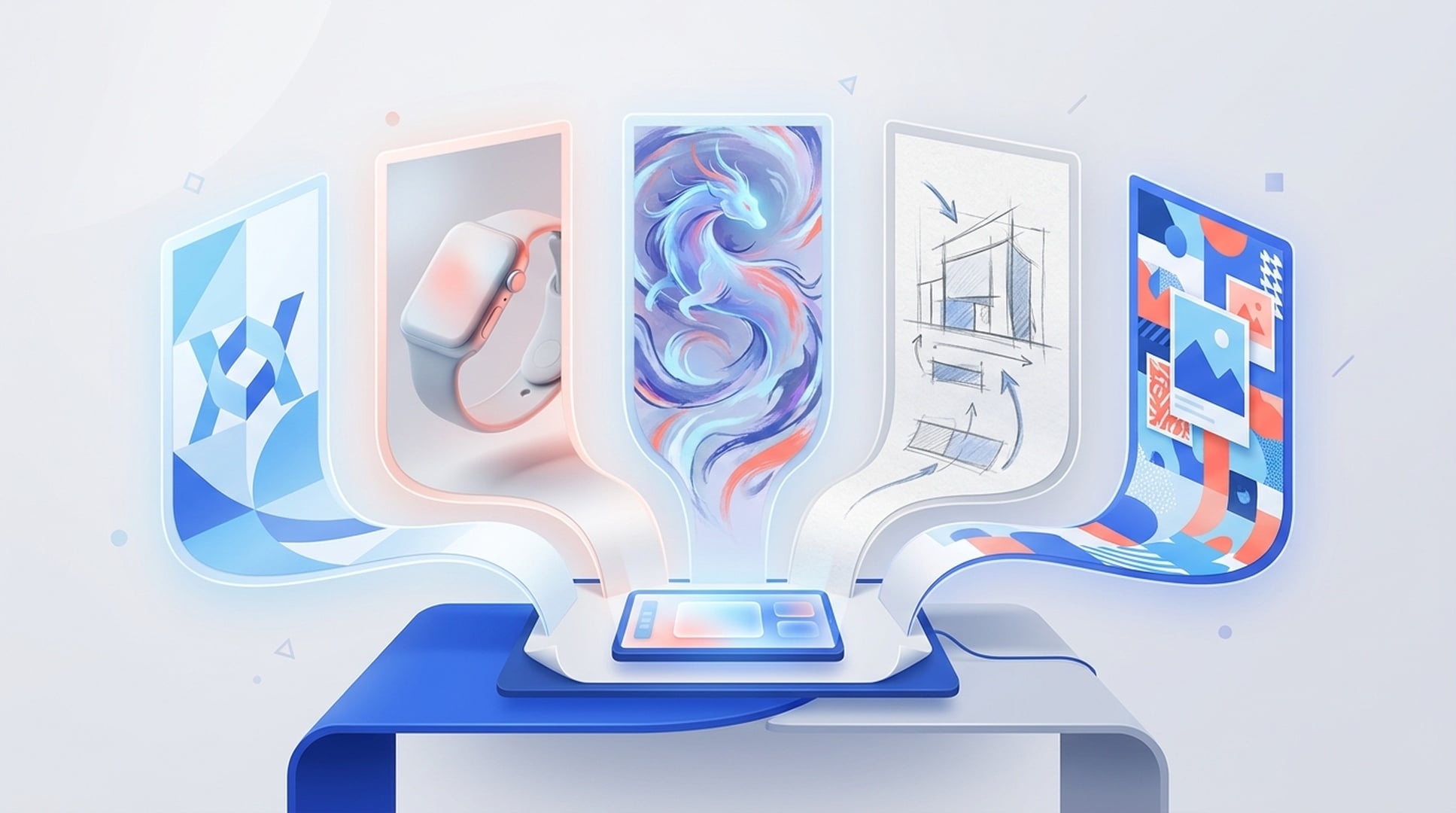
A model that makes convincing product photography may struggle with a clean logo. The one you reach for to paint a fantasy scene may not be the one you want for a fast social post.
That is the awkward truth behind choosing an AI image generator in 2026: there is no single best model for every job. What matters is whether you can get to the right model when the brief changes.
Felo AI Image now brings five leading image models into one workspace: Nano Banana 2, Nano Banana 2 Lite, GPT Image 2, Nano Banana Pro, and Grok Imagine. You can sign in with one Felo account, choose a model or let Felo recommend one, compare different directions, and keep working on the result without moving the project to another app.
Grok Imagine is the newest addition, following the recent arrival of Nano Banana 2 Lite. But this is bigger than a one-model launch. Together, the five models cover a much wider range of work, from rough concepts and polished product shots to illustrations, logos, and social-native visuals.
Why one AI image model is rarely enough
Image models have different instincts. Some are better at clean shapes and controlled layouts. Some are better at materials, lighting, and photographic scenes. Others are useful precisely because their results feel less restrained.
You notice the difference as soon as you use AI images for real work. An e-commerce listing needs believable texture and a product that still looks like the product. A logo concept needs a strong silhouette, not painterly detail. A post for X may need an idea that reads in half a second on a crowded feed.
Trying to force one model through all three jobs usually means more prompt rewrites and more discarded generations. A better approach is simple: match the model to the task.
Felo gives you two ways to do that. You can select a model yourself, or describe the image in plain language and let Felo recommend one. If the first direction misses, keep the brief and switch models. That comparison is often more useful than adding another paragraph to the prompt.
Five AI image models compared

| Model | Best for | What it prioritizes | Choose it when... |
|---|---|---|---|
| Nano Banana Pro | Logos, icons, vector-style graphics, flat design | Clean structure and design control | You need a brand mark, graphic element, or tidy commercial visual |
| GPT Image 2 | Product images, realistic photos, advertising concepts | Materials, lighting, and realism | You want a studio-style product draft or lifestyle scene |
| Nano Banana 2 | Illustration, fantasy, artistic concepts | Style and imaginative range | You need anime, fantasy, or a clear art direction |
| Nano Banana 2 Lite | Fast 1K drafts, simple mockups, light edits | Speed and low-friction iteration | You want to test composition before investing in a polished output |
| Grok Imagine | Social graphics, memes, bold concepts, trend-driven creative | Expression and feed appeal | You need an image for X, a launch teaser, or a fast-moving topic |
That table is the short version. The differences become clearer in an actual creative workflow.
What each model is good at
Nano Banana Pro: clean graphics and brand concepts
Start with Nano Banana Pro when the image depends on shape, hierarchy, and graphic clarity. Felo recommends it for vector-style work, logos, icons, and flat design.
This makes it a useful first stop for a brand exploration. You might use it to create several directions for an event mark, an app icon, a simple editorial graphic, or visual elements for an infographic. The goal is not to outsource the final identity decision. It is to get a set of credible starting points onto the table quickly.
GPT Image 2: realistic product and advertising images
GPT Image 2 is the practical choice for photorealistic scenes and product work. It is suited to the details that make commercial images believable: surface texture, controlled lighting, clean backgrounds, and a product that feels physically present in the frame.
An e-commerce team could use it to explore white-background listing images, seasonal campaigns, or lifestyle settings before booking a shoot. A marketer could test several lighting and composition ideas for an ad without building each scene by hand.
AI product images still need review, especially when packaging, labels, or product geometry must be exact. Used as a concept and pre-production tool, though, GPT Image 2 can make the early rounds much faster.
Nano Banana 2: illustration and imaginative art direction
Nano Banana 2 is better suited to work where style carries the image. Think fantasy environments, anime-inspired characters, story illustrations, game concepts, or a poster that needs a distinct visual world.
This is where choosing the right model saves time. Instead of pushing a photography-oriented model to become more painterly with every revision, you can begin with a model built for creative and artistic output. You are more likely to get useful variations rather than the same safe composition with a different filter.
Nano Banana 2 Lite: quick drafts before the expensive decisions
Nano Banana 2 Lite is built for fast 1K images, concept sketches, simple product mockups, and lightweight edits. It is the model to use when you need to see an idea before you know whether it deserves more work.
That matters during the messy beginning of a project. A creative brief may need ten rough compositions before two are worth presenting. A Lite model lets you work through framing, color, and subject placement without treating every attempt like a final render.
Once a direction works, you can move on to a model and workflow suited to the final output. Lite fills the gap between an idea written in a brief and an image concrete enough to discuss.
Grok Imagine: bold, social-native visuals
Grok Imagine is the latest model added to Felo AI Image. It is geared toward expressive social graphics, meme-style images, bold edits, and ideas tied to current online culture.
Use it for an X post, a video thumbnail concept, a launch teaser, or a visual that needs to stop a scrolling reader. Its role in the five-model lineup is distinct. GPT Image 2 behaves more like a controlled photo studio; Grok Imagine is closer to the creative partner who pitches the louder option.
That does not mean every social image should be loud. It means Felo now has a model for briefs where polish alone is not enough and the concept needs some bite.
One Felo account instead of a stack of disconnected tools
The obvious benefit of a multi-model AI image generator is access. You do not have to create separate accounts for logo concepts, realistic images, illustration, and social creative, then remember which project lives where.
There is also a cost-management benefit. Felo does not claim that every possible workflow will always be cheaper than every official plan. Pricing and usage patterns vary. But consolidating several model types in one service can reduce overlapping subscriptions and make tool spend easier to track.
The more important advantage appears after the first image is generated.
Felo AI Image includes a canvas where you can keep project assets together, arrange multiple images, combine them, and use an existing image as context for the next generation. You can continue with upscaling, text editing and translation, background removal, cleanup, inpainting, or canvas expansion without rebuilding the project elsewhere.
If the image belongs to a larger job, selected canvas assets can also move into a Felo SuperAgent workflow for batch variations, presentation work, ad drafts, and other multi-step tasks. The image stays connected to the brief and the surrounding material instead of becoming another file in the Downloads folder.
How to generate an image in Felo
1. Open Felo AI Image
Sign in with a Felo account and open Felo AI Image. Core image generation is available to try for free. Pro provides access to all five models, higher resolution, more generations, and priority processing. Current limits and plan details are shown in the product.
2. Write a brief, not a prompt formula
Describe the subject, use case, setting, style, composition, and aspect ratio in normal language. For example:
A product ad for silver running headphones on a deep blue background, soft light from the upper left, realistic materials, open space for a headline on the right, 16:9.
You can accept Felo's model recommendation or choose one from the comparison table. If the result feels wrong, try the same brief with another model before rewriting everything.
3. Keep editing on the canvas
Once you have a promising result, keep it in the project. Refine part of the image, extend the frame, remove the background, improve the resolution, or combine it with another asset. You can also create channel-specific versions without starting a new workflow each time.
Frequently asked questions
Are all five Felo AI image models free?
Felo offers core AI image generation that you can start using for free, with no credit card required to begin. Pro includes access to all five models, higher resolution, more generations, and priority processing. Check the product page for the current plan limits.
Which AI image model should I choose?
Use Nano Banana Pro for logos and flat graphics, GPT Image 2 for realistic or product images, Nano Banana 2 for artistic illustration, Nano Banana 2 Lite for fast 1K drafts, and Grok Imagine for bold social and trend-driven creative. You can also let Felo recommend a model from your description.
Do I need to learn prompt engineering?
No. Write the request as if you were briefing a designer. Say what the image is for and describe the subject, visual style, composition, colors, and format. If the first result is off, add a specific correction or compare another model.
Does Felo add a watermark?
Felo AI Image does not add a visible Felo watermark, including to images made in the free experience. Some models may embed provenance signals such as SynthID or C2PA metadata.
Can I use Felo-generated images commercially?
Felo supports commercial uses such as social posts, advertising, websites, and product materials. The exact rights depend on your Felo plan, the terms of the selected model, and the rights attached to any source material you upload. Review those terms before publishing client work or a large commercial campaign.
The best AI image generator is the one that fits the brief
The useful question is no longer, "Which image model wins every test?" No model does. Ask which model fits today's job, and whether the surrounding tool helps you turn a generation into finished work.
Felo now covers five distinct parts of that process. Nano Banana 2 Lite handles the rough draft. GPT Image 2 takes on realistic product work. Nano Banana 2 opens up illustration. Nano Banana Pro handles clean graphic concepts. Grok Imagine brings a sharper social instinct.
One account, five different strengths, and a canvas that keeps the project moving.
This post is also available in 简体中文, 日本語, 한국어, 繁體中文, हिन्दी, Français, العربية, Русский, اردو, Bahasa Indonesia, Deutsch, Tiếng Việt, Türkçe, Italiano, ไทย, Español, বাংলা and Português.