From PDF to PowerPoint: 15 Ways Felo Slides Turns Sources Into Decks

Fifteen Felo tools turn PDFs, Word docs, spreadsheets, Markdown, images, and YouTube videos into editable decks. Here is which one fits your source.
Nobody starts a deck from an empty slide. They start from a PDF report, a Word proposal, a spreadsheet of last quarter's numbers, a recorded lecture, a whiteboard photo, or three paragraphs typed at 11 p.m.
The work is not in the slides. It is in the gap between having the material and having a deck. Fifteen Felo tools close that gap: thirteen build a deck from a source inside Felo Slides, and two take a finished PPTX further inside Felo LiveDoc. Here is the map, grouped by what you already have.
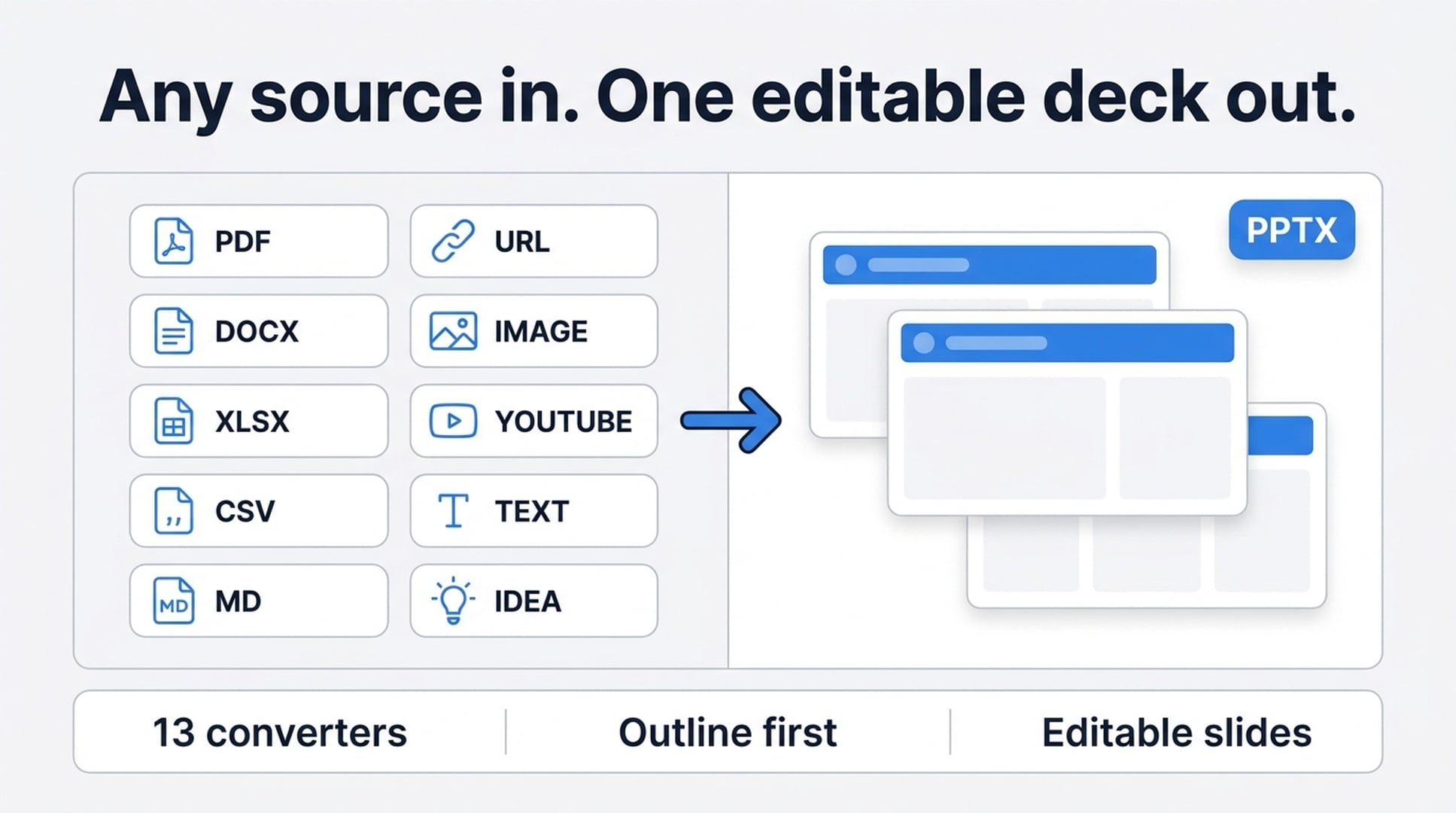
All thirteen Slides tools work the same three steps
Before the list, the part that applies to every one of them.
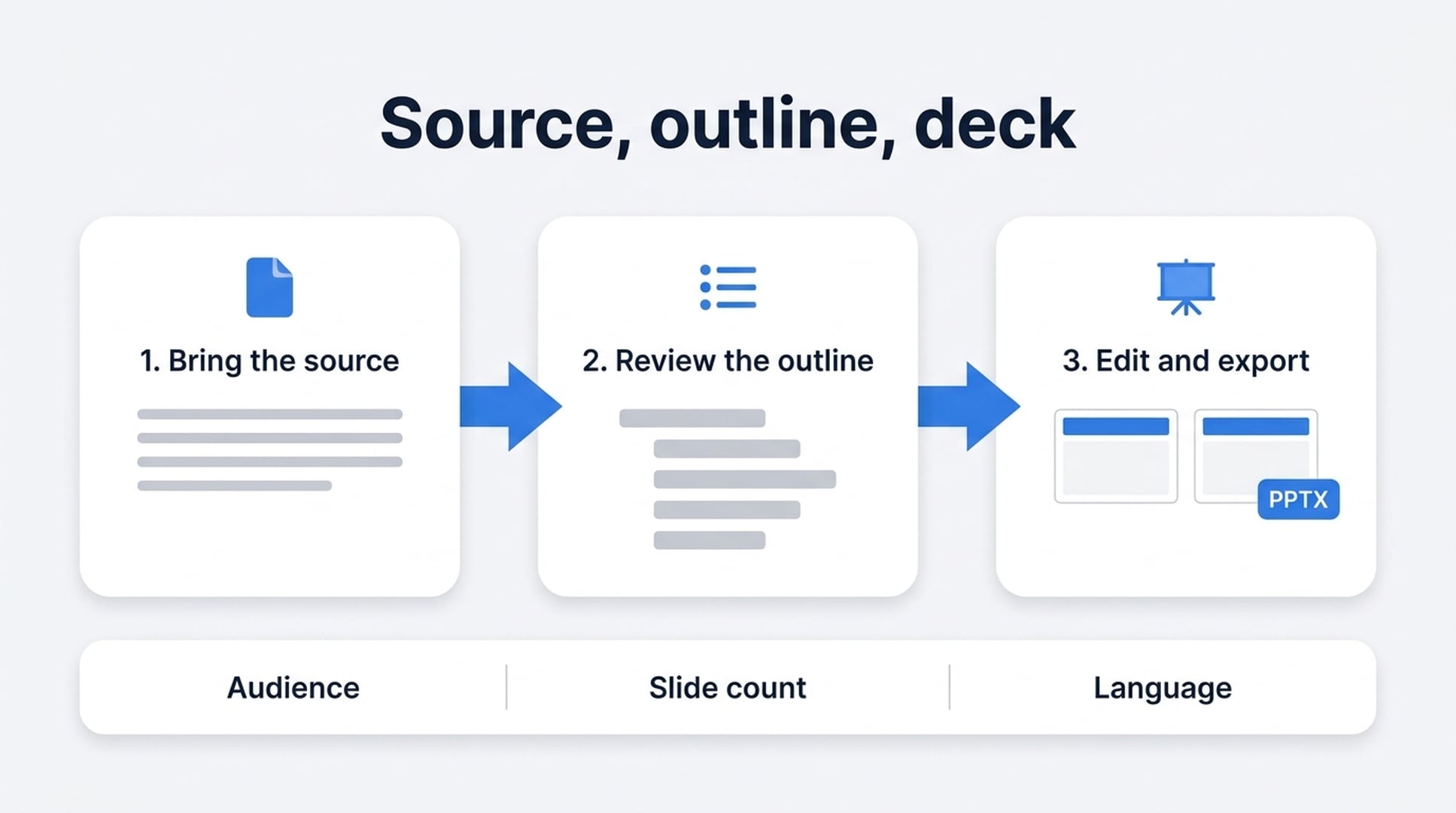
- Bring the source. Upload a file, paste text, drop a link, or describe an idea. You can name the audience, slide count, language, and tone in the same prompt.
- Review the outline. Felo condenses the source, groups related ideas, and proposes slide titles. You steer the story here, before anyone spends an hour on design.
- Generate, edit, and export. Rewrite what you want, pick a theme (Smart Themes, your own templates, or custom branding), then download a PPTX or share a web link.
That shape has one consequence worth naming: you get the structure before you get the slides. A wrong angle costs you a sentence, not a rebuild. And what comes out is a working deck with text you can move and restyle, not a flat image of your source the way a screenshot export leaves you.
What a source prompt actually looks like
The outline step is where the deck is won or lost, and it is driven by what you type. A prompt that carries four things (audience, slide count, what to keep, and how the titles should read) comes back as a first draft you can actually work with.
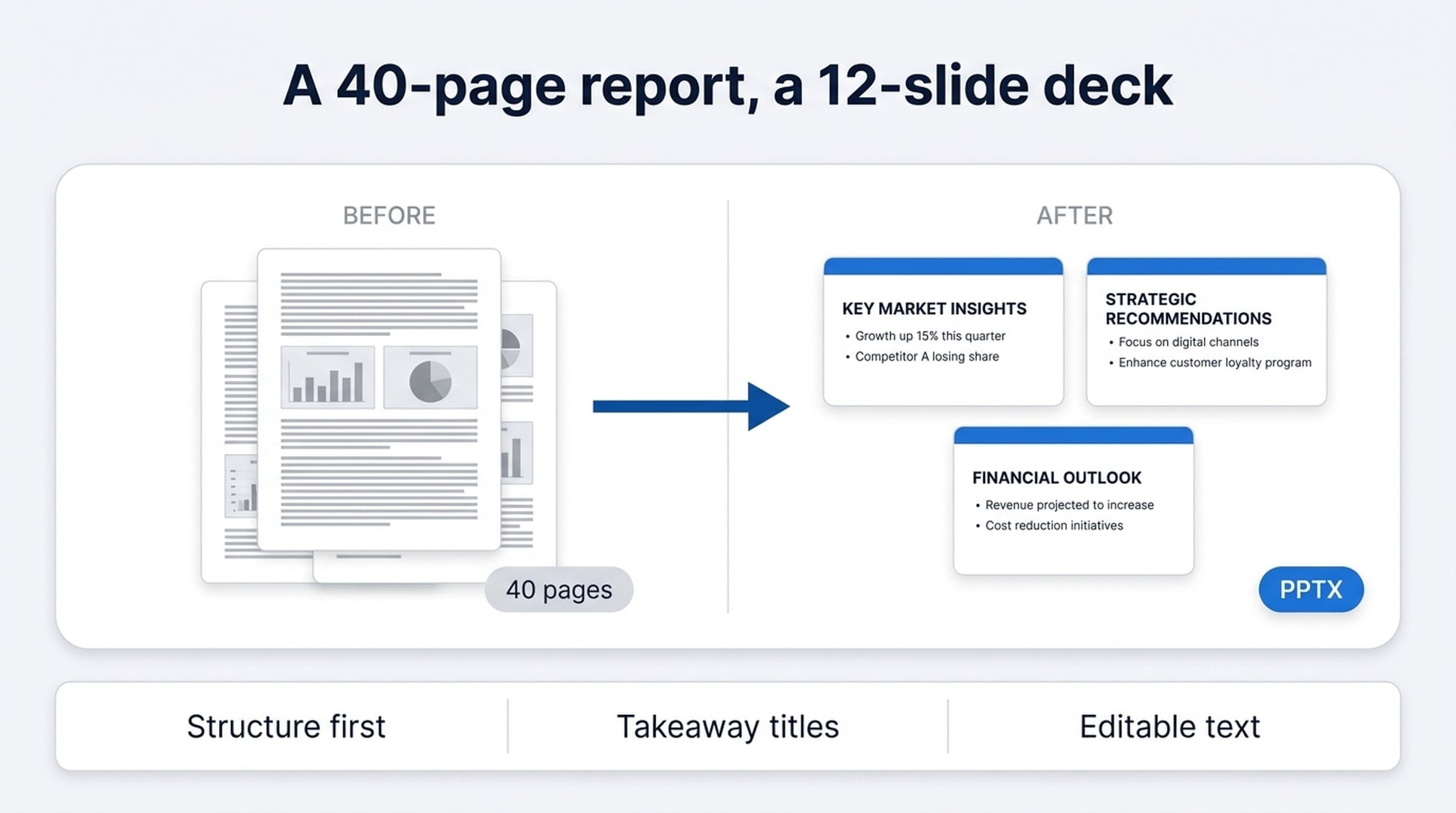
Turn this 40-page annual report into a 12-slide update for the finance
committee. Keep the revenue split and the two charts on page 14. Drop the
appendix and the methodology section. Write slide titles as takeaways,
not topics.
The last instruction is the one people skip. "Revenue by Region" is a topic. "Enterprise Renewals Carried the Quarter" is a takeaway, and it tells the audience what to do with the chart underneath. Felo follows the framing you give it, so decide the framing before you upload.
You can also write the whole instruction in your own language and ask for the slides in a different one. That split comes up more than you would expect: the source material is in one language, and the room is in another.
If you already have a document
PDF to a presentation. Upload a report, paper, proposal, or handout, and Felo pulls out the headings, figures, and arguments, then rebuilds them as a narrative with an agenda, section breaks, and summaries. It works best on PDFs with real text underneath. A scan of a printed page gives the extraction much less to work with.
Word to PowerPoint. DOC, DOCX, pasted text, PDF, or a link all work as sources. The trouble with pasting a Word document into PowerPoint is that document order is not presentation order. A report can read perfectly and still run twice as long as the room will sit through. Felo summarizes the long sections and drafts slide titles first, so you cut structure instead of cutting sentences.
Markdown to slides. Headings become sections, lists become bullet points, and fenced code blocks stay readable instead of collapsing into a paragraph. This is the one for engineers and instructors: a README into a customer demo, a spec into a roadmap deck, course notes into a lecture.
Excel to PowerPoint. Spreadsheet content, pasted tables, and workbook notes turn into a deck for KPI reviews, finance updates, and operations meetings. The spreadsheet stays your source of truth while Felo groups related rows, highlights trends, and drafts a flow. Rows and columns are built for analysis. A room is not.
CSV to slides. Upload a CSV, paste raw rows, or describe the data. A CSV export rarely says what changed or why it matters. Felo groups the fields, finds the likely takeaway, and organizes chart and table slides around it.
If you have words, a link, or only an idea
Text to PowerPoint slides. Paste raw text, meeting notes, a script, or an outline. This entry point is framed around PowerPoint output; this one is framed around slides generally. Both take the same kind of input, so pick whichever phrasing matches the file you eventually need. Starting from a Word document rather than loose text? Use the Word tool above instead.
An outline to a deck. Agendas, numbered points, lesson plans, and talk notes keep their hierarchy. Sections stay sections, and supporting points do not get promoted into headlines just because they came next in the list.
An idea to a deck. One line is enough. Describe the concept, set the audience, slide count, and tone, and Felo builds the outline around it. Useful when the pitch exists in your head and the deck does not.
A URL to a deck. Articles, reports, documentation, and product pages all work as source material. Public pages behave best. Anything behind a login, a paywall, or heavy client-side rendering is better pasted in as text.
If you have an image or a video
An image to a deck. Photos, screenshots, whiteboard captures, and scanned pages in JPG, PNG, WebP, and other common formats. Felo reads the text and layout, identifies the visual flow, and proposes an outline. Whiteboard photos and handwritten diagrams are supported, which is the case that normally means retyping everything by hand.
A YouTube video to a deck. Paste the link and Felo reads the transcript, segments it by topic, and builds an editable deck. Real text on every slide, not captured frames. Long lectures, webinars, and tutorials work when the speech is clear, because the transcript is doing the structuring. The output language does not have to match the video's: write the instruction in Japanese, Spanish, or Korean and the deck comes back in it.
Visuals that carry information. Nano Banana Pro slides are for decks where the pictures are not decoration. You set a direction for the whole deck (photographic product shots, illustrated teaching visuals, a storyboard feel) and ask for comparison charts, process diagrams, and framework pages. Felo keeps slide titles, labels, and callouts legible, which is the part generic image generation usually drops.
If you already have a deck
These two work differently, and it is worth saying why: they act on a finished PPTX rather than a source document, and they run inside Felo LiveDoc, not Felo Slides.
Translate a PowerPoint. Create a LiveDoc, upload the PPTX, wait for parsing, select the file card, click translate, and wait for the success state. Six steps. Doing it this way keeps the deck, its parsing state, and the translation action in one place, so slide context stays together instead of being copied out slide by slide.
Beautify a PowerPoint. Same shape, five steps, different verb. This one is for decks that are content-complete and visually rough: cleaner hierarchy, calmer spacing, stronger rhythm, without rebuilding the slides by hand.
Which one do you need?
| What you have | Where to start |
|---|---|
| A PDF report, paper, or proposal | PDF to presentation |
| A Word document | Word to PowerPoint AI |
| Markdown, a README, or technical docs | Markdown to PPT |
| A spreadsheet | Excel to PPT |
| A CSV export or raw rows | CSV to PPT |
| Loose text, notes, or a script | Text to PowerPoint or text to slides |
| An agenda or lesson plan | Outline to presentation |
| A concept and nothing else | Idea to PPT |
| A webpage | URL to PPT |
| A photo, screenshot, or whiteboard | Image to PPT |
| A YouTube video | YouTube to presentation |
| A deck that needs stronger visuals | Nano Banana Pro slides |
| A deck in the wrong language | PPT translate |
| A deck that needs a designer | PPT beautifier |
FAQ
Can Felo convert a PDF into an editable PowerPoint?
Yes. The PDF tool produces a presentation outline and editable slides you can refine and export. It is not a page-by-page image export of the PDF.
Will the slides be editable, or screenshots of my file?
Editable. Every slide has text you can rewrite and restructure before you export or share. That applies to the image and YouTube tools too: those read your source and rebuild it, rather than dropping the picture onto a slide.
Does the YouTube tool work with long videos?
Most public videos work, including lectures and webinars. Longer videos with clear speech produce better results, because the transcript is what the deck gets built from.
Can I choose the language and how many slides?
Yes. Audience, slide count, language, and tone go in the prompt alongside the source. You can also write the instruction itself in your own language and ask for slides in a different one.
Is it free to try?
You can start a conversion from any of these pages at no cost. Higher usage limits, additional themes, and some export options depend on your Felo plan.
What about confidential material?
Treat these tools the way you would treat any online AI service. Avoid uploading private, regulated, or confidential material unless your account and workflow are approved for that data.
Start with the source you already have
The best deck tool is the one that matches what is already on your desk. Holding a PDF? Start there. Sitting on a spreadsheet, a photo, or a video someone sent you last week? Felo Slides has a door for that too.
If you are still working out what the deck is for, this piece on the three jobs a deck does is the better place to start (follow, sign, or learn), and then come back and pick your source.
Try Felo AI for Free →
This post is also available in 简体中文, 日本語, 한국어, 繁體中文, हिन्दी, Français, العربية, Русский, اردو, Bahasa Indonesia, Deutsch, Tiếng Việt, Türkçe, Italiano, ไทย, Español, বাংলা and Português.