Higgsfield Alternatives for AI Video Workflows

Compare Higgsfield alternatives by workflow. Explore Felo, Pollo AI and Magnific, check documented limits and evaluate usable clips with your own brief.
Felo tools: AI Video Creation Platform · AI Video Editing Tools · Felo AI Video Generator.
The right Higgsfield alternative depends on the work you need to replace. Generating a short scene, directing a reference-based shot, modifying existing footage and assembling a finished video are different jobs. A service can be a good alternative for one of them without replacing the entire workflow.
This comparison considers Felo, Pollo AI and Magnific, alongside reasons to keep using Higgsfield. It focuses on documented capabilities and practical evaluation criteria rather than an unsupported overall ranking.
Disclosure: This article is published by Felo. Product information was checked on November 5, 2026, using the official pages linked below. We have not run a controlled cross-platform rendering or cost benchmark for this article.
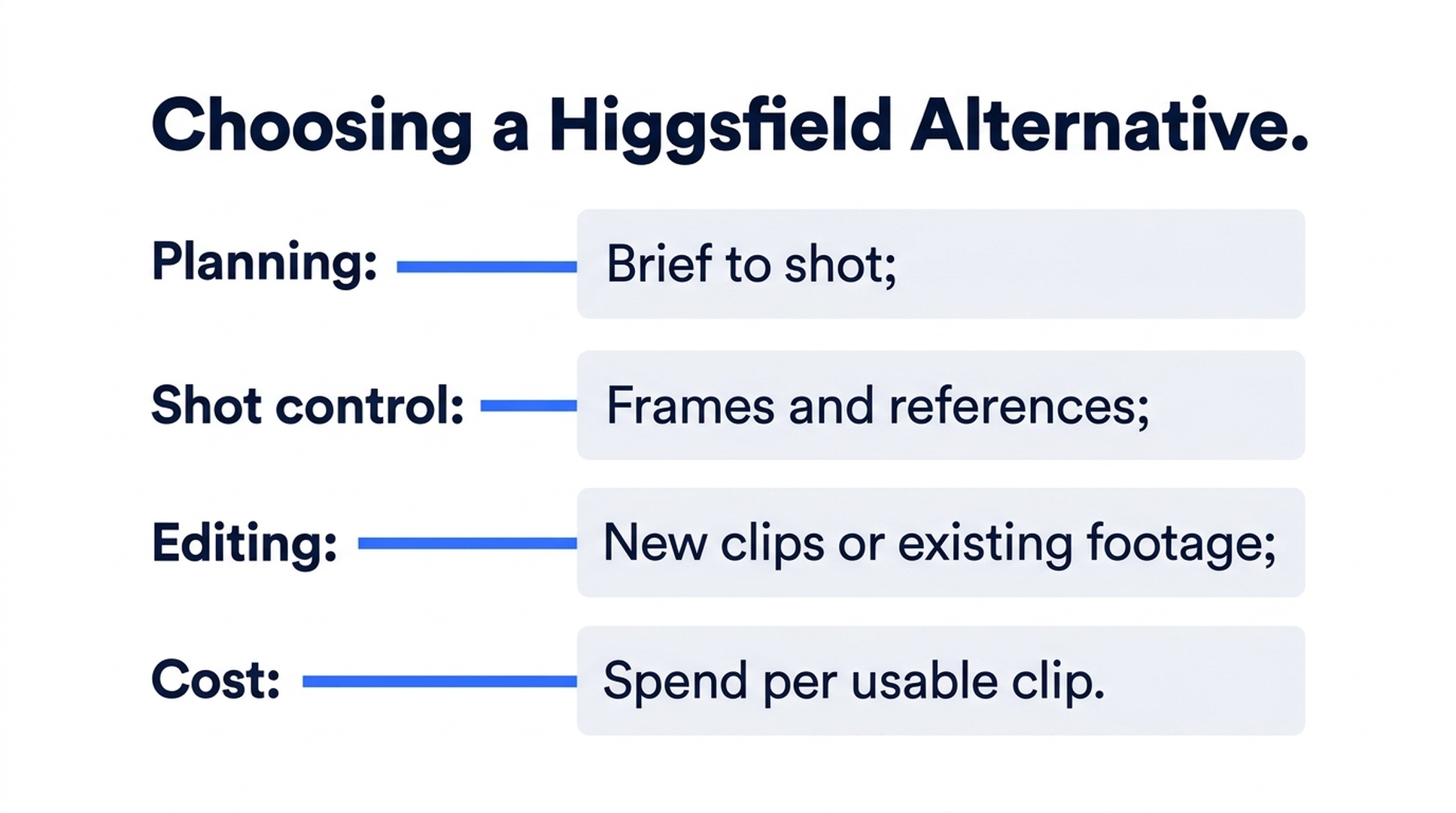
Illustrative guide; not a screenshot or a generated-video result.
Define the part of Higgsfield you want to replace
Write down the last task that made you look for an alternative. Was it preparing a shot, finding the right model, keeping a product recognizable, changing an uploaded video or managing several production steps?
Then describe the desired output in ordinary terms. For example: “I need a six-second vertical product reveal with a planned ending, and I will add captions in my own editor.” That brief gives you a realistic basis for comparison.
Avoid starting with model count alone. A platform may list many models while exposing different frame, sound or reference controls for each. The relevant question is whether the integration supports your particular shot.
A shortlist organized around the task
The suggestions in this table are editorial inferences from the documented capabilities discussed below. They are starting points for evaluation, not measured quality rankings.
| Your priority | Candidate to investigate | What to check before switching |
|---|---|---|
| Develop a brief and generate individual clips in a conversational workflow | Felo | Model-specific inputs, output settings and the handoff to your editor |
| Explore a broad collection of generation and media tools | Pollo AI | Whether the exact tool you rely on fits your assets and plan |
| Combine generation with a wider creative production environment | Magnific | How project editing, clip editing and enhancement fit your sequence |
| Continue a workflow built around Higgsfield's camera and production controls | Higgsfield | Whether a different mode within the existing product solves the problem |
The table intentionally separates tool fit from image quality. A visually strong output is only useful if it can do the job and reach the intended delivery format.
Felo: evaluate it for brief-to-clip production
Felo brings MiniMax H3, Seedance 2.5, Wan 3.0 Prime and Kling 4.0 into its AI video workspace. You can develop a shot through Agent Mode or use direct generation when the prompt and settings are already settled. See the Felo video platform overview.
The choice becomes concrete when you map a brief to a control. MiniMax H3 supports native 2K within a shorter duration range at that resolution. Seedance offers generated audio and either reference media or first/last frames. Wan offers optional audio and first/last frames. Kling adds a middle-frame option. These are documented integration differences, not evidence that one model wins every visual comparison.
Felo is worth evaluating when you want help describing a shot and then selecting compatible inputs. Its limitation is equally relevant: the current AI video workflow does not replace a conventional editor for timeline assembly, captions and separate voiceover mixing. The editing tools documentation explains that boundary.
If your existing editor already handles those finishing tasks, assess Felo as the source of new clips. If you need the entire sequence finished in one application, evaluate that requirement separately.
Pollo AI: investigate the breadth of tools
Pollo's official site lists multiple video models, reference-to-video generation, avatars, motion tools and a Marketing Studio. This makes it a candidate when your work spans several types of media creation rather than a single clip-generation task. See Pollo AI's product overview.
For existing footage, its AI Video Editor describes an upload-and-prompt workflow for changes such as backgrounds, objects and effects. That is a different starting point from asking Felo to regenerate a clip from an updated brief.
Our recommendation is to test the specific Pollo tool you would actually use. A broad menu is useful only if the relevant operation works with your files, quality requirements and delivery process. Do not assume that access to a model name means every service offers the same controls.
Magnific: investigate the production environment
Magnific's official video page combines model-based generation with links to a Video Project Editor, Clip Editor and Video Upscaler. Its site identifies the service with the former Freepik branding. See the Magnific video generator.
Its video upscaler addresses an existing-video enhancement task, which should be evaluated separately from native high-resolution generation.
That documented breadth makes Magnific a candidate if the handoff between creating, arranging and enhancing assets is central to your work. This is an inference about workflow fit, not a claim that its editor replaces every feature of your current production software. Try a representative sequence before reorganizing a team around it.
When keeping Higgsfield makes sense
Higgsfield documents first/last-image inputs, motion references, editing of uploaded footage and Cinema Studio camera controls on its AI video page. If those controls are the reason your current workflow succeeds, check whether another mode inside Higgsfield resolves the specific problem before switching platforms.
Conversational production is also not unique to Felo. Higgsfield's Supercomputer workspace presents chat-based creation and task-specific skills. Compare how well each workflow handles your brief instead of treating the presence of an Agent as a decisive advantage by itself.
A useful alternative should reduce a real source of friction. Rebuilding a working process just to gain a different interface may not improve the final video.
Run a small evaluation with one real brief
Use a brief that resembles your normal work, not a spectacular demo you would never publish. For example, specify a six-second vertical shot of a product, a slow reveal, a clear closing composition and no generated text.
Prepare the same source assets for each eligible service. Record which input controls are available rather than forcing an unsupported setup. If one platform produces a different resolution or sound configuration, record that difference beside the result.
Judge each take on four questions:
- Is the subject accurate enough for its intended use?
- Does the action and camera movement match the brief?
- Does the ending work in the planned sequence?
- How much repair or assembly remains after generation?
Set a fixed attempt budget and track actual usage. Compare the cost of usable output, including failed attempts and finishing work. A subscription headline or a single low-cost generation does not establish the cheapest production process.
Save the strongest results and review them in the final context, with the same music, captions and surrounding shots where applicable. That is a more meaningful evaluation than comparing isolated thumbnails.
Frequently asked questions
What is the best Higgsfield alternative?
There is no universal winner established here. Felo, Pollo and Magnific are candidates for different tasks. Start with the operation you need to replace and test it using your own brief.
Is Felo a complete replacement for Higgsfield?
It can be an alternative for generating and refining individual clips. This comparison does not establish parity across uploaded-video editing, effects, production tools or other platform features.
Which option is cheapest?
This article does not rank prices. Compare current plan terms, model settings, attempt counts and finishing work for the same deliverable.
Do I need to leave my current platform entirely?
No. You can evaluate another generator for one missing shot or one recurring task while keeping the rest of your production workflow.
If your next task is turning a brief into a controlled clip, explore Felo's AI video workspace with that brief and compare the result in your own edit.
This post is also available in 简体中文, 日本語, 한국어, 繁體中文, हिन्दी, Français, العربية, Русский, اردو, Bahasa Indonesia, Deutsch, Tiếng Việt, Türkçe, Italiano, ไทย, Español, বাংলা and Português.