How to Build a Knowledge Base with OpenClaw

Build a persistent OpenClaw knowledge base using project-scoped workspaces. Stop losing context between sessions and manage multiple projects without bleed.
Most OpenClaw knowledge bases are one-way: you put context in, the agent uses it, session ends, everything's gone. Next session, you start over.
The problem isn't the agent. It's the architecture. A knowledge base that only gets read never gets better. What actually works is a read-write loop — the agent reads context at the start, does the work, then files decisions, status, and artifacts back in before the session ends. Every session adds something. The knowledge base compounds.
This guide is about how to build that for your OpenClaw projects — a living workspace that persists across sessions, updates itself as you work, and stays isolated per project.
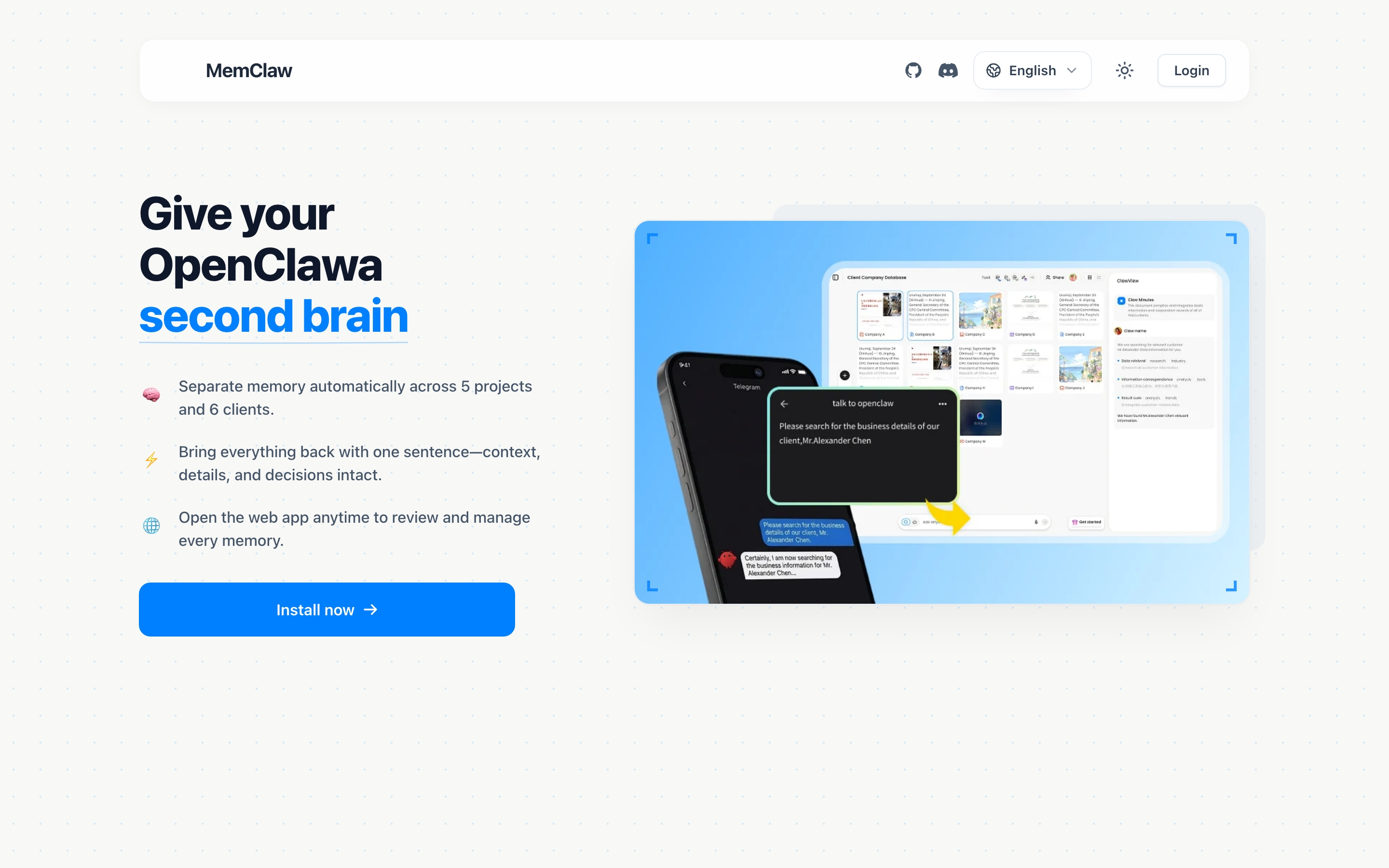
Why Most OpenClaw Setups Don't Compound
The default OpenClaw setup has a fundamental problem: it forgets.
OpenClaw runs on top of Claude, which has a context window — not persistent memory. Everything you tell it in a session lives in that window. When the session ends, it's gone. The next session starts from zero.
This means every session is a one-way transaction. You put context in, the agent uses it, and nothing carries forward. The agent never gets smarter about your specific projects over time.
The typical workarounds each have real costs:
| Workaround | Problem |
|---|---|
| Paste context at session start | Takes 5-10 minutes, easy to forget things |
| CLAUDE.md file | Single file, no project isolation, gets messy fast |
| Manual notes | Agent can't read them automatically |
| Re-explain every time | Wastes time, introduces inconsistency |
None of these close the loop. They're static inputs — you maintain them manually, they slowly go stale, and the agent never contributes back. What you actually need is a system where every session adds something: decisions logged, status updated, artifacts saved. So the next session starts smarter than the last.
The Right Mental Model: A Living Wiki, Not a Static File
Most people think of an OpenClaw knowledge base as a file — a big markdown document the agent reads at startup. That's a step up from nothing, but it misses the point.
A static file doesn't compound. You write it once, it slowly goes stale, and you're back to manually maintaining it. It's still a one-way transaction.
A living wiki is different: the agent both reads from it and writes to it. Every session follows the same loop:
- Load the wiki (reads current state)
- Do the work
- File findings back in (decisions made, status updated, artifacts saved)
Next session starts smarter. The loop closes.
This is the architecture MemClaw implements for OpenClaw. Each project gets its own isolated workspace — a structured wiki the agent maintains automatically:
- Background context — what the project is, who the client is, key constraints
- Current progress — what's in progress, what's done, what's blocked
- Decisions — architectural choices, agreed approaches, things not to revisit
- Artifacts — documents, reports, URLs, files the agent has produced
- Tasks — auto-tracked as the agent works
This is what separates a knowledge base that compounds from one that doesn't: the agent isn't just a consumer of context — it's a contributor. Every execution adds something back to the base.
Openclaw Memory Management Guide
Setting Up MemClaw for OpenClaw Knowledge Bases
MemClaw installs as an OpenClaw skill. Setup takes under two minutes.
Step 1: Install MemClaw
Via Claude Code Plugin Marketplace:
/plugin marketplace add Felo-Inc/memclaw
/plugin install memclaw@memclaw
Via OpenClaw natural language:
Send this to OpenClaw: "Please install https://github.com/Felo-Inc/memclaw and use MemClaw after installation."
Step 2: Set Your API Key
export FELO_API_KEY="your-api-key-here"
Get your key at felo.ai/settings/api-keys.
Step 3: Create Your First Workspace
Once installed, just tell OpenClaw:
Create a workspace called Client Acme
That's it. MemClaw creates an isolated workspace for that project. No JSON config, no file paths, no setup beyond that.
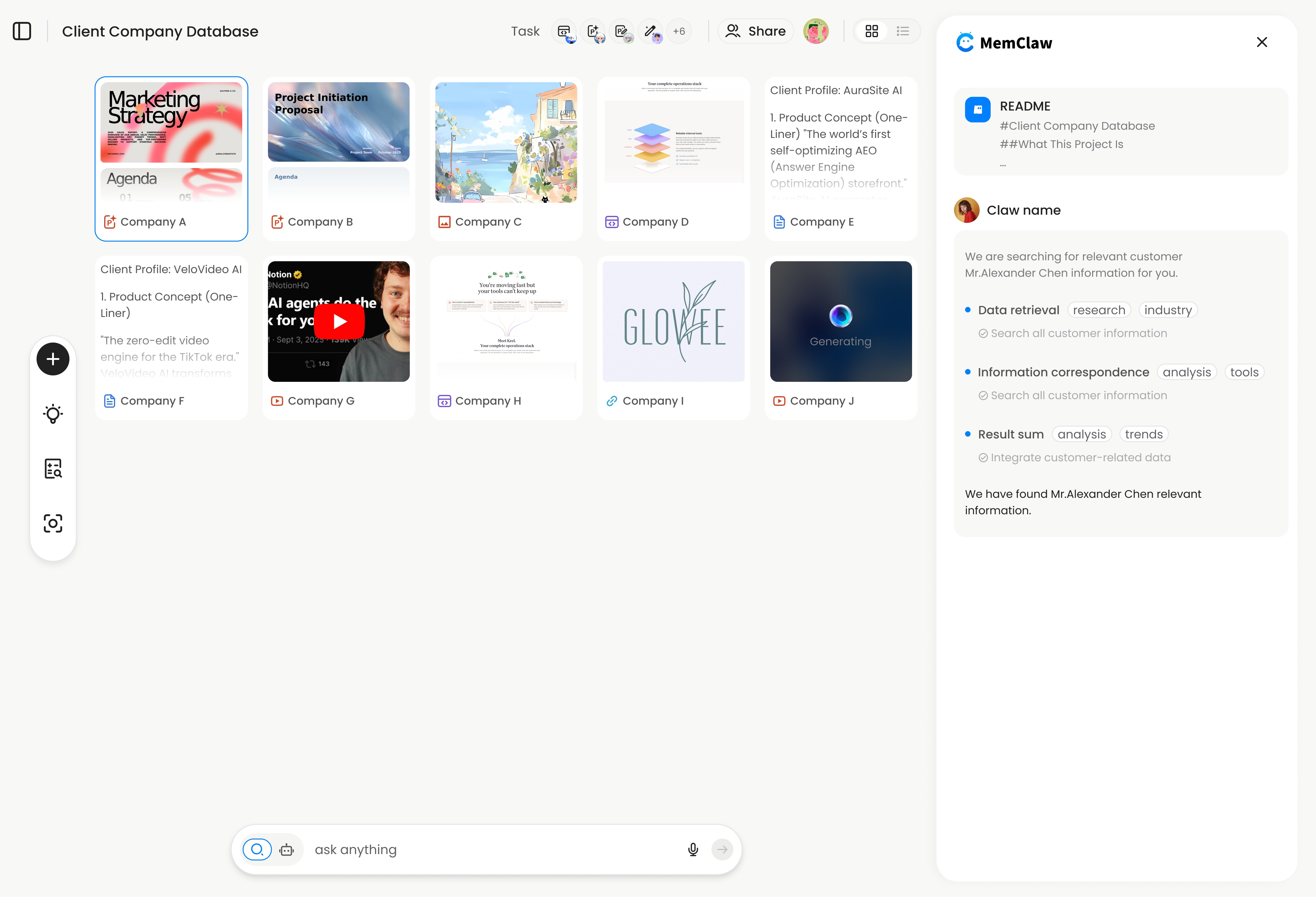
Building Your Knowledge Base: What to Store
A good OpenClaw knowledge base isn't just a dump of information. It's structured around what the agent actually needs to pick up where you left off.
Project Background
This is the foundation — what the project is, who it's for, and what constraints matter. You add it once and rarely change it:
Add to workspace: This is a SaaS dashboard for Acme Corp.
They're on a tight deadline for Q2 launch.
Stack is Next.js + Supabase.
Main contact is Sarah ([email protected]).
Decisions
Every time you make a meaningful decision, log it. This prevents the agent from re-opening closed questions:
Add this decision to the workspace: we're using JWT httpOnly cookies
for auth because Acme's security team requires it. Not negotiable.
Add to workspace: we decided against Redis for caching —
too much ops overhead for their team size. Using Supabase's
built-in caching instead.
Current Status
Update this as you work. It's what the agent reads first when you return to a project:
Update workspace status: payment integration is 80% done.
Webhook handling is complete. Still need to handle failed payment retries.
Artifacts
Link to anything the agent has produced or that's relevant to the project:
Save to workspace: the API spec is at /docs/api-spec-v2.md
Restoring Context in a New Session
This is where the payoff is. When you come back to a project — even after weeks away — you don't re-brief the agent. You just load the workspace:
Load the Acme workspace
MemClaw restores full project context in about 8 seconds. The agent knows:
- What the project is and who it's for
- Where you left off
- What decisions have been made
- What's still in progress
No pasting. No re-explaining. No "wait, what did we decide about auth again?"
Where did I leave off on the payment integration?
What did we decide about authentication last month?
These questions get accurate answers because the knowledge base has been maintained throughout the project — not reconstructed from memory.
Managing Multiple Projects Without Context Bleed
This is the scenario where a proper knowledge base matters most.
If you're running five projects in parallel with a single CLAUDE.md file or no memory system at all, context bleeds. Client A's requirements show up in Client B's conversation. The agent references a decision from one project while working on another. You spend time correcting it instead of making progress.
With workspace-scoped knowledge bases, each project is completely isolated:
Load the Acme workspace
→ Agent has Acme context only
Load the Beta Corp workspace
→ Agent switches to Beta Corp context. Acme is gone from the picture.
This is the core value of project-scoped OpenClaw knowledge bases: not just persistence, but isolation.
Managing Multiple Clients With Openclaw
Cross-Agent Compatibility
One underrated benefit of using MemClaw for your OpenClaw knowledge base: the same workspace works across agents.
If you use both OpenClaw and Claude Code, they share the same workspace. A decision logged in an OpenClaw session is available in a Claude Code session on the same project. Your knowledge base isn't tied to one agent — it's tied to the project.
MemClaw supports OpenClaw, Claude Code, Gemini CLI, and Codex — all reading and writing to the same workspace. This matters if you switch between tools depending on the task, or if you're on a team where different people use different agents.
# In OpenClaw — do research, save findings
Save that competitor analysis to the workspace

# Later, in Claude Code — pick up where you left off
Load the Acme workspace
Show me the competitor analysis we did
No copy-pasting between tools. No information islands.
Real Workflow: Freelancer Managing 6 Clients
Here's what this looks like in practice for someone running multiple client projects.
The old way (no knowledge base):
- Monday: Brief OpenClaw on Client A's requirements (8 minutes)
- Tuesday: Switch to Client B, re-brief from scratch (6 minutes)
- Wednesday: Back to Client A — "wait, what did we decide about the API structure?"
- Friday: Client C asks for an update — dig through chat history to reconstruct status
With workspace-scoped knowledge bases:
# Monday morning
Load the Client A workspace
→ Agent: "Client A is the Acme dashboard project. Last session you finished
   the auth flow. Payment integration is next — webhook handling is done,
   retry logic is still pending."
# Tuesday
Load the Client B workspace
→ Agent: "Client B is the Beta Corp mobile app. You're mid-sprint on
   the notification system. Sarah approved the push notification design
   last week."
# Wednesday, back to Client A
What did we decide about the API structure?
→ Agent: "You decided to use REST over GraphQL because Acme's backend
   team isn't familiar with GraphQL. Logged March 15."
The knowledge base does the remembering. You do the work.
This is the scenario MemClaw is built for: not one project with perfect memory, but five projects running in parallel where context isolation is the difference between productive sessions and constant re-briefing.
Freelancer Workflow With Openclaw
Keeping Your Knowledge Base Useful Over Time
A knowledge base is only as good as what goes into it. A few habits that keep it from going stale:
Log decisions when you make them, not later. The moment you decide something — architecture choice, scope change, client preference — add it to the workspace. Trying to reconstruct decisions from memory a week later is unreliable.
Update status at the end of each session. One line is enough:
Update workspace status: finished retry logic, starting on the
admin dashboard tomorrow
Save artifacts immediately. If the agent produces a report, analysis, or spec, save it before the session ends:
Save that pricing analysis to the workspace
Don't over-engineer the structure. MemClaw handles the organization. You just need to tell it what matters. Natural language is enough — no templates, no required fields.
The goal isn't a perfect knowledge base. It's a knowledge base that's good enough that you never have to re-brief the agent on something you've already covered.
What a Mature OpenClaw Knowledge Base Looks Like
After a few weeks of consistent use, the compounding effect becomes visible.
Week 1: You're still adding context manually — project background, initial decisions, first status updates. The agent is useful but not yet self-sufficient.
Week 3: The workspace has 15-20 logged decisions, a clear status trail, and a growing artifact library. The agent starts answering questions from the knowledge base instead of asking you to re-explain.
Week 6+: New sessions start with the agent already oriented. It knows the project history, the constraints, the decisions that are off the table. You spend zero time re-briefing and more time on actual work.
A mature workspace typically contains:
- Project README — background, goals, constraints, key contacts
- Decision log — 15-20+ logged decisions with rationale
- Status trail — session-by-session progress updates
- Artifacts — specs, reports, analyses, key documents
- Task history — what's been done, what's pending, what was deprioritized and why
The difference between a knowledge base that compounds and one that doesn't comes down to one habit: filing answers back in. Every decision, every status update, every artifact — if it goes into the workspace, it's available forever. If it stays in the chat, it's gone when the session ends.
Getting Started
The read-write loop is simple in theory: load context, do the work, file findings back in. The hard part is having infrastructure that makes "file back in" effortless enough that you actually do it every session.
That's what MemClaw handles. Install it, create a workspace per project, and the loop runs automatically — the agent reads context at session start and saves decisions, status, and artifacts as you work.
- Install MemClaw (memclaw.me)
- Create a workspace for each active project
- Log decisions and status updates as you work
- Load the workspace at the start of each session
The compounding starts immediately. By session three or four, you'll notice the agent already knows things you didn't have to re-explain.
Frequently Asked Questions
Does MemClaw work with OpenClaw self-hosted?
Yes. MemClaw connects to Felo's API for storage, so it works regardless of how you're running OpenClaw.
Can I share a workspace with my team?
Yes. MemClaw supports team sharing — invite teammates to a workspace and they get the same context.
What happens if I don't load a workspace?
OpenClaw runs normally without any workspace context. MemClaw only activates when you explicitly load or reference a workspace.
Is my project data private?
Workspace data is stored in Felo's infrastructure. See felo.ai for privacy details.