How to Use GPT Image 2: A Step-by-Step Guide (2026)

A complete tutorial on using GPT Image 2 for image generation — from account setup to 4K downloads. Learn prompt techniques, use cases, and how to access it on Felo AI without an API key.
You need an image for your presentation. You type a prompt into an AI tool. What comes back looks decent — until you zoom in and realize the text is a jumble of nonsense letters.
That was the standard experience with AI image generators, until GPT Image 2.
GPT Image 2 is OpenAI's latest image generation model — the same engine powering ChatGPT's image features for Plus, Pro, and Team subscribers. It fixes the problems that made earlier models frustrating: garbled text, blurry details, and unpredictable outputs.
This guide walks you through everything you need: what GPT Image 2 does, how to access it without writing code, and how to write prompts that actually work.
What Is GPT Image 2?
GPT Image 2 is OpenAI's image generation model, the successor to DALL-E 3. It's now the image backend for ChatGPT's visual features.
The improvements are real and noticeable:
- Text that actually renders: Letters in signs, labels, and headlines appear correctly. No more "Hlelo Wrld" nonsense.
- Cleaner detail: Textures, edges, and reflections look sharper and more accurate.
- Better instruction following: Complex prompts with multiple conditions are handled more reliably.
- 50+ visual styles: From photorealistic photography to flat illustration, watercolor painting, and 3D renders.
Felo AI offers GPT Image 2 as one of its image generation backends alongside Nano Banana models. You can access it at felo.ai/tools/gpt-image-2 — no API key, no developer account, no code.
How to Access GPT Image 2 on Felo AI (No API Key Needed)
The most practical advantage of using GPT Image 2 through Felo AI: setup takes about 30 seconds.
Step 1: Create a free Felo AI account
Go to felo.ai and sign up with your email or Google account. No credit card required for the free tier.
Step 2: Navigate to the GPT-Image 2 Generator
Once logged in, go to the Tools section and select GPT-Image 2 Generator, or go directly to felo.ai/tools/gpt-image-2.
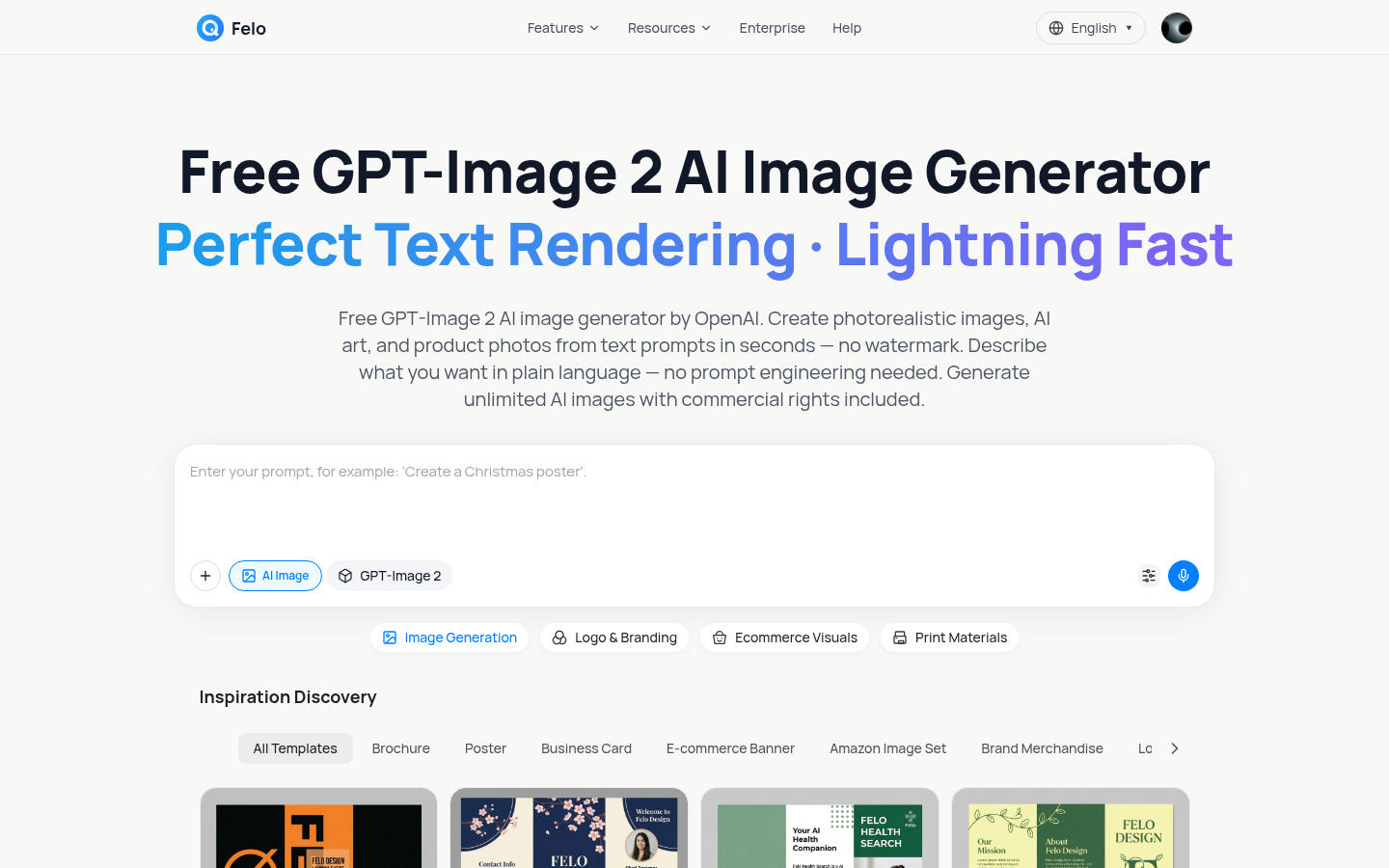
Step 3: Start generating
The interface loads in your browser. No API key, no configuration, no code.
The free tier includes daily generation credits. Higher-volume needs? Paid plans are available.
How to Generate Images — Step by Step
Once you're in the GPT-Image 2 Generator, the process follows five straightforward steps:
Step 1: Write your text prompt
Type a description of the image you want. Use plain natural language — no special syntax, no prompt engineering tricks. Be specific: the more detail you provide, the closer the result to what you envisioned.
Step 2: Add a reference image (optional)
Want the output to match a specific style or layout? Upload a reference image. The model picks up visual context that's hard to describe in words alone.
Step 3: Click Generate
Hit the button. Results typically appear in under 10 seconds.
Step 4: Review and refine
If the result isn't quite right, tweak your prompt and regenerate. Experienced users rarely expect the first output to be final — iteration is part of the workflow.
Step 5: Download your image
Download at 4K resolution. All images are watermark-free with full commercial rights, even on the free tier.
Writing Effective Prompts for GPT Image 2
The quality of your output depends on your prompt. Here's a structure that consistently works:
Prompt formula: Subject + Style + Setting + Lighting + Technical specs
Marketing and product visuals
Professional product photo of a ceramic coffee mug on white marble,
soft studio lighting, shallow depth of field, sharp focus on the product,
clean white background, commercial photography style
Blog and article header images
Abstract technology background, blue and purple gradient,
geometric network patterns, minimal composition, 16:9 landscape ratio,
digital art style
Social media posts
Motivational quote card, clean modern typography, pastel color palette,
ample white space, Instagram square format (1:1), flat design aesthetic
Logo concepts
Flat vector logo of a stylized mountain peak, navy blue and gold,
transparent background, minimal geometric style, no gradients
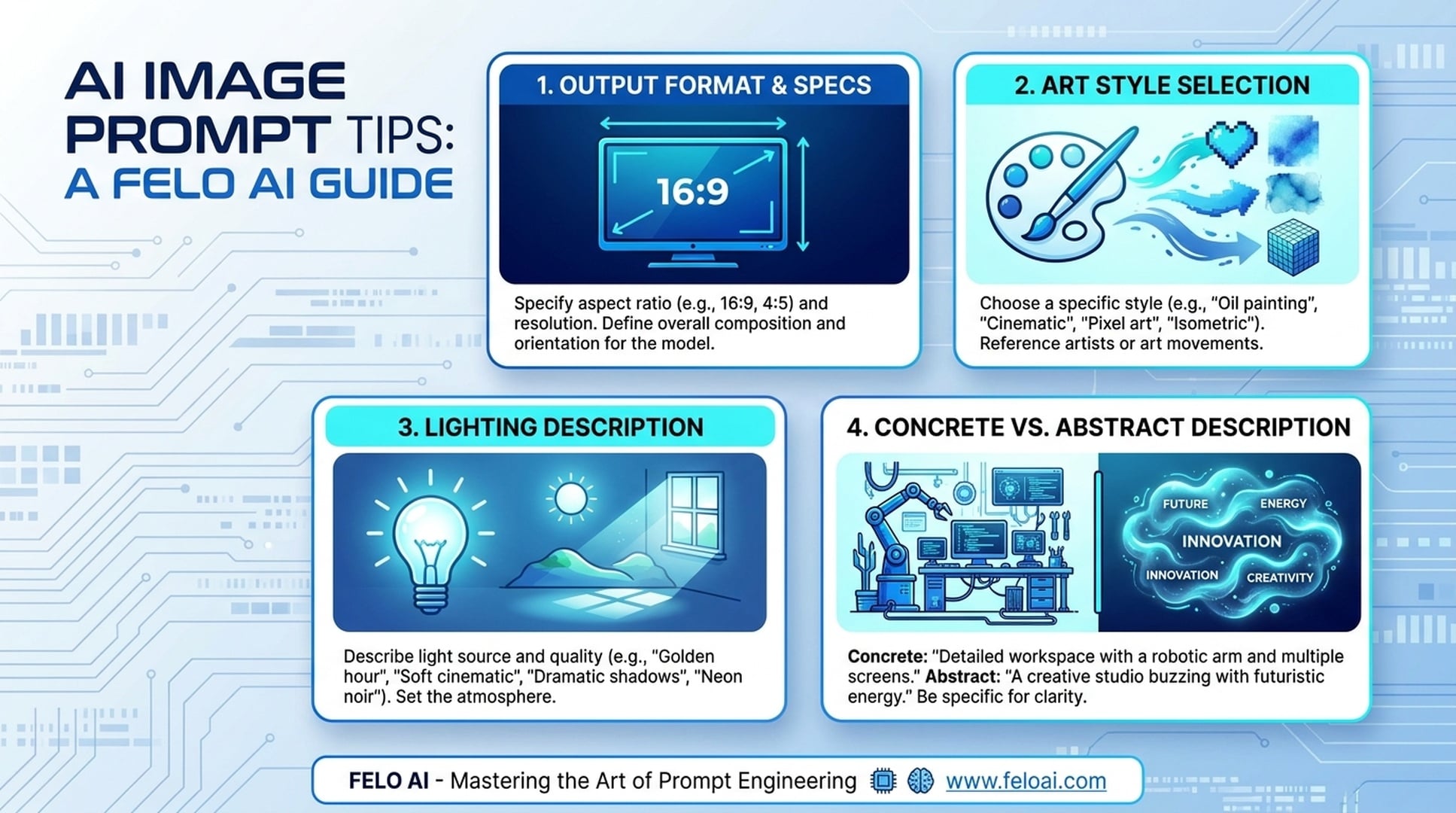
Four tips that consistently improve results:
- Specify the output format — "16:9 ratio", "square format", "portrait orientation" helps the model frame the composition correctly
- Name the art style explicitly — "photorealistic", "flat illustration", "watercolor painting", "3D render" gives the model a clear visual target
- Describe the lighting — "soft studio lighting", "golden hour", "harsh dramatic shadows" affects mood significantly
- Be concrete, not abstract — "modern minimalist office desk with laptop and coffee cup, natural window light" beats "a nice workspace" every time
Use Cases — What Can You Create?
GPT Image 2 on Felo AI is built around practical content creation workflows:
Marketing and advertising creatives Generate campaign imagery, promotional banners, and ad visuals with readable text overlays — something that was nearly impossible with earlier AI image tools.
Product photography mockups Create lifestyle shots and e-commerce product images without a physical setup. Specify background, surface, lighting, and shooting angle in your prompt.
Blog and social media visuals Generate header images, featured images, and social media graphics that match your content topic and brand aesthetic.
Brand identity assets Produce logos, poster concepts, and flyer layouts. Felo AI also offers dedicated Logo Generator, Poster Generator, and Flyer Generator tools for more structured brand workflows.
Concept art and game design Illustrate characters, environments, and asset concepts for games, storyboards, or creative projects.
Landing page hero images Create custom hero visuals for web pages and marketing sites. Generated images feed directly into Felo AI's full suite of AI tools including the AI Page builder.
Using GPT Image 2 Within Felo AI's Workflow
Using GPT Image 2 through Felo AI rather than directly through the OpenAI API means your generated images integrate with the rest of your content creation pipeline.
Generated images can be applied directly to:
- AI Slides: Insert visuals into presentation decks without downloading and re-uploading. Felo AI supports 10+ input formats for presentations.
- AI Pages: Use generated images as hero visuals or section backgrounds in landing pages built with the AI Page tool.
- AI Social Media Content: Apply images directly to Instagram carousels, X posts, and other social formats.
One workspace. Generate a visual, apply it to a slide or page, and export. No switching between tools, no file transfer headaches.
Frequently Asked Questions
Is GPT Image 2 free on Felo AI?
Yes. Felo AI's free tier includes access to the GPT-Image 2 Generator with daily generation credits. Higher-volume plans are available.
Do I need an OpenAI API key?
No. Felo AI handles the API access on the backend. You use GPT Image 2 directly from the browser — no API key, no developer account, no technical setup.
What resolution does GPT Image 2 generate?
The GPT-Image 2 Generator outputs native 4K resolution images.
Can I use the generated images commercially?
Yes. Commercial rights are included on all plans, including the free tier. No watermarks are added.
How is GPT Image 2 different from DALL-E 3?
GPT Image 2 offers stronger text rendering (letters come out correctly), cleaner visual detail, and better adherence to complex prompt instructions.
What styles does GPT Image 2 support?
50+ visual styles, ranging from photorealistic to flat illustration, watercolor, 3D render, concept art, and more.
How many images can I generate for free?
The free tier includes daily generation credits. The exact limit is subject to Felo AI's current plan structure — check felo.ai for up-to-date details.
Start Generating
GPT Image 2 on Felo AI gives you browser-based access to one of the most capable AI image models available — without API setup, developer accounts, or code.
On the free tier: 4K output, 50+ visual styles, text rendering in 50+ languages, watermark-free downloads, commercial rights included.
Write a prompt. Click Generate. Download. That's the workflow.
Try the GPT-Image 2 Generator on Felo AI →
It takes about 30 seconds to get your first image.
Or explore the full suite of Felo AI design tools →: image generation, logo design, poster creation, presentation slides, and social media content — all in one platform.
Disclosure: This article was written by the Felo AI team. Feature descriptions are based on Felo AI's published product information as of May 2026.
This post is also available in 简体中文, 日本語, 한국어, 繁體中文, हिन्दी, Français, العربية, Русский, اردو, Bahasa Indonesia, Deutsch, Tiếng Việt, Türkçe, Italiano, ไทย, Español, বাংলা and Português.