LiveDocs: Building a Shared Memory for Your AI Agent Team

How LiveDocs gives AI agents persistent memory with semantic retrieval, file storage, and collaborative context — turning one-off sessions into continuous workflows.
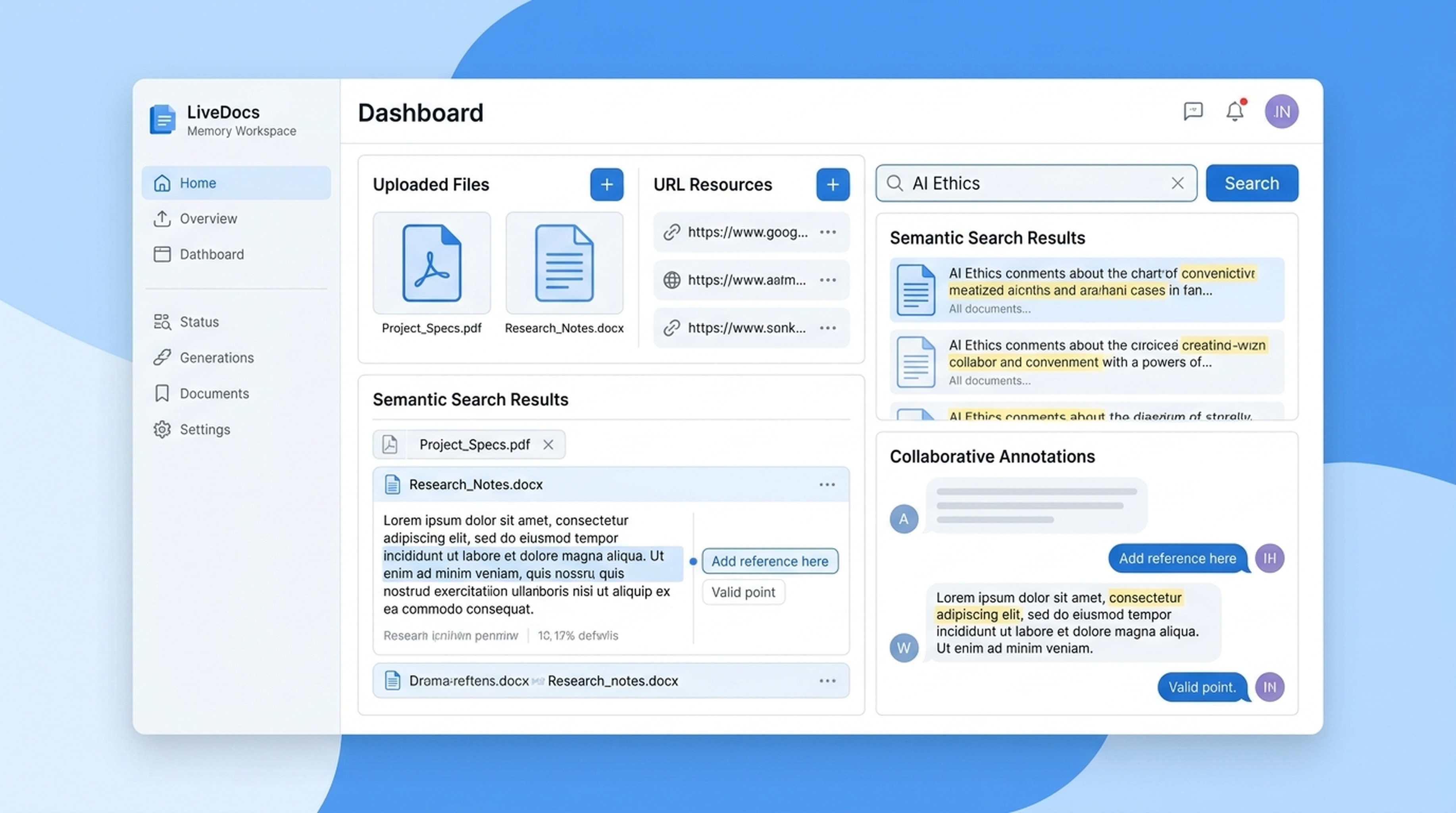
AI agents that forget everything between sessions are like employees who need a full briefing every morning. LiveDocs fixes this by giving agents persistent, searchable memory.
The Memory Problem
Every time you start a new conversation with an AI agent, it begins from zero. No memory of yesterday's research. No access to the files your team saved. No awareness of the context you've already established.
This creates three problems:
Repeated work: The agent searches for the same information every session because it can't remember what it found last time.
Lost context: Team members upload files, save URLs, and gather sources — but the agent in the next session has no idea any of it exists.
Inconsistent output: Without access to shared context, different agent sessions produce different results from the same starting point.
What LiveDocs Solves
LiveDocs is a shared workspace where agents and teams store, retrieve, and reuse knowledge. It has four core capabilities:
File and URL Resources
Upload files directly or add URLs as resources. LiveDocs stores them and makes them available for semantic retrieval.
- PDFs, documents, spreadsheets
- Web pages and articles
- Research reports and whitepapers
- Internal documentation
Semantic Retrieval
LiveDocs doesn't just keyword-match. It understands the meaning of your query and finds relevant content even when the wording differs.
Ask about "customer acquisition costs" and LiveDocs finds documents discussing "CAC," "acquisition spend," or "cost per new customer" — because it understands they're the same concept.
Tasks, Records, and Comments
Organize your workspace with structured entries:
- Tasks — track what needs to be done, assign priorities
- Records — store structured data points, findings, and evidence
- Comments — add context, notes, and annotations to any resource
Cross-Session Continuity
LiveDocs persists across agent sessions. What your agent saved yesterday is available today. What your colleague uploaded last week is findable now.
How Agents Use LiveDocs
Research Workflows
- Agent searches for a topic and finds relevant sources
- Reads web pages and extracts key information
- Saves findings to LiveDocs with source attribution
- In future sessions, retrieves these findings to build on previous research
The agent gets smarter over time because it has a growing knowledge base to draw from.
Team Collaboration
- Team member uploads a product spec document
- Agent retrieves the spec when asked about product features
- Agent generates a presentation based on the spec
- Team member adds comments clarifying positioning
- Agent uses updated context for the next deliverable
Everyone works from the same source of truth.
Content Pipelines
- Agent gathers source material from web search and X
- Saves everything to LiveDocs with tags and categories
- Content creator reviews and adds editorial notes
- Agent generates drafts from the organized material
- Final content references LiveDocs sources for accuracy
Setup
LiveDocs is included with your Felo OpenAPI key. No separate configuration needed.
- Create your API key
- Upload files or add URLs to your LiveDocs workspace
- Your agent can retrieve content through semantic search
API Capabilities
LiveDocs is accessible through the Felo OpenAPI:
- CRUD operations — create, read, update, and delete documents
- File uploads — store documents directly
- URL resources — add web pages as retrievable resources
- Semantic retrieval — find relevant content by meaning, not just keywords
- Tasks and records — structured entries for workflow organization
- Comments — annotations and context for team collaboration
Real Examples
Market Research That Builds on Itself
Week 1: Agent researches the AI agent market and saves findings to LiveDocs.
Week 2: Agent retrieves last week's research, adds new data from fresh searches, and produces an updated report.
Week 3: Agent has three weeks of accumulated research, can identify trends over time, and generates a comprehensive analysis.
Without LiveDocs, each week starts from scratch. With it, research compounds.
Product Knowledge Base
Upload your product documentation, sales materials, and competitive analysis to LiveDocs. Any agent connected to Felo OpenAPI can retrieve this context to:
- Answer customer questions with accurate product information
- Generate sales proposals referencing current features
- Create competitive comparison decks with up-to-date positioning
- Draft support documentation that matches your product reality
Meeting Preparation
Before a client meeting, ask your agent to:
- Retrieve all LiveDocs content related to the client
- Pull recent web mentions and news
- Generate a briefing document
The agent combines stored context with fresh research for a complete picture.
Why Semantic Retrieval Matters
Keyword search finds documents that contain your exact words. Semantic retrieval finds documents that are about what you're asking, even when the language differs.
This matters because:
- People describe the same concept different ways
- Technical documents use jargon that casual queries don't
- Cross-language understanding finds relevant content regardless of the original language
Semantic retrieval is the difference between "I found the exact phrase you searched for" and "I found the information you need."
Getting Started
- Create your free API key
- Open the LiveDocs API docs
- Upload your first file or add a URL resource
- Test semantic retrieval with your agent
Stop starting from zero every session. Give your agent a memory that grows with every interaction.