LLM Knowledge Base vs Persistent Workspace for AI Agents

LLM knowledge bases and persistent workspaces solve different problems. Learn which approach fits your AI agent workflow and when you need both.
"Knowledge base" gets used to describe two very different things in the AI agent world — and conflating them leads to the wrong architecture.
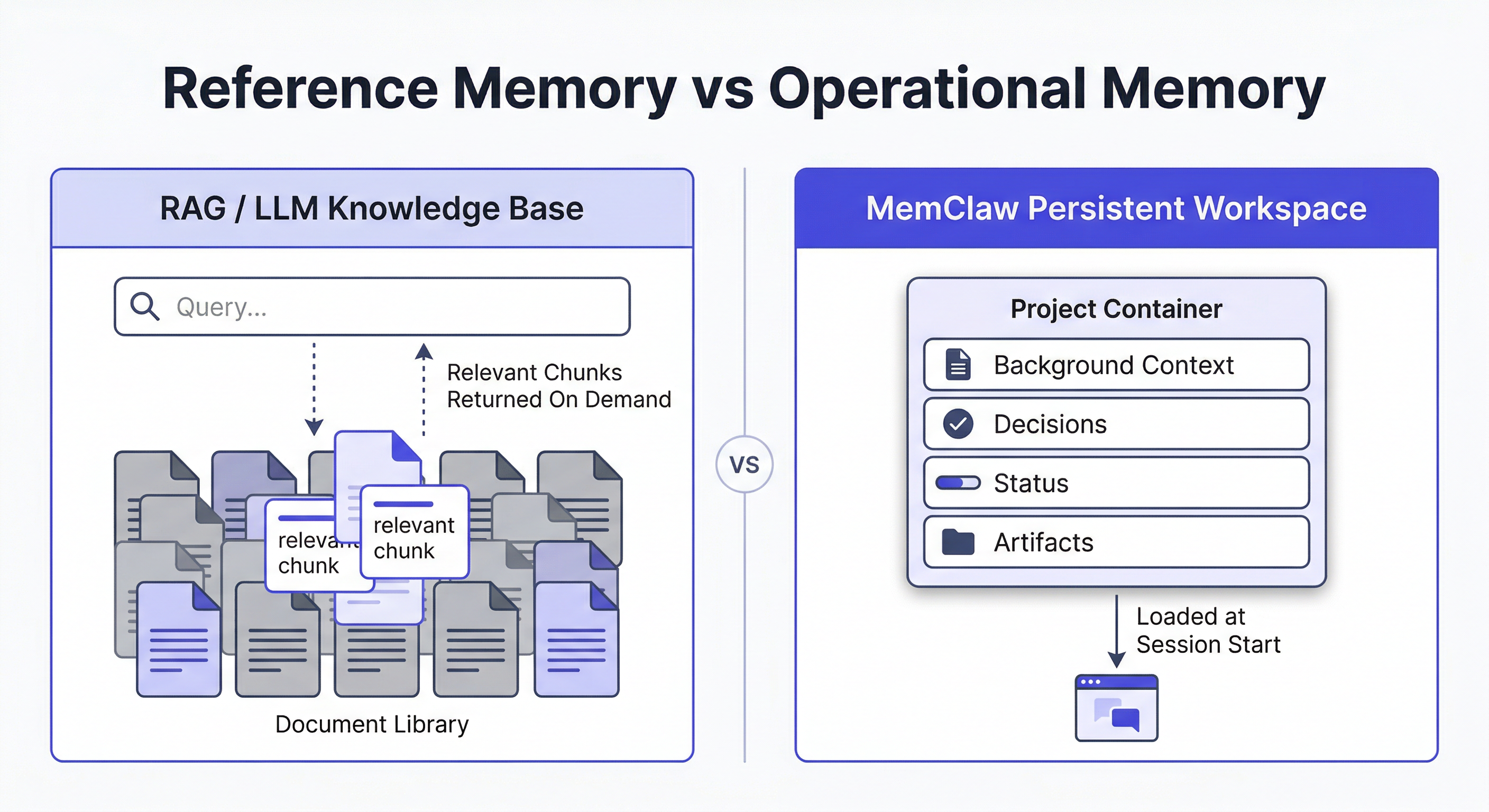
The first is a retrieval system: a corpus of documents, embeddings, or structured data that an agent queries to answer questions. Think RAG pipelines, vector databases, internal wikis. The agent searches it, pulls relevant chunks, uses them in context.
The second is a project memory system: a record of what's happened in a specific project — decisions made, progress tracked, context accumulated over time. The agent doesn't search it like a database. It loads it at session start and writes back to it as work progresses.
Both are called "knowledge bases." They solve completely different problems. Choosing the wrong one for your use case wastes time and produces worse results.
What a Traditional LLM Knowledge Base Does
A traditional LLM knowledge base is built for information retrieval at scale. You have a large corpus — documentation, support tickets, product specs, research papers — and you need the agent to find relevant information on demand.
The architecture is typically:
- Documents are chunked and embedded into a vector store
- At query time, the agent embeds the query and retrieves semantically similar chunks
- Retrieved chunks are injected into the prompt as context
- The agent generates a response grounded in the retrieved content
This is RAG (Retrieval-Augmented Generation). It's well-suited for:
- Customer support agents answering questions from a product knowledge base
- Research assistants searching through large document collections
- Code assistants with access to a codebase or API documentation
- Enterprise search across internal wikis and documentation
The key characteristic: the knowledge base is static or slowly updated. It stores facts, documents, and reference material. The agent reads from it but doesn't write back to it in any meaningful way.
What a Persistent Workspace Does
A persistent workspace is built for project continuity over time. You're working on a specific project across multiple sessions — and you need the agent to remember what happened last time, what decisions were made, and where things stand right now.
The architecture is different:
- At session start, the agent loads the workspace (reads current state)
- During the session, the agent does the work
- At session end (or throughout), the agent writes back — decisions logged, status updated, artifacts saved
- Next session starts with the updated state
This is a read-write loop. It's well-suited for:
- Freelancers managing multiple client projects
- Developers working on long-running codebases
- Product managers tracking features across sprints
- Anyone running multi-session workflows with an AI agent
The key characteristic: the workspace is dynamic and project-scoped. It stores operational context — progress, decisions, history — not reference material. And it grows with every session.
The Core Difference: Reference vs. Operational Memory
| LLM Knowledge Base | Persistent Workspace | |
|---|---|---|
| What it stores | Facts, documents, reference material | Decisions, progress, project history |
| How agent uses it | Query → retrieve → use in context | Load at start → work → write back |
| Update frequency | Infrequent (batch updates) | Every session |
| Scope | Shared across projects/users | Scoped to one project |
| Primary use case | Answer questions from a corpus | Continue work across sessions |
| Failure mode | Retrieves wrong chunks, hallucination | Context lost between sessions |
Neither is better. They solve different problems. The confusion happens because both get called "knowledge base" — and because many teams try to use a RAG system to solve a project continuity problem, or vice versa.
When You Need a RAG Knowledge Base
Use a retrieval-based knowledge base when:
- You have a large, relatively stable corpus of reference material
- The agent needs to answer questions it couldn't answer from training data alone
- Multiple users or agents need access to the same information
- The information is factual and document-based (not operational)
Examples:
- A support agent that needs to answer questions about your product's 500-page documentation
- A legal assistant that searches through case law and contracts
- A developer agent with access to your internal API specs
The agent queries the knowledge base on demand. It doesn't need to "remember" the knowledge base — it retrieves from it.
When You Need a Persistent Workspace
Use a persistent workspace when:
- You're working on a specific project across multiple sessions
- The agent needs to know what happened in previous sessions
- You're managing multiple projects and need isolation between them
- The context is operational — decisions, status, history — not reference material
Examples:
- A developer agent working on a codebase over weeks
- A freelancer's agent managing 5 client projects simultaneously
- A PM's agent tracking a feature from spec to launch
The agent loads the workspace at session start. It doesn't search it — it reads the current state and picks up where it left off.
How To Build A Knowledge Base With Openclaw
When You Need Both
Many real workflows need both — and they serve different roles.
Consider a developer agent working on a client project:
- RAG knowledge base: the codebase, API documentation, internal style guides — reference material the agent queries when it needs to look something up
- Persistent workspace: the project history — what's been built, what decisions were made, what's in progress this sprint
The knowledge base answers "what does this API endpoint do?" The workspace answers "where did we leave off last Tuesday and what did we decide about the auth flow?"
They're complementary, not competing.
The Multi-Project Problem: Where RAG Falls Short
Here's where the distinction matters most in practice.
If you're running multiple projects with an AI agent, a shared RAG knowledge base creates a problem: context bleed. Client A's documents are in the same vector store as Client B's. The agent retrieves chunks from both. Decisions made for one project surface in another.
You can try to solve this with metadata filtering — tag each document with a project ID and filter at query time. It works, but it's fragile and requires careful maintenance.
A persistent workspace solves this differently: each project is a completely isolated environment. Loading the workspace for Project A gives the agent only Project A's context. There's no filtering needed because the isolation is structural.
This is why project-scoped workspaces handle multi-project workflows better than a shared knowledge base — even a well-organized one.
Managing Multiple Projects With Openclaw
How MemClaw Implements Persistent Workspaces for OpenClaw
MemClaw is built specifically for the persistent workspace use case — project continuity for OpenClaw and Claude Code users managing multiple projects.
Each workspace stores:
- Living README — background context, preferences, current progress, key decisions
- Artifacts — documents, reports, URLs, files produced during the project
- Tasks — auto-tracked as the agent works
- Decision log — architectural choices, agreed approaches, closed questions
The agent reads this at session start (8-second context restoration) and writes back as work progresses. No manual maintenance. No re-briefing.
Installation:
/plugin marketplace add Felo-Inc/memclaw
/plugin install memclaw@memclaw
Set your API key:
export FELO_API_KEY="your-api-key-here"
Get your key at felo.ai/settings/api-keys.
Then create a workspace per project:
Create a workspace called Project Alpha
That's the full setup. No JSON config, no vector database, no embedding pipeline.
Choosing the Right Architecture
A quick decision framework:
Use a RAG knowledge base if:
- You have a large document corpus to search
- The agent needs factual reference material on demand
- Multiple agents or users share the same information
Use a persistent workspace if:
- You're working on specific projects across multiple sessions
- The agent needs to remember what happened last time
- You're managing multiple projects and need isolation
Use both if:
- You have reference material the agent needs to query (RAG)
- AND you're working on ongoing projects that span multiple sessions (workspace)
Most serious AI agent workflows eventually need both. The mistake is trying to use one to do the job of the other.
Why "Just Use a Bigger Context Window" Doesn't Solve This
A common response to memory problems is: just put everything in the context window. With long-context models, this seems viable. It doesn't scale for a few reasons.
Cost: Loading all your project history and documents into context for every session is expensive. Most of it isn't relevant to the current task.
Noise: A large context window filled with potentially irrelevant material degrades response quality. The model attends to everything in context, including things that don't matter right now.
Multi-project isolation: A shared context window can't isolate between projects. Everything is visible at once — which is exactly the context bleed problem.
Operational vs. reference memory: Even with unlimited context, you still need to distinguish between reference material (documents to query) and operational memory (project state to maintain). They serve different purposes and benefit from different architectures.
A persistent workspace isn't a workaround for limited context. It's the right architecture for operational project memory regardless of context window size.
A Practical Example: The Same Agent, Two Different Memory Needs
Consider a product manager using OpenClaw to manage a SaaS product launch.
She has two distinct memory needs running simultaneously.
Need 1: Reference material The agent needs access to the product spec, competitor research, user interview transcripts, and the engineering team's technical constraints. This is reference material — large, relatively stable, queried on demand.
A RAG knowledge base handles this well. She indexes the documents, and the agent retrieves relevant sections when answering questions like "what did users say about the onboarding flow?" or "what are the technical constraints on the notification system?"
Need 2: Project memory The agent needs to know that the launch date moved from March to April, that the pricing team overruled the original freemium tier decision, that the Salesforce integration was deprioritized to v2, and that last session ended with the email campaign copy half-drafted.
A RAG knowledge base handles this poorly. These aren't documents to retrieve — they're operational facts about the current state of a specific project. They change frequently. They need to be loaded in full at session start, not retrieved by similarity search.
A persistent workspace handles this well.
She ends up using both: the RAG system for her document corpus, MemClaw for her project state. Each does what it's designed for.
Frequently Asked Questions
Can I use MemClaw alongside a RAG system? Yes. MemClaw handles project memory (workspace). Your RAG system handles document retrieval. They operate independently and complement each other.
Does MemClaw use vector embeddings? No. MemClaw stores structured project context — decisions, status, artifacts — not document embeddings. It's not a retrieval system; it's a project memory system.
What if my project has both reference docs and ongoing work? Use both. Store reference docs in your RAG system. Store project history and decisions in MemClaw workspaces. Each does what it's designed for.
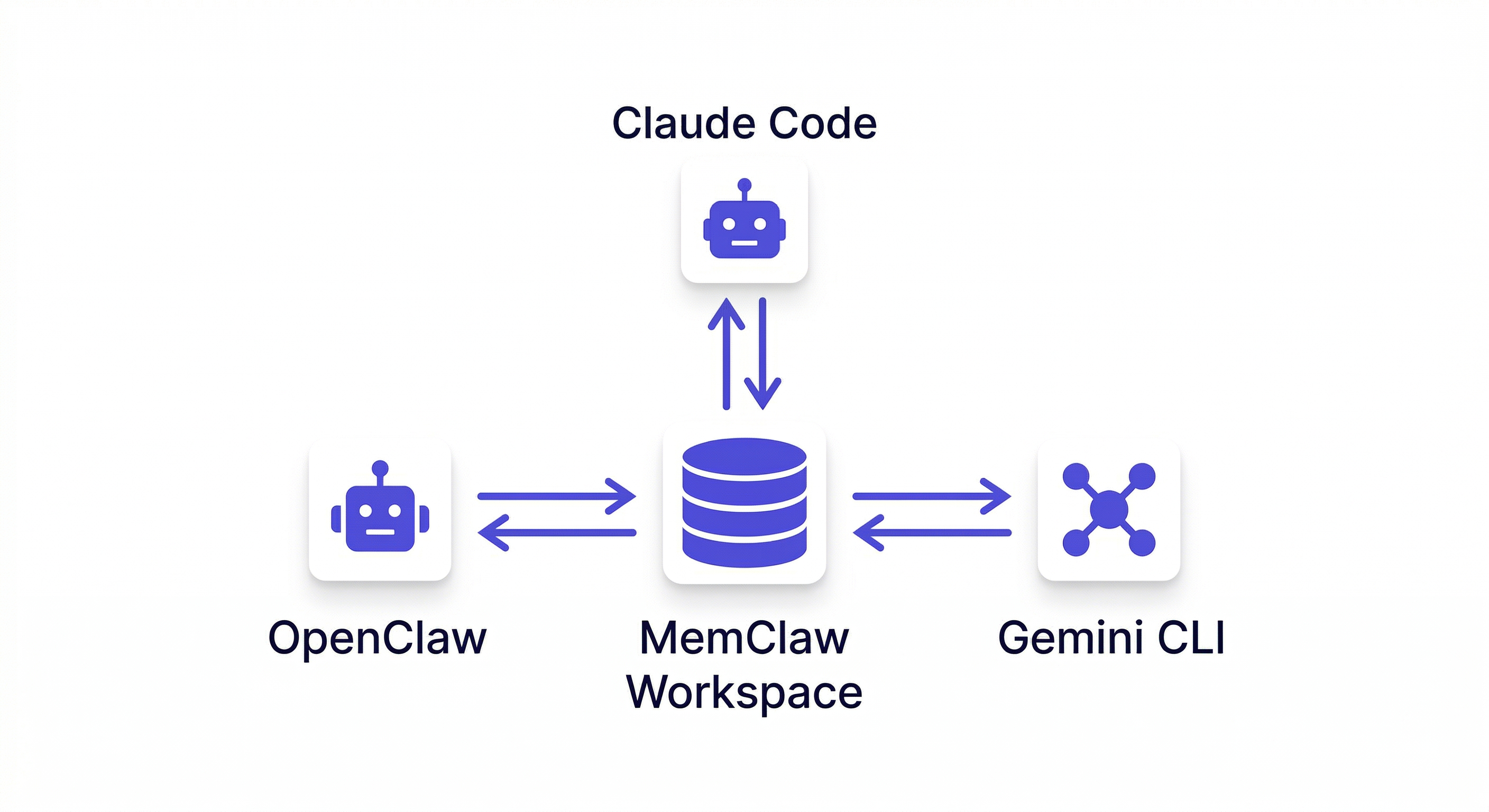
Does MemClaw work with Claude Code as well as OpenClaw? Yes. MemClaw supports OpenClaw, Claude Code, Gemini CLI, and Codex — all sharing the same workspace.