How to Make Educational Videos from Lesson Notes

Turn lesson notes into an educational video with a learning goal, a worked math example, a visual script, and practice questions.
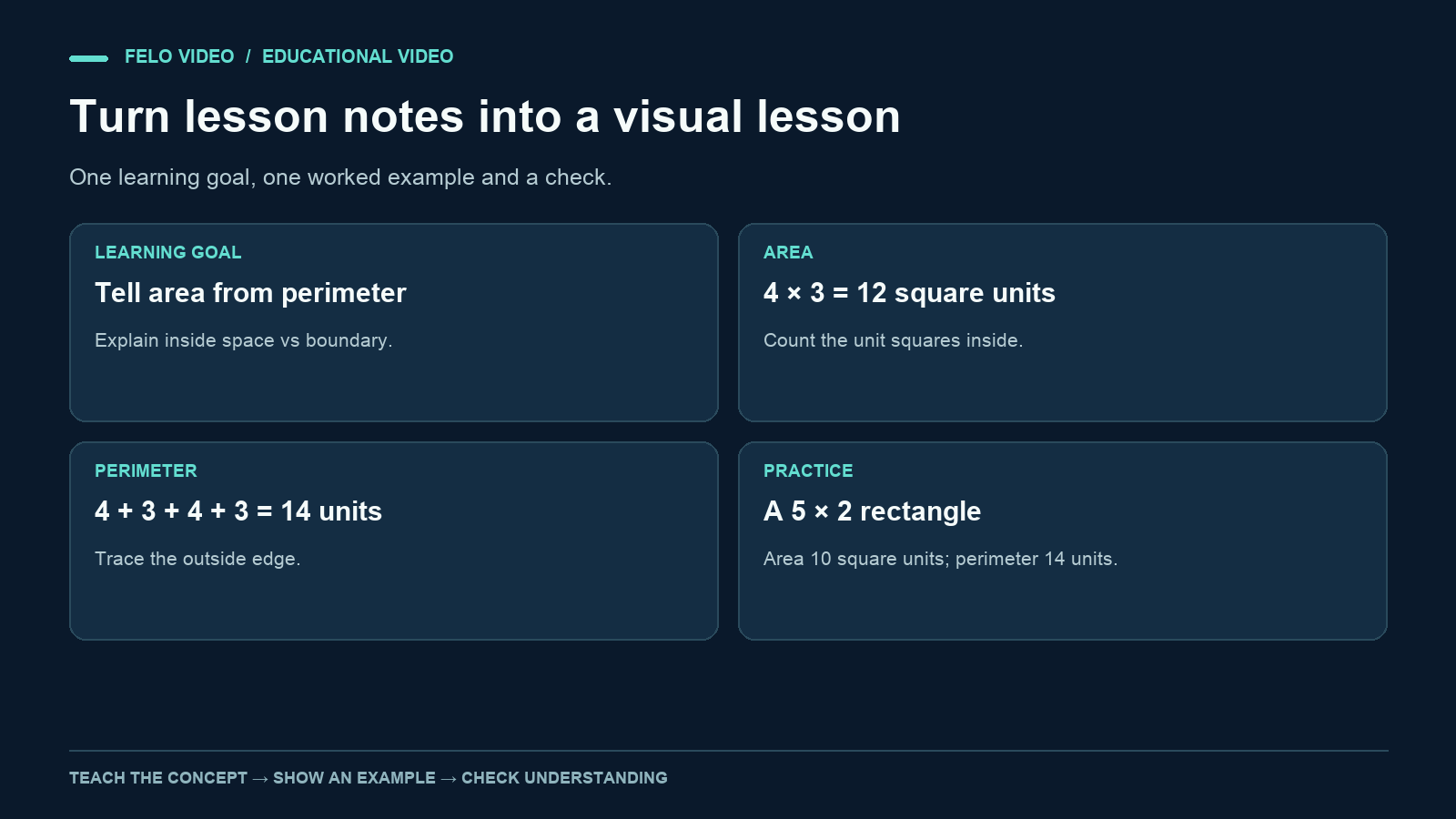
A page of lesson notes tells you what to cover. A good educational video also needs to show what the learner should understand afterward.
When you plan how to make educational videos, start with a single learning goal and a way to check it. Those decisions help you choose the example, the visuals, and the narration. They also give you a practical way to review an AI-generated draft.
This guide turns a short set of original math notes into a video plan. The example teaches the difference between area and perimeter. The production method can also be used for science, language learning, workplace instruction, and other subjects, with appropriate subject review.
Turn the topic into an observable learning goal
"Teach rectangles" is a topic. "Help learners distinguish the space inside a rectangle from the distance around it" is a goal you can check.
An observable goal describes what a learner can explain or do. For this example:
Given a rectangle drawn on a square grid, the learner can identify its area and perimeter, use the appropriate units, and explain why the two measurements differ.
That goal gives the video boundaries. It needs to show inside space, outside distance, and units. It does not need to introduce circles, triangles, or every possible shape.
Specify the audience as well. Our learner can count grid squares and add whole numbers but may confuse area and perimeter. If the learner cannot yet count the grid, the video needs a different starting point. If they already know the formulas, it can focus on a more challenging comparison.
Prepare lesson notes that support the goal
Here are the source notes for the example:
- Area measures the amount of two-dimensional space inside a shape.
- Perimeter measures the distance around the boundary.
- A rectangle four units wide and three units high contains twelve unit squares.
- Its perimeter is four plus three plus four plus three, or fourteen units.
- Area is expressed in square units; perimeter is expressed in units of length.
- A six-by-two rectangle also has an area of twelve square units, but its perimeter is sixteen units.
These are original instructional notes, not excerpts from a textbook or results of a teaching study.
For a source that depends on research, historical interpretation, or scientific detail, keep the authoritative reference alongside the notes. Separate established facts from a simplified model you are using to teach them. A visual simplification should be useful without quietly changing the underlying claim.
Also record the likely misconception. Here, the learner may think that shapes with the same area must have the same perimeter. That misconception gives the second rectangle a purpose.
Design an example the learner can inspect
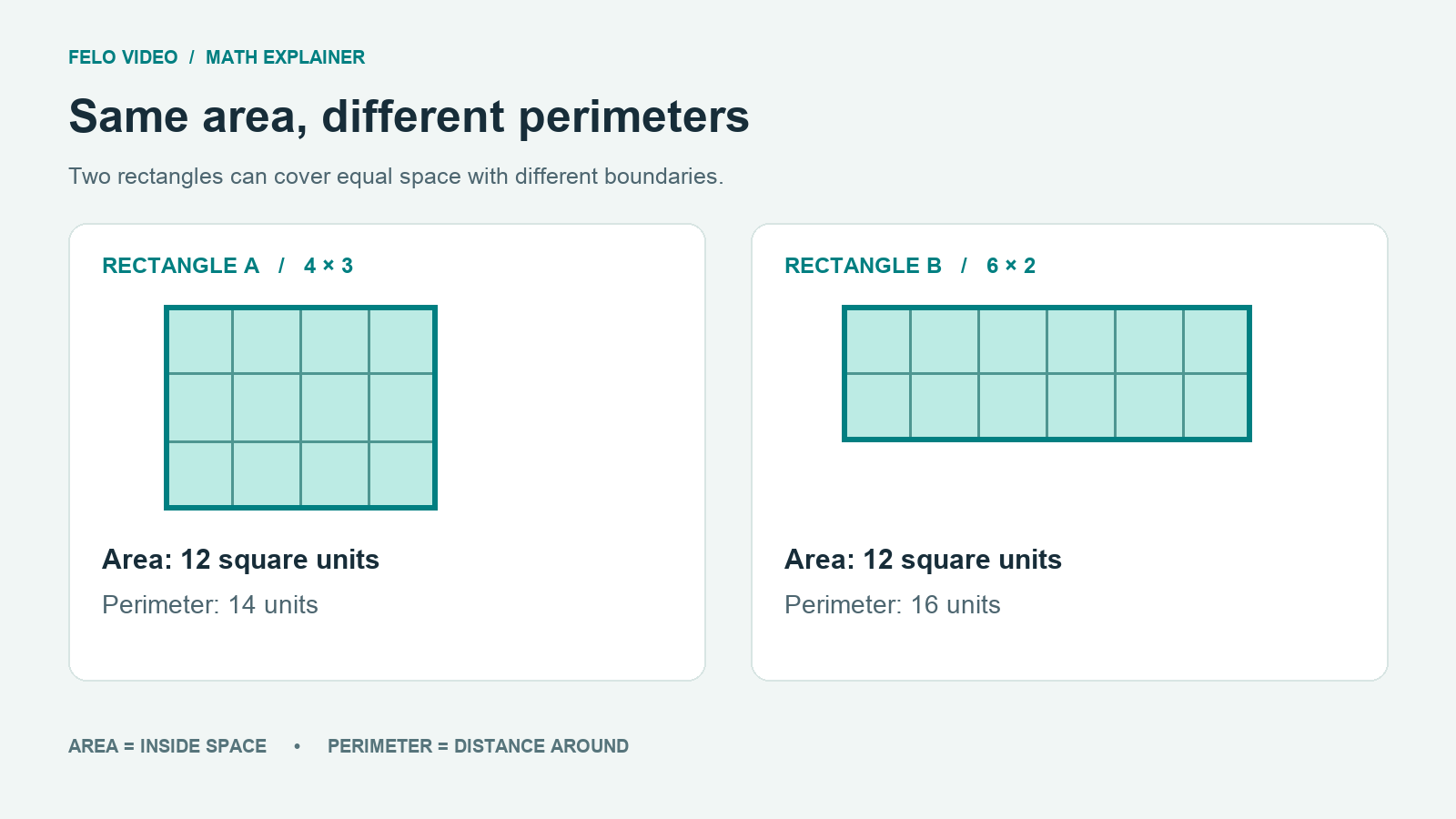
Use a four-by-three rectangle on a square grid. Label its width and height, but do not immediately display every formula. An explainer video can organize this kind of concept around a question and a sequence of visual examples.
First, fill the unit squares in a visible sequence. Then trace the boundary. These are two different actions, matching the two different measurements.
| Scene | Learner's question | Visual action |
|---|---|---|
| Opening | What are we measuring? | Show an empty four-by-three grid |
| Area | How much space is inside? | Count or group the twelve squares |
| Perimeter | How far is it around? | Trace the four sides |
| Units | Why are the labels different? | Compare square units with length units |
| Comparison | Does the same area mean the same perimeter? | Add a six-by-two rectangle |
| Check | Can I apply the distinction? | Present a new rectangle without the answer |
This scene plan is not a generated result. It is the design the video should follow.
The shapes need to be mathematically consistent. A rectangle labeled four by three should have the corresponding grid. Decorative tiles that do not match the labels would make the teaching example harder to trust.
If you use a character or a familiar setting, keep it subordinate to the explanation. A garden can make area and perimeter concrete, but the learner still needs to see which measurement describes the surface and which describes the boundary.
Write narration that follows the visual sequence
An explainer video script template can help place narration and visual directions side by side. A narrator should introduce the idea when the visual is ready to support it. If the voice explains perimeter while the screen is still counting squares, the learner has to reconcile two tasks.
Here is a complete narration draft:
Look at this rectangle. It is four units wide and three units high. To find its area, count the space inside. There are three rows of four unit squares, so the area is twelve square units. Now trace the outside edge. Travel four units across, three down, four back, and three up. The total distance is fourteen units. That is the perimeter. Area measures the space inside. Perimeter measures the distance around the boundary. Can two rectangles have the same area but different perimeters? Compare this six-by-two rectangle. It also contains twelve unit squares. Its boundary is six plus two plus six plus two, or sixteen units. The inside space is the same size, but the distance around it is different.
The repeated distinction is intentional because it is the learning goal. The script avoids introducing an unrelated concept simply to make the video feel more comprehensive.
Read the narration while pointing to the planned visuals. Pause where a learner needs to count or compare. If a scene cannot be understood at the proposed pace, shorten another section or extend the target duration.
A video does not become better teaching material merely because it is short. It needs enough time for the learner's task.
Add a question that tests the explanation
Do more than ask whether the viewer enjoyed the video. Give them a new case.
For example:
A rectangle is five units wide and two units high. What is its area? What is its perimeter? Which answer uses square units?
The expected answers are ten square units and fourteen units. The question changes the numbers while preserving the concept.
Then add a reasoning question:
The four-by-three rectangle and the five-by-two rectangle both have a perimeter of fourteen units. Do they have the same area?
They do not: their areas are twelve and ten square units. This checks whether the learner understands the relationship rather than repeating a memorized calculation.
Leave a visible pause before revealing the answer, or place the question outside the video in a worksheet or discussion prompt. You can use a simple written exercise; the video tool does not need a built-in quiz system for the lesson to include assessment.
If learners give the wrong answer, use the error to inspect the explanation. Perhaps the labels were unclear, the scene changed too quickly, or the distinction between units and square units was not visible enough. Do not assume the learner simply failed to pay attention.
Write a production brief for the educational video
Your brief should include the learner's starting point and the mathematical constraints, not just the topic.
Create a visual lesson for learners who can count squares and add whole numbers. The goal is to distinguish area from perimeter. Follow the supplied narration and scene plan. Use a four-by-three rectangle with twelve unit squares, then a six-by-two rectangle with twelve unit squares. Show perimeter by tracing the boundary, separate from the area count. Keep unit labels accurate. Use readable English captions and allow time to inspect the grids. Do not add unrelated formulas or claim that equal area means equal perimeter. End with the five-by-two practice question and a pause before its answer.
Use the learning goal and source notes to evaluate the resulting lesson: a useful video should help the learner perform the task described in the goal.
A generation request is a set of instructions, not a guarantee that every diagram will be correct. Keep the mathematical checks explicit and inspect the output carefully.
Review the lesson as a teacher and as a viewer
Review the subject first. Count the grid squares, recalculate the examples, and match each visual to the spoken line. Listen for the units. Check whether captions preserve the difference between "square units" and "units."
Then review the learning experience. Watch at the size the learner will use. Does the diagram remain readable? Can the viewer count the squares before the scene changes? Is the practice question visible long enough to attempt?
Finally, check the scope. The lesson should leave the viewer with the intended distinction, not a vague impression that both formulas are interchangeable ways to describe a rectangle.
For a real class or course, ask the responsible educator to review both the lesson and the practice questions. AI production can help assemble material, while subject accuracy and teaching decisions still require judgment.
Save the source notes, narration, and final video together. If you change an example, update its diagram and answer key too. A correct script beside an outdated visual can still produce a misleading lesson.
Questions about making educational videos
Do I need to turn the whole lesson into one video?
No. A short video can explain one concept, while notes, exercises, and discussion provide the rest of the lesson. Divide by learning goal rather than by an arbitrary number of pages.
Can I start from slides or a PDF?
Yes, as source material for planning. Check the current input options in your chosen tool. Extract the relevant concept and examples rather than assuming every slide belongs in the video.
How much narration should I include?
Enough to explain what the learner cannot infer from the visual alone. Use a read-through and a viewing test rather than a fixed words-per-minute rule.
How do I know whether the video teaches the concept?
Give the learner a new example and ask them to apply the idea. Their explanation provides more useful feedback than a simple completion count.
Choose one learning goal and one example you can verify, then explore Felo Educational Video Maker.