How to Make News Videos from Verified Sources

Make news videos from verified sources using a source log, fact sheet, worked script, visual attribution, and update checks.
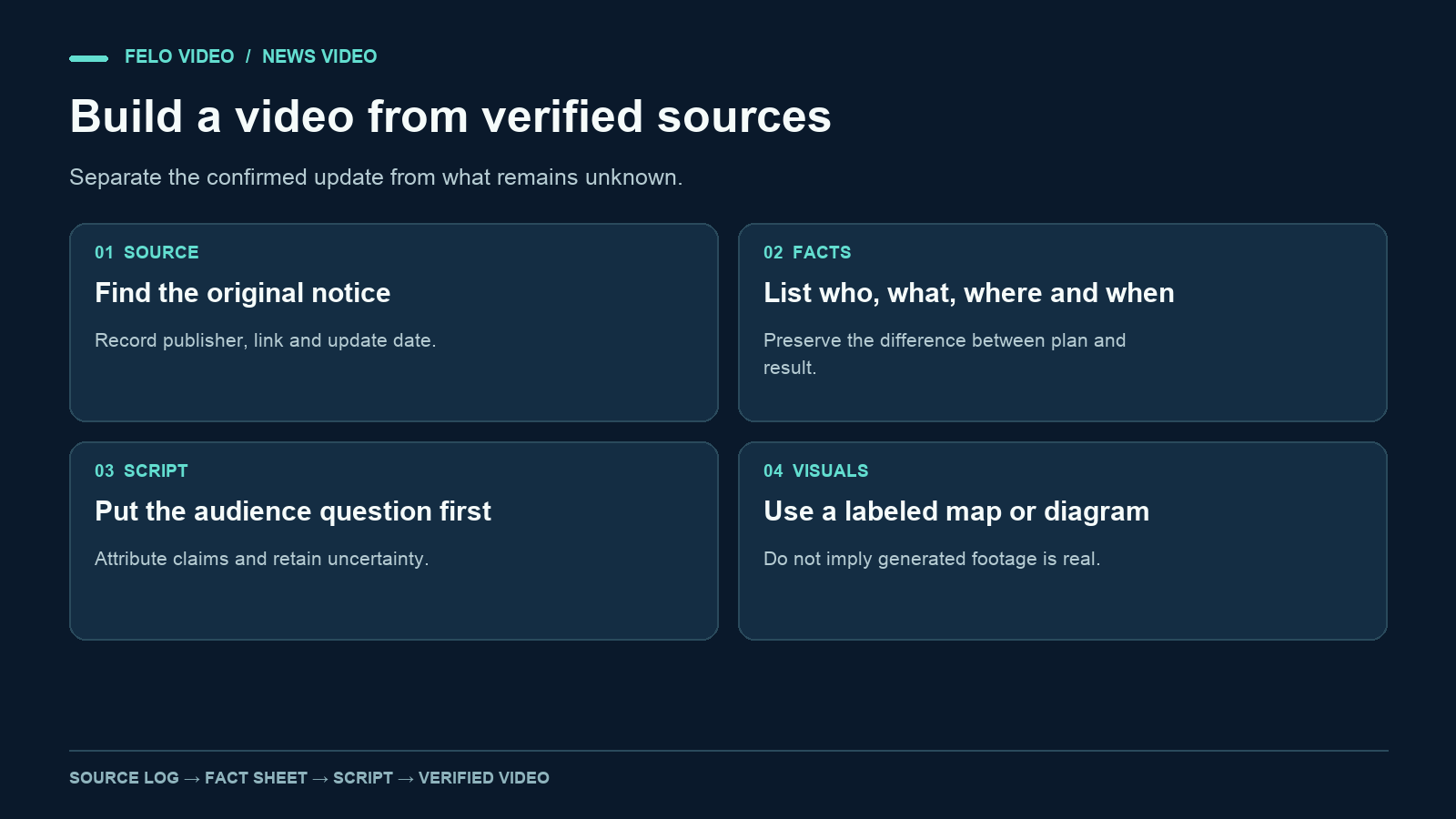
A news video can sound certain even when the source is tentative. That is one of the most important things to check when an AI tool turns written material into narration.
To make news videos from verified sources, separate what happened from what is proposed, expected, or still unknown. Then write a script whose images, captions, and spoken words preserve those distinctions.
This guide focuses on short explanatory updates made from source material. It uses an invented public-transport notice as a worked example. The event, place names, and documents are fictional, so they should never be presented as a real news report.
Define the update before collecting more material
Write one sentence describing the event you think you are covering. Then mark the words that need verification.
For example:
Eastbank Transit will test a revised route for Bus 8 on two Saturdays in November.
The operator, route, dates, temporary nature, and status of the change all need a source. Even the verb matters. "Will test" differs from "is considering," "has approved," and "has permanently changed."
Also decide the audience's practical question. Riders may need to know which stop changes and when. A transport-policy audience may want to know what the operator is measuring. Trying to answer both in a short update can bury the most useful detail.
For the worked example, the audience is people planning a Saturday journey. The question is: Which stop should Bus 8 riders use during the trial?
Build a source log that separates documents from claims
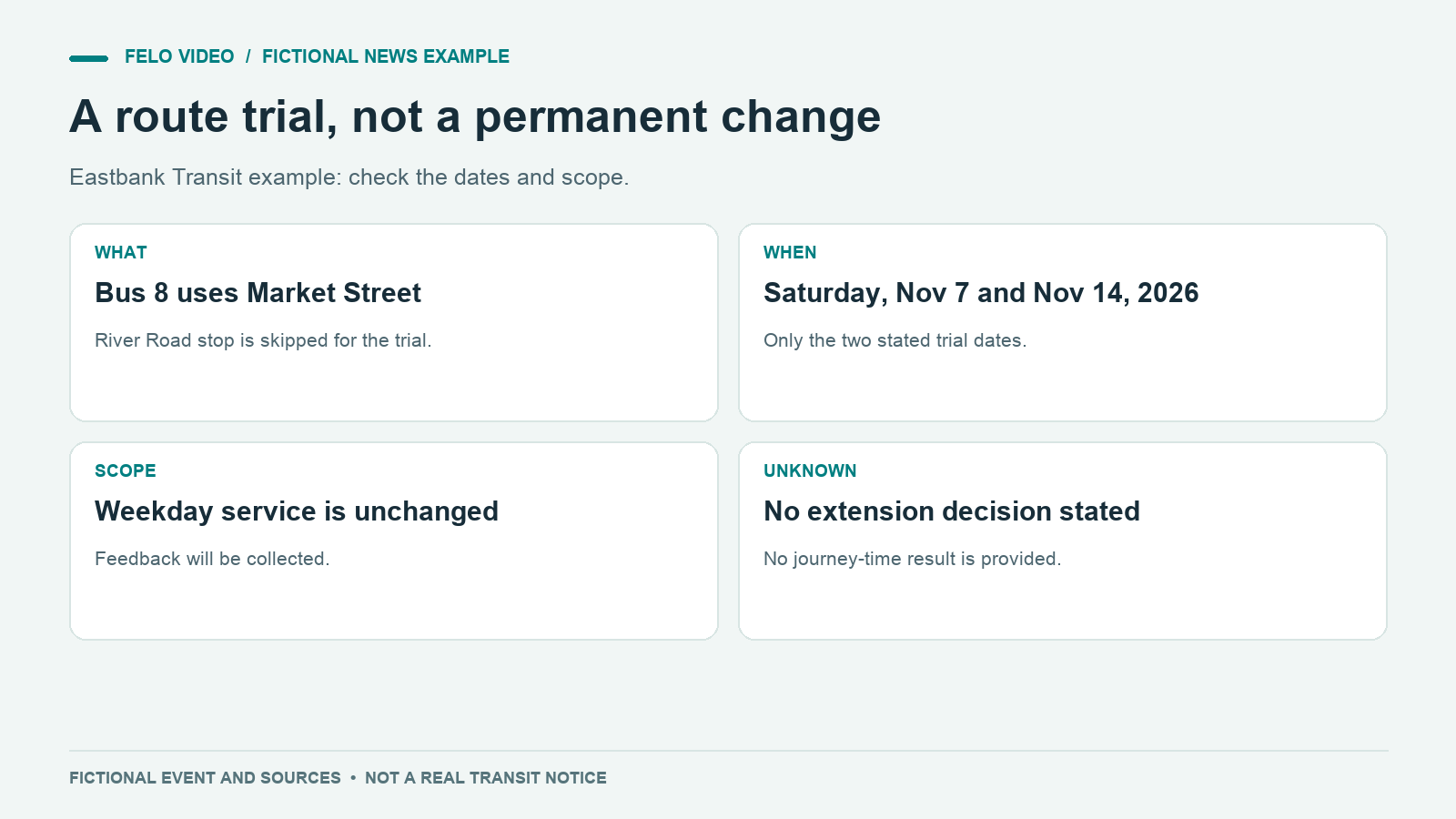
Collect the primary announcement where possible, then look for the material that explains scope or exceptions. A second article repeating the same announcement is not necessarily independent confirmation.
Here is a fictional source package:
| Source | What it establishes | What it does not establish |
|---|---|---|
| Operator notice, updated 2 November 2026 | A trial on 7 and 14 November; Bus 8 uses Market Street instead of River Road | A permanent route change |
| Trial map, version 2 | The locations of the temporary and skipped stops | Actual journey times |
| Operator FAQ | Weekday service is unchanged; feedback will be collected | Whether the trial will continue |
All three documents are invented for this exercise. For a real story, record the actual URL, publisher, publication or update time, and the relevant passage for each claim.
Keep a distinction between publication time and event time. A notice posted on Monday may describe a change that begins on Saturday. A video title saying "Bus route changes today" would be wrong if the dates do not match.
If sources disagree, resolve the disagreement before writing a confident summary. You may need a newer official notice, a clarification, or a narrower sentence that accurately reflects the uncertainty.
Write a short fact sheet before the script
The fact sheet is your control document. It should be simple enough to compare with the finished video.
For the fictional Bus 8 story:
- The change is a trial.
- It applies on Saturday, 7 November, and Saturday, 14 November 2026.
- Bus 8 uses Market Street instead of River Road on those dates.
- Weekday service is unchanged.
- The operator plans to collect feedback.
- No decision about extending the trial is stated.
- The example provides no measured journey-time result.
Write a separate list of tempting but unsupported claims. In this case: "The new route is faster," "Riders prefer Market Street," and "River Road is closing permanently."
This extra step catches a common problem in short-form writing. A concise narrative often wants a reason and an outcome. If the reporting only establishes an action, do not invent the missing reason or outcome to make the story feel complete.
Turn the fact sheet into a spoken update
A practical news script can follow this order: the confirmed change, the affected audience, the dates, the relevant exception, and where to check for updates.
Here is a complete narration example:
Bus 8 riders in this fictional Eastbank Transit notice should use the Market Street stop on Saturday, November seventh, and Saturday, November fourteenth. The operator is testing that stop in place of River Road on those two dates. Weekday service is unchanged. The trial notice says feedback will be collected, but it does not announce a permanent route change or a decision to extend the trial. Before traveling, check the operator's current notice and map for the latest instructions. The immediate change is limited: two Saturdays, one route, and a different stop.
For a real story, replace the fictional framing with attribution to the real source. Keep the exact dates in both narration and on-screen text when they are central to the action.
Notice what the script leaves out. It does not assign motives to the operator, describe public reaction, or estimate time savings. Those would be separate reporting questions.
Read the script aloud. Place names, dates, and numbers may need more time than ordinary prose. If the runtime is too short, remove background before removing the dates that riders need.
Use visuals that match the evidence
For this update, a labeled route diagram is enough to explain the change. An explainer video workflow can organize the notice around the question riders need answered; it does not require generated footage of a bus passing a crowd.
| Scene | Visual | Attribution or label |
|---|---|---|
| Opening | Bus 8 and the two trial dates | Fictional example |
| Change | River Road stop fades; Market Street appears | Diagram based on the sample trial map |
| Scope | Two Saturdays highlighted on a calendar | Exact dates remain visible |
| Exception | Weekday service shown as unchanged | Match the FAQ |
| Next step | Current-notice reminder | In a real video, link the actual operator notice |
Generated imagery can illustrate a concept, but it should not be presented as footage of a real event. A generic bus illustration and a documentary image carry different implications for the viewer.
The same applies to charts. A rising line can imply growing support or improving performance even when the script contains no such claim. Use visual elements that help explain the verified information.
If you quote a person, preserve the meaning and verify the wording against the original source. For short videos, a paraphrase with clear attribution may be easier to follow than a long quotation. Do not create a synthetic statement that looks or sounds like an actual interview.
Prepare the brief for an AI news video generator
Supply the source log, fact sheet, and intended script. Make their roles clear.
Create a short explanatory update for riders using the attached fictional source package. Follow the fact sheet and narration. Label the result as a fictional news-writing example. Show a simple route diagram and the two exact dates. Preserve the words trial and weekday service unchanged. Do not add journey-time claims, public reaction, permanent closure, or invented quotations. Use clear narration and captions. Keep any illustration visibly illustrative rather than presenting it as event footage.
For a real story, use the verified source package and replace the fiction label with accurate source attribution. Felo's AI News Video Generator is an entry point for organizing news material into explanatory video. The editorial verification still belongs to the publisher.
A request to "make it more dramatic" can be risky if it changes the factual strength of the script. Ask for clearer pacing or a more direct opening instead. The evidence should determine the certainty of the wording.
Review every channel of meaning
A news video communicates through narration, captions, images, headlines, and its surrounding description. Check them together.
Start with the strongest claim in the title. Does the source support it? Then check every date, name, place, and quantity. Compare tense carefully: planned, underway, and completed describe different states.
Next, inspect the visuals without sound. Could a viewer infer an event that the narration does not establish? Does a red warning label imply danger? Does a crowd image imply public protest? Remove or relabel imagery that creates an unsupported story.
Listen without looking at the screen too. A qualification should not exist only in small text while the narrator makes an unqualified claim.
Before publication, reopen the primary source. The notice may have changed while the video was being produced. Record the final verification time in the editorial log and update the video if the source changes its central instruction.
Plan for updates and corrections
Time-sensitive videos need a maintenance decision. If the trial ends, the post should not continue to look like a current travel instruction without context.
Keep a record of the claims, source links, and version of the video that used them. If a date changes, identify every place it appears: narration, captions, title card, description, and thumbnail text.
For a material error, follow your publication's correction process. A quiet description edit may be insufficient when the wrong information remains in the video itself. The correction should reach people in the format where the error occurred as far as practical.
This is especially relevant when the video is shared outside the original page. Include enough context inside the video for it to remain understandable on its own.
Questions about making news videos
How many sources do I need?
Enough appropriate evidence to support the claims. Two rewrites of one announcement are not the same as two independent confirmations. Begin with the primary source and seek corroboration or clarification where the story requires it.
Can AI choose the most important facts?
It can propose a selection. Compare that selection with the audience's question and the source's limitations before accepting it.
Should I use generated footage?
Use it only where its illustrative role is clear. Do not imply that it records a real scene or event.
What if the story is still developing?
State what is confirmed, what remains unknown, and when the source was checked. Avoid a definitive conclusion the reporting does not yet support.
Build the fact sheet first, then explore Felo AI News Video Generator to turn the verified material into an explanatory draft.