MemClaw FAQ: Everything You Need to Know

Answers to the most common questions about MemClaw — how it works, what it stores, pricing, privacy, compatibility, and how it compares to other memory tools.
Common questions about MemClaw — what it is, how it works, and how to get the most out of it.
What is MemClaw?
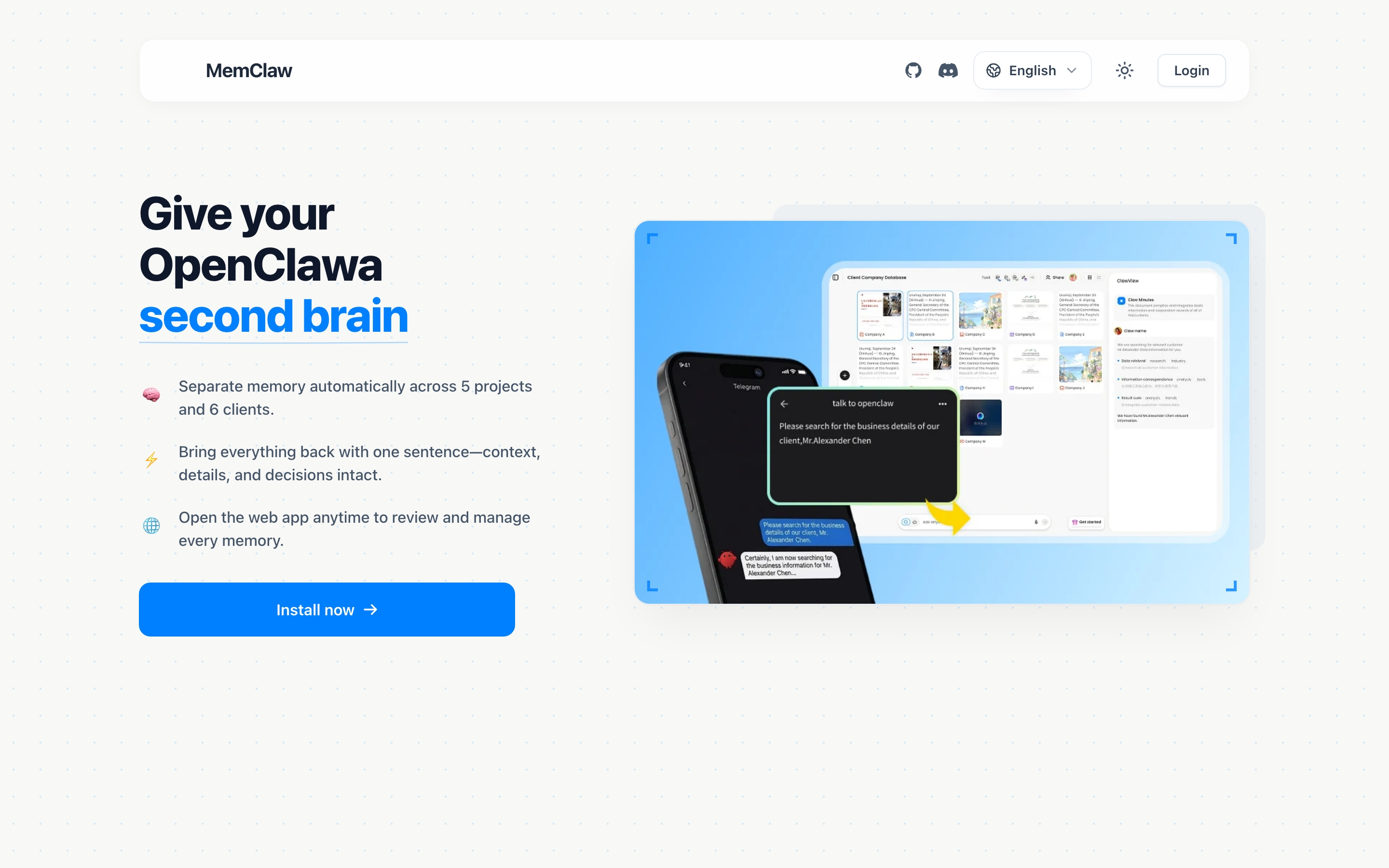
MemClaw is a persistent project workspace for AI agents. It gives each project its own isolated memory environment — background context, decisions, status, and artifacts — that persists across sessions and restores in seconds.
It installs as a skill on OpenClaw, Claude Code, Gemini CLI, or Codex. No server to run, no database to configure.
memclaw.me — built by the Felo team.
What problem does MemClaw solve?
AI agents like OpenClaw and Claude Code don't have persistent memory by default. Every session starts fresh. If you're working on multiple projects, you spend significant time re-briefing the agent at the start of each session — explaining the project, re-stating decisions, reconstructing where you left off.
MemClaw eliminates that re-briefing. Load a workspace, and the agent immediately knows the project background, current status, and all logged decisions. Context restoration takes about 8 seconds.
Openclaw Memory Management Guide
How is MemClaw different from a CLAUDE.md file?
A CLAUDE.md file is a static document you maintain manually. It doesn't update automatically, it doesn't track decisions separately from background context, and it provides no isolation between projects.
MemClaw workspaces are:
- Dynamic — the agent writes back to the workspace as you work
- Structured — decisions, status, artifacts, and background are stored separately
- Project-scoped — each project has its own isolated workspace, zero cross-project bleed
- Automatic — context loads at session start without manual file management
How To Build A Knowledge Base With Openclaw
How is MemClaw different from Mem0?
Mem0 is a user-level memory system — it remembers facts about you across all conversations. MemClaw is a project-level memory system — it remembers the state of specific projects.
| MemClaw | Mem0 | |
|---|---|---|
| Scope | Per project | Per user |
| What it stores | Decisions, status, artifacts, project context | User preferences, personal facts |
| Isolation | Each project isolated | Shared across all conversations |
| Best for | Multi-project workflows | Personalization |
They solve different problems and can be used together.
How is MemClaw different from RAG / vector databases?
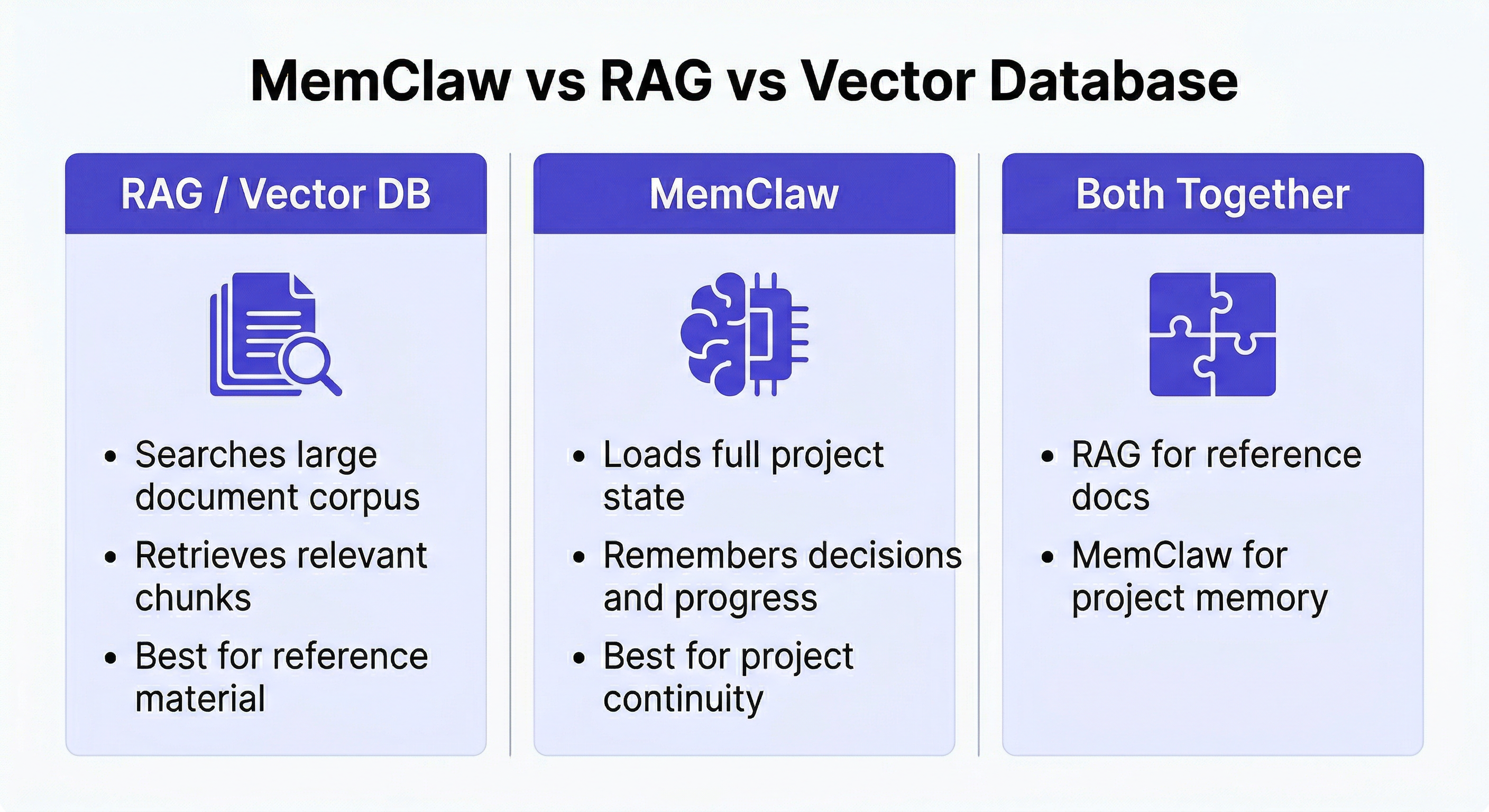
RAG (Retrieval-Augmented Generation) systems are built for searching large document corpora. You index documents, and the agent retrieves relevant chunks at query time.
MemClaw is built for project continuity. It stores operational context — decisions, progress, history — not reference documents. The agent loads the full workspace at session start rather than retrieving chunks on demand.
Use RAG when you have a large corpus of reference material to search. Use MemClaw when you need the agent to remember what happened in previous sessions on a specific project. Many workflows need both.
Llm Knowledge Base Vs Persistent Workspace
What does MemClaw actually store?
Each workspace stores four types of information:
Living README — project background, your preferences, current progress. The agent reads this at session start.
Decisions — choices made with rationale. Prevents the agent from re-opening closed questions.
Artifacts — documents, reports, analyses, code snippets, URLs produced during the project.
Tasks — auto-tracked as the agent works, plus manually added items.
How does context restoration work?
When you load a workspace:
Load the Project Alpha workspace
MemClaw retrieves the workspace data from Felo's API and injects it into the agent's context. The agent reads the living README, recent decisions, and current status — and is immediately oriented.
This typically takes about 8 seconds. The agent's first response in the session reflects the loaded context.
Does MemClaw work with OpenClaw self-hosted?
Yes. MemClaw connects to Felo's API for storage, not to OpenClaw's infrastructure. It works regardless of how OpenClaw is deployed — cloud, self-hosted, or local.
Which agents does MemClaw support?
- OpenClaw
- Claude Code
- Gemini CLI
- Codex
Install MemClaw on each agent you want to use. The same workspace is accessible from all of them — one project, all agents in sync.
Cross-Agent Compatibility Guide
Can multiple people share a workspace?
Yes. MemClaw supports team sharing. Invite teammates to a workspace and they get the same project context — decisions, status, artifacts, everything.
This is useful for:
- Freelancers handing off projects
- Teams where different people use different agents
- Collaborators who need shared context without a 90-minute knowledge transfer call
Is my data private?
Workspace data is stored in Felo's infrastructure. Felo is the company behind MemClaw and other AI productivity tools. See felo.ai for privacy policy details.
MemClaw does not share workspace data between users or across workspaces. Each workspace is isolated.
How much does MemClaw cost?
MemClaw requires a Felo API key. Get one at felo.ai/settings/api-keys. The free tier covers most individual workflows.
How do I install MemClaw?
Claude Code:
/plugin marketplace add Felo-Inc/memclaw
/plugin install memclaw@memclaw
OpenClaw natural language:
Please install https://github.com/Felo-Inc/memclaw and use MemClaw after installation.
Then set your API key:
export FELO_API_KEY="your-api-key-here"
Full installation guide: Memclaw Installation Guide
How do I create a workspace?
Create a workspace called [project name]
That's it. No configuration required.
How do I load a workspace?
Load the [project name] workspace
How do I save something to a workspace?
Save that to the workspace
Add this decision to the workspace: [decision + rationale]
Update workspace status: [current state]
Add to workspace: [any context worth keeping]
How do I retrieve something from a workspace?
Show me all the documents in this workspace
What did we decide about [topic]?
Where did I leave off?
Find the [artifact name]
What happens if I forget to load the workspace?
The agent runs normally without workspace context. MemClaw only activates when you explicitly load or reference a workspace. Nothing breaks — you just don't have the persistent context available for that session.
Can I delete a workspace?
Yes:
Delete the [project name] workspace
This permanently removes the workspace and all its contents. Export anything important before deleting.
Can I rename a workspace?
Rename the [old name] workspace to [new name]
Does MemClaw replace my project management tool?
No. MemClaw stores AI agent context — what the agent needs to pick up where it left off. Your project management tool handles tasks, timelines, client communication, and team coordination. They're complementary.
How do I get the most out of MemClaw?
Three habits make the biggest difference:
1. Load the workspace at the start of every session, without exception. Even if you think you remember the context, loading the workspace keeps the agent oriented and ensures decisions and artifacts are accessible. It takes 10 seconds.
2. Log decisions with rationale, not just the outcome. "Using Postgres" is less useful than "Using Postgres because the client's DBA only supports Postgres and we can't change that." The rationale is what prevents the agent from re-opening the question with a compelling counter-argument in a future session.
3. Save artifacts immediately, not before you close the session. "I'll save that before I close" reliably becomes "I forgot to save that." Save useful outputs when the agent produces them.
How many workspaces should I create?
One per project, at minimum. If a project has distinct phases or workstreams that benefit from separate context, you can create sub-workspaces — but most people find one workspace per project sufficient.
There's no performance penalty for having many workspaces. Create as many as you need.
Can I use MemClaw without OpenClaw or Claude Code?
MemClaw is designed as a skill for AI agent platforms. It currently requires OpenClaw, Claude Code, Gemini CLI, or Codex. It doesn't have a standalone web interface.
Does MemClaw work offline?
No. MemClaw requires a network connection to Felo's API for workspace storage and retrieval. Context restoration won't work without connectivity.
How long does context restoration take?
About 8 seconds on a typical connection. This is the time from "Load the workspace" to the agent's first response reflecting the loaded context.
What's the difference between workspace status and artifacts?
Status is a running description of where the project stands right now — what's done, what's in progress, what's blocked. It's updated frequently (ideally every session) and replaces the previous status.
Artifacts are specific outputs — documents, analyses, drafts. They accumulate over time. A new artifact doesn't replace old ones.
Think of status as the current snapshot, artifacts as the project archive.
Can I export my workspace data?
Export the [project name] workspace
This returns the workspace contents in a readable format. Useful before deleting a workspace or for archiving a completed project.
Is MemClaw suitable for non-technical users?
Yes. MemClaw is designed for anyone using AI agents across multiple projects — developers, designers, writers, consultants, product managers, sales professionals. The interaction is entirely natural language. No technical setup beyond the initial installation.
What if the agent doesn't automatically update the workspace?
MemClaw updates the workspace when you explicitly ask it to. The agent doesn't automatically save everything — you control what gets persisted. This is intentional: not every intermediate output is worth keeping, and you maintain control over what's in your workspace.
If you want the agent to save something, just say:
Save that to the workspace
Add this to the workspace
Update the workspace status
How does MemClaw handle sensitive information?
MemClaw stores whatever you tell it to store. If you save sensitive information (client data, credentials, confidential business information), it's stored in Felo's infrastructure. Review felo.ai's privacy policy before storing sensitive data.
As a general practice, avoid saving raw credentials to workspaces. Save references instead ("API key stored in .env file") rather than the credentials themselves.
Can I use one workspace for multiple projects?
Technically yes, but it defeats the purpose. The value of MemClaw comes from isolation — each project's context is kept separate so there's no cross-project bleed. Using a single workspace for multiple projects recreates the problem MemClaw is designed to solve.
Create one workspace per project. The overhead is minimal: one command to create, one command to load. The isolation benefit compounds over time.
What happens to workspace data if I cancel my Felo subscription?
Your workspace data is stored in Felo's infrastructure. If you need to export workspace data before canceling, run:
Export the [project name] workspace
Do this before canceling to retain a local copy of your workspace contents.
How do I migrate workspaces between agents?
There's nothing to migrate. Because workspaces are stored in Felo's infrastructure (not inside any specific agent), the same workspace is accessible from any supported agent without migration. Install MemClaw on the new agent, point it at the same workspace, and it works.
Does MemClaw support version history for workspace content?
Decisions and artifacts are append-only — new entries don't overwrite old ones. Status updates replace the previous status. There's no full version history for individual entries, but the accumulation of decisions and artifacts over time provides a record of how the project evolved.
Is MemClaw open source?
MemClaw is available on GitHub at github.com/Felo-Inc/memclaw. The workspace storage uses Felo's API, which requires a Felo account.
Where can I get help or report issues?
- GitHub: github.com/Felo-Inc/memclaw
- Website: memclaw.me
- Built by Felo: felo.ai