MemClaw vs Claude Projects: Which Memory Solution for Claude Code?

Claude Projects and MemClaw both add persistent context to Claude — but they're built for different workflows. Here's how they differ and which one is right for you.
Anthropic's Claude Projects and MemClaw both add persistent context to Claude. But they're designed for completely different workflows and work in fundamentally different ways.
This comparison is specifically for Claude Code developers — people using the CLI, not the web interface.
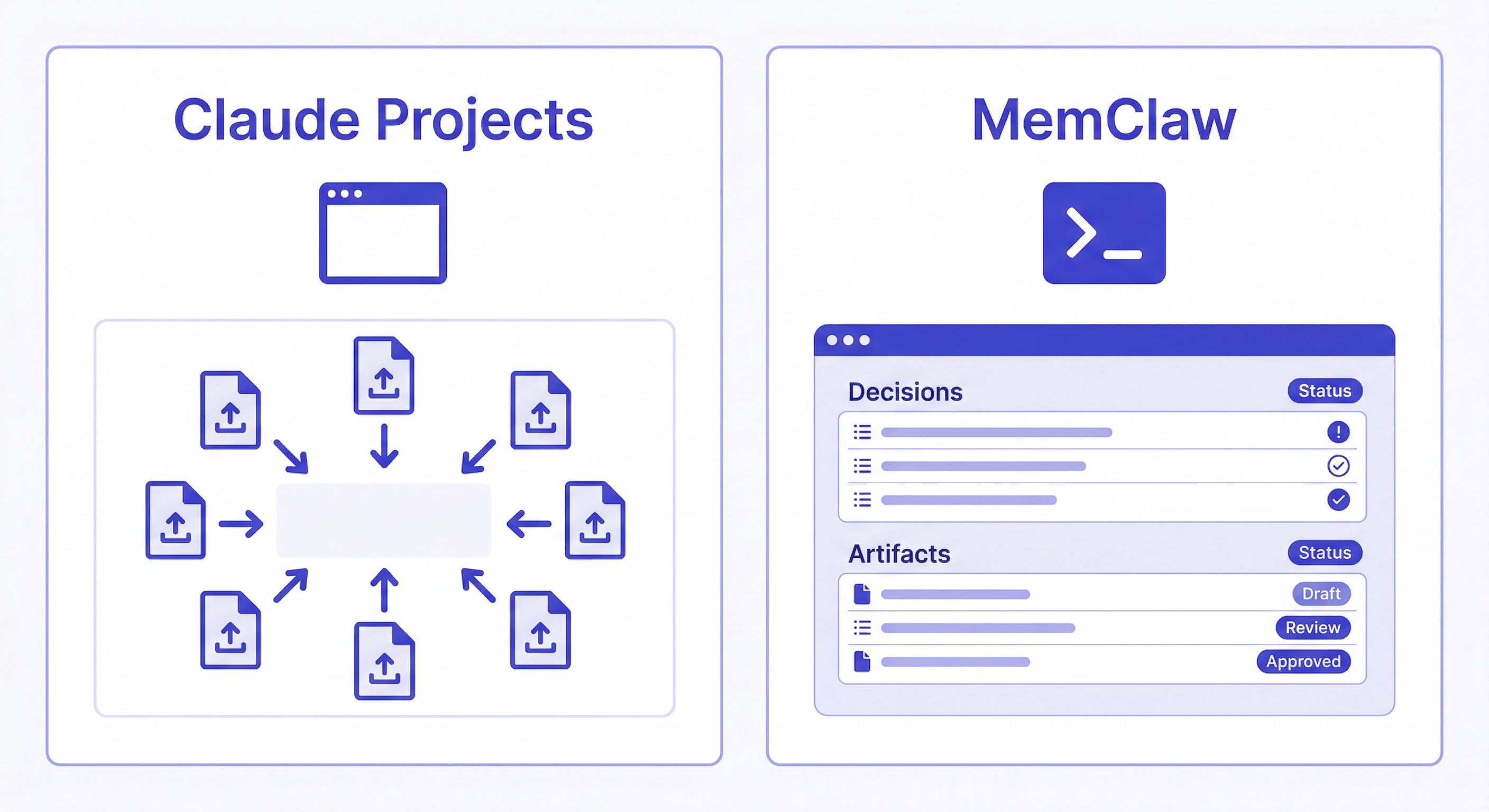
Claude Projects: What It Is
Claude Projects is a feature in Claude.ai — the web interface. You create a project, upload documents (specs, READMEs, style guides), and Claude uses them as persistent context across conversations in that project.
What it does well:
- Simple to set up — upload files, done
- Good for document-heavy workflows
- Useful for non-technical users
- Works for writers, researchers, analysts who live in the web UI
The critical limitation for Claude Code users: Claude Projects is web-only. It doesn't integrate with Claude Code CLI. If you use Claude Code in the terminal, Claude Projects doesn't help you — the context doesn't carry over.
MemClaw: What It Is
MemClaw is a skill for Claude Code (and OpenClaw, Gemini CLI, Codex). It installs directly into your AI agent and adds persistent project workspaces — accessible from the terminal, in your development workflow.
Install:
/plugin marketplace add Felo-Inc/memclaw
/plugin install memclaw@memclaw
export FELO_API_KEY="your-api-key-here"
Each project gets its own workspace. Load it at session start, and Claude knows the project:
Load the MyApp workspace
Claude reads the workspace context — decisions, status, background — and is immediately oriented.
What MemClaw does well for Claude Code users:
- Works in the terminal — integrates with Claude Code CLI natively
- Per-project workspaces with full isolation
- Stores decisions with reasoning, not just documents
- Session history that builds over time
- Team sharing — multiple developers load the same workspace
- Works across agents (Claude Code, OpenClaw, Gemini CLI share the same workspace)
Limitations: Requires a Felo API key. Not available in Claude.ai web interface.
Side-by-Side Comparison
| MemClaw | Claude Projects | |
|---|---|---|
| Where it works | Claude Code CLI (terminal) | Claude.ai web UI |
| Setup | Install skill, create workspace | Upload documents |
| Context type | Decisions, status, artifacts, history | Uploaded documents |
| Updates automatically | Yes (agent writes back) | No (manual uploads) |
| Decision history | ✓ With timestamps | ✗ |
| Per-project isolation | ✓ Strict | ✓ Yes |
| Team sharing | ✓ Shared workspaces | ✓ Shared projects |
| Works in terminal | ✓ | ✗ |
| Works in browser | ✗ | ✓ |
The Core Difference: Dynamic vs. Static
Claude Projects stores documents you upload manually. It's static — the context is whatever you put in, and it stays that way until you update it manually.
MemClaw workspaces are dynamic. The agent reads from them at session start and writes back to them during and after sessions. Decisions get logged as they're made. Status updates as you work. The workspace grows automatically without you maintaining it manually.
Add decision to workspace: using Postgres over MySQL —
client DBA requirement, not negotiable. 2026-04-07.
Update workspace status: auth middleware refactor complete.
JWT validation extracted to validateJWT utility. Route handlers updated.
Next: update tests.
This is the fundamental difference. Claude Projects is a document store you feed manually. MemClaw is a living workspace that builds over time.
Which Should You Use?
Use MemClaw if:
- You use Claude Code in the terminal
- You want persistent memory that builds automatically as you work
- You need per-project isolation across multiple projects or clients
- You work on long-running projects where decisions accumulate over time
- You're on a team that needs shared project context
Use Claude Projects if:
- You primarily use Claude.ai in the browser
- You want to upload documents for Claude to reference
- You don't use Claude Code CLI
- You're doing writing, research, or other non-development work
Use both if: You use Claude Code for development work (MemClaw handles the code context) AND Claude.ai for other work like writing, analysis, or research (Claude Projects handles document-based context). They don't conflict — they serve different tools.
A Practical Example
You're building a SaaS product. You use Claude Code for development and Claude.ai for writing marketing copy.
In Claude Code (MemClaw):
Load the MySaaS workspace
Continue with the payment integration. What's the current status?
Claude reads the workspace: knows you're using Stripe, knows the webhook handler is done, knows the retry logic is next.
In Claude.ai (Claude Projects): You upload your brand guidelines, target audience doc, and positioning brief. Claude uses these to write marketing copy that's consistent with your brand.
Different tools, different context, same project. Both persistent, neither conflicting.
Getting Started with MemClaw
- Install MemClaw (memclaw.me)
- Create one workspace per active project
- Add baseline context — stack, key decisions, current status
- Load the workspace at the start of every Claude Code session