How to Manage Multiple AI Projects Without Losing Context

Managing multiple projects with AI agents creates a context switching problem that gets worse as projects multiply. Here's a workflow system that keeps each project isolated and instantly accessible.
You're in the middle of a client call when you realize: the proposal your AI agent drafted yesterday used the wrong pricing model. Not the one for this client — the one for the client you were working on before.
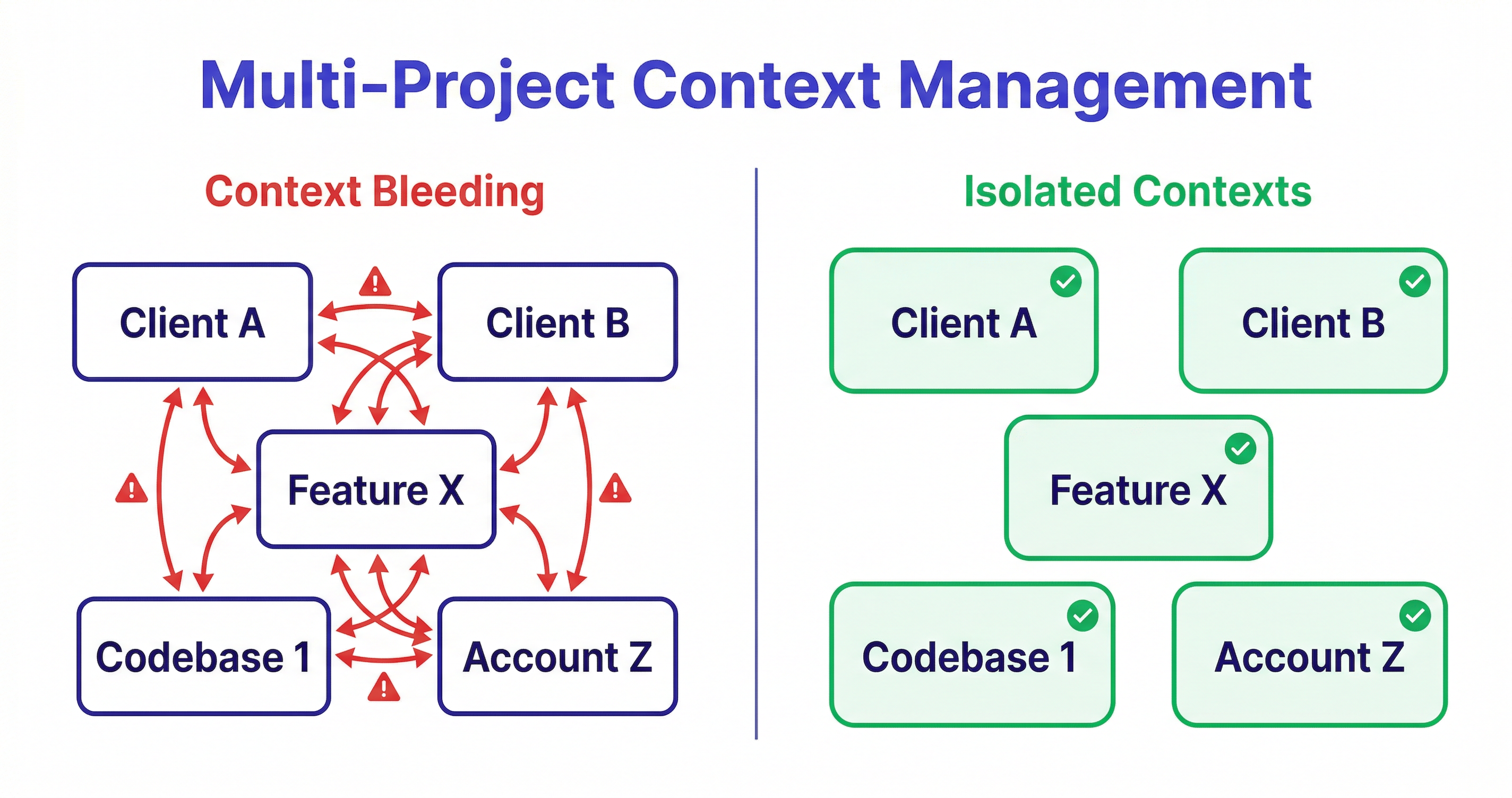
The agent didn't make an error. You gave it the wrong context. The projects bled together.
This is the multi-project AI problem, and it gets worse the more projects you add. This guide covers why it happens, the system that prevents it, and how to set it up.
The Multi-Project Problem: When AI Gets Confused
A single AI project is manageable. You can paste in context at the start of each session. It's repetitive, but it works.
Two projects is where it starts to break down. You're now managing two sets of context — two clients, two sets of requirements, two different decision histories. You start mixing them up.
Five projects is where it becomes a real productivity problem. Five separate context documents. Five sets of requirements that you need to keep straight. The overhead of context management starts competing with the actual work.
And then there's the failure mode no one talks about: the project you haven't touched in three weeks. You open it, and you genuinely don't remember where you left off. What was the last decision you made? What was still pending? What did the client say about that edge case?
Without a system, you're rebuilding context from memory and old conversation logs. With five active projects, that's a significant chunk of your working week gone to overhead.
Why Context Switching Between Projects Breaks AI Workflows
The context switching problem in AI workflows is different from the context switching problem in regular work.
In regular work, context switching is expensive because your brain needs time to load the mental model of the new task. That's well-documented — it takes 15-20 minutes to reach deep focus after a switch.
In AI workflows, context switching has an additional cost: you have to rebuild the agent's mental model of the project, not just your own.
When you switch projects, the agent knows nothing about the new project. You have to tell it:
- What the project is
- What has been decided and why
- What the current state is
- What the constraints are
- What to work on now
If you're switching projects three times a day, you're doing that briefing three times a day. At 15 minutes per briefing, that's 45 minutes of your day just on context restoration.
The problem compounds because incomplete briefings lead to worse output. A rushed 2-minute briefing produces an agent that's working with partial context. It fills in the gaps with assumptions, and those assumptions are often wrong.
The Complete Guide to AI Memory for Agents
The Project Isolation Principle: One Project = One Workspace
The solution to multi-project context bleeding is simple in concept: each project needs its own isolated context store.
Not a shared document with sections for each project. Not a naming convention you apply to conversation threads. A genuinely isolated workspace where each project's context is completely separate from every other project's context.
When you open Project A, you see only Project A's context. When you open Project B, you see only Project B's. There's no possibility of cross-contamination because the workspaces are isolated at the system level, not just by convention.
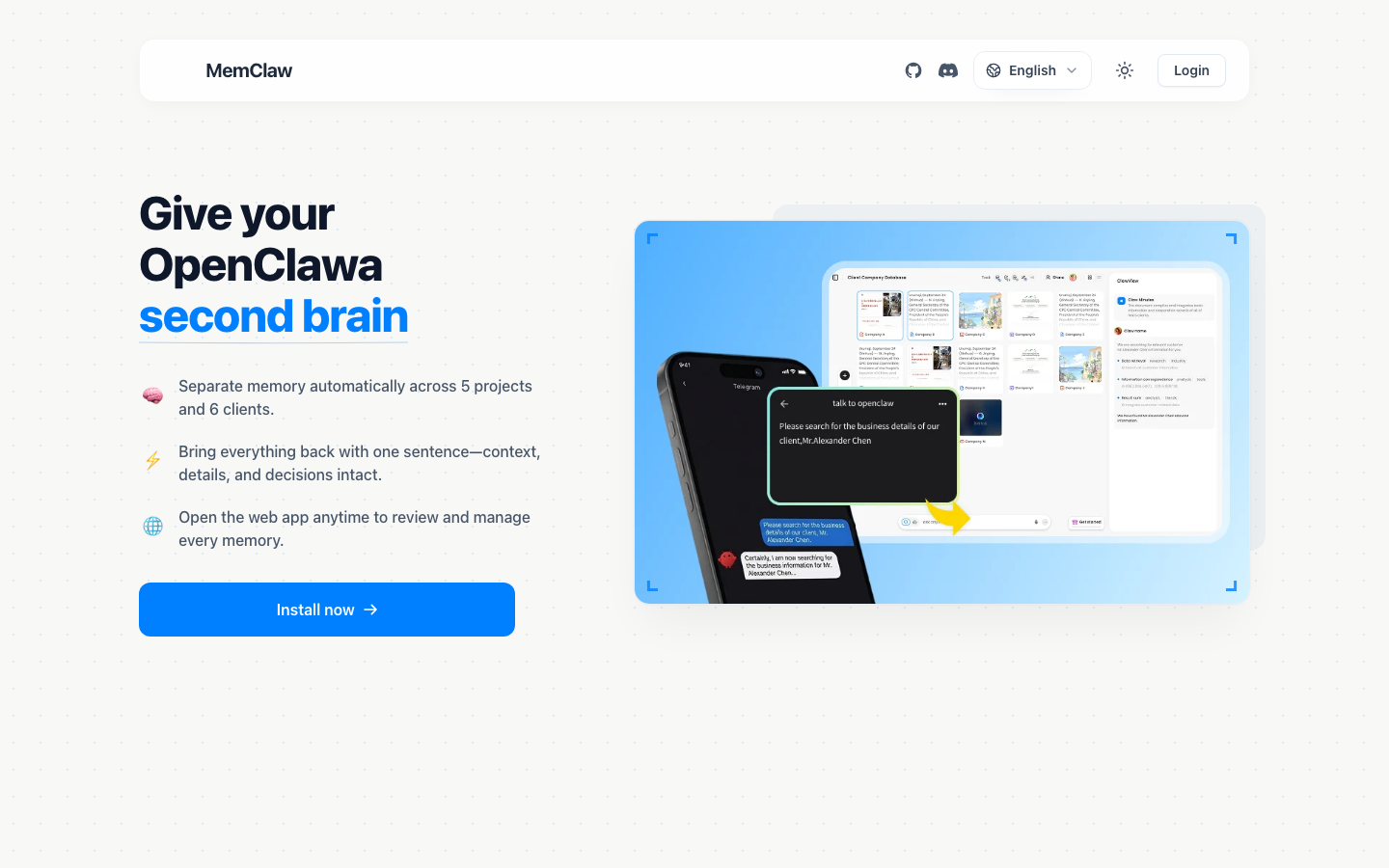
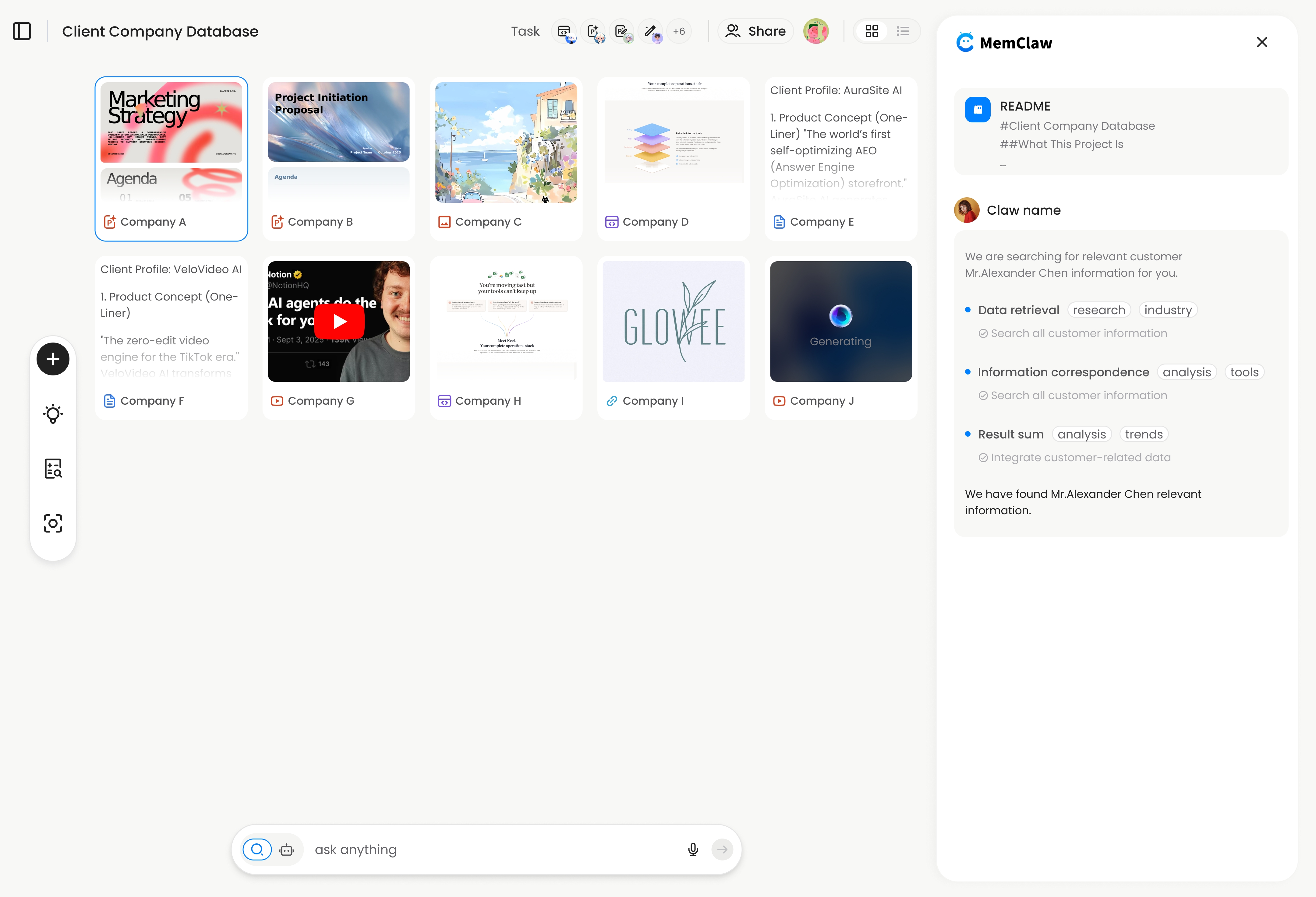
This is what MemClaw implements. Each project gets a dedicated workspace with a Living README — a structured document that stores:
- Background: What is this project? Who is it for? What are the constraints?
- Decisions: What choices have been made, and why?
- Progress: What's currently in progress? What was the last thing worked on?
- Tasks: What still needs to be done?
When you open a project workspace, the agent reads this structure and is immediately oriented — no briefing required. Context restoration takes about 8 seconds.
MemClaw makes this setup instant — one command to create a workspace, and your AI agent remembers the project permanently.
Setting Up Your Multi-Project AI System
Here's how to build a multi-project AI workflow that doesn't degrade as projects multiply.
Step 1: Install MemClaw
Claude Code:
/plugin marketplace add Felo-Inc/memclaw
/plugin install memclaw@memclaw
OpenClaw:
bash <(curl -s https://raw.githubusercontent.com/Felo-Inc/memclaw/main/scripts/openclaw-install.sh)
Get your API key at felo.ai/settings/api-keys:
export FELO_API_KEY="your-api-key-here"
Step 2: Create a workspace for each active project
For each ongoing project, spend 2 minutes creating a workspace:
Create a workspace for this project.
This is [project description — client, goal, constraints].
The agent initializes the workspace with the context you provide and creates the structured Living README.
Step 3: Establish the workspace-first habit
Every session, before any other work:
Load the [project name] workspace
The agent reads the workspace, loads the context, and confirms what it knows about the project. You verify it has the right context before starting work.
This one habit eliminates context errors. You never start working before confirming the agent has the right project loaded.
Step 4: Save decisions as they happen
When you make a significant decision during a session, save it explicitly:
Add to workspace: [decision and reasoning]
Examples:
- "Add to workspace: we're using server-side pagination on the dashboard because the client's data volume will exceed 100k rows"
- "Add to workspace: the client approved the revised scope on April 3 — email in the project folder"
- "Add to workspace: deferred the notification feature to v1.1 due to timeline constraints"
The agent also updates the workspace automatically as work progresses. Explicit saves are for high-value decisions you want to ensure are captured.
Step 5: Review and prune workspaces regularly
Once a month, open each workspace and do a quick review:
Show me the current state of this workspace
Archive completed decisions, update the progress section, and clear out resolved tasks. A well-maintained workspace keeps context restoration fast and accurate.
Real-World Workflows: Freelancers, PMs, and Developers
Freelancer with 6 Clients
A freelance consultant manages six active client engagements. Each client has different requirements, different tech preferences, different communication styles, and different ongoing work.
Without a workspace system: The consultant spends 15-20 minutes at the start of each client session re-establishing context. Context from one client bleeds into another. A proposal drafted for Client B accidentally references Client A's pricing model.
With MemClaw workspaces: Each client has a dedicated workspace. Opening Client C's workspace takes 8 seconds. The agent knows the client's requirements, current project status, recent decisions, and pending deliverables. The consultant can switch between clients multiple times a day without overhead.
Product Manager Tracking 5 Features
A PM is managing five features simultaneously across two products. Each feature has its own requirements doc, design decisions, stakeholder constraints, and development status.
Without a workspace system: The PM re-briefs the AI agent on each feature before every session. Important decisions get forgotten between sessions. The agent suggests approaches that were already ruled out.
With MemClaw workspaces: Each feature has a workspace. The PM opens the Feature X workspace and the agent immediately knows the current design decision, what the engineering team flagged as a constraint, and what's still pending stakeholder sign-off.
Developer Maintaining 3 Codebases
A developer maintains three separate codebases: a client project, an open-source library, and an internal tool. Each has its own architecture decisions, known issues, and development patterns.
Without a workspace system: The agent doesn't know which codebase it's working in until told. Architecture decisions made in one codebase occasionally get applied to another. Known issues have to be re-explained.
With MemClaw workspaces: Each codebase has a workspace with its architecture notes, key decisions ("we use repository pattern here, not active record, because..."), and current work in progress. The agent opens the workspace and is immediately oriented in the right codebase.
AI Context Switching Tips and Best Practices
A few practices that make multi-project AI workflows smoother:
Name workspaces clearly. Use names that are unambiguous — client names, project names, or feature names. "Project 1" and "Project 2" create confusion.
Keep the background section stable. The background section of the workspace should be stable reference information — who the client is, what the project goals are, what the constraints are. Don't update it every session. Update it when the project fundamentals change.
Use the decisions log actively. The decisions log is the highest-value part of the workspace. Capture decisions with their reasoning, not just the outcome. "We chose Postgres" is less useful than "We chose Postgres over MongoDB because the client's reporting requirements need complex joins."
Don't maintain workspaces for completed projects. Archive completed projects. A workspace for a project you finished six months ago creates noise. Keep your active workspace list clean.
Use explicit context confirmation before high-stakes work. Before working on anything where a mistake would be costly — a client proposal, a production deployment, an important document — ask the agent to confirm its understanding of the project:
Before we start, summarize what you know about this project
This is the simplest check against context errors.
Why Your AI Forgets Everything Between Sessions How to Add Persistent Memory to OpenClaw
Summary
The multi-project AI problem is a context management problem, not an AI capability problem. The agents are capable. The issue is that there's no system keeping project contexts isolated and persistent.
The solution is the project isolation principle: one project, one workspace. Each workspace is isolated, structured, and automatically maintained. Switching between projects takes 8 seconds, not 15 minutes.
The system works because it removes the manual overhead from context management. You don't have to remember to update files. You don't have to paste context at the start of every session. You don't have to worry about context from one project bleeding into another.
Stop context-switching manually. Let your projects manage their own memory. → Try MemClaw free
Related: The Complete Guide to AI Memory for Agents | Why Your AI Forgets Everything Between Sessions | How to Add Persistent Memory to OpenClaw