Nano Banana 2.1 on Felo: Masked Edits, 14 Reference Images, 4K Output

Google's Nano Banana 2.1 is live on Felo. Mask-based editing, up to 14 reference images, accurate text rendering and 1K-4K output - free daily credits, no card.
Google shipped Nano Banana 2.1 on October 6, 2026, and gave the previous model three weeks to live. If you generate images for a living — product shots, posters, infographics, packaging — the interesting part is not that the pictures look better. It is that the model now changes less of the picture.
Nano Banana 2.1 is available on Felo today, free to start, no API key and no card. It runs in the same workspace as Nano Banana 2, Nano Banana Pro and GPT-Image 2, so you can test it against the model you already use instead of trusting a benchmark table.
What Nano Banana 2.1 actually is
It is Google's high-efficiency image generation and editing model, built on Gemini 3.6 Flash and released under the API id gemini-nano-banana-2.1. It replaces Nano Banana 2 as the Flash-tier option — Google deprecated the old model on launch day and scheduled its API shutdown for October 29, 2026.
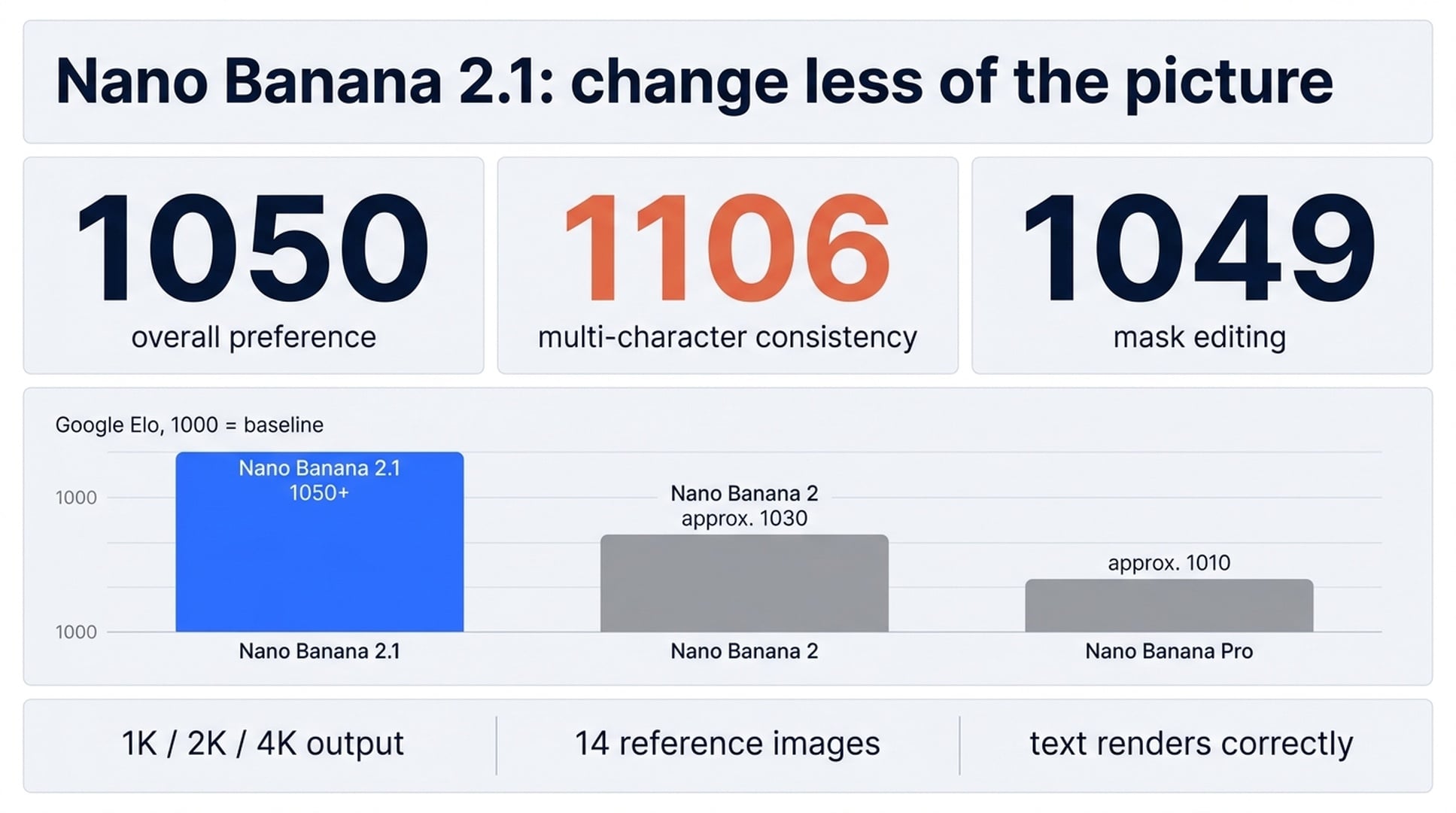
On paper it sits below Nano Banana Pro. On Google's own preference tests it beats it in every category:
| Benchmark (Elo, 1000 = baseline) | Nano Banana 2.1 | Nano Banana 2 | Nano Banana Pro |
|---|---|---|---|
| Overall preference | 1050 | 990 | 935 |
| Infographic design | 1048 | 961 | 912 |
| Multi-character consistency | 1106 | 978 | 1011 |
| Mask and ink editing | 1049 | 965 | 927 |
| Product consistency | 1024 | 955 | 965 |
| Multi-reference editing | 1066 | 988 | 989 |
Those are Google's numbers from its October 2026 side-by-side human evaluation, not independent third-party results. Treat them as a directional signal, not a verdict — and note that the independent Blind Arena leaderboard places 2.1 fourth in multi-image editing, fifth in text-to-image and sixth in single-image editing. The model it replaces ranked seventh, eleventh and fourteenth in the same three categories.
Three changes that matter for real work
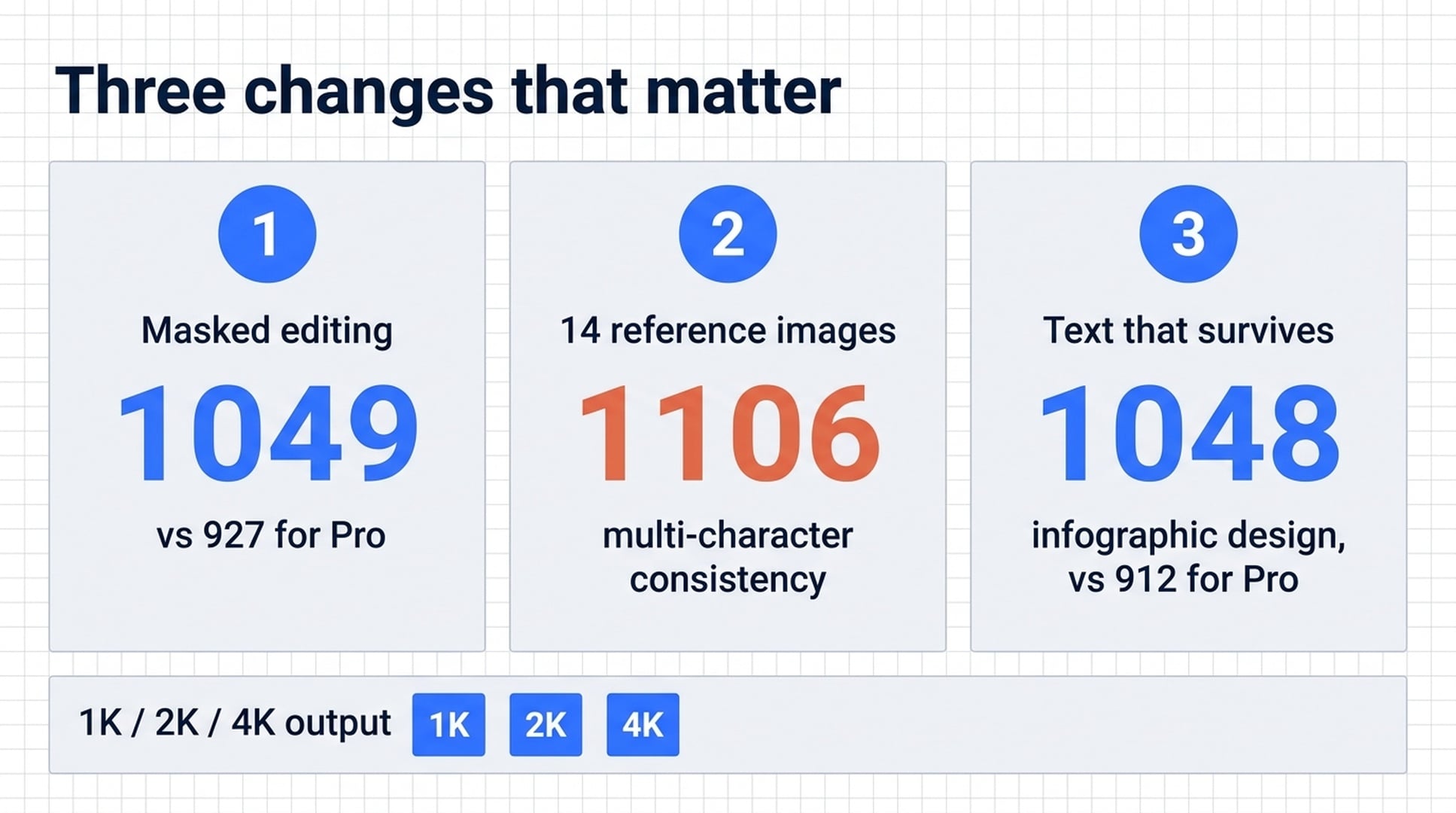
Masked editing: the rest of the image stays put
This is the headline feature. Select a region — a jacket, a road sign, a passer-by at the edge of frame — and only that region changes. Pixels outside the selection stay where they were.
If you have ever asked an image model to "change the jacket to navy" and watched it quietly re-render the model's face, the lighting and the background along with it, you know why this matters. Mask and ink-based editing scores 1049 against Nano Banana Pro's 927.
The practical version: you can restyle a garment across forty product shots without the lighting shifting between them.
14 reference images, four characters, ten objects
A single prompt now takes up to 14 reference images. Across a multi-turn edit, up to four characters and ten objects stay recognisable instead of dissolving into something similar-looking.
That is the difference between a mood board and a product catalogue. Product consistency holds at 1024, so a bottle stays the same bottle across shots. Multi-reference editing lands at 1066 for prompts built from several source images at once.
Text and infographics that survive the render
Text rendering was the blocker that kept AI images out of client work. Headlines, labels and signage now come out spelled correctly and shaped properly.
The infographic numbers show it: 1048 on design against 912 for Nano Banana Pro, and 0.521 on factual accuracy against 0.265. Multi-panel explanatory graphics hold their layout and their labels. Posters, packaging and flyers come out close enough to take straight into layout.
What else is new in 2.1
- Three thinking levels. Minimal, medium and high. Medium is the default; high spends longer on layout and legible text, minimal returns fastest for simple subjects.
- Grounding through Google Search. The model can check Web Search and Image Search before drawing a real-world subject, so a landmark or a product is depicted as it actually is.
- 1K, 2K and 4K output. Default is 1K. Extreme aspect ratios up to 8:1 are supported, and the stitching artefacts that used to show at the panoramic end are fixed.
- SynthID on every image. Google embeds an invisible watermark in all output. It does not change how the image looks and does not restrict how you use it.
How to generate your first image on Felo
1. Open the prompt box. Go to felo.ai/tools/nano-banana-2-1 and use the input at the top of the page. There is no signup wall before you can see what the model does.
2. Describe the image. Say what is in frame, how it is lit and what it is for. For example: a matte kraft coffee bag on a pale grey surface, soft light from the right, product catalogue shot. You do not need weighted prompt syntax — write the sentence you would say to a designer.
3. Generate and adjust. If the framing is close but not right, ask for the change in a follow-up rather than starting over. That is where the consistency improvements show: follow-up prompts keep the subject and lighting from the previous turn.
4. Download or keep editing. Export at the resolution you need, or open the result on the canvas to crop, inpaint or upscale before you download.
Where it earns its place
| Job | What changes with 2.1 |
|---|---|
| Product catalogues | Generate a listing photo, then swap the colourway by masking the product instead of reshooting the set |
| Posters and flyers | Headlines and dates render legibly, so a first draft is close enough to take into layout |
| Infographics | Multi-panel graphics with labels that hold both layout and facts |
| Packaging | Mock a carton, label or bag with the product name spelled right, before committing to print |
| Paid social | Produce ad variations at the sizes each placement needs, from one concept and one round of references |
| Property and interiors | Stage an empty room, or restyle a finished shot for a different market, without booking a second shoot |
Cost and credits
Google's own API is paid: $0.0336 for a 1K image, $0.0504 at 2K and $0.0756 at 4K, with batch jobs at half price. That is roughly half the per-image cost of the model it replaces.
On Felo, each generation spends from a free daily credit allowance, so you can start without a payment method. Paid plans raise the resolution ceiling and move you into the priority queue. Commercial rights are included with generation — no separate licence and no per-seat fee.
What it is not good at
Google's own model card lists the weak spots, and they are worth knowing before you commit a workflow to it:
- Small text is often blurry at 1K. Generate at 2K or higher when the image carries fine print.
- Character consistency between an input photo and the output is not always perfect.
- Left and right are occasionally confused.
- Long paragraphs or page-length text still degrade.
- Search grounding cannot use real-world photographs of people.
The bottom line
Nano Banana 2.1 is cheaper than the model it replaces, scores higher on Google's preference tests than the premium model above it, and fixes the two things that kept AI images out of production work: edits that leak outside the region you selected, and text that comes out misspelled.
Nano Banana 2 shuts down on October 29, 2026. If anything in your workflow still calls gemini-3.1-flash-image, switching the model id to gemini-nano-banana-2.1 is the whole migration.
Generate your first image on Felo →
Masked edits, 14 reference images, 1K to 4K output. Free daily credits, commercial licence included, no card required to try it.
This post is also available in 简体中文, 日本語, 한국어, 繁體中文, हिन्दी, Français, العربية, Русский, اردو, Bahasa Indonesia, Deutsch, Tiếng Việt, Türkçe, Italiano, ไทย, Español, বাংলা and Português.