OpenClaw Memory Management: The Complete Guide

Master OpenClaw memory management with project-scoped workspaces, context isolation, and persistent knowledge bases. Stop losing context between sessions.
OpenClaw doesn't have memory by default. Every session starts fresh. Every project looks the same to the agent — a blank slate with whatever context you put in front of it.
For simple, single-session tasks, this is fine. For anything that spans multiple sessions — or multiple projects running in parallel — it's a real problem.
This guide covers everything you need to know about OpenClaw memory management: how the default setup works, where it breaks down, and how to build a memory system that actually handles the complexity of real workflows.
How OpenClaw Memory Works by Default
OpenClaw runs on Claude, which operates within a context window. Everything the agent knows about your project lives in that window — your instructions, the conversation history, any files or context you've provided.
When the session ends, the context window is gone. There's no automatic persistence. The next session starts with whatever you put in again.
This is not a bug — it's how large language models work. The context window is working memory, not long-term storage. The model processes what's in the window, generates a response, and that's it.
The implications for real workflows:
- Session 1: You explain the project, the codebase architecture, the client's requirements, the decisions made so far. The agent is useful.
- Session 2: You start over. The agent has no memory of Session 1.
- Session 10: You've spent more time re-briefing than doing actual work.
The Four Memory Problems
OpenClaw memory issues cluster into four distinct problems. Each requires a different solution.
Problem 1: Session Amnesia
The agent forgets everything between sessions. You brief it, you make progress, you close the terminal — and next time you're back at zero.
This is the most common complaint from heavy OpenClaw users. The workaround most people try first is keeping a CLAUDE.md file with project context. It helps, but it requires manual maintenance and doesn't capture everything.
Problem 2: Context Bleed
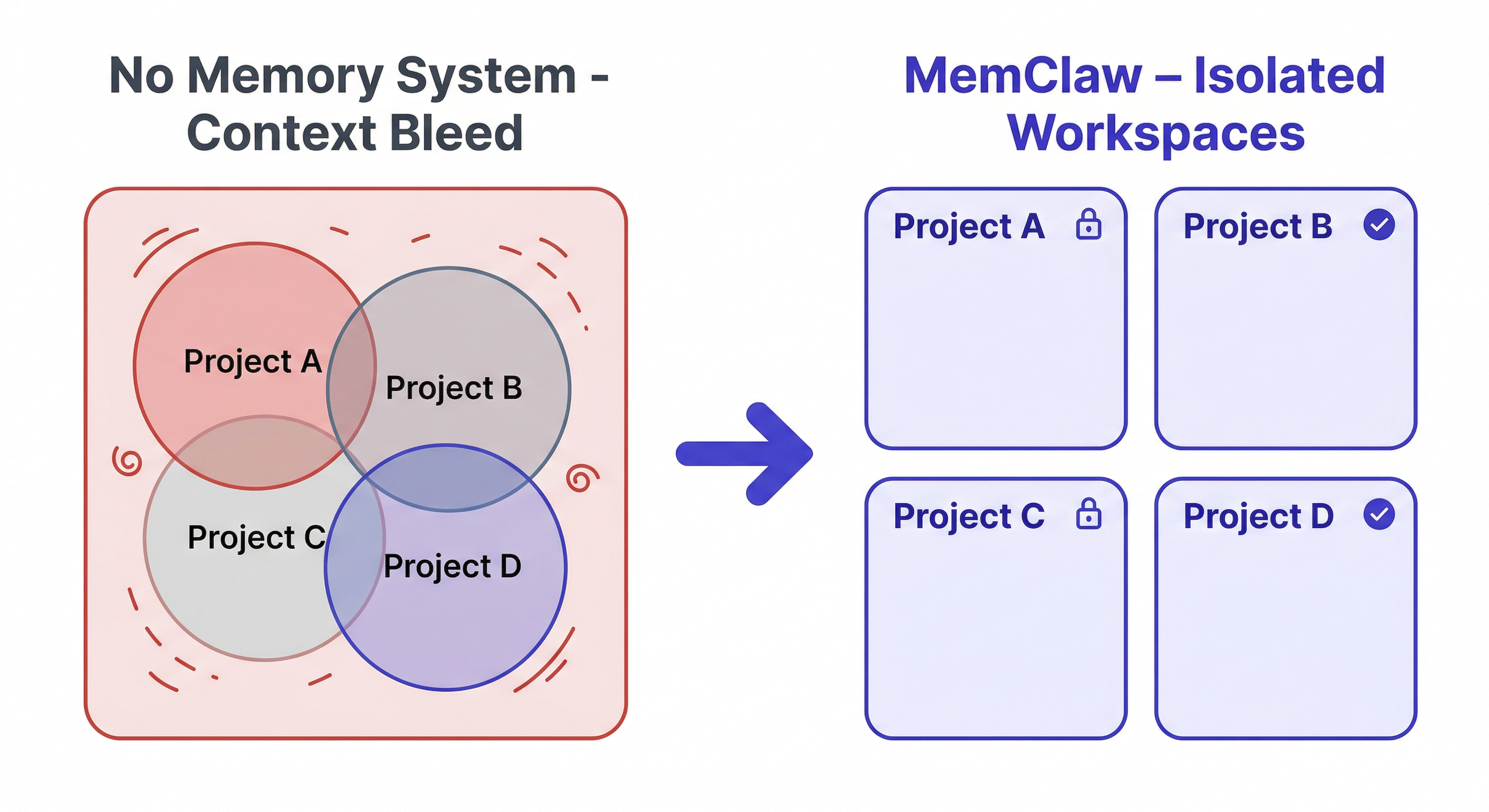
If you're running multiple projects, context from one bleeds into another. You load up a conversation about Client A, mention something from Client B, and the agent starts mixing them up. Decisions made for one project surface as suggestions for another.
A single CLAUDE.md file makes this worse — it becomes a dumping ground for everything, with no isolation between projects.
Problem 3: Decision Drift
The agent re-opens closed questions. You decided three sessions ago to use REST over GraphQL for a specific reason. The agent doesn't know that, so it suggests GraphQL again. You explain it again. Next session, same thing.
Without a decision log, there's no way for the agent to know what's been settled and what's still open.
Problem 4: Lost Artifacts
The agent produces useful output — a spec document, a competitive analysis, a set of test cases. You use it in the session. Session ends. Where did it go? Either you saved it manually (maybe) or it's buried in chat history (practically lost).
The Memory Stack: What You Actually Need
Solving these four problems requires different layers working together.
Layer 1: Project isolation Each project needs its own separate context environment. Loading Project A should give the agent only Project A's context, with zero contamination from other projects.
Layer 2: Persistent project state Key information — decisions, current status, project background — needs to survive between sessions and be automatically loaded at the start of each one.
Layer 3: Decision logging Closed questions need to be recorded so the agent doesn't re-open them. Each logged decision should include the rationale, not just the outcome.
Layer 4: Artifact persistence Documents and outputs produced in conversation need to be saved and retrievable in future sessions.
Most OpenClaw setups only address Layer 1 partially (via CLAUDE.md) and ignore the rest. A proper memory system handles all four.
How To Build A Knowledge Base With Openclaw
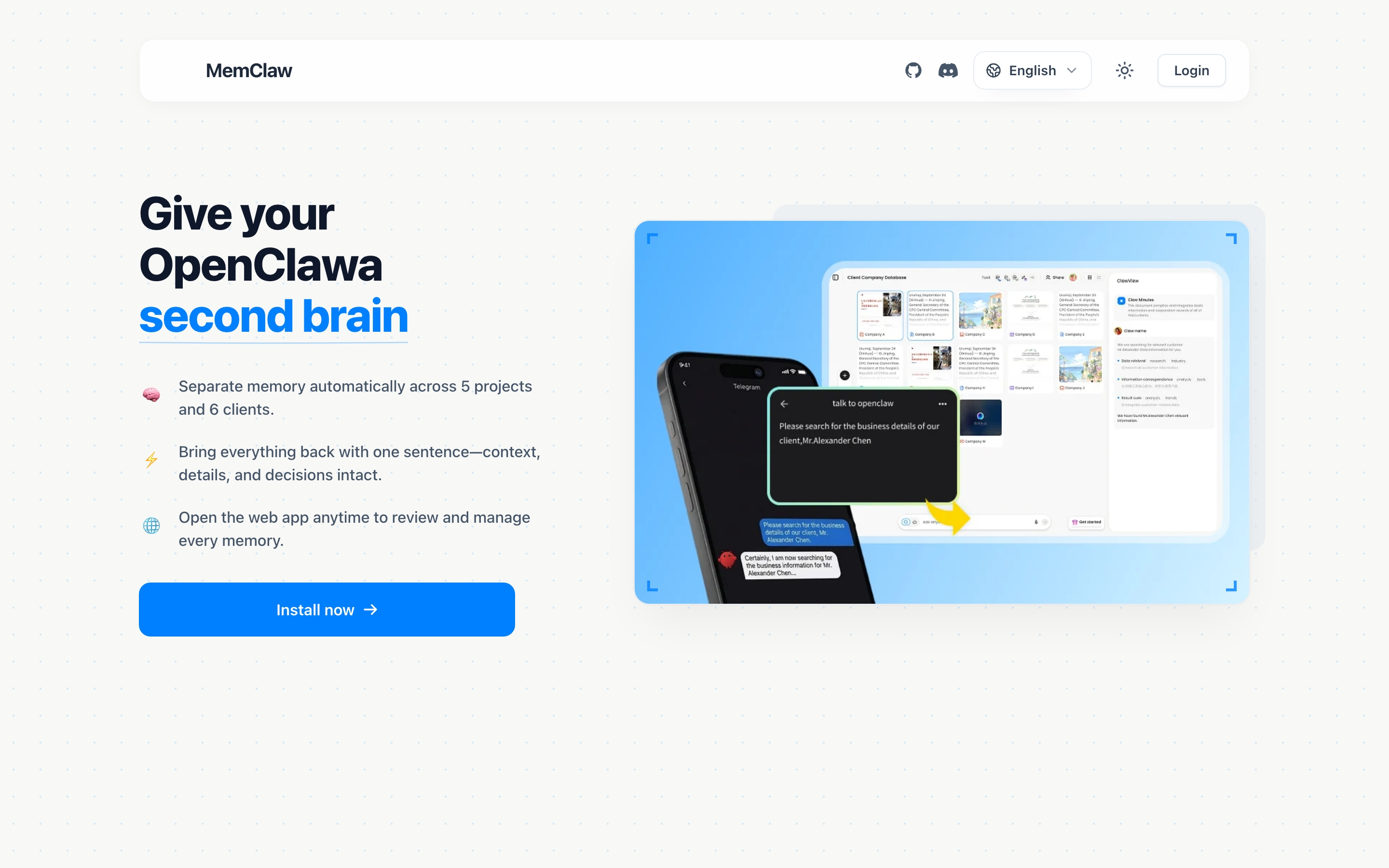
Setting Up OpenClaw Memory with MemClaw
MemClaw implements all four layers as a skill for OpenClaw. Here's how each layer works in practice.
Installation
Via Claude Code Plugin Marketplace:
/plugin marketplace add Felo-Inc/memclaw
/plugin install memclaw@memclaw
Via OpenClaw natural language:
Please install https://github.com/Felo-Inc/memclaw and use MemClaw after installation.
Set your API key:
export FELO_API_KEY="your-api-key-here"
Get your key at felo.ai/settings/api-keys.
Layer 1: Project Isolation with Workspaces
Create a separate workspace for each project:
Create a workspace called Client Alpha
Create a workspace called Client Beta
Create a workspace called Internal Dashboard
Loading a workspace gives the agent only that project's context:
Load the Client Alpha workspace
Switch projects by loading a different workspace:
Load the Client Beta workspace
Client Alpha's context is gone. Client Beta's context is active. Zero bleed.
This is the structural solution to context bleed — not filtering, not careful prompting, but actual isolation.
Layer 2: Persistent Project State
Each workspace has a living README that stores background context, current progress, and preferences. The agent reads it at session start — no manual loading required.
Load the Client Alpha workspace
The agent immediately knows:
- What the project is and who it's for
- Where things left off last session
- What the current priorities are
- Any specific preferences or constraints
Update it as you work:
Update workspace status: finished the user authentication flow,
starting on the dashboard next session
Add to workspace: client prefers weekly updates on Fridays,
async via email not Slack
The next session starts with this context already loaded. 8-second restoration.
Layer 3: Decision Logging
Every meaningful decision should go into the workspace:
Add this decision: we're using Postgres not MongoDB —
client's infra team only supports Postgres
Add decision: no dark mode for v1 — out of scope per product spec,
revisit in Q3
Add decision: REST over GraphQL — client's backend team
isn't familiar with GraphQL
When the agent suggests something that's already been decided, you can ask:
What did we decide about the database?
And get an accurate answer from the decision log — not a hallucination, not a re-opening of a closed question.
This is how you stop spending time re-explaining settled decisions every session.
Layer 4: Artifact Persistence
Save outputs before the session ends:
Save that competitive analysis to the workspace
Add this meeting summary to the workspace
Save the API spec we just wrote to the workspace
Retrieve them later:
Show me the competitive analysis from last week
Find the meeting notes from the client kickoff
Artifacts are searchable and persistent. They don't disappear when the session ends.
Memory Management for Multiple Projects
This is where the system earns its value. Running five projects in parallel without a proper memory system means:
- Constant re-briefing (10+ minutes per session switch)
- Context bleed between projects
- Decisions being re-made repeatedly
- Useful outputs buried in chat history
With workspace-scoped memory:
Morning: Start on Project Alpha
Load the Alpha workspace
→ "Alpha is the e-commerce redesign for Client X.
   Last session: completed checkout flow. Next: order history page.
   Known constraint: must support IE11 per client requirement."
Afternoon: Switch to Project Beta
Load the Beta workspace
→ "Beta is the internal analytics dashboard.
   Last session: data pipeline is working. Next: build the UI.
   Decision logged: using Recharts not D3 — team familiarity."
Next day: Back to Alpha
Load the Alpha workspace
→ Agent knows exactly where you left off.
   No re-briefing. No context from Beta contaminating Alpha.
The agent isn't getting smarter. The memory system is doing the work.
Common Memory Management Mistakes
Mistake 1: One CLAUDE.md for everything
A single CLAUDE.md file at the root level becomes a catch-all for all projects. It grows, goes stale, and provides no isolation. The solution is project-scoped workspaces, not a bigger file.
Mistake 2: Only logging the decision, not the rationale
"We chose REST" is less useful than "We chose REST because the client's backend team isn't familiar with GraphQL." The rationale is what prevents the agent from reopening the question with a compelling counter-argument.
Mistake 3: Not updating status at session end
The living README is most useful when it reflects the current state, not the state from two sessions ago. A one-line status update at the end of each session costs 30 seconds and saves 5 minutes of reconstruction next time.
Mistake 4: Saving artifacts only when you remember to
Make it a habit: if the agent produced something useful, save it before closing the session. "Save that to the workspace" takes 3 seconds.
Cross-Agent Memory: OpenClaw and Claude Code Together
One often-overlooked aspect of memory management: if you use multiple AI agents on the same project, their memory needs to be shared.
MemClaw workspaces are not tied to a specific agent — they're tied to the project. OpenClaw and Claude Code can both read from and write to the same workspace.
This means:
- Research done in OpenClaw is available in a Claude Code session
- Decisions logged in Claude Code are visible to OpenClaw
- No duplicate context, no information islands between agents
# In OpenClaw — run competitive research
Save that competitive analysis to the Alpha workspace

# Later, in Claude Code — pick up the research
Load the Alpha workspace
Show me the competitive analysis
The workspace is the shared memory layer across your entire AI agent stack.
Cross-Agent Compatibility Guide
Quick Reference: OpenClaw Memory Commands
Workspace management:
Create a workspace called [project name]
Load the [project name] workspace
List all my workspaces
What's in my current workspace?
Adding context:
Add to workspace: [context]
Add this decision: [decision + rationale]
Update workspace status: [current state]
Save that [artifact] to the workspace
Retrieving context:
Where did I leave off on [project]?
What did we decide about [topic]?
Show me all artifacts in this workspace
Find the [document type] from [timeframe]
Getting Started
If you're managing more than one project with OpenClaw — or if you find yourself re-briefing the agent at the start of every session — a proper memory system is the fix.
- Install MemClaw (memclaw.me)
- Create one workspace per active project
- Load the workspace at the start of each session
- Log decisions with rationale as you make them
- Save useful artifacts before closing the session
The re-briefing time drops to zero. Context bleed stops. Decisions stay decided.
Frequently Asked Questions
Does MemClaw replace CLAUDE.md? It replaces the need to manually maintain a CLAUDE.md file. MemClaw's living README serves the same purpose but updates automatically and is scoped per project.
How much context does MemClaw load at session start? Only the relevant project context — background, current status, recent decisions. It doesn't dump everything into the context window; it loads what the agent needs to be oriented.
Can multiple team members share a workspace? Yes. MemClaw supports team sharing — invite teammates and they get the same project context.
What happens if I forget to load the workspace? OpenClaw runs normally without workspace context. MemClaw only activates when you load or reference a workspace.