OpenClaw Setup Guide: Adding Search and Memory to Your Agent

Complete setup guide for connecting OpenClaw to Felo OpenAPI for live web search, X data extraction, LiveDocs memory, and PPT generation.
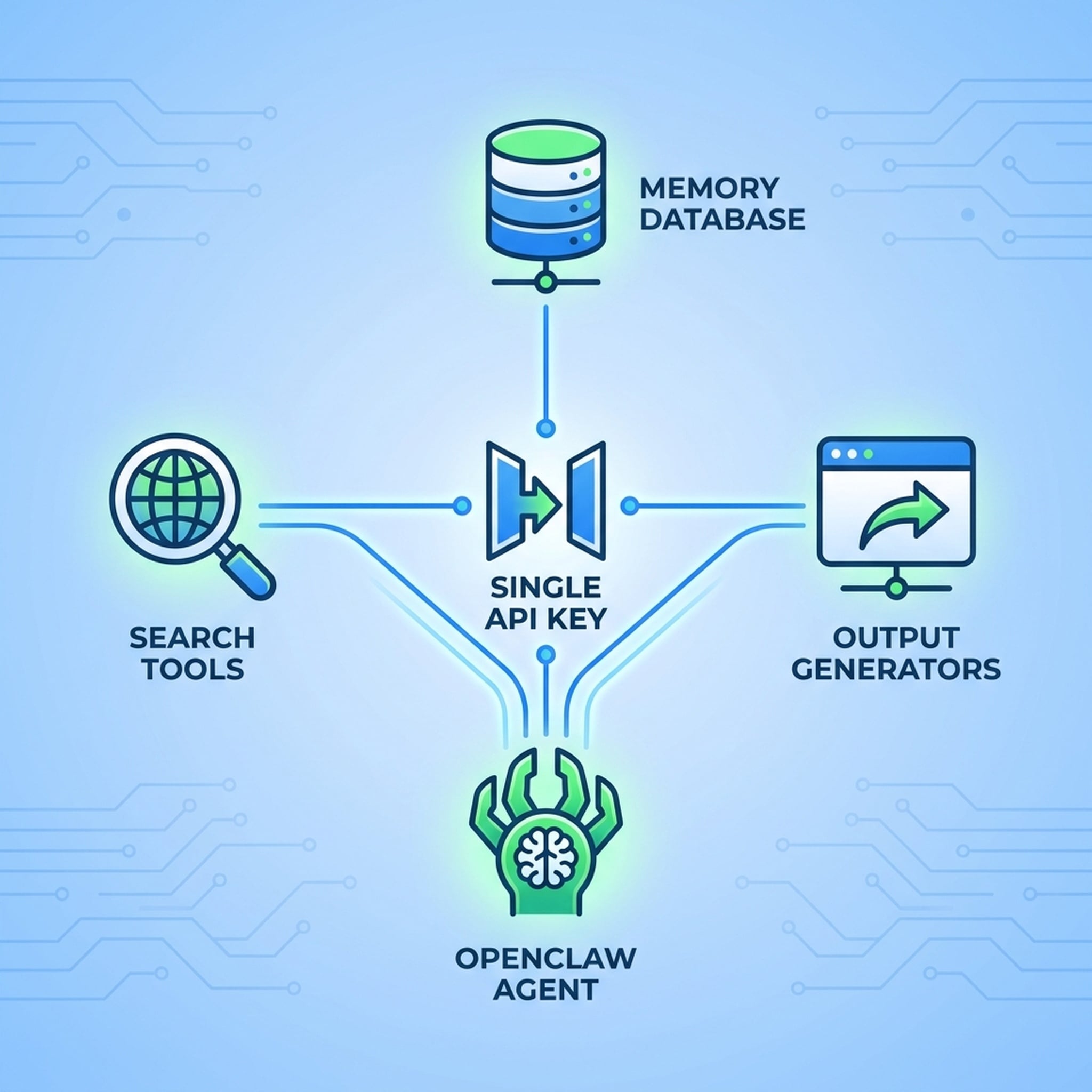
OpenClaw is a powerful agent framework. But without live data access and persistent memory, it's working blind. Here's how to connect OpenClaw to Felo OpenAPI and give it the tools it's missing.
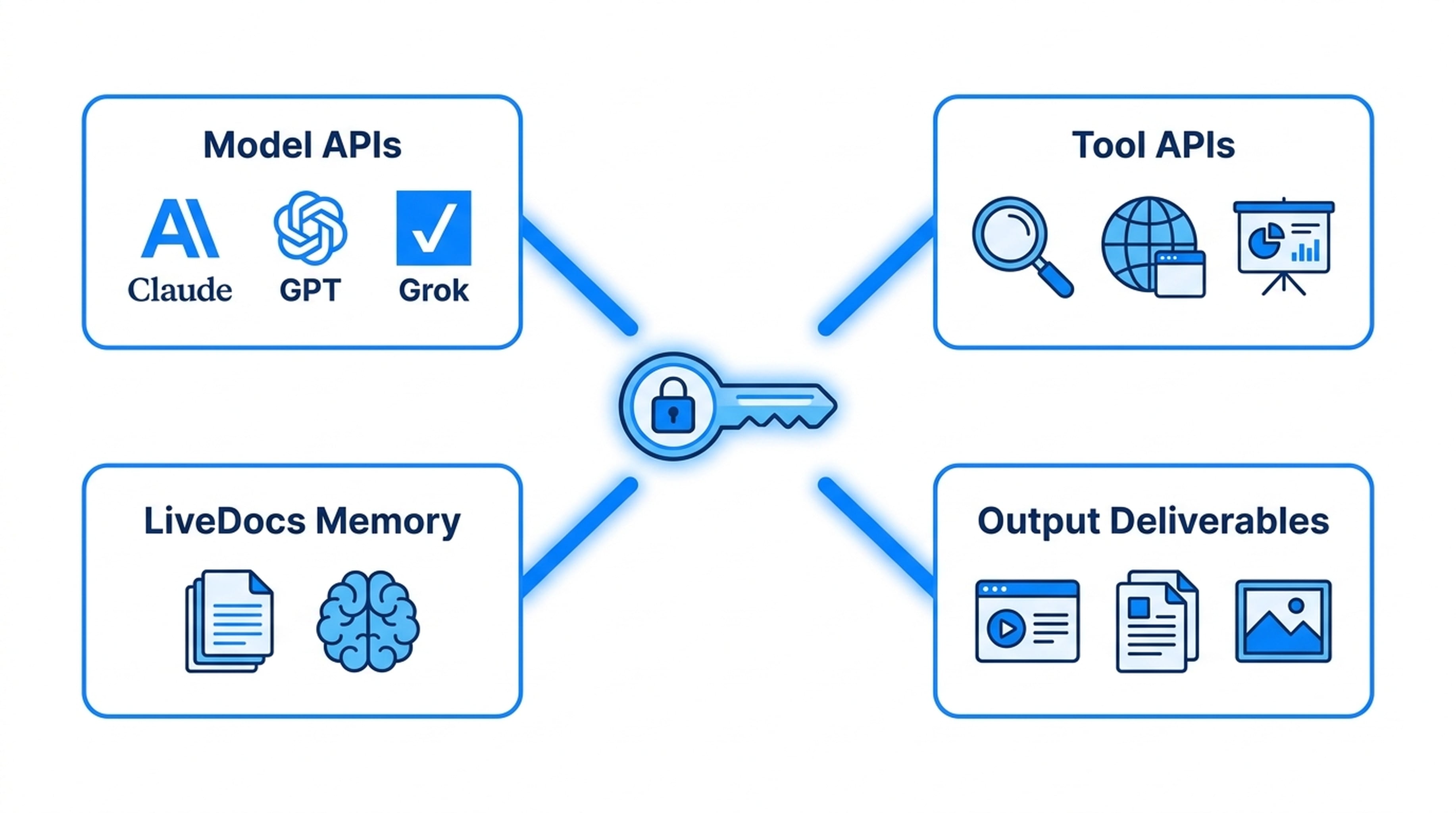
What OpenClaw Is Missing Without External APIs
OpenClaw can plan, reason, and execute tasks. But by default, it lacks:
- Live web search — no access to current information beyond training data
- Web page reading — can't extract content from specific URLs
- Social media data — no X (Twitter) or YouTube access
- Persistent memory — no shared workspace for files and context
- Output generation — can't produce slide decks, mindmaps, or landing pages
These gaps limit OpenClaw to tasks that don't require fresh data or real deliverables.
What You Get After Connecting
Once OpenClaw connects to Felo OpenAPI, it gains:
Search and extraction — AI Search, Web Fetch, X Search, YouTube Subtitles Memory — LiveDocs with semantic retrieval, file uploads, and URL resources Output — PPT generation, mindmaps, landing pages, image creation Models — Claude, GPT, and Grok at lower cost through standard protocols
One API key, one base URL, full capability stack.
Step 1: Create Your API Key
Go to Felo OpenAPI settings and generate an API key. Copy it — you'll need it during configuration.
Step 2: Open the Setup Guide
Navigate to openapi.felo.ai/docs/agent-clients/openclaw. The guide is specific to OpenClaw and shows exactly where to configure the connection.
Step 3: Configure the Connection
The setup guide walks you through:
Base URL: Enter the Felo OpenAPI endpoint. This is where OpenClaw sends all API requests.
API Key: Paste the key you generated in Step 1.
Model selection: Choose your preferred model — Claude Opus for complex reasoning, Sonnet for general tasks, or Haiku for quick operations. You can also access GPT and Grok models through the same connection.
Tool enablement: Make sure search, extraction, memory, and output tools are enabled for your agent.
Step 4: Verify the Connection
Run the verification step in the setup guide. It sends a test request through Felo OpenAPI and confirms the response. If verification passes, OpenClaw is connected and ready.
What OpenClaw Can Do After Setup
Live Research
OpenClaw searches the web for current information, reads specific pages for detailed content, and pulls data from X (Twitter) and YouTube. No more stale knowledge.
Memory-Enabled Workflows
OpenClaw saves research findings, uploaded files, and relevant URLs to LiveDocs. In future sessions, it retrieves this context semantically — finding relevant information even when queries use different wording.
Deliverable Generation
OpenClaw generates actual output:
- Slide decks with themed templates
- Mindmaps for structuring ideas
- Landing pages with copy and layout
- Visual assets through image generation
Multi-Step Workflows
OpenClaw chains tools together through the SuperAgent API. A single prompt can trigger search, extraction, memory storage, and output generation in sequence.
Example Workflows
Research and Present
"Research the current state of AI agents in software development and create a presentation."
OpenClaw searches for market data, reads analyst reports, saves key findings to LiveDocs, and generates a themed slide deck with cited sources.
Social Listening
"Track sentiment around our product launch on X and summarize key themes."
OpenClaw searches X for relevant tweets, analyzes patterns, and produces a summary report with supporting evidence.
Content Pipeline
"Take our product documentation and convert it into a training deck and a landing page."
OpenClaw retrieves documentation from LiveDocs, structures the content, generates a presentation, and drafts a landing page.
Troubleshooting
Connection Refused
Verify the base URL is correct and your API key is active. The most common cause is a typo in the endpoint URL.
Tools Not Responding
Check that all required tools are enabled in your Felo OpenAPI dashboard. Some tools may need explicit activation.
Slow Responses
Strong models like Claude Opus take longer. For faster responses on simpler tasks, configure OpenClaw to use Sonnet or Haiku.
Memory Not Persisting
Ensure OpenClaw is configured to save to LiveDocs and that your LiveDocs workspace is accessible. Check file upload permissions if storing documents.
Why This Beats Separate Services
Before Felo OpenAPI, connecting OpenClaw to external tools meant:
- Setting up separate search API accounts
- Configuring individual API keys for each service
- Managing different rate limits and protocols
- No shared memory between tools
With Felo OpenAPI:
- One key covers all tools
- One base URL for all requests
- Standard protocols (OpenAI-compatible, Anthropic-compatible)
- Shared LiveDocs memory across all workflows
Getting Started
- Create your free API key
- Open the OpenClaw setup guide
- Configure, verify, and test with a real workflow
OpenClaw keeps its reasoning power. Felo adds the tools it needs to work with real data and produce real output.