PDF to Video: Slideshows vs AI Explainer Videos

Compare PDF slideshows and AI explainer videos, choose a format, and use a practical brief to make your document clear on screen.
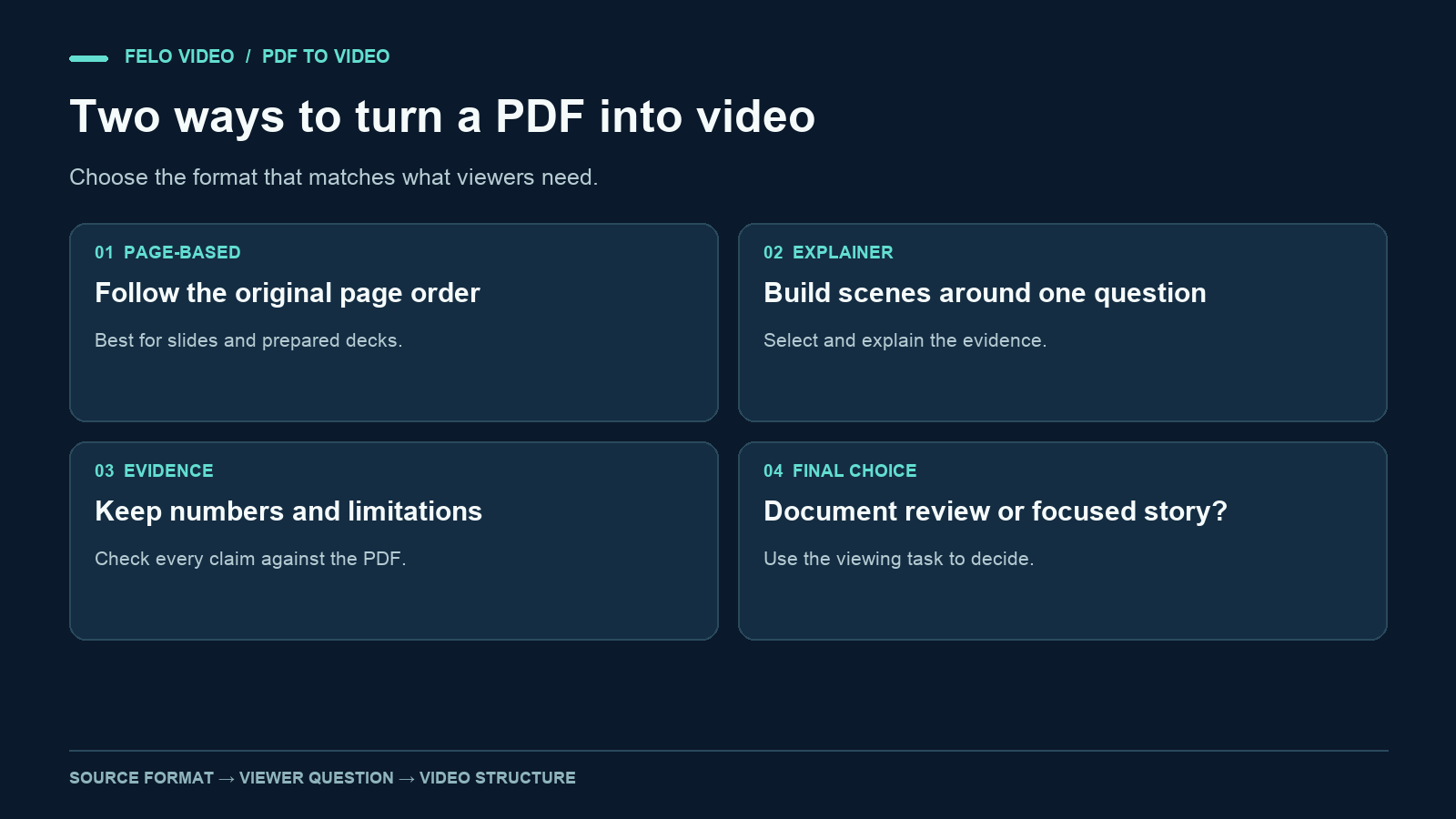
A PDF can become a video in two very different ways. You can put its pages on a timeline, or you can use its contents to build an explanation.
That choice matters more than the transition style or background music. A page-by-page video helps someone follow an existing document. An explainer helps someone understand a particular finding, concept, or process without reading every page.
If you are looking for a PDF to video tool, decide which result you need before uploading the file. The PDF converter comparison covers how to evaluate providers once you know the output you need. This guide compares the two approaches and uses a fictional report to show how the same material can produce two different video plans.
What changes when a PDF becomes a video?
A reader controls the pace of a document. They can scan a heading, reread a paragraph, and jump to an appendix. Video gives the editor much more control over the order and timing of information.
A useful conversion therefore has to solve a viewing problem as well as a file-format problem. The audience needs enough time to read important labels. Narration needs to explain what is on screen. A chart that works on a full laptop display may need a simpler treatment on a phone.
There are two common ways to handle that change.
A PDF slideshow keeps the document's pages or slides as its main visual structure. You decide when to move between them and may add narration, crops, or callouts.
An AI explainer video uses the document as source material. The sequence can change. Several pages might become one scene, while a difficult concept might need several scenes. The aim is to communicate a selected message from the document.
These are production approaches, not rigid software categories. A single tool may offer elements of both, and an explainer can still show an original page when that page is useful evidence.
| Decision | PDF slideshow | AI explainer video |
|---|---|---|
| Main structure | Existing page order | A question, argument, or process |
| Typical visual unit | A page or a crop of a page | A scene built around one point |
| Narration | Walks through the material | Connects selected ideas |
| Editorial work | Timing, legibility, page selection | Selection, rewriting, evidence checks |
| Useful when | Viewers need to follow the document | Viewers need a focused explanation |
When a PDF slideshow is the right choice
Choose a slideshow when the layout or sequence carries meaning.
A prepared presentation is an obvious example. Its slides may already have short headlines, readable charts, and a deliberate order. Adding narration can make it easier to share with someone who missed the meeting.
A visual portfolio can also work well. The audience needs to see the actual work, and replacing the pages with unrelated generated imagery would remove the reason to watch.
A slideshow becomes less useful when the source consists of dense prose. Showing a page full of small text while reading it aloud asks the viewer to follow two versions of the same material at once. Cropping a paragraph can help, but a long succession of text crops may still feel like a document scrolling past.
Before choosing this approach, preview one representative page at the size people will watch it. Can they read the chart labels? Is the heading meaningful without the preceding page? Does the page contain a footnote that changes the conclusion?
If the page needs extensive explanation and reconstruction, you are already moving toward an explainer workflow.
When an AI explainer video is more useful
Choose an explainer when the document contains more information than the audience needs for the immediate task.
A report may have a methodology section, several findings, and detailed tables. A team update may only need to answer, "What changed, and what should we investigate next?" A product guide may describe every setting, while a customer video needs to show one workflow.
Start with that question. It gives you a reason to include some material and leave other material in the PDF.
An explainer also gives you room to separate evidence from interpretation. You can show the number first, explain what it means, and then state what the source does not establish. This is especially useful when a short headline could otherwise overstate the result.
The tradeoff is editorial responsibility. Summarizing introduces choices. A smooth voiceover does not prove that the right details survived. Review the video against the source, including qualifications that are easy to lose during rewriting.
One report, two video plans
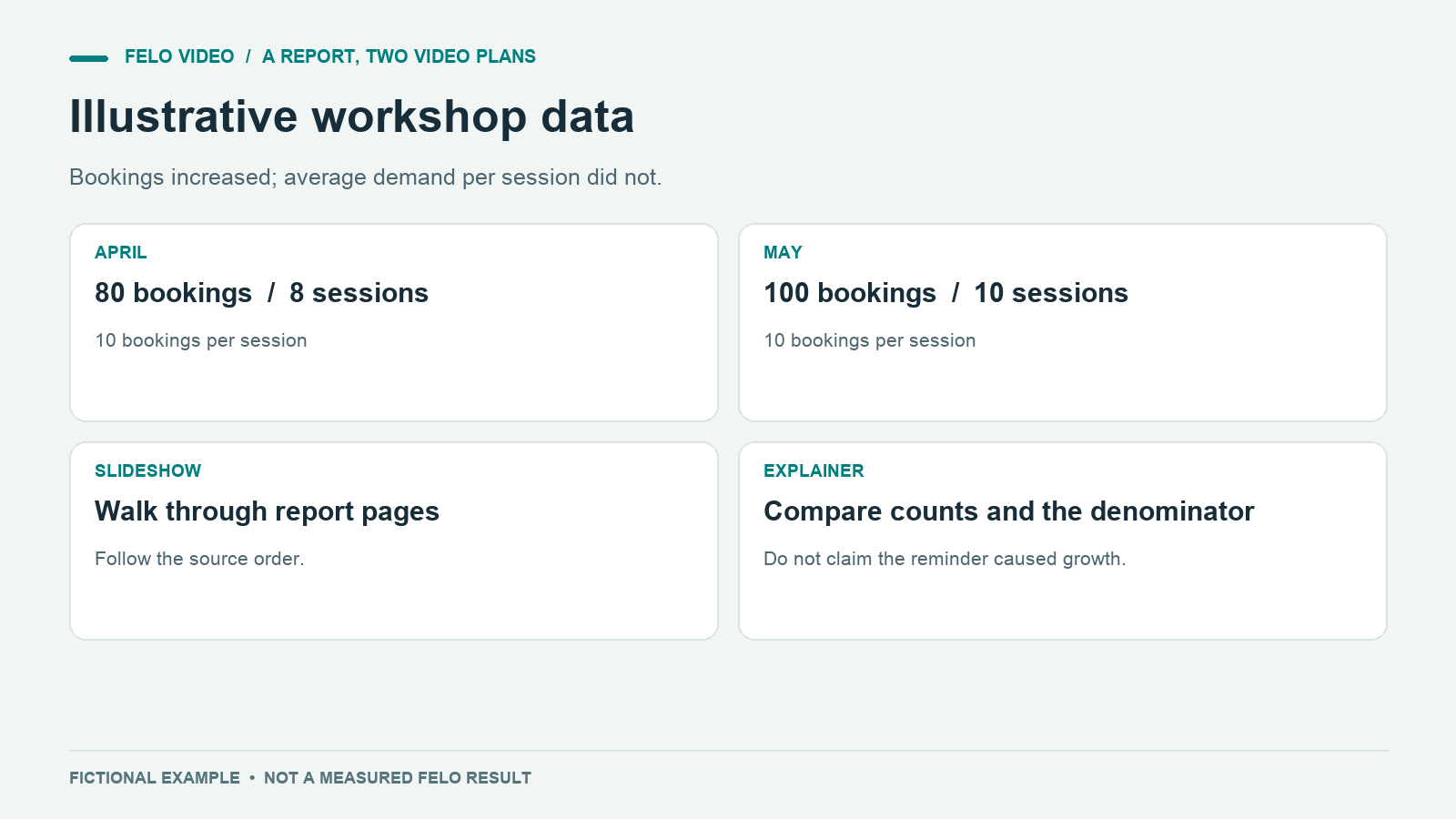
Consider a fictional six-page report about a neighborhood repair workshop. These figures are invented for this example, not real research or Felo performance data.
The report says:
- The workshop received 80 bookings in April and 100 in May.
- It offered eight sessions in April and ten in May.
- Average bookings per session were ten in both months.
- A new reminder email began in May, but the report did not test its effect.
The tempting headline is "Reminder emails increased bookings by 25%." The data does not establish that. Bookings increased, but the number of sessions also changed.
Plan A: a narrated slideshow
A slideshow might follow the report's order: cover, monthly bookings, session schedule, average bookings, reminder email, and next steps.
The narrator can walk viewers through each page. On the bookings page, the video should hold long enough for viewers to see both months. On the average-bookings page, it should give the unchanged figure enough attention to prevent the earlier increase from becoming the only remembered fact.
This version suits a team that needs to review the report together. It preserves the document's structure and makes it easy to refer back to a specific page.
Plan B: a focused explainer
An explainer might open with a narrower question: "Did the workshop become busier in May?"
| Scene | What viewers see | Narration idea |
|---|---|---|
| 1 | 80 and 100 bookings | Total bookings rose from 80 to 100. |
| 2 | Eight sessions beside ten sessions | The workshop also offered two more sessions. |
| 3 | Ten bookings per session in both months | Average bookings per session stayed the same. |
| 4 | A reminder email with a question mark | The report cannot tell us whether the new email changed demand. |
| 5 | A simple measurement plan | Track comparable sessions before drawing a conclusion. |
This is a storyboard, not a claim about an actual generated video. It shows the editorial difference: the scene order is built around a question, with the evidence introduced when viewers need it.
The explainer does not need to display all six pages. It does need to preserve the details that change the interpretation.
Write a PDF to video brief before generating
A useful brief tells the system what to explain and what must remain accurate. "Turn this PDF into a video" leaves both decisions open.
For the fictional report, the brief could read:
Create a short explanatory video for the workshop team. Answer: did demand per session increase in May? Use the report as the source. Include total bookings, number of sessions, and average bookings per session. Explain that the reminder email's effect was not measured. Use simple labeled charts and plain English narration. Do not attribute the increase in total bookings to the email. End with the next measurement we should collect.
The duration is a production target you can add after choosing the content. Read the draft narration aloud before forcing it into a fixed runtime. If it needs more time to explain the denominator, give it more time or remove a secondary point.
Felo PDF to Video can turn material from a report or learning document into a focused explanation. Specify which pages and facts matter most in your brief.
Keep the source available during review. If the PDF is scanned or a table is difficult to read, supply a clearer extract for the important section. An accepted file is not proof that every element was understood.
Review meaning before polishing motion
Watch the first version once without making cosmetic notes. Write down the answer you think a viewer would take away. Then compare that answer with the document.
If the video implies that reminder emails caused growth, the central problem is interpretation. A different transition will not fix it.
Next, review the details that support the answer:
- Match every spoken number to its value, unit, and time period in the source.
- Check whether each chart compares like with like.
- Listen for words such as "caused," "proved," or "always" that go beyond the evidence.
- Read the captions independently of the narration.
- Confirm that any source labels remain readable in the final viewing size.
A useful correction request is precise: "In the second chart, show eight sessions for April and ten for May. In the narration, replace the causal claim about email with a statement that its effect was not measured."
After the meaning is correct, adjust pace, visual emphasis, and music. Watch the exported version too. The artifact your audience receives is the one that needs to work.
Questions about converting PDFs to video
Can I keep the original PDF pages in an explainer?
Yes, that is a reasonable production choice. A page can establish context, while a crop or a newly prepared diagram explains one detail. Check what your chosen tool preserves and inspect the result rather than assuming exact layout reproduction.
Should a video include every page?
Only if following the whole document is the viewing task. For a focused explainer, link to the PDF for detail and include the evidence needed to support the video's answer.
Is a narrated slideshow less useful than an AI explainer?
No. If someone needs to follow a prepared presentation, a faithful page sequence may be exactly right. Choose based on what the viewer needs to understand or do.
What should I prepare first?
Prepare the source, one audience question, and a short list of facts that cannot be omitted. Those decisions make either approach easier to evaluate.
If your PDF contains a finding or process that would benefit from a focused explanation, explore Felo PDF to Video.