Persistent AI Memory: The Complete Guide to AI That Remembers

AI assistants forget everything when the session ends. Here's how persistent AI memory works, the different approaches available, and how to implement it for real development work.
The most capable AI coding assistants available today share a fundamental limitation: they forget everything when the session ends.
Claude Code, OpenClaw, Gemini CLI — all of them start each session from zero. No knowledge of your codebase. No memory of decisions made last week. No record of the approaches you've already tried and ruled out.
This guide covers how persistent AI memory works, the approaches available, and how to implement it in practice.
Why AI Assistants Don't Remember by Default
AI language models are stateless. Each session is an independent computation — the model processes your input and generates a response, but nothing about that interaction is stored in the model itself.
This is a deliberate design choice. Stateless systems are:
- Simpler to build and maintain
- More predictable in behavior
- Easier to scale
- Safer (no accumulation of incorrect information)
For casual use, statelessness is fine. For ongoing work — development projects, product management, research — it creates significant friction. You become the external memory for the AI, re-loading context manually every session.
What Persistent Memory Needs to Store
Not all context is equally valuable to persist. The things worth storing:
Decisions with reasoning — not just "we use Postgres" but "we use Postgres because the client's DBA only supports it and that constraint isn't changing." The reasoning is what prevents the AI from re-opening the question with a compelling counter-argument in a future session.
Ruled-out approaches — this is critically underrated. "We tried Redis caching here and it caused race conditions in the webhook handler" prevents the AI from suggesting Redis again. Without this, you re-explore dead ends repeatedly.
Current status — where things stand right now. What's in progress, what's done, what's blocked. This is what the AI reads first when resuming work.
Artifacts — documents, analyses, specs, URLs the AI has produced. Having them in the workspace means you can reference them in future sessions without re-generating.
Persistent Memory Approaches
1. File-Based (CLAUDE.md)
A markdown file in your project root that Claude reads at session start:
# MyApp
Stack: Next.js 14, TypeScript, PostgreSQL
Auth: JWT in httpOnly cookies (security team requirement)
Known issue: Stripe webhook fires twice — always check idempotency key
Current status: Refactoring auth middleware
Pros: Zero setup, version-controlled, works offline, no external dependencies.
Cons: Static — you maintain it manually and it goes stale. No conversation history. Single flat file per project. Not searchable. No cross-project management.
Best for: Single small project, solo developer, short lifespan.
2. Workspace-Based (MemClaw)
A structured persistent workspace per project, connected to your AI agent as a skill.
/plugin marketplace add Felo-Inc/memclaw
/plugin install memclaw@memclaw
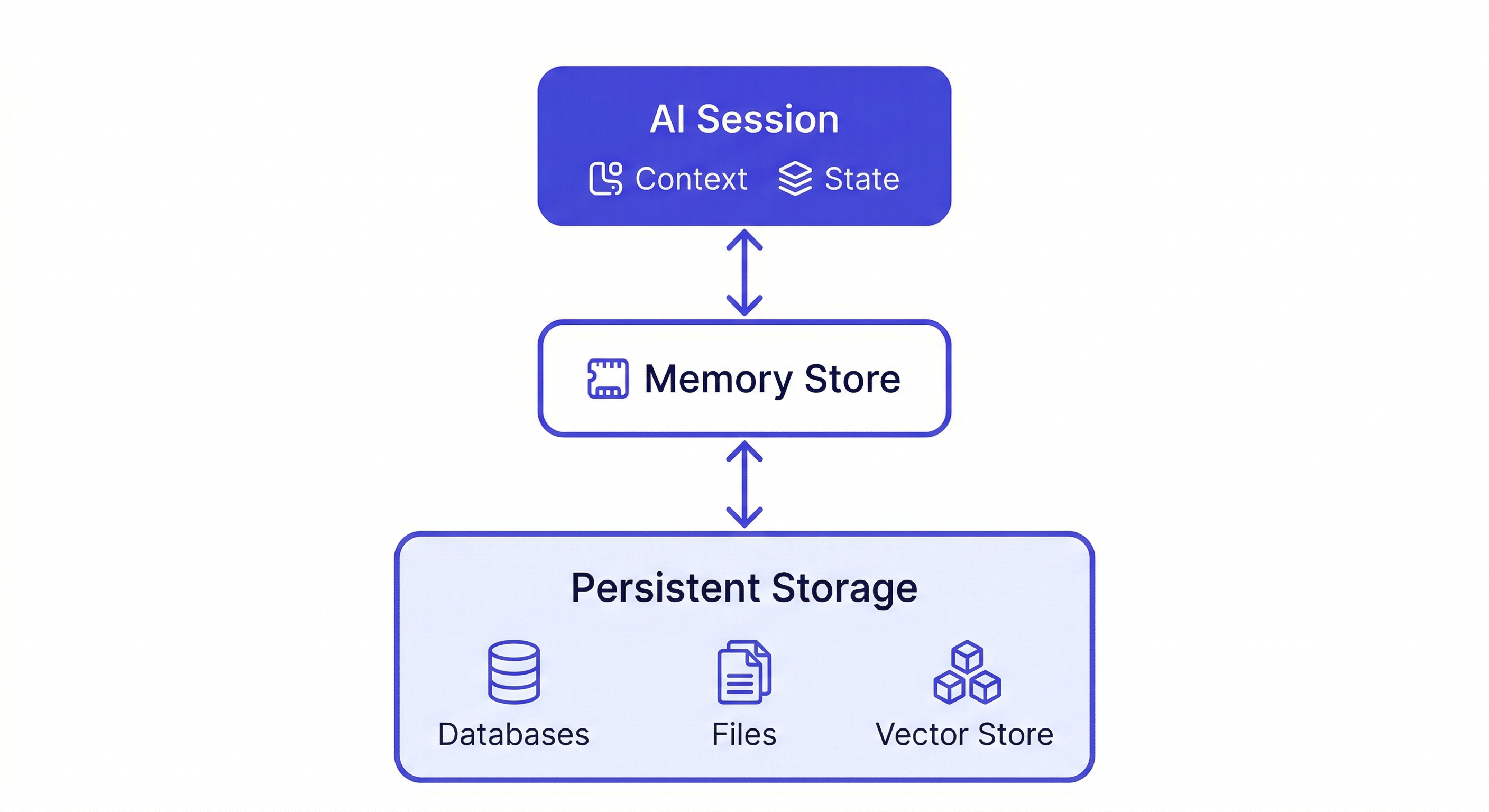
The workspace stores decisions, status, artifacts, and background context. The agent reads it at session start and writes back to it as you work.
Pros: Persistent and searchable. Accumulates automatically as you work. Project isolation (each project has its own workspace). Team sharing. Works across agents (Claude Code, OpenClaw, Gemini CLI all read the same workspace).
Cons: Requires a Felo API key. Needs network connection.
Best for: Multiple projects, ongoing work, team collaboration.
3. Custom Implementation
Build your own persistent memory layer using a vector database and connect it to your AI agent.
Pros: Full control. Self-hosted. Customizable storage and retrieval logic.
Cons: Significant engineering overhead. Maintenance burden. You're solving a solved problem.
Best for: Organizations with specific data sovereignty requirements or custom memory needs.
What Makes Persistent Memory Actually Useful
Having persistent memory is necessary but not sufficient. Three principles determine whether it actually compounds over time:
Store decisions WITH reasoning. "Using Postgres" is much less useful than "Using Postgres because the client's DBA only supports Postgres and we can't change that." The reasoning is what gives the AI the full context it needs to make consistent decisions in future sessions.
Store ruled-out approaches. Every time you try something that doesn't work, log it. "We tried approach X — it failed because Y" prevents the AI from recommending the same approach in a future session. Without this, you re-explore dead ends repeatedly.
Maintain it consistently. A memory store that gets updated in 70% of sessions and ignored in 30% is less reliable than one that gets updated every session. Build the habit first, then let it compound.
The Read-Write Loop
The pattern that makes persistent memory genuinely useful is the read-write loop:
- Session start: Load the workspace — AI reads current context
- During session: Do the work, make decisions
- Session end: Write back — decisions made, status updated, artifacts saved
Every session adds something. The knowledge base compounds. After a few weeks, the AI starts answering questions from the workspace instead of asking you to re-explain. After a few months, you have a searchable record of everything that happened on the project.
Load the MyApp workspace
[work happens]
Add decision to workspace: using server-side rendering for the dashboard —
client requires SEO indexability, CSR doesn't meet that requirement
Update workspace status: dashboard pages migrated to SSR, API routes next
This is the habit. It takes 30 seconds per session. The compounding effect starts immediately.
Persistent Memory for Teams
When a team shares a MemClaw workspace:
- Every developer's AI sessions pull from the same project knowledge base
- Architectural decisions by one developer are immediately available to all others
- New team members load the workspace and get instant project context
- Code reviews can reference shared conventions automatically
The workspace becomes the single source of truth for project context — not a Notion doc that nobody reads, but an active memory layer that every AI session reads automatically.
MemClaw for Teams — full guide →
Getting Started
Install MemClaw on Claude Code:
/plugin marketplace add Felo-Inc/memclaw
/plugin install memclaw@memclaw
export FELO_API_KEY="your-api-key-here"
Create one workspace per project:
Create a workspace called [Project Name]
Load at the start of every session:
Load the [Project Name] workspace
Build the write-back habit:
Add decision to workspace: [decision + reasoning]
Update workspace status: [current state]
Save that analysis to the workspace
Start with the basics and let it grow. The memory compounds from the first session.