Repurpose Blog Content: 5 Video Scripts from One Post

Repurpose a blog post into five distinct video scripts using a worked example, narration, visual directions, and a production brief.
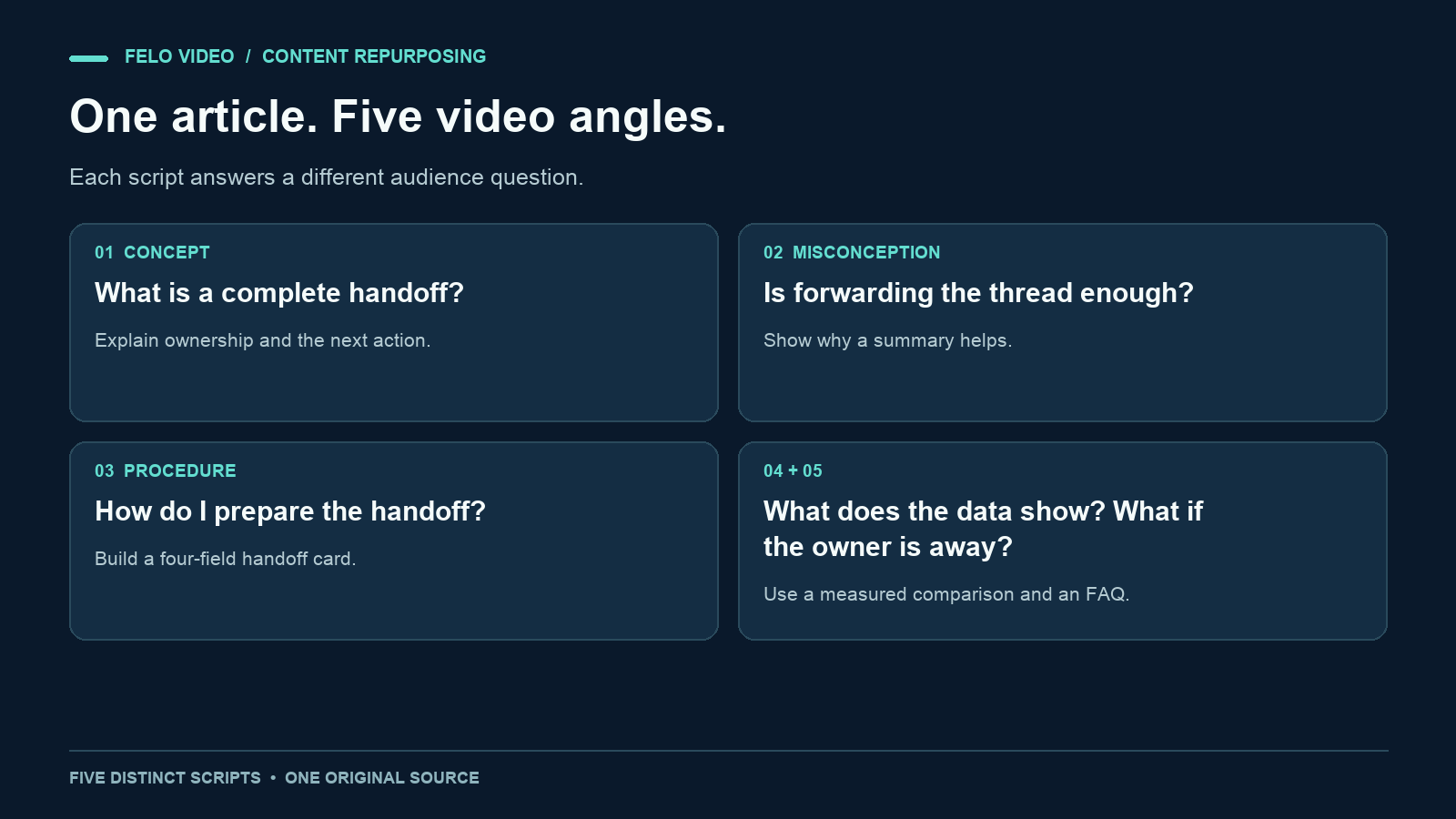
Your article may contain five useful video ideas. A short summary of the entire article can hide all five.
To repurpose blog content well, look for different questions inside the post. One reader needs a definition. Another needs a procedure. A third wants to understand a number. Each question gives you a reason to make a separate video.
This guide uses one original sample article to create five complete script examples. The method is editorial: the scripts are prepared separately. It does not depend on a tool automatically generating five finished videos in a single task.
Choose an article with more than one useful answer
Start with a post that you own or have permission to adapt. It should still be accurate, and its central subject should matter to the audience you want to reach.
A post with a definition, a worked example, a process, and a practical question gives you more material than a thin announcement. Length alone does not help. Two thousand words repeating one point still give you one point.
Read the post and mark passages that do different jobs. A definition explains a term. A misconception corrects an assumption. A sequence teaches an action. A table supports a comparison. A question removes a specific obstacle.
Do not decide on five videos before checking the material. If the post supports only two strong ideas, make two. The exercise below uses five because the sample source contains five distinct answers.
The source article for this exercise
The following is an invented teaching example about team handoffs. The team, observations, and figures are fictional.
A handoff checklist for a shared inbox
A handoff transfers responsibility for an unresolved request. A useful handoff identifies the request, its current owner, the next action, and the information the next person needs.
Forwarding a long email thread may leave those details unclear. A short summary helps the next person find the task without reconstructing the whole conversation.
Before handing over a request, write what the customer needs, record what has already happened, name the next action, and identify the receiving owner. Link the original thread for detail. Treat the handoff as accepted when that owner acknowledges it.
In an invented practice log, ten of twenty requests required a follow-up question before a checklist was introduced. In a second set of twenty requests, four required one. These small groups were not controlled, so they cannot establish that the checklist caused the difference.
If the next owner is unavailable, keep the request with its current owner until a substitute accepts it. An urgent label identifies priority; it does not itself assign responsibility.
This source is short enough to inspect. Every claim in the scripts below should be traceable to it or clearly presented as advice about the example.
Five ways to repurpose the same blog content
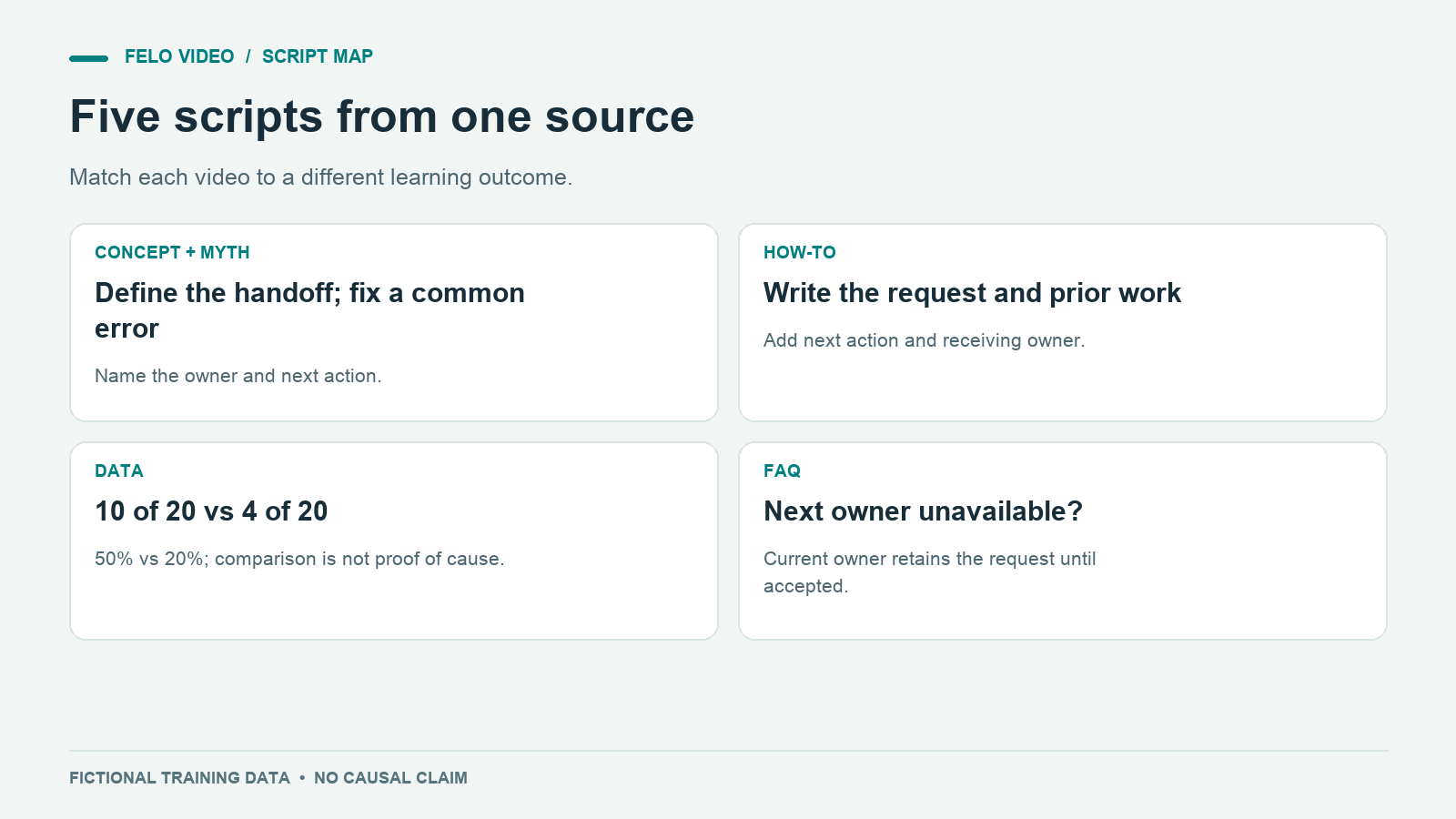
1. Explain the concept
Question: What makes a handoff complete?
Narration:
A forwarded message can leave one question unanswered: who owns the next step? A complete handoff makes that responsibility visible. Include the request, what has happened so far, the next action, and the person receiving it. Keep the original thread linked for detail. In this example workflow, the handoff is accepted when the next owner acknowledges it. Until then, the current owner still has the request. Open your last handoff and check whether the next owner could identify the action without asking you.
Visual direction: Begin with a message moving between two inboxes. Add a visible owner label. Reveal the four checklist fields as the narration introduces them. End with an acknowledgment appearing beside the receiving owner.
Why this deserves its own video: It defines completion. It does not need to teach every step of writing the summary.
Keep the qualification "in this example workflow." The script describes a sample process, not a universal policy that every company follows.
2. Correct a misconception
Question: Is forwarding the thread enough?
Narration:
You forward the full thread, so the next person has all the context. But where is the next action? It may be buried between old replies, resolved questions, and attachments. Add a short handoff summary above the thread: what the customer needs, what is already done, and what should happen next. Name the receiving owner. The thread remains available for detail, while the summary makes the task easier to find. Before forwarding, ask whether someone could identify the next step from the first screen.
Visual direction: Show a long thread, then place a concise summary above it. Use invented names and sample messages. Make the next action visually prominent.
Why this deserves its own video: It addresses an assumption the viewer may already hold. The concept video defines a handoff; this one explains why a familiar action can leave work ambiguous.
Avoid adding a claim such as "This cuts response time in half." The source contains no evidence for that promise.
3. Teach a procedure
Question: How do I prepare a handoff summary?
Narration:
Before you pass a request to a teammate, write four things. First, describe what the customer needs in one sentence. Next, record the action already taken so the next person does not have to infer it from the thread. Then name the next action: a decision, a reply, or a check. Finally, identify the receiving owner and request acknowledgment. Link the original conversation beneath the summary. If no one has accepted the request, keep the current owner visible and follow your team's route for finding a substitute.
Visual direction: Fill a sample handoff card one field at a time. Use a low-stakes example such as a customer asking for a replacement copy of a user guide.
Why this deserves its own video: The viewer can follow along and produce an artifact. Keep the finished card visible long enough to copy the structure.
The output should be a usable summary, not a fast montage of interface clicks.
4. Explain a data finding carefully
Question: What does a small before-and-after comparison tell us?
Narration:
This fictional practice log contains two groups of twenty requests. In the first group, ten handoffs needed a follow-up question. In the second, four did. That is fifty percent compared with twenty percent, a difference of thirty percentage points. The second group had fewer follow-up questions, but the comparison does not prove the checklist caused the change. Request types and team experience could also differ. Use the result as a reason to investigate. For a real evaluation, keep the definition of a follow-up question consistent and record what changed between groups.
Visual direction: Label the entire example "Fictional practice data." Show both denominators. Use two bars on the same scale, then add the limitation beside them.
Why this deserves its own video: It teaches interpretation. It should not become a testimonial for a product or a claim about workplace results.
If your real article has no data, skip this format. You can replace it with a concrete before-and-after writing example instead of inventing evidence.
5. Answer a practical FAQ
Question: What if the next owner is unavailable?
Narration:
You have written the summary, but the next owner is away. Has the handoff happened? In this example process, responsibility stays with the current owner until a substitute accepts it. Mark the request's priority, identify someone who can receive it, and record the acknowledgment. An urgent label helps people notice the request. It does not tell them who is responsible. Check your team's own process for choosing a substitute, and keep the request attached to a named owner while that happens.
Visual direction: Show a request card with a current owner, an unavailable receiver, and a substitute who accepts. Keep the owner field visible during the transition.
Why this deserves its own video: It answers an exception. Someone who already understands the basic checklist may need only this part.
Make the five scripts feel different
Changing the first sentence is not enough. Each script should lead the viewer to a different answer or action.
| Format | What the viewer learns | Useful final action |
|---|---|---|
| Concept | What a complete handoff means | Inspect one recent handoff |
| Misconception | Why forwarding alone can be unclear | Add a summary above the thread |
| Procedure | How to write the summary | Fill in the handoff card |
| Data explanation | What the comparison does and does not show | Check denominators and limitations |
| FAQ | How to handle an unavailable owner | Follow the substitute-owner process |
Some facts will repeat because the videos share a subject. The next-owner rule, for example, appears in several scripts. Repetition becomes a problem when the entire argument and conclusion are the same.
Ask a simple editorial question: if someone watched two of these videos, would the second give them something new? If not, combine them or choose another passage from the article.
Turn one script into a production brief
Use the explainer script template if you want to develop one angle into a full scene plan. Choose the script with the clearest viewing task. For a first attempt, the procedure video is convenient because its success can be checked against a finished handoff card. Once the narration is ready, Script to Video provides an entry point for working from that prepared text.
A brief might say:
Create an explanatory video for new customer-support teammates using the attached handoff script. Use a fictional request about sending a replacement user guide. Show one checklist field at a time. Keep the owner visible throughout. Label any interface as an example. Use clear English narration and readable captions. Preserve the rule that the current owner keeps responsibility until the next owner accepts. Do not add response-time guarantees or company policies.
Keep the complete article available for context, but identify the script and source passage the video should follow.
If you submit only a URL and ask for five angles, review those proposed angles before treating them as five publishable assets. Different briefs may need separate generation tasks and separate reviews.
Review the video against its own promise
The procedure video should leave the viewer able to write a handoff summary. The data video should leave them able to interpret the comparison. Judge each against its promise rather than applying the same checklist mechanically.
Watch for new claims introduced through visuals. A clock showing "five minutes" can imply a response commitment even when the script makes none. A dashboard labeled "measured results" can make fictional data look real.
Then check the connection back to the article. A description or accompanying post can link to the full source for detail. Use a specific reason to visit: the full checklist, an explanation of the method, or the complete source table.
Keep a record of which source version each script used. When the article changes, review the affected scripts and videos. A small policy edit in the source may matter more than a new cover image.
Questions about blog content repurposing
Should every post become five videos?
No. Use as many distinct ideas as the source supports. A strong single-answer post may make one useful video.
Can I use the original article as the narration?
You can, but read it aloud first. Written paragraphs often contain references, qualifications, and long sentences that need a different order when spoken.
How do I choose the first video?
Pick a question your audience already asks and a result you can verify. A complete step-by-step example is often easier to review than a broad motivational summary.
Do I need a different tool for each format?
The editorial structures differ, but they can use the same production workflow. Give each script its own audience, purpose, and review criteria.
Start with one post, identify one answer worth watching, and explore Felo Article to Video.