Seedance 2.5 Prompt Guide: Motion, Audio and References

Write clearer Seedance 2.5 prompts in Felo. Plan motion, sound and references, choose supported settings, and refine each new take with focused feedback.
Felo tools: Seedance 2.5.
A Seedance 2.5 prompt works better when it describes a sequence you can picture: what starts moving, how the camera follows it and what remains on screen at the end. Adding “cinematic” several times will not settle those decisions.
This Seedance 2.5 prompt guide focuses on the version available in Felo. You will find a practical writing structure, three suggested prompts, guidance on reference inputs and a way to diagnose the first result without changing everything at once.
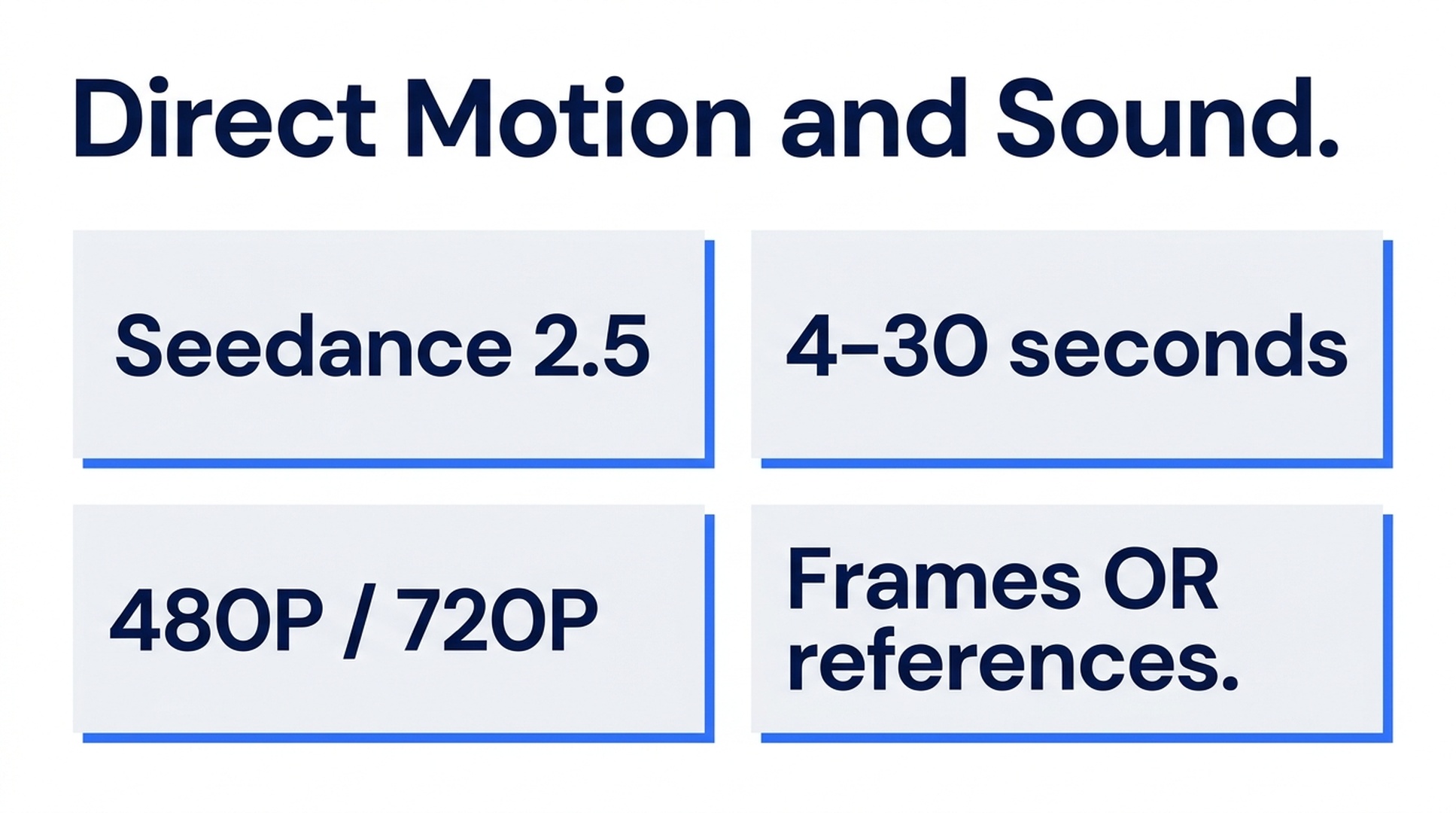
Illustrative guide; not a screenshot or a generated-video result.
What Seedance 2.5 supports in Felo
Felo currently offers Seedance 2.5 at 480P and 720P for clips of 4–30 seconds. Available ratios are 21:9, 16:9, 4:3, 1:1, 3:4 and 9:16. Generated audio is available.
For visual guidance, choose between frame inputs and reference media. The integration accepts first and last frames, or reference images, videos and audio. The model page lists individual limits of up to 30 images, 10 videos and 10 audio clips; these should not be treated as a promise that every maximum can be combined in one request.
Frame inputs and reference media cannot be combined in the same clip. Decide which type of control matters before preparing the assets. The current limits and this restriction are documented on Felo's Seedance 2.5 page.
A Seedance 2.5 prompt structure you can reuse
Write the shot in five parts:
| Part | Decision to make | Example |
|---|---|---|
| Subject | What must remain recognizable? | A matte yellow rain jacket with a dark front zipper |
| Action | What happens during this one clip? | The wearer jumps over one shallow puddle |
| Camera | How does the viewer see the action? | A low side view tracks at the same speed |
| Ending | What should be visible at the finish? | Both feet land and the person continues right |
| Sound | What should be audible? | One splash, footsteps and light rain |
Keep those instructions compatible. A camera cannot stay completely fixed and orbit the subject at the same time. A short clip also becomes harder to direct if it must introduce a character, change locations and complete several unrelated actions.
Start with the central action. Add the visual treatment after the event is clear: overcast daylight, muted colors, realistic fabric movement. This gives you a way to revise style without losing the shot's purpose.
Three Seedance 2.5 prompts to adapt
The prompts below are original suggested examples. They have not been rendered as a controlled test for this article, so use the review criteria to judge your own output.
1. A simple action with a clear landing
Suggested settings: 16:9, 6 seconds, 720P, generated audio enabled.
Side view of an adult runner in a matte yellow rain jacket moving from left to right along a wet path. The runner makes one small jump over a shallow puddle and lands on both feet before continuing. A low tracking camera keeps the full body visible throughout. Overcast daylight, realistic wet fabric and restrained colors. End after the landing, with the runner still in frame. Sound: one short splash, two clear footfalls and soft rain; no music or dialogue.
Check the landing before judging the mood. Are the feet visible? Does the splash occur at the right point? Does the jacket stay recognizable? If the camera loses the subject, simplify the move before adding stronger style language.
2. Product motion with a restrained sound cue
Suggested settings: 1:1, 6 seconds, 720P, generated audio enabled.
A clear unbranded drinking glass stands on a pale stone table. A narrow stream of water enters from above, creates one circular ripple, then stops. The glass stays upright and unchanged. Locked camera at glass height, soft light from the left, clean background. Hold on the settled water for the final moment. Sound: a brief pour and a quiet water ripple, with no speech or music.
The prompt asks for one visible cause and one visible consequence. Review whether the liquid remains inside the glass and whether the camera really stays still. If the model adds a hand or another object, explicitly remove that addition in the next request.
3. Atmosphere without a complicated action
Suggested settings: 21:9, 8 seconds, 720P, generated audio enabled.
A small wooden ferry rests at a quiet riverbank at dawn. Thin mist moves across the water while a loose rope sways gently beside the bow. The boat remains moored. A very slow forward camera move reveals the texture of the wet wood. Soft blue light with one warm reflection in the river. Finish before reaching the boat. Sound: gentle water against the hull and a distant bird; no engine or dialogue.
This is useful when the shot's job is to establish a place. Do not add a chase or a dramatic departure unless the scene actually needs one. The example's movement budget belongs to mist, rope and camera.
References or first and last frames?
Use reference media when you need to communicate what the subject looks like, how movement should feel or what sound should guide the scene. In the prompt, describe the role of each asset in plain language. For example: the product photograph defines the object; the reference clip illustrates the pace of the camera move.
Use first and last frames when the opening and ending compositions are the central requirement. A product might begin behind a translucent panel and finish fully visible. The prompt should explain how the reveal connects those two states.
Keep the images plausible as parts of one shot. A distant outdoor opening and an extreme indoor close-up ask the model to solve several transitions at once. If you need that much change, separate it into shots rather than expecting two endpoints to specify the entire edit.
In Felo, frame mode and reference mode are separate routes for Seedance. If you cannot add the materials together, check whether you are mixing those routes before assuming the upload failed.
Generate a draft, then change one decision
- Open the Seedance model page and confirm that Seedance 2.5 is selected.
- Choose Agent Mode for help interpreting and planning the brief, or direct generation for a prepared prompt.
- Add the selected input type and write the shot.
- Set ratio, length, resolution and the available audio option. Read the credit estimate.
- Watch the result once for movement, once for subject consistency and once with sound.
- Request a single focused change, then compare the new take with the first.
A useful correction preserves the successful parts: “Keep the glass, light and fixed camera. Make the water stream narrower and stop the pour halfway through.” A vague request to improve everything removes the reference point for your next decision.
Fix common prompt problems
| Problem | Try this adjustment |
|---|---|
| The action does not finish | Remove secondary actions or give the central action more time |
| The camera changes direction unexpectedly | Specify one move and its direction |
| The subject changes appearance | Make the defining details explicit; use relevant references when appropriate |
| Sound overwhelms the shot | Name a short list of necessary sounds and omit music or speech |
| The endpoint feels disconnected | Bring the opening and closing compositions closer together |
These are troubleshooting suggestions, not guarantees. If a requirement stays unreliable after a simpler attempt, change the shot design or use a different production method.
Seedance 2.5 FAQ
Can I generate 1080P or 4K in Felo?
The Seedance 2.5 integration checked for this guide offers 480P and 720P. Specifications advertised by other services should not be assumed to apply here.
Does every output contain sound?
Generated audio is supported, but you should check the option before generating and listen to the result. Audio-reference input and generated audio are different settings and concepts.
What does a video cost?
Read the estimate for the selected model, resolution and duration in Felo. Each revision is another generation. An exact dollar example would become misleading if the rate or your settings changed.
Where can I see existing examples?
The Seedance model page includes official examples such as River at Dawn and Splash Test. They are useful for exploring the product's presentation of the model; they are not results of the suggested prompts above.
Start with a shot that has one visible action and an ending you can recognize. That gives every later revision a purpose.
Create a Seedance 2.5 video in Felo →
This post is also available in 简体中文, 日本語, 한국어, 繁體中文, हिन्दी, Français, العربية, Русский, اردو, Bahasa Indonesia, Deutsch, Tiếng Việt, Türkçe, Italiano, ไทย, Español, বাংলা and Português.