How to Turn SOP Documents into Training Videos

Turn an SOP into a training video with a worked example, scene plan, source hierarchy, and checks for roles and exceptions.
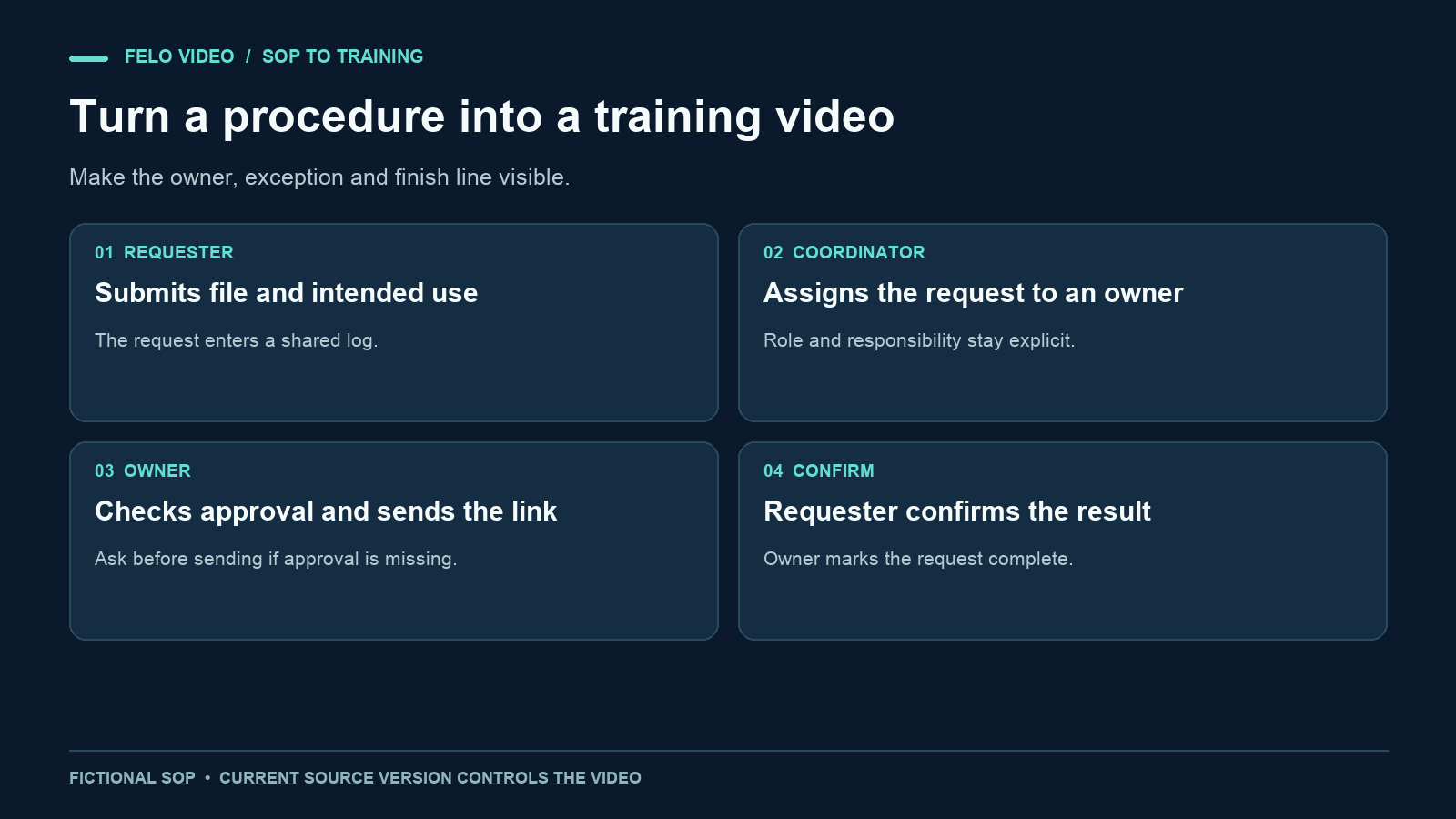
A procedure can be accurate on paper and still leave a new teammate unsure what to do first. A training video can make the order, ownership, and completion conditions easier to follow.
Turning an SOP into video starts with deciding what the viewer should be able to do. Then you can adapt the relevant instructions into narration and visuals while keeping the approved document as the reference.
This guide uses a fictional, low-stakes procedure for handling requests for shared marketing files. The example is an original teaching exercise. It is not a company policy, a customer case study, or a demonstration of a specific ticketing product.
Choose a procedure with a clear finish line
A useful first SOP video covers one task whose completion is observable. If you already have approved narration, the comparison of script, article, and document inputs can help you choose what to provide. "Understand our operations" is too broad. "Find the approved file, send its link, and record the completed request" gives the viewer a result to work toward.
Choose a procedure with a current owner and a known version. If two documents disagree, resolve the disagreement before asking a video tool to explain them. A generation system should not decide which team policy is authoritative.
Also separate background material from instructions. Meeting notes may record a proposal that was never adopted. An old FAQ may describe a retired process. Both can be informative without being valid directions for a new teammate.
A small source manifest helps:
| Source | Role in the video |
|---|---|
| Approved SOP, version 2 | Governs the steps and responsibilities |
| Current FAQ | Adds the named exceptions |
| Older meeting notes | Background only; not current instructions |
| Sample screenshots | Illustrate the interface; verify against current behavior |
If the procedure depends on sensitive information, prepare an approved training example before uploading it. The video usually needs the structure of the task, not a real customer's name or a live confidential record.
A sample SOP to adapt
Here is the fictional procedure used throughout this article:
Shared-file request procedure, version 2
A teammate submits a request in the shared request log, naming the file they need and its intended use. The coordinator assigns an owner. The owner checks the approved-assets folder and confirms whether the requested file is cleared for that use. If the appropriate approved file exists, the owner sends its link and records the action in the log. If approval is missing or the intended use is unclear, the owner asks the coordinator before sending anything. The requester confirms that the link answers the request. The owner then marks the request complete.
An urgent label identifies priority but does not promise a particular response time. A request stays with its assigned owner until a handoff is accepted.
The video needs to retain more than the happy path. Approval, intended use, and completion confirmation determine whether the task was done correctly. Removing them to shorten the runtime would change the procedure.
Convert SOP instructions into scenes
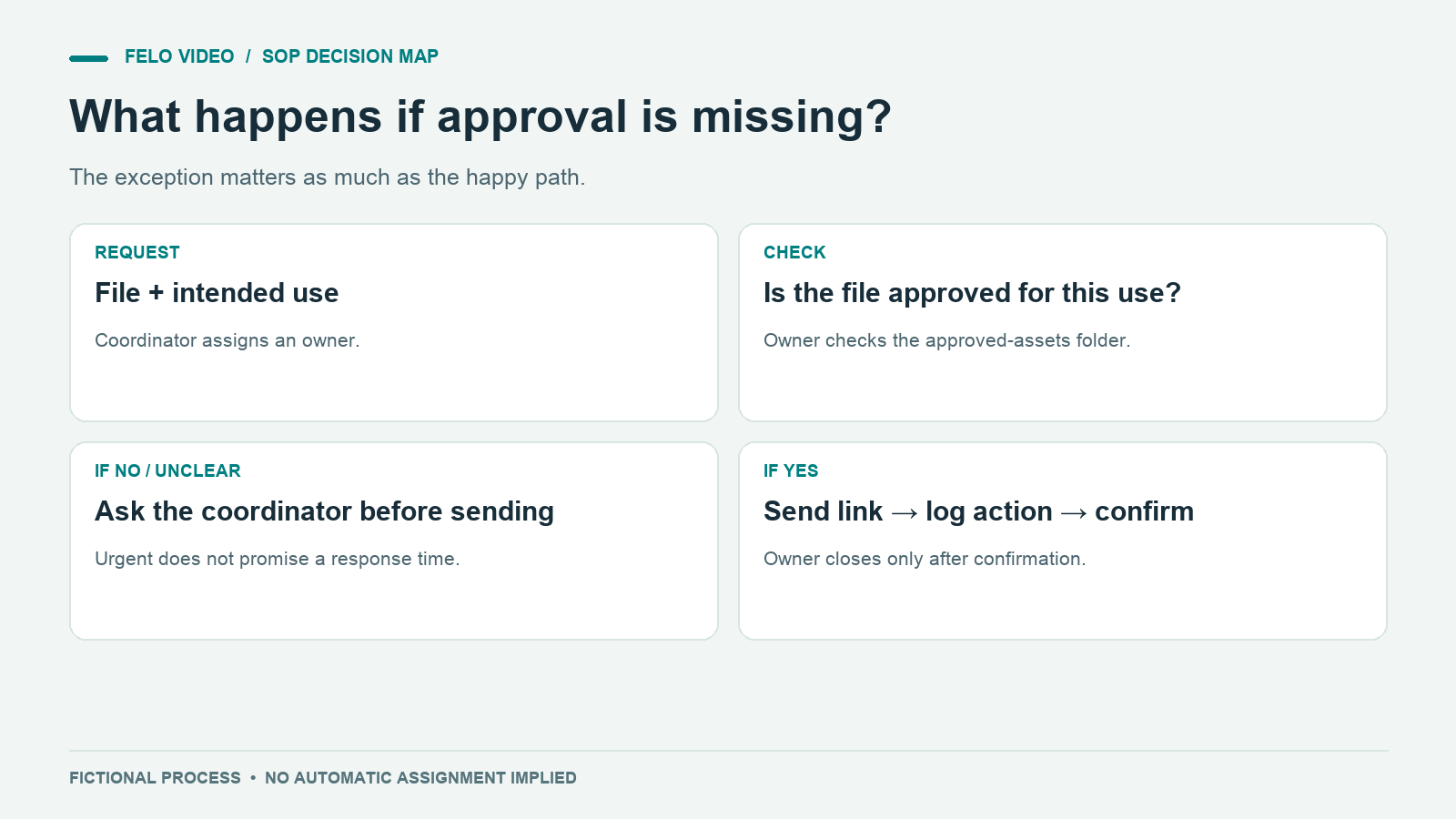
Start by mapping each required instruction to an observable action. This table is also your review checklist later.
| SOP requirement | What the viewer should see | What the narration must preserve |
|---|---|---|
| Request names file and intended use | Two fields in a sample request | Both pieces of information are needed |
| Coordinator assigns an owner | Owner field changes from unassigned to a name | Assignment belongs to the coordinator |
| Owner checks approval | A file and its approval record | Approval must match the intended use |
| Missing approval triggers a question | A branch back to the coordinator | Do not send before resolving the issue |
| Owner sends and logs the link | Sample message and action record | Sending and recording are separate actions |
| Requester confirms completion | Confirmation beside the request | Sending alone does not close the request |
A visual can simplify a long paragraph without changing the rule. For example, a decision diamond labeled "Approved for this use?" communicates a branch clearly. The narration can explain what happens on each side.
Be careful with status labels. If the actual system has "Assigned," "Waiting," and "Complete," a generated "Approved" status may imply a feature or policy that does not exist. Use the real terminology or make it clear that the interface is a diagram.
Write narration that names the responsible person
SOP documents often use compressed or passive phrasing. "Completion must be confirmed" is understandable, but a trainee still needs to know who confirms it. If you have already prepared approved narration, you can start with Script to Video instead of asking the document workflow to draft it.
For video, use the role and action together: "The requester confirms that the link answers the request."
Here is a complete narration draft for the example:
Start in the shared request log. Enter the file you need and explain how you plan to use it. The coordinator assigns an owner. That owner checks the approved-assets folder and confirms that the file is approved for your intended use. If approval is missing, or the use is unclear, the owner asks the coordinator before sending the file. When the approved file is ready, the owner sends its link and records the action in the log. Check the link and confirm whether it answers your request. The owner marks the request complete after that confirmation. An urgent label changes the priority, but this procedure does not promise a response time. Keep an assigned owner visible until any handoff has been accepted.
The script is intentionally precise about the exception. If you need a shorter introduction, remove background explanation before removing a condition that changes the action.
A requested duration is a planning target. Read the script aloud with the visual sequence and allow time for the approval branch. If the process cannot be explained comfortably in the target, split it into a main workflow and an exception video, with clear links between them.
Give the video tool a source hierarchy
The brief should say which file governs the process and what other materials contribute.
Create a training video for new teammates who handle shared-file requests. Use the approved version 2 SOP as the source of truth. The FAQ adds the urgent-label rule only. Older meeting notes are background and must not introduce new steps. Follow the attached narration plan. Use a labeled sample interface and a simple process diagram. Keep the coordinator, owner, and requester roles distinct. Preserve the approval check and requester confirmation. Do not add response-time promises, automatic routing, or automatic closure.
A video created from a document is a separate asset. Changing the source document does not automatically update the video, so include the source version in your production record.
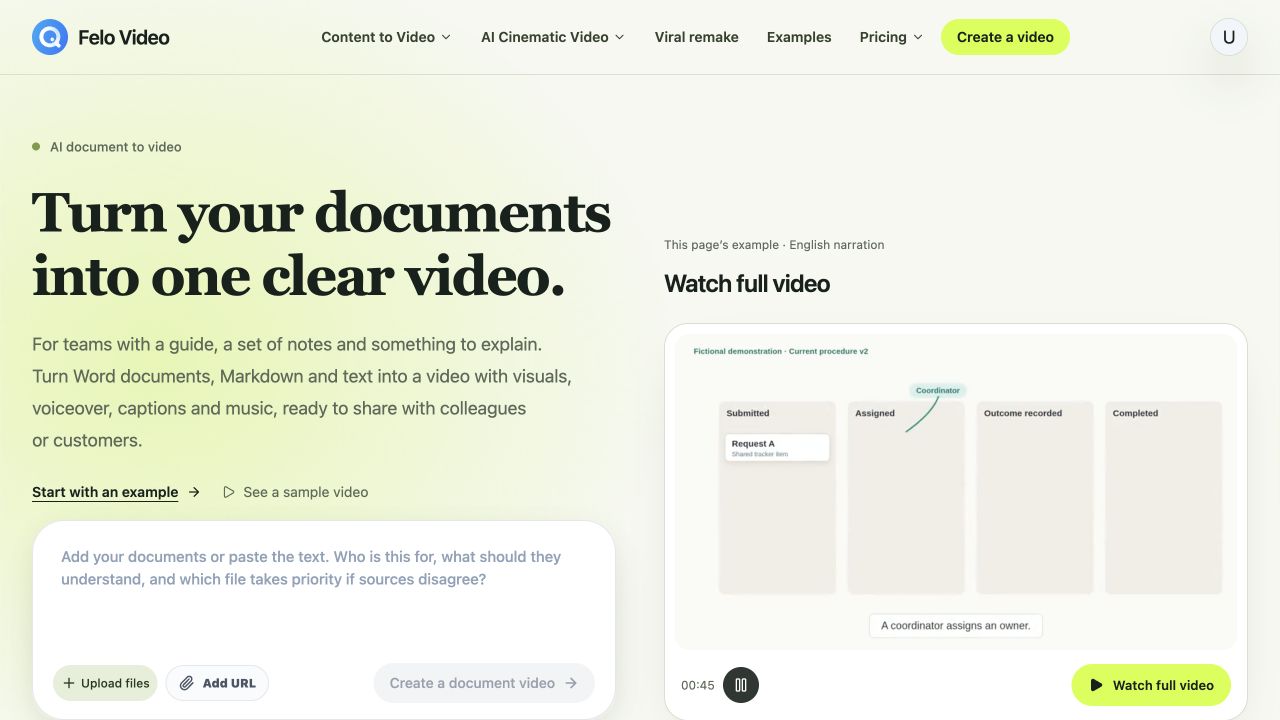
That distinction matters for training. Keep the source version, video version, reviewer, and review date in your own publishing record. A generated video should have an accountable owner just as the SOP does.
When preparing your inputs, use the least material needed to explain the task well. A complete department handbook can contain irrelevant procedures and contradictory historical notes. A focused source package is easier to review.
Check whether a learner can complete the task
Ask the process owner to review the first version with the source-to-scene table. They should be able to point to the scene that teaches each required instruction.
Then ask a person unfamiliar with the procedure to describe what they would do. Use a sample request rather than a real operational task. If they cannot explain who owns the request or when it becomes complete, revise the explanation.
The review should include these questions:
- Does the video assign each action to the correct role?
- Does it show the exception before a viewer could take the wrong action?
- Are the interface labels current or clearly marked as illustrative?
- Do the captions preserve conditions such as "before" and "after"?
- Does the finish line match the SOP's completion rule?
Do not judge understanding from a simple "Was that clear?" Ask the learner to apply the process. For example: "The file exists, but the intended use is unclear. What happens next?"
The expected answer is to ask the coordinator before sending. If the learner says to send the file and ask later, the video has not communicated the branch clearly enough.
Keep the training video maintainable
A video can become outdated when a role changes, an interface moves, or the approval rule is revised. Record which source sections the video depends on so you can identify affected scenes.
For the example, a change to who assigns the owner would affect the narration, the diagram, and the sample interface. Updating only the description beneath the video would leave contradictory instruction in the content itself.
Maintain a simple register:
| Field | Example value |
|---|---|
| Procedure | Shared-file requests |
| Source version | Version 2 |
| Video purpose | Teach the standard request and approval branch |
| Process owner | Named team role |
| Last reviewed | Actual review date |
| Review trigger | Role, approval, interface, or completion-rule change |
Distribute the video alongside a link to the current SOP. The document remains useful for details, exceptions, and later reference. The video provides a guided explanation of the task.
Questions about SOP training videos
Can I upload several documents?
Prepare them with explicit roles and priorities, and check the current upload options in the tool. The important editorial step is identifying the approved procedure before generation.
Should the narrator read the SOP word for word?
Usually, the instructions can be rewritten for listening. Preserve mandatory wording where your process owner requires it, and check that simpler phrasing does not change responsibility or conditions.
Does a generated video prove someone completed training?
No. A video is training material. Attendance records, assessment, and completion tracking need their own process or system.
What should be the first SOP video?
Choose a low-risk task with a current procedure, a clear owner, and a visible completion condition. That makes it easier to verify both the explanation and the production workflow.
Prepare the approved source and one concrete training task, then explore Felo Document to Video.