Text to Video & Image to Video: 10 Short Videos for $1

Generate cinematic short videos from text or a photo with Felo AI. Limited-time 70% off: $1 (1,000 credits) covers up to ten 4-second 768P clips.
One weekend of filming buys you exactly one usable fifteen-second clip. Felo AI's video generator makes that trade look silly: you describe a scene in plain words (or drop in a photo) and get a cinematic short video back a few minutes later. Right now there's a limited-time 3折 offer on top. 3折 means you pay 30% of the regular rate, and at that price $1 worth of credits (1,000 credits) covers up to ten 4-second 768P clips. About $0.10 a clip for footage you'd normally hire a crew for.
What you can do: text to video, image to video
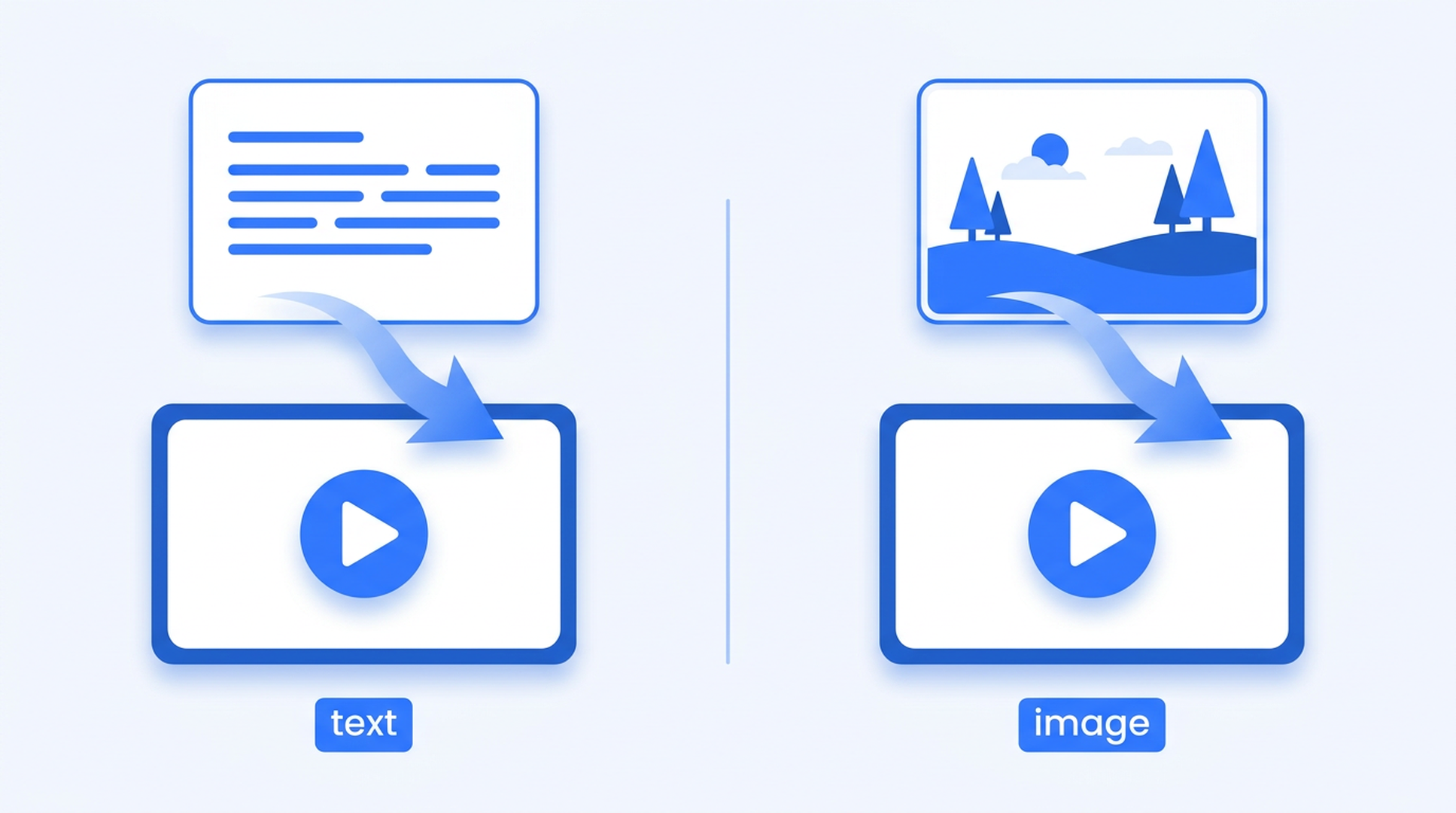
The Felo AI Video Generator is two tools in one conversation.
Text to video. Describe the subject, the action, the camera movement, the lighting, and the style you want. The agent works from a creative brief, in the same spirit as the official example prompt: "A paper boat drifts through a flooded city street at dawn. Gentle forward tracking shot, soft reflections on the water, muted colors, quiet and hopeful mood." One sentence like that is enough to start.
Image to video. Attach a reference image (a product shot, a character design, a still you made with Felo AI Image) and the agent brings it to life. The photo sets the visual; your text says how it moves. For static artwork, it's the quickest way to see it in motion.
You control three settings, all optional:
- Duration: 4 to 15 seconds (default 6). Billed per second, so longer clips cost more.
- Resolution: 768P by default, 2K when you need extra detail.
- Aspect ratio: 16:9 for wide, 9:16 for vertical content. Mention "vertical" in your message and that beats the interface setting. (The ratio is ignored when you attach a reference image; the photo's own framing wins.)
The limited-time offer: 10 clips for $1
The published rate for 768P video is about 86 credits per second, which works out to roughly US$0.09 per second (the rate card uses 1,000 credits ≈ US$1). At that rate, a 4-second 768P clip costs 344 credits, about $0.34.
During this offer you pay 30% of that, which brings a 4-second clip down to roughly 103 credits, about $0.10. Do the arithmetic and $1 of credits gets you ten:
| Output (768P) | Published rate | Limited-time 3折 |
|---|---|---|
| 1 × 4-second clip | 344 credits (~$0.34) | |
| 5 × 4-second clips | 1,720 credits (~$1.72) | |
| 10 × 4-second clips | 3,440 credits (~$3.44) |
Two notes so there's no sticker shock later. The official rate card shows the estimated USD value next to every generation, so you always know the cost before you generate; the rates shown there are limited-time offers and the USD estimate may change. And it takes a bit more than credits: AI video generation is available to Pro subscribers, and each request consumes credits as well.
How to make a video from text: 3 steps
- Describe the idea. Say what happens in the frame: the scene, the subject, the action, the visual style. Plain language works. The agent is designed for a brief, not for an empty timeline.
- Add creative direction. Specifics matter here. Motion, camera, composition, mood: slow pan across the counter, close-up push-in on the product, golden hour light, cinematic.
- Create and refine. Send the prompt and wait: generation takes several minutes, then the clip appears in the conversation. Review it, adjust the prompt, run it again. Each request produces one video, so iterate until the shot lands.
How to make a video from an image
Same conversation, attach a photo first. A few things worth knowing:
- Reference material is flexible: up to 9 images, 3 videos, and 3 audio clips (12 items total) for context.
- If your message says "make it 10 seconds" or "vertical", that wins over the interface settings.
- The clip lands in the conversation when it's ready. Generation takes several minutes, so plan for the wait.
Where this shines: animating a product still into an ad, turning a character render into a moving shot, or moving the stills you already made with Felo AI Image into a motion storyboard.
Tips for better AI short videos
- Keep it to one continuous shot. A request produces a single clip; one coherent moment beats a multi-scene sequence.
- Name the camera movement. Slow pan, tracking shot, push in, static shot: these give the model an actual direction instead of a guess.
- Set the lighting and mood. Golden hour, overcast, neon, cinematic change the outcome more than you'd expect.
- Pick a style. Photorealistic, anime, claymation, documentary are all on the menu.
- Go vertical when the clip is going to a social feed. It's a one-word change in your prompt.
What this is for
- Product concepts: visualize a launch idea, product moment, or campaign direction before committing to a full production.
- Social video ideas: explore an opening scene or visual hook before production.
- Commercial-style ads: this generator is built for cinematic short-form marketing footage, not just abstract experiments.
- Storyboards and drafts: a cheap way to show a team what a scene could feel like.
What you actually gain is options. For the cost of one clip you get to review several takes and keep the one that works.
Frequently asked questions
How long does generation take? Several minutes. The result appears in the conversation when it's ready, one video per request.
What's the longest clip I can make? 4 to 15 seconds, set in the interface or in your message. Billing is per second, so shorter clips are cheaper.
Do I need a Pro subscription? Yes. AI video generation is available to Pro subscribers, and generation consumes credits.
Is this 3折 offer going to end? Yes. The limited-time rate is 30% of the published rate. After the campaign, a 4-second 768P clip is back to 344 credits (~$0.34).
Can my message control the aspect ratio? Yes. Tell the agent "vertical" or "16:9" and it overrides the interface setting.
Try it: $1, ten short videos
The loop is short: describe a scene or attach an image, wait a few minutes, review, adjust. During the 3折 offer it costs about as much as a coffee, and you walk away with up to ten 4-second 768P clips.
Try the Felo AI Video Generator now → https://felo.ai/agents/ai-video-generator-L9jnSPU8qwF43sbgJfUEna
Also available in 日本語 and 繁體中文.
One sentence, one photo, ten clips for a dollar. Start at the link above before the offer closes.
This post is also available in 简体中文, 日本語, 한국어, 繁體中文, हिन्दी, Français, العربية, Русский, اردو, Bahasa Indonesia, Deutsch, Tiếng Việt, Türkçe, Italiano, ไทย, Español, বাংলা and Português.