Try GPT Image 2 Free in Felo — 4K Images, Text Rendering, and Better Prompts

GPT Image 2 is now available in Felo. Try it free with better text rendering, 4K resolution, and stronger prompt control for posters, product photos, and marketing visuals.
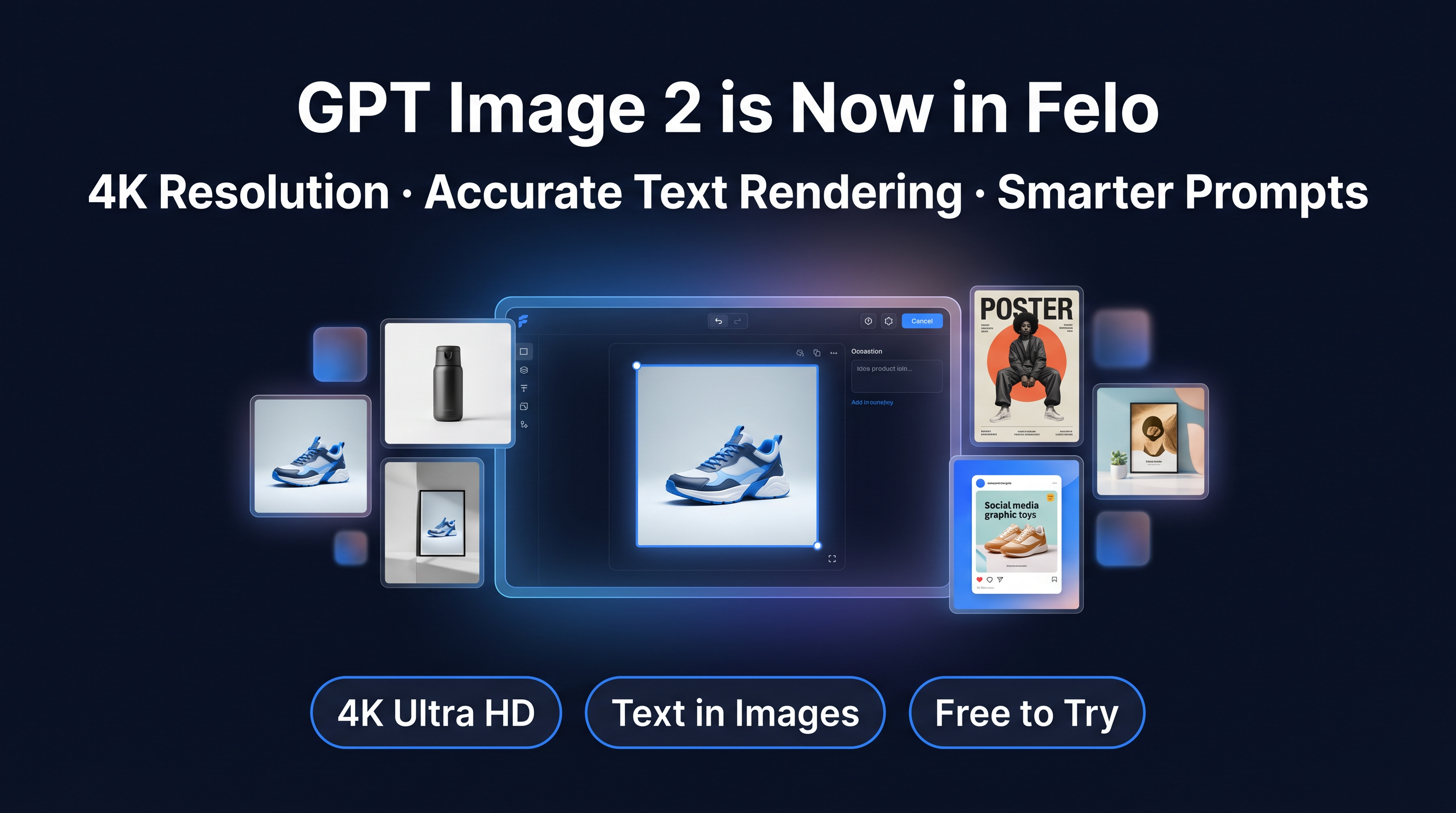
GPT Image 2 Generator is now available in Felo, and you can try it free.
OpenAI just released their newest image model, and we integrated it the same day. If you have been waiting for an AI image tool that can handle text inside images without breaking, render at 4K resolution, and actually follow your prompt instructions, this is the update that matters.
Three things changed:
1. Text rendering works. Poster headlines, product labels, menu boards, and UI button text finally look usable instead of broken.
2. Resolution jumped to 4K. You can now generate images up to 3840×2160, which means banners, print materials, and high-res product shots are suddenly realistic.
3. Prompts are taken more seriously. If you say "coffee cup on the left, notebook on the right," the model will actually do that instead of improvising.
Felo is free to sign up, and new users get starting credits that let you try GPT Image 2 immediately. No card required.
Where to find GPT Image 2 in Felo
You can access GPT Image 2 from three places inside Felo:
- Homepage image generator — the main image creation tool
- LiveDoc inline image creation — generate images directly inside your documents as you write
- AI Task input — create images as part of larger AI workflows
Once you select GPT Image 2 as your model, you will see options for:
- Resolution — from standard 1024×1024 up to 4K (3840×2160), or let the model pick automatically
- Quality — Auto, Low, Medium, or High (Auto works well for most cases)
- Output format — PNG for lossless quality, JPEG for smaller files, or WebP for a balance between the two
- Compression — control file size when using JPEG or WebP
- Background mode — Automatic or Opaque (transparent backgrounds are not supported in this model)
If you are not sure what to pick, leave everything on Auto. The model will choose sensible defaults and you will still get strong results.
The pricing is 500 credits per image, with a launch discount bringing it down to 300 credits. New Felo users get free starting credits when they sign up, so you can try GPT Image 2 right away without paying anything upfront.
What GPT Image 2 does better than older models
The reason people are paying attention to GPT Image 2 is not just that the images look prettier. It is that the model is more usable for real work.
Text rendering that actually works
This is the biggest shift.
Older image models regularly destroyed text. If you tried to make a poster, the headline would come out garbled. If you tried to create a product label, the words looked like a visual accident. That made AI image tools frustrating for anything that needed to communicate clearly.
GPT Image 2 changes that. Short-form text like poster headlines, packaging labels, menu items, and UI button copy now render cleanly and legibly. It supports English, Chinese, Japanese, Korean, and other languages without falling apart.
That means you can finally use AI for posters, sale graphics, event announcements, social ads, and branded visuals where the words inside the image actually matter.
4K resolution for real output
The previous generation maxed out at 1536 pixels on the long edge. That was fine for social media thumbnails, but it was not enough for banners, print materials, or high-quality product photography.
GPT Image 2 goes up to 3840×2160. That is true 4K.
If you need a hero image for a landing page, a poster for an event, or a product shot that holds up when zoomed in, the resolution is finally there.
Prompts are followed more closely
A lot of older image models treated your prompt like a suggestion. You would ask for a specific composition, and the model would improvise anyway.
GPT Image 2 is better at respecting structure. If you describe object placement, lighting direction, text position, and visual style, the model is much more likely to honor those instructions instead of reinterpreting them.
That makes the tool more predictable, which is exactly what you want when you are trying to create something specific instead of exploring random variations.
One thing that got worse
GPT Image 2 does not support transparent backgrounds. The previous model did.
If your workflow depends on generating images with transparency, you will need to stick with an older model or handle background removal separately. For most use cases, this is not a dealbreaker, but it is worth knowing upfront.
What to make first with GPT Image 2 in Felo
If you are trying GPT Image 2 for the first time, these are the tasks where the model shows its value fastest.
1. Product photos for ecommerce
One of the strongest use cases is product imagery.
Think simple, centered products with controlled lighting and clean backgrounds. A skincare bottle on a stone pedestal. A coffee bag with a visible label. A pair of earbuds in a dark studio setup. A beverage can in a bright summer scene.
GPT Image 2 handles these well because the composition is structured and the model can follow clear visual instructions.
Example prompt:
A photorealistic skincare serum bottle made of frosted glass with a white dropper cap, centered on a beige stone pedestal, soft natural side lighting, subtle shadow below, beauty advertising photography, no hands, no clutter, no extra labels.
You can try this prompt free in Felo right now. If the result is close but not perfect, change one variable at a time — tighten the lighting, simplify the background, or adjust the product description.
2. Posters and marketing graphics
This is where text rendering makes the biggest difference.
If you need a launch graphic, event poster, sale ad, or campaign visual with a short readable headline, GPT Image 2 is much more relevant than older models that regularly mangled text.
Example prompt:
A modern event poster for a product launch. Large headline text reads "NEW DROP" at the top. Dark navy background, clean geometric composition, electric blue accent lines, strong contrast, bold sans-serif typography, minimal clutter.
You can try this prompt free in Felo right now. The key is keeping the text short, the layout simple, and the contrast strong. If the headline does not look right, adjust the placement or simplify the background.
3. Social media images with text
A lot of social content needs a visual plus a short message. Quote cards, announcement graphics, product callouts, and promo tiles all depend on text being legible.
GPT Image 2 makes this workflow much more realistic because you can generate the image and the text in one step instead of needing to add copy in a separate design tool.
Example prompt:
A clean social media graphic with headline text "SUMMER SALE", coral background, bold white sans-serif typography, simple tropical leaf accents, strong hierarchy, minimal clutter.
You can try this prompt free in Felo right now. Keep the copy short, the background simple, and the contrast high. If the text feels too small or too busy, adjust the prompt to give it more space.
4. Document illustrations in LiveDoc
One of the most useful integrations is inside LiveDoc, Felo's real-time document tool.
You can generate images directly inside your document as you write. That means if you are drafting a report, a pitch deck, a blog post, or a project brief, you can create supporting visuals without leaving the document or switching tools.
Example prompt:
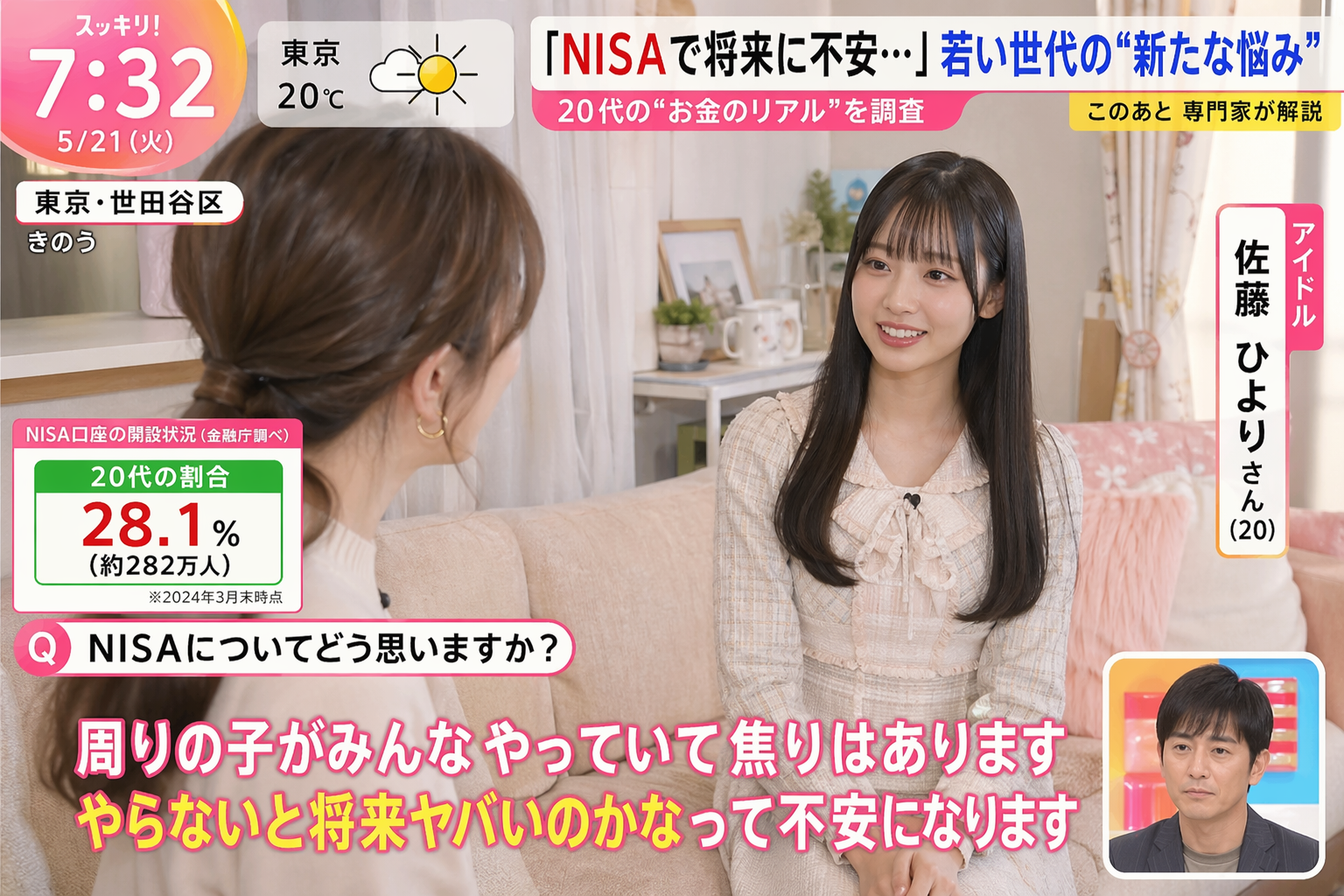
Generate an image in the style of a Japanese TV program. Let the AI consider the overall atmosphere of the image, including captions and interview content/answers associated with the following details: {argument name="theme" default="NISA poverty. Morning news program. A 20-year-old female idol being interviewed at a woman's home."}
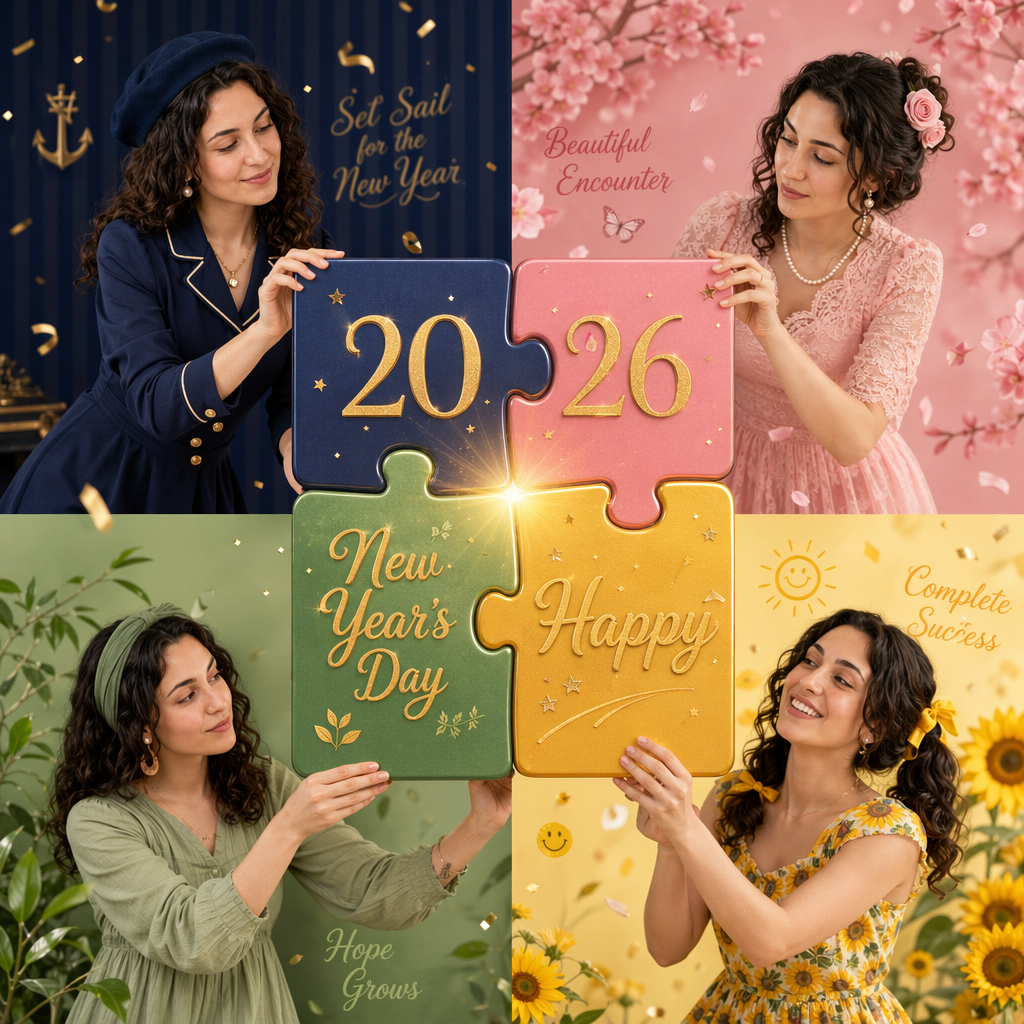
[Key: Maintain precise facial features, retain original face structure, the character in the image must be completely consistent with the uploaded reference image] High-end photo studio 2x2 grid photo. Top-left panel (Navy Blue background): The character wears a navy blue uniform-style dress, decorated with gold buttons, vintage curls with a blue beret and pearl earrings. She holds up a huge puzzle piece (top-left piece, with the number "20" on it) with both hands, moving it towards the center of the frame. Her eyes are focused on the central puzzle area, her expression is serious, with a slight smile. The background features navy stripes, an anchor, and the text "Set Sail for the New Year". Top-right panel (Cherry Blossom Pink background): The same woman wears a pink lace dress, a pearl necklace, a princess hairstyle with a pink rose hairpin and crystal earrings. She holds up the top-right puzzle piece (with the number "26" on it) with both hands, moving it towards the center to connect with the top-left piece. Her eyes look at the puzzle seam, her expression is focused and expectant, and her body leans forward. The background features pink cherry blossoms, the text "Beautiful Encounter", butterflies, and petals. Bottom-left panel (Mint Green background): The same woman wears a mint green cotton and linen dress, in an artistic style, with natural long hair, a green hairband, and wooden earrings. She holds up the bottom-left puzzle piece (with the text "New Year's Day" on it) with both hands, moving it upwards to connect with the top-left piece. Her eyes look at the puzzle, her expression is serious, and her mouth is slightly pursed. The background features green plants, the text "Hope Grows", new sprouts, and leaves. Bottom-right panel (Lemon Yellow background): The same woman wears a yellow dress with a sunflower pattern, pigtails with yellow bows. She pushes in the last bottom-right puzzle piece (with the text "Happy" on it) to complete the puzzle. The four pieces perfectly form the complete pattern "2026 New Year's Day Happy" in the center of the frame. She tilts her head back, looking at the completed puzzle, her face beaming with a successful, joyful smile. The center of the frame bursts with golden light and confetti. The background features a yellow sun, the text "Complete Success", smiley faces, and sunflowers. The puzzle pieces converge from the four corners to the center to form a complete picture. Clear makeup, bright ring light, 85mm lens, f/1.8 aperture, four-panel composition with puzzle interaction, fashion magazine style.
日本酒ブランド向けの円形ロゴデザイン。赤いソリッドカラーの円形背景に、白いベクターラインで描かれた徳利とお猪口のシンボルマーク。下部に青海波風の和柄パターンを配置し、中央対称の構図。フラットデザイン、ミニマリスト、シャドウなし、高コントラスト。ブランド名はサンプル表記「醸彩堂(じょうさいどう)」、補足テキストに “Since 2022”。和風筆文字または丸みのあるサンセリフ体を使用。清潔感があり、伝統的な日本酒のブランドアイデンティティを表現したベクターロゴ きキャンバス:1:1比率
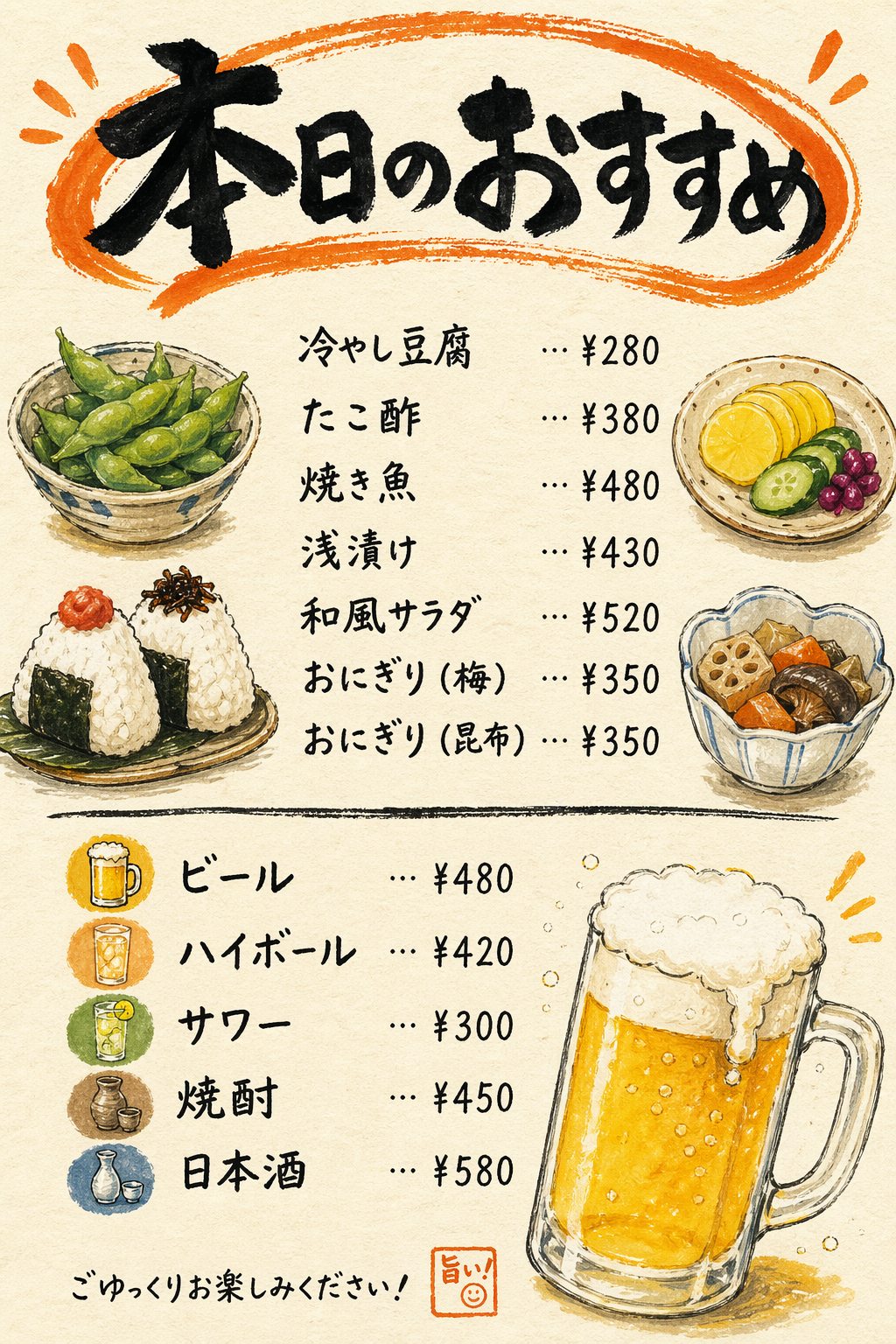
You can try this prompt free in Felo right now. The result will not replace a real product design, but it is useful for concept visuals, presentation slides, and early-stage mockups.
A few prompting tips that help
You do not need to memorize a formula, but a little structure goes a long way.
Be specific about what the image is for
Say whether you are making a product photo, a poster, a social ad, or a UI promo visual. That one decision changes composition, density, and layout immediately.
Put text in quotation marks
If you want a headline, write the exact words in quotes.
headline reads "SUMMER SALE"
That works better than vague instructions like "include some sale text."
Keep text short
Even with better text rendering, short-form copy is still more reliable than long paragraphs. Stick to headlines, labels, and short callouts.
Start simple and change one thing at a time
If the first result is not right, do not rewrite the whole prompt. Change the lighting, or the background, or the text placement. That makes it easier to understand what improved the image.
Leave settings on Auto if you are not sure
The model will pick sensible defaults for resolution, quality, and format. You can always adjust later if you need more control.
The best way to learn is to try a few prompts yourself — it is free to start.
Why Felo for GPT Image 2
Felo is not just an image generator. It is a complete workflow tool.
You can search for information, draft documents in LiveDoc, generate images, and export everything without switching between five different apps. If you are writing a report in LiveDoc and need a supporting visual, you can create it inline. If you are building a campaign deck and need product mockups, you can generate them in the same place you are organizing your research.
That integration is what makes Felo useful beyond the image generation itself.
And the core features are free. You can sign up, start using the tool, and try GPT Image 2 with the starting credits you get as a new user. No card required upfront.
GPT Image 2 is priced at 300 credits per image during the launch period (regular price is 500 credits). New users get enough free starting credits to try several images and see whether the tool fits their workflow.
Final thought
Open Felo, pick GPT Image 2, and try making something you have been putting off because the tools were not good enough yet.
A poster with a clean headline. A product shot for your store. A social graphic with readable text. A mockup for a pitch deck. Whatever it is, the model is finally capable enough that the output might actually be usable instead of just interesting.
It is free to start.