How to Use Grok API with AI Agents: Complete Guide 2026

Learn how to connect AI agents to Grok API through Felo OpenAPI for cost-effective model calls, search, PPT generation, and complete workflows.
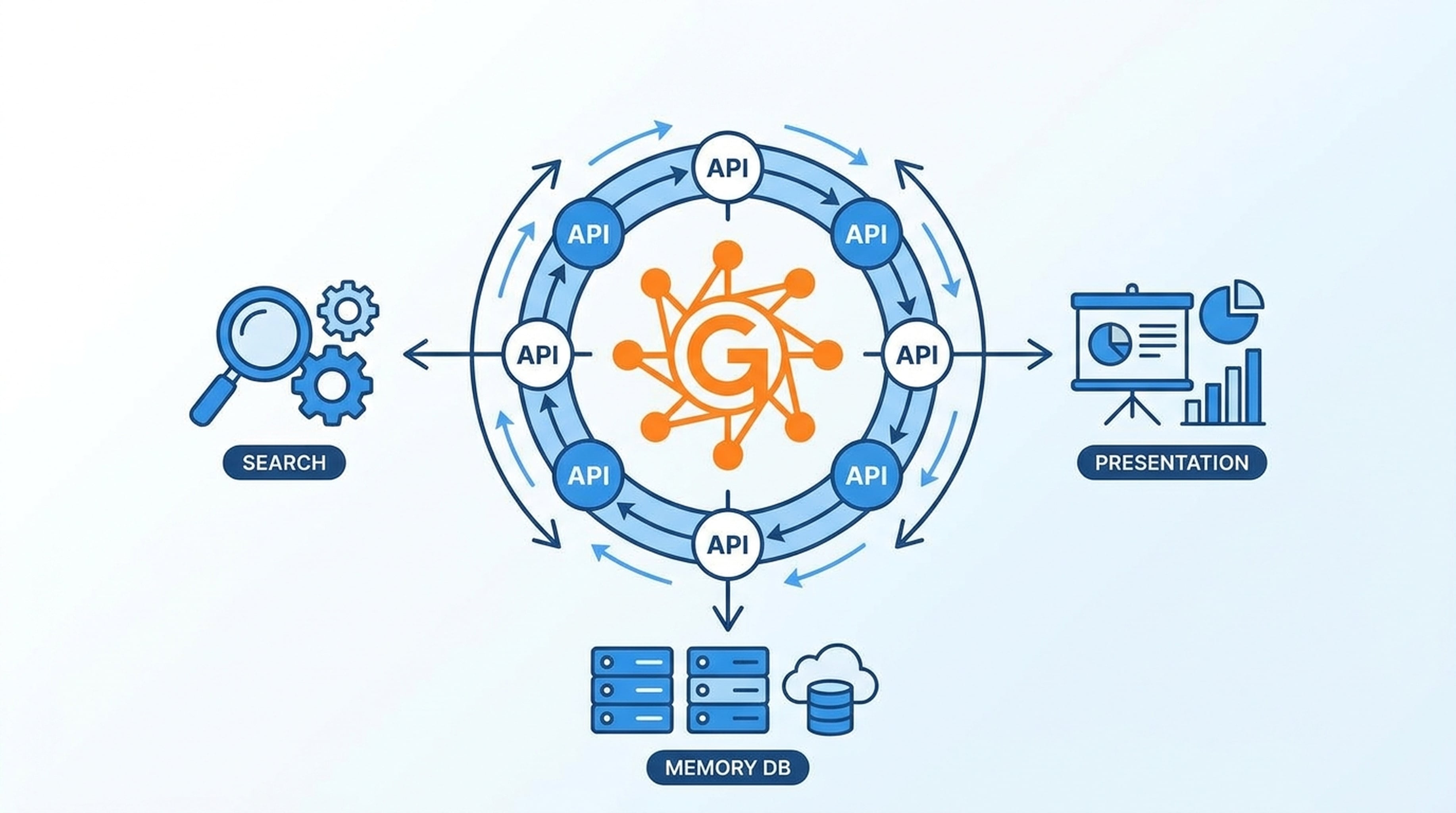
Grok API has quickly become one of the most searched model APIs in 2026. With competitive pricing, strong analytical capabilities, and real-time knowledge access, it's a compelling option for AI agent workflows.
Here's how to connect your agents to Grok API and combine it with search, memory, and output tools.
Why Grok API for AI Agents
Grok API (powered by xAI's Grok 4.5 model) offers several advantages for agent workflows:
- Competitive pricing — lower per-call costs than many alternatives
- Real-time knowledge — access to current information, not just training data
- Strong analytical reasoning — excels at structured analysis and problem-solving
- Growing ecosystem — increasing tool and platform support
For agents that make many model calls per workflow, Grok API's cost efficiency matters. Every saved cent per call adds up when agents chain 5-10 calls per task.
Grok API Through Felo OpenAPI
Felo OpenAPI provides access to Grok 4.5 through standard protocols, alongside Claude and GPT models, all under one API key.
Grok API Access Details
- Model: Grok 4.5
- Protocols: OpenAI-compatible Chat Completions, Responses API
- Endpoint: Through Felo OpenAPI base URL
- Authentication: Single API key
Grok API vs Other Models in Felo
| Model | Best For | Relative Cost | | -|----------|--------------| | Grok 4.5 | Analytical tasks, real-time knowledge, cost efficiency | Competitive | | Claude Opus 4.8 | Complex reasoning, multi-step analysis | Premium | | Claude Sonnet 4.6 | General tasks, balanced speed/quality | Mid-tier | | GPT-5.6 Sol | Creative generation, long-form content | Premium | | GPT-5.6 Terra | General reasoning, structured output | Mid-tier | | Claude Haiku 4.5 | Simple classification, quick answers | Low |
The smart agents use Grok 4.5 for analytical steps and reserve stronger (more expensive) models for complex reasoning.
Step 1: Get Your API Key
Sign up at Felo OpenAPI and generate an API key. This single key gives you access to Grok API, Claude API, GPT API, and all tool APIs.
Step 2: Set Up Your Agent
Open the setup guide for your agent platform:
Each guide shows where to enter the base URL, API key, and select Grok 4.5 as your model.
Step 3: Call Grok API
Once connected, your agent can call Grok API through familiar protocols:
OpenAI-compatible Chat Completions:
POST /api/v1/chat/completions
Responses API:
POST /api/v1/responses
Your agent's existing Grok API integration code works without changes — just point it at the Felo base URL.
Combining Grok API With Tool APIs
The real power comes when you combine Grok API with Felo's tool APIs:
Grok API + Search
Grok API analyzes current web data pulled through the search API:
- Agent calls
POST /v2/chatfor AI Search - Results go to Grok 4.5 for analysis
- Grok produces insights backed by fresh sources
Grok API + LiveDocs Memory
Grok API works with persistent context:
- Agent retrieves relevant documents from LiveDocs
- Sends them to Grok 4.5 for analysis
- Grok produces output informed by team knowledge
Grok API + PPT Generation
Grok API structures content, PPT API produces slides:
- Agent researches a topic using search
- Grok 4.5 analyzes and structures the findings
- Agent calls
POST /v2/pptsto generate the deck - Returns a themed presentation with Grok-structured content
Grok API + SuperAgent Workflow
For multi-step tasks, SuperAgent handles streaming conversations:
- Agent plans the workflow
- Calls Grok API for analysis steps
- Calls other tools for data gathering and output
- SuperAgent streams the conversation throughout
Grok API Use Cases
Data Analysis
Grok 4.5 excels at structured analysis. Feed it data from search and extraction APIs, and it produces insights with supporting evidence.
Code Review
Grok API can analyze code against current best practices by combining its reasoning with live documentation pulled through web fetch.
Market Research
Grok API processes market data, competitor information, and social sentiment into structured reports.
Content Generation
Grok API generates well-structured content — briefs, summaries, analysis — that can be fed into the PPT API or Landing Page API for output.
Grok API Cost Efficiency
One of the main reasons developers search for Grok API is cost. Through Felo OpenAPI:
- Grok API calls cost less than going direct
- You only manage one API key, one bill, one dashboard
- You can switch between Grok, Claude, and GPT models without reconfiguring
- Strong analytical performance at a lower price point
For agents that run hundreds or thousands of calls per day, the savings are significant.
Grok API FAQ
Can I use Grok API with Claude Code?
Yes. Connect Claude Code to Felo OpenAPI and select Grok 4.5 as your model. Claude Code will call Grok API through the same interface it uses for Claude models.
Is Grok API cheaper than Claude API?
Grok 4.5 through Felo OpenAPI is priced competitively, generally lower than Claude Opus 4.8. For analytical tasks where Grok performs well, it's a cost-effective choice.
Does Grok API support function calling?
Yes, Grok API supports function calling through the Responses API (POST /api/v1/responses), allowing agents to call tools during Grok-powered conversations.
Can I switch between Grok API and Claude API?
Yes. With Felo OpenAPI, you can switch models by changing the model parameter in your API call. No need to reconfigure your agent or change API keys.
Getting Started
- Create your free API key
- Choose your agent setup guide
- Select Grok 4.5 and start calling Grok API with full tool access
Grok API gives you strong analytical reasoning. Felo OpenAPI gives it the tools to finish the job.