Voice Recorder with Transcription: Turn Speech into Editable Text in Real Time

A practical guide to using a voice recorder with transcription — what it does, where it actually saves time, and how to pick one for meetings, interviews, and lectures.
You finish a 45-minute meeting. The decisions are clear in the moment. By the time you sit down to write the recap, half the nuance has already evaporated, and the recording is just a 200 MB file you'll probably never replay.
A voice recorder with transcription closes that gap. Instead of capturing audio you'll need to listen to again, it converts speech into editable, searchable text as you speak — so the meeting, interview, or lecture is already written down by the time the room empties.
This guide covers what these tools actually do, the five scenarios where they change a workflow more than people expect, what to look for when picking one, and how to get from a raw recording to clean notes in a few clicks.
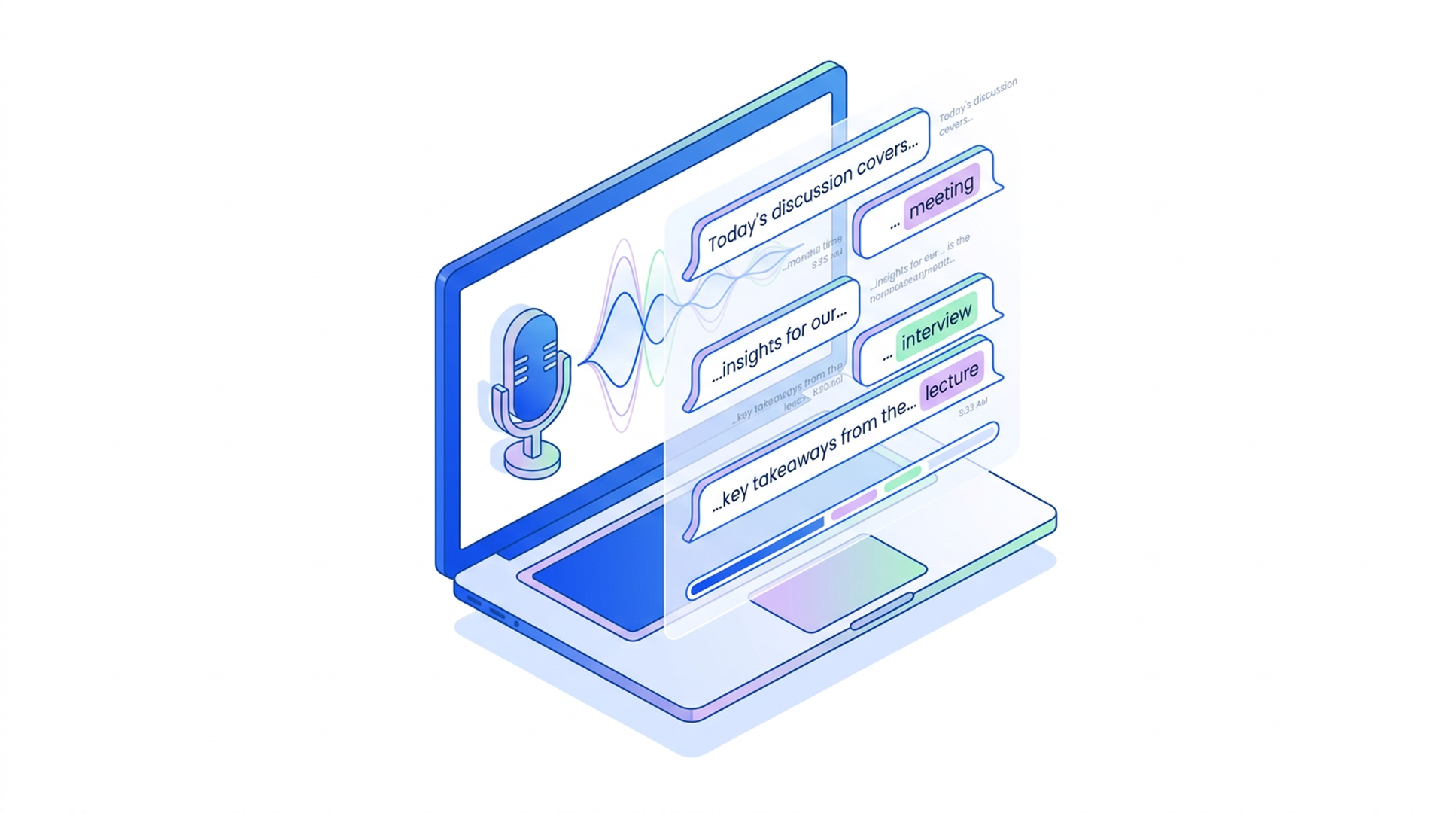
What a voice recorder with transcription actually does
The name is doing a lot of work, so it helps to be specific. A modern voice recorder with transcription does four things at once:
- Records audio from a microphone, headset, or system audio.
- Streams the audio to a speech recognition engine — local or cloud.
- Returns text in near real time as captions, alongside the recording.
- Structures the output afterward into a clean transcript, with optional summaries, action items, and timestamps.
The interesting part is not the recording — phones have done that for two decades. It's that the audio and the transcript stay linked. Click a sentence in the transcript, jump to that exact second in the audio. Search for "budget" across last month's calls and find every mention without scrubbing.
That linking is what turns a voice recorder with transcription from a note-taking gadget into a reusable knowledge layer.
Live transcription vs. post-processing
Two flavors exist, and the difference matters:
- Real-time transcription (also called live transcription): text appears as you speak, usually with a 1–3 second delay. You can read along, ask AI questions mid-recording, and catch misheard names while the conversation is still happening.
- Post-processed transcription: you record first, then the file is sent for transcription, and you get a tidied transcript a minute or two later. Slightly higher accuracy on hard audio, but no live captions.
Most modern tools do both — they show live captions during the session and apply a clean-up pass once recording stops. If you only see one, the live version is the bigger workflow upgrade.
Five scenarios where it actually saves time
Generic "save time" claims are easy to ignore. Here are five concrete situations where a voice recorder with transcription changes the math.
1. Meetings (the obvious one, but not for the obvious reason)
Most teams already know meetings can be transcribed. What they underuse is the search layer that comes with it. Three weeks later, when someone asks "didn't we decide something about the API rate limits?", a transcript search finds the answer in eight seconds. A 45-minute MP4 file does not.
The other underused piece: mid-meeting AI questions. With live transcription, you can ask "what has been decided so far?" while the meeting is still going. Useful when you join late, when you need to double-check before agreeing to an action item, or when you want to pull the next agenda question without breaking the flow.
2. Interviews — research, journalism, hiring
Interviews are where transcription accuracy matters most. You're going to quote someone. The transcript needs to be defensible.
What changes the workflow: instead of listening to a 60-minute interview twice (once to take notes, once to verify quotes), you read the transcript once, click any sentence to hear the exact audio, and you're done. Editing time drops by roughly 60–70%.
For multilingual interviews — a recurring pain point in international research — a tool that handles mixed-language audio in a single session is a meaningful upgrade. Switching between languages mid-conversation without restarting the recorder removes a category of friction that used to require either two recorders or careful editing.
3. Lectures and study sessions
Live captions during a lecture mean students can focus on the explanation instead of racing to type bullet points. After class, the transcript becomes a study artifact: searchable, summarizable, exportable into flashcards.
The pattern that works for self-study: record the lecture, ask the AI to summarize the key concepts, then ask follow-up questions ("explain step 3 in simpler terms," "give me three practice problems on this section"). The transcript is the source of truth; the AI just reorganizes it for the way you study.
4. Field research and solo brainstorms
You think faster than you type. A voice recorder with live transcription lets you talk through an idea for ten minutes, get back a structured transcript, and edit it into a draft — instead of staring at a blinking cursor.
This is the use case where AI transcription free tiers earn their keep. You don't need accuracy that survives a courtroom; you need a draft that beats blank-page paralysis.
5. Customer calls and sales discovery
Sales teams used to rely on memory plus a few hand-typed bullets per call. With transcription, every call becomes a searchable record. Aggregate the transcripts and patterns emerge: which objections come up most often, which features get asked about, which competitors get mentioned and in what context.
You don't need a dedicated CRM integration to start. A folder of transcripts with consistent naming and a search box does 80% of the work.
What to look for in a voice recorder with transcription
Most tools cluster around the same feature list. The differences that actually matter are these.
Live captions, not just post-recording transcripts
If captions only appear after you stop recording, you've lost the live Q&A and live error-correction benefits. Confirm the tool shows text during the session, not just after.
Multilingual support — and mixed-language handling
If you only ever record in one language, this doesn't matter. If you don't, it matters a lot. Check two things:
- How many languages the tool supports natively (good ones cover 14+ for major markets).
- Whether it handles mixed-language conversations within one session — common in cross-border meetings, technical discussions, and any context where English terms get sprinkled into a non-English call.
Browser-based vs. install-required
A web-based voice recorder online runs in any browser tab — no install, no permissions battle, works on a borrowed laptop. Install-required tools are fine for one primary device but get awkward fast across phone, tablet, and shared computers.
Free tier that's actually usable
"AI transcription free" is the most-searched modifier on this category for a reason — most users want to try before paying. The question is whether the free tier covers the use case you actually have, or whether it caps you at 5 minutes per session. A free tier with a daily quota beats a 7-day trial that locks features.
Export and structure, not just a wall of text
A 45-minute conversation transcribed into a single text blob is barely better than the audio. The tool should produce a structured output: speaker turns, timestamps, key decisions, action items. Bonus points if it lets you turn the transcript into a downstream artifact — a presentation, a one-pager, a meeting recap email — without retyping.
Privacy: where does the audio go?
Recordings often contain client names, financial figures, internal strategy. Check the tool's data policy:
- Is audio stored on their servers, and for how long?
- Is it used to train models?
- Can recordings be deleted on demand?
If the answer to any of these isn't clearly addressed, that's a flag.
How Felo AI Voice Recorder fits
The Felo AI Voice Recorder (felo.ai/tools/ai-voice-recorder-transcription) was designed around the live-transcription workflow above — not as a recorder with transcription bolted on, but as a single tool where recording, captioning, and Q&A happen in one tab.
A few things worth highlighting:
- Browser-based: open the page, click record. Works on Chrome, Safari, Firefox, Edge — laptop, tablet, or phone. No install.
- Live captions during the session, not after.
- Mid-session AI Q&A: ask questions while still recording. "What's been decided so far?" "Who's responsible for the next step?" — answered in real time using the transcript built up to that moment.
- 14 supported languages: English, French, German, Indonesian, Italian, Japanese, Korean, Thai, Chinese, Portuguese, Russian, Spanish, Vietnamese, Czech — with mixed-language sessions handled in a single recording.
- Structured summaries with key decisions and action items, not just a raw transcript dump.
- Free daily quota: no credit card, no trial expiration.
The tool fits the same mental model as the rest of the Felo stack: capture content once, then turn it into whatever downstream artifact you need — a LiveDoc report, slides, or a webpage — without copy-pasting between apps.
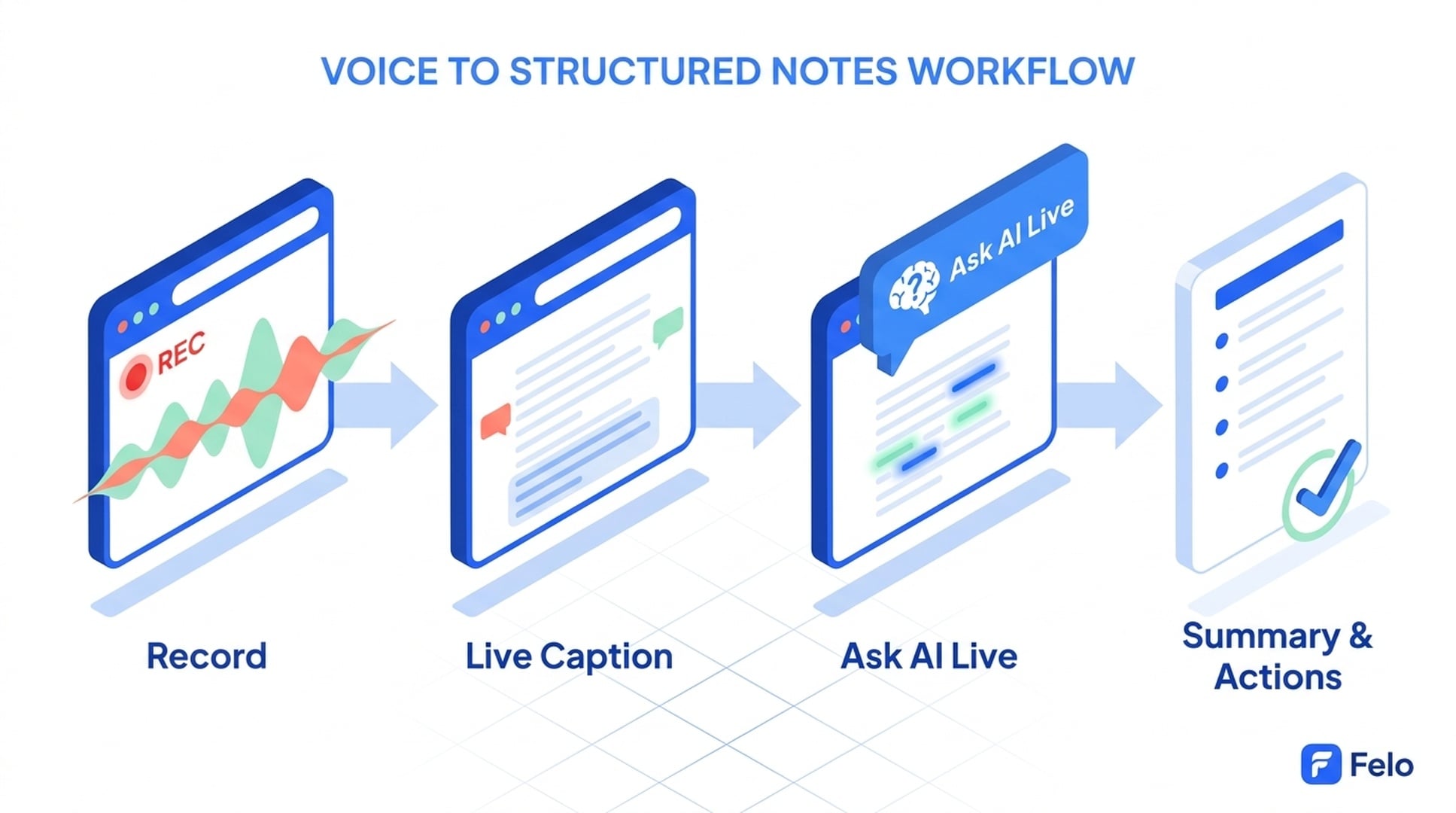
A simple workflow: from recording to polished notes
The full path, end to end, takes less time than the meeting itself.
- Open the tool in a browser tab before the meeting starts. Confirm mic permissions once.
- Click record. Live captions begin streaming within 1–2 seconds.
- During the session, use the AI panel for mid-meeting questions if you join late or want a checkpoint. The transcript keeps growing in the background.
- Stop recording. A structured summary generates automatically: key decisions, action items, open questions.
- Edit the summary if needed — fix any name spellings, clarify ambiguous decisions, tag owners. Transcript text is editable, not locked into an image.
- Export or convert. Send the recap as text, paste it into a doc, or push it into slides for a follow-up presentation.
The whole post-meeting cleanup that used to take 20–30 minutes collapses into about 3.
FAQ
What's the best voice recorder with transcription for meetings?
Pick one with live captions (not just post-recording transcripts), multilingual support if your team isn't all in one language, and a structured summary output. Browser-based tools win on convenience because there's no install step on every device. The Felo AI Voice Recorder fits all three criteria, with a free daily quota.
Can I transcribe audio in real time without installing software?
Yes. Browser-based voice recorders run in a tab and stream audio to a transcription engine, returning text within 1–2 seconds. As long as you grant microphone permission once, no install is required. This is the fastest way to test whether real-time transcription fits your workflow.
Is AI transcription free, or do I need to pay?
Several tools — including Felo — offer a free daily quota with no credit card required. Free tiers are usually capped by minutes or sessions per day rather than locked to a 7-day trial. For occasional meetings, lectures, or interviews, the free tier is enough. Heavy daily use eventually justifies a paid plan.
How accurate is real-time transcription?
For clear single-speaker audio in a major language, expect 90–95% accuracy. Multi-speaker meetings, heavy accents, technical jargon, and noisy environments push accuracy down. The fix is rarely a different tool — it's better mic placement (a headset beats a built-in laptop mic by a wide margin) and editing the output, since most tools let you correct the transcript inline.
Can I transcribe audio to text in languages other than English?
Yes. Modern tools support 10–20+ languages natively. Felo's voice recorder handles 14, including the major Asian and European markets, and supports mixed-language sessions — useful when a meeting switches between, say, English and Japanese mid-conversation without forcing you to restart the recording.
What's the difference between a voice recorder online and a transcription app?
A voice recorder online focuses on capturing audio, with transcription as a feature. A transcription app starts from an uploaded audio file and produces text. Modern tools blur the line — they record, transcribe live, and accept uploaded files in the same interface. If you want one tool for both, look for one that does live transcription and file upload, not just one or the other.
Can I ask AI questions while still recording?
Yes, with tools that support mid-session Q&A. Felo's recorder, for example, lets you query the transcript-in-progress without stopping the recording. This is genuinely useful for joining a meeting late ("what's been decided so far?"), running a long interview ("am I missing any follow-up questions on the X topic?"), or studying ("explain that last point again").
Is my audio safe with a cloud-based transcription tool?
Depends on the tool. Check for: server-side retention policy, whether audio is used for model training, and whether you can delete recordings on demand. A privacy policy that addresses these three questions clearly is the bare minimum. If the policy is vague, treat it as a data risk for sensitive content.
Start with the workflow, not the file
The shift to a voice recorder with transcription isn't really about getting better recordings. It's about not needing the recording most of the time — because the transcript is already there, already searchable, already structured into the kind of notes you would have written anyway.
Try it once on a meeting that would normally generate a vague follow-up email. The difference shows up in the recap thirty seconds after the call ends.
Try Felo AI for Free → felo.ai/tools/ai-voice-recorder-transcription