Website Screenshot Agent: Automate Website Snapshots and Markdown Reporting with Google Antigravity

Capture websites at scale, monitor competitor pages, and output structured markdown reports for audits, market tracking, and recurring research — all powered by the website-screenshot-agent skill for Google Antigravity.
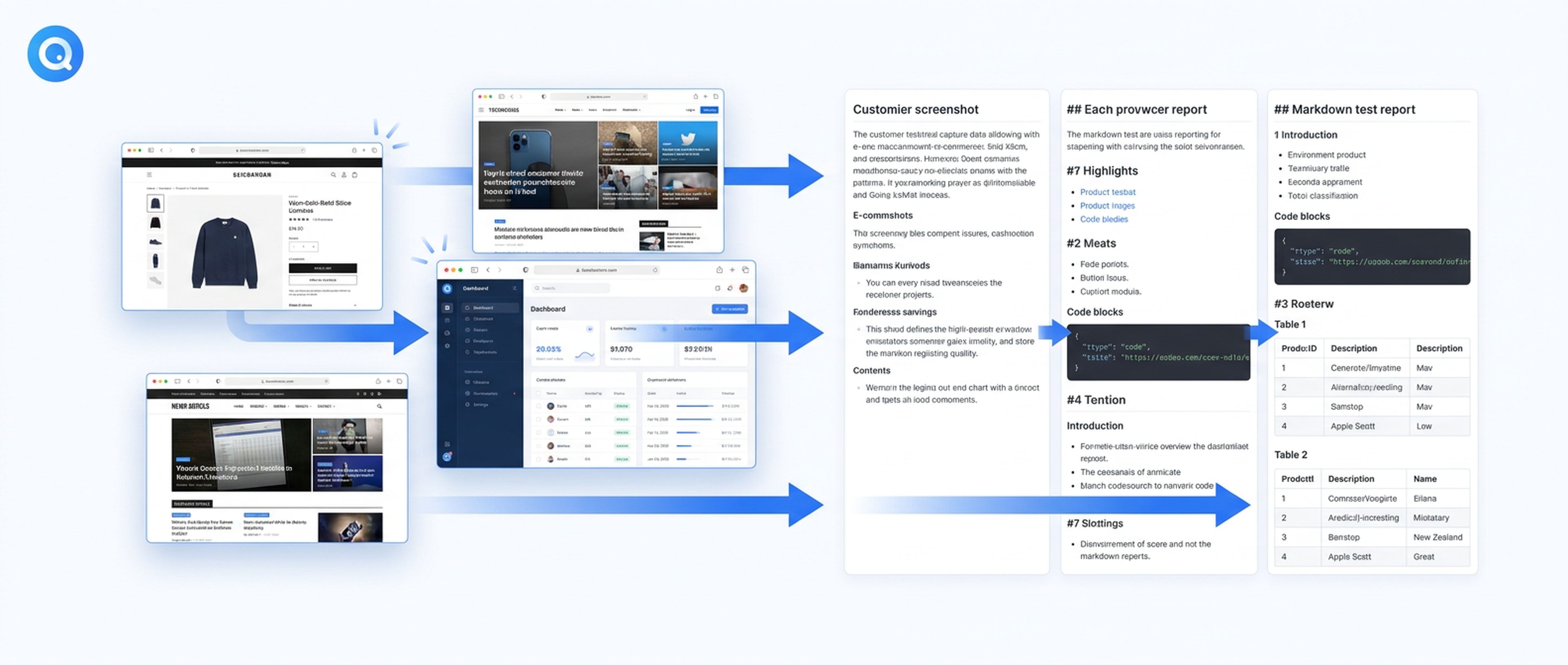
The Problem: Website Monitoring Is Still a Manual Chore
If you've ever been responsible for keeping tabs on competitor websites, tracking pricing changes, auditing compliance across dozens of pages, or simply capturing a snapshot of a live site for a report, you already know the pain. It's a tedious, manual cycle: open a browser, navigate to the right URL, take a screenshot, copy-paste relevant content into a document, and repeat. For one or two pages, that's fine. For fifty? It's unsustainable.
Most teams solve this with brittle Selenium scripts, expensive third-party monitoring SaaS, or — let's be honest — a shared spreadsheet and good intentions. None of these approaches scale well, and all of them require someone to build, maintain, and babysit the tooling.
The website-screenshot-agent skill changes that equation. Designed for Google Antigravity's Agent Manager, it gives your AI agents the ability to capture full-page website screenshots at scale and convert them into structured Markdown reports — automatically, on a schedule, and without any manual browser work.
What the Website Screenshot Agent Does
At its core, the skill adds two capabilities to your Antigravity agents:
Automated website screenshots. Your agent can navigate to any public URL and capture a full-page screenshot — not just the viewport, but the entire rendered page, from hero to footer. The screenshot is saved as a high-resolution image file that you can inspect, share, or archive.
Structured Markdown reporting. Beyond the visual capture, the agent extracts the page content into structured Markdown: headings, paragraphs, lists, links, and table data. The result is a machine-readable report that can be searched, diffed against previous snapshots, or fed into downstream analysis.
Together, these capabilities turn a website from a visual endpoint into a data source your agents can work with.
Use Cases Where This Matters
Competitor Page Monitoring
Marketing and product teams need to know when competitors change their messaging, adjust pricing, launch new features, or reposition their value proposition. Manually checking a list of competitor pages every week is how teams used to do it. With the website-screenshot-agent, your Antigravity agent can run a recurring task: visit the URLs, capture screenshots, generate Markdown reports, and flag changes since the last snapshot.
The structured Markdown output is particularly valuable here. You can diff two versions of the same page programmatically and get a precise changelog — "they removed the 'Free Trial' CTA," "pricing changed from $49 to $39," "a new integrations section appeared." This is intelligence you can act on, not just a pile of screenshots you'll never look at.
Compliance and Design Audits
For teams building at scale, maintaining consistency across dozens of landing pages, product pages, and documentation sites is an ongoing challenge. The website-screenshot-agent lets you capture the current state of every page and generate structured reports that can be reviewed systematically.
Design auditors can compare screenshots against style guides. Legal and compliance teams can verify that required disclosures, terms of service, and privacy notices are present and up to date. The Markdown reports make it easy to search for specific language or clauses across an entire site inventory.
Recurring Market Research
Research workflows often involve collecting information from multiple sources at regular intervals. Pricing pages, feature comparison matrices, partner directories, and documentation updates — all of these evolve continuously. The website-screenshot-agent turns each source into a timestamped data point.
Over time, you build a longitudinal dataset of how the market is shifting. Which competitors are adding AI features? Which SaaS products are changing their tier structures? Which open-source projects are updating their roadmap? The agent captures the evidence; the structured reports make it analyzable.
Client Reporting and Agency Workflows
Agencies and consultants often need to document the state of a client's web presence at specific milestones — before a redesign kickoff, after a campaign launch, at quarterly reviews. The website-screenshot-agent automates this documentation: scheduled captures with visual evidence and structured content extraction, delivered as consistent reports.
How It Works in Antigravity
The skill follows the same install-and-forget pattern as all Felo Skills for Google Antigravity. You copy the skill folder into your .agent/skills/ directory, commit it to Git, and every developer's Antigravity instance picks it up automatically.
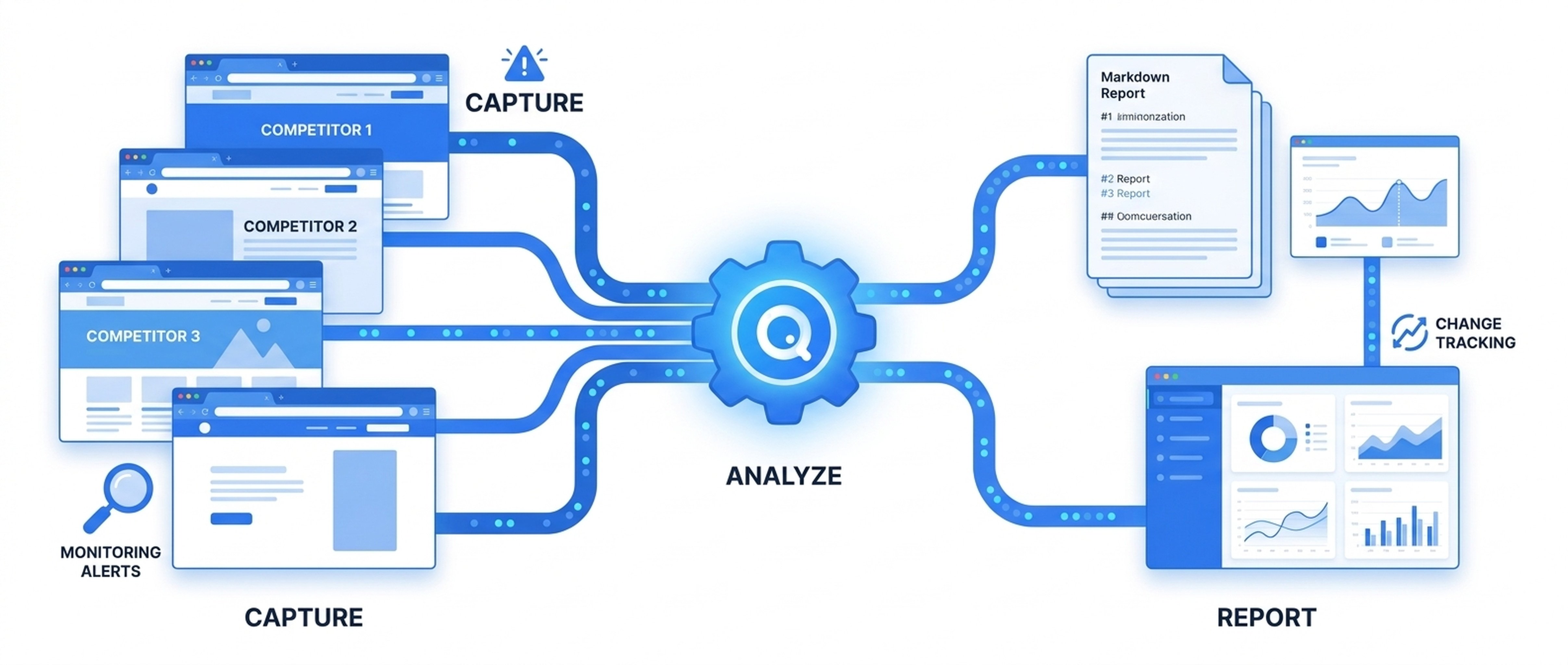
Once installed, the skill activates automatically when an agent task matches its semantic description — anything involving website capture, page monitoring, or visual audit. The SKILL.md file acts as a trigger: when your agent encounters a task that needs to capture a website, it loads the skill without any slash command or manual invocation.
The Workflow
-
Task assignment. Your agent receives a task like "Monitor the pricing pages of these five competitors and report any changes."
-
Skill activation. The Agent Manager recognizes that the task requires website screenshots and activates the website-screenshot-agent skill automatically.
-
Capture and extract. The agent visits each URL, captures a full-page screenshot, and extracts the page content into structured Markdown.
-
Report generation. The agent compiles the results into a formatted report, including screenshots and structured content. If a previous snapshot exists, the agent can diff the content and highlight changes.
-
Delivery. The report is delivered as a Markdown file in your workspace — searchable, versionable, and ready for further analysis.
Configuration Flexibility
The skill supports various capture modes:
- Full-page screenshots for complete visual records of any page.
- Targeted captures focusing on specific sections or viewports.
- Batch processing for monitoring multiple URLs in a single agent task.
- Scheduled execution through Antigravity's task scheduling, enabling recurring monitoring without manual triggers.
Why This Beats Traditional Approaches
No Infrastructure to Maintain
Traditional web monitoring tools require servers, cron jobs, browser automation frameworks, and ongoing maintenance. The website-screenshot-agent runs inside Antigravity's Agent Manager, which your team is already using. There's no additional infrastructure to provision, no daemon to monitor, no API keys to rotate.
Agent-Native Output
Most screenshot tools give you an image file. That's useful for visual reference, but it's not data. The website-screenshot-agent produces both the screenshot and a structured Markdown report, making the output immediately useful for analysis, search, diffing, and integration into other workflows.
Team-Shared via Git
Like all Felo Skills, the website-screenshot-agent is distributed as a folder in your repository. When you commit the skill to Git, every developer on your team gets the capability automatically. There's no per-user setup, no configuration drift, and no "it works on my machine" problem.
Context-Aware Activation
The skill doesn't run on a schedule you configure manually. It activates when your agent's task needs it — triggered by semantic matching in the SKILL.md file. This means the capability is always available but never gets in the way. Your agents work normally, and the skill kicks in precisely when the task requires website capture.
The Broader Picture: Building a Complete Monitoring Stack
The website-screenshot-agent skill is most powerful when combined with other Felo Skills in your Antigravity workflow:
- Pair it with felo-search for live market research that supplements visual captures with current pricing and announcement data.
- Combine it with felo-livedoc to maintain a persistent knowledge base of competitor positioning that agents can reference across sessions.
- Use it alongside felo-slides to automatically generate presentation decks from monitoring reports for stakeholder updates.
- Integrate it with felo-web-fetch for deeper content extraction when you need structured data beyond what screenshots provide.
This is the pattern that Felo Skills enable: each skill fills a specific gap, and together they transform your Antigravity Agent Manager from a planning tool into a production system that delivers real, reusable outputs.
Getting Started
Installation takes under a minute:
# Clone the Felo skills repository
git clone https://github.com/Felo-Inc/felo-skills.git

# Copy the website-screenshot-agent skill to your Antigravity skills folder
cp -r felo-skills/website-screenshot-agent ~/.gemini/antigravity/skills/
Then commit the skill folder to your team's .agent/skills/ directory in Git. Every developer's Antigravity instance will pick it up on the next pull.
The skill is free to use and open to the community. You can browse all available skills, compare capabilities, and find the full installation guide at felo.ai/skills/antigravity.
Conclusion
Website monitoring doesn't need to be a manual chore or a maintenance-heavy infrastructure project. The website-screenshot-agent skill for Google Antigravity gives your AI agents the ability to capture websites at scale, extract structured content, and generate reports — all within the workflow your team already uses.
Whether you're tracking competitor changes, running compliance audits, conducting recurring market research, or documenting client websites, the skill turns a tedious manual process into an automated, reliable, and searchable workflow.
Discover more skills and capabilities at felo.ai.
This post is also available in 简体中文, 日本語, 한국어, 繁體中文, हिन्दी, Français, العربية, Русский, اردو, Bahasa Indonesia, Deutsch, Tiếng Việt, Türkçe, Italiano, ไทย, Español, বাংলা and Português.