Your Best Blog Post Is Also a Video. You Just Haven't Made It Yet.

Turn your published articles and blog posts into engaging videos with narration, subtitles, and motion. Double your content output without doubling your work.
You spent three hours writing it. The research, the structure, the edit. You hit publish and shared it everywhere you could.
A few days later, someone asks: "Do you have a video version of this?"
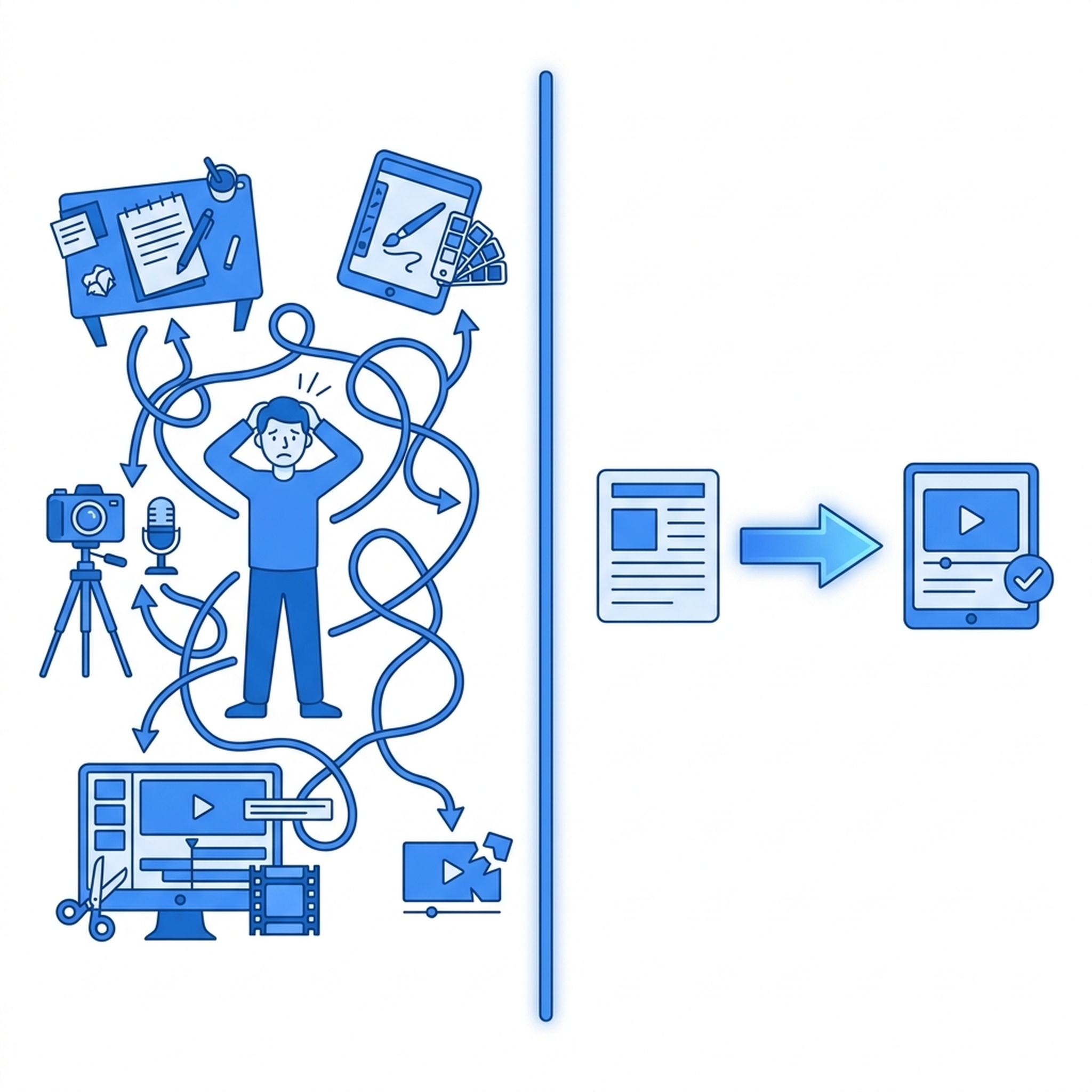
It's a fair question. Video gets shared more easily — in Slack channels, in group chats, on social feeds where no one clicks links. But actually turning your article into a video means rewriting it into script form, finding or creating visuals, recording voiceover, adding captions, and editing the whole thing together. That's another half-day of work.
So you say "maybe later." Later never comes.
Felo Video changes that. Here's how.

The Problem With Blog Content
Written content is great for depth. It lets you build an argument, show data, and go deep on a topic. But it has two limitations:
- Distribution — people share video, not links. A 60-second video reaches audiences your blog post never will.
- Discovery — video platforms recommend content. Static blog posts sit on your site waiting for someone to search for them.
You're not missing good ideas. You're missing the format to spread them.
How Felo Video Works for Bloggers
The process is simple:
- Give it your article URL — or upload the blog post file directly.
- It reads and understands the content — extracts the key points, keeps your screenshots and diagrams intact.
- It generates a video — complete with narration, subtitles, motion, background music, and a cover image.
- Review and adjust — tweak the pacing, change the title, adjust the music. You're editing a first draft, not building from scratch.
Total time: 10 to 20 minutes.
Not because the AI is impossibly fast. Because it replaces a workflow that used to require a scriptwriter, a designer, a voice actor, and a video editor.
What Makes It Different
Most AI video tools ask you to start with a prompt. You need to summarize your own article, pick visuals, write a script, and describe what the video should look like. You've already done the hard thinking — the content is in your article. Why repeat it?
Felo Video skips that step. You paste the URL. It reads the article, pulls out the 3 to 5 points that matter, and generates a video that actually reflects what you wrote.
Real Content, Not Stock Filler
Your article has charts, screenshots, diagrams. The video keeps them. Felo Video prioritizes your original assets — it doesn't replace your carefully chosen visuals with generic stock imagery.
The final video looks like it came from you, because it did.
One Video, Every Platform
After generation, you get:
- Vertical format — for TikTok, Reels, Shorts
- Square format — for social feeds
- Wide format — for YouTube, your blog, your newsletter
- Multi-language versions — the same video with narration and subtitles in different languages
One article. One generation task. Every format covered.

When This Is Useful
- You publish a deep-dive analysis and want a quick summary video for social media
- Your technical blog gets shared in developer communities, and a video would reach more people
- You write product tutorials and want a video companion piece for your YouTube channel
- You're building a content library and want each article to have a video twin
- You write in one language but want to reach readers in multiple languages
The Honest Part
Felo Video won't write your blog post for you. The quality of the video depends on the quality of the source — your original article. If it's well-written and well-structured, the video will be too.
What it does is remove the gap between "I have great content" and "people can discover it in the format they prefer."
That gap used to be a six-hour production chain. Now it's 10 to 20 minutes and a review session.
Try It
Take the last article you published — the one you're proud of but nobody shared — and feed it into Felo Video. See what comes back.