Felo

GPT Image 2Prompts

Updated every day

10,000+ free image and video prompts
AuthorHorus He
108 days ago

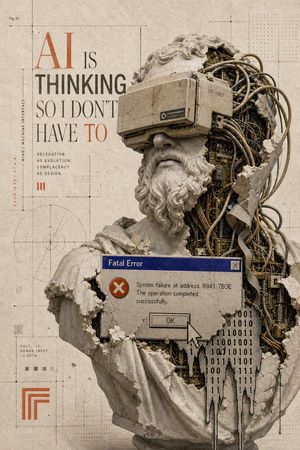
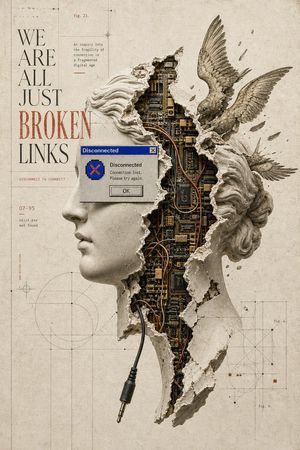
AI Thinking Classical Bust Poster

AI Thinking Classical Bust Poster

A detailed prompt for generating a distressed retro-futurist poster featuring a shattered classical bust with cybernetic internals and a vintage computer error dialog.

Prompt
Goal: Create a vertical retro-futurist editorial poster about artificial intelligence and human delegation, combining classical sculpture, exposed machinery, and 1990s computer error UI. Canvas: Tall portrait poster, 2:3 aspect ratio, aged beige paper background with subtle stains, grain, cracks, and technical drafting marks. Use muted sepia, stone gray, rust orange, dark graphite, blue, and off-white tones. Main subject: A broken classical marble bust of a bearded Greek/Roman philosopher, shown from chest to head, occupying the right two-thirds of the poster. The bust is cracked and partially shattered, revealing dense cybernetic internals: tangled cables, circuit boards, ribbon wires, metal tubes, small components, and mechanical layers inside the skull and torso. The face area is deliberately covered by one large opaque square censor block in muted taupe-gray, centered over the eyes/nose/mouth region. The bust has curly stone hair and beard fragments, chipped shoulders, and missing chunks of marble around the right side of the head and body. Typography and poster text: On the upper left, set a large editorial headline reading "{argument name="headline text" default="AI IS THINKING SO I DON'T HAVE TO"}". Make "AI" very large in rusty orange serif type, "IS" smaller in black serif type, "THINKING" bold condensed sans serif in dark gray, "SO I DON'T HAVE" in tall elegant serif, and "TO" in rusty orange serif. Beneath the headline, include exactly 3 short stacked lines: "DELEGATION", "AS EVOLUTION.", "COMPLACENCY", followed by "AS DESIGN." on the next line as a compact micro-caption block. Add a small orange Roman numeral "III" nearby. Error window: Place exactly 1 old Windows-style dialog box across the bust’s lower chest, with a blue title bar reading "Fatal Error", a gray body, a red circle icon with a white X, a close button in the top right, and message text: "System failure at address 0041:7B3E\nThe operation completed successfully." Include exactly 1 rectangular "OK" button and exactly 1 large pixelated white cursor arrow pointing at or overlapping the OK button. Data overlay: Add exactly 1 black binary-code glitch shape dripping down from the lower right of the dialog box and over the exposed circuitry, made of repeated 0s and 1s. It should look like melting digital residue. Background technical details: Add thin black drafting lines, crop marks, dotted grids, measurement ticks, crosshair points, and faint geometric diagrams. Include exactly 1 circular construction diagram in the lower left quadrant. Include exactly 1 small orange nested-corner logo mark near the bottom left. Include exactly 1 small label at top left reading "Fig. 01". Along the left margin, include vertical microtext reading "MIND / MACHINE INTERFACE" and small coordinate-like text in orange. Add a tiny calculation block near the lower left reading "CALC. // HUMAN INPUT 0.001%". Visual style: High-detail photomontage collage, museum sculpture realism mixed with cyberpunk exposed hardware, Swiss editorial layout, brutalist typography, distressed printed texture, subtle halftone dots, precise grid composition, cinematic shadows, realistic stone dust and chipped marble edges. Constraints: Use exactly 1 bust, exactly 1 censor square, exactly 1 error dialog, exactly 1 cursor, exactly 1 binary drip shape, exactly 1 circular diagram, and exactly 1 orange nested-corner logo. Do not add extra people, extra windows, modern glossy UI, neon colors, or watermark.
AuthorHorus He
108 days ago

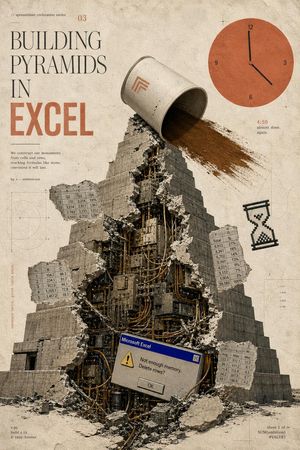
Building Pyramids in Excel Poster

Building Pyramids in Excel Poster

A surreal vintage poster prompt depicting a cracked mechanical pyramid built from spreadsheet culture, ideal for editorial art or satirical tech prints.

Prompt
Goal: Create a surreal vintage editorial poster for a fictional “spreadsheet civilization series” about {argument name="headline concept" default="BUILDING PYRAMIDS IN EXCEL"}, combining ancient monumental architecture with obsolete office software anxiety. Canvas: Vertical poster, 2:3 ratio, aged cream paper background with stains, dust, scratches, faint technical drafting marks, thin registration crosses, and muted sepia tones. Use a distressed printed-magazine texture, like an archival science pamphlet mixed with brutalist collage art. Layout: Large typography occupies the upper-left quadrant. A monumental stepped pyramid fills the center and lower half, viewed from slightly below, with rubble at the base. The upper-right quadrant contains a large flat orange clock graphic. Small spreadsheet tables, diagrams, and marginal notes float around the pyramid like technical annotations. Main subject: A massive gray stone stepped pyramid, cracked open vertically down the front. The broken opening reveals a dense mechanical interior made of dark metal panels, cables, pipes, servers, wires, and industrial machinery. Concrete chunks and debris scatter outward. At the top of the pyramid, a large tipped-over off-white bucket or cylindrical container pours a wide stream of brown sand or dirt down the right side of the pyramid. Put a small minimalist orange geometric logo on the bucket. Typography and visible text: Upper-left small text reads “// spreadsheet civilization series” and a small issue number “03”. The main title is stacked in tall elegant serif type: “BUILDING” then “PYRAMIDS” then “IN”, with “EXCEL” below in very large bold condensed orange block letters. Add a small paragraph under the title: “We construct our monuments from cells and rows, stacking formulas like stone, convinced it will last.” Add “fig. 3 — ambition.exe” nearby. Bottom-left small footer text: “v.95”, “build 4.59”, “© 1995–forever”. Bottom-right small footer text: “sheet 1 of ∞”, “SUM(ambition)”, “#VALUE!”. Near the clock, include “4:59” in orange and the tiny caption “almost done. again.” Add a vertical margin note on the left that reads “measure twice, pivot table once.” Discrete elements to include exactly: 1 central broken pyramid; 1 tipped bucket pouring sand; 1 orange clock in the upper right with numbers 12, 3, 6, 9 and black hands indicating roughly 4:59; 1 pixelated black hourglass icon on the right side; 1 Microsoft Excel-style error dialog near the lower center of the pyramid; 4 floating spreadsheet table fragments. The 4 spreadsheet fragments are: a top-left fragment labeled with columns A, B, C, D and rows of decimal values; a left-middle fragment with columns A, B, C and rows 1–5; a right-middle fragment with columns F, G and rows labeled “Total” plus percentages; a bottom-right fragment with columns K, L, M and labels like Avg, Max, Min. Error dialog detail: Make the dialog look like an old Windows 95 Microsoft Excel alert box with a blue title bar reading “Microsoft Excel”, a yellow warning triangle, the message “Not enough memory. Delete rows?”, and a centered “OK” button. Visual style: Analog collage, photoreal stone and rubble mixed with flat vector UI elements, muted beige-gray-black palette with burnt orange accents, high grain, slight ink misregistration, soft shadows, worn paper texture, thin drafting lines and faint circular graph diagrams in the background. Constraints: Keep the composition clean and poster-like, with no modern glossy interface, no people, no extra logos besides the small bucket mark and the Excel dialog, and no additional major objects beyond the counted elements.
AuthorGadgetify
108 days ago

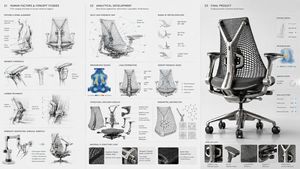
Robotic Engineering Product Concept

Robotic Engineering Product Concept

A complex design prompt for generating engineering sketches and macro product renders of futuristic ergonomic robotics.

Prompt
ergonomic micro-robotics, the high-fidelity haptic feedback mechanisms of {argument name="device" default="advanced surgical/robotic device"} shaping a dynamically adaptive {argument name="product" default="ergonomic seating/wearable"}, sequence from [kinematic range-of-motion mapping] to [load-distribution sensor diagrams] to structural parametric abstraction to final product, ai to infer bio-mechanical translation utilizing [material 1] joints and [material 2] breathable meshes, including side-panel ui/ux interface glimpses, [aesthetic style] aesthetic, presentation layout: human-factors engineering sketches on the left, load-bearing wireframes center, hyper-detailed macro product render right, [lighting style]. input: [da vinci surgical robotic arm], [c-suite executive task chair], [multi-axis kinetic wireframes], [pressure-point heat maps], [brushed aerospace titanium], [graphene-infused polymer], [herman miller meets futuristic medical], [clean, diffuse daylight simulation] 16:9
108 days ago

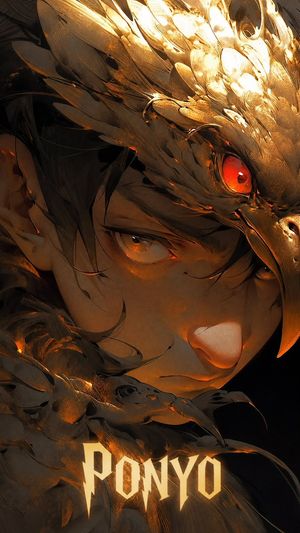
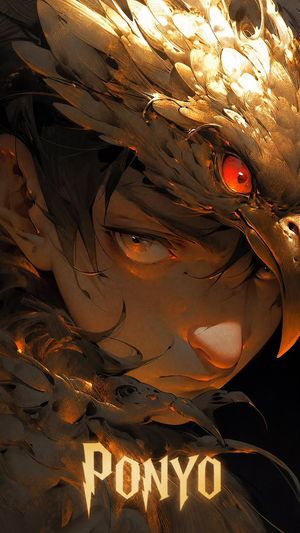
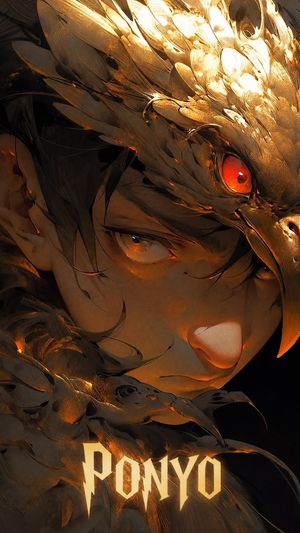
Dark Fantasy Bird Armor Portrait

Dark Fantasy Bird Armor Portrait

Generates a cinematic vertical anime poster of an intense character wearing ornate golden bird armor with glowing gothic title text.

Prompt
Create a dramatic vertical anime dark-fantasy poster portrait of {argument name="character name" default="PONYO"}, an intense young person shown in extreme close-up from forehead to chin, face angled slightly downward and looking directly at the viewer with amber eyes. The character has messy black hair partially covering the eyes, warm tan skin, a serious expression, and sculptural metallic bird armor wrapping around the head and shoulders. The armor should resemble a raven or hawk skull/helm made of layered gold-bronze feathers and plates, with one long curved beak shape descending along the right side of the face and exactly two visible bird heads: one large ornate bird-head helmet above the brow with a glowing red jewel-like eye, and one smaller bird head at the lower foreground near the chin with a dark curved beak. Use extremely detailed brushed metal textures, scratches, feather ridges, molten orange highlights, tiny sparks, and glossy reflections. Lighting is low-key and cinematic: mostly black background, intense golden light blooming from the top right, orange ember rim light across the armor and cheek, deep shadows around the hair and left edge. Composition should be tight, claustrophobic, and vertical 9:16, with the face filling most of the frame and the bird armor framing it diagonally. Add large glowing gothic fantasy title text at the bottom reading {argument name="title text" default="PONYO"}, centered, sharp angular serif letters in pale gold with slight bloom. Visual style: high-end Japanese anime illustration mixed with concept art realism, dark fantasy, ultra-detailed, painterly metal, cinematic contrast, no extra characters, no watermark, no border.

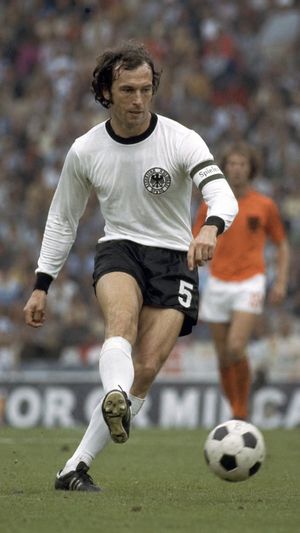
Vintage Football Action Portrait

Vintage Football Action Portrait

A specialized prompt for recreating a 1970s football star with period-accurate uniforms and a slightly aged, realistic film aesthetic using GPT-Image-2.

Prompt
In a football stadium, {argument name="Player Name" default="Franz Beckenbauer"} is passing the ball forward. The uniform is from {argument name="Year" default="1974"} when playing for {argument name="Team" default="Germany national team"}. The surrounding players are blurred. A realistic but slightly vintage-style image. Size, 9:16
AuthorHorus He
108 days ago

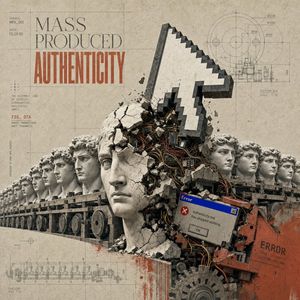
Mass Produced Authenticity Collage

Mass Produced Authenticity Collage

A structured prompt for generating a surreal industrial Renaissance collage poster about manufactured identity and digital failure.

Prompt
Goal: Create a surreal industrial Renaissance collage poster titled {argument name="headline text" default="MASS PRODUCED AUTHENTICITY"}, mixing classical sculpture, factory machinery, architectural blueprints, and obsolete computer error imagery into a critical art-print composition. Canvas: Square poster, 1:1 aspect ratio, aged beige paper background with stains, faint grid lines, registration marks, technical drafting annotations, and a worn archival print texture. Use a muted palette of stone gray, dusty beige, charcoal black, rust orange, faded red, and small accents of Windows-95 blue. Layout: The upper left contains the main typography: small technical labels reading “SERIES: MPA_001” and “DATE: 05.19.95”, then large elegant serif words “MASS PRODUCED” in dark gray, with the word “AUTHENTICITY” below in tall condensed distressed red-orange type. The left side also includes a small schematic caption block reading “THE ASSEMBLY LINE OF IDENTITY STANDARDIZED, REPLICATED, EMPTY.” followed by “FIG. 07A” and “DAVID PRODUCTION UNIT SCHEMATIC”. The right upper quadrant contains a detailed circular engineering blueprint diagram with measurements and the labels “SECTION A-A” and “SCALE 1:10”. The bottom left contains a small conveyor-belt plan drawing labeled like a technical manufacturing diagram. Main scene: Across the lower half, show a long conveyor belt receding from left to right, carrying a row of identical classical marble bust heads inspired by Michelangelo’s David. There are exactly 10 visible bust heads arranged along the conveyor, all pale stone with curly Renaissance hair, repeated like factory products. Cover the front faces with exactly 7 opaque gray rectangular censorship blocks of different sizes, aligned over the bust faces: one small block at the far left, two medium blocks left-of-center, one very large vertical block in the center foreground, two medium blocks on the right, and one smaller block near the far right. Central object: Behind the central bust, a huge pixelated white computer mouse cursor arrow rises diagonally upward, built like a heavy stone or concrete 3D object with dark beveled edges. It is crashing through cracked plaster and rubble, exposing tangled wires, circuit boards, metal components, and broken concrete beneath. Add flying debris and fracture lines around the impact point. Foreground details: In the lower right foreground, place a rusty red industrial machine housing with chipped paint and black mechanical parts. Overlay a small retro Windows error dialog box tilted slightly, with a blue title bar reading “Error”, a red X icon, the message “Authenticity.exe has stopped working.”, and an “OK” button. On the rusty machine, add black stamped text reading “ERROR”, “CODE: 0x000404”, and “SYSTEM_FAILURE”. Include dark cables, gears, bolts, grime, and orange rust stains spilling into the bottom area. Visual style: Surreal 404 Renaissance collage, brutalist industrial assemblage, archival blueprint poster, photomontage mixed with engraved technical drawing, distressed printmaking, high-detail textures, cracked stone, exposed electronics, analog paper grain, subtle halftone, museum-conservation beige background, cinematic yet flat editorial composition. Constraints: Keep all visible text legible and integrated into the print. Use exactly 10 bust heads and exactly 7 gray censorship rectangles. Do not add extra characters, logos, watermarks, modern UI beyond the single retro error dialog, or bright saturated colors outside the small blue error title bar and rust-red typography/machinery.
AuthorHorus He
108 days ago

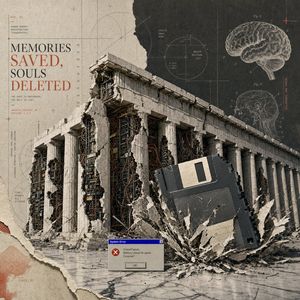
Surreal 404 Renaissance Memory Collage

Surreal 404 Renaissance Memory Collage

Generates a distressed surreal collage poster of a ruined classical temple merged with servers, a floppy disk crash, brain diagrams, and retro system-error typography.

Prompt
Goal: Create a surreal Renaissance-style 404 collage poster about digital memory loss, combining ancient architecture, retro computing, anatomical diagrams, and distressed editorial typography. Canvas: Square 1:1 composition, aged beige paper background with torn-paper collage edges, halftone stains, fine grid lines, blueprint registration marks, and archival print texture. Use a muted palette of warm parchment beige, charcoal black, concrete gray, rusty red, and faded blue. Main subject: A monumental classical temple resembling the Parthenon dominates the center and lower half, shown in three-quarter perspective. It has a long colonnade with exactly 16 visible white stone columns. The structure is cracked open and partially collapsed, revealing dense server racks, circuit boards, cables, and exposed wiring inside the ruins. Large chunks of plaster and stone are missing, with jagged torn edges. Key surreal object: A giant black 3.5-inch floppy disk crashes into the right foreground at a diagonal angle, half buried in shattered concrete, sending a dramatic burst of debris outward. The floppy disk has a pale rectangular label area and visible side ridges. Text and typography: On the upper left, set a large editorial serif headline reading “{argument name="headline text" default="MEMORIES SAVED, SOULS DELETED"}”, with “SAVED,” and “DELETED” in rusty red and the rest in dark charcoal. Above it, add small technical text reading “FIG. 01” and “HUMAN MEMORY ARCHITECTURE (FRAGMENTED)”. Beneath the headline, add small typewriter-style lines reading “THE PAST IS PRESERVED. THE SELF IS LOST.” and “ARCHIVE PROTOCOL_404 VERSION: 7.1.9”. Keep the typography elegant, old scientific, and slightly misregistered. Diagram details: Include exactly 2 anatomical brain illustrations on the upper right: one large floating brain labeled like a scientific plate, and one smaller circular cross-section brain diagram below it. Add exactly 3 circular technical diagrams around the poster: one large faint circle near the top center-left, one central crosshair circle labeled “BRAIN SECTION_017”, and one small left-side circle near the columns. Add thin measuring lines, tiny numerals, plus signs, and red calibration marks throughout. Foreground detail: Place exactly 1 small retro Windows-style error dialog near the bottom center. It should have a blue title bar reading “System Error”, a red X error icon, body text reading “Critical Failure. Memory cannot be saved. Continue?”, and a single button labeled “OK”. Style: Hyper-detailed photomontage, surreal 404 error Renaissance collage, archaeological ruin meets cybernetic archive, analog computer nostalgia, brutalist marble dust, museum plate layout, screenprint grain, torn paper layers, precise but distressed graphic design. No people, no modern clean UI except the single error dialog, no extra headline text, no watermark.
AuthorHorus He
108 days ago

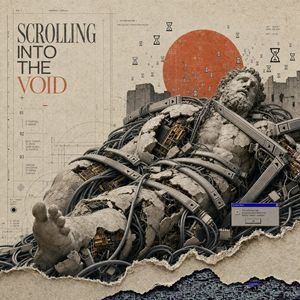
Surreal 404 Renaissance Collage

Surreal 404 Renaissance Collage

Generates a horizontal surreal editorial poster of a broken Renaissance statue merged with circuitry, antique typography, hourglasses, and a retro system error.

Prompt
Goal: Create a 3:2 horizontal surreal Renaissance-collage poster about a digital 404 void, combining antique manuscript design, classical sculpture, cybernetic ruin, and obsolete computer UI. Canvas: Square-ish 3:2 editorial poster composition on aged beige parchment paper with stains, fibers, faint grid lines, registration marks, thin drafting guides, tiny technical annotations, and a torn-paper lower edge revealing a strip of dark glitchy code/static underneath. Main subject: A colossal reclining Renaissance marble statue of a bearded male figure, like a fallen classical god or philosopher, filling the lower two-thirds of the image diagonally from bottom left to upper right. The stone body is cracked, eroded, and broken open in multiple places, exposing dense gold-and-black circuitry, server boards, mechanical ribs, and electronic components inside. Thick black and gray cables coil around and through the statue, wrapping the torso, shoulder, arm, and legs like vines. Add heavy industrial metal braces and rails strapped across the figure, with small triangular markings and embedded panels. The statue’s head is tilted back toward the upper right, eyes closed or lifeless, with a weathered curly beard and hair. Background and symbols: Place one large muted burnt-orange red sun disk behind the statue’s head and upper torso, slightly right of center. Scatter exactly 44 small black hourglass icons across the upper half of the poster, varying size and opacity, with a few larger hourglass symbols near the top right and upper center. Behind the figure, include a distant broken stone wall or ruined fortress silhouette running horizontally. Typography and left panel: On the upper left, set a large refined serif headline in tall condensed Renaissance editorial type: “SCROLLING INTO THE VOID”, stacked in four lines, with “VOID” in muted rusty red and the other words in dark charcoal. Add tiny technical labels around it such as “FIG. 7”, “MEMENTO MORI”, “SYSTEM FAILURE”, and faint Latin-like filler text. Below the headline, create a thin vertical index with exactly 3 numbered entries labeled 01, 02, and 03, each with tiny unreadable pseudo-academic notes. Add delicate compass, measurement, and chart lines in the left and center background. Error UI detail: Near the lower right over the cables and statue, place one small retro Windows-style dialog box with a blue title bar reading “System Error”. The dialog message should say: “The universe has encountered a fatal error. Reality cannot continue.” Include exactly one centered gray button labeled “OK”. Visual style: Hyper-detailed surreal collage, neo-Renaissance engraving meets cyberpunk archaeology, photorealistic textures mixed with vintage print design, muted sepia palette with charcoal black, stone gray, oxidized gold circuitry, and a single rusty red accent. Use dramatic but soft museum-like lighting, crisp detail, layered paper textures, and high-end editorial poster composition. Constraints: Keep the composition spacious and horizontal with strong negative space in the upper left; no modern glossy sci-fi neon except subtle glitch colors at the torn bottom edge; no extra people; no watermark; preserve the exact main headline text {argument name="headline text" default="SCROLLING INTO THE VOID"}, the red sun color {argument name="sun color" default="muted burnt-orange red"}, the statue subject {argument name="statue subject" default="reclining bearded Renaissance marble god"}, the error message {argument name="error message" default="The universe has encountered a fatal error. Reality cannot continue."}, and the poster material {argument name="poster material" default="aged beige parchment paper"}.
AuthorHorus He
108 days ago

Surreal AI Error Renaissance Collage

Surreal AI Error Renaissance Collage

A vertical museum-style pop-surrealist collage combining a shattered classical marble bust, exposed circuitry, editorial typography, and a retro fatal error dialog.

Prompt
Goal: Create a vertical 9:16 museum-grade digital pop-surrealist collage about artificial intelligence, classical sculpture, and retro computer failure, titled {argument name="headline text" default="AI IS THINKING SO I DON'T HAVE TO"}. Canvas: Tall poster, 768x1152 or similar 2:3 vertical crop, aged warm ivory paper background with subtle stains, fibers, dust, speckles, fine cracks, faint grid lines, registration marks, dotted halftone fields, technical drafting lines, and archival museum-plate texture. Main subject: A large broken Renaissance-style marble bust occupying the right two-thirds of the poster, cropped close and extending from near the top edge to the bottom edge. The bust should resemble a classical bearded male philosopher with curled hair and draped robe, but the statue is shattered open. The left side remains pale cracked marble; the right side is hollowed out and packed with dense exposed machinery: tangled beige and black cables, circuit boards, ribbon cables, brass connectors, small chips, dark mechanical cavities, and fragments of plaster. Add chipped edges, crumbling stone, missing chunks, and dust. Place a flat opaque muted taupe square over the central face area, as if a neutral censor block or missing-image placeholder is covering the face. Central digital overlay: Add exactly 1 retro Windows 95-style error dialog box across the lower chest of the bust. It has a dark blue title bar reading {argument name="error title" default="Fatal Error"}, a grey body, a red circular icon with a white X, a small close button in the top-right, and the message {argument name="error message" default="System failure at address 0041:7B3E The operation completed successfully."}. Include exactly 1 rectangular OK button and exactly 1 large pixelated white mouse cursor pointing at the OK button. Typography and small interface details: On the left side, set the main headline in a refined editorial mix of tall serif and bold condensed sans-serif typography. Make "AI" very large in burnt orange, "IS" smaller in dark grey, "THINKING" bold dark grey, and "SO I DON'T HAVE TO" in elegant tall serif with "TO" in burnt orange. Beneath it add a small uppercase text block of exactly 4 lines: "DELEGATION", "AS EVOLUTION.", "COMPLACENCY", "AS DESIGN." Add exactly 1 small orange roman numeral mark "III" below that. Along the far left margin include vertical microtext reading "EX06/95 47-A" and "MIND / MACHINE INTERFACE". Near the top-left add tiny label "Fig. 01". Near the lower-left add tiny technical text "CALC. // HUMAN INPUT 0.001%" plus small barcode-like marks and square swatches. Additional graphic elements: Include exactly 1 faint circular technical diagram in the lower-left quadrant, exactly 1 orange nested-corner geometric logo near the bottom-left, exactly 1 black dripping binary data cluster on the lower-right of the bust made from 0s and 1s, and several thin black drafting lines with crosshair ticks and dotted measurement guides distributed across the poster. Keep the background mostly empty on the left to emphasize editorial negative space. Visual style: Sophisticated conceptual mixed-media collage, antique museum catalog meets cybernetic ruin, high-detail photorealistic marble and electronics, restrained palette of ivory, stone grey, dark graphite, muted brass, burnt orange, dusty blue, and taupe. Lighting is soft and diffused, with realistic shadows and tactile paper grain. The mood is intellectual, eerie, satirical, and slightly apocalyptic. Constraints: Use no extra characters, no modern glossy UI, no neon cyberpunk lighting, no clean futuristic robot face, no watermark. Preserve the exact counted elements: 1 bust, 1 taupe face block, 1 error dialog, 1 OK button, 1 cursor, 1 binary drip cluster, 1 circular diagram, 1 orange nested-corner logo, 1 "III" mark, and 4 small delegation text lines.
Authorserein
108 days ago

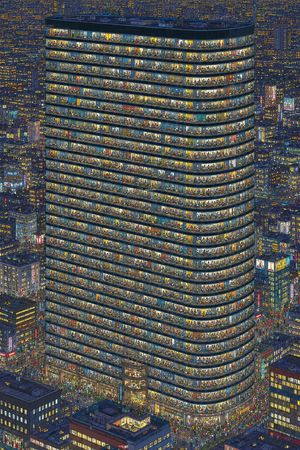
Crowded Night Office Tower

Crowded Night Office Tower

Generates a highly detailed nighttime city illustration of a glass office tower packed with countless visible people for visual counting or observation challenges.

Prompt
Create an ultra-detailed nighttime isometric city illustration centered on one enormous rounded-corner office tower, viewed from a high aerial angle, with the facade cut open through continuous glass windows so every floor is visible. The tower should have exactly 34 visible occupied horizontal office floors, each floor packed with tiny individual people, desks, chairs, lamps, partitions, plants, shelves, meeting rooms, and colorful interior details; make the crowd density extreme, like a visual counting challenge, with hundreds or thousands of miniature figures visible through the windows. Use {argument name="building shape" default="a tall rounded rectangular glass office tower with curved corners"} as the main subject. Surround it with a dense cyberpunk-like metropolis of shorter high-rise buildings, glowing windows, neon signs, street traffic, and crowds at street level. Lighting is nighttime blue with warm yellow, orange, and white office lights, creating a strong contrast between the dark city and the brightly illuminated tower interiors. The style should be intricate hand-drawn architectural illustration with crisp linework, dense micro-detail, slightly painterly colors, and no empty areas. The image should be vertical, poster-like, packed edge to edge with buildings and tiny people. Add a busy entrance plaza and streets around the base filled with many tiny pedestrians and vehicles, but keep the main tower dominant and centered. Do not include readable text, logos, watermarks, or UI elements. Emphasize that every window bay contains distinct tiny scenes and visible human silhouettes for counting.
AuthorK
108 days ago

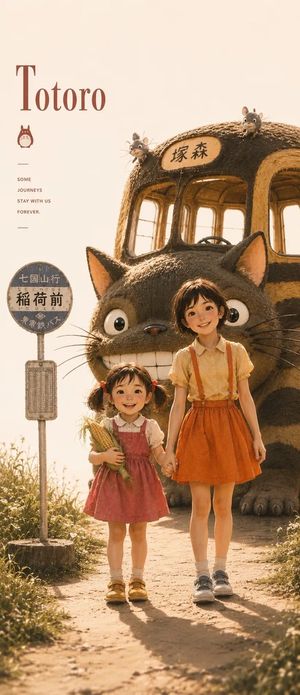
Satsuki My Neighbor Totoro Anime Portrait

Satsuki My Neighbor Totoro Anime Portrait

A detailed cinematic anime portrait prompt inspired by Studio Ghibli, featuring Satsuki from My Neighbor Totoro in a cozy summer setting.

Prompt
Ultra detailed cinematic anime portrait of Satsuki from My Neighbor Totoro, soft golden hour sunlight, warm pastel color palette, Studio Ghibli inspired aesthetic, realistic anime face, short messy dark brown hair, expressive eyes, vintage cream background, sitting on a mossy rock surrounded by wildflowers, yellow blouse with orange suspenders skirt, subtle film grain, dreamy atmosphere, highly detailed skin and fabric textures, shallow depth of field, vertical poster composition, elegant typography layout, minimalist Japanese poster design, nostalgic countryside mood, soft rim lighting, photorealistic anime style, cozy summer vibe, 9:16 aspect ratio, masterpiece quality. Ultra detailed cinematic poster of Totoro with Satsuki and Mei standing together at a rural bus stop, giant Totoro in the background, warm sunset lighting, Studio Ghibli inspired realism, nostalgic countryside atmosphere, soft golden haze, highly detailed anime realism, vintage Japanese movie poster aesthetic, natural smiles, soft shadows, detailed fur texture, cinematic depth, whimsical mood, cream and orange color palette, elegant typography, dreamy summer environment, realistic anime proportions, masterpiece illustration, vertical composition, 9:16 aspect ratio, ultra detailed, cozy and emotional tone
Author小小东
108 days ago

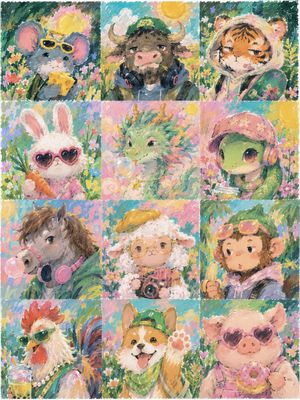
Pastel Zodiac Avatar Grid

Pastel Zodiac Avatar Grid

Generates a 12-panel pastel Chinese zodiac avatar set for social media profile icon collections or style exploration.

Prompt
Goal: Create a cute 12-character Chinese zodiac avatar collection in one image, designed as a social media profile icon style expansion set. Canvas: A square 4:5-ish poster-like canvas divided into a clean 3-column by 4-row grid, with 12 equal rectangular portrait panels and thin light borders between panels. Each panel is a close-up bust portrait of one anthropomorphic zodiac animal in a dreamy outdoor flower meadow. Visual style: Soft hand-painted pastel gouache and oil-pastel texture, visible crayon-like strokes, whimsical children’s book illustration, bright spring colors, cozy internet-avatar aesthetic, fluffy textures, rounded faces, expressive eyes, playful accessories, warm sunlight, abundant wildflowers, painterly backgrounds, no photorealism. Subject details: Include exactly 12 zodiac avatar panels, in this order from left to right, top to bottom: 1) Rat: gray mouse wearing yellow sunglasses, holding a wedge of cheese, surrounded by flowers. 2) Ox: shaggy brown ox with horns, wearing a green hoodie and large black headphones, calm expression under a sunny sky. 3) Tiger: orange tiger in a pale hoodie, holding or leaning beside a green skateboard, sleepy cool expression. 4) Rabbit: fluffy white rabbit wearing pink heart-shaped sunglasses and a pink outfit, holding a carrot. 5) Dragon: pastel green dragon with small golden horns and flowing mane, blowing a translucent bubble, magical pink-green background. 6) Snake: cute green snake or turtle-like snake character wearing a pink floral bandana and pink headphones, sipping a drink with a straw among flowers. 7) Horse: gray horse with brown mane, wearing pink headphones around the neck, blowing bubblegum. 8) Goat: fluffy white sheep/goat wearing round yellow glasses and a yellow beret, holding a small vintage camera. 9) Monkey: brown monkey in a purple hoodie with pink sunglasses resting on its head, eating a banana. 10) Rooster: colorful rooster with red comb and green sunglasses, wearing a pearl necklace and sipping a drink. 11) Dog: cheerful tan-and-white dog wearing a backwards green cap and green bandana, raising one paw with visible paw pads and tongue out. 12) Pig: pink pig wearing pink heart-shaped sunglasses and pink overalls, holding a sprinkled donut. Text content: No words, no labels, no logos, no watermark. Customization: The overall theme is {argument name="avatar theme" default="Chinese zodiac social media avatars"}; the art style is {argument name="art style" default="soft pastel gouache and oil-pastel illustration"}; the season and setting are {argument name="setting" default="sunny spring wildflower meadow"}; the color palette is {argument name="color palette" default="bright pastel pink, mint green, sky blue, yellow, and warm cream"}; the accessory mood is {argument name="accessory mood" default="trendy cute internet fashion with sunglasses, headphones, hoodies, drinks, and snacks"}. Constraints: Keep exactly 12 panels and exactly one main animal per panel. Maintain consistent portrait scale, soft square-avatar composition, playful youthful expressions, and dense floral painterly backgrounds across all panels.
108 days ago

Dark Avian Anime Poster

Dark Avian Anime Poster

A cinematic vertical anime wallpaper prompt for creating a brooding character portrait with golden raven armor and gothic title text.

Prompt
Create a vertical dark fantasy anime poster portrait of {argument name="character name" default="PONYO"}, an intense young androgynous character shown in extreme close-up from the shoulders up, face partially hidden beneath an ornate raven-like metallic headdress. The character has pale warm skin, messy black hair falling over the face, sharp amber-gold eyes staring directly at the viewer, and a serious, brooding expression. The headdress and shoulder armor are made of layered bronze-gold feathers, jagged beak shapes, and bird-skull motifs, with one glowing red gemstone or eye embedded near the forehead and another small orange glow near the side. Use dramatic chiaroscuro lighting, molten orange highlights, black shadows, reflective brushed metal texture, tiny sparks and ember glints, and a cinematic high-detail painterly anime style. Composition should be tightly cropped, filling the frame with the face and avian armor, with a deep black background and warm golden illumination from above. Add large stylized gothic fantasy text at the bottom reading {argument name="title text" default="PONYO"}, glowing pale gold, centered, sharp angular letterforms. Use a 9:16 mobile wallpaper aspect ratio, ultra-detailed, moody, elegant, no extra characters, no watermark, no additional text.
108 days ago

Dark Fantasy Ponyo Poster

Dark Fantasy Ponyo Poster

A cinematic vertical anime poster prompt for creating a close-up character portrait with golden bird armor and gothic title text.

Prompt
Create a vertical dark fantasy anime poster in a 9:16 phone-wallpaper format featuring an extreme close-up portrait of {argument name="character name" default="Ponyo"}, a young androgynous person with tan skin, messy black hair, sharp amber-brown eyes, and an intense sideways stare. The face fills most of the frame, angled slightly downward and partially hidden by elaborate metallic bird-like armor and feathered ornaments. The headpiece resembles a golden raven or owl skull mask made of layered engraved feathers, with one curved beak-like piece sweeping down along the right side of the face and exactly one glowing red jewel/eye embedded near the upper right forehead area. Add a second bird-skull ornament at the lower left foreground with a long black beak pointing right, integrated into the collar. Use molten gold, bronze, black, and ember-orange lighting, with glowing highlights scattered across the metal feathers, deep shadows, painterly hyper-detailed brush texture, cinematic contrast, and a mysterious mythic mood. Place the word {argument name="title text" default="PONYO"} centered near the bottom in large glowing gothic serif letters, pale gold with sharp angular serifs. Keep the composition tight, dramatic, highly detailed, no extra text, no border, no watermark.
108 days ago

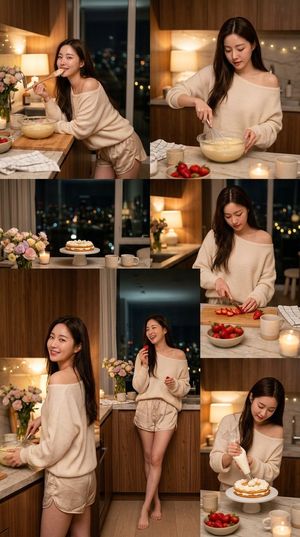
Korean Girl Kitchen Cooking Aesthetic

Korean Girl Kitchen Cooking Aesthetic

Generates a cinematic series of images showing a beautiful Korean girl cooking in a modern, cozy kitchen with warm atmospheric lighting.

Prompt
Ultra realistic beautiful {argument name="subject" default="Korean girl"} standing inside a {argument name="location" default="cozy modern apartment kitchen"} at night, soft warm cinematic lighting, luxurious wooden kitchen interior, city lights visible outside the large window, feminine soft aesthetic. She wears a {argument name="outfit" default="slightly oversized soft pastel cream off-shoulder sweater with elegant very short satin lounge shorts in light soft beige tone"}, stylish but classy Korean home fashion look. Smooth fair skin, natural glossy makeup, long silky dark brown hair, cute charming smile. Different natural poses while cooking: 1. leaning on the kitchen counter while holding a wooden spoon near her lips 2. mixing cake batter in a glass bowl 3. cutting strawberries softly 4. looking back toward camera smiling 5. standing barefoot naturally with crossed legs 6. slightly bending while decorating dessert with cream Kitchen filled with candles, flowers, bowls, strawberries, cream dessert, aesthetic mugs, cozy warm atmosphere. Soft pastel color palette, creamy tones, soft contrast, dreamy Korean Instagram aesthetic, realistic body proportions, realistic hands, realistic legs, cinematic depth of field, DSLR photography look, highly detailed skin texture, natural shadows, ultra realistic 4k. Camera: handheld realistic camera, medium full-body framing, slight cinematic movement, shallow depth of field, cozy romantic Korean lifestyle vibe.
AuthorHorus He
108 days ago

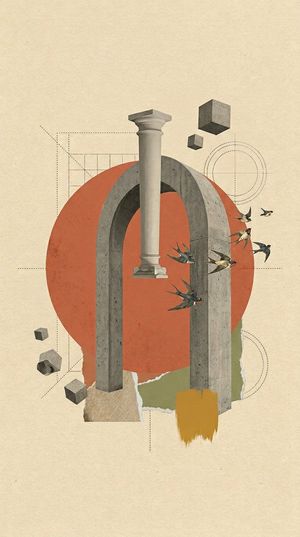
Surrealist Architectural Vintage Collage

Surrealist Architectural Vintage Collage

Generates a vertical mixed-media collage featuring brutalist architecture, classical fragments, birds, drafting lines, and torn paper textures for poster-style artwork.

Prompt
Create a vertical 9:16 digital surrealist architectural vintage collage on a warm cream textured paper background with subtle grain, stains, and aged print speckles. Center the composition around a monumental gray concrete arch with two thick vertical legs and a rounded top, realistic brutalist texture with pores and chipped edges. Behind it place one large muted red-orange circle, partially obscured by the arch, like a flat sun or painted paper disk. Suspend a single classical plaster column fragment vertically in front of the arch, slightly left of center, with a capital and base, floating without support. Add exactly 4 floating concrete cubes: one large cube near the upper right, one small cube below-left of it, one tiny cube at lower left, and one medium cube near the lower-left bottom edge. Add exactly 1 irregular broken concrete rock fragment at the lower left. Add exactly 6 birds flying from the right side of the arch toward the upper-right area, rendered like vintage cutout swallows with dark wings and cream bellies. Include abstract drafting marks: dotted construction lines, a rectangular grid behind the upper-left of the arch, thin circular target lines on the right, a dotted diagonal guide on the left, and faint horizontal and vertical alignment lines crossing the collage. At the bottom, layer torn paper shapes: one beige textured scrap under the left arch leg, one olive-green torn paper patch behind the right leg, and one ochre-yellow vertical paint swatch with rough brush edges in front of the lower right leg. Use a restrained palette of {argument name="background paper color" default="warm cream"}, {argument name="main circle color" default="muted red-orange"}, {argument name="architecture material" default="gray concrete"}, olive green, ochre yellow, and charcoal drafting lines. Keep the style as mixed-media vintage editorial collage, surreal but elegant, with generous empty space around the central object, no typography, no frame, no watermark.
108 days ago

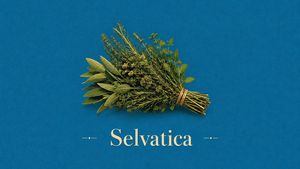
Vintage Mediterranean Herb Poster

Vintage Mediterranean Herb Poster

Generates a minimalist cyan-blue editorial poster featuring a tied wild herb bundle and elegant serif title for botanical branding or wall art.

Prompt
Create a minimalist vintage Mediterranean editorial poster in a wide 16:9 landscape format. Use a deep cyan-blue matte background with vast negative space, heavy analog film grain, subtle halftone print texture, and slightly aged offset-print color. Center a single botanical subject: a tied bundle of wild Mediterranean herbs, floating horizontally slightly above center, stems pointing to the right and leafy ends spreading to the left. The bundle should include mixed green herbs such as sage leaves, rosemary sprigs, thyme-like fine stems, and small mint-like leaves, bound near the stem end with tan natural twine; render it as realistic but poster-like, with warm sunlight highlights and a soft shadow below. Beneath the herb bundle, place one large cream-colored elegant serif wordmark reading {argument name="title text" default="Selvatica"}, centered near the lower third. Add exactly 2 small matching cream decorative ornaments, one on each side of the title, each made from a short horizontal line, a dot, and another short line. Keep the composition sparse and refined, with no border, no extra objects, no additional text, and no watermark. Overall mood: rustic, botanical, vintage Mediterranean apothecary editorial poster.
Author星_AIart
108 days ago

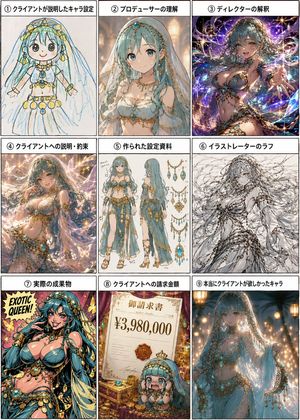
Nine-Panel Character Production Meme

Nine-Panel Character Production Meme

Generates a Japanese 3×3 comic-style process chart showing how a fantasy character concept changes through client, producer, director, illustrator, invoice, and final desired versions.

Prompt
Goal: Create a 3×3 Japanese meme-style process chart showing how an original character request mutates through a production pipeline, using the same turquoise-haired fantasy belly dancer/queen character across all panels. Make it humorous, polished, and information-dense, like a comparison sheet or comic grid. Canvas: Vertical 3:4 image with nine equal rectangular panels separated by thick black borders. Each panel has a white title strip at the top with bold black Japanese text and a circled number. Use a clean manga/illustration presentation with consistent margins. Panel count and labels: Include exactly 9 panels, arranged left to right, top to bottom: 1. 「① クライアントが説明したキャラ設定」 — a childlike crayon sketch of the character, simple round face, long aqua hair, veil, gold jewelry, white dress, blue gem ornaments, uneven hand-drawn lines on paper. 2. 「② プロデューサーの理解」 — a refined but still relatively modest anime concept portrait of the turquoise-haired veiled dancer in a white-and-gold jeweled outfit, warm indoor lighting. 3. 「③ ディレクターの解釈」 — an exaggerated glamorous fantasy illustration with dramatic pose, sparkling purple cosmic background, lots of gold chains and turquoise gems, more sensual and overproduced. 4. 「④ クライアントへの説明・約束」 — a beautiful polished sales-pitch version, elegant magical lighting, butterflies or glowing particles, romantic pastel sparkle atmosphere, ornate jewelry and flowing veil. 5. 「⑤ 作られた設定資料」 — a professional character design sheet with exactly 2 full-body views of the character, front and back/side, plus multiple accessory diagrams of necklaces, chains, earrings, and turquoise-gold ornaments on a white background with small sketch notes. 6. 「⑥ イラストレーターのラフ」 — a monochrome rough pencil sketch of the character, energetic loose linework, long flowing hair and veil, jewelry indicated with scribbly detail, unfinished but dynamic. 7. 「⑦ 実際の成果物」 — make this an illustrated comic-book poster, not a 3D figure: bold saturated colors, thick ink outlines, pop-art halftone texture, the character transformed into a flashy “EXOTIC QUEEN!” cover-style pin-up with large turquoise hair, gold coins and jewelry, yellow-pink background, text reading “EXOTIC QUEEN!” in the upper left. 8. 「⑧ クライアントへの請求金額」 — a lavish invoice scene with a parchment invoice reading 「御請求書」 and the large price “¥3,980,000”, gold coins, gems, a royal seal, and a tiny chibi version of the turquoise-haired character near the bottom. 9. 「⑨ 本当にクライアントが欲しかったキャラ」 — the final desired character: elegant, mysterious, modestly sensual veiled fantasy queen in soft blue fabric, glowing lanterns, warm bokeh, delicate turquoise gems and gold chains, graceful pose and cinematic atmosphere. Character details: The recurring character is {argument name="character concept" default="a turquoise-haired veiled exotic fantasy queen with gold jewelry and blue gemstones"}. She has very long aqua/turquoise hair, a translucent veil, ornate gold headpieces, turquoise gemstone accessories, layered necklaces, armlets, waist chains, and flowing pale blue or white fabric. Keep the same overall identity across all panels while changing the art style and interpretation per panel. Text customization: Use the Japanese title labels exactly as listed. The invoice amount should be {argument name="invoice amount" default="¥3,980,000"}. The pop-art poster phrase should be {argument name="poster phrase" default="EXOTIC QUEEN!"}. Visual style: High-resolution anime illustration collage, humorous production-process infographic, crisp panel borders, varied rendering styles per panel: crayon sketch, polished anime, fantasy splash art, design sheet, rough pencil, pop-art comic, invoice prop scene, and cinematic final concept art. Add abundant sparkle, gold, turquoise, and ornate decorative motifs. Constraints: Use exactly 9 panels and exactly the 9 listed panel labels. Keep each panel visually distinct. Make panel 7 clearly a flat illustration/comic poster rather than a figurine or 3D object. Do not add extra panels, extra captions, watermarks, or logos.