Felo

GPT Image 2Prompts

Updated every day

10,000+ free image and video prompts
AuthorKōda
111 days ago

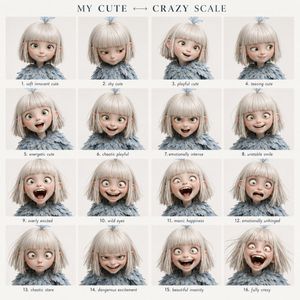
Character Emotional Performance Grid

Character Emotional Performance Grid

A highly structured prompt for generating a 4x4 grid of character expressions, transitioning from cute to crazy while maintaining perfect facial identity.

Prompt
Create a clean 4x4 emotional performance grid using the provided character as the fixed identity reference. Visual style: Clean modern graphic design layout. Elegant serif header at the top, soft off-white background, even spacing, small readable handwritten-style labels centered below each panel. Header text: “{argument name="grid title" default="MY CUTE ↔ CRAZY SCALE"}” Preserve strict facial identity consistency across all 16 panels. Follow the exact emotional progression from top-left to bottom-right. Do not randomize expressions or intensity. GRID ORDER: Row 1: 1. soft innocent cute 2. shy cute 3. playful cute 4. teasing cute Row 2: 5. energetic cute 6. chaotic playful 7. emotionally intense 8. unstable smile Row 3: 9. overly excited 10. wild eyes 11. manic happiness 12. emotionally unhinged Row 4: 13. chaotic stare 14. dangerous excitement 15. beautiful insanity 16. fully crazy Format: 4x4 grid, {argument name="style" default="cinematic portrait photography"} style, neutral background, tight close-up framing, shallow depth of field, no watermark.
AuthorMarco
111 days ago

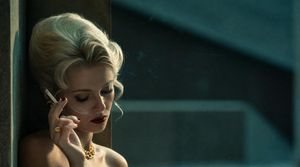
Censored Vintage Film Portrait

Censored Vintage Film Portrait

A cinematic 1970s-style fashion portrait of a smoking blonde woman with her face obscured, ideal for moody editorial or film-still visuals.

Prompt
Create a cinematic pro-film photography portrait in a widescreen 16:9 frame. A glamorous vintage blonde woman stands at the far left edge of the composition, leaning against a vertical wall or window frame in deep shadow, with most of the frame occupied by an abstract dark teal architectural background. She has a large 1960s bouffant hairstyle in pale {argument name="hair color" default="platinum blonde"}, bare shoulders, warm tan skin, gold jewelry including a chunky necklace and rings, and she holds a lit cigarette near her face with faint smoke drifting upward. Her face is deliberately obscured by a centered rectangular censor block in muted brown, covering the facial features while leaving the hair, hand, cigarette, neck, and shoulders visible. Use moody low-key lighting with warm sunlight grazing her hair and skin from the upper left, strong teal-and-gold color grading, shallow depth of field, soft film grain, subtle halation, and a still from a 1970s arthouse thriller or fashion editorial. The background should be minimal and out of focus, with dark geometric shadows, no text, no watermark, no extra people, and a tense, elegant atmosphere.
111 days ago

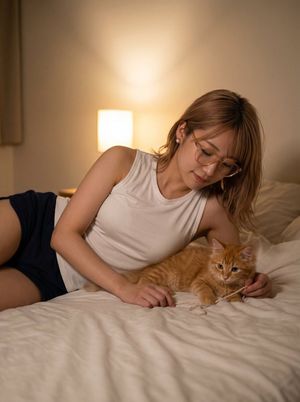
Cozy Bedroom Woman with Orange Kitten

Cozy Bedroom Woman with Orange Kitten

A realistic vertical lifestyle scene of an anonymized woman lounging on a bed and playing with an orange tabby kitten in warm bedside lamplight.

Prompt
Create a realistic warm indoor lifestyle photo of {argument name="subject" default="an adult woman"} reclining sideways on a cream-colored bed in a cozy bedroom, playing gently with {argument name="pet" default="one orange tabby kitten"}. The subject has shoulder-length light brown hair, wears a simple white sleeveless tank top and dark navy shorts, and is posed on her side with one arm supporting her body and one hand holding a thin string toy near the kitten. The kitten lies beside her on the bedding, alert and facing the camera, with visible orange stripes and soft fur. The face of the human subject is intentionally covered by a solid medium-brown rectangular privacy block. Use a vertical portrait composition, waist-up to thigh framing, soft shallow depth of field, natural skin tones, realistic fabric folds, and a calm intimate atmosphere. In the background include exactly one glowing bedside table lamp casting warm yellow light against a beige wall, with pillows and rumpled cream bedding visible. Lighting should be soft, cinematic, cozy, and slightly dim, like an evening bedroom scene. No text, no watermark, no extra people, no additional animals.

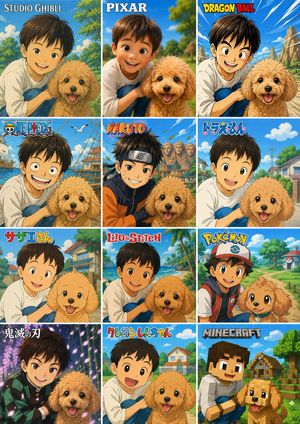
12-Style Anime Photo Transformation Grid

12-Style Anime Photo Transformation Grid

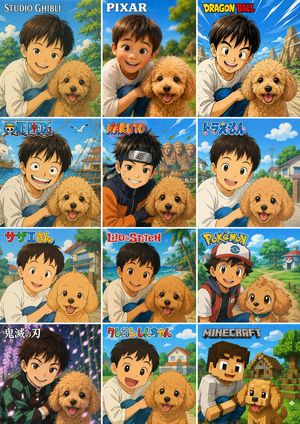
Creates a 12-panel comparison collage that turns one reference photo into multiple famous anime and game-inspired visual styles.

Prompt
Using the provided reference photo, create a single vertical comparison sheet that transforms the boy-and-dog photo into a 3-column by 4-row grid of exactly 12 square panels, each panel showing the same composition reimagined in a different popular animation/game style. Keep the boy and dog as the recognizable subjects from the reference, preserving their relative pose and closeness, but render each panel in the requested style with matching backgrounds, linework, colors, and character proportions. Add a bold style title/logo at the top of each panel. Canvas and layout: Make a vertical collage with 12 equal panels, thin white gutters, arranged left-to-right and top-to-bottom. Panel styles and visible labels, exactly 12: 1. Studio Ghibli — label: “STUDIO GHIBLI”, soft hand-painted pastoral anime look. 2. Pixar — label: “PIXAR”, polished 3D family-animation look. 3. Dragon Ball — label: “DRAGON BALL”, dynamic shonen action look with speed lines and rocky landscape. 4. One Piece — label: “ONE PIECE”, nautical adventure anime look with ship elements. 5. Naruto — label: “NARUTO”, ninja anime look with village rooftops and headband styling. 6. Doraemon — label: “ドラえもん”, bright suburban children’s anime look. 7. Sazae-san — label: “サザエさん”, classic Japanese family anime look. 8. Lilo & Stitch — label: “Lilo & Stitch”, tropical island animation look. 9. Pokémon — label: “POKÉMON”, colorful trainer-and-companion adventure look. 10. Demon Slayer — label: “鬼滅の刃”, dramatic dark fantasy anime look with glowing particles. 11. Crayon Shin-chan — label: “クレヨンしんちゃん”, simple rounded children’s anime look. 12. Minecraft — label: “MINECRAFT”, blocky voxel game style. Customizable text: Use {argument name="first style label" default="STUDIO GHIBLI"}, {argument name="second style label" default="PIXAR"}, {argument name="third style label" default="DRAGON BALL"}, {argument name="ninth style label" default="POKÉMON"}, and {argument name="twelfth style label" default="MINECRAFT"} where those panel titles appear. Constraints: Do not add extra panels or extra labels. Preserve the reference subjects in every panel, including the boy with the dog, while changing only the art style, environment details, and franchise-inspired visual language. Keep the collage clean, colorful, and poster-like.

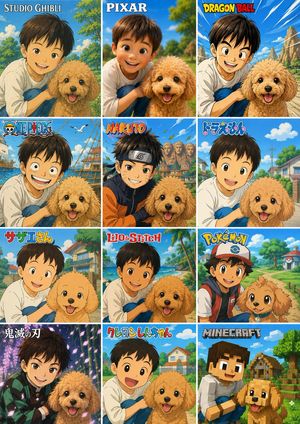
12-Style Anime Pet Collage

12-Style Anime Pet Collage

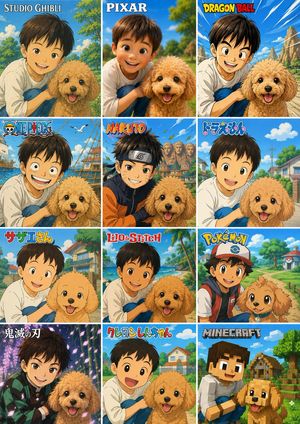
Creates a 12-panel style comparison collage from a child-and-pet reference photo while preserving the original pose and privacy masking.

Prompt
Using the provided reference image as the subject base, transform it into a 3-column by 4-row comparison collage showing the same child-and-dog pose reimagined in exactly 12 different famous animation/game-inspired visual styles. Preserve the composition relationship between the child and the dog, and preserve any existing face-obscuring privacy blocks rather than revealing or inventing facial details. Canvas and layout: Create a vertical poster collage with 12 equal square panels, thin white dividers, bright cheerful colors, and each panel labeled at the top with the corresponding style title. Panels, in order from left to right, top to bottom: 1. {argument name="style label 1" default="STUDIO GHIBLI"} — soft hand-painted Japanese fantasy animation look with lush park greenery. 2. {argument name="style label 2" default="PIXAR"} — polished 3D family animation look, closest to the original photo composition. 3. {argument name="style label 3" default="DRAGON BALL"} — bold action-anime lines, dynamic blue sky and rocky background. 4. ONE PIECE — adventurous pirate-anime style with ships, seagulls, and ocean elements. 5. NARUTO — ninja-anime style with orange/black outfit accents, village rooftops, leaves in the air. 6. ドラえもん — clean rounded children’s anime style with a sunny suburban street. 7. サザエさん — retro family-anime style with simple expressive linework and neighborhood houses. 8. Lilo & Stitch — tropical island cartoon style with beach, palm trees, and bright ocean colors. 9. Pokémon — monster-adventure anime style with a trainer-like cap and backpack, path and Poké Ball-like scenery details. 10. 鬼滅の刃 — dramatic dark fantasy anime style with glowing purple forest lighting and patterned cloak accents. 11. クレヨンしんちゃん — simple playful children’s cartoon style with rounded faces and suburban background. 12. {argument name="style label 12" default="MINECRAFT"} — voxel/blocky game style with cubic characters, blocky dog, village and trees. Constraints: Keep the child and dog recognizable from the reference in every panel, keep the dog cheerful, do not add extra panels, do not change the 3x4 grid, and make the style names large and readable.

12-Style Anime Pet Collage

12-Style Anime Pet Collage

Creates a 12-panel comparison poster that turns a child-and-dog reference photo into multiple anime, cartoon, and game-inspired styles.

Prompt
Using the provided reference image as the subject and composition base, create a vertical 3-column by 4-row comparison collage showing the same child and dog transformed into exactly 12 different animation/game styles. Keep the child-and-dog pairing, close pose, cheerful outdoor feeling, and the privacy face-obscuring blocks where present, but redraw each tile in a distinct branded-inspired cartoon/anime aesthetic with matching backgrounds and a title logo at the top of each tile. Canvas and layout: Make one poster-style image with 12 equal rectangular panels separated by thin white grid lines, arranged 3 columns × 4 rows. Each panel should crop the subjects similarly to the reference but adapt the scenery to the chosen style. Panels, in order from top-left to bottom-right, with exactly these 12 visible title labels: 1. {argument name="style label 1" default="STUDIO GHIBLI"} — soft hand-painted fantasy countryside look. 2. {argument name="style label 2" default="PIXAR"} — glossy 3D animated family-film look. 3. {argument name="style label 3" default="DRAGON BALL"} — bold action manga look with dramatic sky and rocky landscape. 4. {argument name="style label 4" default="ONE PIECE"} — pirate-adventure anime look with ships, sea, and birds. 5. {argument name="style label 5" default="NARUTO"} — ninja anime look with village rooftops and energetic colors. 6. ドラえもん — bright simple children’s anime suburb look. 7. サザエさん — classic Japanese family anime neighborhood look. 8. Lilo & Stitch — tropical island cartoon look with palms and beach colors. 9. Pokémon — colorful adventure anime look with cap/backpack styling and a path through a game-like town. 10. 鬼滅の刃 — dramatic dark fantasy anime look with glowing purple forest lighting. 11. クレヨンしんちゃん — simple rounded gag-anime look with a cheerful open-mouth child expression. 12. MINECRAFT — blocky voxel game style with cubic characters, village houses, and pixelated terrain. Style rules: The titles should resemble the recognizable logo treatment for each style while remaining clean and readable. Preserve the dog’s happy expression and fluffy toy-poodle silhouette across panels, adapting only the rendering style. Do not add extra panels, extra labels, watermarks, captions, or unrelated characters.

12-Style Anime Photo Collage

12-Style Anime Photo Collage

Creates a 12-panel social media collage converting one child-and-pet photo into multiple popular animation and game-inspired styles.

Prompt
Using the provided reference photo as the subject base, create a vertical 3-column by 4-row comparison collage that transforms the same child-and-dog scene into exactly 12 popular animation/game-inspired visual styles. Keep the child and dog recognizable in pose, relative placement, clothing, and outdoor park feeling, and preserve any existing face anonymization/privacy masking from the reference rather than inventing facial details. Add a bold style-title logo at the top of each panel. Canvas and layout: Use a tall poster layout with 12 equal rectangular panels separated by thin white grid lines, arranged as 3 columns x 4 rows. Each panel should show the same subject pairing from the reference but redrawn in a different style, with bright saturated colors and clean promotional collage composition. Panels, in order from top-left to bottom-right, exactly 12: 1. “STUDIO GHIBLI” — soft hand-painted fantasy countryside look. 2. “PIXAR” — polished 3D animated movie look. 3. “DRAGON BALL” — dynamic action-anime look with speed lines and rocky landscape. 4. “ONE PIECE” — adventurous nautical anime look with ship/sea elements. 5. “NARUTO” — ninja-anime look with village background and orange/black outfit influence. 6. “ドラえもん” — cheerful rounded Japanese cartoon suburb style. 7. “サザエさん” — classic family-anime neighborhood style. 8. “Lilo&Stitch” — tropical island cartoon look with beach and palm trees. 9. “POKÉMON” — bright monster-adventure world look; add a cap/backpack vibe to the child and a cute creature-like treatment for the dog. 10. “鬼滅の刃” — dramatic sword-anime look with purple lighting and patterned haori influence. 11. “クレヨンしんちゃん” — simple cute children’s cartoon style with big expressive shapes. 12. “MINECRAFT” — blocky voxel game style with cubic characters and environment. Customizable text: Use {argument name="collage title style" default="anime style comparison poster"} as the overall design intent, and keep the panel labels exactly as listed unless replaced by {argument name="panel label set" default="STUDIO GHIBLI, PIXAR, DRAGON BALL, ONE PIECE, NARUTO, ドラえもん, サザエさん, Lilo&Stitch, POKÉMON, 鬼滅の刃, クレヨンしんちゃん, MINECRAFT"}. Constraints: Do not add extra panels, extra people, or extra pets. Keep the dog’s happy expression and fluffy tan appearance consistent across panels. Keep the child close to the dog in every panel. Maintain visible privacy blocks/anonymization over faces if present in the reference. Make the final image look like a shareable social media collage showcasing one photo converted into many animation styles.
111 days ago

Urban Digital Signage Exhibition

Urban Digital Signage Exhibition

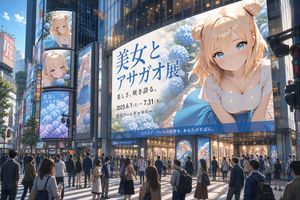
A prompt for generating an urban city scene with digital signage displaying a specific character artist exhibition title.

Prompt
Digital signage, character artist exhibition panel, city people, intersection, urban, text title '{argument name="展示タイトル" default="Beauty and Morning Glory Exhibition"}'
AuthorKeskin
111 days ago

FACS Expression Portrait Matrix

FACS Expression Portrait Matrix

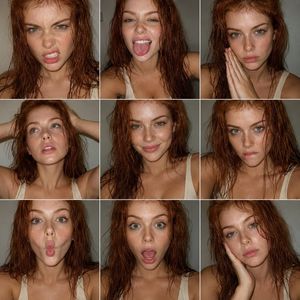
A technical JSON-structured prompt to generate a 3x3 grid of portraits using the Facial Action Coding System to ensure precise and consistent facial expressions.

Prompt
{ "objective": "Create a 3x3 portrait collage inspired by expressive fashion photography, using FACS (Facial Action Coding System) to define each facial expression. The subject is an {argument name=\"subject\" default=\"extremely beautiful redhead woman with green eyes\"}, captured in candid smartphone-style colored photography", "aspect_ratio": "1:1", "composition": { "layout": "3x3 grid (9 equal portraits)", "framing": "tight head-and-shoulders portraits", "style": "clean grid with minimal spacing, similar framing across all panels", "consistency": "same subject, same lighting, slight variation in pose and angle" }, "subject": { "person": "adult woman", "appearance": { "hair": "natural red hair, slightly wet or textured", "eyes": "green eyes, highly expressive", "beauty": "extreme beauty, sharp yet soft features", "skin": "natural texture, not over-smoothed" }, "outfit": { "top": "{argument name=\"outfit\" default=\"low-cut cream tank top\"}", "style": "minimal, clean" } }, "facs_expressions": [ { "panel": 1, "action_units": ["AU4 (brow lowerer)", "AU9 (nose wrinkler)", "AU10 (upper lip raiser)"], "description": "slight snarl expression" }, { "panel": 2, "action_units": ["AU25 (lips part)", "AU26 (jaw drop)", "AU19 (tongue show)"], "description": "playful tongue out" }, { "panel": 3, "action_units": ["AU1 (inner brow raiser)", "AU2 (outer brow raiser)", "AU24 (lip pressor)"], "description": "soft serious look with hands together" }, { "panel": 4, "action_units": ["AU5 (upper lid raiser)", "AU25 (lips part)"], "description": "relaxed upward gaze with hands in hair" }, { "panel": 5, "action_units": ["AU12 (lip corner puller)", "AU6 (cheek raiser)"], "description": "subtle natural smile" }, { "panel": 6, "action_units": ["AU4 (brow lowerer)", "AU10 (upper lip raiser)", "AU25 (lips part)"], "description": "intense biting lip expression" }, { "panel": 7, "action_units": ["AU18 (lip pucker)", "AU22 (lip funneler)"], "description": "playful fish face" }, { "panel": 8, "action_units": ["AU25 (lips part)", "AU26 (jaw drop)", "AU5 (upper lid raiser)"], "description": "surprised open-mouth expression" }, { "panel": 9, "action_units": ["AU1 (inner brow raiser)", "AU15 (lip corner depressor)"], "description": "soft melancholic or tired expression with hand on face" } ], "visual_style": { "genre": "editorial portrait photography", "color": "full color (not black and white)", "quality": "smartphone candid", "texture": [ "visible grain", "natural skin imperfections", "slight noise" ], "color_tone": "neutral to slightly warm tones" }, "lighting": { "style": "direct flash or simple frontal lighting" } }
AuthorBMX
111 days ago

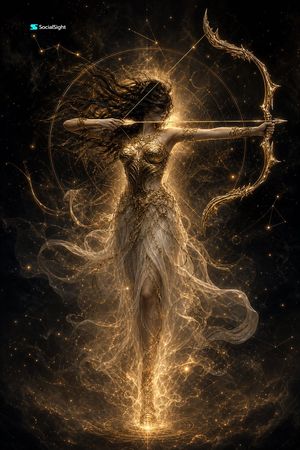
Celestial Goddess Archer

Celestial Goddess Archer

A cinematic mythological fantasy portrait of a glowing celestial archer goddess in a star-filled cosmic scene.

Prompt
Create a vertical 2K cinematic fantasy artwork of {argument name="mythic archer" default="a celestial goddess archer"} floating full-body in the center of a dark cosmic void. She has long wild {argument name="hair color" default="black"} hair blown dramatically to the left, her face partly shadowed, and an intense poised expression as she draws a glowing golden arrow across her chest. Her right arm pulls the bowstring near her cheek while her left arm extends straight outward holding an ornate crescent-shaped golden bow with sharp filigree tips. She wears intricate gilded armor over a translucent flowing ivory-gold gown, with delicate chains, leaflike metalwork, arm cuffs, and sheer fabric swirling around her legs like smoke. Surround her with one large luminous circular astrolabe halo behind her torso, thin geometric constellation lines, star points, dust particles, smoky nebula textures, and radiant golden energy emanating from behind her head and from beneath her feet. The color palette is black, deep charcoal, antique gold, warm amber, and soft ivory. Lighting should be dramatic backlit chiaroscuro with glowing rim light, sparkling particles, ultra-detailed metal engraving, ethereal fabric transparency, cinematic contrast, and a mythological high-fashion aesthetic. Add a small {argument name="logo text" default="SocialSight"} wordmark in the top-left corner. No other text, no extra characters, no modern objects.

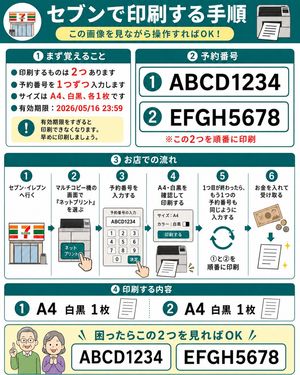
7-Eleven Net Print Instruction Sheet

7-Eleven Net Print Instruction Sheet

A square Japanese infographic that explains how to print two reserved documents at a 7-Eleven net-print copier using reservation numbers.

Prompt
Goal: Create a friendly Japanese step-by-step instruction sheet for printing two reserved net-print documents at a 7-Eleven multifunction copier, designed so an elderly parent can understand it just by looking. Canvas: Square 1:1 infographic, white background with teal borders and rounded cards, bold teal section headers, red emphasis text, simple flat vector icons. Overall style is clean, high-contrast, large readable Japanese typography, like a laminated how-to guide. Main header: At the top, a dark teal banner with a circular 7-Eleven storefront icon on the left and a printer icon on the right. Center the large white headline {argument name="headline text" default="セブンで印刷する手順"}. Under it place a pale yellow rounded pill subtitle {argument name="subtitle text" default="この画像を見ながら操作すればOK!"}. Section 1, top left card, title {argument name="section one title" default="① まず覚えること"}: Include exactly 4 teal bullet points and 1 yellow warning box. The bullets say, in Japanese, that there are 2 things to print, enter reservation numbers one at a time, the size is A4 black-and-white one copy each, and the expiration deadline is 2026/05/16 23:59. Emphasize the numbers 2, 1, A4, black-and-white, one copy each, and the date in red. The warning box contains a teal exclamation icon and text warning that printing becomes unavailable after the expiration date, so print early. Section 2, top right card, title {argument name="section two title" default="② 予約番号"}: Show exactly 2 large reservation-number rows with teal circled numbers: row 1 is {argument name="first reservation number" default="ABCD1234"}, row 2 is {argument name="second reservation number" default="EFGH5678"}. Each row is inside a white rounded rectangle with teal outline. Add a red note below: print these two in order. Section 3, middle full-width card, title in Japanese meaning store workflow: Show exactly 6 numbered vertical steps separated by thin teal lines, each with a teal circle number at the top. Step 1: go to 7-Eleven, with storefront icon. Step 2: on the multifunction copier screen choose “Net Print,” with copier touchscreen icon and pointing hand. Step 3: enter the reservation number, with keypad screen showing ABCD1234 and a pointing hand pressing confirm. Step 4: confirm A4 black-and-white and print, with settings panel and printer output icon. Step 5: after the first one finishes, enter the second reservation number the same way, with circular repeat arrows and text indicating print 1 then 2 in order. Step 6: insert money and receive the printout, with banknote, coins, downward arrow, paper sheet, and sparkle icons. Section 4, lower card, title in Japanese meaning print contents: Show exactly 2 contents items. Item 1: teal circled 1, large text “A4 black-and-white 1 copy,” small paper icon. Item 2: teal circled 2, large text “A4 black-and-white 1 copy,” small paper icon. Separate the two items with a dotted teal divider. Bottom help strip: Pale yellow rounded rectangle with two friendly elderly people icons on the left, faces intentionally blurred or simplified. Add a teal headline saying that if they are confused, they only need to look at these two numbers. Show exactly 2 large bordered boxes containing ABCD1234 and EFGH5678. Constraints: Use exactly 4 major numbered sections plus the bottom help strip, exactly 2 reservation numbers, exactly 6 workflow steps, exactly 2 print-content items, exactly 4 bullet points in Section 1, and no extra logos except the simplified 7-Eleven storefront motif. Keep all Japanese text large, readable, and neatly aligned.

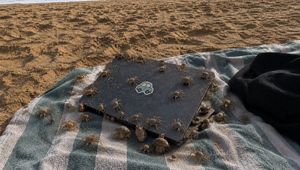
Crowded Crab Beach Laptop Scene

Crowded Crab Beach Laptop Scene

A realistic beach snapshot of a sand-dusted laptop on a striped towel swarming with crabs and hermit crabs, useful for unsettling nature-photo generation.

Prompt
Create a realistic, slightly unsettling beach photograph in late-afternoon natural light: a blue-green and white striped towel lies on rippled golden sand, with a closed matte black laptop or tablet centered on the towel at a slight diagonal angle. The device has rounded corners, is dusted with sand grains, and has a small cute car sticker in the center of the lid. A dark black garment or towel is bunched on the right edge. Populate the scene with exactly 38 tiny beach creatures crawling over and around the device and towel: 24 pale sand crabs with long thin legs scattered across the towel, laptop lid, and nearby sand, and 14 hermit crabs with varied spiral shells clustered mostly along the lower and right edges of the device. Make the creatures numerous and busy, with some on top of the laptop, some partially under its edges, and some crossing the striped fabric. Use {argument name="creature count" default="38"} visible animals, {argument name="main object" default="closed matte black laptop with a cute car sticker"}, {argument name="beach textile" default="blue-green and white striped towel"}, {argument name="lighting" default="warm low-angle late-afternoon sunlight"}, and {argument name="mood" default="realistic, crowded, slightly creepy but natural beach snapshot"}. Shoot from a low oblique overhead angle, wide horizontal composition, shallow but not extreme depth of field, high detail in sand texture, fabric weave, shadows, crab legs, and shells. No humans, no text overlay, no watermark.

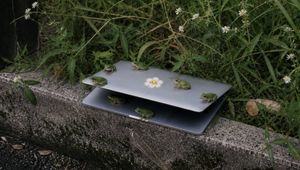
Frogs on a Laptop in Wild Grass

Frogs on a Laptop in Wild Grass

A realistic outdoor photo prompt showing six small green frogs gathered on a partially open laptop beside overgrown grass and wildflowers.

Prompt
Create a realistic documentary-style outdoor photograph of a partially open {argument name="device" default="silver laptop"} resting on a rough concrete curb beside dense wild grass. The laptop is open only a few inches like a shelter, with a dark shadowed gap between the lid and base, and a small cute {argument name="sticker design" default="smiling flower sticker"} centered on the top lid. Show exactly 6 small green tree frogs: 4 frogs perched on the upper lid, including one near the left edge facing left, one near the back center facing left, one near the right-center facing left, and one on the far right edge facing left; 2 frogs on or under the lower half, including one crouched in the dark gap near the left side and one sitting on the front lower edge near the center facing right. Surround the scene with tall tangled green weeds, thin stems, and small white daisy-like wildflowers, with a dry brown leaf on the right and a dark vertical object barely visible at the far left edge. Use muted natural colors, overcast soft light, shallow depth of field, realistic textures on the mossy stained curb, and a slightly eerie “many tiny animals gathered around an abandoned object” mood. Horizontal 16:9 composition, low eye-level angle, no people, no added text, no watermark.
111 days ago

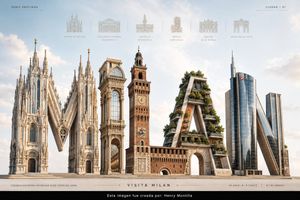
Luxury Milan Typographic Travel Poster

Luxury Milan Typographic Travel Poster

A premium 3:2 editorial travel poster featuring the word MILAN as realistic architectural 3D typography made from iconic city landmarks.

Prompt
Goal: Create a premium luxury travel poster for {argument name="city name" default="MILAN"}, built around monumental 3D typography where each letter is a realistic architectural sculpture inspired by famous Milan landmarks. Canvas: Horizontal 3:2 aspect ratio, editorial destination-advertising composition, bright airy daylight, pale blue sky with soft clouds, warm beige stone plaza at the bottom, ultra-realistic architectural rendering with refined luxury-magazine polish. Main layout: Center the word {argument name="main word" default="MILAN"} across the lower two-thirds of the poster as five enormous freestanding letters on a clean horizon line. Each letter must be a different architectural landmark form, highly detailed, realistic, and sculptural: 1. M: Gothic white marble cathedral architecture inspired by Duomo di Milano, with tall spires, pinnacles, pointed arches, rose windows, buttresses, statues, and gold crosses. 2. I: elegant glass-and-stone arcade tower inspired by Galleria Vittorio Emanuele II, with a large arched glass facade, ornate classical columns, and a vaulted passage visible through the base. 3. L: red-brick medieval tower and castle massing inspired by Castello Sforzesco, with a clock tower, crenellations, arched entry, stone trim, and relief panels. 4. A: modern green residential architecture inspired by Bosco Verticale, shaped like a capital A with terraces, concrete beams, lush trees, shrubs, and planted balconies. 5. N: contemporary glass skyscraper forms inspired by Milan business district architecture, including a tall cylindrical reflective tower and a sharply leaning diagonal glass-and-steel structure. Top information band: Add a thin, elegant destination-series header in small spaced uppercase letters. Left text reads "SERIE DESTINOS" with a fine horizontal rule and a small dot. Right text reads "CIUDAD / 01" with a matching fine rule. Across the top center, include exactly six small pale-gray landmark line icons with thin vertical separators and uppercase captions beneath them. The six captions are: "DUOMO DI MILANO", "GALLERIA VITTORIO EMANUELE II", "CASTELLO SFORZESCO", "BOSCO VERTICALE", "TEATRO ALLA SCALA", "ARCO DELLA PACE". Bottom band: Add a refined beige footer strip with thin rules and small editorial text. Left microcopy reads "ELEGANCIA QUE INSPIRA. HISTORIA QUE ACOGE. DISEÑO QUE LIDERA." Center title reads "VISITA MILAN" in widely spaced uppercase letters, flanked by fine horizontal lines and small dots. Right side includes coordinates "45.4642° N, 9.1900° E" and issue code "N.º 01-MMXXV". Visual style: Photorealistic 3D architectural typography, premium travel editorial, realistic stone, brick, glass, metal, greenery, precise shadows, high-resolution detail, balanced symmetry, soft cinematic daylight, subtle atmospheric haze, minimal clutter, sophisticated beige-gray-blue palette. Constraints: Use exactly five main typographic landmark letters and exactly six top landmark icons. Keep the poster clean and luxurious. No people, no cars, no extra landmarks, no watermark, no bottom black attribution bar.
AuthorAB
111 days ago

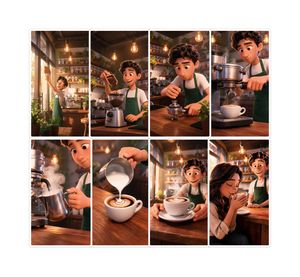
Pixar-Style Coffee Brand Storyboard

Pixar-Style Coffee Brand Storyboard

A warm 8-panel animated café storyboard showing a barista’s bean-to-cup journey for coffee brand storytelling.

Prompt
Goal: Create a polished AI storyboard for a coffee brand titled {argument name="story title" default="Bean to Smile"}, showing a warm Pixar-style animated café story from opening the shop to serving a delighted customer. Canvas: Square image, clean white background, with a centered 2-row storyboard grid of exactly 8 vertical rounded-rectangle panels. Use thin white gutters between panels and a subtle light gray outer border/shadow around the full storyboard. Each panel has cinematic composition, warm amber lighting, shallow depth of field, soft volumetric glow, and highly detailed 3D animated film rendering. Visual style: Pixar-inspired 3D animation, cozy artisan coffee shop interior, golden morning sunlight, exposed wood counters, shelves of jars and plants, hanging Edison bulbs, espresso machine, warm browns and greens, inviting brand-storytelling mood. The recurring main character is a young barista with {argument name="barista hair" default="curly dark brown hair"}, wearing a white shirt and {argument name="apron color" default="forest green apron"}. Faces may be softly stylized and friendly, but keep the story readable through body language and props. Storyboard layout and exact panel count: Include exactly 8 panels, arranged as 4 panels on the top row and 4 panels on the bottom row. Panel 1: Wide shot of the barista opening or wiping the café’s front glass door in morning sunlight, plants near the window, espresso machine and shelves visible inside. Panel 2: Medium shot of the barista pouring roasted coffee beans from a small wooden scoop or bag into a grinder on the wooden counter. Panel 3: Close medium shot of the barista tamping fresh coffee grounds into a portafilter with focused hands, café shelves and hanging bulbs behind. Panel 4: Close-up of espresso extraction from a large shiny espresso machine into a white cup, the barista operating the handle. Panel 5: Close-up of the barista steaming milk in a metal pitcher, visible white steam curling upward beside the espresso machine. Panel 6: Close-up of milk being poured into a white cup of coffee, forming latte art on the crema on the wooden counter. Panel 7: Medium shot of the barista presenting the finished latte on a saucer across the counter, latte art visible, warm sunlight in the background. Panel 8: Emotional final shot of a smiling customer seated at the wooden counter receiving the drink from the barista, suggesting satisfaction and brand warmth. Text content: No captions inside the storyboard panels. If adding an optional small title outside the grid, use only {argument name="brand text" default="Bean to Smile"} in a tasteful coffee-brand style. Constraints: Do not add extra panels, speech bubbles, watermarks, logos, or unrelated objects. Keep the same barista, apron, café environment, and lighting consistent across all 8 panels. Make the image look like a complete premium brand storyboard for a coffee commercial.
111 days ago

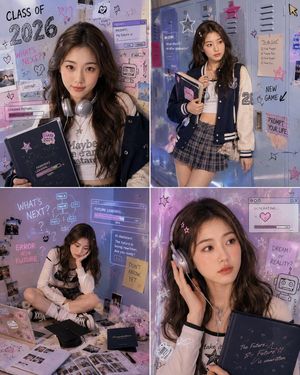
Y2K Aesthetic Campus Graduation Photoshoot

Y2K Aesthetic Campus Graduation Photoshoot

A massive, multi-part prompt for generating a set of Y2K-themed campus graduation photos, blending American school aesthetics with Korean pop idol vibes and digital AI design elements.

Prompt
# Y2K American-Korean Campus Graduation Photoshoot | 4 Individually Retouched Photos Please generate **4 different individually retouched photos** at once based on 1-3 clear personal photos uploaded by the user, uniformly in a **3:4 vertical composition**. Theme: **Y2K American-Korean Campus Graduation Photoshoot**. Overall style: **American campus indoor studio shoot + Korean girl group sweet & cool concept photos + Y2K youth poster + hand-drawn graffiti background + AI era graduation emotional blockbuster**. This set of pictures must have a clear graduation theme, expressed through elements like **Yearbook, graduation certificate cover, graduation cap, books, lockers, desks, polaroids, Class of {argument name="Graduation Year" default="2026"}, What’s Next, Future Loading**, etc. --- ## Character Consistency Please strictly retain the user's real identity features, including face shape, facial feature proportions, eyes, nose, lips, skin tone, sense of age, basic hairstyle, and overall temperament. It must clearly look like the same real girl in all 4 pictures. The character can be more refined, photogenic, and magazine-like, but must retain real facial recognition and natural skin texture. Do not turn into a stranger, no fake influencer faces, no excessive skin smoothing. --- ## Clothing and Makeup The styling is **American campus trend + Korean girl group sweet & cool + Y2K retro-futurism**. Clothing can use: - baby tee / cropped knitwear / preppy shirt - varsity jacket / cropped blazer - pleated short skirt / low-rise denim skirt / cargo pants - skinny tie / preppy ribbon / school badge brooch - silver headphones / star hair clips / transparent jelly bag / retro sunglasses - platform sneakers / Mary Jane shoes The overall look should be sweet and cool, clean, trendy, with a campus feel and the refinement of Korean idol concept photos. Makeup is **Korean Y2K sweet & cool campus makeup**: clear base, natural skin texture, clean eyebrows and eyes, fine shimmer eyeshadow, natural aegyo sal, cool pink blush, silver or ice pink highlighter, jelly-like nude pink / bean paste pink / milk tea rose lip color. Hairstyle is a young and light Korean campus style: natural large waves, slightly curly loose hair, half-tied hair, high ponytail, curtain bangs, wispy hair framing, can be paired with star hair clips, silver hair clips, small bows, or transparent jelly hair clips. --- ## Scene and Background The scene is an **American-Korean indoor studio campus set**, like a magazine blockbuster set, no real outdoor scenes. Background integration: - American campus lockers - Classroom blackboard - Desks and chairs - Yearbook wall - Polaroid photo wall - Sticky notes, class schedules, books - Hand-drawn graffiti, stars, hearts, arrows, question marks - Y2K stickers, pixel cursors, silver balloons, transparent acrylic boards - A small amount of English visual text like Class of {argument name="Graduation Year" default="2026"}, What’s Next, Future Loading, AI Era, Restart, Dream, Error The background should have a designer layout feel, youthfulness, and a magazine feel. Text should just be a visual element, do not pile up a lot of text. --- ## AI Design Elements Add lightweight AI elements to the picture, like Y2K poster graphic design: - Translucent AI chat bubbles - prompt input box - loading bar - floating UI pop-ups - pixel cursor - data stream stickers - neural network lines - hand-drawn robot avatar - glitch sticker - holographic card - blue-pink slight light effects - silver wireframe graphics - small future career path icons - hand-drawn prompt scratch paper AI elements should be light, fashionable, and youthful, like the era background and emotional annotations surrounding the character. The character is always the visual center. --- ## Lighting and Texture The overall feel is an **American-Korean indoor studio magazine feel**. Please use: clean studio lighting, soft key light, slight flash texture, creamy white highlights, pink-blue ambient light, silver rim light, transparent plastic reflections, slight film grain, Y2K poster texture, high-definition real photography texture. Overall color tone: **creamy white + pink-blue + silver-gray + black + ice purple + a small amount of acid green accents**. The picture should be sweet and cool, clean, trendy, and have a sense of design. --- ## Emotional Expression This set of pictures should express **the youthfulness of the eve of graduation, the confusion of the arrival of the AI era, and the complex emotions of young people standing at the entrance of a new stage in life**. Emotion keywords: Sweet and cool, youthful, relaxed, bright, confused, thoughtful, slightly rebellious, eve of graduation feel, complex emotions amidst changing times. Expressions can include: - Looking at the camera, sweet and cool smile - Toothy smile, like being amused by a friend - Not looking at the camera, looking at an AI projection - Looking down flipping through a yearbook - Sitting on the ground spacing out - Resting face on one hand, staring blankly - Holding a graduation certificate cover thoughtfully - Wearing headphones looking into the distance Expressions should be natural and real, with a candid feel, no forced business smiles. --- ## Fixed Output of 4 Photos ### 1) Main Visual Poster Image Half-body or medium close-up. The character stands or sits in front of a Y2K hand-drawn graffiti background, holding a yearbook or graduation certificate cover, looking at the camera. The background has Class of {argument name="Graduation Year" default="2026"}, What’s Next, AI prompt input box, loading bar, stars, question marks, pixel stickers. Expression is sweet, cool, and confident, suitable for a cover image. ### 2) Locker Campus Sweet & Cool Standing Pose 3/4 body or near full body. The character stands in front of American lockers, body slightly turned, holding headphones or sunglasses in one hand, and holding books, a yearbook, or a graduation cap in the other. The background has pink-blue graffiti, class schedule, AI chat bubble, prompt card, Y2K stickers. Expression is a bit cooler, looking off-camera, like a Korean girl group campus concept photo. ### 3) Graduation Confusion Story Image Medium shot or 3/4 body. The character sits on the ground, by a desk, or next to a locker, surrounded by scattered yearbooks, books, polaroids, sticky notes, a laptop, graduation certificate cover, and graduation cap. ### 4) Y2K Korean Close-up Emotion Image Half-body close-up or large head medium close-up. The character gently touches headphones, adjusts a hair clip, hugs a yearbook, or touches a translucent AI interface.
111 days ago

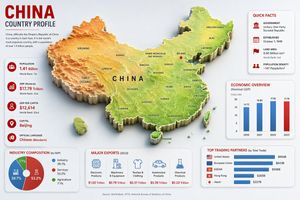
China Country Profile Infographic

China Country Profile Infographic

A detailed 16:9 country profile infographic featuring a 3D relief map of China with economic, demographic, export, and trade statistics.

Prompt
Goal: Create a clean, modern country-profile infographic for {argument name="country name" default="China"}, titled “CHINA COUNTRY PROFILE,” with a large central 3D raised relief map and surrounding statistical cards. Canvas: 16:9 horizontal infographic, light gray background, crisp corporate editorial style, subtle shadows, red/blue/green accent colors, high-resolution vector-meets-3D look. Main map: Place a large raised 3D topographic map of China in the center, occupying most of the canvas. Use terrain coloring: orange-brown mountains in the west, yellow central plateau, green eastern lowlands and coast. Add white province borders and black province labels. Include Taiwan, Hainan, and small South China Sea islands as separate raised pieces. Put large spaced black letters “CHINA” across the center. Mark Beijing with a red star and label it. Visible map labels should include exactly 28 province/region/city labels: Xinjiang, Tibet (Xizang), Qinghai, Gansu, Inner Mongolia (Nei Mongol), Ningxia, Sichuan, Yunnan, Guizhou, Guangxi, Guangdong, Hainan, Fujian, Zhejiang, Jiangsu, Anhui, Shandong, Hubei, Hunan, Shaanxi, Shanxi, Beijing, Tianjin, Liaoning, Jilin, Heilongjiang, Taiwan, and China. Top-left title block: Big red headline “CHINA,” dark subtitle “COUNTRY PROFILE,” a thin red divider line, and a short paragraph: “China, officially the People’s Republic of China is a country in East Asia. It is the world’s most populous country, with a population of over 1.4 billion people.” Left statistics card: A tall rounded white card with exactly 5 stacked fact rows, each with a red circular icon and text. The 5 rows are: Population — {argument name="population value" default="1.41 Billion"} — World Rank: 1st; GDP (Nominal) — $17.79 Trillion — World Rank: 2nd; GDP Per Capita — $12,614 — World Rank: 63rd; Capital — {argument name="capital city" default="Beijing"}; Official Language — {argument name="official language" default="Chinese (Mandarin)"}. Use thin separators between rows. Top-right quick facts card: A rounded white card titled “QUICK FACTS” in red. Include exactly 4 rows with red icons: Government — Unitary One-Party Socialist Republic; Established — October 1, 1949; Land Area — 9.60 Million km², World Rank: 3rd; Population Density — ~147 People/km². Middle-right economic chart card: A rounded white card titled “ECONOMIC OVERVIEW” with subtitle “(Nominal GDP)” and small label “Trillion USD.” Include exactly 4 vertical bars for 2020, 2021, 2022, 2023 with values 14.72, 16.86, 17.96, 17.79. Use blue bars for 2020–2022 and a red bar for 2023. Bottom-left industry card: A rounded white card titled “INDUSTRY COMPOSITION (by GDP).” Include exactly 3-part donut chart segments: Industry 39.7% in blue, Services 53.2% in red, Agriculture 7.1% in green. Add matching legend with the same 3 labels and percentages. Bottom-center exports card: A rounded white card titled “MAJOR EXPORTS (2023).” Include exactly 5 export columns with blue line icons and red values: Electronic Products — $1.02 Trillion; Machinery & Equipment — $0.78 Trillion; Textiles & Clothing — $0.31 Trillion; Automotive Products — $0.26 Trillion; Chemical Products — $0.23 Trillion. Bottom-right trading partners card: A rounded white card titled “TOP TRADING PARTNERS (by Total Trade).” Include exactly 5 horizontal blue bars with small flag icons and values: United States — $664B; European Union — $643B; ASEAN — $596B; Hong Kong — $265B; Japan — $227B. Footer: Center a small source line reading “Source: World Bank, WTO, National Bureau of Statistics of China.” Constraints: Keep all cards aligned around the map without overlapping it, use consistent typography, red headings, blue chart elements, subtle drop shadows, rounded card corners, and no watermark.
Authorharuno
111 days ago

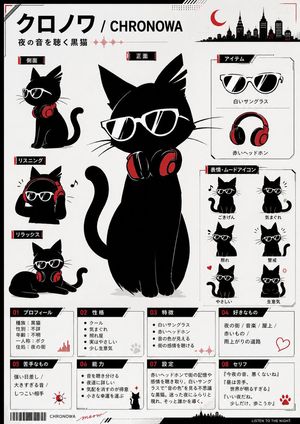
Chronowa Black Cat Character Sheet

Chronowa Black Cat Character Sheet

A structured prompt for generating a Japanese-style mascot reference poster of a black cat with sunglasses and red headphones.

Prompt
Goal: Create a clean monochrome-and-red Japanese character reference sheet poster for a cute black cat mascot named {argument name="character name" default="Chronowa"}, a night-music themed black cat wearing white sunglasses and red headphones. Canvas: Vertical A4-style poster, white/off-white background, thin black border, subtle red corner marks, small halftone dots, diagonal tech lines, tiny skyline silhouettes, waveform accents, barcode at bottom left, and a black footer strip reading in English “LISTEN TO THE NIGHT.” Use a crisp vector/ink illustration style with limited palette: black, white, gray, and accent red. Main layout: Place a large central full-body front-view black cat as the hero subject, sitting upright with a curled tail, oversized pointed ears, long whiskers, white angular sunglasses with black lenses and reflective highlights, and red-and-black headphones resting around the neck. Add a bold top title in Japanese plus English using {argument name="main title text" default="クロノワ / CHRONOWA"}, with a smaller tagline beneath using {argument name="tagline text" default="夜の音を聴く黒猫"}. Add a red crescent moon and black city skyline silhouette in the upper right. Left character views: Include exactly 3 smaller cat pose panels stacked vertically on the left, each with a black label tab and red accent: 1) side view, cat sitting in profile wearing white sunglasses with headphones around neck; 2) listening pose, cat wearing red headphones over ears, paws touching headphones, small music note nearby; 3) relax pose, cat lying down with headphones around neck. Right item box: Include exactly 2 item illustrations inside a bordered box: 1) white sunglasses; 2) red headphones. Label them in Japanese using the same graphic style. Right mood icon box: Include exactly 6 small chibi mood icons in a 2-column by 3-row grid, all black cat icons with white sunglasses: 1) good mood with music note; 2) cool but moody; 3) shy/embarrassed; 4) alert with motion marks; 5) kind with small red heart; 6) slightly angry with red anger symbol. Bottom information cards: Create exactly 8 bordered info cards across the lower third, numbered 01 through 08 with black slanted header tabs and red number accents. The 8 cards are: 01 profile; 02 personality; 03 features; 04 favorite things; 05 dislikes; 06 abilities; 07 setting; 08 quotes. Use compact Japanese text inside the cards, with small decorative icons such as a waveform, paw print, sun warning symbol, small cat silhouette, and red paw mark. For the quote card, include three short Japanese quote lines using {argument name="quote text" default="『今夜の音、悪くないね』 / 『星は苦手。世界が明るすぎる』 / 『いい夜だね。少しだけ、歩こうか』"}. Text style: Use strong Japanese display typography, black labels with red side bars, small red waveform graphics, and clean technical annotation lines. Keep the poster readable but allow tiny Japanese text to feel like a designed reference sheet. Constraints: Use exactly one central hero cat, exactly 3 left pose panels, exactly 2 item illustrations, exactly 6 mood icons, and exactly 8 bottom info cards. No humans, no extra characters, no full-color background, no photorealism, no watermark.