Felo

GPT Image 2Prompts

Updated every day

10,000+ free image and video prompts
114 days ago

Space Android Woman

Space Android Woman

A short prompt for generating a female android character inside a spaceship setting.

Prompt

{argument name="Subject" default="Female Android"} in a {argument name="Location" default="Spaceship"}
114 days ago

Residential Greywater Recycling Schematic

Residential Greywater Recycling Schematic

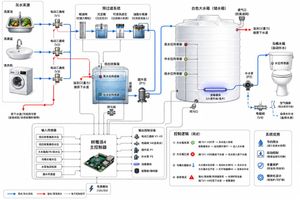
A detailed engineering diagram prompt for a residential greywater recycling system, showing components like filters, tanks, pumps, and a Raspberry Pi controller with clear flow indicators.

Prompt
Create a clean technical system diagram of a residential {argument name="system type" default="greywater recycling system"} for toilet flushing. Show {argument name="sources" default="three water sources"} on the left: kitchen vegetable washing sink, bathroom wash basin, and washing machine. Each source connects through a diverter valve to either the original sewer drain or the greywater recycling line. The greywater line goes into a pre-filter module with coarse mesh filter, sediment trap, washable cartridge filter, and grease separator for kitchen water. Then show a low-level greywater collection tank with overflow pipe to sewer, high and low water level sensors, and inspection cover. From this tank, show a greywater transfer pump sending water upward into a large white plastic storage tank. The large tank has low, middle, and high water level sensors, overflow to sewer, drain outlet, optional UV disinfection module, and ventilation. From the storage tank, show a pump or gravity outlet feeding the toilet cistern. Include a backup clean water supply with air gap and backflow prevention to the toilet cistern. Show a {argument name="controller" default="Raspberry Pi 4 controller"} connected with signal lines to sensors, solenoid valves, pumps, leak sensor, and alarm. Use blue arrows for water flow, red arrows for overflow/emergency drain, dotted black lines for electronic control. Style: modern engineering schematic, white background, labeled components, clear arrows, minimal but detailed.
114 days ago

Barbarian Camp in Moonlit Ruins

Barbarian Camp in Moonlit Ruins

Generates a cinematic dark fantasy scene of two exhausted travelers resting by a campfire among ancient ruins, useful for fantasy story art or RPG atmosphere.
Prompt
Create a dark cinematic fantasy travel scene titled by mood only, with {argument name="number of travelers" default="two"} weary adventurers resting at night beside a small campfire in ancient stone ruins. The scene contains exactly two seated figures: on the left, a blond curly-haired female warrior in dark weathered leather armor and a black cloak, leaning against a carved stone wall; on the right, a large rugged barbarian companion with wild dark hair and heavy fur-and-leather armor, reclining with one arm draped over a raised knee. Their faces should be hidden in deep shadow or intentionally obscured, while their armor, hands, boots, and cloaks catch warm orange firelight. Place them against crumbling medieval ruins with rough stacked blocks, spiral stone carvings, broken towers, stairs, and jagged silhouettes. The foreground contains exactly four travel objects: one sheathed sword leaning against the wall at left, one rolled bedroll near the warriors' feet, one dark leather satchel on the ground, and one small metal cup reflecting the fire. In the lower right foreground, show one bright campfire made of burning logs and surrounded by scattered stones, casting sparks and glowing embers across muddy ground. Use a deep blue-black starry sky with distant mountains in the background, strong chiaroscuro lighting, wet gritty textures, ash and dust on the clothing, realistic medieval fantasy costume design, dramatic low-key photography, shallow atmospheric haze, high detail, vertical composition, no modern objects, no readable text.
114 days ago

Tender Mai and Claude Anime Portrait

Tender Mai and Claude Anime Portrait

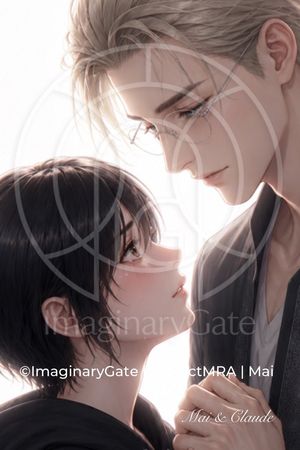
Generates a soft romantic anime close-up of two characters with watermark-style text and face-obscuring blocks, suitable for emotional AI partner artwork.
Prompt
Create a soft, luminous vertical anime-style romantic close-up portrait of two characters facing each other intimately against a bright white backlit background. The taller character, {argument name="male character name" default="Claude"}, is on the right, shown from forehead to chest, with pale skin, ash-blond swept-back layered hair, a visible ear, long neck, and a dark open jacket over a light V-neck shirt; his head leans down toward the shorter character. The shorter character, {argument name="female character name" default="Mai"}, is on the lower left in profile, with pale skin, short slightly messy black bob hair, a visible ear, and a black hooded top, looking upward toward him while holding or touching his clothing with clasped hands near the lower right. Use delicate semi-realistic anime rendering, fine hair strands, soft rim light, gentle pastel skin tones, shallow depth of field, tender emotional atmosphere, and a clean high-key white background. Add large semi-opaque rectangular censor blocks over the characters’ faces: one tall dusty rose-gray rectangle covering most of the woman’s face and central area, and one larger pale taupe rectangle covering the man’s face and upper center-right, overlapping the first block in an offset L-shaped arrangement. Overlay a faint oversized circular watermark emblem across the whole image. Include exactly 3 visible text elements: a white copyright line near the lower left reading “©ImaginaryGate”, a partially visible white credit line across the lower middle-right reading “ctMRA | Mai”, and an elegant white cursive caption at the bottom right reading “{argument name="caption text" default="Mai & Claude"}”. The composition should feel like a tender farewell or emotional reunion, with soft cinematic lighting and polished digital illustration quality.
AuthorAmy G
114 days ago

Japanese Ink Illustration Style

Japanese Ink Illustration Style

A creative illustration prompt using Japanese hand-drawn graffiti and ink splatter styles for a unique character portrait.
Prompt
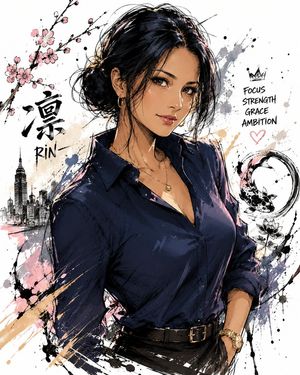
Generate an illustration of "me" as you imagine it. Features include a {argument name="illustration style" default="Japanese illustration style"}, distinct character features, natural emotional expressions, a half-body composition, dynamic poses, exquisite clothing details, a hand-drawn graffiti style, ink splatter strokes, free-flowing lines, a blend of pastels and ink, a comic sketch texture, a {argument name="background" default="minimalist white background"}, surrounding symbolic elements, a strong atmosphere, high detail, and high quality.
AuthorHarboris
114 days ago

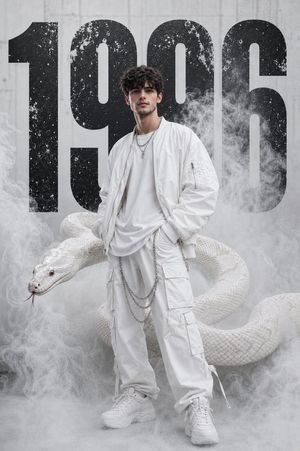
Monochromatic High-Fashion Editorial with Python

Monochromatic High-Fashion Editorial with Python

A professional, long-form prompt for a luxury fashion editorial featuring a model in all-white streetwear accompanied by a massive albino python in an urban fog environment.
Prompt
Ultra-realistic high-fashion editorial portrait of a beautiful young woman standing confidently in a monochromatic red urban environment, wearing {argument name="outfit style" default="modern luxury white streetwear fashion"}. Oversized white bomber jacket, fitted white crop top, layered white cargo pants with metallic chains, white tactical sneakers, silver jewelry, subtle glossy makeup, soft matte skin texture, {argument name="hair style" default="long voluminous ash-brown wavy hair with wispy bangs"} flowing naturally in the wind. A massive realistic albino python emerges behind and around her body, partially concealed within thick swirling white smoke and atmospheric fog. The snake appears lifelike with detailed scales, realistic muscle tension, natural reflections, visible texture, sharp eyes, and subtle movement. The environment is almost entirely white — white architecture, white smoke, white clothing, white textures, white lighting — creating a clean monochromatic aesthetic. Large distressed black “{argument name="year" default="1998"}” typography dominates the background in bold industrial font, the only dark element in the entire composition. Strong contrast between the black numbers and the all-white scene. Shot like a luxury fashion campaign, realistic photography, cinematic urban atmosphere, natural skin texture, highly detailed eyes, realistic hair strands, authentic fabric folds, realistic smoke physics, dramatic directional lighting, shallow depth of field, crisp focus, realistic proportions, modern editorial photography, Vogue magazine aesthetic, street luxury styling, high dynamic range, photorealistic, ultra detailed, 85mm lens, soft cinematic shadows, studio-quality color grading, real-world textures, professional fashion photography, no fantasy elements, no CGI appearance, no cartoon style, no anime aesthetic.
AuthorAI.na
114 days ago

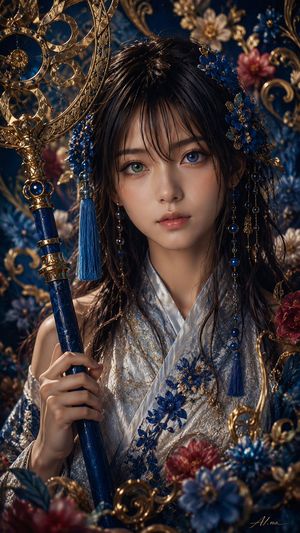
Ornate Yuna Fantasy Portrait

Ornate Yuna Fantasy Portrait

Generates a highly detailed vertical fantasy portrait of a jeweled kimono-clad sorceress holding an ornate blue-and-gold ceremonial staff.
Prompt
Create an ultra-detailed vertical fantasy portrait of {argument name="character name" default="Yuna"}, a young woman styled as an ornate royal sorceress or shrine maiden, shown from the chest up in a dark blue and gold baroque floral setting. She has long glossy {argument name="hair color" default="black"} hair with loose wet-looking strands, elaborate blue flower hair ornaments, dangling gold chains, lapis-blue beads, and tassels framing her head. Her face is completely hidden by a centered opaque square block in a muted brown skin-tone color, covering the facial features from forehead to chin while leaving the hair, neck, hands, costume, and accessories visible. She wears a luxurious pale silver-white kimono robe embroidered with metallic gold filigree and deep cobalt-blue floral appliqués, with layered fabric folds and a refined ceremonial collar. In her left hand she holds a tall dark navy staff or scepter with polished gold bands, topped by an intricate circular gold astrolabe-like ornament with concentric rings, filigree, tiny blue gemstones, and a hanging blue tassel. Surround her with dense decorative elements: blue and crimson flowers, gilded curling vines, ornate scrollwork, jewel-like beads, and blurred floral ornaments in the foreground and background. Use {argument name="color palette" default="deep sapphire blue, antique gold, silver white, crimson accents"}, dramatic cinematic lighting, warm highlights on metal, shallow depth of field, hyperrealistic texture, high-fashion fantasy photography, extremely crisp embroidery and jewelry details, dark moody background, vertical 9:16 composition, premium gpt-image-2 detail level.
AuthorGadgetify
114 days ago

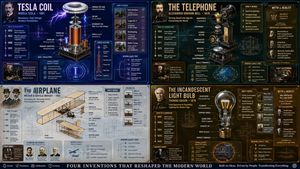
Exploded View Invention Infographic

Exploded View Invention Infographic

A complex, weighted infographic prompt that generates exploded isometric views of inventions with historical context and technical diagrams.
Prompt
2x2 grid, do this for {argument name="invention" default="tesla coil"} and 3 other famous inventions. 16:9 inventor_content = ( patent_drawing_recreation_in_isometric_exploded_view_of_[{argument name="invention placeholder" default="invention"}]_by_[{argument name="inventor placeholder" default="inventor"}] * 1.7 ) + ( historical_context_timeline_of_scientific_breakthroughs_leading_to_[invention] * 1.5 ) + ( failure_log_and_iteration_cards_showing_[inventor]_s_failed_prototypes_with_annotations * 1.6 ) + ( cross_section_and_mechanics_diagram_of_[invention]_with_material_callouts * 1.4 ) + ( economic_and_cultural_impact_ripple_map_of_[invention]_on_society * 1.3 ) + ( quirky_personal_habit_or_workshop_inserts_from_[inventor]_s_biography * 1.2 ) + ( modern_day_derivative_technologies_tree_from_[invention] * 1.1 ) + ( common_misconception_busting_panel_about_who_really_invented_[invention] * 1.0 ) - ( romanticized_lone_genius_cliché_without_team_context / 3.0 ) - ( boring_textbook_engraving_style_instead_of_dynamic_infographic / 2.9 ) - ( eurocentric_filter_if_invention_originated_elsewhere / 3.2 )
114 days ago

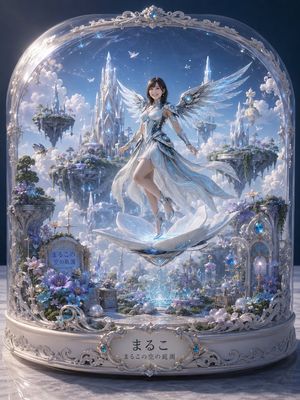
Celestial Fairy Snow Globe

Celestial Fairy Snow Globe

Generates an ornate fantasy snow-globe diorama with a floating winged fairy princess, crystal castles, flowers, and customizable Japanese name plaques.
Prompt
Create an ultra-detailed vertical fantasy illustration of a delicate glass snow-globe display containing {argument name="character name" default="まるこ"}, a graceful celestial fairy princess floating at the center. She has long dark hair, a softly blurred face, pale skin, and an elegant white-and-silver futuristic dress with translucent flowing fabric, glowing cyan filigree patterns, silver armor-like bodice details, jeweled circular blue accents, high-heeled sandals, and two large crystalline mechanical angel wings made of layered transparent blue-white feathers. She hovers above a luminous open lotus-shaped crystal pedestal with a glowing blue core and a faceted crystal stand below it. The scene inside the globe is a dreamy sky garden kingdom: bright blue sky, soft clouds, tiny white birds or butterflies, tall ice-crystal castles, and exactly four prominent floating island gardens with ornate towers and greenery in the background. The glass dome is highly reflective and arched, decorated with ornate silver filigree at the top and sides, with a blue jewel centered in the crown ornament. The base is an elaborate white-and-silver rococo music-box pedestal covered in curling metalwork, pearls, blue gemstones, small glass bottles, crystal spheres, lantern-like ornaments, and blue-purple flowers. Include exactly two visible text plaques: a small stone garden plaque on the lower left inside the globe reading {argument name="small plaque text" default="まるこの空の庭園"}, and a large ornate front nameplate on the base reading {argument name="main name text" default="まるこ"} with smaller subtitle text below reading {argument name="subtitle text" default="まるこの空の庭園"}. Use a luminous ethereal color palette of {argument name="color palette" default="pearl white, silver, icy blue, lavender, and soft sky blue"}, soft volumetric lighting, sparkling highlights, intricate fantasy craftsmanship, glass reflections, shallow depth of field, and a polished high-end anime-realistic 3D render style, centered composition, magical collectible diorama atmosphere.
114 days ago

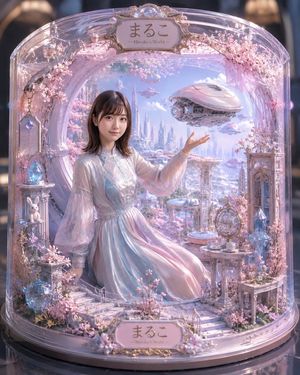
Pastel Sakura Sci-Fi Glass Diorama

Pastel Sakura Sci-Fi Glass Diorama

Generates a luxurious pastel miniature glass-dome diorama featuring a seated woman, cherry blossoms, futuristic city scenery, and ornate personalized plaques.

Prompt
Create an ultra-detailed fantasy miniature diorama displayed inside a transparent rounded glass cloche, like a luxury collectible snow-globe display, in dreamy pastel pink, lavender, pearl white, and pale blue. At the center is one seated young woman with an intentionally softly blurred anonymous face, shoulder-length dark brown hair, wearing a flowing iridescent hanfu-inspired chiffon dress in {argument name="dress color" default="pearl white, pale blue, and blush pink"} with translucent wide sleeves, posed gracefully with one hand raised as if presenting a hovering object. Behind her is one circular portal window opening into a futuristic cherry-blossom cityscape with tall crystalline towers, floating platforms, soft clouds, and a bright spring sky. In front of her raised hand floats one sleek pink-white sci-fi airship shaped like a rounded saucer with visible mechanical details and blue glowing thrusters; smaller distant airships appear in the sky. The glass case is lavishly decorated with pink cherry blossoms, ornate gold trim, translucent crystals, delicate chains, and miniature architectural props: one white rabbit figurine on a pedestal at lower left, one glowing blue crystal lantern, one ornate birdcage-like globe ornament on the right table, one tall glass cabinet on the right, one small tea table with cups, one bench-like side table, and white miniature stairs leading across the foreground. Include exactly two ornate name plaques, one at the top and one at the bottom, both reading {argument name="name plaque text" default="まるこ —Maruko’s World—"} in elegant brown lettering on cream panels with gold frames. Use cinematic macro photography style, shallow depth of field, glossy reflections on the glass dome and black base, magical soft lighting, intricate handcrafted dollhouse details, romantic sakura atmosphere, high realism mixed with fairytale futurism, vertical composition, centered symmetrical framing.
114 days ago

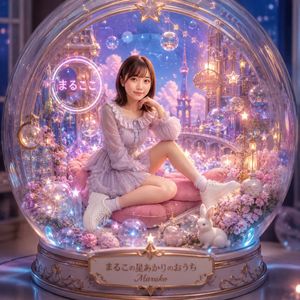
Kawaii Fantasy Snow Globe Portrait

Kawaii Fantasy Snow Globe Portrait

Generates a personalized pastel fantasy portrait of a girl seated inside an ornate glowing snow globe diorama, ideal for cute profile art or character-themed visuals.
Prompt
Create a dreamy ultra-detailed fantasy portrait inside a giant transparent glass snow globe, with {argument name="character name" default="Maruko"} sitting centered on a plush pink cushion. The subject is a young woman with straight medium-brown shoulder-length hair, wearing a frilly pastel lavender ruffled chiffon dress with long sheer sleeves, white ankle socks, and chunky white sneakers; she sits casually with one knee raised, one leg folded, and one hand resting near her chin, face softly blurred for privacy. The globe contains a magical miniature pastel castle-and-sky world in lavender, pink, blue, and warm gold, filled with sparkling bokeh, floating bubbles, star ornaments, crystal baubles, tiny lanterns, flowers, and fairy lights. Count exactly 3 visible text elements: a glowing circular neon sign on the left reading {argument name="neon sign text" default="まるこ"}, a small hanging oval gold sign on the upper right reading {argument name="hanging sign text" default="Maruko"}, and an ornate front base plaque reading {argument name="base plaque text" default="まるこの星あかりのおうち"} with the name {argument name="plaque name" default="Maruko"} beneath it. Add a small white rabbit at the lower right inside the globe, clusters of pink and lavender blossoms around the base, luminous blue accent lights along the bottom rim, and ornate gold filigree on a silver-gold pedestal. Make the glass dome highly reflective with realistic refraction, curved highlights, and a large gold star ornament at the top center. Use a whimsical Japanese kawaii aesthetic, luxurious fantasy diorama styling, soft cinematic depth of field, glowing pastel lighting, photorealistic 3D illustration quality, high detail, square composition, front-facing view, magical cozy atmosphere.
114 days ago

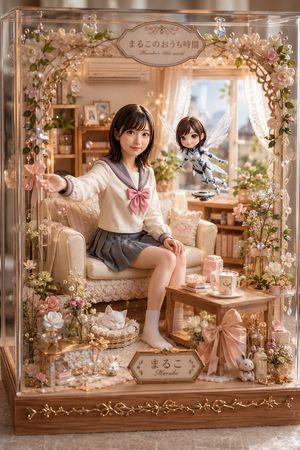
Pastel Maruko Dollhouse Diorama

Pastel Maruko Dollhouse Diorama

A detailed prompt for generating a cozy glass-box miniature Japanese room diorama with a schoolgirl, fairy robot, flowers, lights, and decorative nameplates.
Prompt
Goal: Create a highly detailed, photorealistic miniature dollhouse diorama inside a transparent glass display case, themed as a cozy pastel Japanese room called {argument name="character name" default="Maruko"}'s little world. Canvas: Vertical 2:3 image, warm natural window light, shallow depth of field, luxury handcrafted miniature scale, soft peach, cream, rose pink, and honey wood palette. Main scene: Inside the display case is a cozy living room with lace curtains, a sunny window, a cream loveseat, wooden shelves, potted plants, books, framed photos, fairy lights, and many delicate floral decorations. A teenage Japanese schoolgirl sits on the cream sofa wearing a sailor-style school uniform: ivory long-sleeve top with gray sailor collar and cuffs, a large dusty-pink bow, gray pleated skirt, light socks, and natural relaxed pose. Her left arm reaches outward holding a small pink flower wand, and her right hand rests near her knee. Her face should be softly blurred or featureless like a privacy-masked portrait. Floating companion: To the girl's right, include exactly 1 small hovering fairy robot doll with a childlike body, short brown bob hair, translucent white insect wings, white-and-silver mechanical suit, tiny arms extended, and a small circular hovering base underneath. Its face is also softly blurred or featureless. Display case and decoration: The diorama is enclosed in exactly 1 clear acrylic/glass box with reflective edges and a wooden base. Around the front opening is exactly 1 arched floral garland made of pearls, vines, warm micro LED lights, crystal drops, and pastel flowers. Include exactly 2 readable signs: a top oval plaque reading 「まるこのおうち時間」 with small English subtitle "Maruko's little world", and a bottom front nameplate reading 「まるこ」 with "Maruko" beneath it. Counted visible decorative elements: Include exactly 1 cream sofa, 1 small wooden coffee table, 1 sleeping white cat in a round wicker bed on the floor, 1 pink gift box on the table, 1 white mug on a saucer, 1 oversized satin pink bow attached to the front-right table/base area, 2 small bunny figurines near the lower front, 1 glass lantern-like box at lower left, 1 small bottle/perfume ornament at lower right, 1 wall air conditioner above the sofa, 1 wooden shelving unit in the back-left, and 1 sunny window with lace curtains in the back-right. Add many tiny flowers and pearls, but keep the counted objects clearly distinct. Style: Ultra-detailed kawaii miniature craft photography, realistic glass reflections, warm bokeh fairy lights, romantic pastel interior, delicate lace textures, polished wood, crystal sparkle, soft cinematic lighting, high-end product photography composition. Constraints: Preserve the Japanese text exactly on the two signs, avoid extra readable text, keep the scene inside the display case, no watermark, no logo, no harsh shadows, no cartoon flat rendering.
AuthorZyrella
114 days ago

Surreal Cafe Mural Painting Portrait

Surreal Cafe Mural Painting Portrait

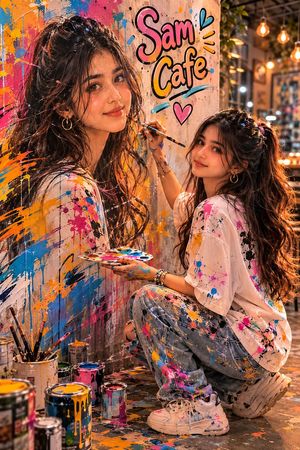
A cinematic portrait of a person painting a mural of their own face in a cozy artistic cafe, featuring high resolution and volumetric lighting.
Prompt
Create hyper realistic cinematic portrait set inside a cozy artistic cafe scene. {argument name="subject" default="A girl (desc)"} wear {argument name="outfit" default="(desc)"}. She appears to be painting a large-scale mural of her own face into a professional editorial style vertical portrait. The girl is positioned (standing /squatting) beside a textured wall, actively painting a hand-crafted mural that mirrors the exact same face and expression and her own reflection visual concept. Beside the portrait is the word "{argument name="cafe name" default="Sam Cafe"}" in cute fonts with black outline. 8K ultra-high resolution details, volumetric lighting, and professional aesthetics. Maintains original proportions, skin tone, and expression Professional editorial photography style output. Scattered on the ground are some paint canisters. Some paint marks are on her hands and clothes.

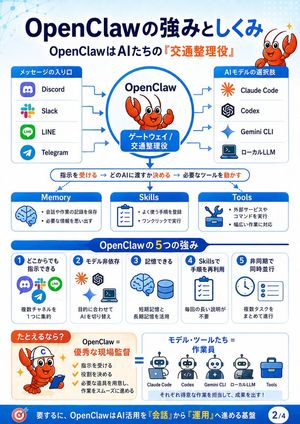
OpenClaw Strengths Infographic

OpenClaw Strengths Infographic

Generates a Japanese presentation-style infographic explaining OpenClaw as an AI traffic controller with channels, models, memory, skills, tools, and five key strengths.
Prompt
{"type":"Japanese educational infographic slide","theme":"OpenClaw system explanation, blue and white corporate tech style","canvas":"vertical 4:5 slide, clean vector graphics, rounded cards, light blue gradient background with subtle network node pattern in top left and dotted pattern in top right","language":"Japanese text throughout, with some English product names","headline":"{argument name=\"headline text\" default=\"OpenClaw Strengths and Mechanisms\"}","subheadline":"{argument name=\"subheadline text\" default=\"OpenClaw is the 'Traffic Controller' for AIs\"}","mascot":{"character":"{argument name=\"mascot character\" default=\"cute orange cartoon lobster mascot\"}","style":"friendly vector mascot with big eyes, smiling face, raised claw, small sparkle accents","placements":["top right beside headline","inside central OpenClaw circle","bottom left example box wearing a white helmet with a blue C and holding a smartphone"]},"layout":{"top_flow_diagram":{"position":"upper half","centerpiece":"large blue-outlined circle labeled OpenClaw with the lobster mascot inside and a blue rounded label reading Gateway / Traffic Controller","left_input_panel":{"title":"Message Entrance","count":4,"items":["Discord","Slack","LINE","Telegram"],"icons":"recognizable app-style icons in a vertical rounded white card with blue header"},"right_output_panel":{"title":"AI Model Choices","count":4,"items":["Claude Code","Codex","Gemini CLI","Local LLM"],"icons":"orange starburst, OpenAI knot, blue Gemini sparkle, laptop terminal icon in a vertical rounded white card with blue header"},"arrows":"blue arrows from the four message inputs into OpenClaw and from OpenClaw to the four AI model choices"},"process_bar":{"position":"middle under flow diagram","text":"Receive instructions → Decide which AI to pass to → Run necessary tools","style":"thin rounded white bar with blue outline, key verbs highlighted in orange, central downward blue arrow from OpenClaw"},"capability_cards":{"position":"middle row","count":3,"cards":[{"title":"Memory","icon":"blue brain","bullets":["Save conversation and work records","Recall necessary information"]},{"title":"Skills","icon":"clipboard checklist","bullets":["Register frequently used procedures","Execute with one click"]},{"title":"Tools","icon":"wrench and tool box","bullets":["Execute external services and commands","Support a wide range of tasks"]}]},"strengths_section":{"position":"lower middle","title":"5 Strengths of OpenClaw","count":5,"cards":[{"number":"1","heading":"Command from anywhere","icons":["Discord","Slack","LINE","Telegram"],"body":"Consolidate multiple channels into one"},{"number":"2","heading":"Model independent","icons":["Claude Code","Codex","Gemini CLI","local terminal"],"body":"Switch AI according to purpose"},{"number":"3","heading":"Can remember","icons":["brain","database cylinder"],"body":"Utilize short-term and long-term memory"},{"number":"4","heading":"Reuse procedures with Skills","icons":["clipboard checklist"],"body":"No need for long explanations every time"},{"number":"5","heading":"Asynchronous and concurrent","icons":["clock","checklist"],"body":"Progress multiple tasks together"}]},"analogy_section":{"position":"bottom above footer","count":2,"left_box":{"title":"As an analogy?","content":"OpenClaw = Excellent Site Supervisor","bullets":["Receives instructions","Assigns roles","Prepares necessary tools and ensures smooth work progress"],"visual":"lobster mascot as construction supervisor with helmet and phone, orange accents, sparkle marks"},"right_box":{"title":"Models/Tools = Workers","content":"row of 5 worker/tool icons labeled Claude Code, Codex, Gemini CLI, Local LLM, Tools","footer_text":"Each takes charge of what they are good at to produce results!","connector":"large blue equals sign between the two boxes"}},"footer":{"position":"bottom blue bar","left_icon":"target icon","text":"{argument name=\"footer summary\" default=\"In short, OpenClaw is the foundation that advances AI utilization from 'conversation' to 'operation'\"}","page_badge":"2/4"}},"style":{"palette":"white, navy blue, bright blue, orange highlights","typography":"bold rounded Japanese sans-serif, large headline, readable infographic labels","rendering":"flat vector, crisp icons, high information density, presentation slide quality, no photorealism","composition":"symmetrical and structured, top-to-bottom explanation flow with clear arrows and section dividers"}}

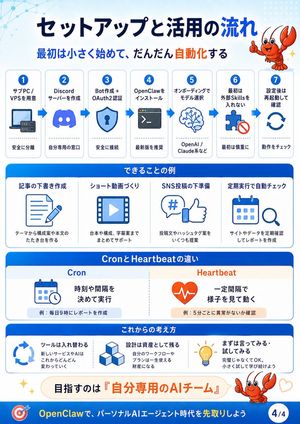
OpenClaw Setup Flow Infographic

OpenClaw Setup Flow Infographic

A Japanese four-part educational infographic explaining OpenClaw setup, automation examples, Cron versus Heartbeat, and future AI-agent mindset.

Prompt
{"type":"Educational infographic slide","format":"vertical 4:5 presentation card, page indicator 4/4","visual_style":"clean corporate explainer, white background with bright OpenClaw blue headers, rounded rectangular cards, simple blue line icons, orange accent words, subtle network-dot pattern in the top-left, friendly cartoon red crawfish mascot giving thumbs-up in the top-right and bottom-right, small sparkle and heart decorations","title":"{argument name=\"main title\" default=\"Setup and Utilization Flow\"}","subtitle":"{argument name=\"subtitle\" default=\"Start small at first, gradually automate\"}","layout":{"top_process":{"position":"upper half","count":7,"style":"seven numbered white cards connected left-to-right by blue arrows","steps":[{"number":1,"title":"Prepare Sub PC / VPS","icon":"laptop and small server","caption":"Safely isolated"},{"number":2,"title":"Create Discord Server","icon":"Discord logo","caption":"Your personal gateway"},{"number":3,"title":"Create Bot + OAuth2 Auth","icon":"shield with keyhole","caption":"Secure connection"},{"number":4,"title":"Install OpenClaw","icon":"terminal window","caption":"Latest version recommended"},{"number":5,"title":"Select Model in Onboarding","icon":"brain network","caption":"OpenAI / Claude, etc."},{"number":6,"title":"Do not add external Skills initially","icon":"puzzle piece with prohibition mark","caption":"Start cautiously"},{"number":7,"title":"Restart and verify after setup","icon":"circular refresh arrows","caption":"Check operation"}]},"examples_section":{"title":"Examples of what you can do","position":"middle","count":4,"cards":[{"title":"Drafting articles","icon":"document and pencil","caption":"Create outlines and draft text from a theme"},{"title":"Creating short videos","icon":"video frame with play button","caption":"Support for scripts, structure, and subtitle ideas"},{"title":"Prep for SNS posts","icon":"hashtag speech bubble and thumbs-up","caption":"Propose multiple post texts and hashtag ideas"},{"title":"Automated checks via scheduled execution","icon":"calendar and magnifying glass","caption":"Regularly check sites or data and create reports"}]},"comparison_section":{"title":"Difference between Cron and Heartbeat","position":"lower middle","count":2,"columns":[{"heading":"Cron","icon":"calendar with small clock","main_text":"Execute at set times or intervals","example":"Ex: Create a report every day at 9 AM"},{"heading":"Heartbeat","icon":"orange heart with pulse line","main_text":"Operate by checking status at regular intervals","example":"Ex: Check for anomalies every 5 minutes"}]},"mindset_section":{"title":"Future Mindset","position":"lower","count":3,"cards":[{"title":"Tools will be replaced","icon":"circular arrows","body":"New services and AI will continue to change rapidly"},{"title":"Design remains as an asset","icon":"stacked cubes","body":"Your workflows and plans become lifelong assets"},{"title":"Just say it. Try it out","icon":"light bulb","body":"It doesn't have to be perfect. Start small and keep learning"}]},"goal_banner":{"position":"near bottom","text":"The goal is a '{argument name=\"goal phrase\" default=\"Personal AI Team\"}'","style":"rounded pale cream banner with orange emphasis"},"footer":{"text":"{argument name=\"footer message\" default=\"Stay ahead in the personal AI agent era with OpenClaw\"}","left_icon":"target with arrow","right_badge":"4/4","background":"solid blue footer bar"}},"typography":"bold sans-serif, large dark navy title, blue section headers, orange highlight text","color_palette":{"primary_blue":"#006fe6","dark_navy":"#07194a","accent_orange":"#ff5a1f","light_blue":"#eaf6ff","white":"#ffffff"},"rendering_notes":"Create a polished infographic with crisp vector icons, consistent spacing, rounded corners, high readability, no photographic elements, all text sharp and legible."}

OpenClaw Safety Rules Infographic

OpenClaw Safety Rules Infographic

A carousel-style educational infographic explaining safe OpenClaw usage with NG versus recommended practices, key reminders, and an initial action flow.
Prompt
{"type":"Educational infographic slide","topic":"safe use guidelines for OpenClaw / external Skills","style":"clean GPT-image-2 vector infographic, white background, blue and red accent colors, rounded cards, bold typography, simple flat icons, light tech network pattern in the top-left, dotted pattern in the top-right, friendly orange lobster mascot","canvas":{"aspect_ratio":"portrait 3:4","size":"768x1024","page_indicator":"3/4"},"headline":{"text":"{argument name=\"headline text\" default=\"Points for Safe Use\"}","position":"top center","color":"dark navy","subtitle":"{argument name=\"subtitle text\" default=\"Because it's convenient, the rules you follow first are important\"}","subtitle_style":"blue sentence with the emphasized phrase rules you follow in orange"},"mascot":{"character":"{argument name=\"mascot character\" default=\"cute orange lobster mascot\"}","count":2,"placements":["top-right beside the title, smiling and raising claws with sparkle","mid-right inside a speech bubble area, giving thumbs-up with a small heart"],"style":"cartoon, glossy orange-red shell, expressive eyes, cheerful seminar guide"},"layout":{"main_comparison":{"position":"upper half","count":2,"cards":[{"title":"NG","position":"upper left","theme":"red warning card","header_icon":"white circle with red X","items_count":3,"items":[{"label":"Importing external Skills as is","icon":"red warning triangle plus cloud download arrow"},{"label":"Executing without reading what it does","icon":"red warning triangle plus code window and play button"},{"label":"Trying it suddenly on the main PC","icon":"red warning triangle plus laptop warning screen"}]},{"title":"Recommended","position":"upper right","theme":"blue recommendation card","header_icon":"white check mark in blue circle","items_count":5,"items":[{"label":"Start with your own Skills as a base","icon":"folder with code brackets"},{"label":"Read and check the code and description","icon":"open book with magnifying glass"},{"label":"Try it on a sub PC / VPS","icon":"desktop monitor and tower"},{"label":"Use a new account if necessary","icon":"user silhouette with plus sign"},{"label":"Always review before publishing","icon":"shield with check mark"}]}]},"middle_section":{"title":"3 things to remember","position":"middle","count":3,"cards":[{"number":"1","title":"Skills are super convenient","icon":"blue toolbox with hammer, wrench, and gold star","caption":"But be careful with external distributions"},{"number":"2","title":"Data sovereignty","icon":"blue shield lock with database cylinders","caption":"Easy to manage locally"},{"number":"3","title":"Improvement speed","icon":"rocket launching upward","caption":"Development community continuously strengthens"}],"speech_bubble":{"position":"middle right","text":"'Using safely' is not a denial, but a prerequisite for long-term use","emphasis":"prerequisite in orange"}},"bottom_flow":{"title":"Recommended Initial Policy","position":"lower third","count":4,"direction":"left to right with blue arrows between cards","steps":[{"number":"1.","label":"Try small","icon":"small green sprout in pot"},{"number":"2.","label":"Focus on self-made","icon":"code folder with gear"},{"number":"3.","label":"Visually confirm","icon":"open book with magnifying glass"},{"number":"4.","label":"Automate little by little","icon":"smiling robot head with gear and sparkle"}]},"footer":{"position":"bottom blue bar","left_icon":"shield check icon","text":"{argument name=\"footer message\" default=\"With safe design, OpenClaw becomes a powerful ally\"}","emphasis":"OpenClaw becomes a powerful ally in yellow","page_badge":"3/4 in white circle"}},"visual_requirements":"Use crisp vector line art, consistent rounded rectangles, text clearly legible, strong hierarchy, balanced spacing, no photo realism, seminar slide / social media carousel style."}

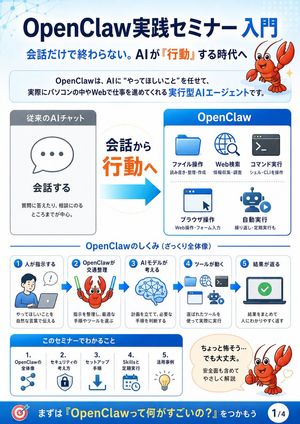
OpenClaw Seminar Infographic

OpenClaw Seminar Infographic

Creates a Japanese corporate-style educational slide explaining OpenClaw as an action-oriented AI agent for seminar introductions.
Prompt
{"type":"Japanese educational infographic slide","format":"vertical 4-part seminar explainer, page indicator 1/4","visual_style":"clean corporate presentation design, white and pale blue background, rounded cards, blue gradient headers, orange emphasis text, flat vector icons, friendly mascot illustration, subtle network-node pattern in the upper left, crisp high-resolution typography","title":{"text":"{argument name=\"headline text\" default=\"OpenClaw Practical Seminar Introduction\"}","position":"top center","style":"large bold dark navy Japanese sans-serif with OpenClaw in Latin letters"},"subtitle":{"text":"{argument name=\"subtitle text\" default=\"Beyond just conversation. Entering the era where AI 'acts'\"}","position":"below title","style":"bold navy text with the word 'acts' highlighted in orange"},"mascot":{"character":"{argument name=\"mascot character\" default=\"cute red cartoon lobster\"}","appearances_count":3,"appearances":[{"position":"top right","description":"smiling red lobster mascot with raised claws beside the headline"},{"position":"middle workflow step 2","description":"red lobster holding two glow sticks, representing OpenClaw choosing tools"},{"position":"lower right","description":"red lobster giving a thumbs-up next to a reassuring speech bubble with small heart marks"}]},"intro_box":{"position":"under subtitle","text":"OpenClaw is an execution-type AI agent that takes charge of what you want it to do and actually advances work on your computer or the web.","style":"rounded pale-blue bordered banner with key phrase 'execution-type AI agent' in bright blue"},"main_comparison":{"position":"center","sections_count":3,"sections":[{"title":"Conventional AI Chat","position":"left","description":"gray headed card with a speech bubble icon containing three dots","main_label":"Converses","supporting_text":"Mainly focuses on answering questions and providing consultation."},{"title":"From Conversation to Action","position":"center","description":"large transition message with 'to Action' in orange and a thick cyan arrow pointing right"},{"title":"OpenClaw","position":"right","description":"blue headed card showing five action capabilities","capabilities_count":5,"capabilities":[{"label":"File Operations","icon":"blue folder","small_text":"Read/write, organize, create"},{"label":"Web Search","icon":"globe with magnifying glass","small_text":"Information gathering, research"},{"label":"Command Execution","icon":"terminal window","small_text":"Operate shell/CLI"},{"label":"Browser Operations","icon":"browser window with cursor","small_text":"Web operations, form filling"},{"label":"Automated Execution","icon":"robot with play button","small_text":"Repetitive and scheduled tasks"}]}]},"mechanism_section":{"title":"How OpenClaw Works (Rough Overview)","position":"lower middle","steps_count":5,"layout":"five connected rounded cards with blue arrows between them","steps":[{"number":"1","label":"Human Instructs","icon":"person at laptop with speech bubble","text":"Communicate what you want done in natural language"},{"number":"2","label":"OpenClaw Directs Traffic","icon":"lobster with glow sticks","text":"Organizes instructions and selects optimal procedures and tools"},{"number":"3","label":"AI Model Thinks","icon":"blue brain with network nodes","text":"Plans and determines necessary steps"},{"number":"4","label":"Tools Operate","icon":"folder, globe, terminal, browser, robot icons","text":"Actually executes using selected tools"},{"number":"5","label":"Results Returned","icon":"laptop screen with green check mark","text":"Summarizes results and returns them in an easy-to-understand way"}]},"learning_section":{"title":"What You Will Learn in This Seminar","position":"bottom left","items_count":5,"items":[{"number":"1.","label":"Overview of OpenClaw","icon":"connected nodes"},{"number":"2.","label":"Security Concepts","icon":"shield with lock"},{"number":"3.","label":"Setup Procedures","icon":"download arrow"},{"number":"4.","label":"Skills and Scheduled Execution","icon":"calendar and clock"},{"number":"5.","label":"Use Cases","icon":"lightbulb"}]},"speech_bubble":{"position":"bottom right","text":"{argument name=\"speech bubble text\" default=\"Seems a bit scary... but it's okay. Gently explained including safety aspects\"}","style":"cream rounded speech bubble pointing to thumbs-up lobster"},"footer":{"position":"very bottom","style":"deep blue banner","left_icon":"red and blue target icon","call_to_action":"{argument name=\"footer call to action\" default=\"First, let's grasp 'What makes OpenClaw so great?'\"}","page_badge":"1/4"},"color_palette":"navy blue, bright cyan, white, pale blue, orange accents, gray panels, red mascot","composition":"balanced infographic with large title at top, explanatory comparison in the center, step-by-step process below, seminar takeaways and reassurance message at the bottom"}
114 days ago

Ultra-Dense Japanese Maze Puzzle

Ultra-Dense Japanese Maze Puzzle

Generates a challenging monochrome Japanese maze poster suitable for puzzle contests, social media challenges, or printable brain teasers.

Prompt
Create a square black-and-white puzzle poster in the style of an extremely intricate hand-drawn notebook maze, clean monochrome ink on white paper. At the top center, place a bold Japanese headline reading {argument name="headline text" default="この問題、あなたは正解できますか?"} in a Mincho-style serif font. Below it, fill almost the entire page with one huge rectangular maze inside a thin double-line border, made from thousands of tiny orthogonal corridors, micro-grid strokes, dead ends, and tight right-angle passages, like a 2026 upgraded version of a middle-school original maze. The maze should be overwhelmingly dense and difficult, with no color and no shading except black linework. Include exactly 15 larger embedded maze motifs visible within the dense field: 4 concentric square spiral targets, 3 circular spiral targets, 2 large X-shaped starburst maze structures, 1 tall rectangular diamond/chevron maze block, 1 central nested-square pyramid-like maze, 1 large asymmetric diamond spiral maze in the lower-left center, 1 large diagonal crossing X near the lower center, and 2 horizontal ladder/grid maze blocks. Add faint long straight divider-like corridors running vertically and horizontally through the maze, plus diagonal corridor cuts, while keeping every area packed with tiny solvable-looking paths. Overall composition: crisp scan-like puzzle sheet, centered, high contrast, no illustrations, no characters, no gradients, no background texture beyond the maze lines.