GPT Image 2.5 vs Nano Banana 2.1: 13가지 활용 사례 비교

어떤 이미지 모델이 다음 프로젝트에 적합할까요? GPT Image 2.5와 Nano Banana 2.1을 전자상거래 이미지, 썸네일, 인포그래픽, 학술 다이어그램 등 다양한 분야에서 비교합니다.
제품 목록, 유튜브 썸네일, 과학 다이어그램은 이미지 모델에서 서로 다른 요구를 가집니다. 목록은 제품을 정확하게 보여야 하고, 썸네일은 제목이 읽기 쉬워야 하며, 방법 다이어그램은 올바른 박스를 연결해야 합니다.
두 모델에 13가지 활용 사례에 대해 동일한 지시를 주고 실제 결과를 비교했습니다. 텍스트가 많은 다섯 가지 작업에는 영어, 일본어, 한국어 버전을 각각 생성했습니다. 아래 주요 예시는 영어 카피를 사용하거나 제목 텍스트가 없습니다. 현지화 비교는 일본어와 한국어 카피를 따로 사용했습니다.
추천은 각 브리프에 대해 먼저 시도할 모델을 설명합니다. 각 섹션에는 두 모델의 독립적으로 생성된 결과와 장단점이 나옵니다.
Felo에서 직접 만들어 보세요: GPT Image 2.5, Nano Banana 2.1, AI Image 도구.
어떤 모델을 먼저 시도할까요?
| 활용 사례 | 샘플에서 첫 선택 |
|---|---|
| 흰 배경 제품 목록 | 둘 다; 마감에 따라 선택 |
| 제품 디테일 그래픽 | 큰 강조에는 GPT |
| 라이프스타일 제품 광고 | 광고 주인공에는 GPT |
| 레퍼런스 없는 제품 컨셉 | 원하는 객체부터 선택 |
| 유튜브·튜토리얼 썸네일 | 제목 강조에는 GPT |
| 체크리스트·지식 카드 | 큰 모바일 텍스트에는 GPT; 여유 있는 카드에는 NB |
| 이벤트 포스터 | 그래픽 포스터에는 NB; 분위기에는 GPT |
| 수치 인포그래픽 | 막대그래프에는 NB |
| 프로세스 다이어그램 | 교육에는 GPT; 보고서 그림에는 NB |
| 과학 개념 설명 | 논문 스타일 표기에는 GPT; 교실 슬라이드에는 NB |
| 연구 방법·모델 구조 다이어그램 | 7노드 프레임워크에는 GPT |
| 스토리 일러스트·컨셉 아트 | 풍부한 질감에는 GPT; 절제된 장면에는 NB |
| 인테리어 컨셉 | 분위기에는 GPT; 단순한 방향에는 NB |
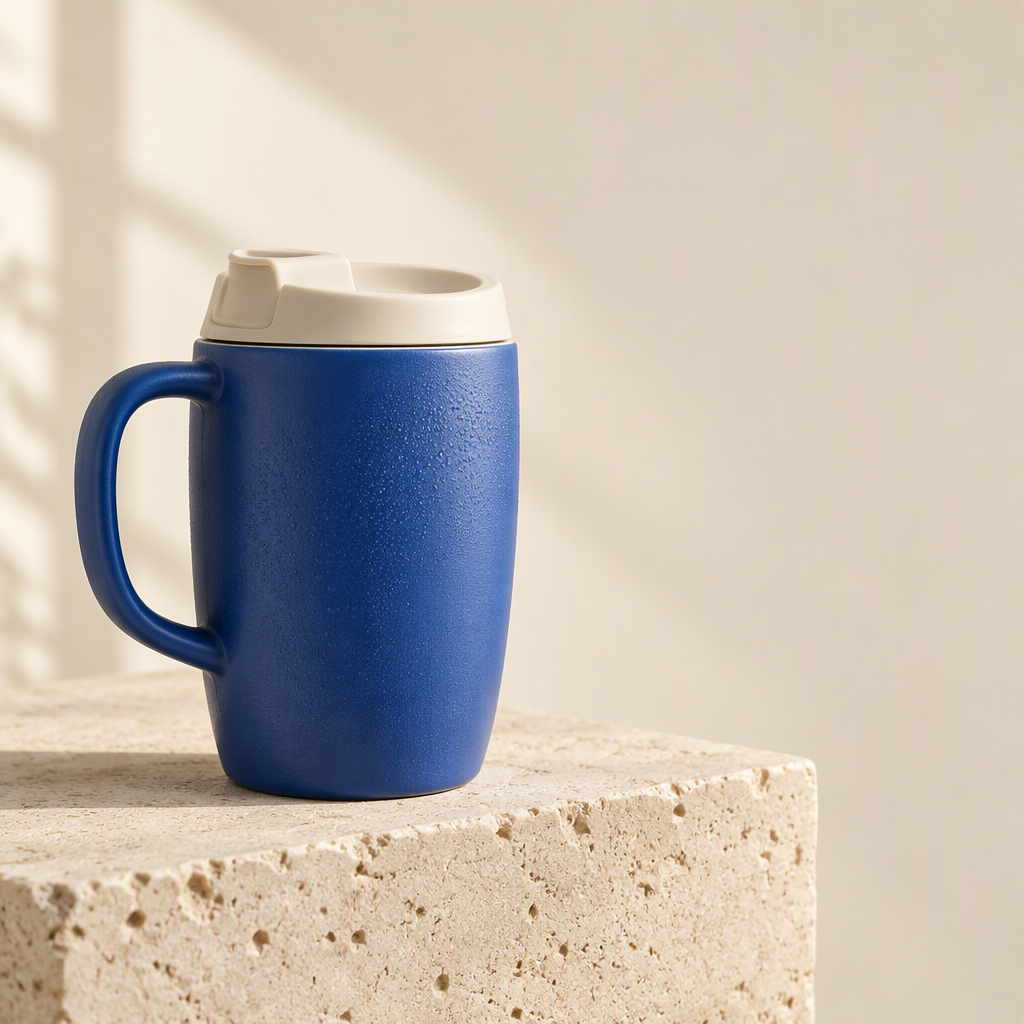
공유 제품 레퍼런스
처음 세 가지 전자상거래 테스트는 동일한 가상의 예시 제품을 사용합니다. 왼쪽 손잡이, 아이보리 뚜껑, 질감 있는 파란 몸체가 포함됩니다.
1. 흰 배경 제품 목록
공통 브리프: 동일한 파란 머그, 손잡이, 뚜껑, 비율을 유지하고, 돌 블록을 제거한 뒤 완제품을 흰색 배경에 놓기.
| GPT Image 2.5 | Nano Banana 2.1 |
|---|---|
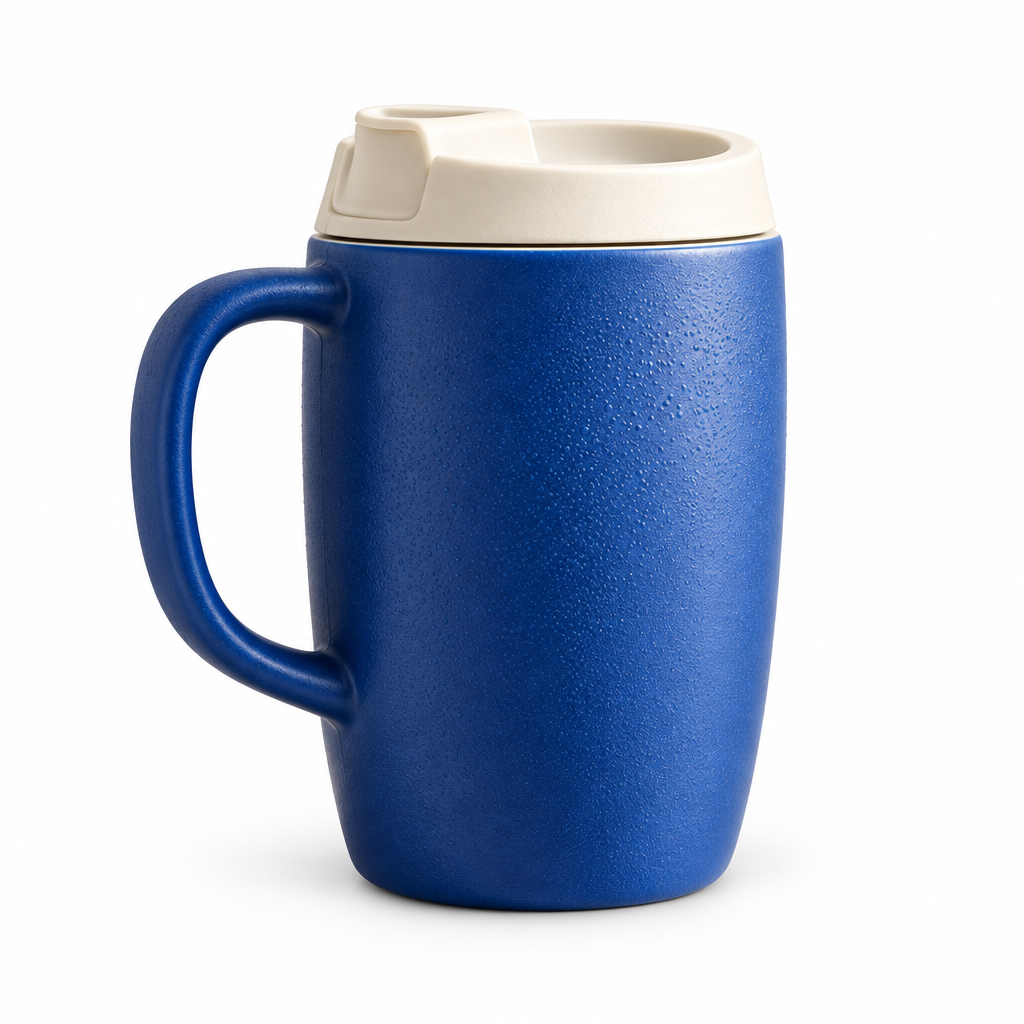 | 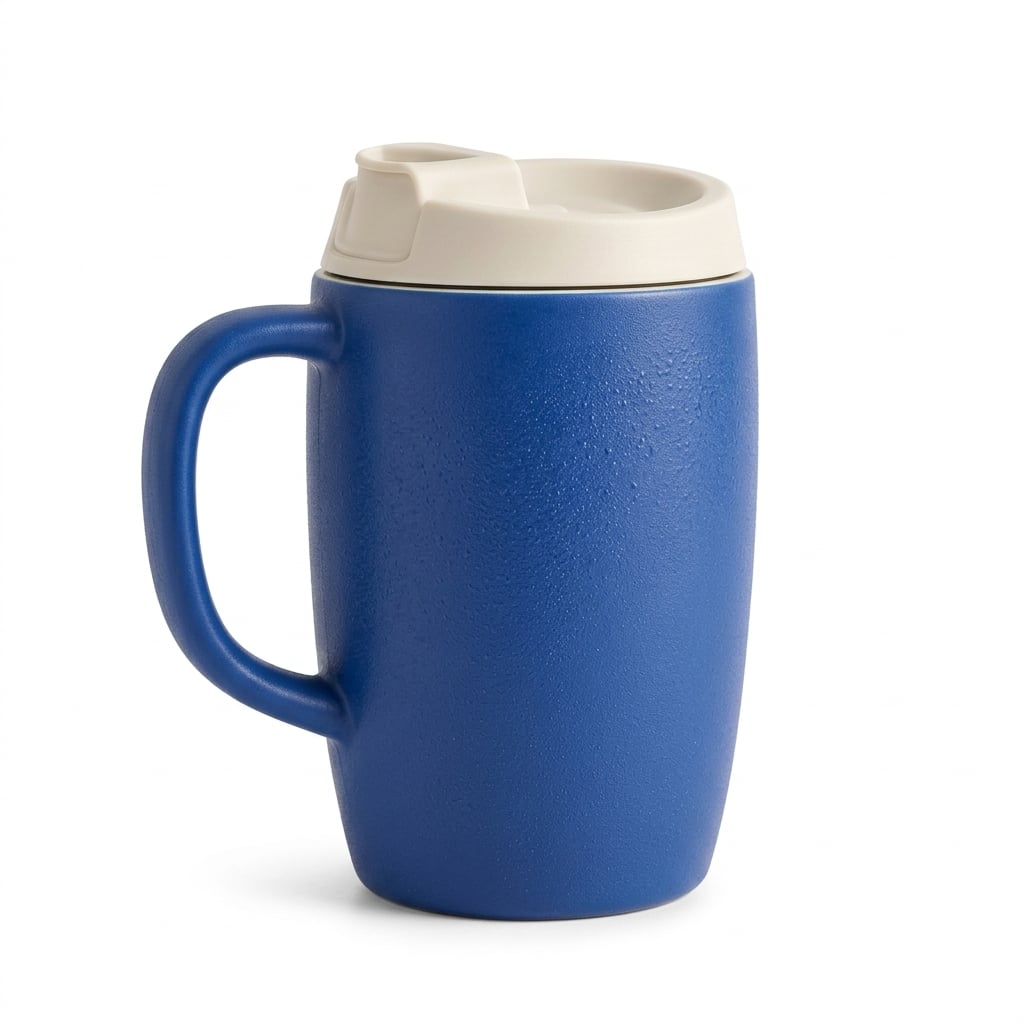 |
두 모델 모두 손잡이와 뚜껑을 유지하며, 레퍼런스를 다른 텀블러로 바꾸지 않았습니다. GPT Image 2.5는 질감과 물방울을 강조합니다. Nano Banana 2.1은 표면과 그림자에 부드러운 마감을 줍니다. 한 제품에 대해 명확한 승자가 나오지 않았습니다.
사용 시점: 표면 디테일이 중요하면 GPT부터 시작하세요. 부드러운 카탈로그 조명을 원하면 Nano Banana 2.1을 먼저 시도하세요. 실제 목록에는 뚜껑 개구부, 손잡이 곡선, 색상, 실루엣을 실제 제품과 비교한 뒤 승인하세요.
2. 제품 디테일 그래픽
공통 브리프: 동일한 머그 레퍼런스와 세 개의 원형 디테일 뷰를 사용하고, 각각 Ceramic body, Ivory lid, Curved handle로 라벨링.
| GPT Image 2.5 | Nano Banana 2.1 |
|---|---|
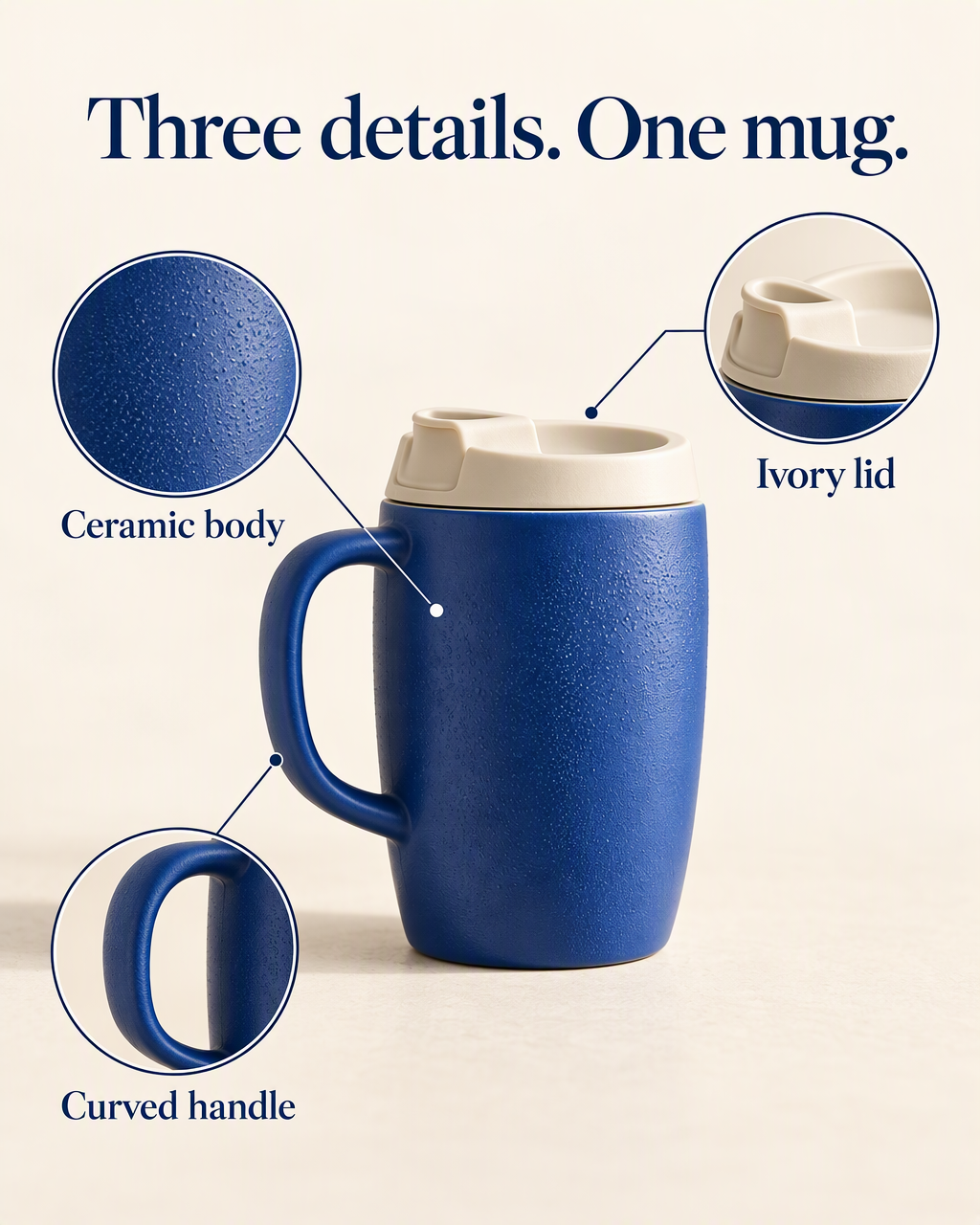 | 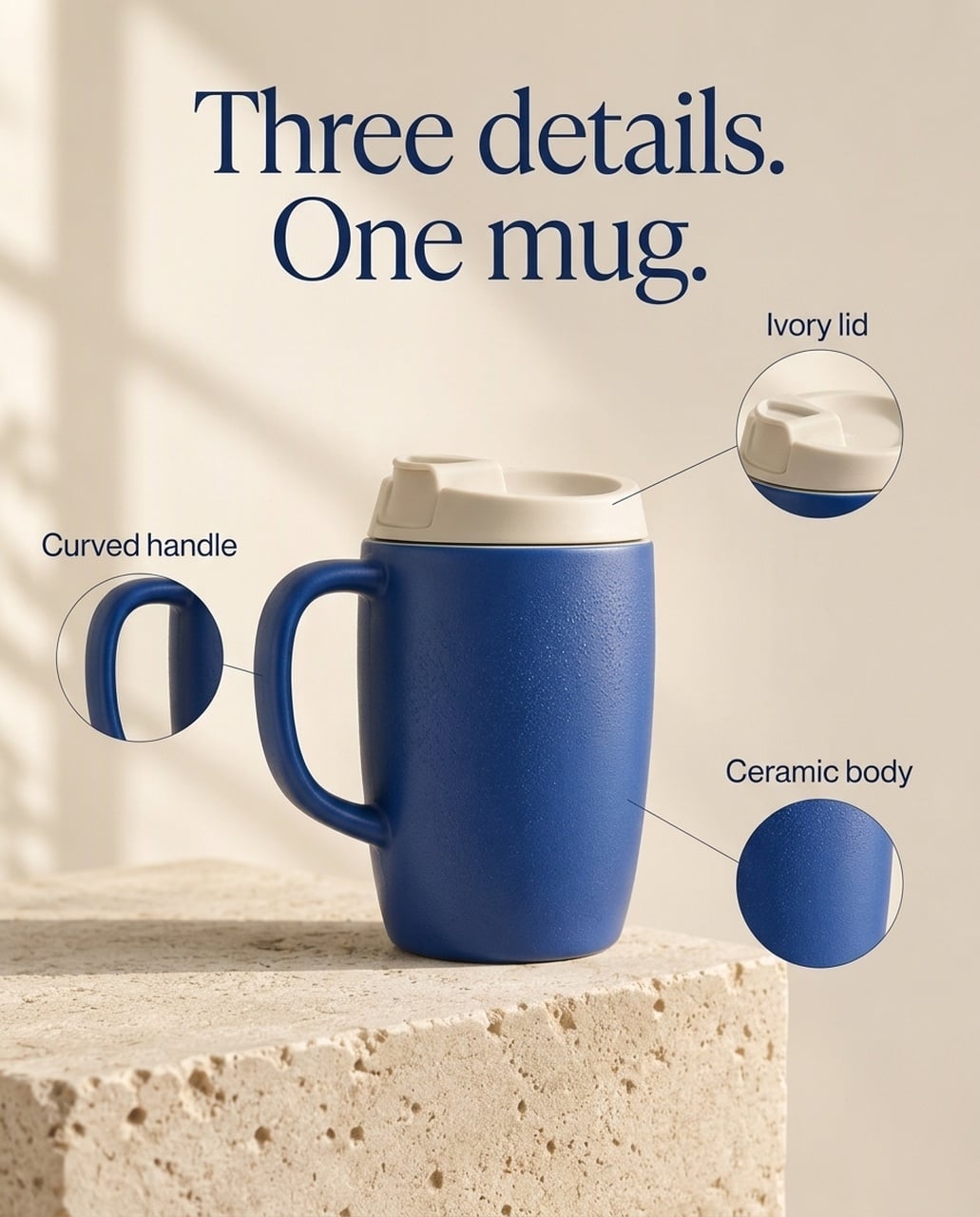 |
영어 이미지는 요청한 제목과 라벨을 모두 유지합니다. GPT는 질감과 뚜껑 크롭에 더 넓은 공간을 주고, 큰 라벨을 사용합니다. Nano Banana 2.1은 중앙 제품 주변에 작은 콜아웃을 배치하고, 원래 돌 배경을 더 많이 남깁니다. GPT는 여러 버전에서 뚜껑 리더라인 끝점을 제품 바로 위에 배치하므로, 선 위치를 반드시 검토해야 합니다.
사용 시점: 모바일 제품 디테일 히어로와 큰 소재 클로즈업에는 GPT를 먼저 시도합니다. 조용한 서브 제품 페이지에는 Nano Banana 2.1이 대안입니다. 강조와 주석 정리가 선택 기준이며, 모든 SKU를 더 잘 보존한다는 근거는 아닙니다.
일본어 버전
| GPT Image 2.5 | Nano Banana 2.1 |
|---|---|
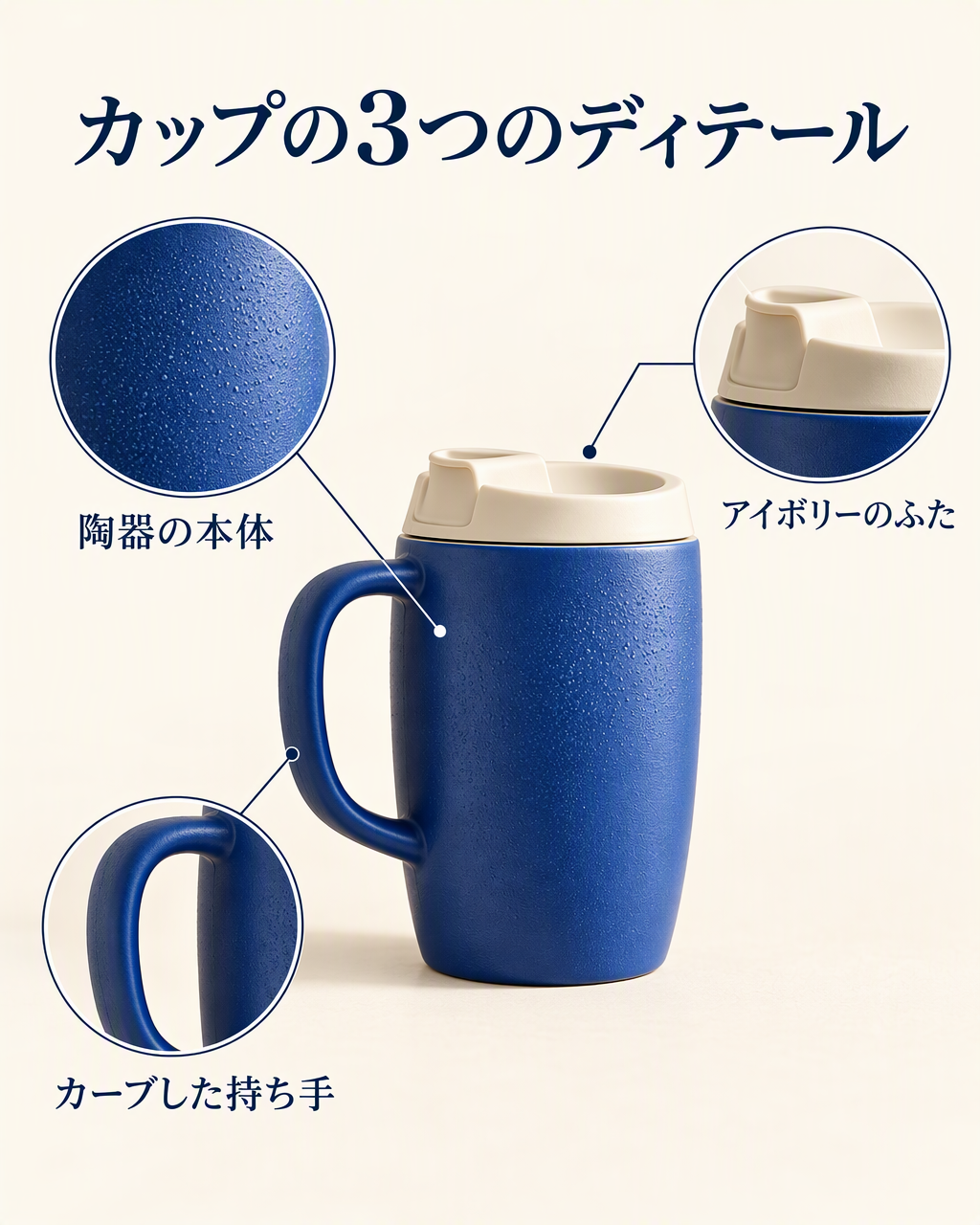 | 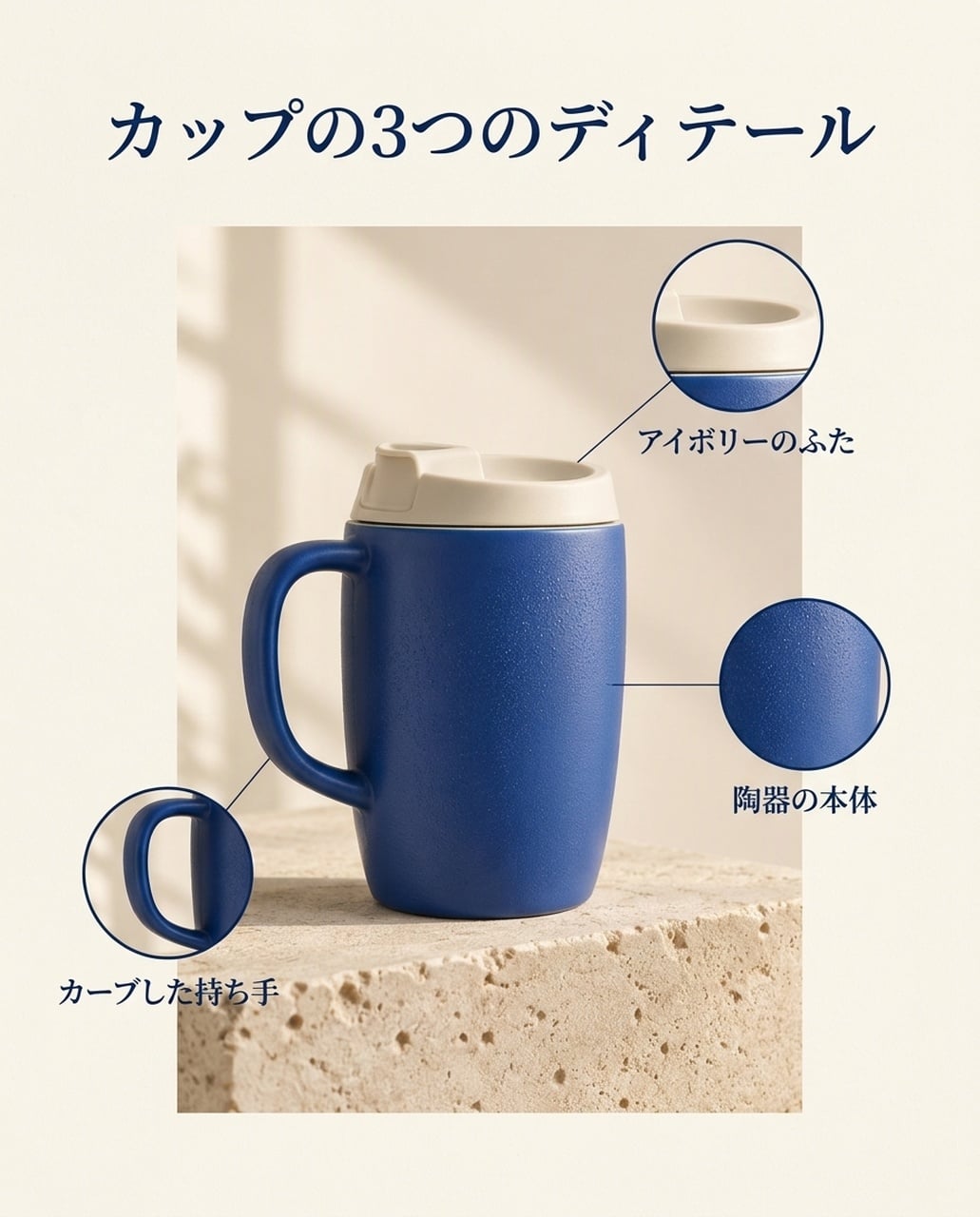 |
두 이미지 모두 カップの3つのディテール과 요청한 라벨을 보여줍니다. GPT는 질감 크롭을 크게 만들고, Nano Banana 2.1은 더 제한된 제품 패널을 사용합니다. 제목만 판단하지 말고 리더라인 끝점을 확인하세요.
한국어 버전
| GPT Image 2.5 | Nano Banana 2.1 |
|---|---|
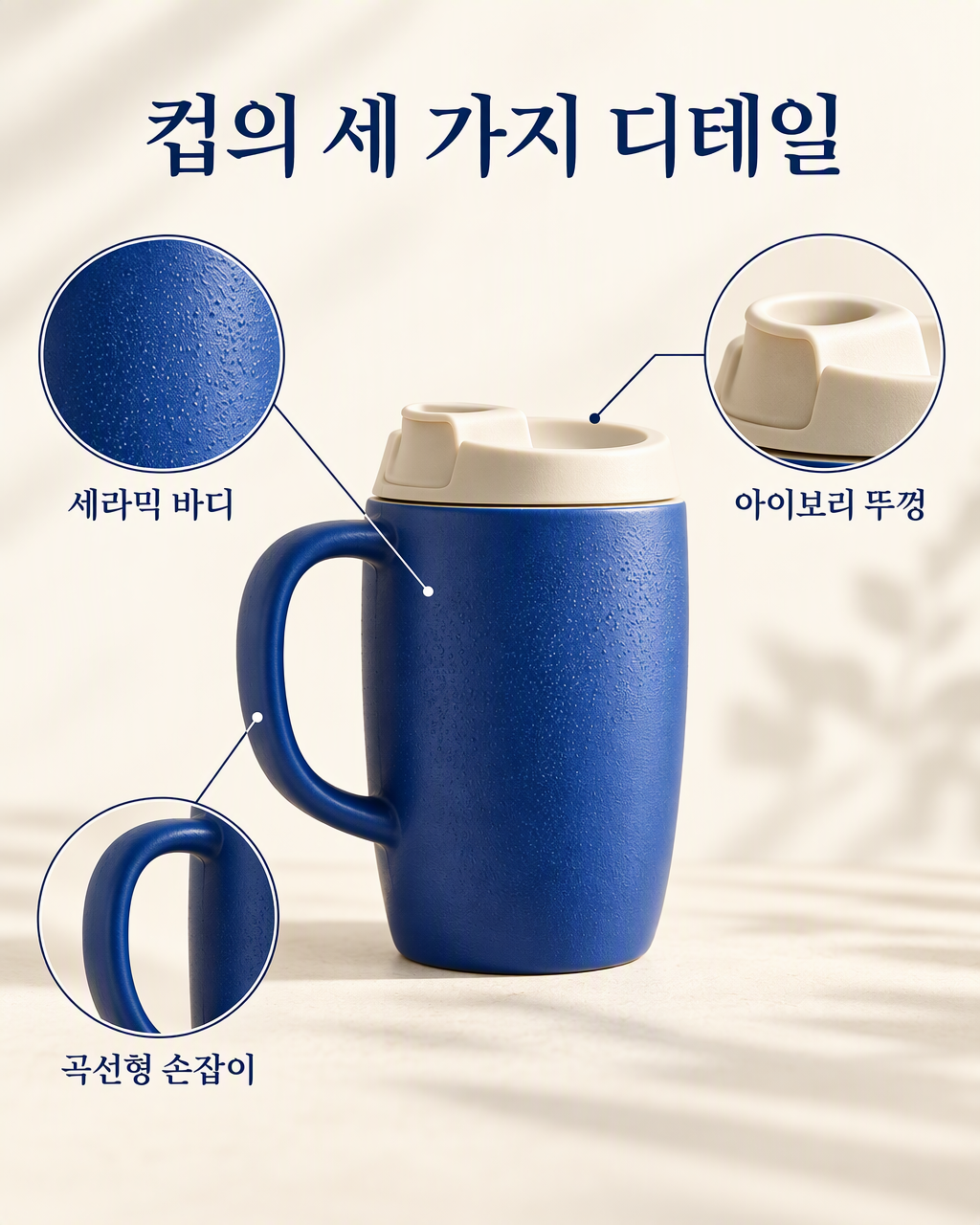 | 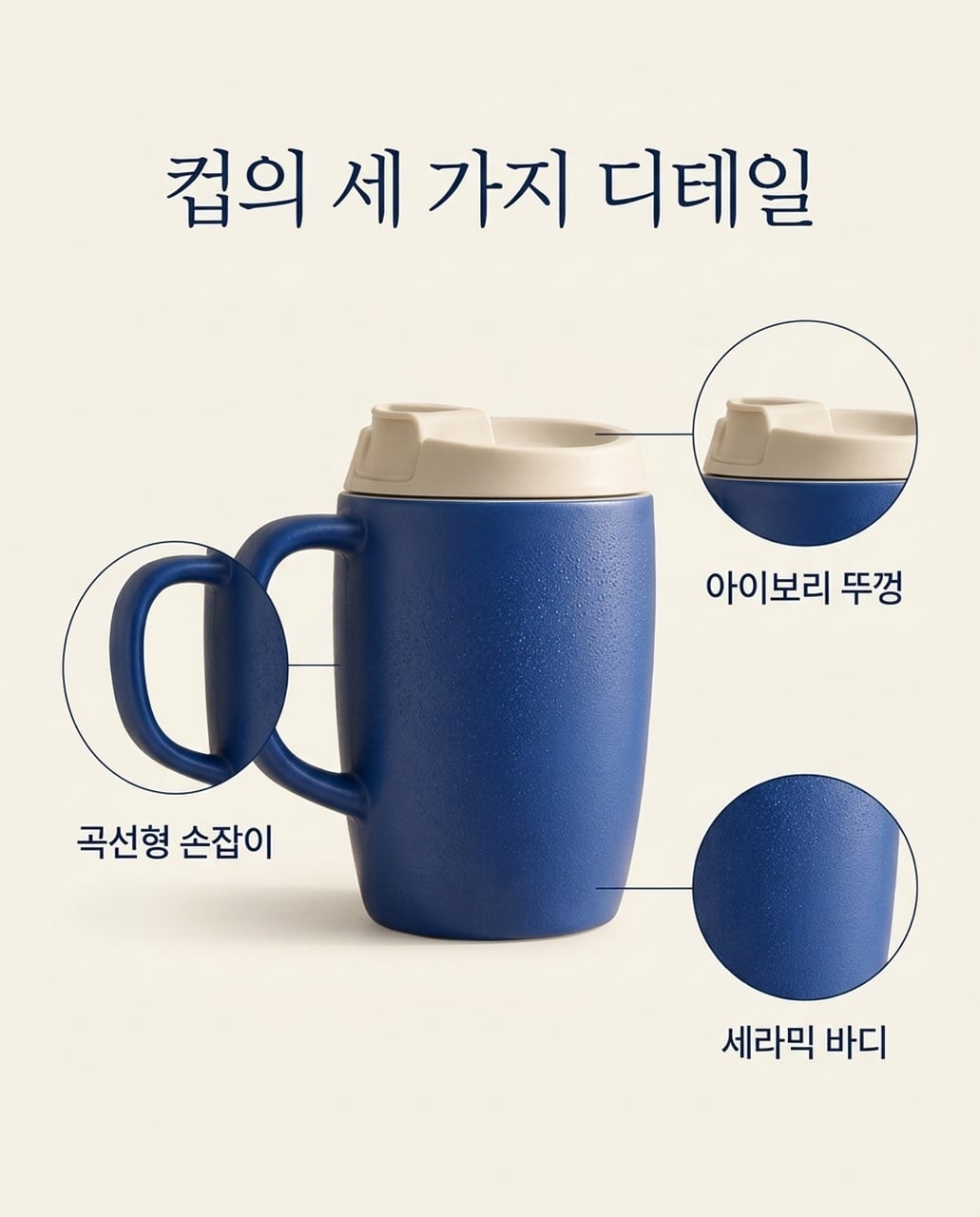 |
두 이미지 모두 세 가지 한국어 라벨을 보여줍니다. GPT는 넓고 큰 콜아웃을 사용하고, Nano Banana 2.1은 차분한 레이아웃을 사용합니다. NB 버전에서는 곡선형 손잡이 크롭이 메인 제품과 더 많이 겹칩니다.
3. 라이프스타일 제품 광고
공통 브리프: 동일한 머그를 오크 아침 식탁에, 닫힌 노트북 옆에 놓고, 부드럽게 흐릿한 주방과 오른쪽에 명확한 카피 공간을 만들기.
| GPT Image 2.5 | Nano Banana 2.1 |
|---|---|
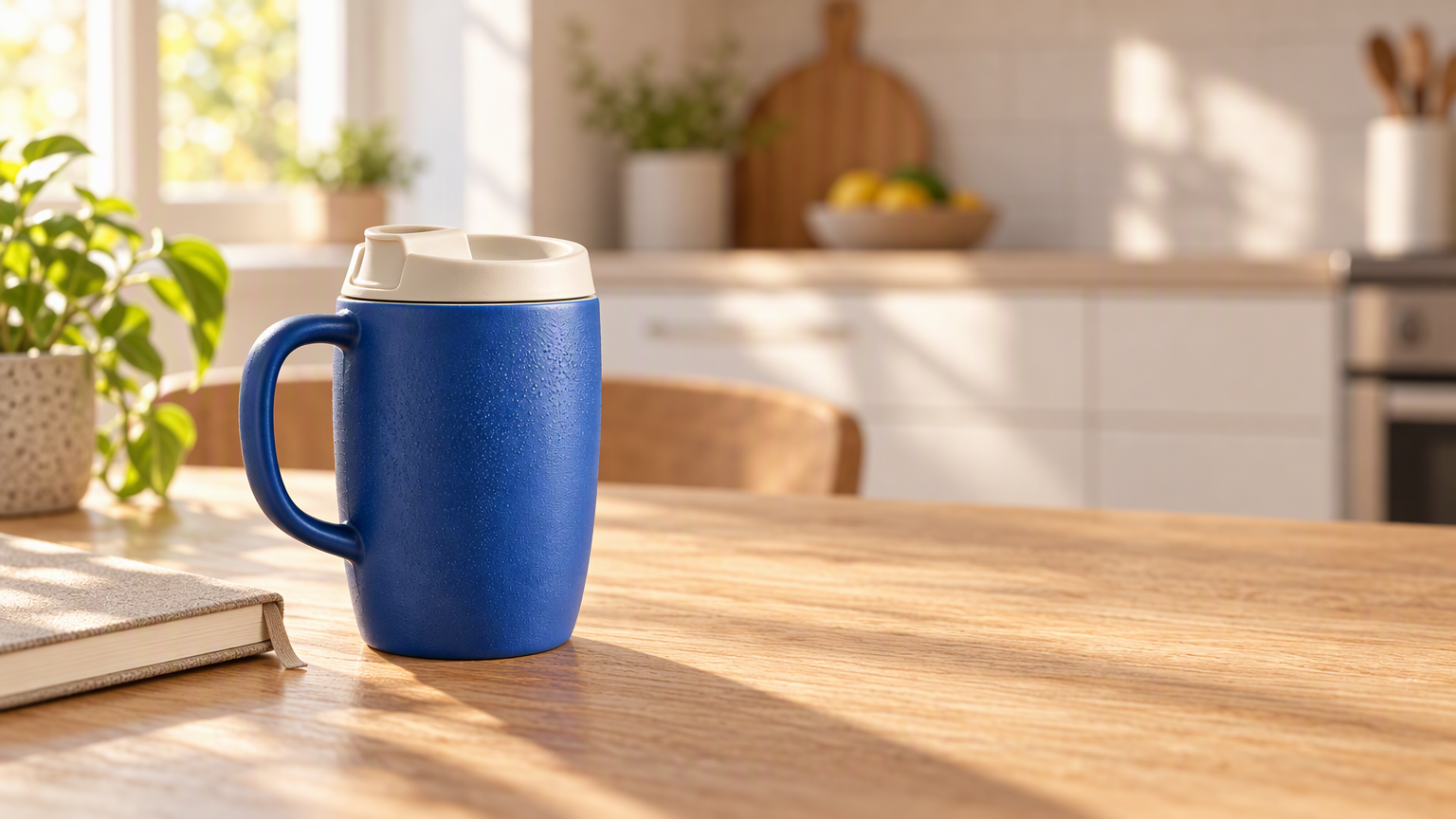 | 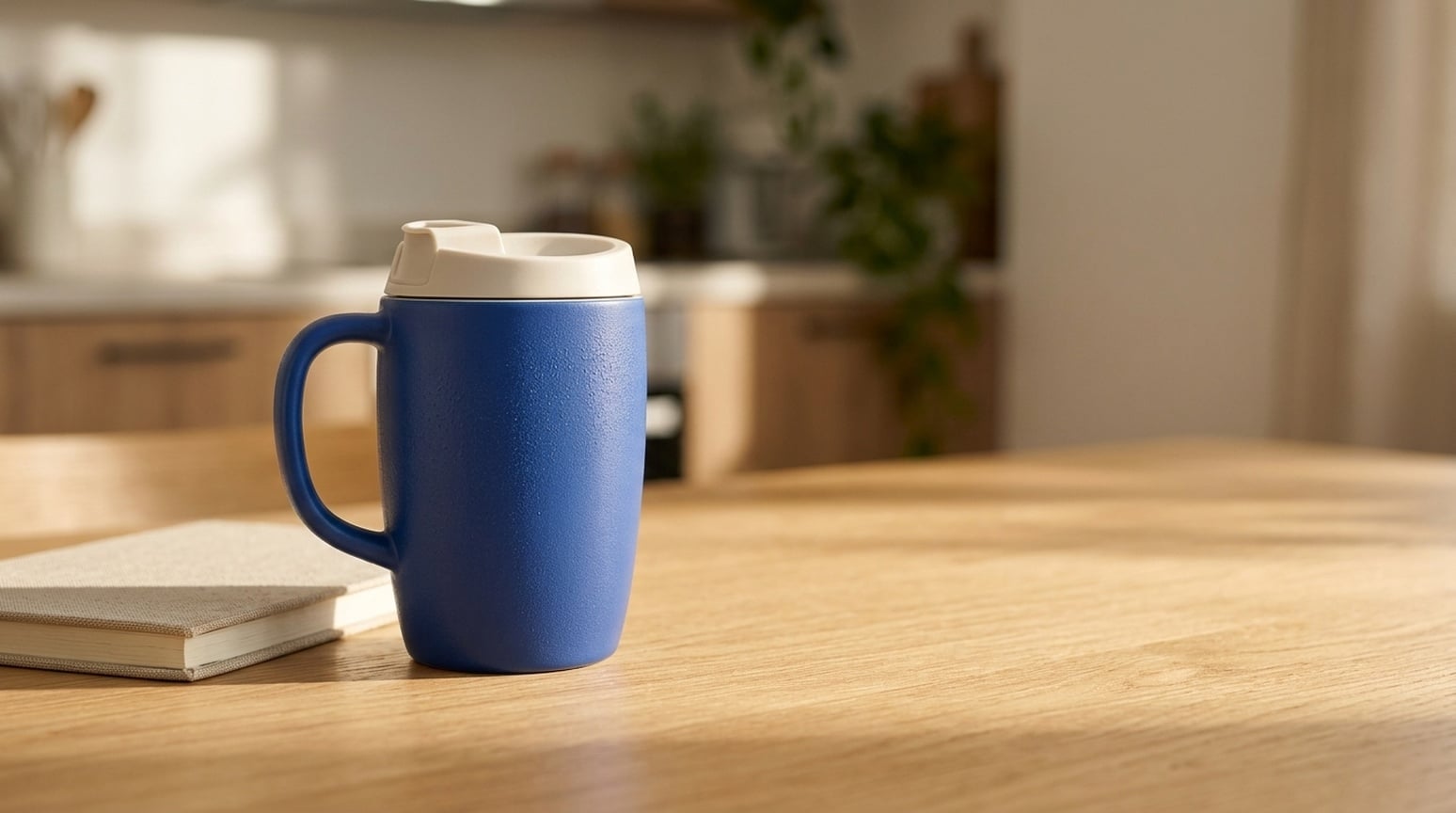 |
GPT는 머그를 따뜻한 주방과 더 강하게 분리하며, 도자기 질감, 나뭇결, 방향성 조명을 강조합니다. Nano Banana 2.1은 장면을 더 차분하고 낮은 대비로 유지합니다. 두 모델 모두 제품 구조를 유지하고, 카피 공간을 남깁니다.
사용 시점: 제품이 장면을 주도해야 하는 브랜드 배너나 라이프스타일 광고에는 GPT부터 시작하세요. 일상적인 시각에는 Nano Banana 2.1을 시도하세요. 캠페인 카피 추가 전 제품 기하, 크기, 그림자를 확인하세요.
4. 레퍼런스 없는 제품 컨셉
공통 브리프: 파란 도자기 텀블러, 아이보리 뚜껑, 석회암 블록, 빈 카피 공간을 설명하되, 제품 사진은 제공하지 않기.
| GPT Image 2.5 | Nano Banana 2.1 |
|---|---|
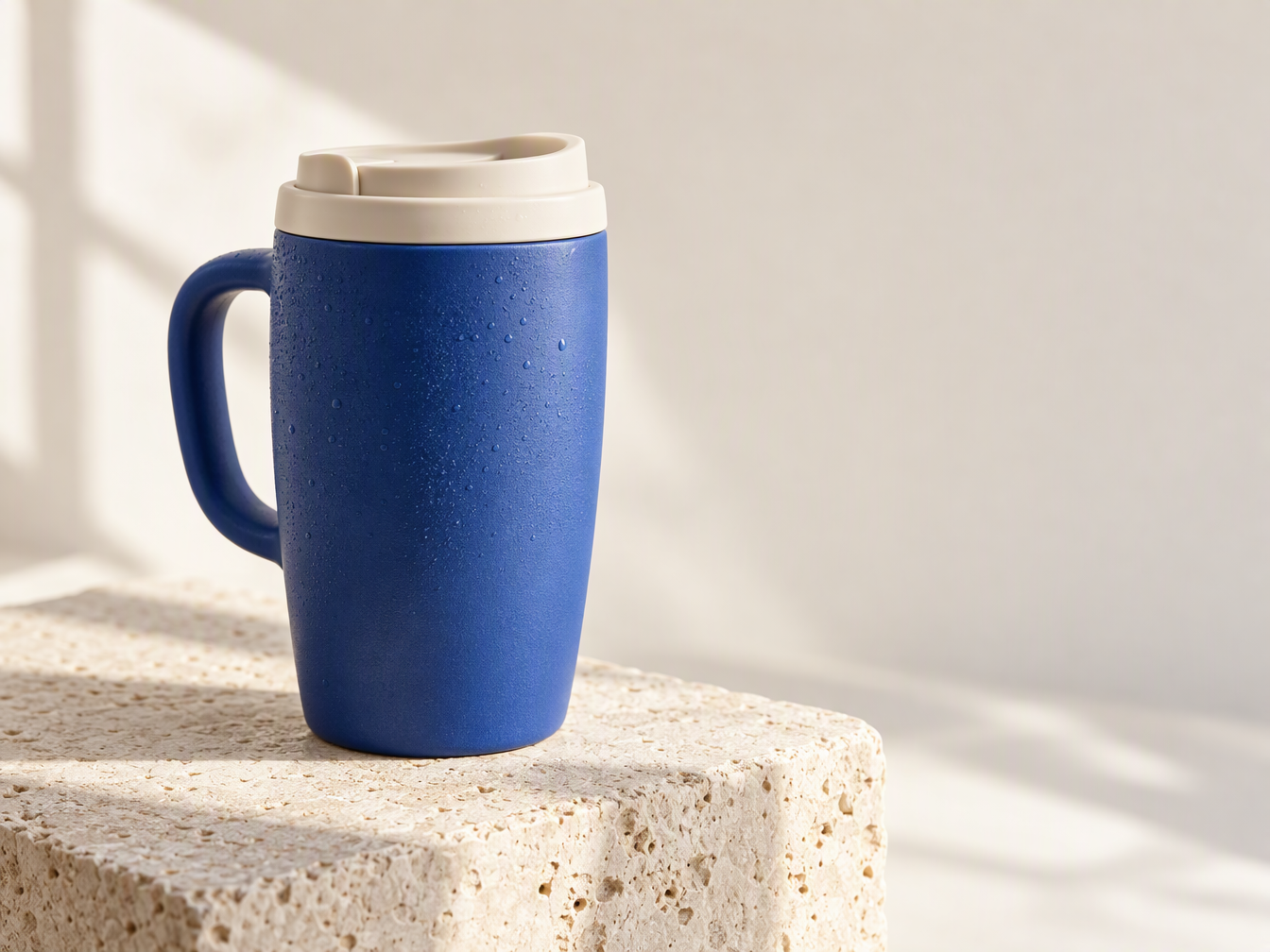 | 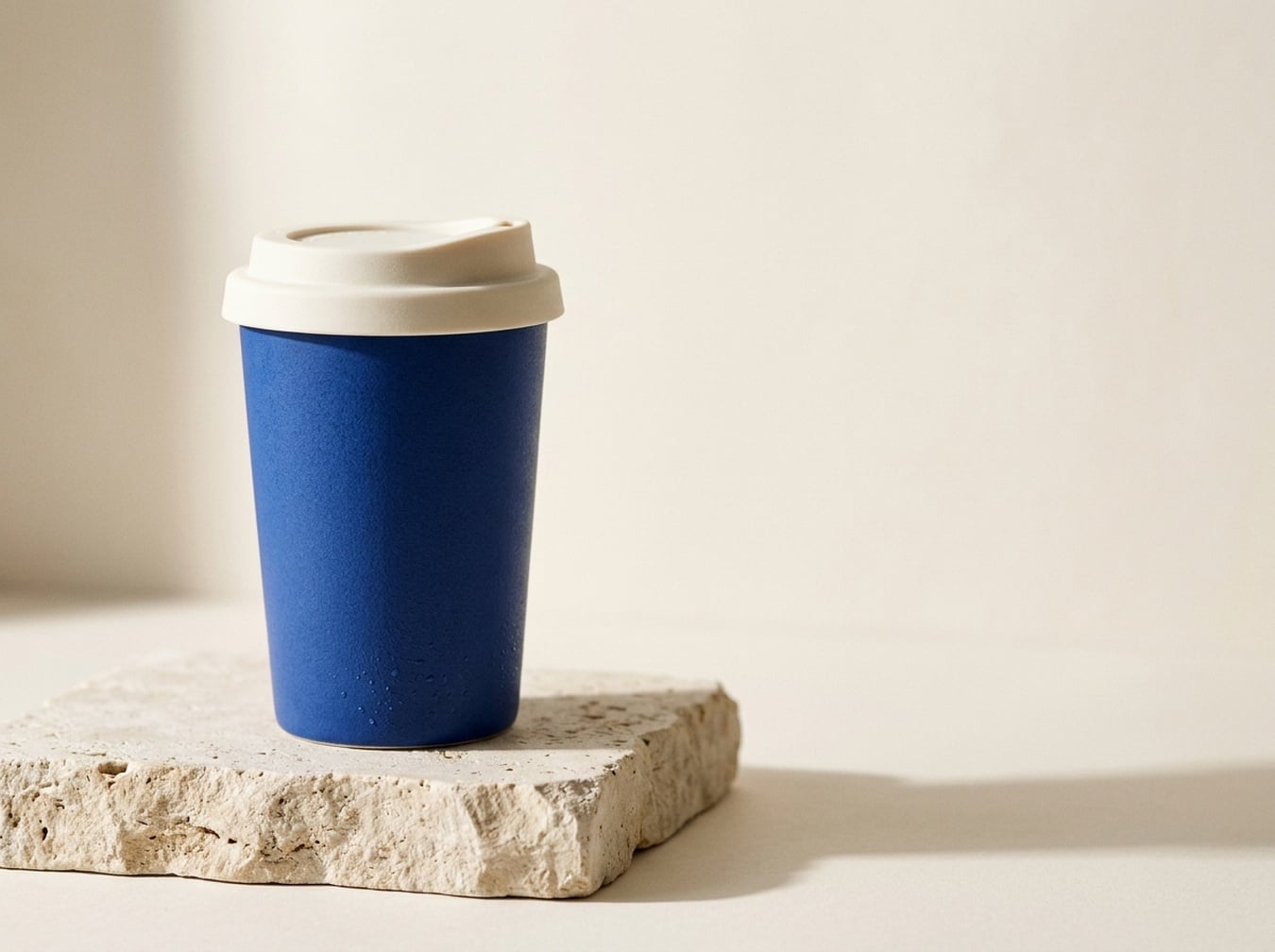 |
GPT는 손잡이 있는 머그를 만들었고, Nano Banana 2.1은 슬림한 손잡이 없는 컵을 만들었습니다. 프롬프트에 손잡이 명시가 없어서 두 해석 모두 가능합니다. GPT는 물방울과 소재 질감을 강조하고, Nano Banana 2.1은 단순한 제품 실루엣을 보여줍니다.
사용 시점: 촉각적 광고 컨셉에는 GPT를, 깔끔한 휴대컵 방향에는 Nano Banana 2.1을 사용하세요. 기존 제품을 묘사하려면 두 모델에 동일한 레퍼런스를 제공하세요. 텍스트만으로는 제품 충실도를 판단할 수 없습니다.
5. 유튜브·튜토리얼 썸네일
공통 브리프: 핸드폰으로 밤 거리 사진을 찍는 손을 보여주고, 오른쪽에 BETTER PHONE PHOTOS와 3 COMPOSITION TIPS 텍스트를 넣기.
| GPT Image 2.5 | Nano Banana 2.1 |
|---|---|
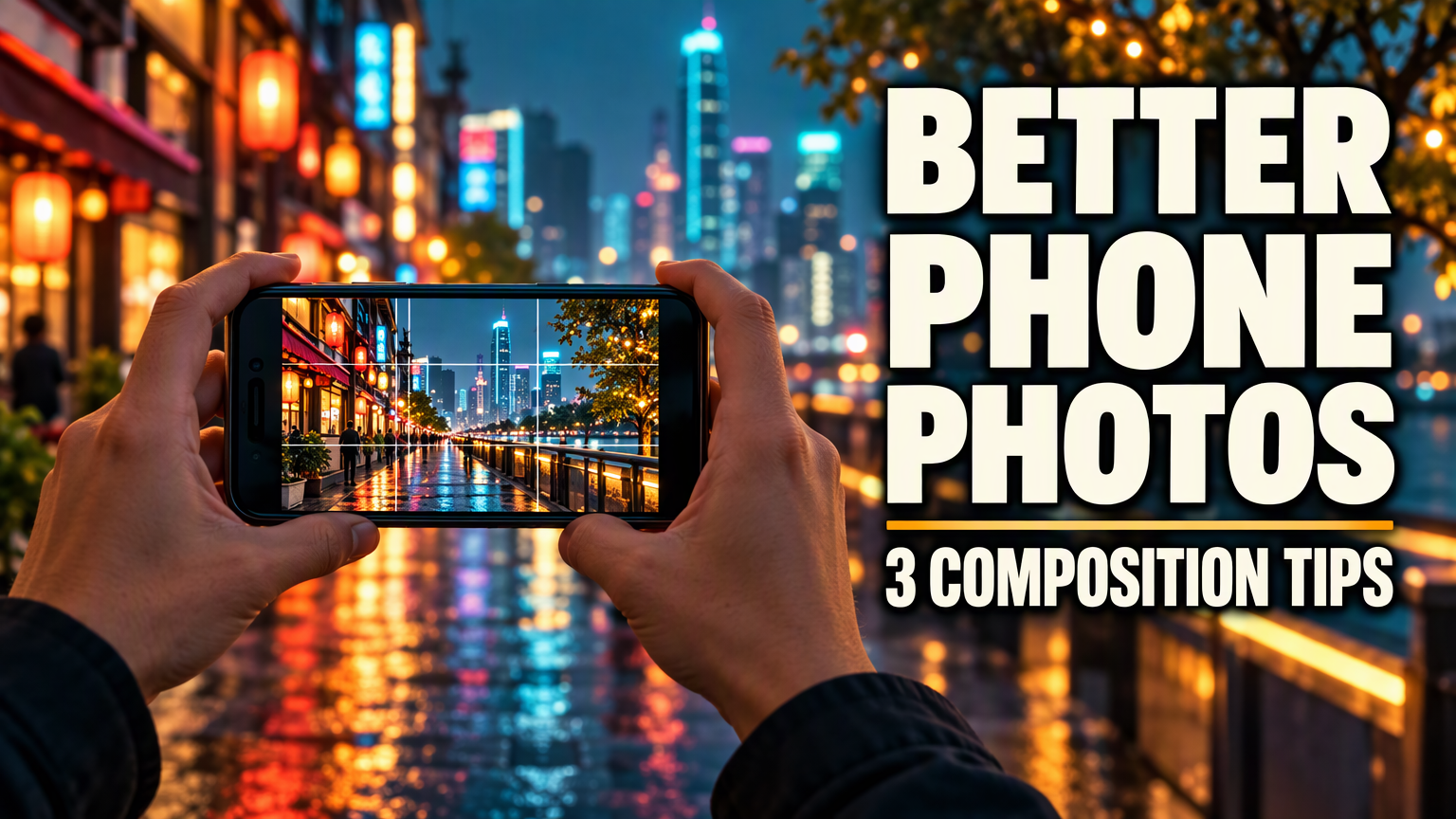 | 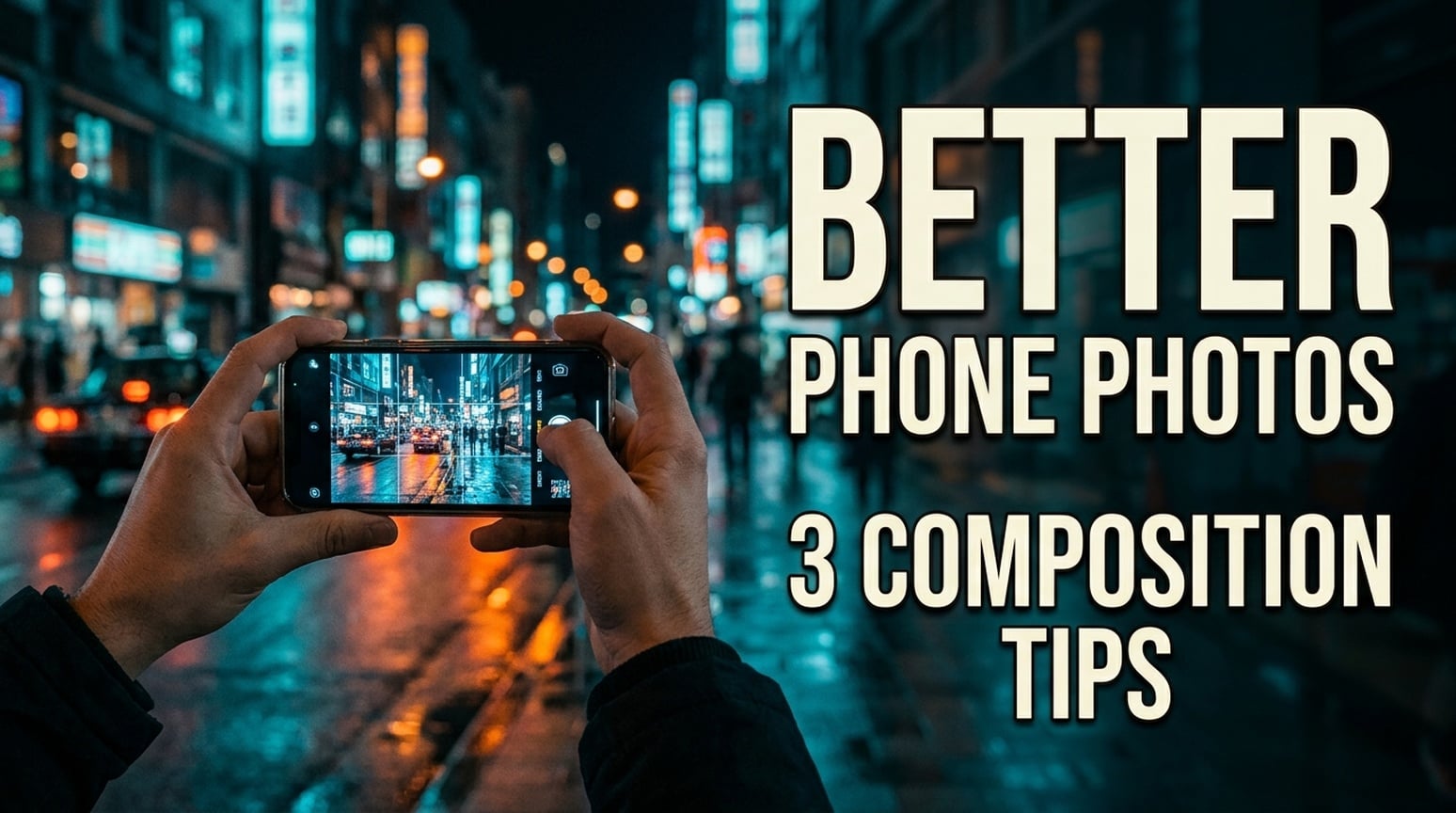 |
영어 썸네일 모두 요청한 두 텍스트를 유지하지만 줄바꿈은 다릅니다. GPT는 매우 두꺼운 글씨와 컴팩트한 보조 라인을 사용합니다. Nano Banana 2.1은 좁은 글씨, 부제목을 두 줄로 나누고, 장면을 다큐멘터리처럼 보여줍니다.
사용 시점: 튜토리얼 썸네일에는 GPT를 먼저 시도하세요. 덜 강조된 이미지를 원하면 Nano Banana 2.1을 시도하세요. 실제 썸네일 크기에서 최종 크롭과 제목을 확인하세요. 클릭률 테스트는 하지 않았으며, 일본어·한국어 예시는 아래에 있습니다.
일본어 버전
| GPT Image 2.5 | Nano Banana 2.1 |
|---|---|
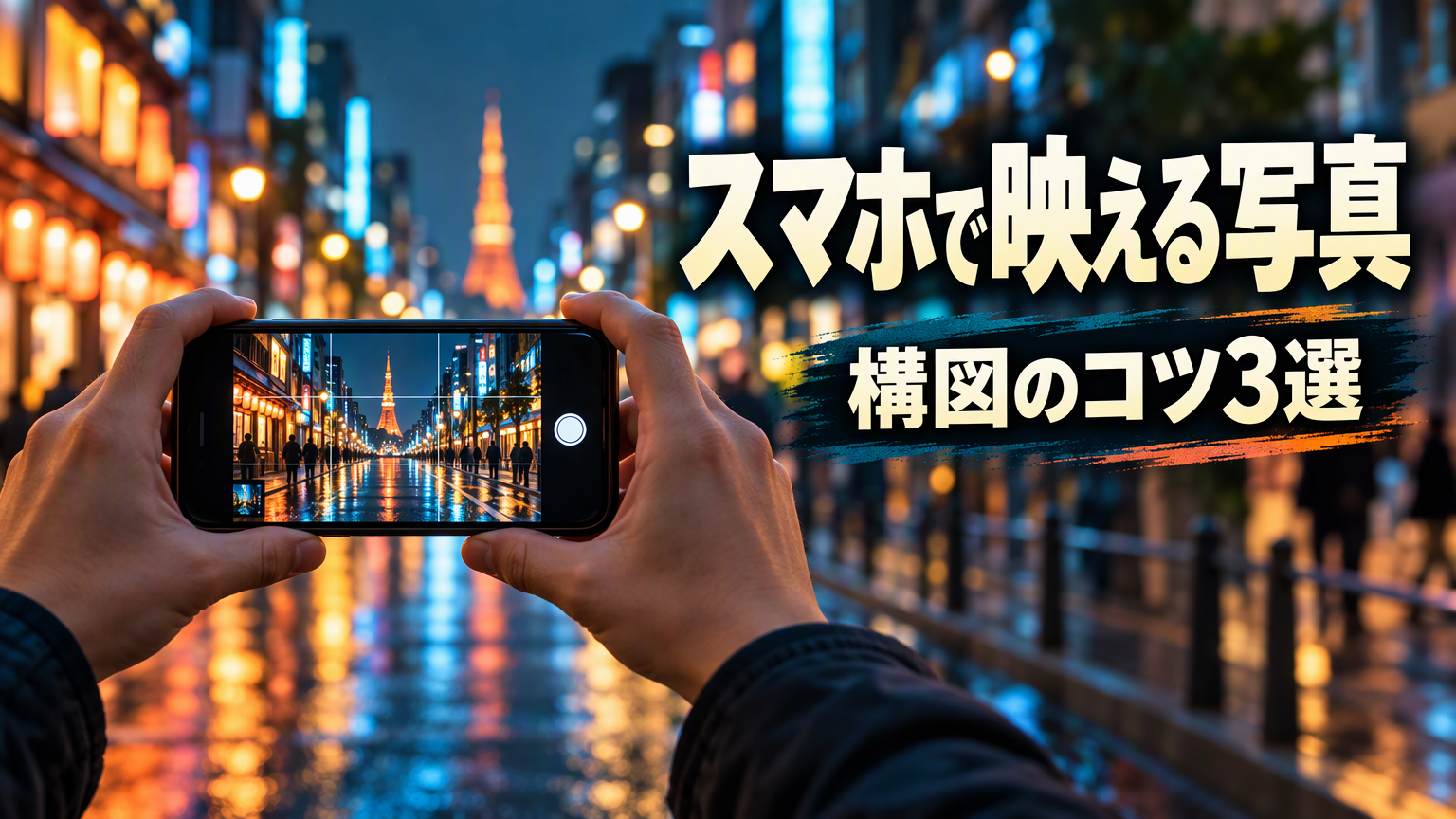 | 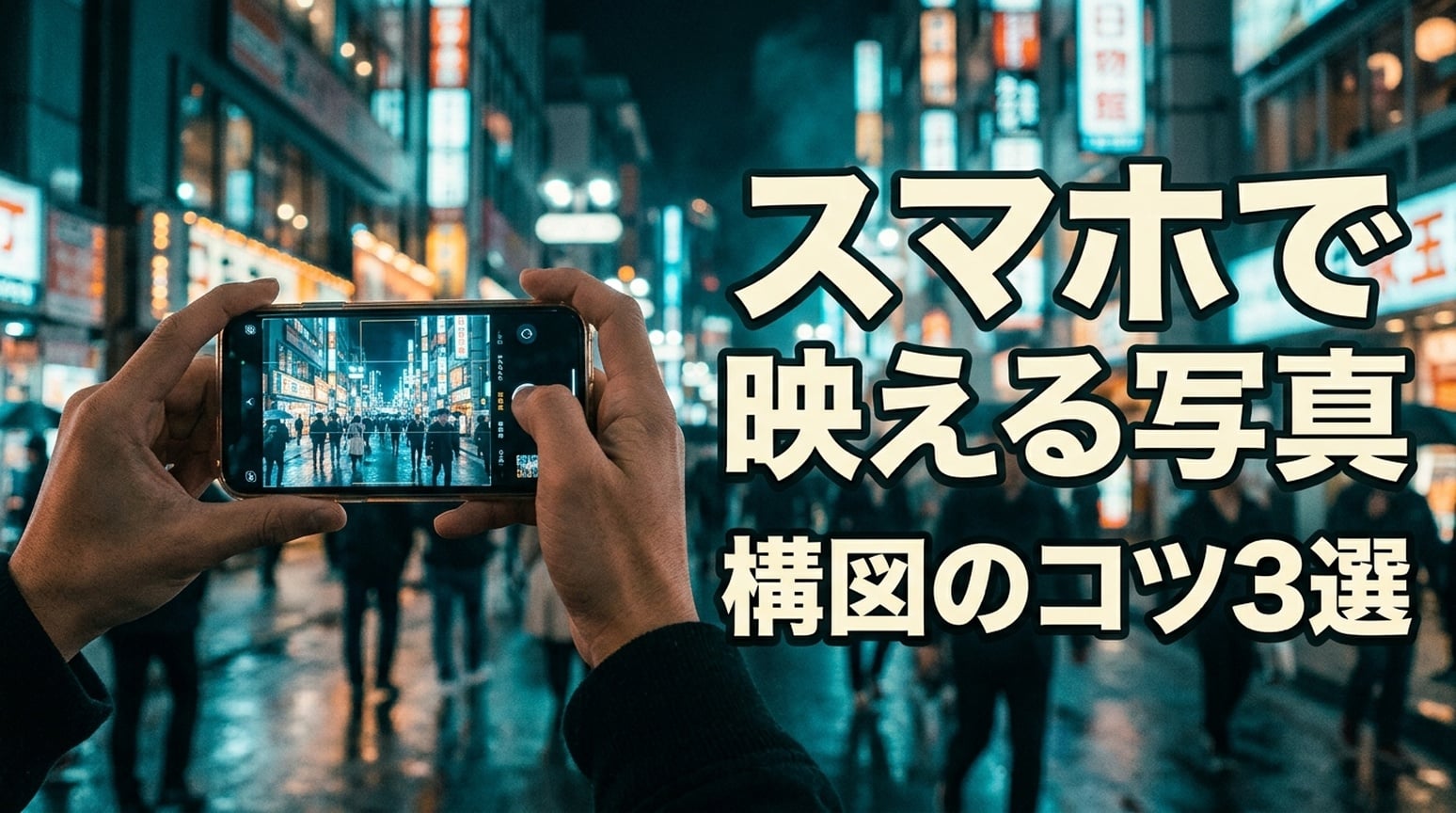 |
두 이미지 모두 スマホで映える写真과 構図のコツ3選을 유지합니다. GPT는 메인 제목을 한 줄로, 부제목은 어두운 브러시 패널로 분리합니다. NB는 スマホで 뒤에서 제목을 나누고, 더 강한 외곽선을 사용합니다.
한국어 버전
| GPT Image 2.5 | Nano Banana 2.1 |
|---|---|
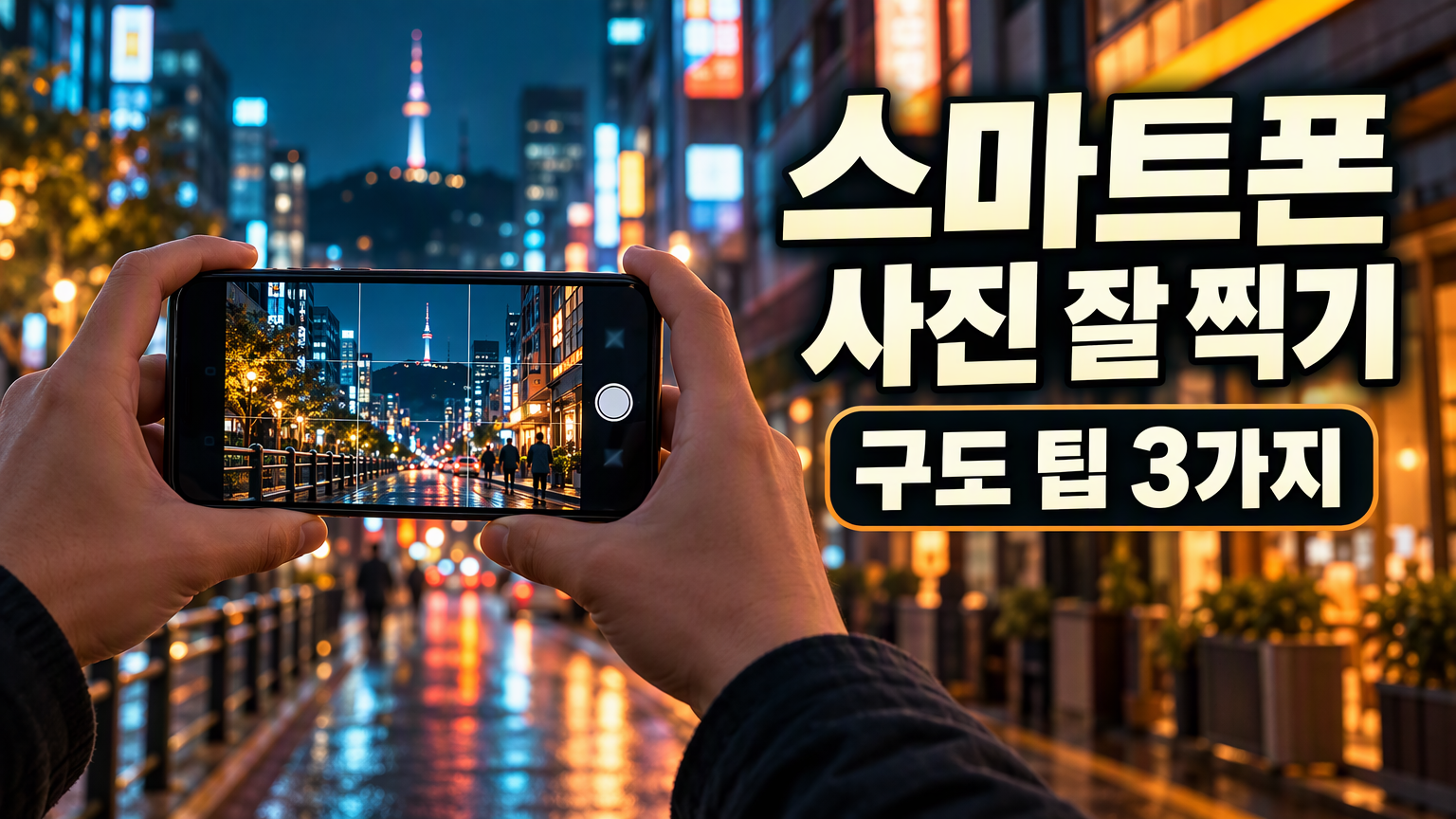 | 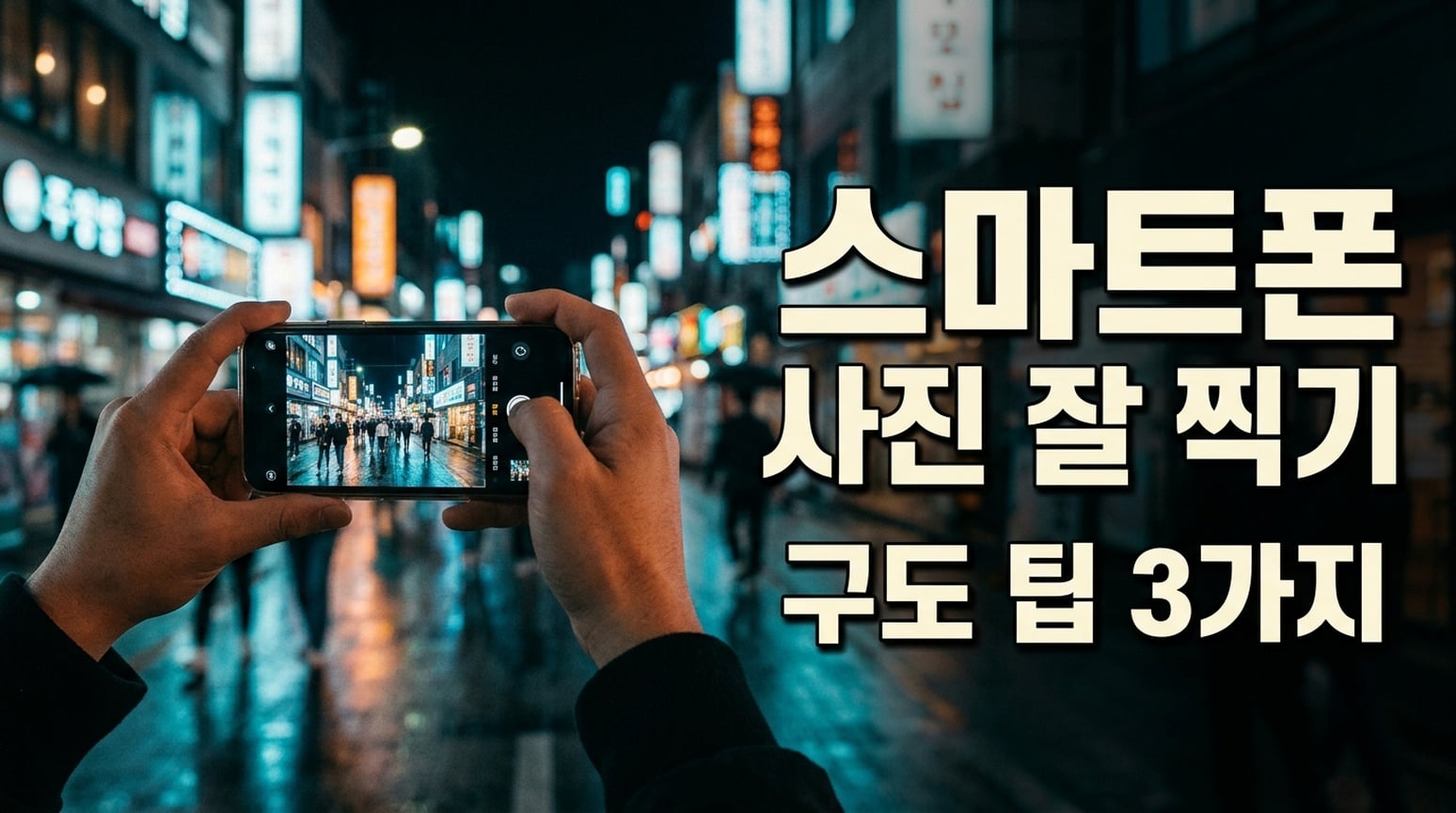 |
두 이미지 모두 한국어 문구를 유지합니다. GPT는 보조 라인을 어두운 둥근 패널로 강조하고, 단어 간격이 더 좁아 보입니다. NB는 제목과 부제목을 더 넓게 분리합니다. 최종 전달에서 간격을 검토하세요.
6. 체크리스트·지식 카드
공통 브리프: 지정된 6개 카테고리와 아이템 목록을 2열 3행 체크리스트로 렌더링하며, 추가 텍스트는 넣지 않기.
| GPT Image 2.5 | Nano Banana 2.1 |
|---|---|
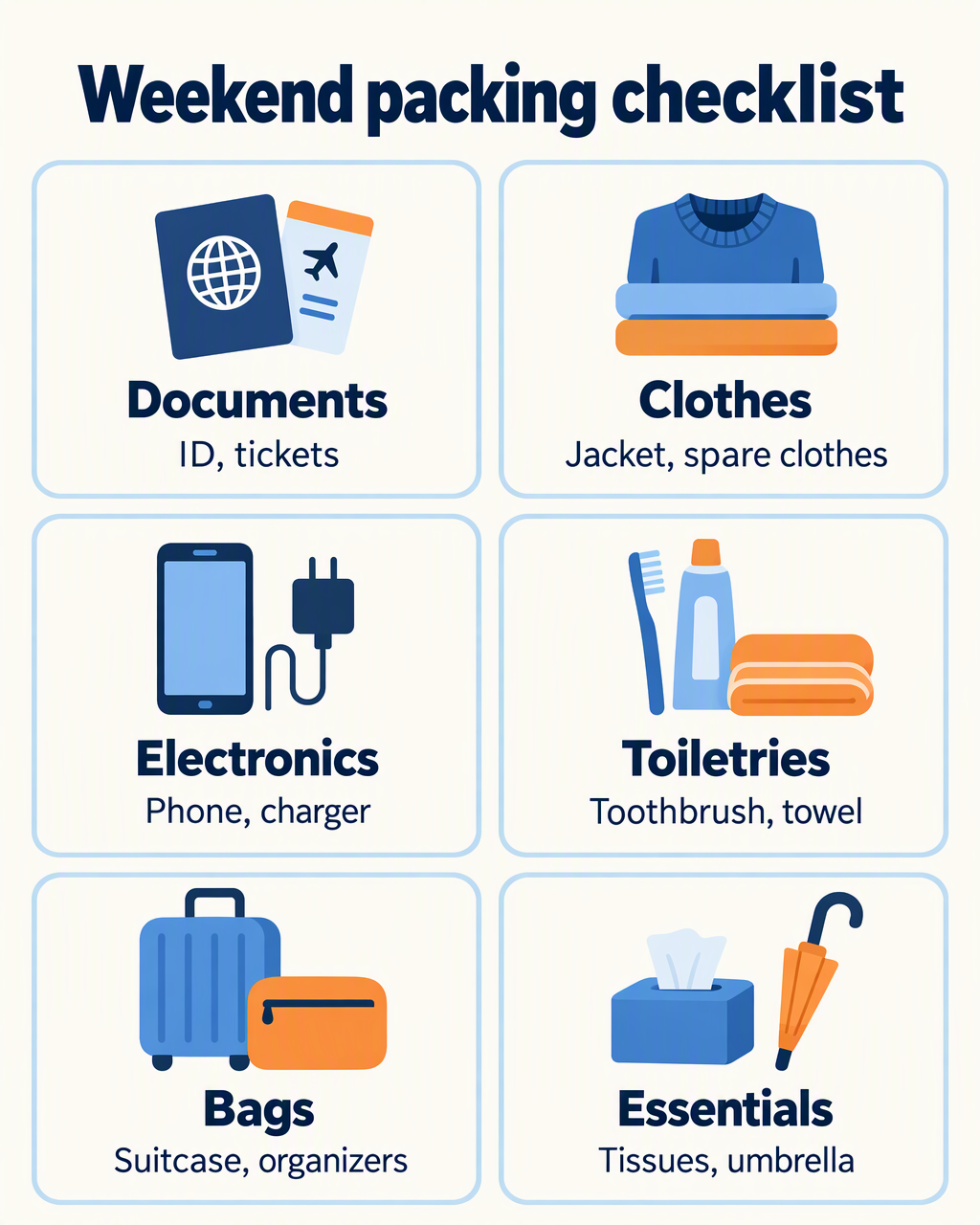 | 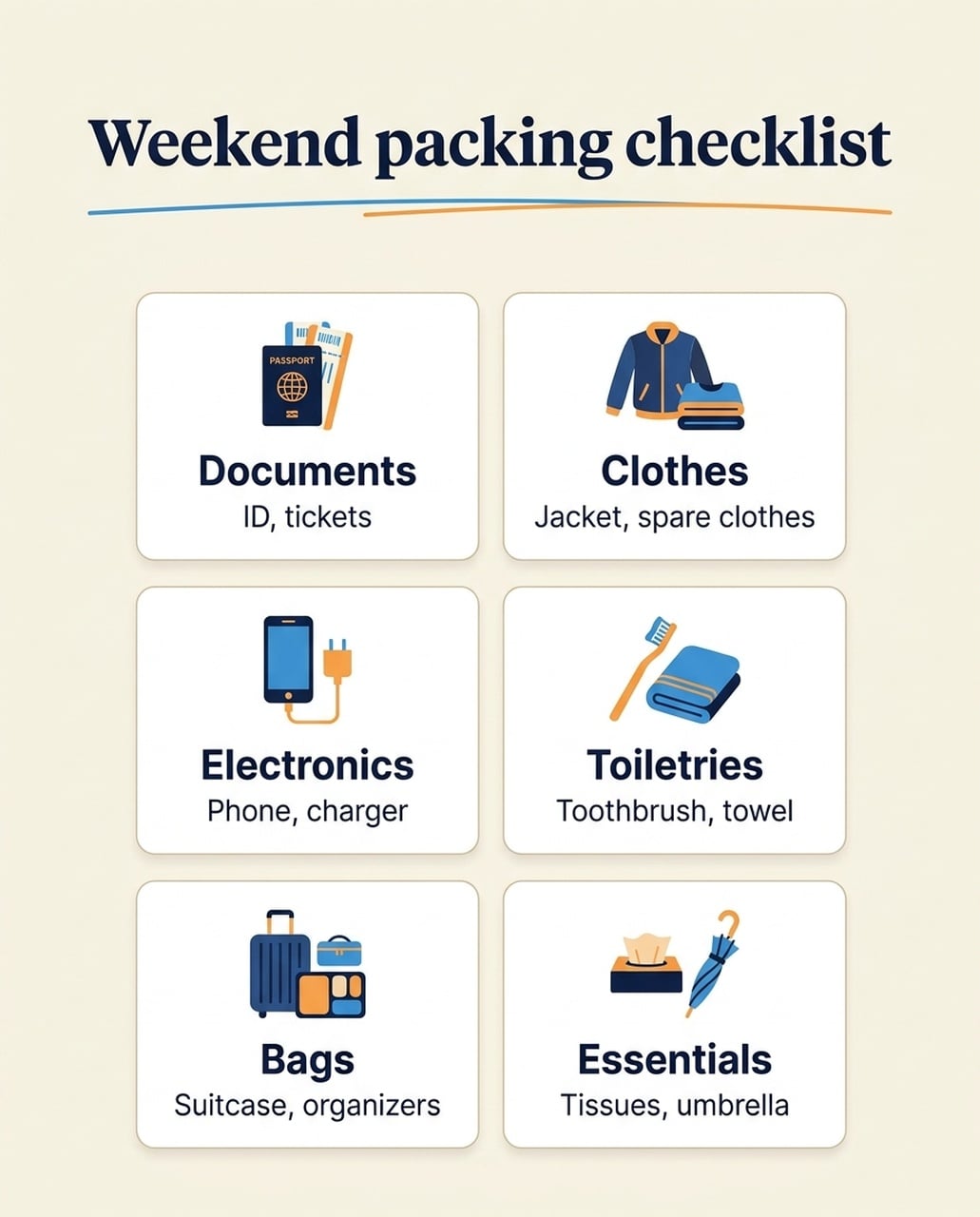 |
영어 버전 모두 6개 카테고리와 아이템 목록을 유지합니다. GPT는 각 카드 내 일러스트와 라벨에 더 많은 공간을 줍니다. Nano Banana 2.1은 작은 아이콘과 더 많은 여백을 사용하며, 여권 아이콘에 요청하지 않은 PASSPORT 라벨이 들어갑니다. 일본어·한국어 버전에는 이전 중국어 실험에서 보였던 추가 영어 부제목이 반복되지 않습니다.
사용 시점: 모바일에서 큰 라벨이 중요하면 GPT를 선택하세요. 절제된 카드 레이아웃을 원하면 Nano Banana 2.1을 선택하고, 아이콘 라벨과 본문도 확인하세요. 한 언어에서 발견한 카피 오류를 모든 언어에 적용하지 마세요.
일본어 버전
| GPT Image 2.5 | Nano Banana 2.1 |
|---|---|
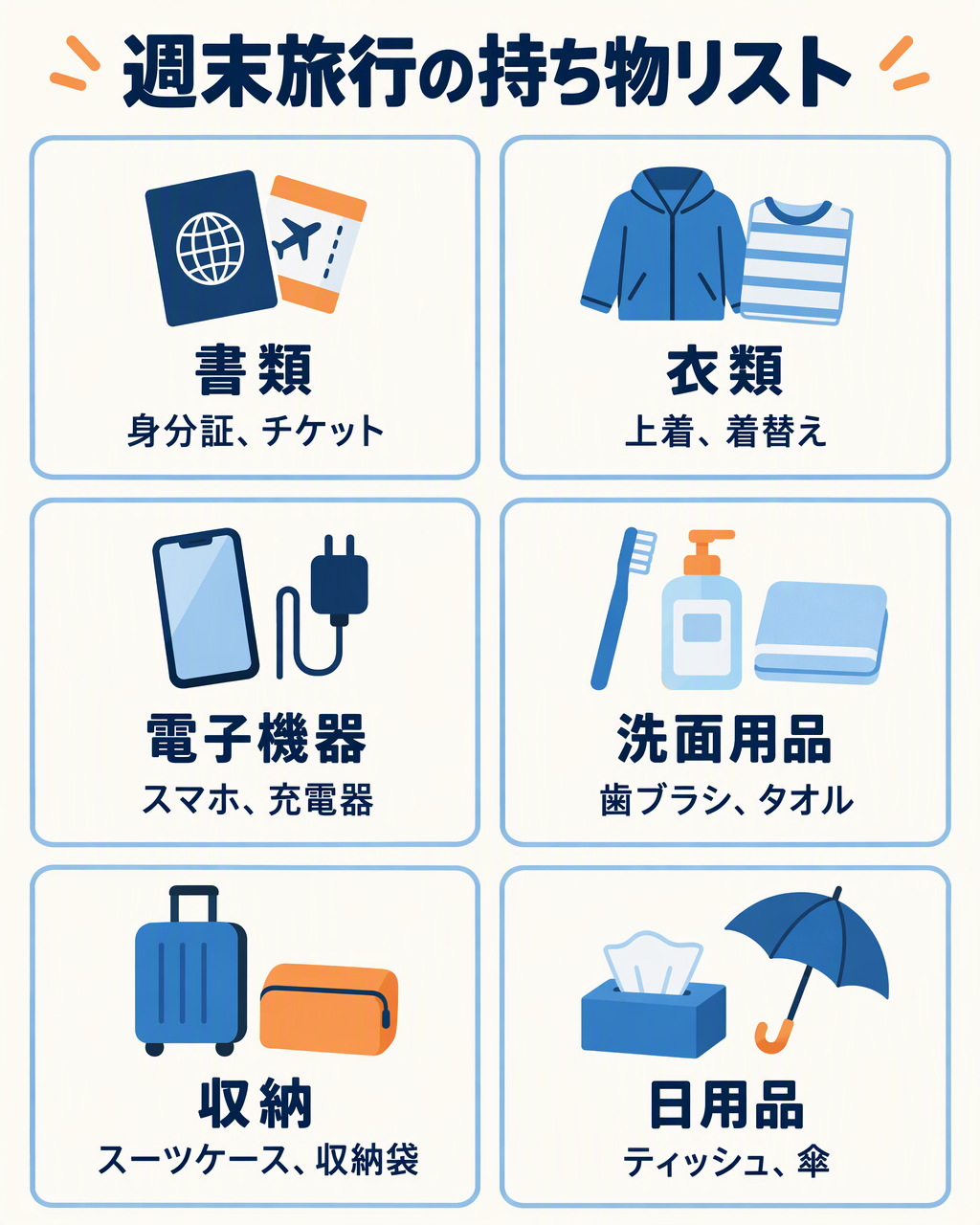 | 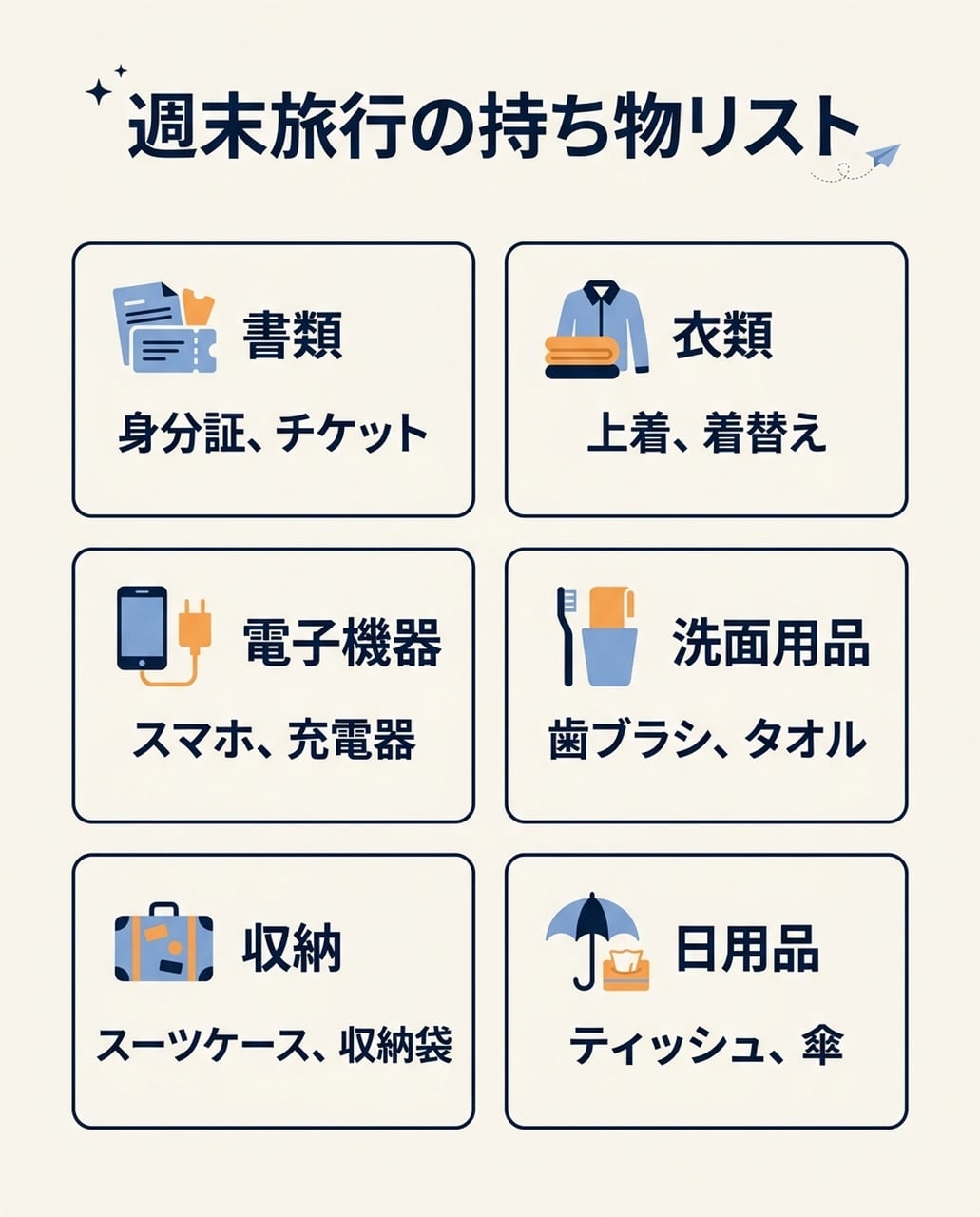 |
두 이미지 모두 6개 일본어 카테고리와 아이템 목록을 보여주며, 중국어 테스트에서 보였던 영어 부제목은 없습니다. GPT는 큰 일러스트를, NB는 작은 아이콘과 컴팩트한 텍스트 블록을 사용합니다.
한국어 버전
| GPT Image 2.5 | Nano Banana 2.1 |
|---|---|
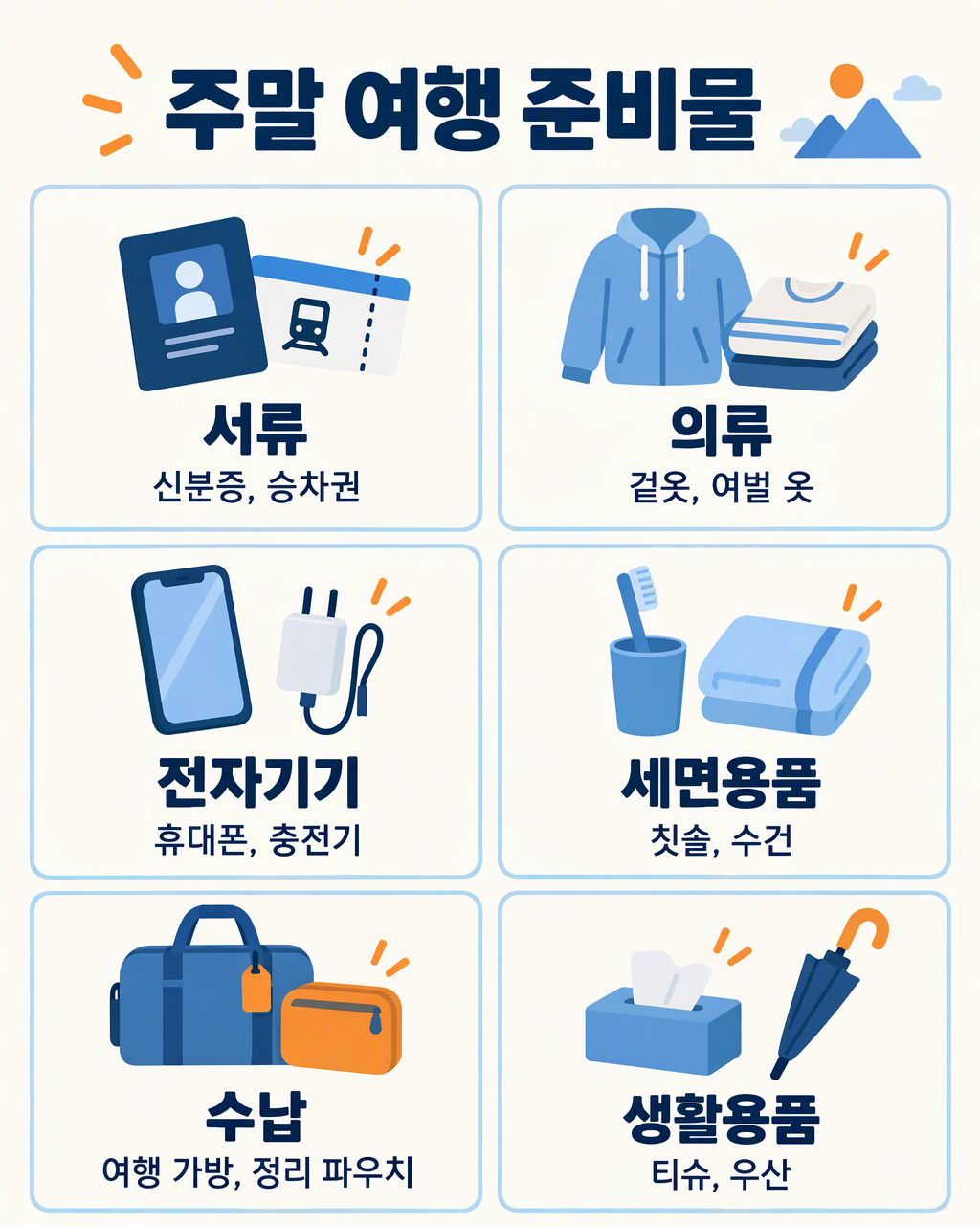 | 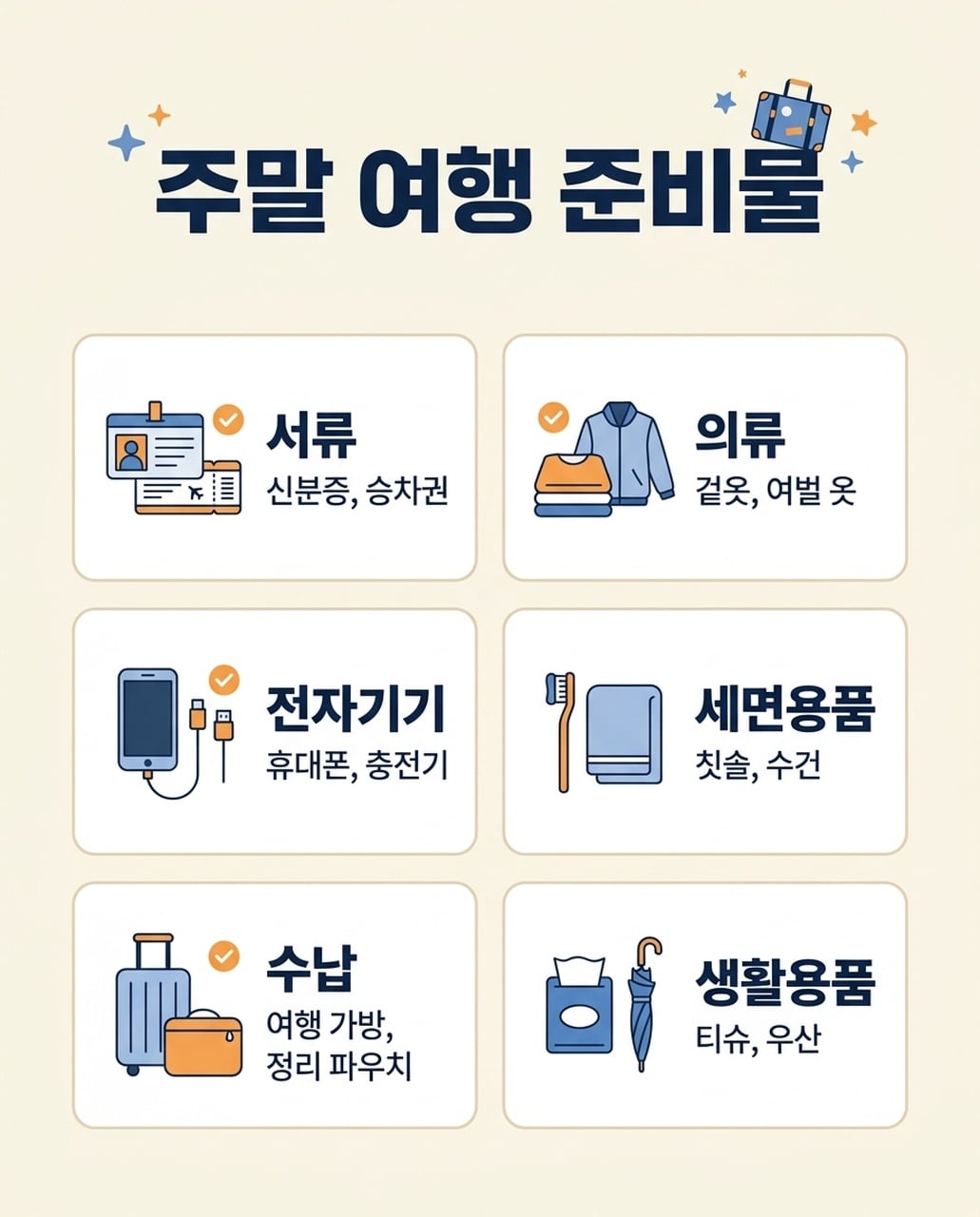 |
두 이미지 모두 6개 한국어 카테고리와 아이템을 보여줍니다. GPT는 긴 아이템 목록을 한 줄로 유지하고, NB는 Bags 아이템을 두 줄로 나눕니다. 최종 간격과 작은 글리프를 검토하세요.
7. 이벤트 포스터
공통 브리프: NIGHT GARDEN과 Botanical light show · Kyoto · 7–9 pm을 녹색·호박색 빛나는 식물 형태와 함께 렌더링.
| GPT Image 2.5 | Nano Banana 2.1 |
|---|---|
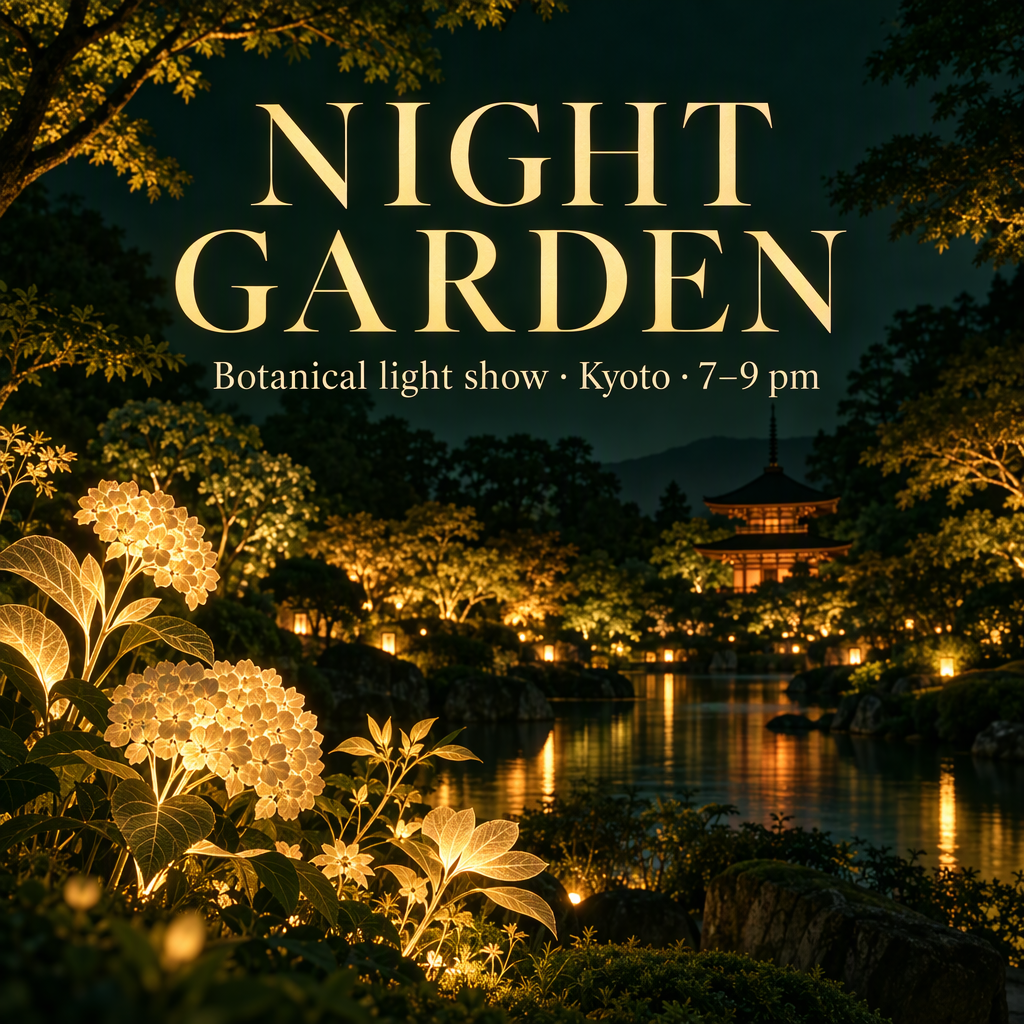 | 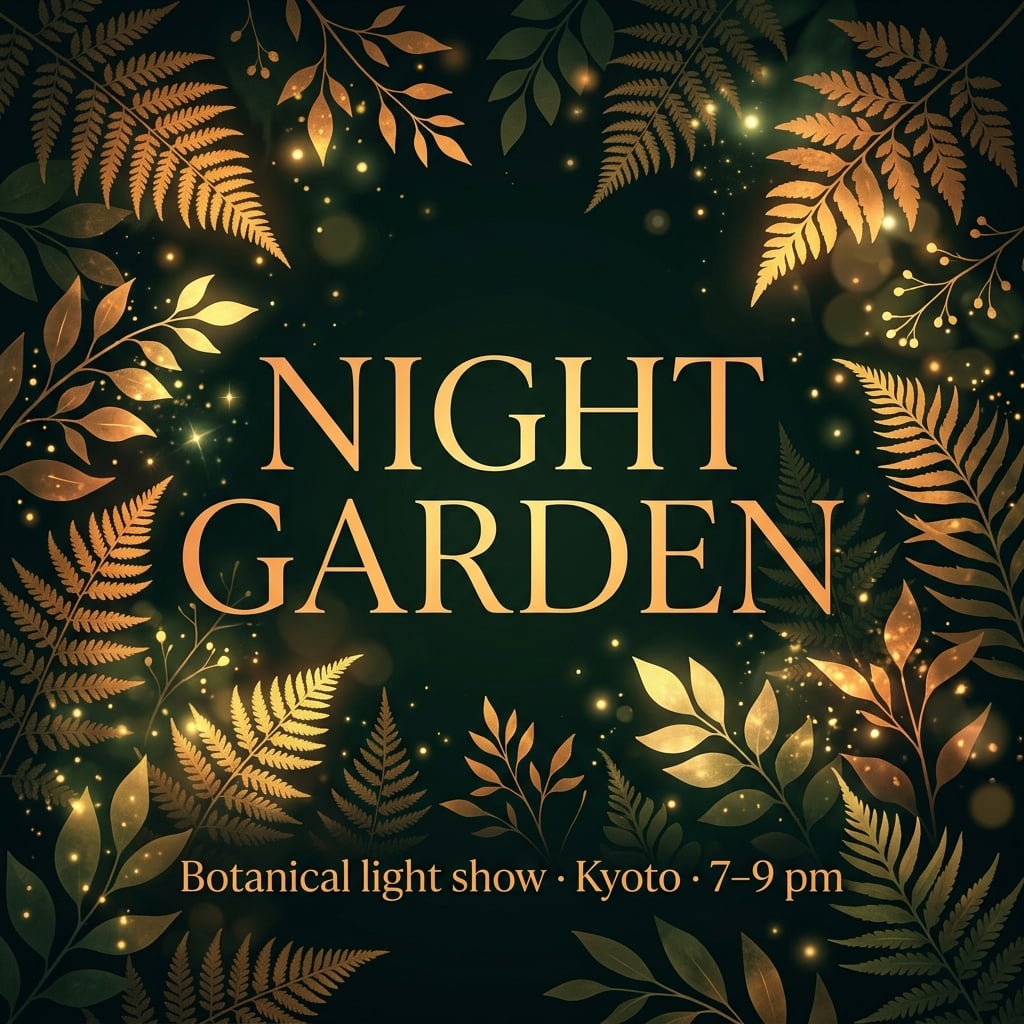 |
영어 포스터 모두 주요 이벤트 카피를 유지합니다. GPT는 건물과 물이 있는 정원 장소를 만듭니다. Nano Banana 2.1은 제목을 잎사귀로 감싸고, 부제목을 아래에 배치합니다. 일본어·한국어 버전은 이벤트 정보를 중앙에 그룹화합니다.
사용 시점: 그래픽·타이포 중심 이벤트 포스터에는 Nano Banana 2.1을 먼저 시도하세요. 분위기 캠페인 비주얼에는 GPT를 시도하세요. 실제 장소가 중요하면 두 모델에 레퍼런스를 제공하세요. 창작 건물이 실제 장소를 의미하지 않습니다.
일본어 버전
| GPT Image 2.5 | Nano Banana 2.1 |
|---|---|
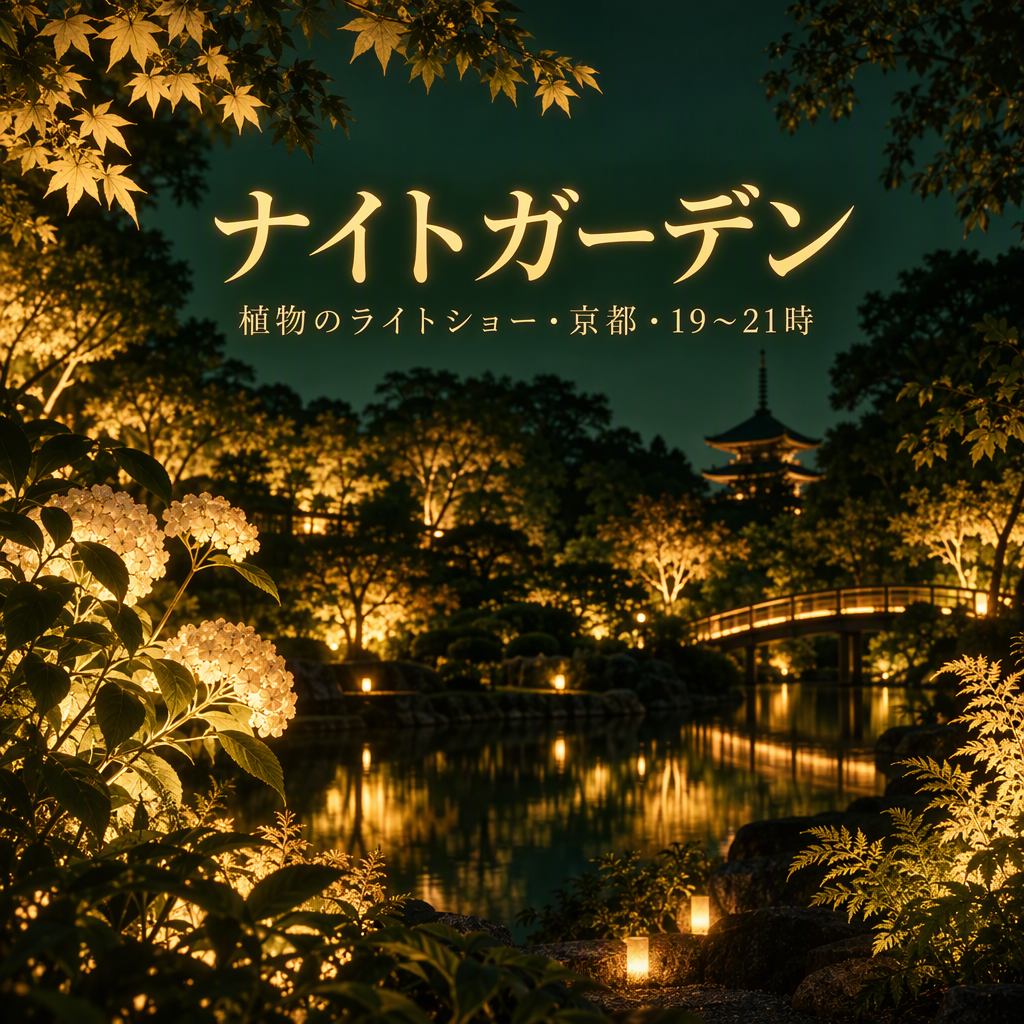 | 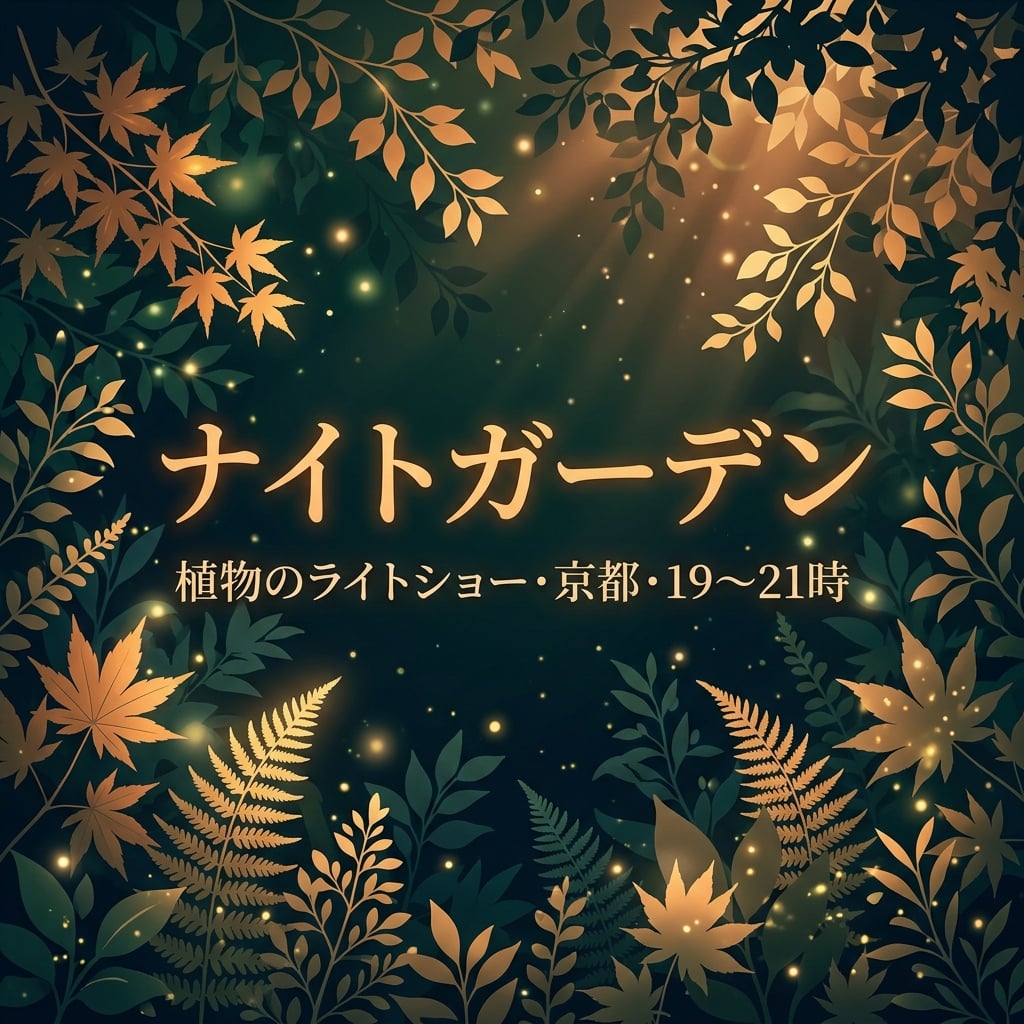 |
두 이미지 모두 ナイトガーデン과 장소/시간 정보를 유지합니다. NB는 제목과 부제목을 잎사귀 위 중앙에 그룹화하고, GPT는 부제목을 작은 글씨로 정원 장면 위에 배치합니다. 시간 범위 글리프를 정확히 쓰려면 표기를 확인하세요.
한국어 버전
| GPT Image 2.5 | Nano Banana 2.1 |
|---|---|
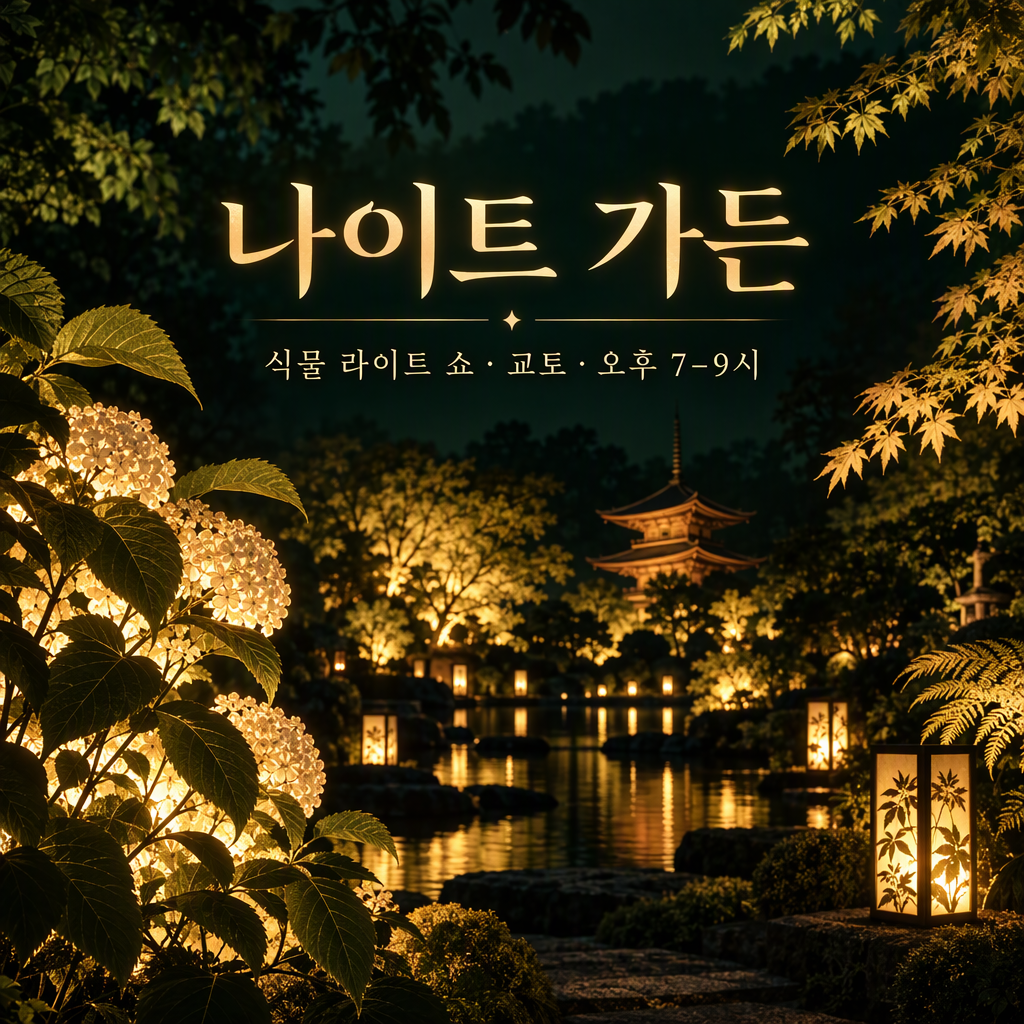 | 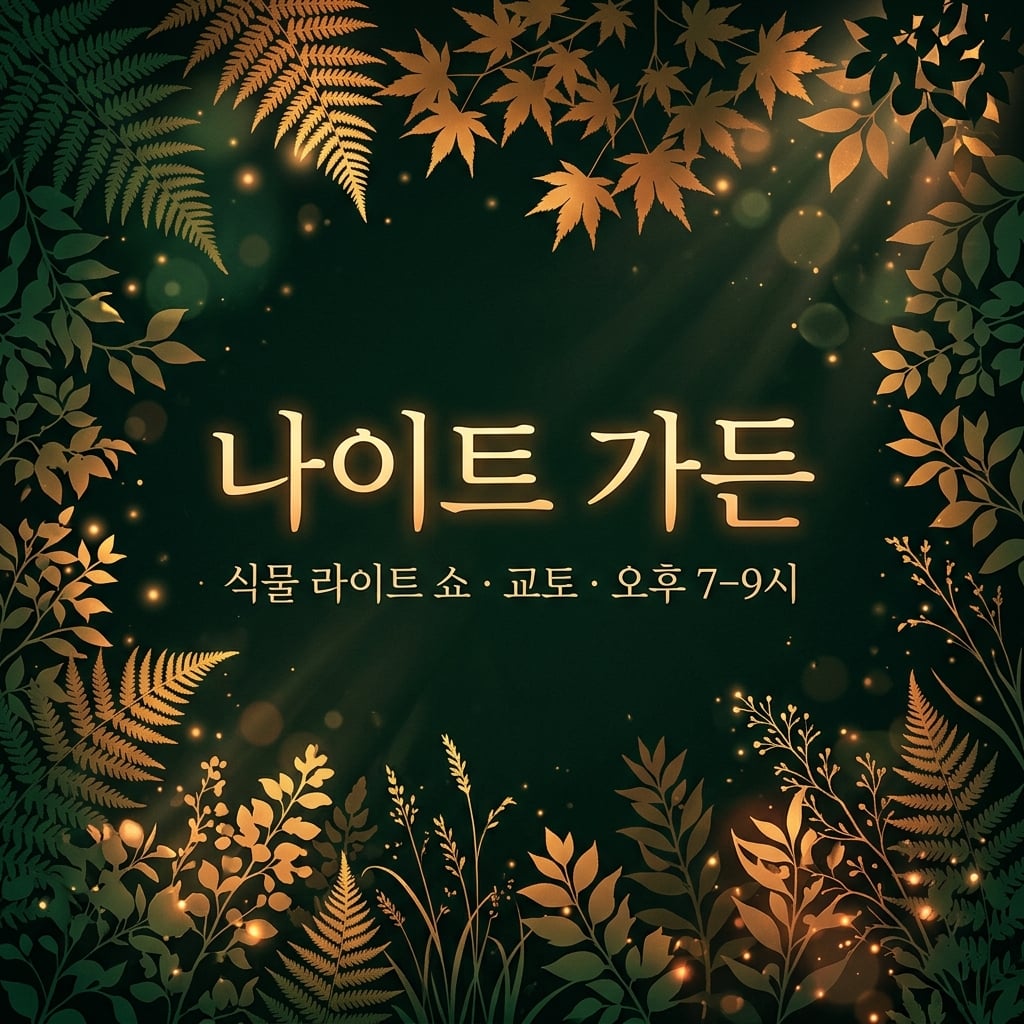 |
두 이미지 모두 나이트 가든과 한국어 장소/시간 정보를 유지합니다. NB는 중앙 텍스트를 강조하고, GPT는 상상 정원 장소를 강조합니다. 구분은 캠페인 스타일이며, 한국어 정확도 차이는 아닙니다.
8. 수치 인포그래픽
공통 브리프: 40%, 25%, 20%, 15% 네 개 막대를 하나의 0 기준선에 그리며, 정확한 라벨과 명확한 데이터 설명 노트 포함.
| GPT Image 2.5 | Nano Banana 2.1 |
|---|---|
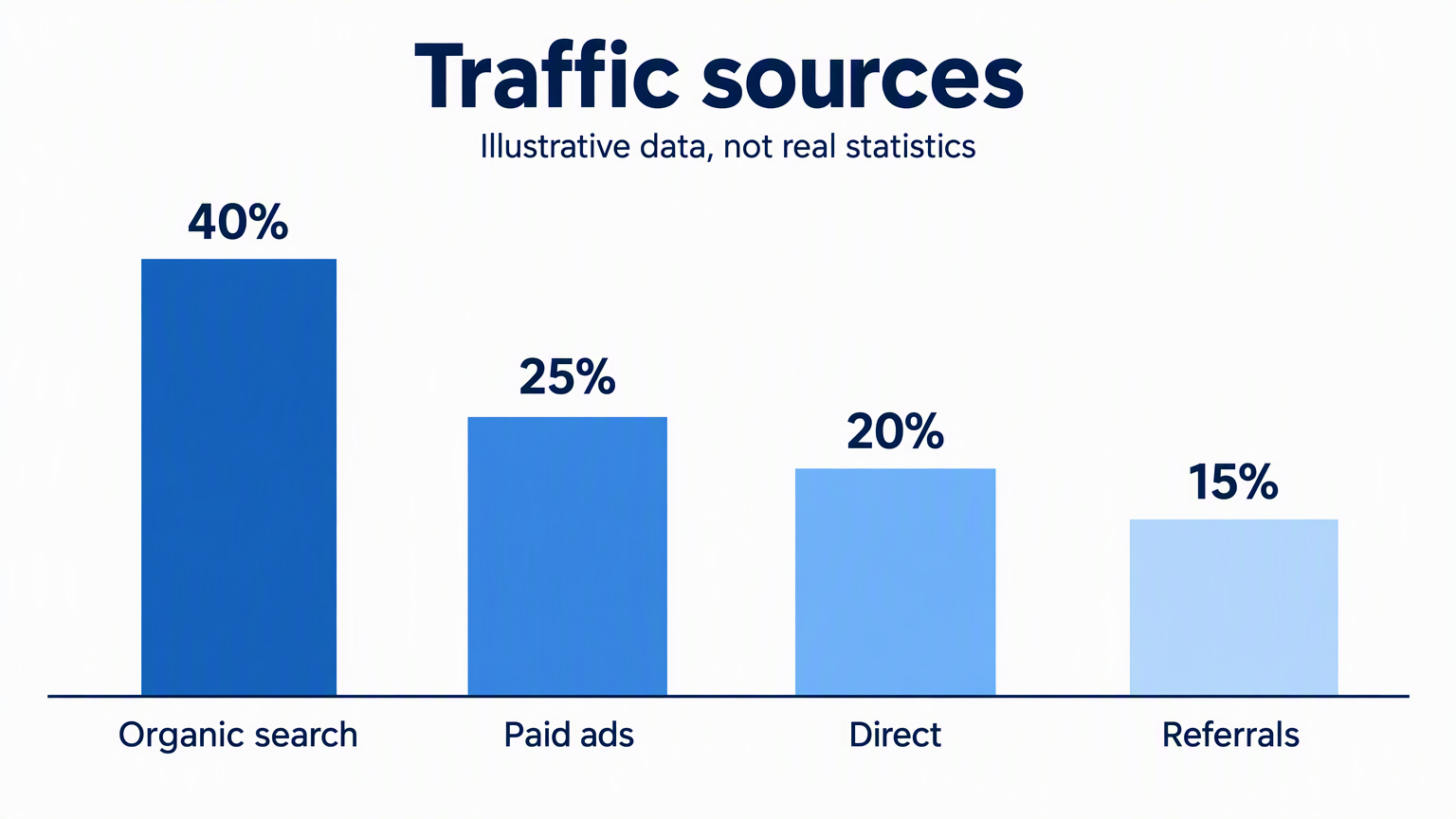 | 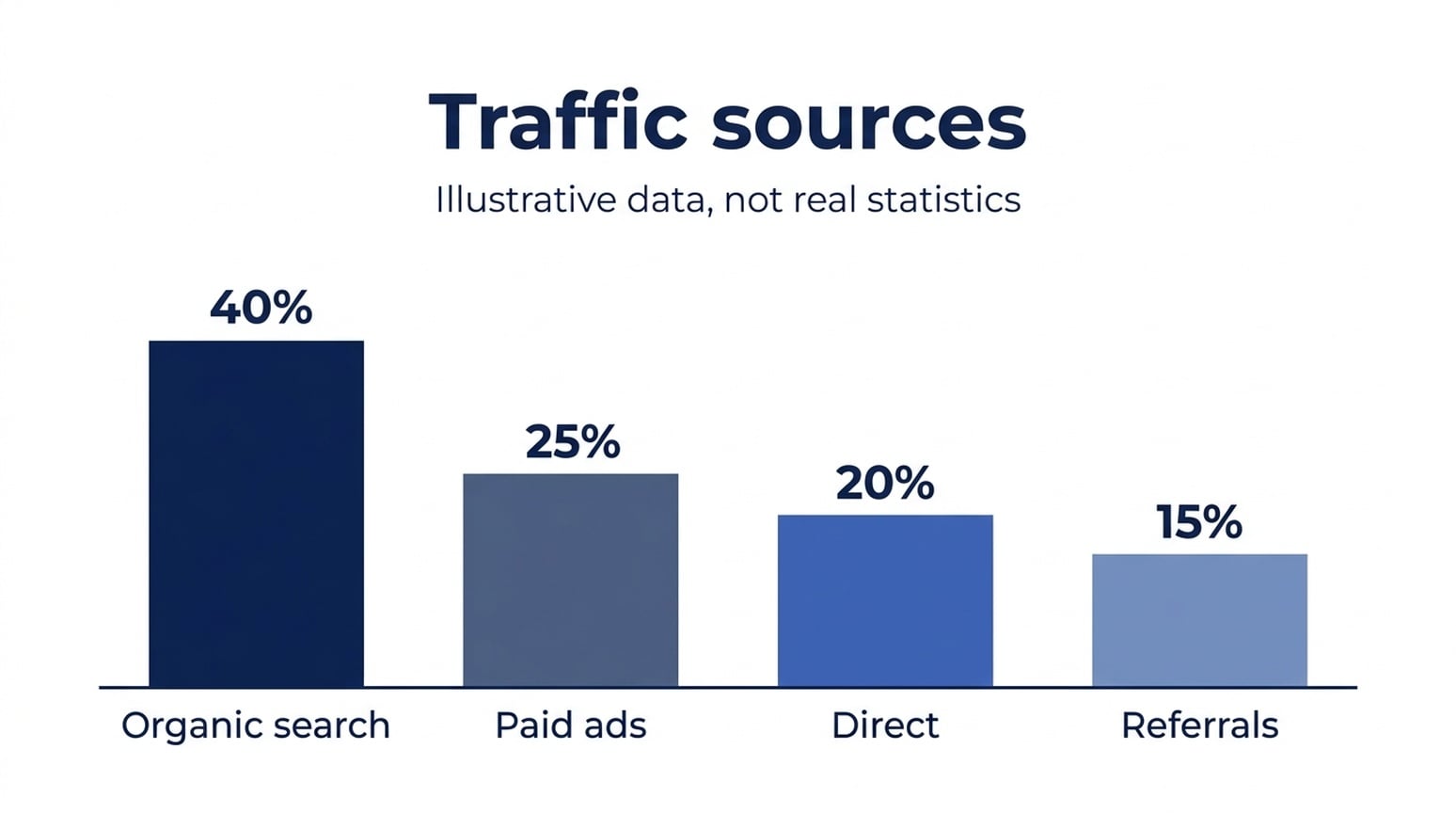 |
영어·일본어·한국어 이미지 모두 표시된 값과 카테고리 라벨을 유지합니다. 막대 자체는 추가 검토가 필요합니다. 첫 막대를 40으로 정규화하면, 영어 GPT 막대는 25.6, 21.0, 16.3 픽셀이고, Nano Banana 2.1은 24.7, 20.1, 15.6 픽셀입니다. Nano Banana 2.1이 세 언어 샘플에서 요청한 비율에 더 가깝지만, 둘 다 수치적으로 완벽하지 않습니다.
사용 시점: 간단한 인포그래픽 초안에는 Nano Banana 2.1을 먼저 시도하세요. 정확한 기하가 필요한 차트는 데이터 차트 도구로 최종 막대를 그리세요. 막대 위에 인쇄된 퍼센트가 막대 높이의 정확성을 보장하지 않습니다.
일본어 버전
| GPT Image 2.5 | Nano Banana 2.1 |
|---|---|
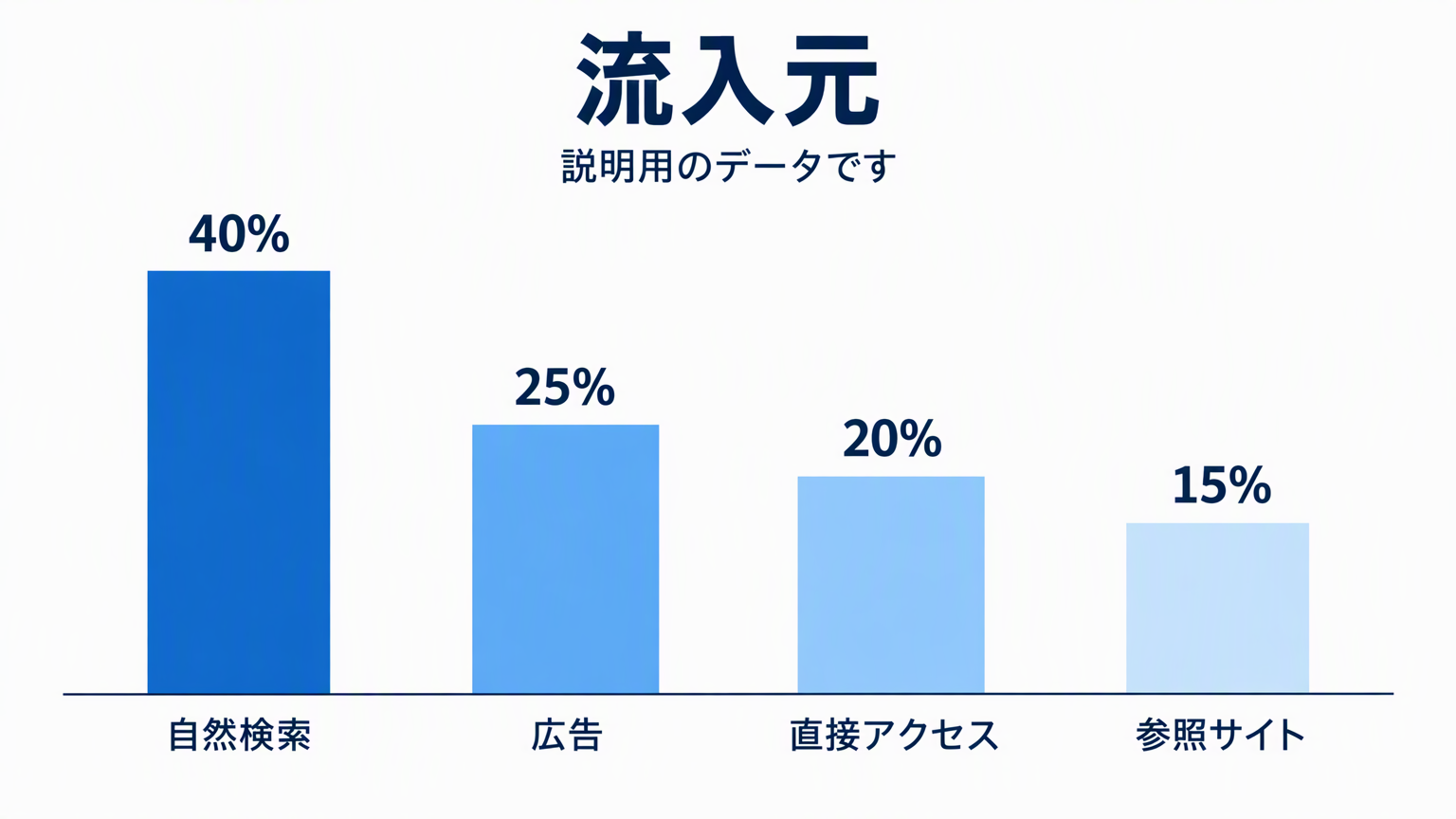 | 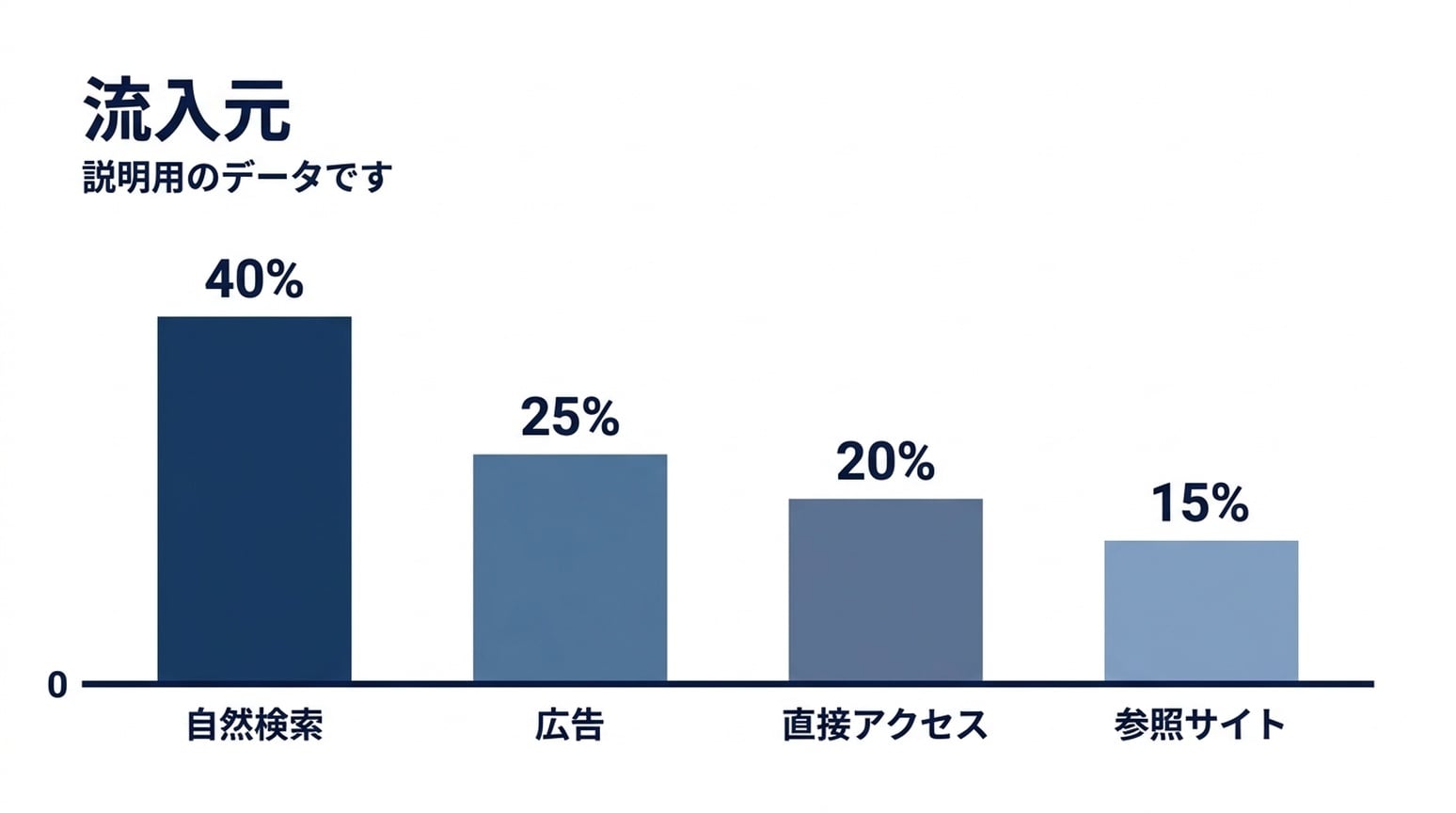 |
일본어 라벨은 두 이미지 모두 읽기 쉽습니다. NB는 기준선에 0 마커를 추가합니다. 막대 비율이 요청값에 더 가깝지만, 가장 짧은 막대가 약간 높습니다.
한국어 버전
| GPT Image 2.5 | Nano Banana 2.1 |
|---|---|
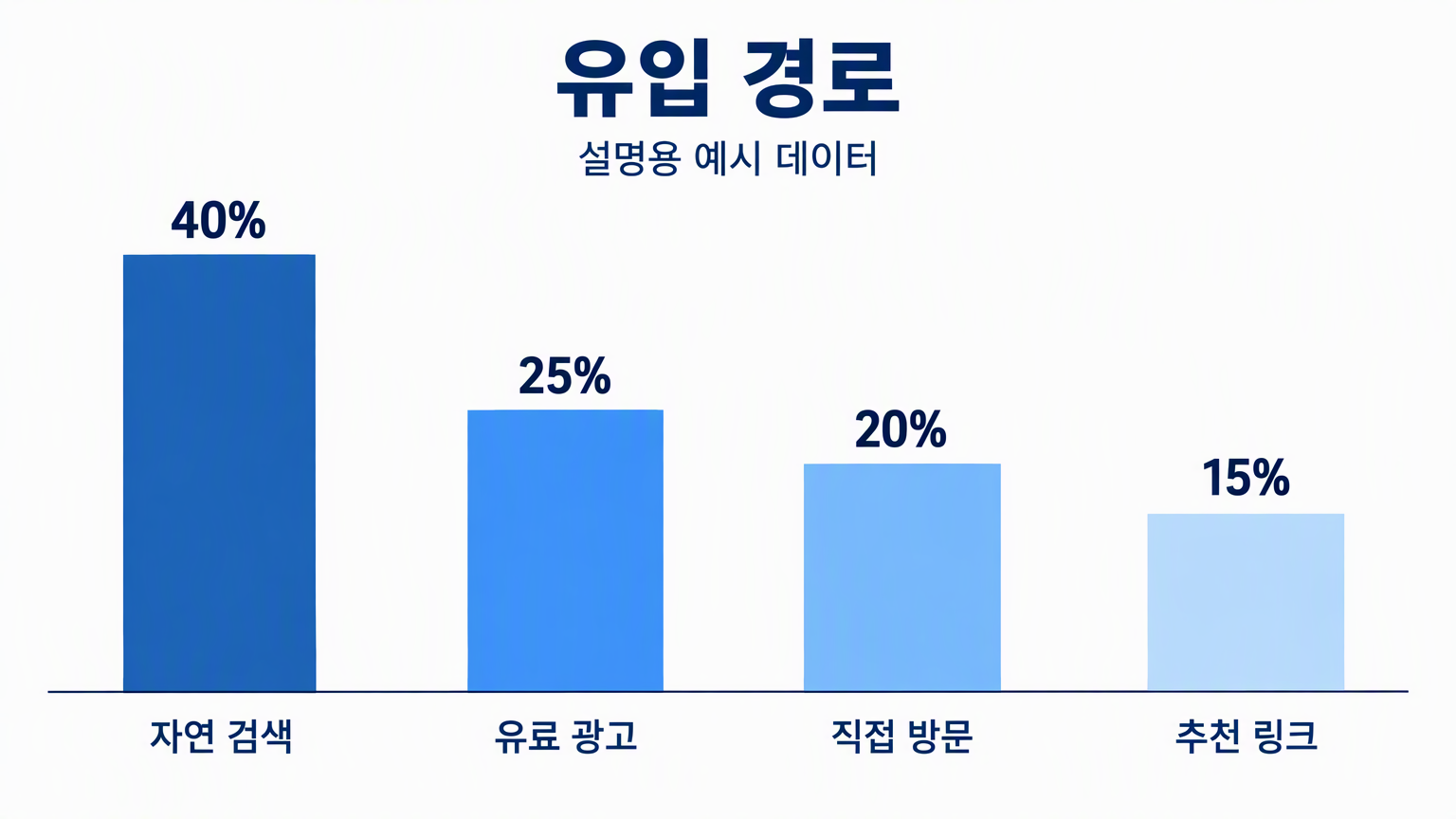 | 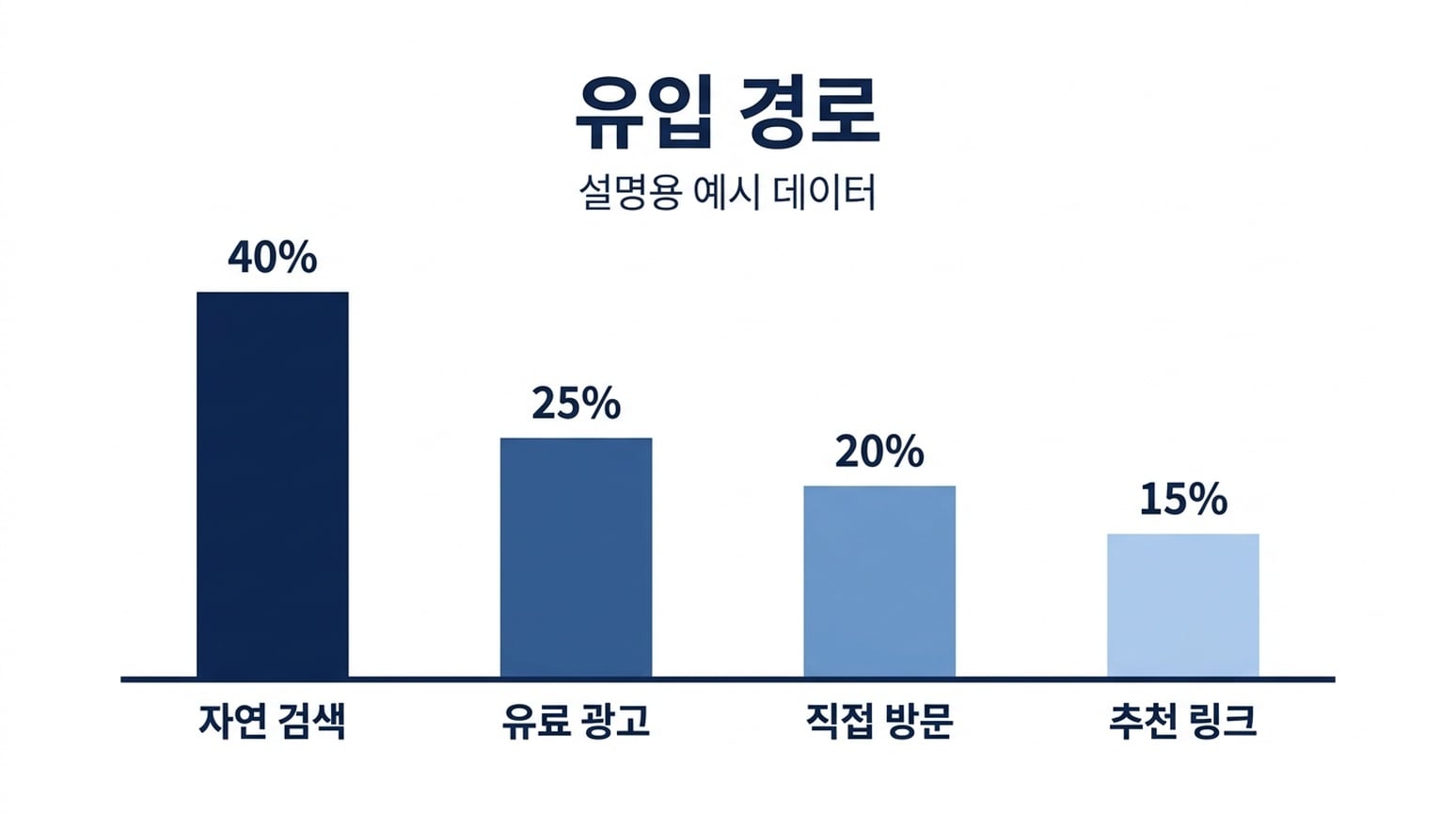 |
두 이미지 모두 한국어 라벨과 네 퍼센트를 유지합니다. 이 언어 샘플 중 한국어 NB 결과가 막대 비율에 특히 가깝습니다. 데이터 검증된 차트가 아니라 근사 이미지입니다.
9. 프로세스 다이어그램
공통 브리프: Generate, Inspect, Refine을 순서대로 보여주고, 각 단계에 지정된 보조 라인과 화살표로 연결하기.
| GPT Image 2.5 | Nano Banana 2.1 |
|---|---|
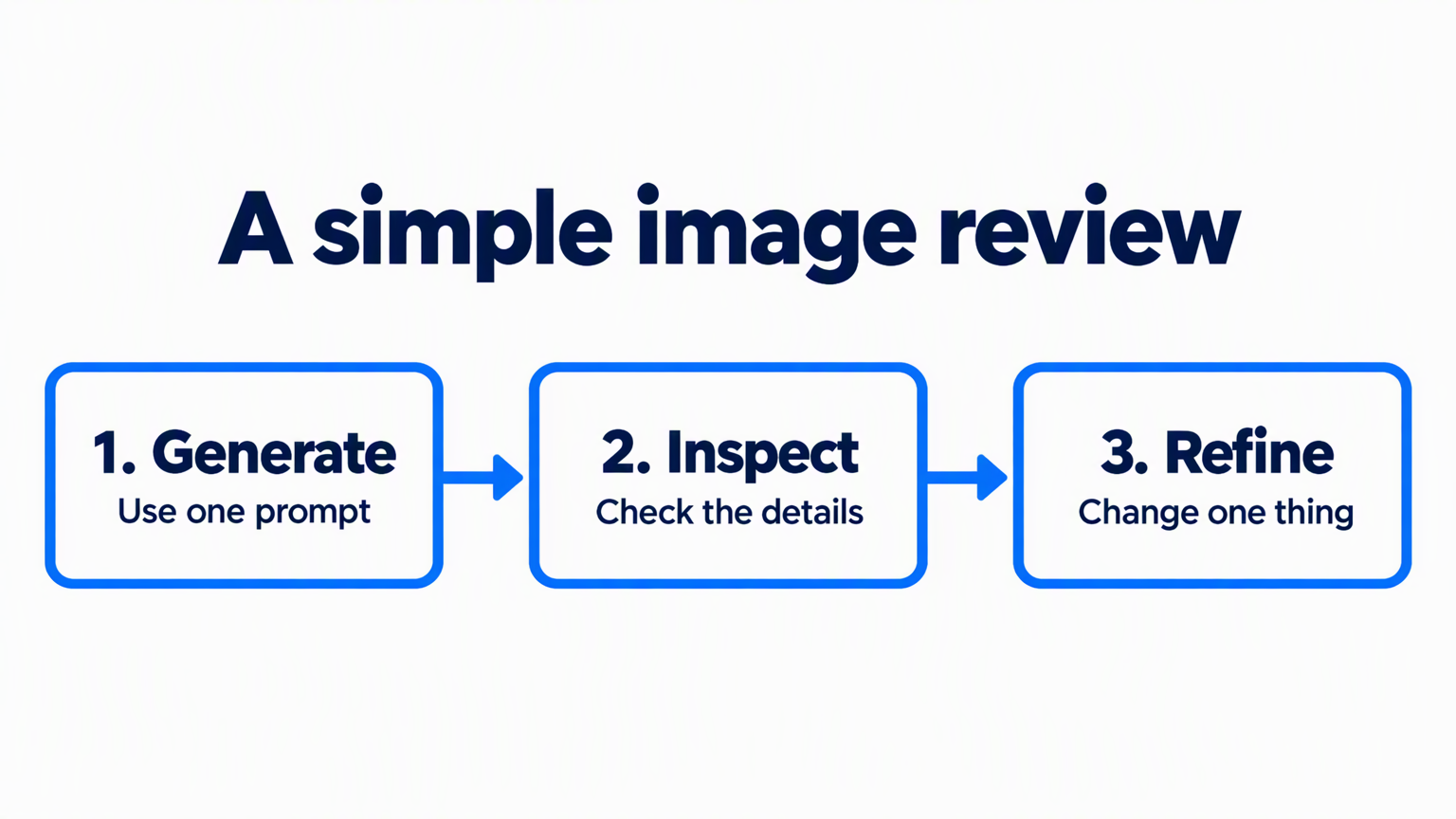 | 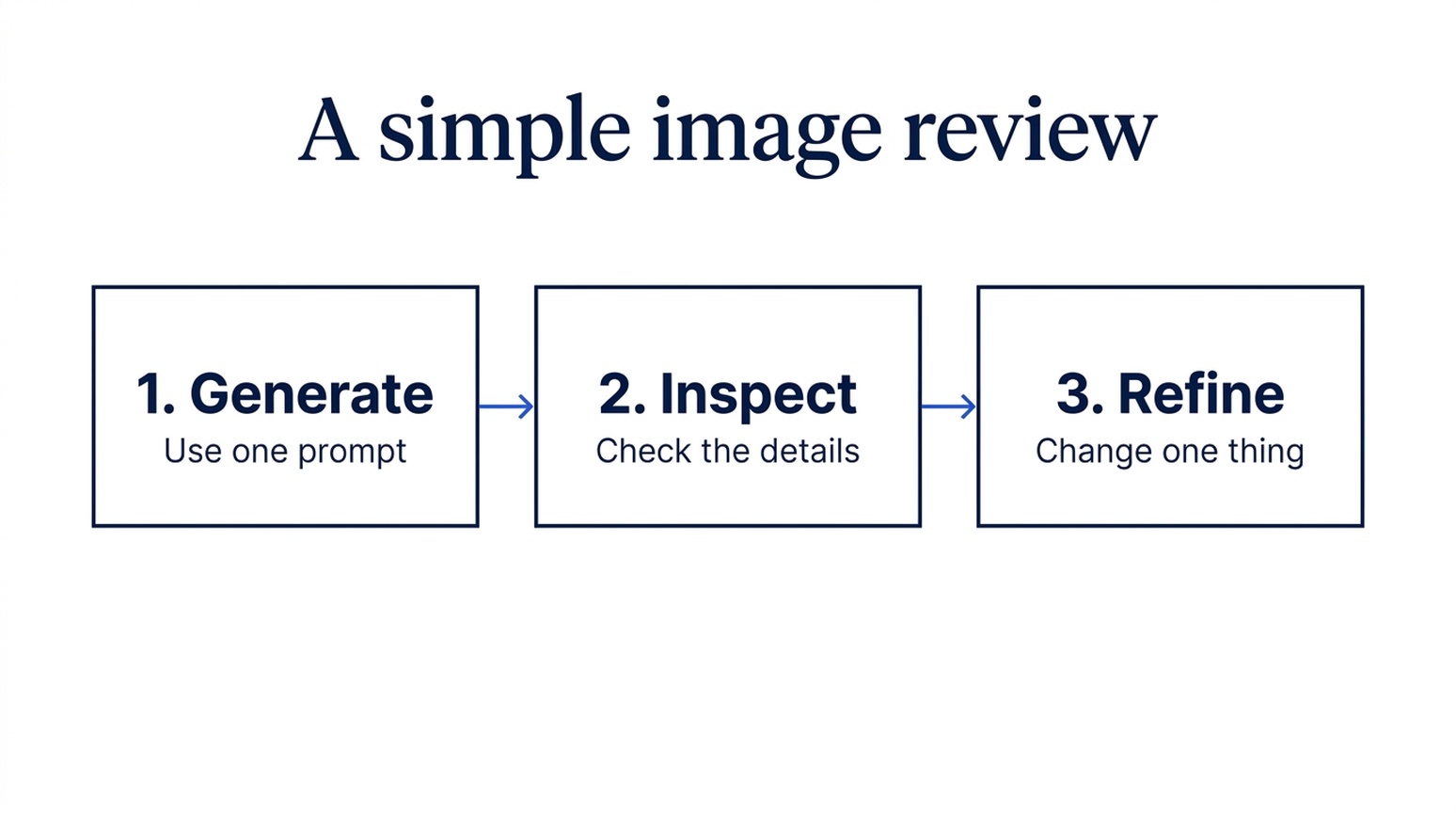 |
두 결과 모두 라벨, 보조 텍스트, 3단계 순서를 유지합니다. GPT는 두꺼운 파란 화살표와 둥근 프레임을 사용합니다. Nano Banana 2.1은 얇은 연결선과 조용한 사각 박스를 사용합니다. 둘 다 동일한 가로 포맷으로 요청했습니다.
사용 시점: 즉시 순서가 강조되어야 하는 교육 슬라이드에는 GPT를 선택하세요. 보고서의 서브 프로세스 그림에는 Nano Banana 2.1을 선택하세요. 명확한 콘텐츠 정확성 승자는 없습니다.
10. 과학 개념 설명
공통 브리프: 네 개의 점점 노이즈가 많은 샘플과, 네 개의 역순 디노이즈 샘플을 x0x3, x3x0 순서로 설명하기.
| GPT Image 2.5 | Nano Banana 2.1 |
|---|---|
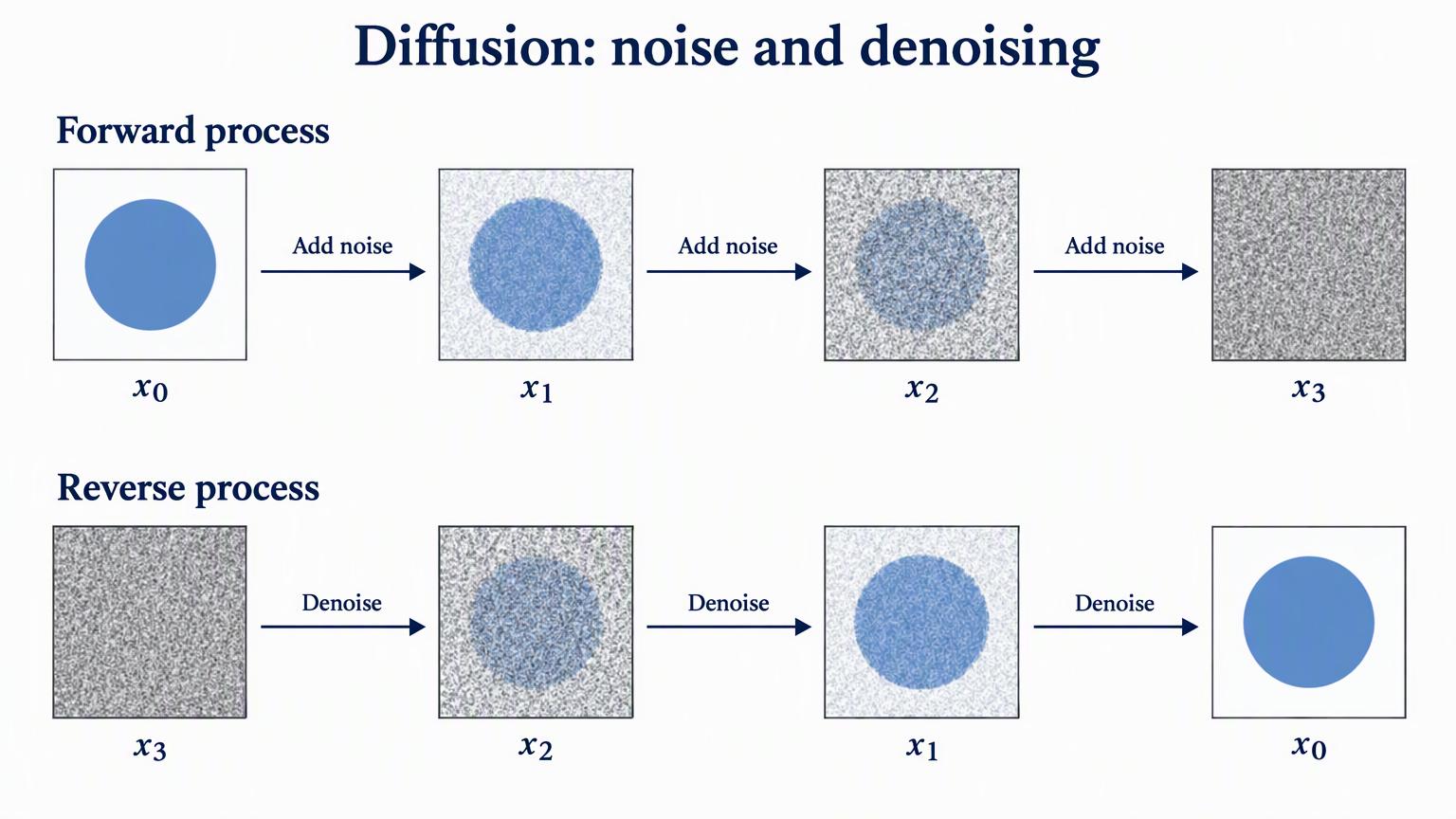 | 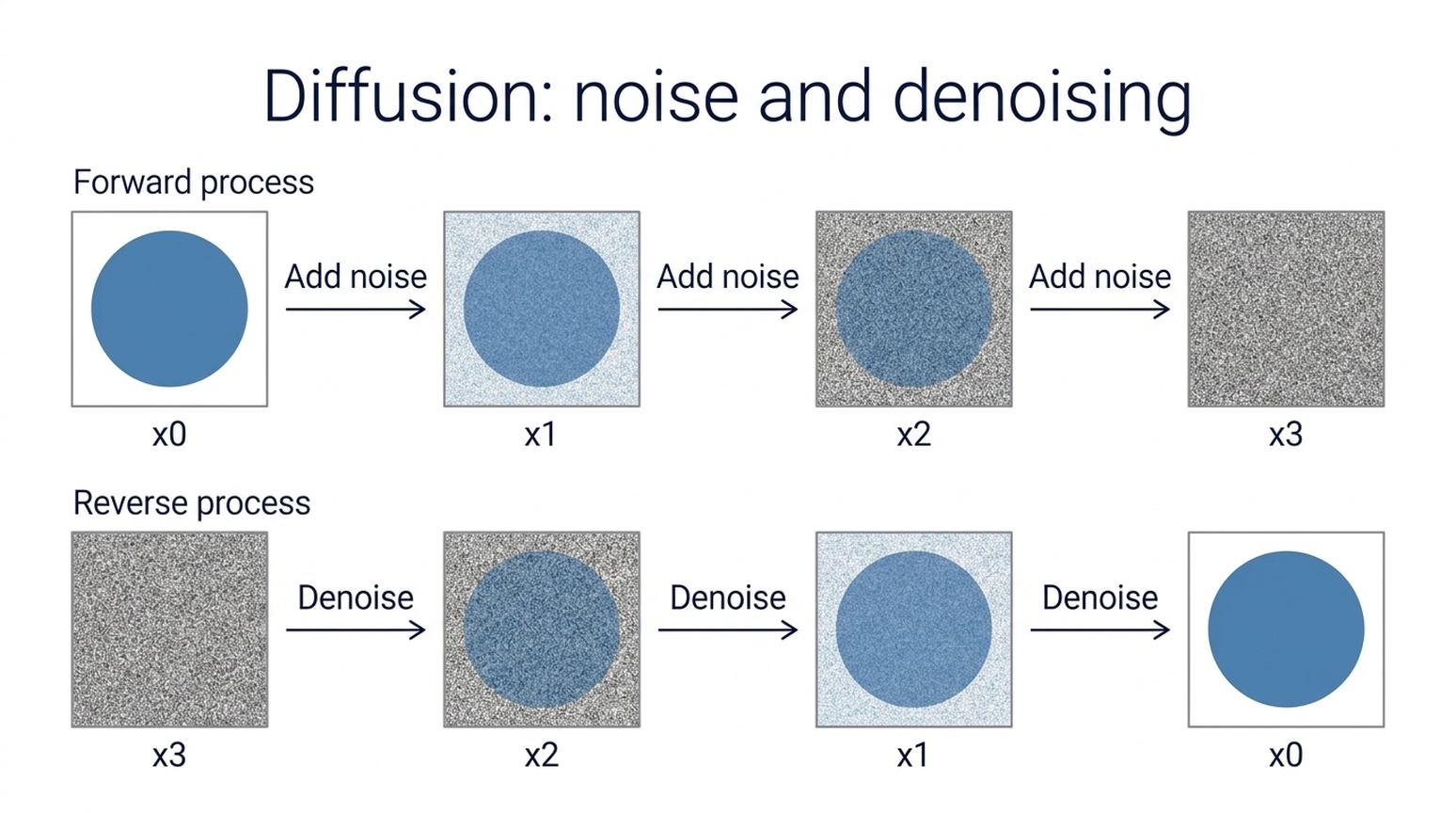 |
두 모델 모두 샘플 개수, x0x3, x3x0 순서, 요청한 화살표 방향을 유지합니다. GPT는 수학적 느낌의 첨자와 더 강한 노이즈 진행을 보여줍니다. Nano Banana 2.1은 단순 라벨과 간결한 산세리프 레이아웃을 사용합니다.
사용 시점: 논문 스타일 설명 그림에는 GPT를, 교실 슬라이드에는 Nano Banana 2.1을 시도하세요. 개념 일러스트이며, 실험 결과가 아닙니다. 실제 논문 표기와 프로세스를 확인하세요. 기본 개념은 Denoising Diffusion Probabilistic Models에서 다룹니다.
11. 연구 방법·모델 구조 다이어그램
공통 브리프: 메인 이미지 처리 경로, Feature fusion에 들어가는 레퍼런스 브랜치, Input image에서 Image decoder로 가는 점선 스킵 연결 그리기.
| GPT Image 2.5 | Nano Banana 2.1 |
|---|---|
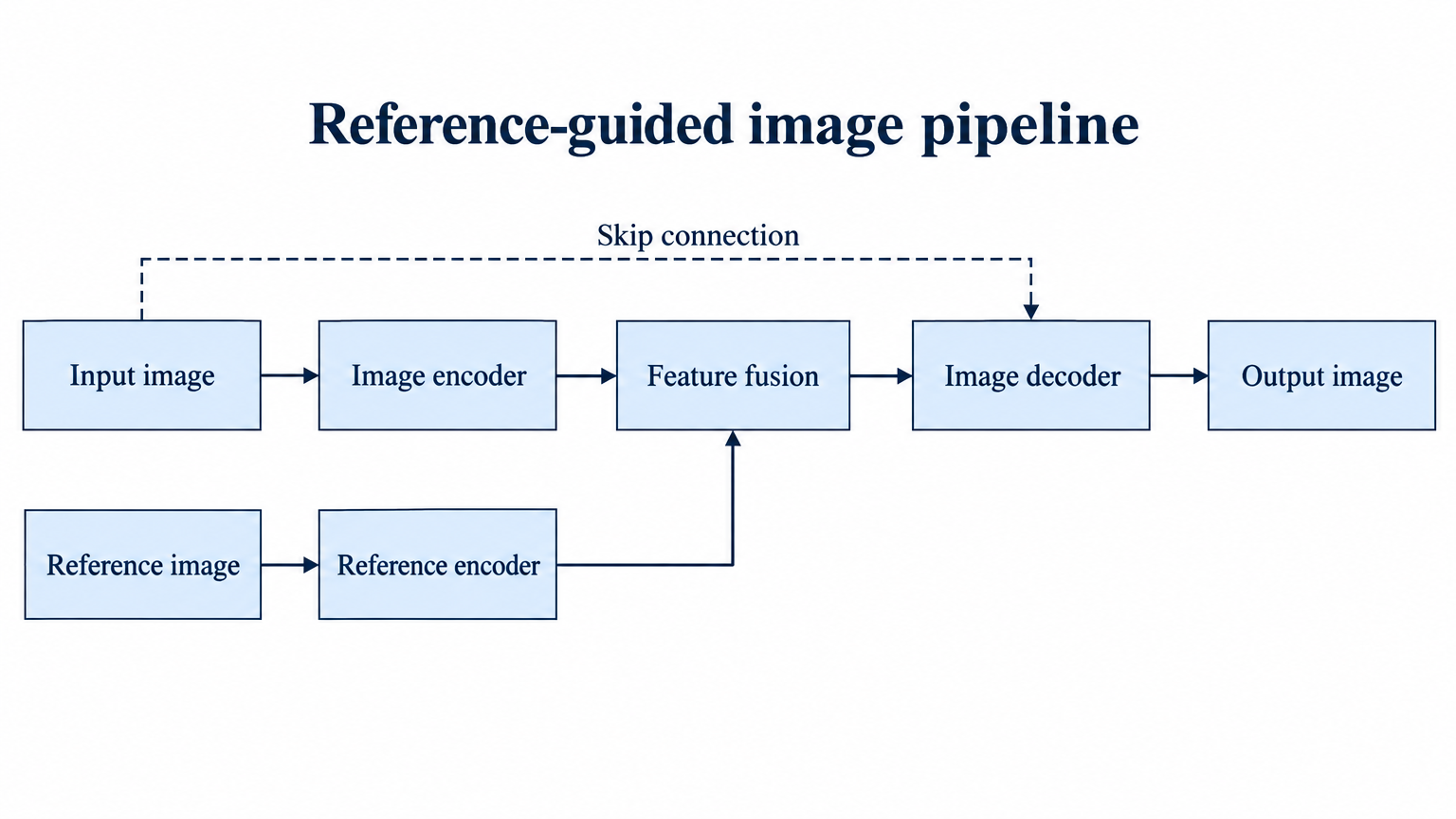 | 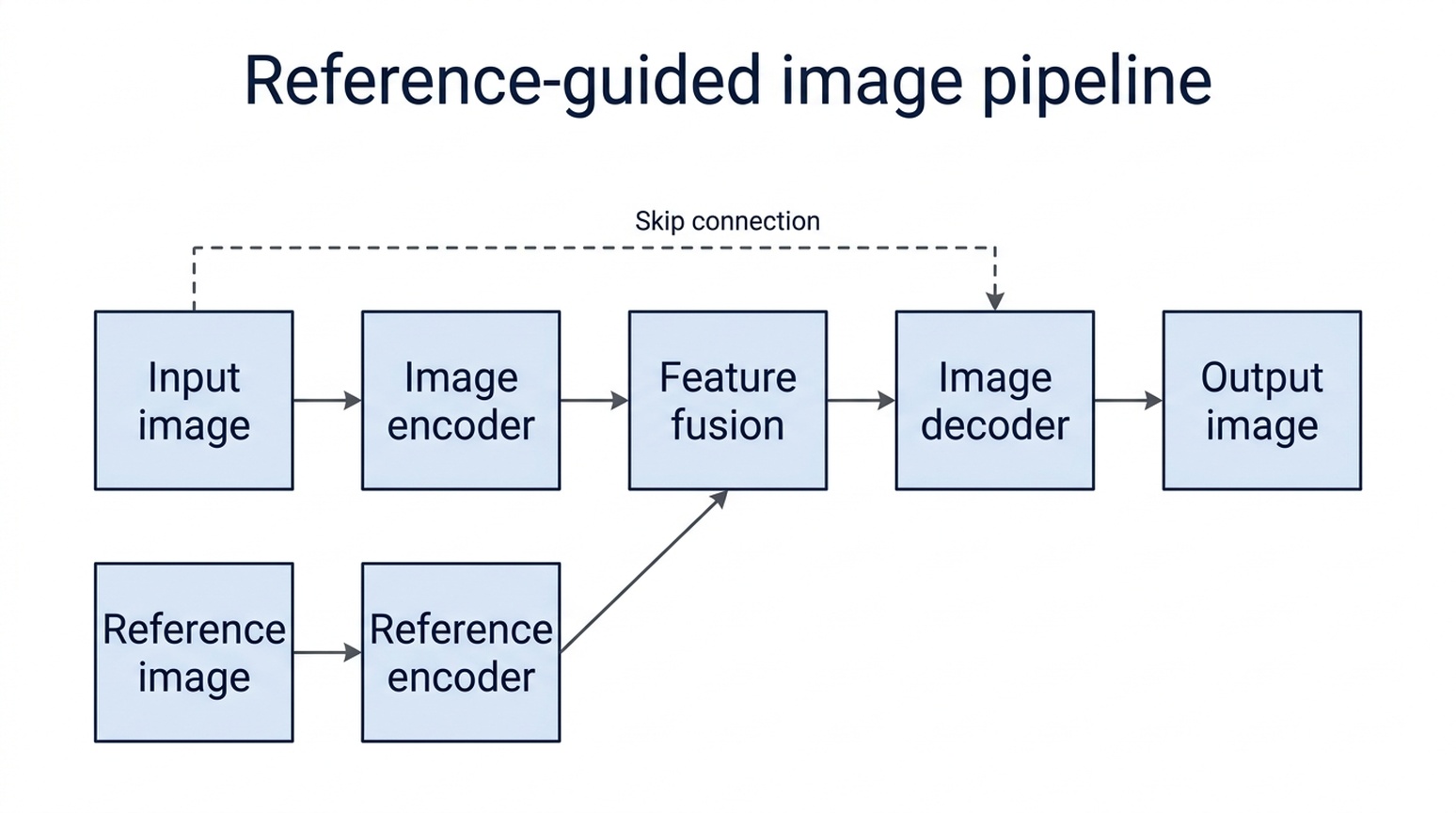 |
두 모델 모두 메인 경로, 레퍼런스 브랜치, 스킵 연결을 요청한 박스에 연결합니다. GPT는 긴 라벨을 넓은 노드 내부에 유지하고, 명확한 직각 브랜치를 사용합니다. Nano Banana 2.1은 라벨을 두 줄로 나누고, 하단 레퍼런스 라벨이 박스 가장자리와 가까워집니다.
사용 시점: 라벨과 박스 조정이 덜 필요한 방법 다이어그램에는 GPT를 먼저 시도합니다. Nano Banana 2.1도 토폴로지를 맞춥니다. 프레임워크는 가상이며, 실제 논문에는 모든 화살표의 시작·끝·방향을 검증하세요. 그럴듯한 다이어그램이 방법의 근거가 아닙니다.
12. 스토리 일러스트·컨셉 아트
공통 브리프: 투명 찻잔 안에 작은 천문대와 천문학자를 이끼 위, 블루아워 숲에 배치하기.
| GPT Image 2.5 | Nano Banana 2.1 |
|---|---|
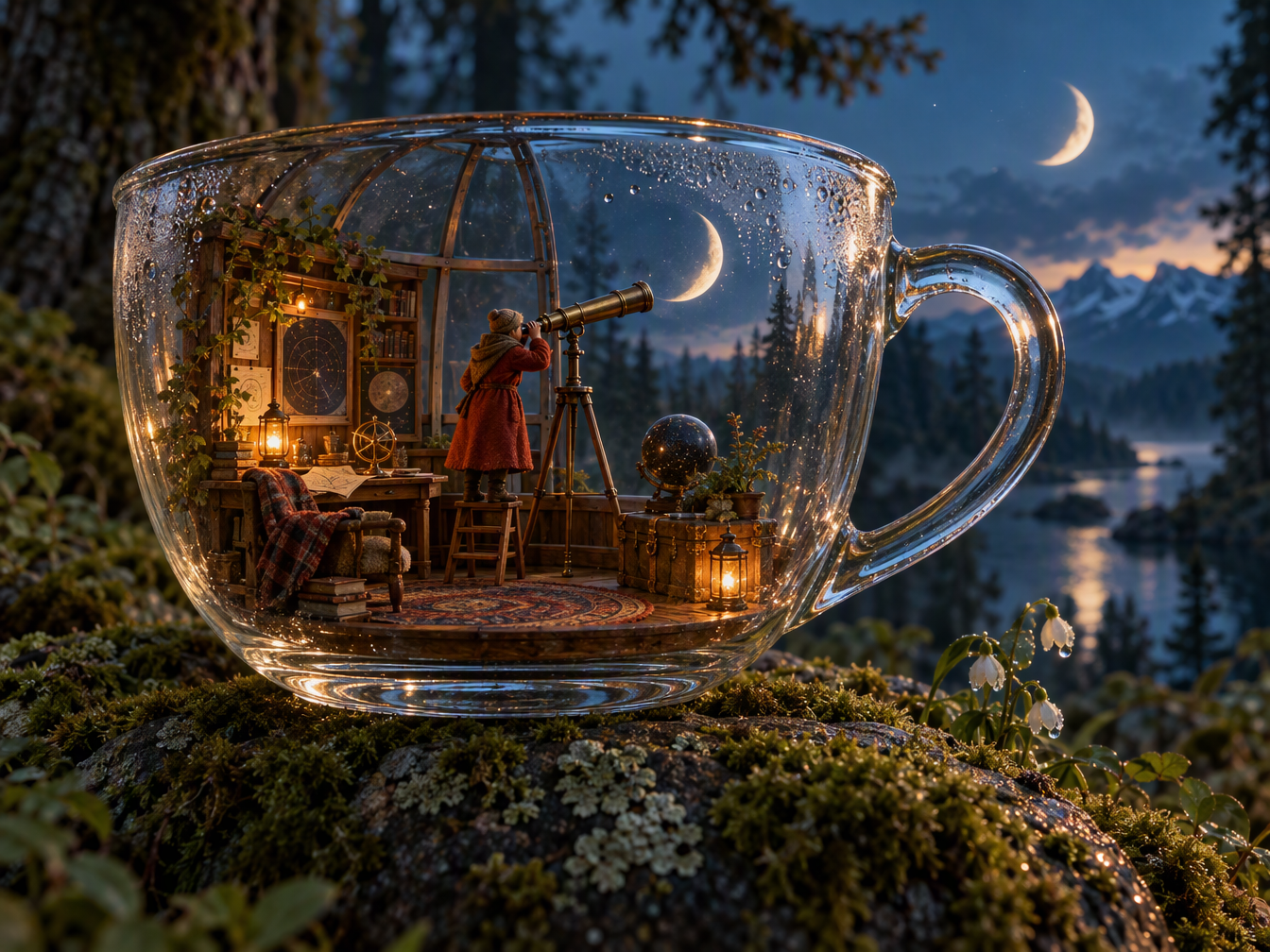 | 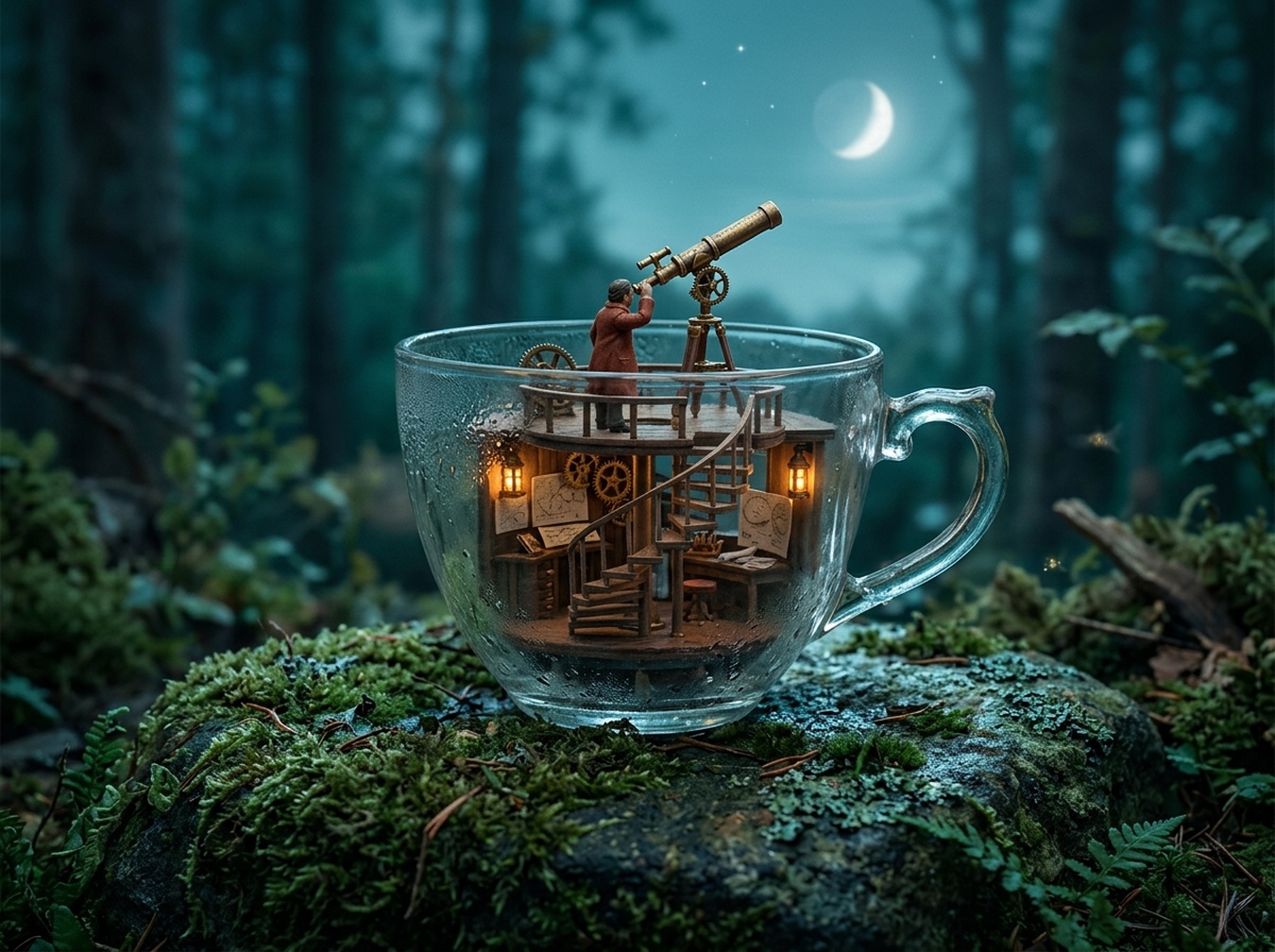 |
GPT는 풍부하게 꾸며진 미니어처 방과 설득력 있는 유리 반사를 만들지만, 초승달이 두 개 들어갑니다. Nano Banana 2.1은 천문대 구조를 단순하게 만들고, 컵 위에 달 하나를 사용합니다. 공간 지시를 완벽히 구현하지는 못했습니다.
사용 시점: 디테일이 많은 판타지 컨셉에는 GPT를 사용하고, 추가 달을 수정하세요. 조용한 미니어처 일러스트에는 Nano Banana 2.1을 사용하세요. 더 화려한 이미지가 더 충실한 것은 아닙니다.
13. 인테리어 컨셉
공통 브리프: 왼쪽에 둥근 테이블 세 개, 창가 책장, 뒤쪽 카운터, 중앙 통로가 있는 독서 카페 그리기.
| GPT Image 2.5 | Nano Banana 2.1 |
|---|---|
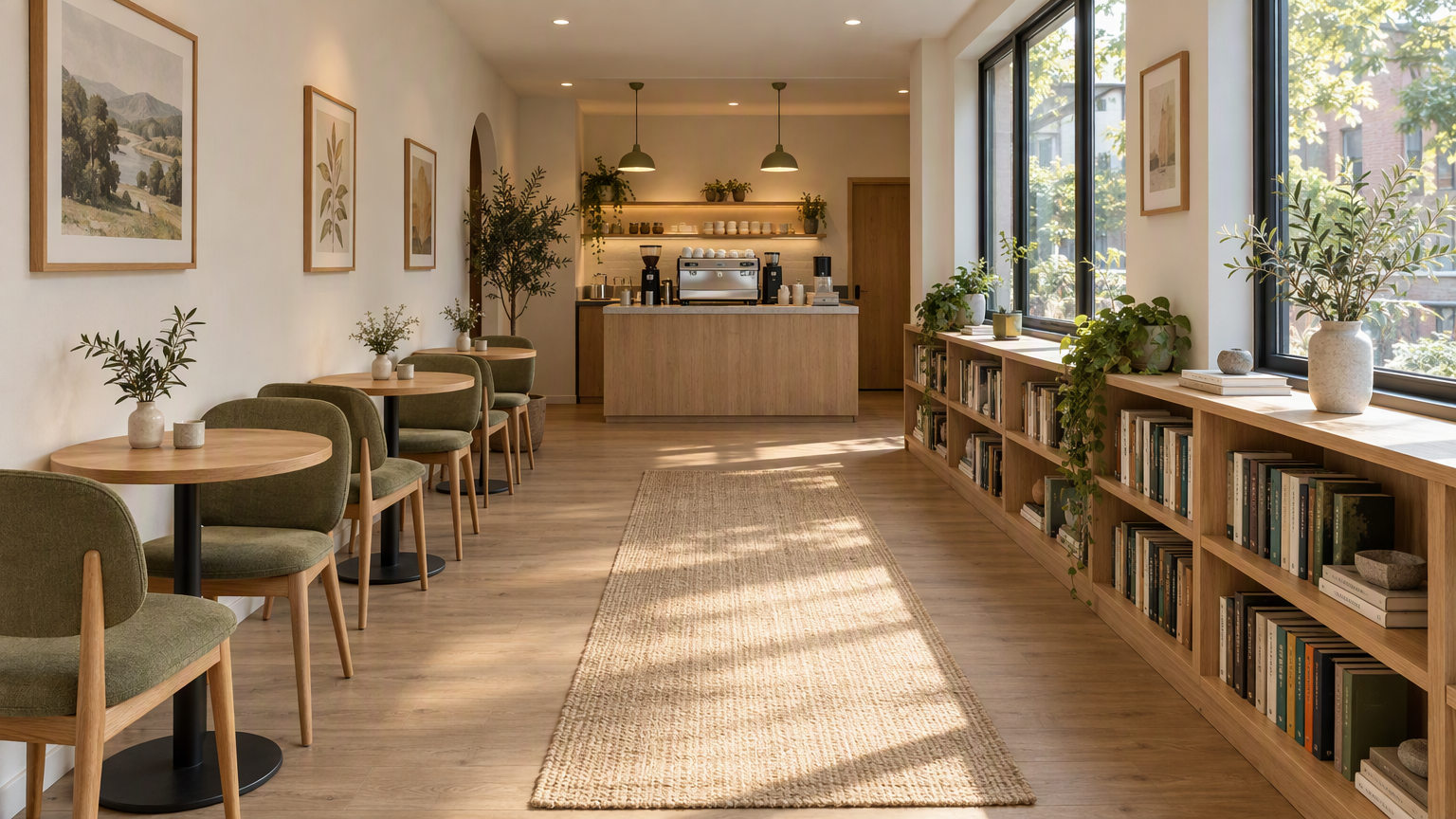 | 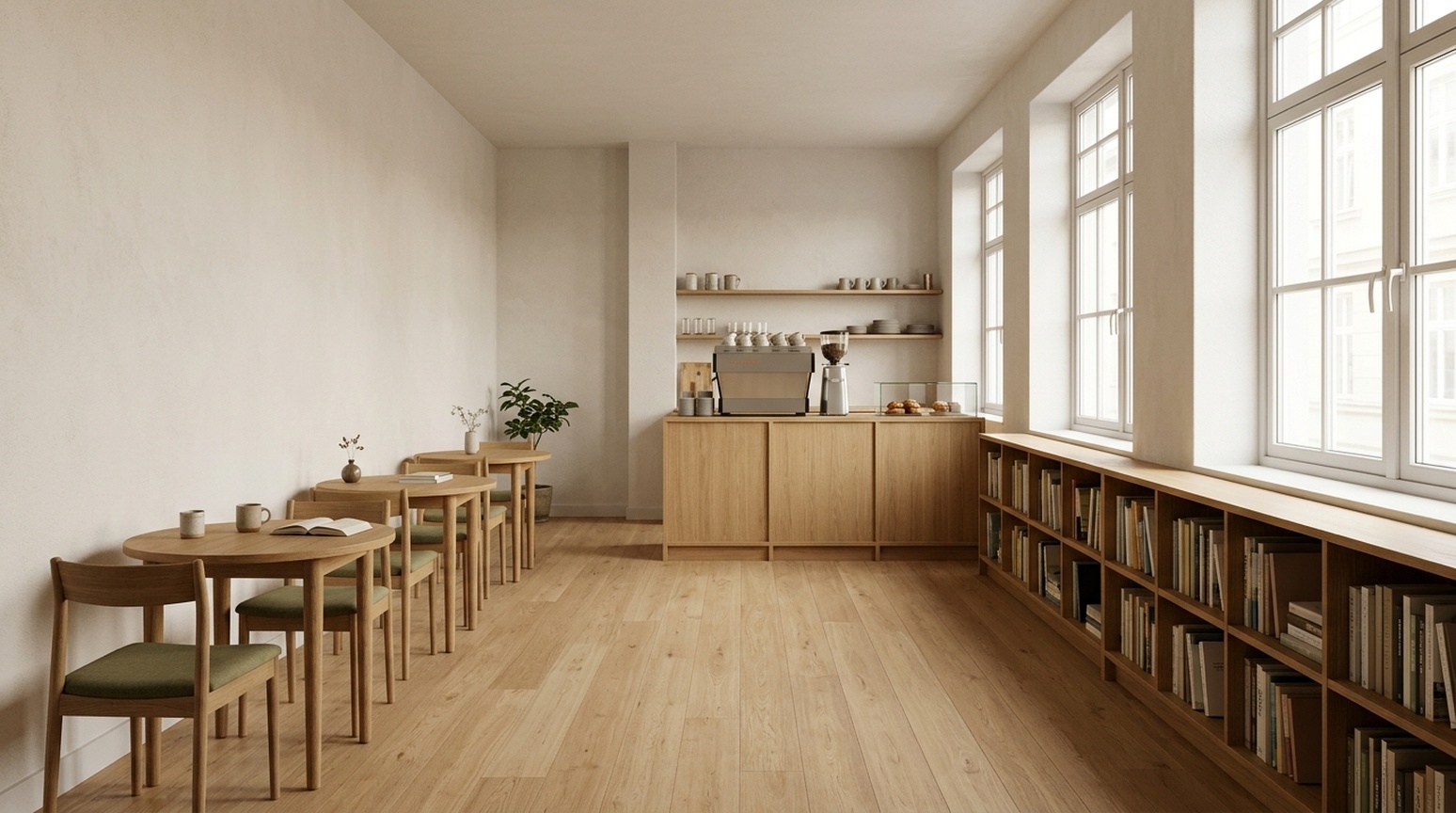 |
GPT는 측면 조명, 오크 질감, 올리브 의자, 러그, 그림, 식물을 강조합니다. Nano Banana 2.1은 장식이 적고, 통로와 책장을 더 직접적으로 보여줍니다. 뒤쪽 가구가 겹치므로, 정확한 테이블·의자 개수는 꼼꼼히 확인해야 합니다.
사용 시점: 분위기 있는 클라이언트 컨셉에는 GPT를, 단순한 시각 방향에는 Nano Banana 2.1을 먼저 시도하세요. 두 원근 이미지 모두 실제 치수, 동선, 시공 도면을 보장하지 않습니다.
직접 작업에 맞는 선택
썸네일이나 제품 디테일 히어로에는 GPT Image 2.5가 텍스트와 디테일 크롭을 강조할 때 유용합니다. 타이포 중심 이벤트 포스터에는 Nano Banana 2.1이 그래픽 방향을 제공합니다. 막대그래프 브리프에서는 세 언어 샘플 모두 NB가 비율에 더 가까웠습니다.
레퍼런스 제품에는 배경보다 객체를 먼저 검토하세요. 과학 그림에는 스타일보다 관계를 먼저 검토하세요. 현지화 마케팅에는 실제 대상 언어 이미지를 검토하세요. 중국어 체크리스트에서 보였던 추가 영어 부제목은 일본어·한국어 체크리스트 샘플에는 반복되지 않았습니다.
이 Felo 도구로 나만의 이미지를 만들어보세요
이 글의 예시를 바탕으로 작업에 맞는 도구부터 사용해 보세요.
| 작업 | 추천 Felo 도구 |
|---|---|
| 제품 상세 그래픽, 눈에 띄는 썸네일, 또는 연구 방법 다이어그램 초안 | GPT Image 2.5 |
| 행사 포스터, 간결한 지식 카드, 또는 간단한 막대 그래프 초안 | Nano Banana 2.1 |
| 모델 선택 전에 이미지 아이디어 탐색 | AI Image |
아래 부록에서 작업에 맞는 프롬프트를 복사하세요. 두 모델을 비교할 때는 프롬프트와 참조 이미지를 동일하게 사용하고, 이미지에 넣을 영어·일본어·한국어 문구도 똑같이 지정하세요. 게시 전에 제품의 형태, 글자, 데이터를 확인하세요.
생성 및 리뷰 노트
이 글에는 23쌍의 이미지가 있습니다: 13가지 주요 사례와 일본어·한국어 추가 10쌍, 총 46개 비교 이미지입니다. 각 쌍은 동일한 콘텐츠 프롬프트와, 해당 시에는 동일한 레퍼런스를 사용합니다. GPT는 요청한 ePhone GPT Image 2.5 Sunburst 스킬을 고품질로 사용했고, Nano Banana 2.1은 요청한 스킬 기본값을 사용했습니다. 품질 설정과 비용은 통일되지 않았습니다. 각 표시된 실행에서 첫 성공 결과를 그대로 사용했고, 콘텐츠는 수정하지 않았습니다.
텍스트 관찰은 시각적 확인이며, 원어민 인증이나 반복 언어 벤치마크가 아닙니다. 작은 문자, 일본어 시간 범위 표기, 한국어 간격은 전달 시 추가 검토가 필요합니다. 막대 비율은 픽셀로 근사 측정했고, 안티앨리어싱 영향을 받습니다. 클릭률, 전환율, 반복 신뢰성은 테스트하지 않았습니다.
비교에 사용된 정확한 프롬프트
두 모델에 동일한 프롬프트와 레퍼런스 이미지를 사용하세요. 제품 레퍼런스는 위에 나와 있습니다.
Ecommerce White
Create a square ecommerce catalog photograph using the supplied blue travel mug as the exact product reference. Preserve the cobalt-blue ceramic body, the curved handle on the left, the ivory drinking lid, the lid opening, the body proportions and surface texture. Remove the limestone block and the original environment. Show the complete mug centered on a pure white background, three-quarter view, with one subtle natural contact shadow beneath it. Product fills about 75% of the canvas height. No added objects, no text, no logo, no badge, no watermark. Do not redesign the product. Square 1:1.
Ecommerce Lifestyle
Create a realistic landscape lifestyle advertising photograph using the supplied blue travel mug as the exact product reference. Preserve its cobalt-blue ceramic body, curved handle, ivory drinking lid, and proportions. Place the complete mug on a light oak breakfast table next to one closed linen notebook in a quiet sunlit apartment kitchen. The mug is the sharp hero subject on the left third; the kitchen is softly out of focus. Warm morning light comes from the left. Leave the right third uncluttered as copy space. Natural believable scale and contact shadows. No people, no additional mugs, no text, no logo, no watermark. Landscape 16:9.
Academic Diffusion
Create a scientifically correct schematic for explaining a diffusion model in an academic presentation. Landscape 16:9, white background, precise thin lines, navy text, muted blue and gray palette, no decorative scenery. Exact title: 'Diffusion: noise and denoising'. Two clearly separated horizontal rows, each containing exactly four square image samples. The top row is labeled 'Forward process'. Its samples run left to right: a clean blue circle labeled 'x0', a lightly noisy version labeled 'x1', a very noisy version labeled 'x2', pure gray noise labeled 'x3'. Connect adjacent samples with three right-pointing arrows, each labeled 'Add noise'. The bottom row is labeled 'Reverse process'. Its samples run left to right: pure gray noise labeled 'x3', a very noisy blue circle labeled 'x2', a lightly noisy circle labeled 'x1', a clean blue circle labeled 'x0'. Connect adjacent samples with three right-pointing arrows, each labeled 'Denoise'. Preserve these exact labels, arrow directions, sample counts, and ordering. This is a conceptual explanation, not experimental results. No equations, no additional labels, no 3D, no watermark.
Interior Concept
Create a photorealistic interior design concept image of a small contemporary reading cafe, landscape 16:9. Wide view from the entrance at eye level, a clear continuous central aisle leading to the rear counter. Along the left wall, exactly three small round oak tables, each with exactly two chairs. Along the right wall, one continuous low oak bookcase beneath large windows. A compact coffee counter is centered on the rear wall. Warm white plaster, light oak, muted olive textiles, soft morning daylight from the right, believable furniture scale, coherent straight perspective, no people, no signage, no text, no extra tables, no watermark.
Academic Method
Create a precise academic method diagram for a hypothetical reference-guided image pipeline. White background, landscape 16:9, navy text, thin dark arrows, restrained pale blue rectangles, generous spacing, no decorative imagery. Exact title: 'Reference-guided image pipeline'. Use exactly seven boxes, each label appearing once. The main row runs left to right: 'Input image' -> 'Image encoder' -> 'Feature fusion' -> 'Image decoder' -> 'Output image'. A second row below the first two boxes contains 'Reference image' -> 'Reference encoder'. Draw one arrow from 'Reference encoder' upward and to the right into 'Feature fusion'. Draw one additional dashed skip-connection arrow from 'Input image' to 'Image decoder', routed above the main row and labeled exactly 'Skip connection'. All seven connectors must terminate on the specified boxes; do not connect the reference branch directly to the output or decoder. Keep every label readable and every box distinct. No extra boxes, no other labels, no graph statistics, no equations, no watermark. This is a hypothetical diagram, not an architecture attributed to a real paper.
Fantasy Scene
A cinematic editorial illustration of a tiny observatory built inside a clear glass teacup, resting on a moss-covered stone in a quiet forest at blue hour. A miniature astronomer in a rust-red coat looks through a brass telescope at a luminous crescent moon visible through the cup. Delicate reflections and condensation on the glass, rich tactile detail, restrained teal and amber palette, storybook realism, carefully composed, no text, no letters, landscape 4:3.
Product Concept
A premium studio product photograph of a matte cobalt-blue ceramic travel mug with an ivory lid, standing on a pale limestone block. Three-quarter view, soft morning window light from the upper left, subtle condensation, warm off-white background, generous negative space on the right, no logo, no text, no extra objects, realistic commercial photography, landscape 4:3.
Process Infographic
Create a clear horizontal infographic titled “A simple image review”. Show exactly three connected panels in this order, with these exact labels: “1. Generate”, “2. Inspect”, “3. Refine”. Add one small line under each: “Use one prompt”, “Check the details”, “Change one thing”. Flat editorial vector style, navy text, cobalt-blue connectors, white background, evenly spaced panels, no icons, no extra words, 16:9.
영어·일본어·한국어 비교 프롬프트
ecommerce-detail-en
Language: English. Requested size: 1024x1280.
Specified text:
- Three details. One mug.
- Ceramic body
- Ivory lid
- Curved handle
Create a portrait ecommerce product detail graphic using the supplied blue travel mug as the exact product reference. Preserve its cobalt-blue ceramic body, left handle, ivory drinking lid, proportions, and texture. Put one full product view in the center, with three small circular detail crops around it: the ceramic body surface, the ivory lid, and the curved handle. Each detail crop must correspond to the same product. Add exactly this English headline: "Three details. One mug.". Add exactly these three labels next to their corresponding detail crops: "Ceramic body", "Ivory lid", "Curved handle". All text must be in English; do not add translations or another language. Use thin connector lines that point to the correct feature, generous spacing, a warm off-white background, navy text, refined commercial editorial layout. No invented performance claims, no numbers, no prices, no other words, no watermark. Portrait 4:5.
Reference: shared mug
data-infographic-en
Language: English. Requested size: 1536x864.
Specified text:
- Traffic sources
- Illustrative data, not real statistics
- Organic search
- Paid ads
- Direct
- Referrals
- 40%
- 25%
- 20%
- 15%
Design a precise flat vector infographic on a white background, landscape 16:9. Exact English title: "Traffic sources". Exact small subtitle: "Illustrative data, not real statistics". Draw exactly four vertical bars on one common zero baseline, left to right with these exact labels and values: "Organic search" 40%, "Paid ads" 25%, "Direct" 20%, "Referrals" 15%. Bar heights must be proportional to 40, 25, 20, 15: the first is tallest, the second is 62.5% of its height, the third is 50%, and the fourth is 37.5%. Put each value directly above its own bar and its category directly below. Use four restrained shades of blue, navy text, wide margins, readable typography. All text must be in English, with no translations or additional words. No perspective, no 3D, no icons, no extra charts, no watermark.
video-thumbnail-en
Language: English. Requested size: 1536x864.
Specified text:
- BETTER PHONE PHOTOS
- 3 COMPOSITION TIPS
Create a polished landscape 16:9 YouTube thumbnail for a English-language smartphone photography tutorial. On the left, a realistic close view of two hands holding one smartphone horizontally, its screen visibly framing the same neon-lit city street seen behind it. Use dramatic but believable teal and warm orange night lighting, a strong focal subject and crisp silhouettes. On the right, add exactly these two text strings in two distinct title groups: "BETTER PHONE PHOTOS" and "3 COMPOSITION TIPS". The first is larger; both must be readable at a thumbnail width of 320 pixels. Use bold high-contrast ivory typography with a subtle dark outline. Typography and line breaks must be natural for English, preserving every character exactly. All background signs must be abstract and unreadable. No other readable words, no translations, no camera brands, no logos, no comparison panels, no watermark. Keep all text inside the frame with generous margins.
event-poster-en
Language: English. Requested size: 1024x1024.
Specified text:
- NIGHT GARDEN
- Botanical light show · Kyoto · 7–9 pm
Design a square event poster with exactly this English headline: "NIGHT GARDEN". Add exactly this subtitle: "Botanical light show · Kyoto · 7–9 pm". Use luminous botanical silhouettes, deep forest green and warm amber, refined editorial typography, clear contrast, balanced margins, all text fully inside the canvas. Use natural English typography and line breaks without changing any characters. No other words, no translations, no logos, no watermark.
social-knowledge-en
Language: English. Requested size: 1024x1280.
Specified text:
- Weekend packing checklist
- Documents
- ID, tickets
- Clothes
- Jacket, spare clothes
- Electronics
- Phone, charger
- Toiletries
- Toothbrush, towel
- Bags
- Suitcase, organizers
- Essentials
- Tissues, umbrella
Design a readable portrait 4:5 English knowledge card for a travel packing checklist. Exact headline: "Weekend packing checklist". Use exactly six equal cards in a two-column by three-row grid. Left to right, top to bottom, each card has exactly this heading and one text line: "Documents" with "ID, tickets"; "Clothes" with "Jacket, spare clothes"; "Electronics" with "Phone, charger"; "Toiletries" with "Toothbrush, towel"; "Bags" with "Suitcase, organizers"; "Essentials" with "Tissues, umbrella". One simple relevant flat icon per card. Clean cream background, navy typography, restrained blue and orange accents, clear title hierarchy, comfortable whitespace, no overlapping elements. Use natural English typography and line breaks. Preserve all specified text and punctuation exactly. No extra copy, no translations, no other languages, no watermark.
ecommerce-detail-ja
Language: Japanese. Requested size: 1024x1280.
Specified text:
- カップの3つのディテール
- 陶器の本体
- アイボリーのふた
- カーブした持ち手
Create a portrait ecommerce product detail graphic using the supplied blue travel mug as the exact product reference. Preserve its cobalt-blue ceramic body, left handle, ivory drinking lid, proportions, and texture. Put one full product view in the center, with three small circular detail crops around it: the ceramic body surface, the ivory lid, and the curved handle. Each detail crop must correspond to the same product. Add exactly this Japanese headline: "カップの3つのディテール". Add exactly these three labels next to their corresponding detail crops: "陶器の本体", "アイボリーのふた", "カーブした持ち手". All text must be in Japanese; do not add translations or another language. Use thin connector lines that point to the correct feature, generous spacing, a warm off-white background, navy text, refined commercial editorial layout. No invented performance claims, no numbers, no prices, no other words, no watermark. Portrait 4:5.
Reference: shared mug
data-infographic-ja
Language: Japanese. Requested size: 1536x864.
Specified text:
- 流入元
- 説明用のデータです
- 自然検索
- 広告
- 直接アクセス
- 参照サイト
- 40%
- 25%
- 20%
- 15%
Design a precise flat vector infographic on a white background, landscape 16:9. Exact Japanese title: "流入元". Exact small subtitle: "説明用のデータです". Draw exactly four vertical bars on one common zero baseline, left to right with these exact labels and values: "自然検索" 40%, "広告" 25%, "直接アクセス" 20%, "参照サイト" 15%. Bar heights must be proportional to 40, 25, 20, 15: the first is tallest, the second is 62.5% of its height, the third is 50%, and the fourth is 37.5%. Put each value directly above its own bar and its category directly below. Use four restrained shades of blue, navy text, wide margins, readable typography. All text must be in Japanese, with no translations or additional words. No perspective, no 3D, no icons, no extra charts, no watermark.
video-thumbnail-ja
Language: Japanese. Requested size: 1536x864.
Specified text:
- スマホで映える写真
- 構図のコツ3選
Create a polished landscape 16:9 YouTube thumbnail for a Japanese-language smartphone photography tutorial. On the left, a realistic close view of two hands holding one smartphone horizontally, its screen visibly framing the same neon-lit city street seen behind it. Use dramatic but believable teal and warm orange night lighting, a strong focal subject and crisp silhouettes. On the right, add exactly these two text strings in two distinct title groups: "スマホで映える写真" and "構図のコツ3選". The first is larger; both must be readable at a thumbnail width of 320 pixels. Use bold high-contrast ivory typography with a subtle dark outline. Typography and line breaks must be natural for Japanese, preserving every character exactly. All background signs must be abstract and unreadable. No other readable words, no translations, no camera brands, no logos, no comparison panels, no watermark. Keep all text inside the frame with generous margins.
event-poster-ja
Language: Japanese. Requested size: 1024x1024.
Specified text:
- ナイトガーデン
- 植物のライトショー・京都・19〜21時
Design a square event poster with exactly this Japanese headline: "ナイトガーデン". Add exactly this subtitle: "植物のライトショー・京都・19〜21時". Use luminous botanical silhouettes, deep forest green and warm amber, refined editorial typography, clear contrast, balanced margins, all text fully inside the canvas. Use natural Japanese typography and line breaks without changing any characters. No other words, no translations, no logos, no watermark.
social-knowledge-ja
Language: Japanese. Requested size: 1024x1280.
Specified text:
- 週末旅行の持ち物リスト
- 書類
- 身分証、チケット
- 衣類
- 上着、着替え
- 電子機器
- スマホ、充電器
- 洗面用品
- 歯ブラシ、タオル
- 収納
- スーツケース、収納袋
- 日用品
- ティッシュ、傘
Design a readable portrait 4:5 Japanese knowledge card for a travel packing checklist. Exact headline: "週末旅行の持ち物リスト". Use exactly six equal cards in a two-column by three-row grid. Left to right, top to bottom, each card has exactly this heading and one text line: "書類" with "身分証、チケット"; "衣類" with "上着、着替え"; "電子機器" with "スマホ、充電器"; "洗面用品" with "歯ブラシ、タオル"; "収納" with "スーツケース、収納袋"; "日用品" with "ティッシュ、傘". One simple relevant flat icon per card. Clean cream background, navy typography, restrained blue and orange accents, clear title hierarchy, comfortable whitespace, no overlapping elements. Use natural Japanese typography and line breaks. Preserve all specified text and punctuation exactly. No extra copy, no translations, no other languages, no watermark.
ecommerce-detail-ko
Language: Korean. Requested size: 1024x1280.
Specified text:
- 컵의 세 가지 디테일
- 세라믹 바디
- 아이보리 뚜껑
- 곡선형 손잡이
Create a portrait ecommerce product detail graphic using the supplied blue travel mug as the exact product reference. Preserve its cobalt-blue ceramic body, left handle, ivory drinking lid, proportions, and texture. Put one full product view in the center, with three small circular detail crops around it: the ceramic body surface, the ivory lid, and the curved handle. Each detail crop must correspond to the same product. Add exactly this Korean headline: "컵의 세 가지 디테일". Add exactly these three labels next to their corresponding detail crops: "세라믹 바디", "아이보리 뚜껑", "곡선형 손잡이". All text must be in Korean; do not add translations or another language. Use thin connector lines that point to the correct feature, generous spacing, a warm off-white background, navy text, refined commercial editorial layout. No invented performance claims, no numbers, no prices, no other words, no watermark. Portrait 4:5.
Reference: shared mug
data-infographic-ko
Language: Korean. Requested size: 1536x864.
Specified text:
- 유입 경로
- 설명용 예시 데이터
- 자연 검색
- 유료 광고
- 직접 방문
- 추천 링크
- 40%
- 25%
- 20%
- 15%
Design a precise flat vector infographic on a white background, landscape 16:9. Exact Korean title: "유입 경로". Exact small subtitle: "설명용 예시 데이터". Draw exactly four vertical bars on one common zero baseline, left to right with these exact labels and values: "자연 검색" 40%, "유료 광고" 25%, "직접 방문" 20%, "추천 링크" 15%. Bar heights must be proportional to 40, 25, 20, 15: the first is tallest, the second is 62.5% of its height, the third is 50%, and the fourth is 37.5%. Put each value directly above its own bar and its category directly below. Use four restrained shades of blue, navy text, wide margins, readable typography. All text must be in Korean, with no translations or additional words. No perspective, no 3D, no icons, no extra charts, no watermark.
video-thumbnail-ko
Language: Korean. Requested size: 1536x864.
Specified text:
- 스마트폰 사진 잘 찍기
- 구도 팁 3가지
Create a polished landscape 16:9 YouTube thumbnail for a Korean-language smartphone photography tutorial. On the left, a realistic close view of two hands holding one smartphone horizontally, its screen visibly framing the same neon-lit city street seen behind it. Use dramatic but believable teal and warm orange night lighting, a strong focal subject and crisp silhouettes. On the right, add exactly these two text strings in two distinct title groups: "스마트폰 사진 잘 찍기" and "구도 팁 3가지". The first is larger; both must be readable at a thumbnail width of 320 pixels. Use bold high-contrast ivory typography with a subtle dark outline. Typography and line breaks must be natural for Korean, preserving every character exactly. All background signs must be abstract and unreadable. No other readable words, no translations, no camera brands, no logos, no comparison panels, no watermark. Keep all text inside the frame with generous margins.
event-poster-ko
Language: Korean. Requested size: 1024x1024.
Specified text:
- 나이트 가든
- 식물 라이트 쇼 · 교토 · 오후 7–9시
Design a square event poster with exactly this Korean headline: "나이트 가든". Add exactly this subtitle: "식물 라이트 쇼 · 교토 · 오후 7–9시". Use luminous botanical silhouettes, deep forest green and warm amber, refined editorial typography, clear contrast, balanced margins, all text fully inside the canvas. Use natural Korean typography and line breaks without changing any characters. No other words, no translations, no logos, no watermark.
social-knowledge-ko
Language: Korean. Requested size: 1024x1280.
Specified text:
- 주말 여행 준비물
- 서류
- 신분증, 승차권
- 의류
- 겉옷, 여벌 옷
- 전자기기
- 휴대폰, 충전기
- 세면용품
- 칫솔, 수건
- 수납
- 여행 가방, 정리 파우치
- 생활용품
- 티슈, 우산
Design a readable portrait 4:5 Korean knowledge card for a travel packing checklist. Exact headline: "주말 여행 준비물". Use exactly six equal cards in a two-column by three-row grid. Left to right, top to bottom, each card has exactly this heading and one text line: "서류" with "신분증, 승차권"; "의류" with "겉옷, 여벌 옷"; "전자기기" with "휴대폰, 충전기"; "세면용품" with "칫솔, 수건"; "수납" with "여행 가방, 정리 파우치"; "생활용품" with "티슈, 우산". One simple relevant flat icon per card. Clean cream background, navy typography, restrained blue and orange accents, clear title hierarchy, comfortable whitespace, no overlapping elements. Use natural Korean typography and line breaks. Preserve all specified text and punctuation exactly. No extra copy, no translations, no other languages, no watermark.
이 글은 다음 언어로도 읽을 수 있습니다: English, 简体中文, 日本語, 繁體中文, हिन्दी, Français, العربية, Русский, اردو, Bahasa Indonesia, Deutsch, Tiếng Việt, Türkçe, Italiano, ไทย, Español, বাংলা, Português.