GPT-Image 2.5应用场景:12种你可以实际制作的内容

从头像到产品包装照:12个GPT-Image 2.5应用场景,附可复制的提示词,以及保持人脸、产品和文本一致性的操作习惯。
模型升级值得庆祝,但实际使用却不容易。渲染效果更佳,细节更清晰,文本可读——然后你在周二下午坐下来,思考这些到底能做什么。
这里是实用版。GPT-Image 2.5擅长的十二项工作,从个人项目到电商业务排序,每项都附有可复制的提示词和简短说明。所有提示词遵循一个思路:像给设计师写需求一样给模型写提示——说明图片用途、主体是谁或是什么、画面如何构图、光线如何布置,以及哪些内容必须保持不变。
如果你还没看过上线说明,简要介绍:GPT-Image 2.5(也称ChatGPT Images 2.5)于2026年9月8日上线,细节更锐利,光线和质感更自然,参考照片更易识别,编辑能在多次生成中保持一致,短文本可读,延迟比上一代降低最多50%。该模型在Felo上运行,免费起步,无需API密钥。
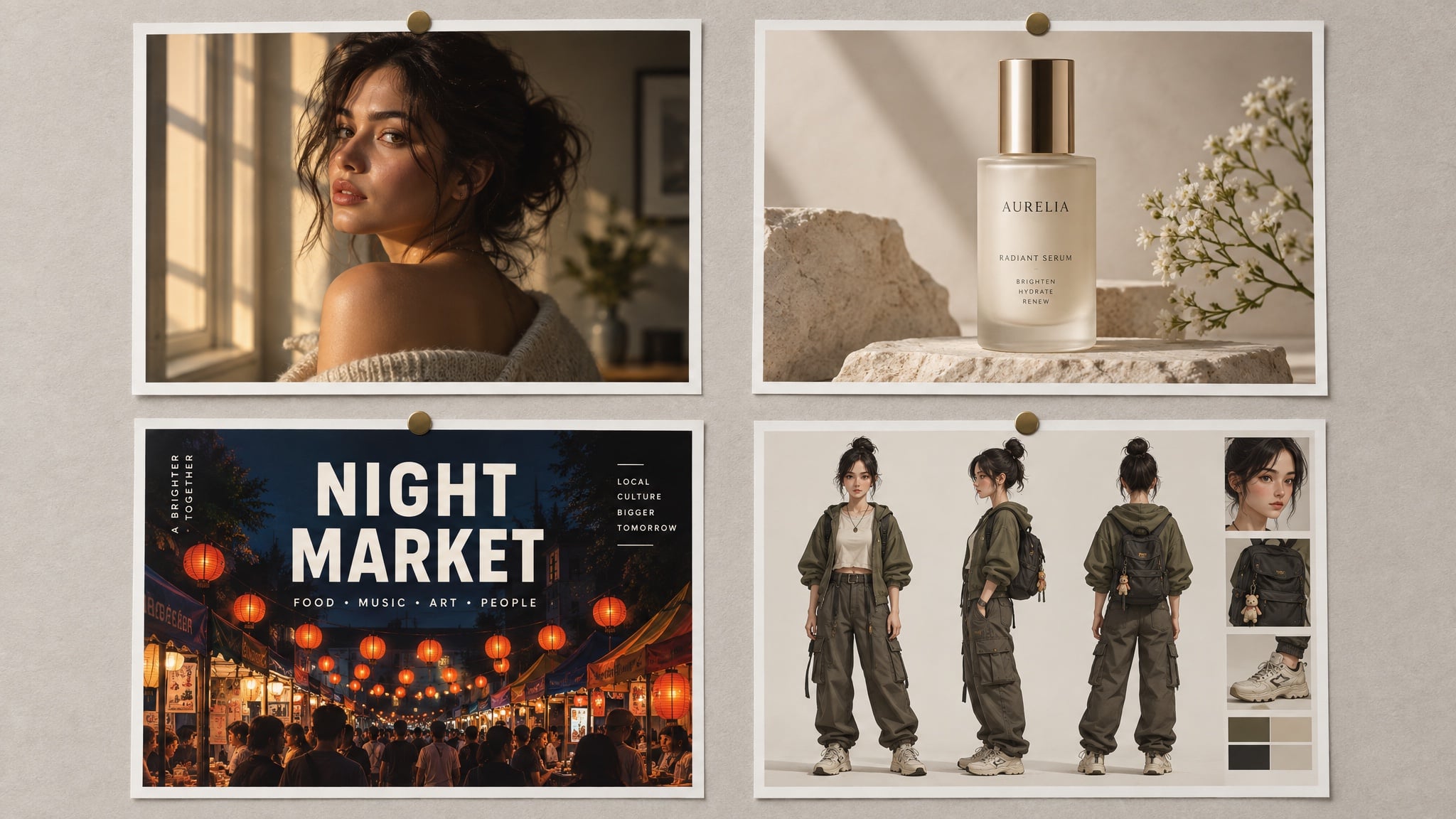
本文所有图片均由GPT-Image 2.5在Felo生成。海报和包装图片中的文本为模型输出,并非设计叠加。
先考虑需求,再选模型
三个问题决定后续几乎所有内容:
- 图片将用于哪里? 头像、海报和产品详情页各有不同规则——正方形或竖版、裁剪距离、布局需要多少留白。
- 哪些内容必须保持一致? 人脸、标签、logo、瓶身曲线。无论是什么,都要放进参考图片和提示词中的保留列表。
- 文本内容是什么? 引号括起来,拼写清楚,位置明确。GPT-Image 2.5能很好地渲染短文本,但不会为你写段落。
回答这三点,提示词基本成型。如果想了解提示词结构的全部细节——每个部分、顺序——可以参考我们的GPT-Image 2.5提示词指南。
个人项目
1. 保持真实的头像照片
多数人首先感受到的升级是皮肤。人脸带回毛孔、雀斑和自然不均,而不是早期模型的蜡质效果——但前提是你明确要求,并拒绝美颜。
Create a natural head-and-shoulders portrait of the person in the reference photo.
Keep the face, hairline, and features unchanged.
Expression: relaxed, mid-laugh, looking slightly off camera.
Light: late-afternoon window light from the left, soft falloff, a catchlight in the eyes.
Wardrobe: plain dark crew-neck, no logos.
Background: softly out-of-focus neutral grey wall, no clutter.
Style: 85 mm portrait, shallow depth of field, true-to-life skin texture, minimal retouching.
Constraints: no beauty filter, no skin smoothing, no added jewellery, no text.
效果原因:指定镜头和光线,并禁止两项让AI肖像显得不自然的因素——塑料皮肤和完美棚拍。
2. 一张照片,四种风格
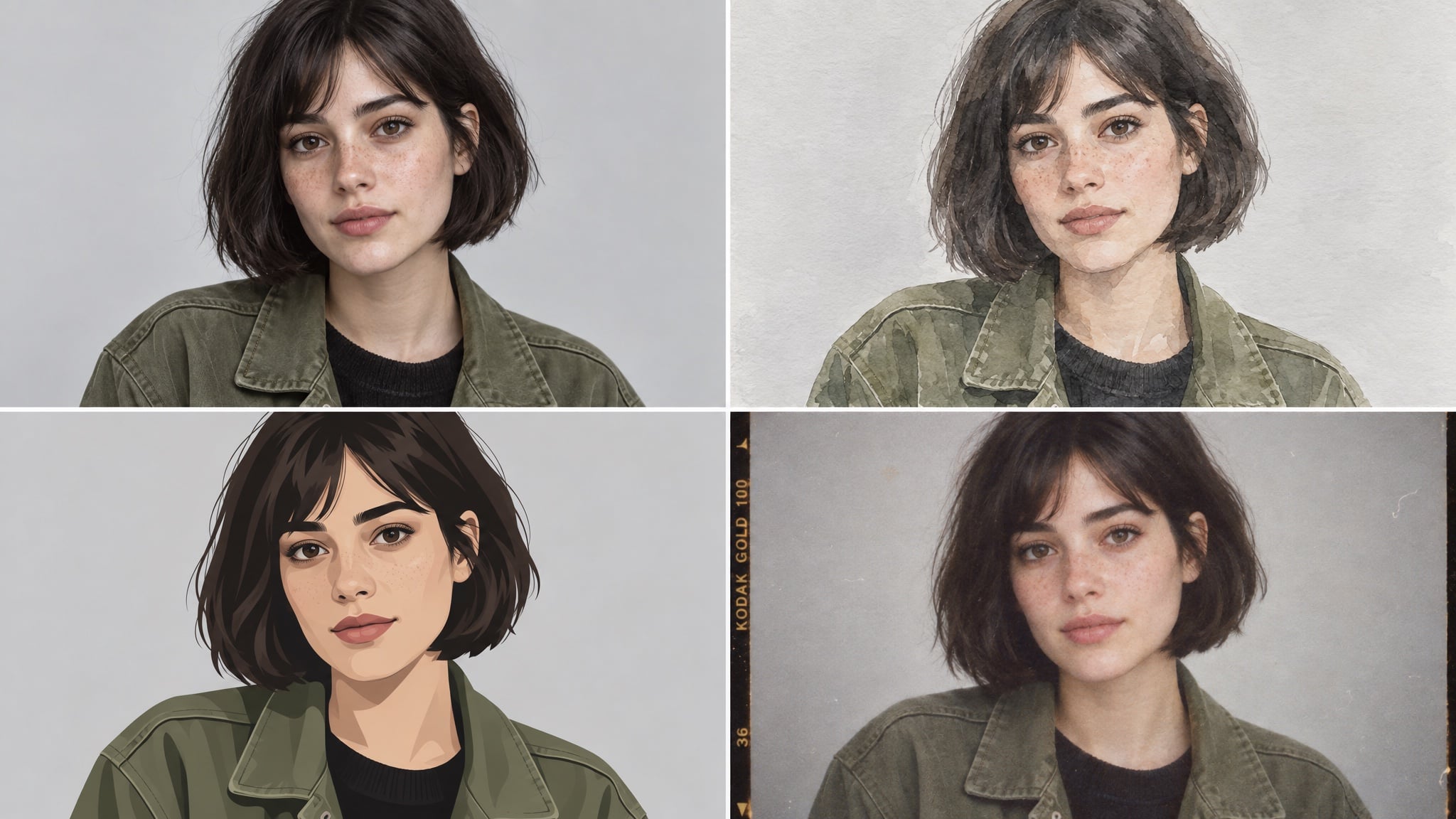
一张参考照片足以为同一个人生成多种风格:工作用写实版、频道横幅用插画版、个人主页用胶片风格。
Create a four-panel grid of the same person from the reference photo:
photorealistic portrait, loose watercolour, flat vector illustration, and 1990s film photograph.
Keep the same face, the same short dark bob, and the same olive jacket in all four panels.
Evenly spaced panels, identical framing and head size, neutral light-grey background.
Constraints: no text, no watermark, no style blending between panels.
效果原因:“相同构图和头部尺寸”起到关键作用。没有这条,模型会同时改变裁剪和风格,网格就不再统一。
3. 为你的活动制作邀请函或海报
这是最快体验文本渲染进步的方式。保持文案为两行短句,让模型自动排版。
Design a vertical poster for a rooftop dinner party.
Headline (exact, once): "SUNDAY SUPPER"
Subline (exact, once): "SUN 21 SEP · 18:30 · ROOFTOP"
Visual: warm minimal composition in terracotta and cream, a simple line-art table setting,
generous empty space around the type.
Typography: elegant serif headline, small uppercase sans-serif subline.
Constraints: no extra text, no logos, no watermark, no photographic people.
效果原因:艺术风格和字体要求分开,文本用引号括起,“无额外文本”防止模型自创未要求的标语。
4. 不做整形的照片修复
扫描的家庭照片是模型的一个安静胜利,因为它能重建缺失的纹理,而不是模糊剩余部分。
Restore and colourise this scanned family photograph.
Keep faces, clothing, and composition identical.
Repair the cracked corner and the faded area on the left without inventing new objects.
Return natural colour, neutral skin tones, and film-like grain.
Constraints: no glamour retouching, no added background elements, no cropping, no text.
效果原因:修复失败往往是模型决定“美化”人物。明确损伤并禁止虚构,结果才能是修复而非重制。
创作者与社交内容
5. 标题清晰可读的海报
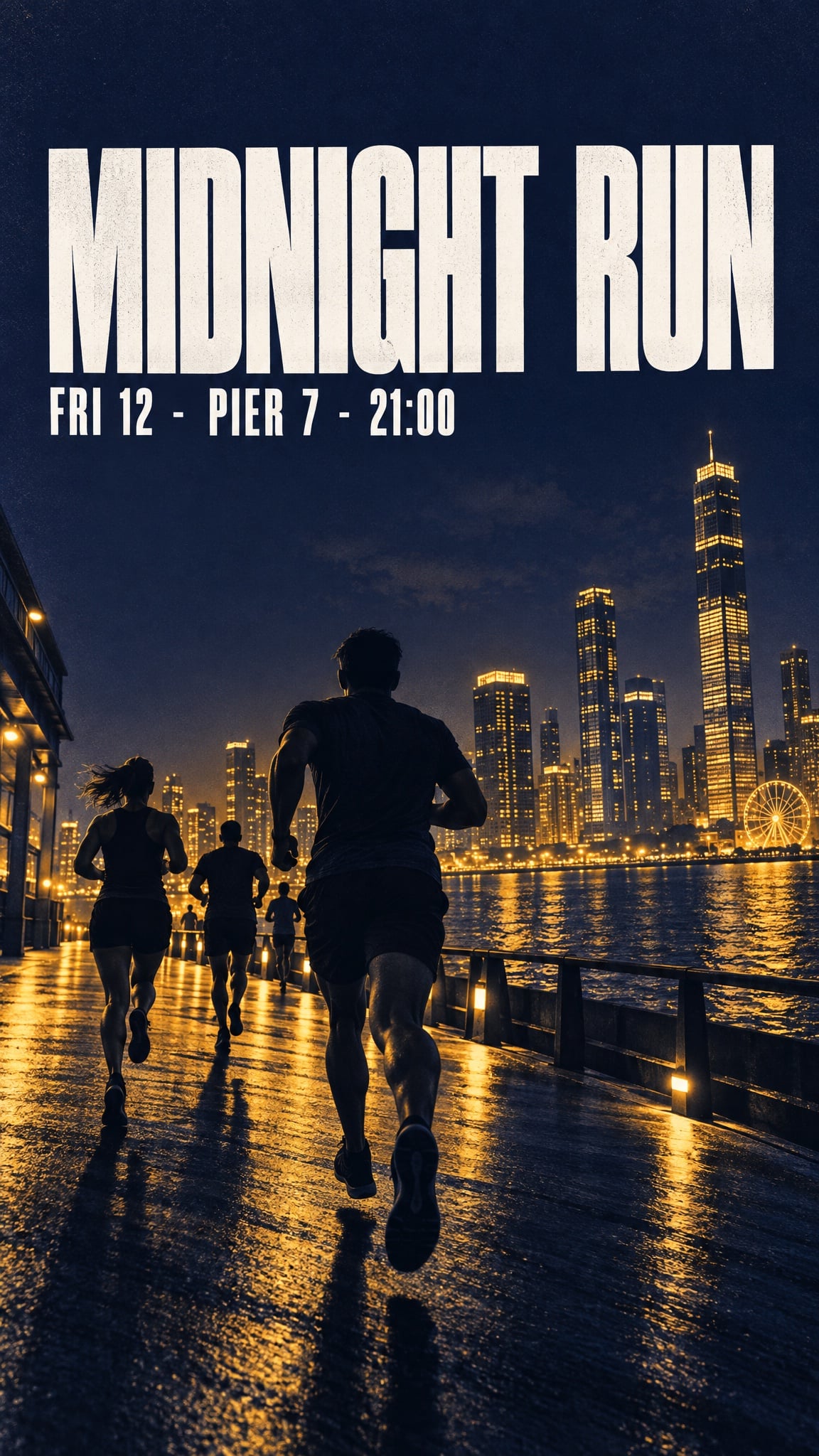
短标题、日期和价格现在能完整保留——只要保持简短、用引号括起、位置明确。
Bold minimalist event poster for a night run.
Headline (exact, once): "MIDNIGHT RUN"
Subline (exact, once): "FRI 12 · PIER 7 · 21:00"
Visual: deep indigo background, warm amber duotone skyline silhouette, strong diagonal
composition, headline sitting in the calm upper third.
Typography: heavy condensed sans-serif, high contrast, generous kerning.
Format: vertical, print quality.
Constraints: no extra text, no sponsor logos, no watermarks, no stock-photo people.
效果原因:标题位于“安静的上三分之一”——构图要求让文本远离复杂画面,而不是靠运气落在可读区域。
6. 可复用的角色参考表
参考表是一种格式,而非一张图片。制作后,后续每个场景都能从同一张已确认的脸开始。
Create a character reference sheet for an original character.
Character: a teenage skater with a close-cropped undercut, a faded red hoodie,
ripped black jeans, and scuffed high-tops.
Sheet contents: front, three-quarter, and profile views, plus a close-up of the hand holding a board.
Style: clean concept-art illustration, soft cel shading, consistent line weight, light grey background.
Layout: evenly spaced figures, identical proportions in every view, no overlapping limbs.
Constraints: original design, no text, no watermark.
效果原因:表格明确列出视角,并固定识别细节。这些细节随后成为后续提示词中的一致性要求。
7. 漫画分镜与故事板
多格画面是早期模型容易失控的地方,角色在每格间漂移。有参考图片和重复一致性要求,四格画面能保持稳定。
Create a four-panel horizontal comic strip with the same character in every panel.
Character consistency: same face, same faded red hoodie, same undercut, same line weight.
Panel 1: she kicks her board up and catches it.
Panel 2: a security guard points at a sign.
Panel 3: she shrugs, board under her arm.
Panel 4: she skates away down an empty street in evening light.
Style: clean flat comic illustration, limited palette, thin black outlines.
Constraints: no speech bubbles, no text, no watermark, no style drift between panels.
效果原因:每格单独描述,而不是一段长场景,并且一致性要求重复出现,而非默认假设。
8. 小屏幕也能看清的缩略图
缩略图首先是可读性问题,其次才是艺术问题。一个主体、一块文本、足够对比度,才能在320像素宽下清晰。
Design a video thumbnail about building a home espresso bar.
Composition: subject on the left, large text block on the right, high contrast,
readable at small size.
Text (exact, once): "MY 800 SETUP"
Subject: a chrome espresso machine on a wooden counter, steam rising, warm morning light.
Style: crisp editorial photograph, slightly elevated saturation.
Constraints: no extra text, no arrows, no circles, no shocked-face people, no watermark.
效果原因:“小尺寸可读”就是全部需求。它引导模型减少元素、增强对比,而不是生成复杂场景。
电商与产品工作
9. 标签可读的产品包装照
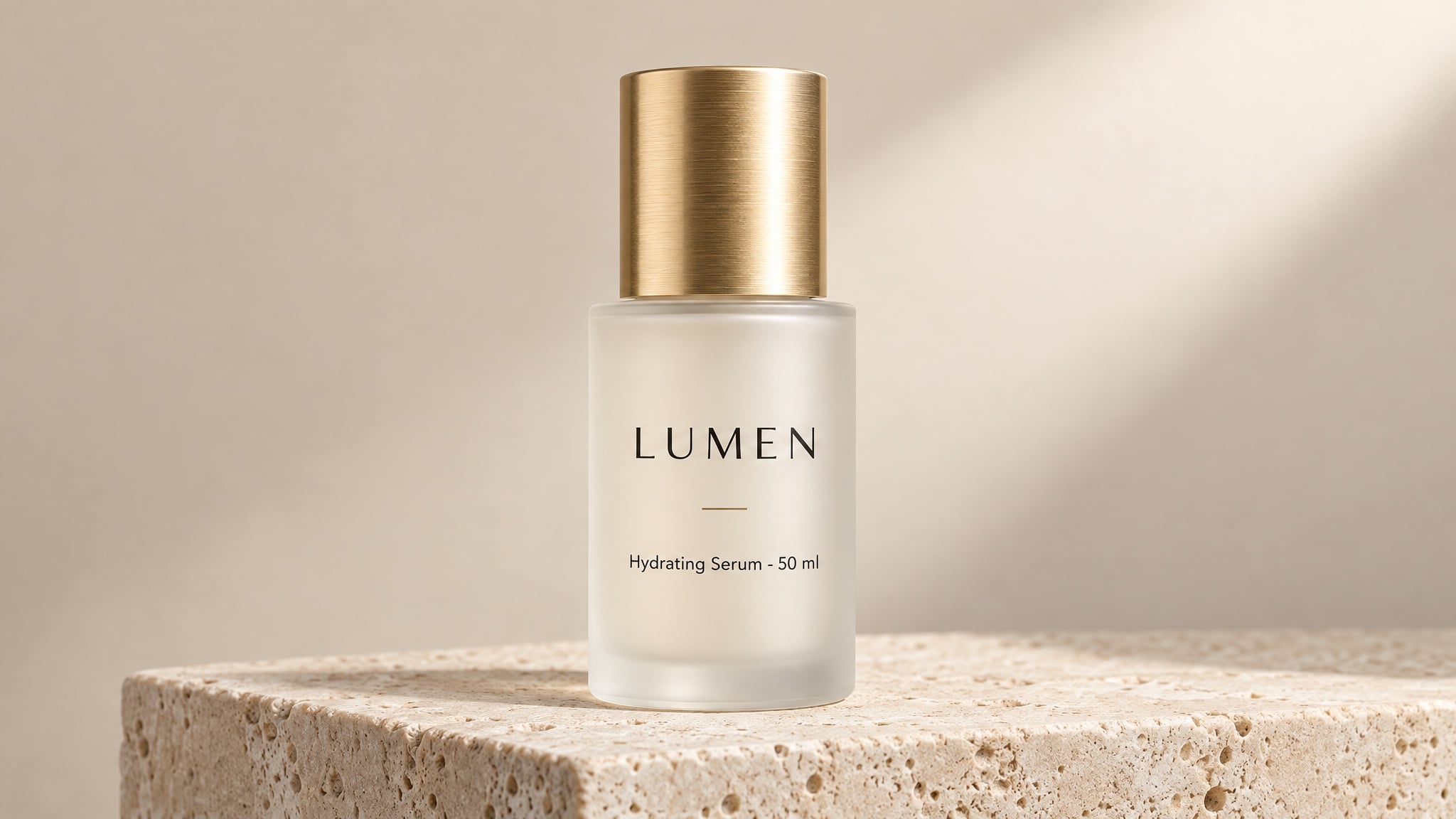
这是改变预算的应用场景。干净的棚拍包装照过去需要摄影师、棚、和一周时间。现在约束点是标签文案,这变成写作任务。
Studio product photograph of a frosted glass 50 ml serum bottle with a brushed gold cap,
standing on a pale travertine plinth against a soft beige backdrop.
Label text (exact): "LUMEN" as the brand, "Hydrating Serum · 50 ml" beneath it,
rendered once, straight on, sharp and fully legible.
Composition: centred, full bottle in frame, generous empty space on the right.
Light: large softbox from the upper right, gentle gradient falloff, clean contact shadow.
Style: premium beauty e-commerce photography, crisp detail, no props.
Constraints: no additional text, no logos, no watermark, no studio reflections.
效果原因:短文本、精确引用、位置明确、数量限定。这三点让图片内文案在详情页尺寸下依然清晰可读。
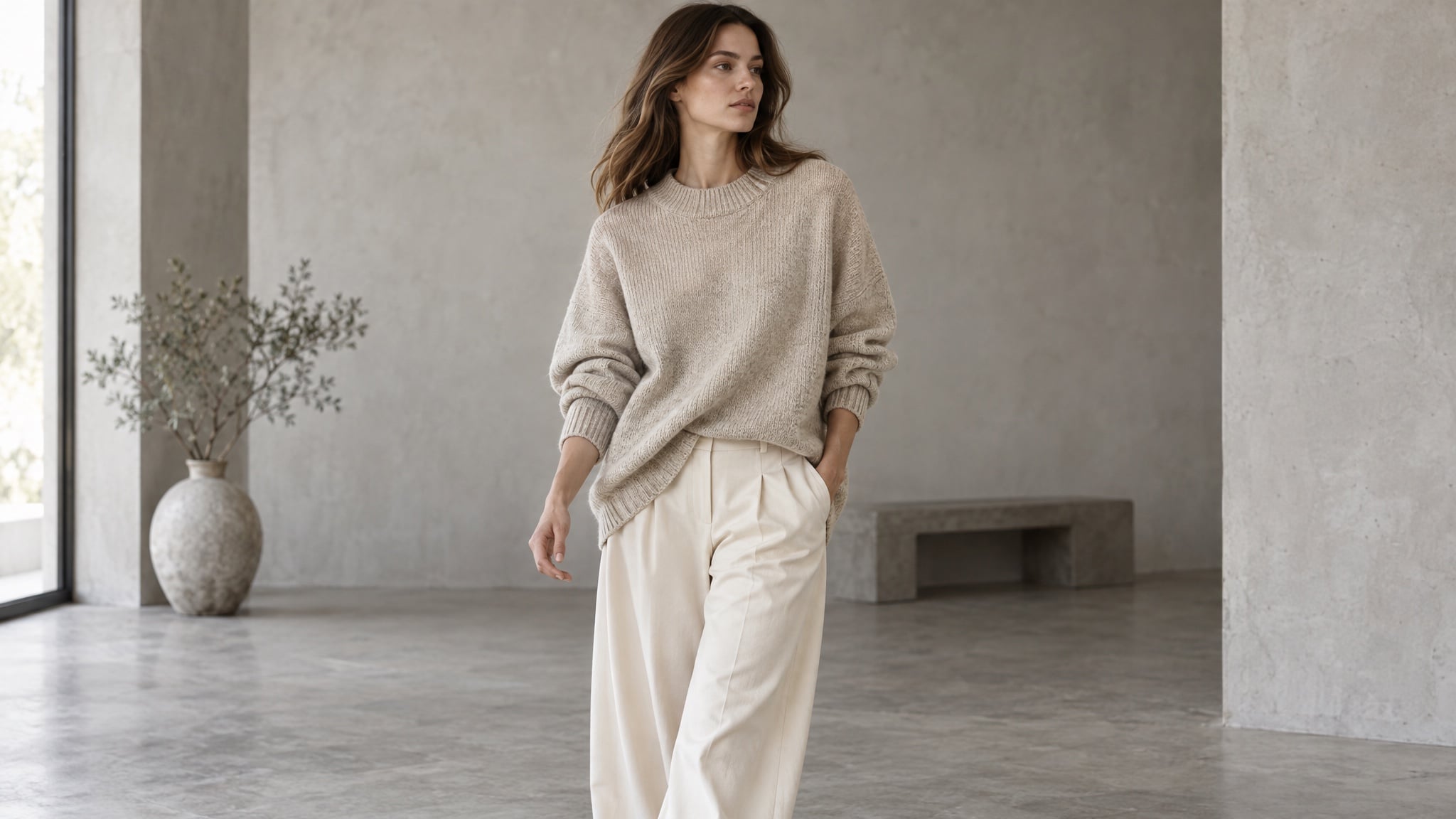
10. 无需棚拍的模特和生活场景照
上传已确认的服装图片,然后将其移到模特身上、房间里或自然光下。服装必须保持同款——同色、同织法、同轮廓。
Editorial e-commerce photograph of a model wearing the oversized oatmeal knit sweater
and wide-leg cream trousers from the reference images. Mid-shot, mid-stride, three-quarter angle.
Keep garment colour, texture, and silhouette exactly as in the reference.
Light: soft daylight in a minimal concrete studio, gentle shadow, neutral colour balance.
Style: catalogue lookbook photography, shallow depth of field, natural fabric folds.
Constraints: no text, no watermark, no pattern changes, no extra accessories.
效果原因:保留列表明确服装的销售关键属性。“无图案变化”看似多余,但毛衣很容易被模型加上原本没有的印花。
11. 一款产品,多种场景
产品渲染确认后,变体制作成本极低。同瓶身、同标签、同比例——新房间、新光线、新季节。
Same product, new scene: keep the bottle, cap, label, and proportions identical to the reference.
Scene: a bathroom shelf at 7 a.m., condensation on the window, a folded linen towel behind.
Light: cool morning daylight from the left, soft reflections on the glass.
Composition: eye level, product in the right third, quiet negative space on the left.
Style: natural lifestyle photography, muted palette, realistic materials.
Constraints: unchanged label text and geometry, no extra products, no text overlays.
效果原因:首句分清“变化内容”和“固定内容”。编辑失控往往是模型猜测哪些部分是核心。
12. 多语言包装与菜单
多语言产品设计过去需要每个市场一个设计师。模型负责排版和字体,你只需提供翻译文本。
Create three versions of the same coffee packaging, one per language, identical in layout.
Pack: 250 g matte kraft-paper bag with a matte black label band.
Label line 1 (exact): "MORNING BLEND"
Label line 2 (exact): "Dark Roast · 250 g"
Keep the bag shape, label position, and typography identical across all three versions.
Style: studio packshot, soft neutral background, softbox light from the upper left.
Constraints: no extra text, no watermark, no colour shift between versions.
效果原因:布局固定,只换文本,市场适配保持同一产品识别,而不是变成三种不同设计。
十二项场景通用的操作习惯
应用场景不同,失败方式相似。六个习惯能避免大多数问题:
- 把主体放进参考图片,而不仅仅写在提示词里。 以图片输入的人脸或产品,比文字描述更容易保持一致。
- 每次只改一个要素。 同时调整光线、背景和裁剪,难以判断哪条指令导致偏移。
- 低成本草稿,高成本定稿。 先用低质量设置探索构图,再用高质量重跑优选结果。质量等级影响输出token,最高等级成本约为最低等级的36倍。
- 文本用引号括起,并限定数量。 “只渲染一次”加精确字符串,能防止标签重复和虚构标语。
- 写出保留列表。 每个提示词最后一行都要说明哪些内容不能变:标签形状、服装颜色、机位角度、背景物品。
- 用已确认图片作为输入。 一致性来自固定参考和重复约束,而不是反复生成直到接近。
这些提示词在哪里运行
上述所有内容可通过OpenAI API运行,自备密钥、计费和参数管理。如果你更愿意专注于图片而非配置,Felo让GPT-Image 2.5直接在浏览器中使用:
- 免费起步。 每日额度,无需信用卡、API密钥或安装。
- 无水印,完全商用权利。 免费计划也适用。
- 最高4K输出。 原生3840×2160,首轮渲染即可作为最终素材。
- 50+视觉风格,文本支持50+语言。 专为海报、包装、菜单和多市场活动设计。
- 所有顶级模型一站式集成。 GPT-Image 2.5、GPT-Image 2、Nano Banana Pro、Nano Banana 2 Lite等——按需求切换模型。
- 引导式工作流。 故事板、表情表、片头序列、精灵表格,均从结构化提示词起步,而非空白输入框。
工作区内还提供现成提示词——六格故事板、活动海报、产品包装、漫画分镜、说明图、广告变体。先用一个校准,观察模型如何处理每个部分,再将结构应用到自己的产品。
常见问题
GPT-Image 2.5能做什么? 任何需要特定图片而非通用图片的场景:肖像和头像、活动海报、漫画分镜和故事板、缩略图、产品包装照、模特服装照、生活场景、包装、菜单和活动变体。
用这些提示词需要API密钥吗? 不需要。提示词技巧属于模型层面,Felo在浏览器中运行GPT-Image 2.5,无需API密钥,直接粘贴上述提示词即可生成。
如何让产品或人脸在多张图片中保持一致? 先确认一张基准图片,每次都上传作为参考,并在每个提示词中重述识别细节。一致性来自固定参考和重复约束。
为什么图片中的文本会出错? 通常是因为文案被改写、未加引号或过长。用引号括起精确字符串,说明位置和出现次数,保持简短,并加“无额外文本”。
高质量设置一定能生成更好图片吗? 不一定。成本更高、耗时更长,主要用于小字体、密集细节和最终交付。针对具体问题使用,不要默认开启。
生成内容可以商用吗? 在Felo上,图片拥有完整商用权利,无水印,免费计划也适用——所以生成的包装照可直接用于详情页。
选一个场景,立即发布
有用的问题不是“模型能做什么?”,而是“我的哪张图片一直在等棚拍?”需要重拍的标签、个人主页的风格套图、一直拖延的视频故事板。
选出今天最耗时的场景,从列表中复制提示词,每次只改一个部分,直到渲染结果成为你愿意发布的作品。
本文还提供以下语言版本:English、日本語、한국어、繁體中文、हिन्दी、Français、العربية、Русский、اردو、Bahasa Indonesia、Deutsch、Tiếng Việt、Türkçe、Italiano、ไทย、Español、বাংলা、Português。