
Felo
Cipta dan sunting video dengan AI
Jadikan idea dan imej anda video yang menarik untuk dikongsi dengan Gemini Omni, MiniMax H3, Seedance 2.5, Kling 4.0 dan Wan 3.0 Prime. Biar AI merancang syot dan menjana visual sehingga 2K.
Three ways to make an AI video
Start from a sentence, a single image, or a first and last frame. The agent picks the matching mode and model for each shot.
Text to video
Describe the subject, action, camera and style. The agent plans the shots, writes the camera moves and generates the clip — no footage or editing timeline needed.
Image to video
Upload a reference image and describe how it should move. Use it to animate a photo, product shot or character design while keeping the original composition.
First and last frame
Provide an opening and a closing frame, and the model generates the motion between them for precise transitions and consistent endings.
Templat video popular
Pilih klip dan cipta semula aksi atau gerakan kamera dengan foto anda.
Potret yang jelasKling 4.0
Terpandang kamera di tingkap
Kamera menghampiri ketika anda sedang makan. Anda tersedar lalu menutup langsir.
Cipta video seperti iniFoto seluruh badanKling 4.0 Omni
Tarian Krismas di salji
Gantikan penari di kiri dan berpusing bersama pasangan berpakaian hitam.
Cipta video seperti iniFoto kucing yang jelasMiniMax H3
Kucingku kesateria berkabus
Kucing anda memakai perisai dan jubahnya berkibar dalam kabus.
Cipta video seperti iniFoto bandar atau latar langitWan 3.0 Prime
Bandarku selepas senja
Tingkap dan lampu jalan dalam foto percutian anda menyala satu demi satu.
Cipta video seperti iniFoto seluruh badanKling 4.0 Omni
Mendaki ke 2027
Bawa angka 7 ke puncak bersalji untuk melengkapkan tahun 2027.
Cipta video seperti iniPotret yang jelasKling 4.0
Dipeluk lakaranku sendiri
Potret pensel anda menghulurkan tangan dan memeluk anda dari belakang.
Cipta video seperti iniFoto kucing yang jelasMiniMax H3
Kucing gergasi di stesen
Kucing anda yang sebesar kereta api keluar dari terowong dan melalui platform.
Cipta video seperti iniFoto seluruh badanKling 4.0
Lompat ke kulit album
Berlari di antara ikon telefon dan lompat ke dalam kulit album.
Cipta video seperti iniFoto zaman kanak-kanak dan foto terkiniWan 3.0 Prime
Dari kecil hingga kini
Wajah semasa kecil perlahan-lahan berubah menjadi wajah dalam foto terkini anda.
Cipta video seperti iniFoto anjing dengan muncung yang jelasSeedance 2.5
Dua anjing di kafe
Anjing anda menggantikan anjing besar di kanan. Pembantu kecil kekal ketika kopi tertumpah.
Cipta video seperti iniFoto seluruh badanKling 4.0
Dataran penuh kembarku
Kamera bergerak melalui barisan kembar anda sehingga wajah anda memenuhi skrin.
Cipta video seperti iniFoto anjing dengan muncung yang jelasSeedance 2.5
Anjingku menyanyi di dalam kereta
Di bawah paparan jalan, anjing anda menyanyi dan memakai cermin mata mengikut rentak.
Cipta video seperti iniFoto seluruh badan dengan skirt kembangMiniMax H3
Skirtku berpusing
Berpusing dengan gaun dalam foto sehingga hujung skirt membentuk bulatan.
Cipta video seperti iniFoto seluruh badan kucingSeedance 2.5
Kucingku di gim
Kucing memeriksa pemberat, memegang palang dan mengangkat kaki.
Cipta video seperti iniFoto kucing yang jelasKling 4.0
Dari angkasa ke kucingku
Menjunam dari orbit sehingga tiba di hadapan kucing yang memegang batu berbentuk hati.
Cipta video seperti iniFoto seluruh badanKling 4.0 Omni
Menari bersama Santa
Ambil tempat penari di sebelah kiri skrin. Ikut rentak bersama Santa, berpusing bersama dan kembali menghadap kamera.
Cipta video seperti ini
How to generate an AI video with Felo
Three steps from idea to finished clip.
- 01
Describe your video
Type a prompt or drop in a reference image. One sentence is enough — the agent can search the web for context and plan the shots from there.
- 02
The agent plans the video
Felo breaks your idea into a shot list, picks a video model for each shot, and matches aspect ratio, resolution and duration.
- 03
Generate, refine and share
Preview the result, adjust with a follow-up in the same thread, then download or share the finished video.
Video models in one workspace
Each model has its own strengths. MiniMax H3, Seedance 2.5, Wan 3.0 Prime and Kling 4.0 are available now — pick one in video settings, or let the agent decide.
MiniMax H3
Available nowText-to-video and image-to-video with durations from 4 to 30 seconds, up to 2K, in six aspect ratios from 21:9 to 9:16.
- Durations
- 4–30 seconds
- Resolution
- 480P–2K
- Aspect ratios
- 21:9, 16:9, 4:3, 1:1, 3:4, 9:16
- Inputs
- Text, image, video, audio
Seedance 2.5
Available nowByteDance's video model, built for fast, motion-heavy short clips.
- Durations
- 4–30 seconds
- Resolution
- 480P–720P
- Aspect ratios
- 21:9, 16:9, 4:3, 1:1, 3:4, 9:16
- Inputs
- Text, image, video, audio, first and last frame
Wan 3.0 Prime
Available nowAlibaba's Wan video line, focused on flexible generation modes.
- Durations
- 2–30 seconds
- Resolution
- 480P–1080P
- Aspect ratios
- 16:9, 4:3, 1:1, 3:4, 9:16
- Inputs
- Text, first and last frame
Kling 4.0
Available nowKuaishou's Kling model, known for cinematic motion and character consistency.
- Durations
- 3–30 seconds
- Resolution
- 720P–1080P
- Aspect ratios
- 21:9, 16:9, 1:1, 9:16
- Inputs
- Text, image, video, first, middle and last frame
Gemini Omni Flash
Coming soonGoogle's Gemini video model, made for fast multimodal generation.
Why create videos with Felo AI

Prompt once, get a plan
The agent turns a single sentence into a shot list with camera moves and sound, instead of leaving you to write a spec.
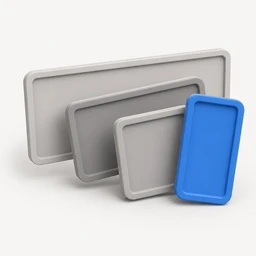
Six aspect ratios
From 21:9 cinematic to 9:16 vertical — one prompt, formatted for the screen it will play on.
Up to 2K resolution
Generate at 768P for quick drafts or 2K when the clip has to hold up on a big screen.

Reuse any showcase prompt
Every example on this page carries its full prompt. Open it, press Use prompt, and make it yours.
Browse the demo examplesHow to write an AI video prompt
A useful prompt reads like a shot description. Cover these five elements and the agent can plan the camera work and sound.
- 01
Subject
Who or what is on screen — appearance, materials, clothing and the details that must stay consistent.
- 02
Action
What happens, and how the scene changes from the first frame to the last.
- 03
Camera
Shot size, angle and movement: push in, track, arc around, pull out.
- 04
Style
Live action or animation, lighting, palette, film stock or a visual reference.
- 05
Sound
Ambience, effects and music. Optional, but it changes how the final clip feels.
“A small cream-colored maintenance robot on a wet rooftop finds a dim star in a puddle. It lifts the star into a repair basket, climbs three steps and launches it back into the sky; its headlamp beam brightens the star as it rises. Stylized 3D animation, soft painted metal, rainy reflections, gentle celesta music.”
Key takeaways
- One prompt is enough: the agent turns a sentence into a shot list and selects a video model.
- Text-to-video, image-to-video and first-and-last-frame generation share one composer.
- Six aspect ratios from 21:9 to 9:16, at 768P for drafts or 2K for the final cut.
- Every example includes its full prompt — open one and press Use prompt.
Explore more Felo video tools
Frequently asked questions
- What is an AI video generator?
- An AI video generator turns a written prompt or a reference image into video. Felo adds an agent layer on top: it plans the shots, picks a video model and keeps the context, so you can refine the result in the same thread instead of starting over.
- Can AI generate a video from text?
- Yes. Describe the subject, action, camera and style in a sentence or two, and Felo AI Video Generator produces a finished clip. You can also start from a reference image and animate it.
- Can I turn a photo into an AI video?
- Yes. Upload an image as the first frame, describe how it should move, and Felo generates the motion from that starting point. First-and-last-frame mode also lets you set the closing frame.
- Which video models does Felo AI use?
- MiniMax H3, Seedance 2.5, Wan 3.0 Prime and Kling 4.0 are available now; Gemini Omni Flash is coming soon. Each model shows its own limits for duration, ratio and reference media.
- How long can a generated video be?
- Clip length depends on the model: Wan 3.0 Prime runs 2–30 seconds, Kling 4.0 3–30 seconds, Seedance 2.5 4–30 seconds, and MiniMax H3 4–30 seconds (4–15 seconds at 1080P and 2K). You can pick the duration in video settings before generating.
- Can I make a vertical video?
- Yes. Choose 9:16 for Reels, Shorts and TikTok, 16:9 for YouTube, or 21:9 for a cinematic frame. The same prompt can be generated again in a different ratio.
- How long does it take to generate a video?
- Most clips finish in a few minutes. Shorter drafts at 768P come back faster; 2K takes a little longer.
- Can I edit a video after it is generated?
- Yes. Ask a follow-up in the same thread to adjust the shot, style or length, and a new version is generated without starting over.
- Can I reuse the prompts in the examples?
- Yes. Every example on this page includes its full prompt. Press Use prompt to place it in the composer, then change the subject, style or aspect ratio.
- Is Felo AI Video Generator free?
- Felo AI Video Generator runs in the browser. Video generations use Felo points, and the pricing page lists the points included with each plan.
Make your next video with Felo
Describe it in a sentence, or start from a showcase prompt.
Rate this page
4.9 / 58,923 ratings